
Deciding between LiteSpeed Cache vs WP Rocket is a smart final step when trying to speed up your site. You understand the value of a high-quality WordPress performance optimization plugin and need to find the right one for you.
But the technical details can be confusing, and it’s hard to know which of their very different approaches is right for you. I’ve broken down the comparison into a simple, straightforward guide. This article will help you improve your website performance.
The choice is between a powerful free plugin tied to a specific server (LiteSpeed Cache) and a user-friendly premium plugin for any server (WP Rocket). Airlift seemed to be the best of both worlds.
A Quick Look at LiteSpeed Cache vs WP Rocket
Before we dive into the head-to-head comparison, let’s quickly understand what the two plugins are known for.
WP Rocket
WP Rocket is a premium plugin that works entirely inside your WordPress installation. Think of it as an on-site specialist that organizes your website’s content, creating ready-made copies (caches) to deliver them instantly to visitors. It lives within your dashboard, giving you direct, user-friendly control over all its settings. It is widely respected for its simplicity, reliability, and excellent compatibility with thousands of other themes and plugins.

LiteSpeed Cache
LiteSpeed Cache operates as a free, all-in-one performance suite that acts as a direct interface to a LiteSpeed Web Server. Instead of just creating files, it communicates with the server’s built-in caching engine, which is a fundamentally faster and more efficient approach. This makes it an incredibly powerful package that bundles server-level caching, image optimization, and code optimization into a single, highly integrated tool.

Head to Head Comparison of Litespeed Cache vs WP Rocket
We wanted to find a solution to improve a slow website. Here’s what I found when putting both plugins to the test and comparing them on their most critical features.

Ease of Use & Setup
A speed optimization tool should save you time, not create a technical headache. Both plugins are powerful once configured, but their initial setup and ongoing management are worlds apart.
WP Rocket: We reviewed WP Rocket and it was fairly easy. Getting started with WP Rocket involves manually adding a plugin. You purchase a license, download a zip file, and upload it to your WordPress dashboard. While this takes a few extra clicks, the moment you activate it, it starts working. Its dashboard is famously user-friendly, clean, and designed for people who want results without a computer science degree.
LiteSpeed Cache: LiteSpeed offers a standard installation from the WordPress repository. However, upon activation, you’re faced with a dashboard packed with dozens of advanced settings, tabs, and technical options. While this offers incredible control for developers, it’s completely overwhelming for beginners and presents a steep learning curve.

Page Caching: The Core Mechanism
This is the most fundamental aspect of WordPress caching and a key factor in how to speed up WordPress. We looked at the technology behind the scenes to see what’s happening when a page is cached.
WP Rocket: WP Rocket uses a classic and highly effective on-server method. It generates static HTML files of your pages and stores them on your server’s disk. When a visitor arrives, your server delivers this lightweight file instantly, skipping the slow process of running PHP and querying the database.
LiteSpeed Cache: This is the plugin’s killer feature. Because it’s integrated with the server, it caches pages at the server level, bypassing the PHP layer entirely. This is a more direct and efficient method that drastically reduces Time To First Byte (TTFB) and server load. It’s not just creating a copy; it’s using the server’s native memory to serve pages at incredible speed.
Cache Preloading (Cache Warm-up)
Preloading is the process of proactively building your cache so that the very first visitor to a page gets a fast, cached version. We examined where this work happens, as it can have a major impact on your server’s performance.
WP Rocket: When we compared WP Rocket and W3 Total Cache, we found that it uses your sitemap to automatically “crawl” your pages and generate the cached HTML files. This is an excellent feature, but the entire process uses your own server’s resources (CPU and memory). On a busy site or a less powerful hosting plan, this can lead to a temporary slowdown while the cache is being built.
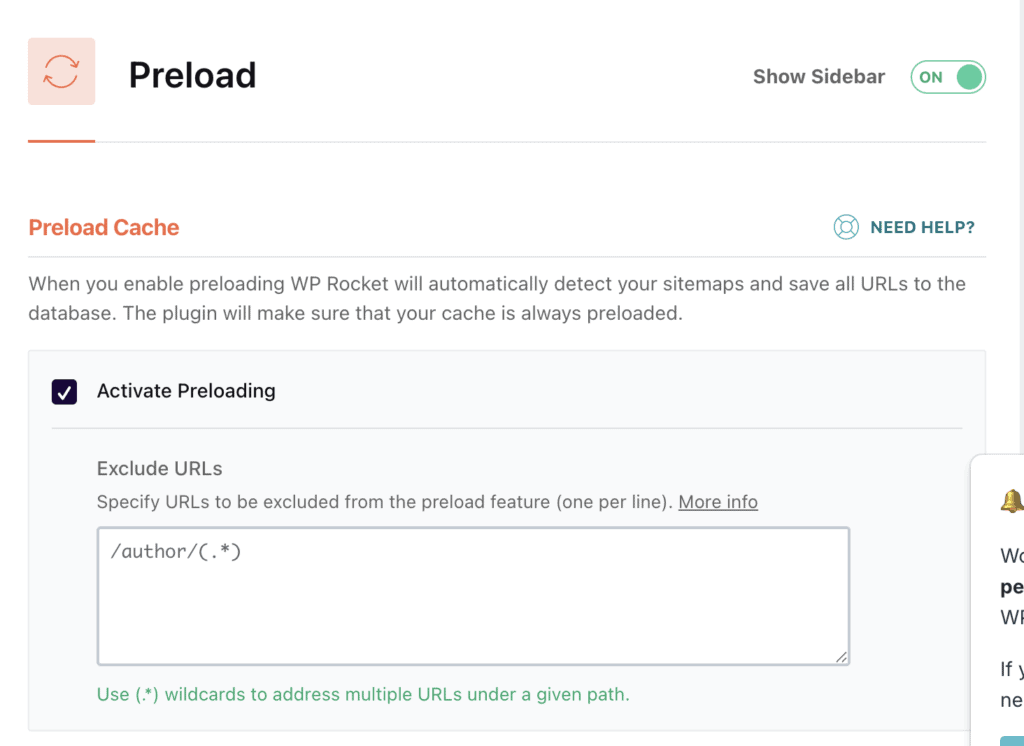
LiteSpeed Cache: LiteSpeed’s crawler is also highly effective but operates much more efficiently due to its tight server integration. The process creates less strain on your hosting resources, making it a safer and more stable choice for websites on shared or budget-friendly hosting plans.
Mobile Caching
When we look at the top themes and page builders, we often look at how they handle mobile screens. This is because over half of all web traffic is mobile. So, their experience is paramount to your users. Delivering a fast experience on smaller screens is critical.
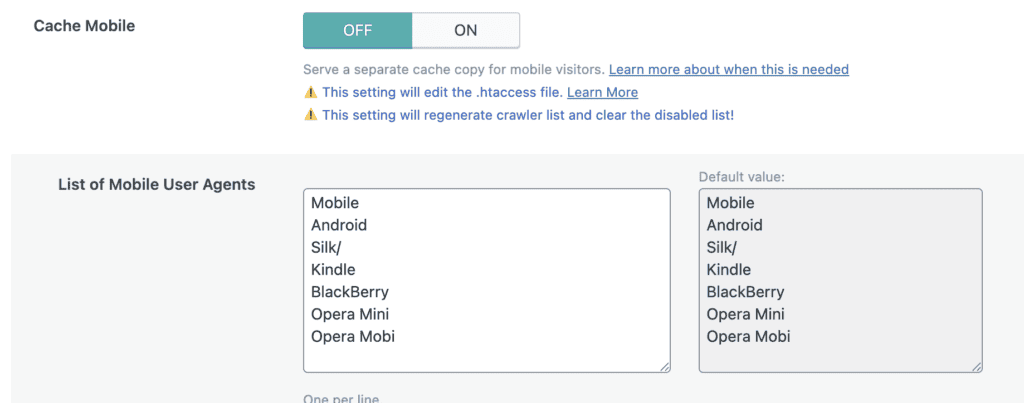
WP Rocket: WP Rocket operates on the principle that most modern WordPress themes are responsive. It creates a single cache file that is served to all devices—desktop, tablet, and mobile. This simple and stable approach works well for the majority of websites.
LiteSpeed Cache: This is an area where LiteSpeed shines. It gives you a dedicated setting to create and store a separate, optimized cache version for mobile devices. This allows for more granular control and can be beneficial if your mobile site has a different layout or content.
Browser Caching
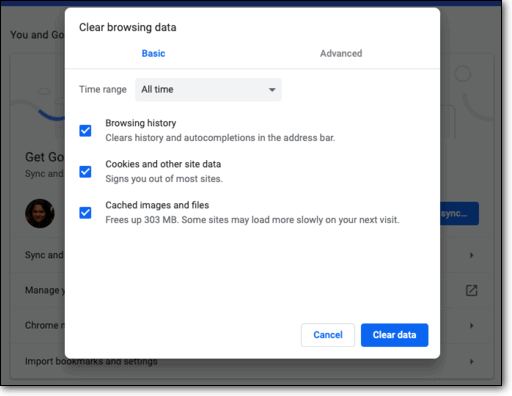
You’ve probably cleared your browser cache when you don’t see changes on your WordPress site. Browser caching tells a visitor’s web browser to save static files (like your logo and fonts) on their own device so they don’t need to be re-downloaded on subsequent visits.
WP Rocket: WP Rocket handles this by adding standard rules directly to your server’s .htaccess file. It’s enabled by default and works perfectly.
LiteSpeed Cache: LiteSpeed achieves the same result, but the rules are handled at the server level. This is also completely automatic. Both methods are equally effective.
Cache Purging & Invalidation
When you update a page, you need to clear the cache so visitors see the new content. We looked at how reliably and efficiently each tool handles this.
WP Rocket: WP Rocket automatically purges the cache for a specific page (and related pages like your homepage) whenever you save an update. It simply deletes the stored HTML files.
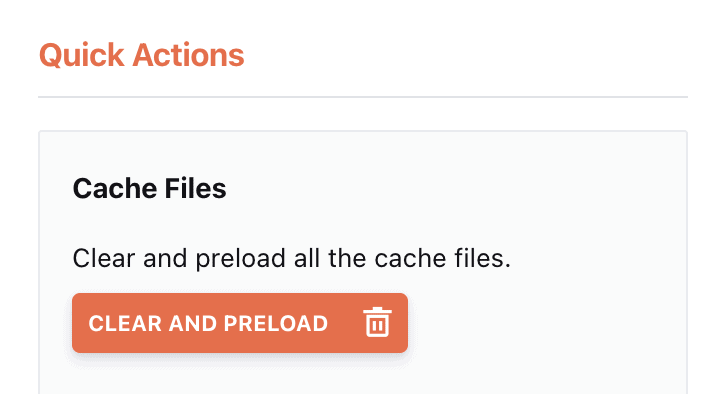
LiteSpeed Cache: LiteSpeed uses a similar, intelligent process called “smart purge.” It uses tags to identify and purge only the relevant pages, which can be more efficient on large, complex sites. In practice, both are excellent and reliable.
Handling Logged-in Users & Dynamic Content
It’s essential that caching systems do not show cached pages to logged-in administrators or interfere with shopping carts.
WP Rocket: WP Rocket excels at this for most sites. It automatically detects when a user is logged in and bypasses the cache. It also automatically excludes e-commerce pages like cart and checkout.
LiteSpeed Cache: LiteSpeed follows the same crucial rules but adds a game-changing feature called ESI (Edge Side Includes). This allows you to “punch holes” in a cached page to insert dynamic content (like a shopping cart widget). This means you can cache almost an entire e-commerce page, offering a significant performance boost for dynamic sites.
Extra Features: All-in-One vs. A La Carte
The best WordPress caching plugin often does more than just caching. This section covers the other features that WP Rocket and LiteSpeed Cache offer.
- Content Delivery Network (CDN): WP Rocket does not include a CDN but integrates perfectly with third-party services like Cloudflare or RocketCDN. LiteSpeed Cache is built to work with its own service, QUIC.cloud, which offers a generous free tier.

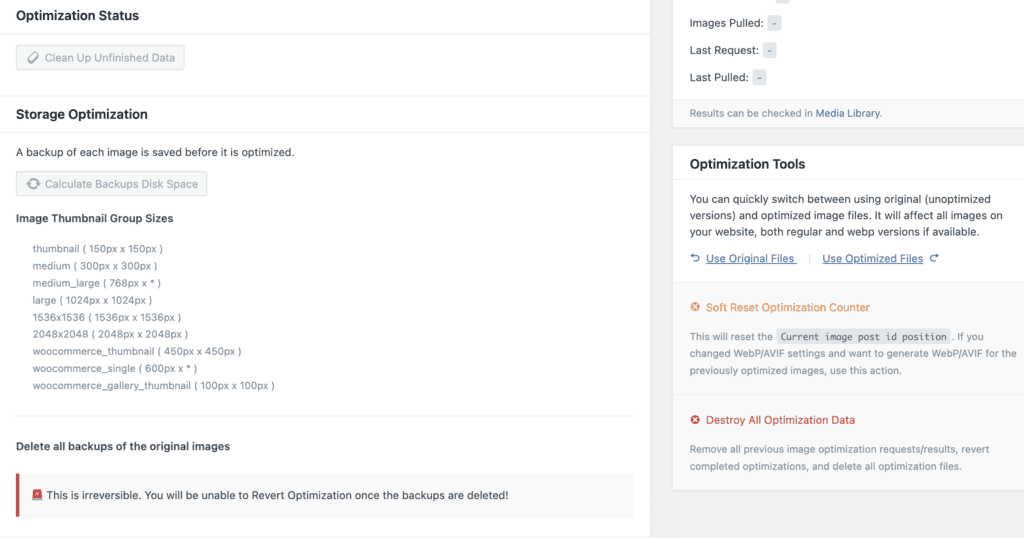
- Image Optimization: WP Rocket includes lazy loading but requires a separate plugin like Imagify for compression and WebP conversion. LiteSpeed Cache handles this as a built-in feature via QUIC.cloud.
- File Optimization (CSS & JavaScript): WP Rocket gives you simple, checkbox-style controls and powerful features like “Remove Unused CSS.” It’s ideal for users who want to fine-tune settings. LiteSpeed offers more granular but far more complex controls that can easily break your site if misconfigured.
- Database Optimization: Both plugins offer tools for cleaning your WordPress database. Clearing out your database is important when you fix a full WordPress database. WP Rocket’s dedicated tab and scheduling feature are more user-friendly.
Pricing: Free vs. Annual Licensebase
Choosing a free vs. premium caching plugin is a key consideration. Your budget is a critical factor, and the models here are very different.
LiteSpeed Cache: The plugin is 100% free. Its associated cloud services (like CDN and image optimization via QUIC.cloud) operate on a credit system with a generous free tier that is sufficient for most small to medium sites.
WP Rocket: WP Rocket uses an annual license model. You pay a flat fee for the plugin plus one year of support and updates. The plugin continues to work after the year is up, but you must renew to get new updates. The price is predictable and doesn’t change based on your traffic.
What We Missed in LiteSpeed Cache and WP Rocket
Both LiteSpeed Cache and WP Rocket are excellent, but they are tools, not magic wands. Their performance is fundamentally capped by the quality of your hosting, and their complexity can easily lead to conflicts. Here are some things we want you to consider before you make your decision:
- Hosting Limitation: Both plugins are ultimately limited by your server. This is why choosing a good webhost is important. LiteSpeed Cache is useless without a LiteSpeed server WordPress setup. WP Rocket is entirely dependent on your server’s hardware. Pouring premium fuel into a broken engine won’t win you the race.
- Complex solutions: LiteSpeed’s greatest strength—its vast number of features—is also its biggest weakness for non-experts. It’s incredibly easy to enable a setting that breaks your site’s functionality. You’re left guessing which of the 50+ options is the culprit, ultimately sacrificing performance to get your site working again.
Expert advice: We recommend you take regular backups that you can restore so you can troubleshoot issues easily.
- Dependency on CDN: To get the full benefit of WP Rocket, you often need to find, configure, and pay for a separate CDN and image optimization plugin. LiteSpeed offers a CDN but only for web hosts that use it already.
Final Verdict
Both LiteSpeed Cache and WP Rocket are fantastic tools that can dramatically speed up your WordPress site. If you are on a LiteSpeed server and have the technical confidence to manage its settings, LiteSpeed Cache can be very powerful and cost-effective. If you are willing to pay for the ease of performance improvement and have a large site, WP Rocket may be for you. Both plugins seemed like a bad fit for small businesses and websites.
Airlift is the best solution we have seen for WordPress owners that have no technical knowledge. Just install and go. The plugin will analyse all the content on all your pages and customize solutions to each of them. This can improve your website performance by far.
FAQs
What is better than WP Rocket?
On a LiteSpeed server, LiteSpeed Cache is better due to its server-level caching. For users on other servers seeking an alternative, the WP Rocket vs Perfmatters debate is common, but this requires even more technical expertise. For the best performance without the DIY hassle, a managed service is the superior solution.
Is LiteSpeed Cache worth it?
Yes, 100%—but only if you are on a LiteSpeed web server. In its native environment, it offers performance that premium plugins struggle to match, for free. If you are not on a LiteSpeed server, its main advantage is lost.
What is the best cache plugin for WordPress?
The best plugin depends entirely on your server. For LiteSpeed servers, it’s LiteSpeed Cache. For Apache or Nginx servers, WP Rocket is widely considered the best all-in-one premium plugin for its blend of power and simplicity.
What is the difference between WP Super cache and LiteSpeed cache?
The main difference is technology and scope. LiteSpeed Cache (on a LiteSpeed server) uses a fast, integrated server-level cache and is a full optimization suite. WP Super Cache is a much simpler, file-based caching plugin that focuses almost exclusively on creating static HTML files.

Shreya has been a writer for as long as she can remember. Now, she writes articles that help WordPress users manage the sites that they're proud of, with little to no coding