Adding a WordPress cache plugin is a smart and essential part of your overall WordPress maintenance routine. It’s one of the most effective steps you can take to ensure your site runs smoothly for every visitor.
We know that choosing the right one can feel overwhelming with so many technical options and features. That’s why we’ve cut through the complexity to provide a clear, straightforward guide. We’ll help you find the best solution for your site without any confusing jargon.
Airlift is our favourite for its truly hands-off, next-generation approach. By leveraging enterprise-level edge caching, it delivers exceptional speed improvements without any complex configuration.
Before we dive into which plugin to choose, it’s crucial to understand what a cache plugin actually does for your website. If you’re looking at how to speed up wordpress sites, a good caching plugin is an effective tool. It offers the following benefits:
- Faster page load times
- Reduced server load
- Improved SEO
- Better user experience
- Higher conversions
What to look for in a WordPress Cache Plugin?
Finding the best wordpress cache plugin can feel overwhelming because many options seem to do the same thing. However, a few key features separate the good from the great.
- Ease of Use: A good plugin should have a simple setup and a clean interface, allowing you to get great results without needing a developer.
- Page Caching: The plugin must be able to create and serve static HTML files of your pages, as this provides the biggest speed boost.
- Browser Caching: This feature tells a visitor’s web browser to store files like your logo and CSS locally. It makes your site load almost instantly for returning visitors.
- Cache Preloading: Instead of waiting for someone to visit a page to create the cache, this feature automatically builds the cache for your entire site.
- Mobile Caching: The plugin should have the ability to create a separate cache for mobile devices.
- Clear Cache Rules: When you update a post or page, the cache for that page needs to be cleared.
- Compatibility: A caching plugin must work well with your theme, page builder, and other essential plugins. Incompatibility can easily break your site’s functionality.
- Support & Updates: Choose a plugin that is actively maintained with regular updates and has a responsive support team you can rely on if something goes wrong.
1. Airlift
Airlift acts as more of a dedicated performance expert for your website. A human expert would analyze how each page loads and how browsers behave, then develop a custom strategy for it. Airlift does exactly this, but automatically and for every single page on your site.
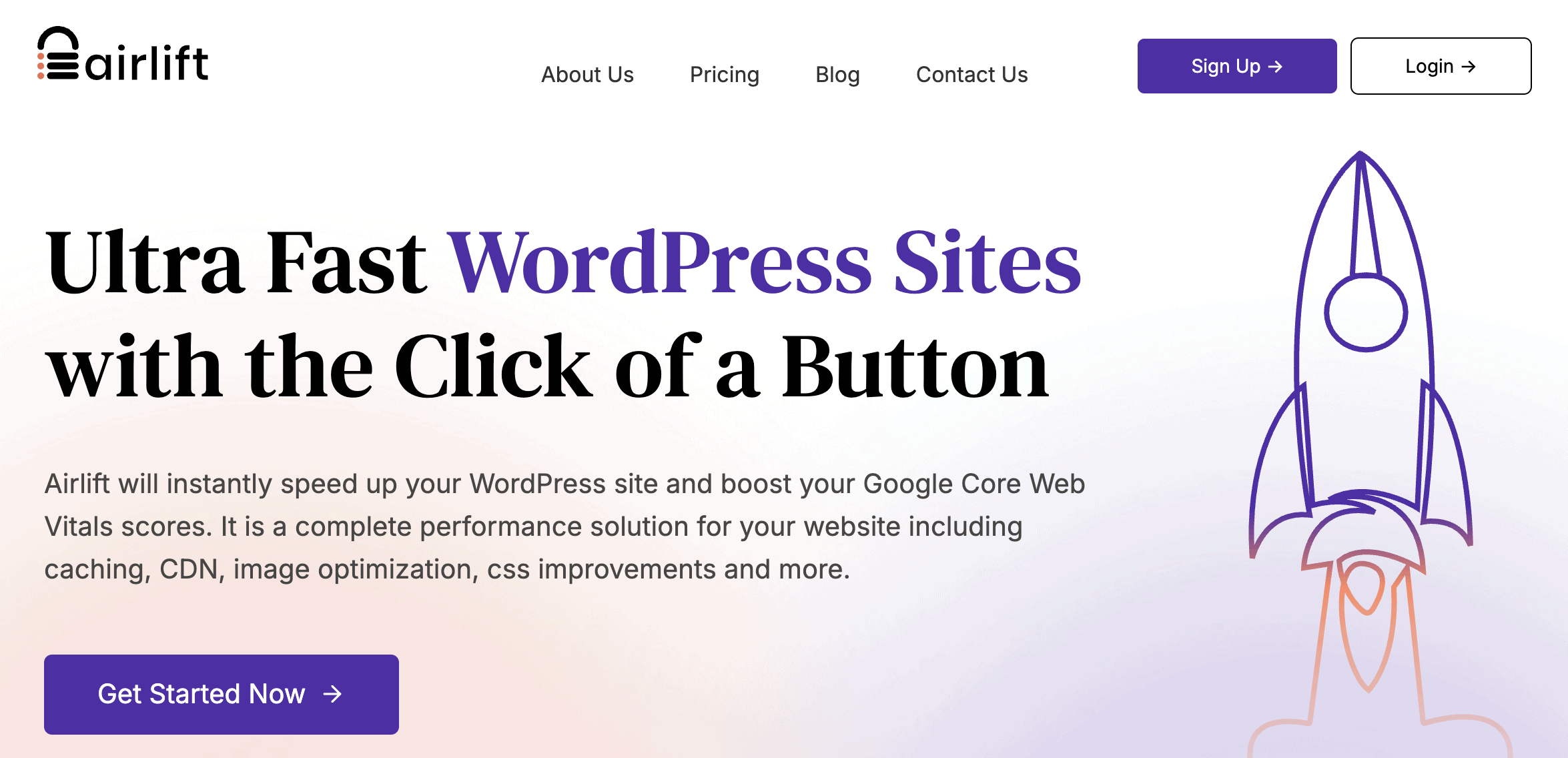
Once it understands your website’s pages, it dynamically configures its settings for each individual request. But it doesn’t stop there. This analysis is repeated daily. This is crucial because your site is always changing—new content, plugin updates, or theme tweaks. Airlift constantly adapts to these changes, ensuring its optimizations are always current and effective.

Key Features
- Audits your site and respects server-level caching from web host
- Routinely checks for changes and automatically clears the cache
- Recognizes and excludes dynamic pages, like WooCommerce carts, to ensure they function correctly.
- Fully automated
Price: There’s a free plan but they have a plan for $99 a year that offers other features like auto-purge cache after updates.
2. LiteSpeed Cache
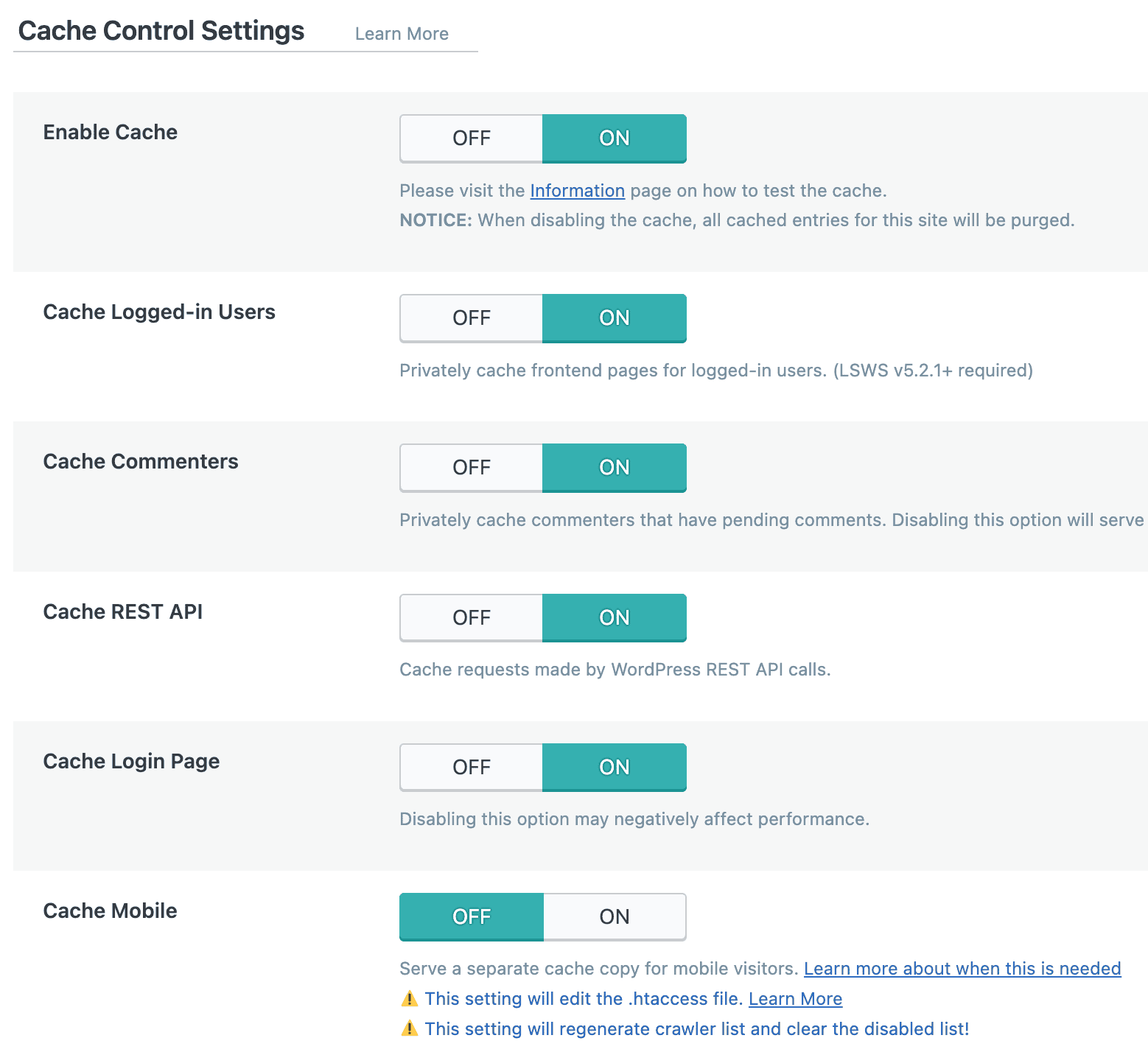
We tested Litespeed Cache and it’s an absolute powerhouse with one major condition. Y our website must be hosted on a LiteSpeed web server. Unlike other plugins that work at the application level, LiteSpeed Cache was designed to integrate directly with the server. This allows it to perform server-level caching, which is significantly faster and more efficient than the standard methods.

This plugin is not for the faint of heart. Its settings panel is packed with an exhaustive list of options that can be overwhelming for beginners. However, for those on the right hosting, it offers a complete performance suite in a single, free package. It handles everything from page caching and database optimization to its own CDN service, making it a truly all-in-one solution.
Key Features
- Performs highly efficient, server-level page caching.
- Includes a full suite of image and database optimization tools.
- Offers QUIC.cloud CDN integration for global content delivery.
- Supports object caching (Redis, Memcached) for complex sites.
Price The plugin is completely free. The associated QUIC.cloud CDN has a free tier and paid plans for higher usage.
3. WP Rocket
Our review of WP Rocket went really smoothly and we were thrilled at the effect it had on our website performance, ts core philosophy is simple: deliver the best possible performance with the least amount of effort from the user. It’s designed for business owners and agencies who value their time and want a solution that works perfectly right out of the box.
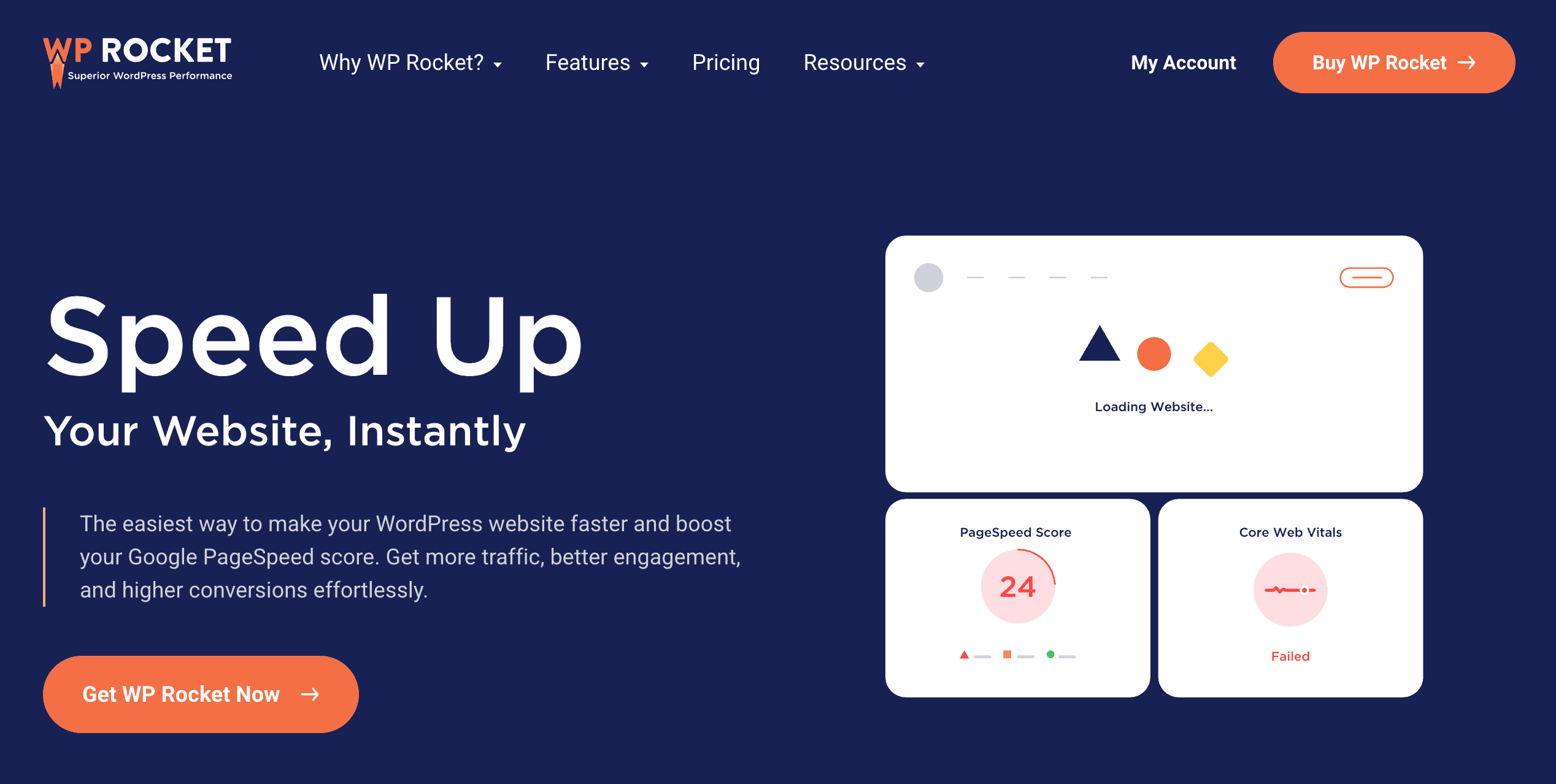
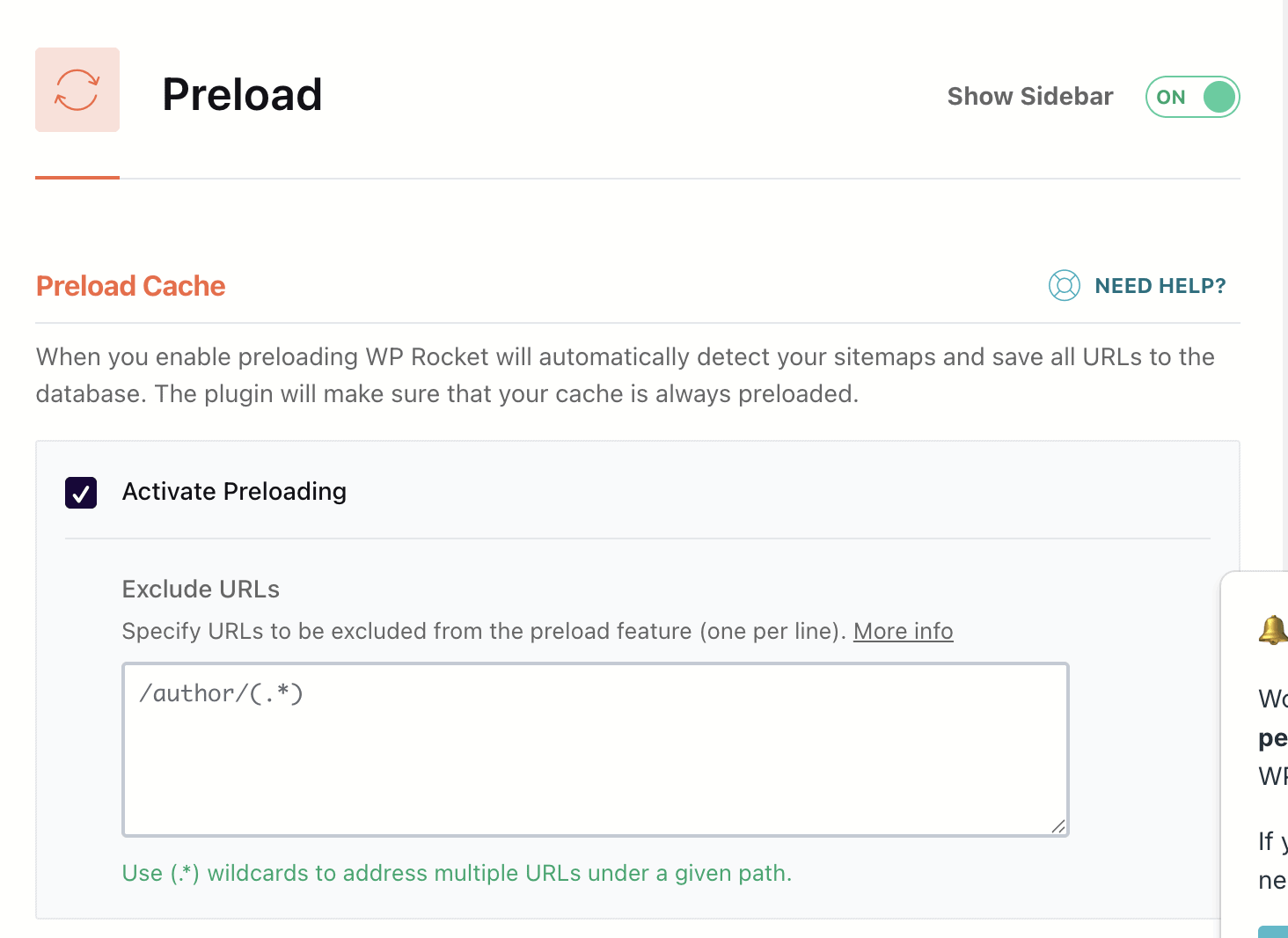
Upon activation, WP Rocket automatically applies about 80% of web performance best practices without you needing to touch a single setting. Its user-friendly interface makes advanced features like delaying JavaScript execution and cache preloading accessible to even the most non-technical users. There is no free version, as the plugin is built on the premise of providing a premium, hassle-free experience with excellent support.
Key Features
- Automatically enables page caching and browser caching upon activation.
- Features “Delay JavaScript Execution” to improve core web vitals.
- Includes cache preloading to ensure all visitors get a fast experience.
- Offers database optimization and Google Fonts optimization.
Price This is a premium-only plugin, with plans starting at $59 per year for a single site.
4. W3 Total Cache
When we compared W3 Total Cache and WP Rocket, we found that it was designed not for beginners, but for developers and technically savvy users who demand granular control over every single aspect of their site’s performance. The plugin is built for maximum flexibility, offering a vast array of settings and caching methods.
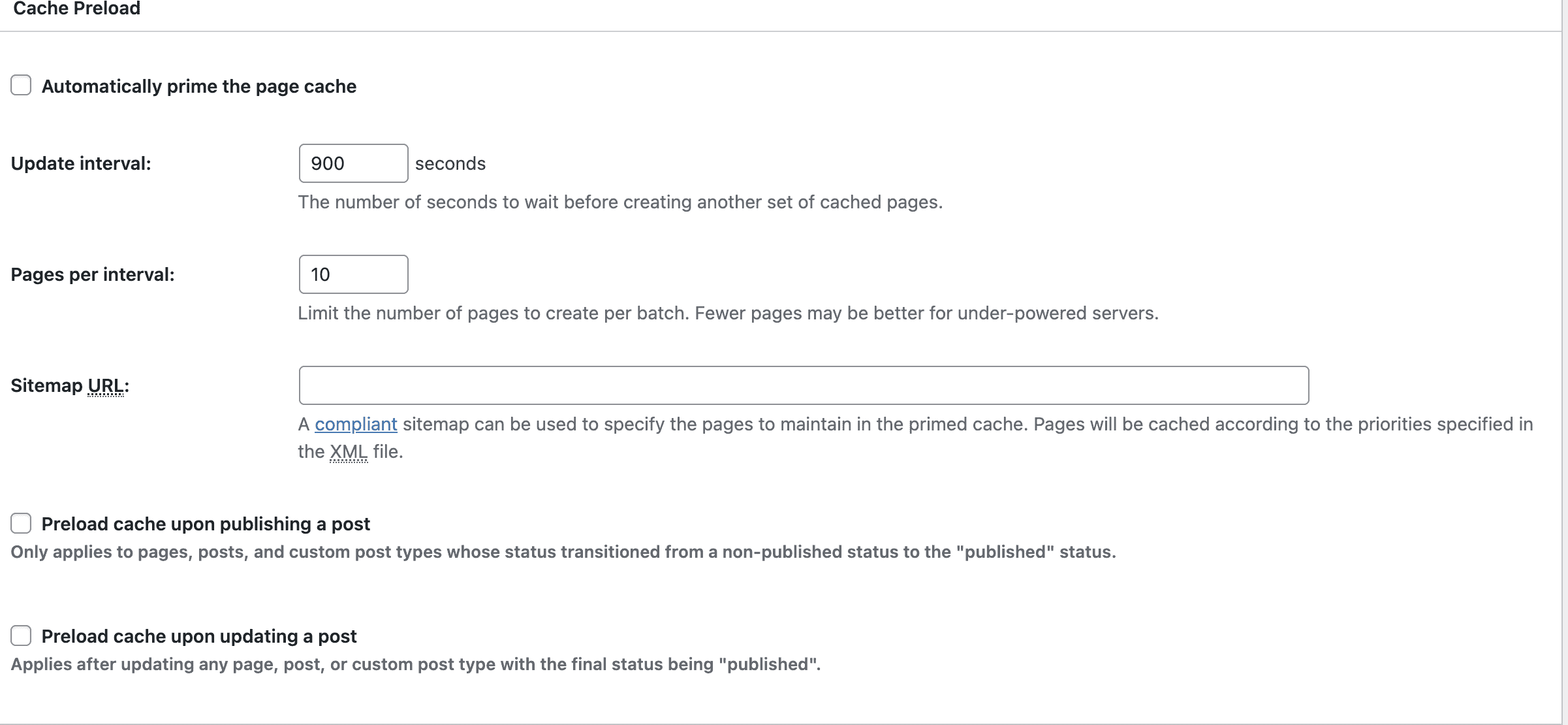
The interface can be intimidating, with dozens of checkboxes and technical terms. However, this complexity is also its greatest strength. It allows for advanced configurations like object caching with Redis or Memcached and full integration with reverse proxies like Varnish, which can deliver incredible speeds when configured correctly.
The free version is extremely powerful, offering more advanced options than many premium alternatives. It’s the tool of choice for professionals who know exactly what they’re doing and need a plugin that can match their expertise.
Key Features
- Supports multiple caching methods: Disk, Redis, Memcached.
- Offers granular control over page, object, and database caching.
- Includes full support for reverse proxies like Varnish.
- Provides extensive options for minification and file combination.
Price It operates on a freemium model. The free version is highly capable, with a Pro version available for advanced features.
5. NitroPack
We have compared NitroPack and WP Rocket and found that it perates more like an all-in-one performance service than a traditional caching plugin. It takes a hands-off approach by connecting your site to its cloud platform, where all the heavy lifting of optimization happens. Its primary goal is to achieve the highest possible scores on speed testing tools like Google PageSpeed Insights with minimal user input.
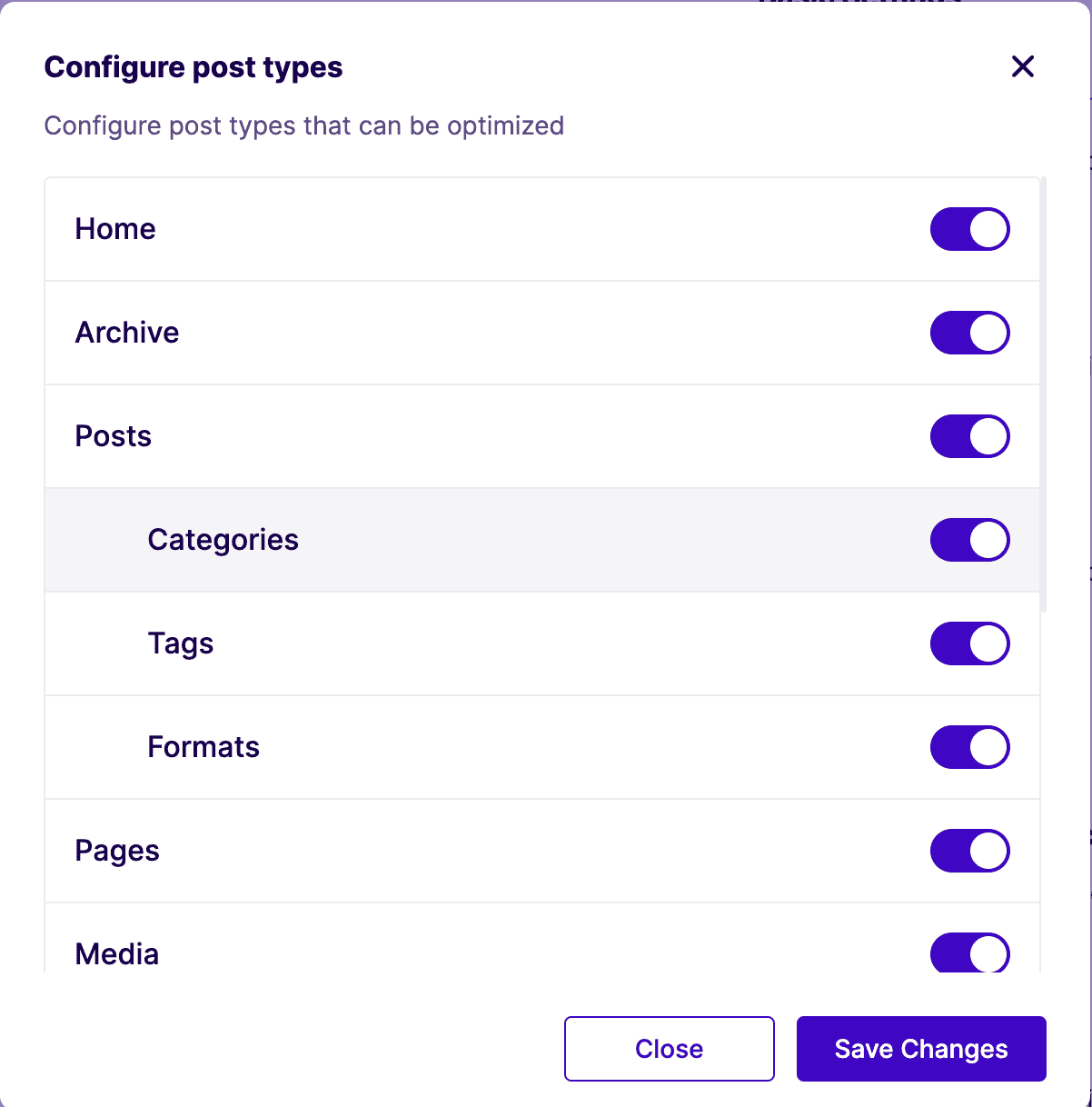
Once installed, NitroPack takes over, applying a range of aggressive optimizations automatically. This includes advanced features like critical CSS generation, intelligent image compression, and a built-in global CDN. This all-in-one model means you can often replace several other plugins (caching, image optimization, etc.) with just this one service.
Key Features
- All-in-one cloud platform for caching, CDN, and asset optimization.
- Automatically generates critical CSS to improve rendering time.
- Features advanced image optimization and WebP conversion.
- Includes a global CDN for fast content delivery.
Price NitroPack is a subscription service with a limited free plan. Paid plans are based on page views and bandwidth usage.
6. Swift Performance
Swift Performance positions itself as a feature-rich and powerful alternative to other major caching plugins like WP Rocket. It comes in both a free (Lite) version and a comprehensive premium version, offering a flexible solution for various budgets and needs. The plugin aims to be an all-in-one toolkit for WordPress performance.
One of its standout features is a setup wizard that guides users through the initial configuration, making the complex options more accessible. For advanced users, the premium version includes unique tools like a “Plugin Organizer,” which allows you to selectively disable plugins on specific pages to reduce bloat and improve load times.
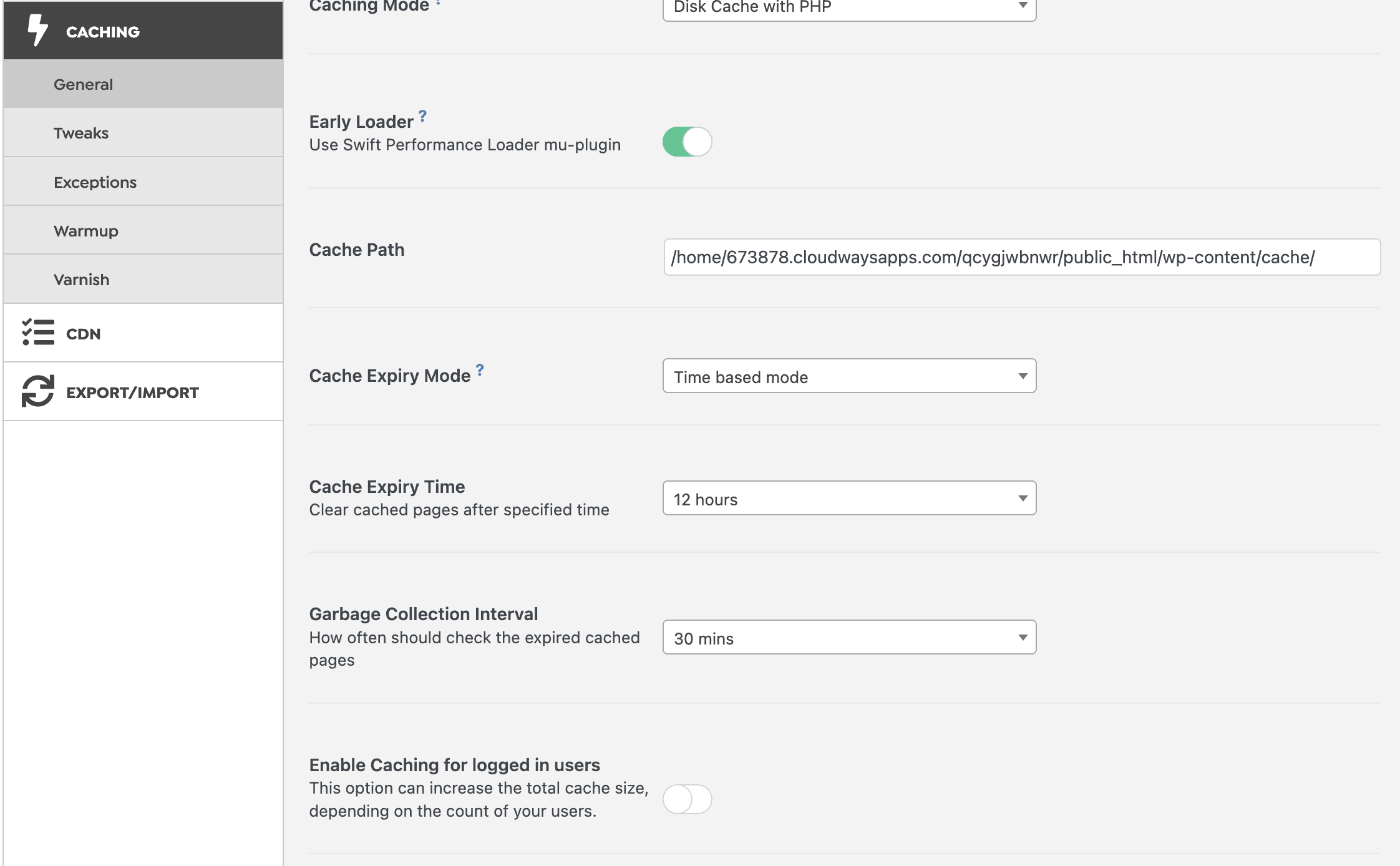
While it has had a reputation for being overly aggressive in the past, recent versions have become much more stable and reliable. It strikes a good balance between the deep technical settings of W3 Total Cache and the user-friendliness of WP Rocket.
Key Features
- Setup wizard to simplify the initial configuration process.
- Unique “Plugin Organizer” to disable plugins on a per-page basis (Pro).
- Includes database optimization and an unlimited image optimizer (Pro).
- Generates critical CSS automatically to speed up rendering.
Price Swift Performance is a freemium plugin with both a free Lite version and a premium version with more features.
7. Hummingbird
Hummingbird, developed by the team at WPMU DEV, focuses on making performance optimization easy to understand and act upon. Its standout feature is a beautiful, user-friendly interface that includes a performance scanning tool. This scan gives your site a score and provides clear, color-coded recommendations for improvement.

The plugin guides you through the optimization process, explaining what each setting does in simple terms. This educational approach is perfect for users who not only want a faster site but also want to learn about performance best practices along the way. It handles all the key caching and asset optimization tasks, and integrates perfectly with other WPMU DEV plugins like Smush for image optimization.
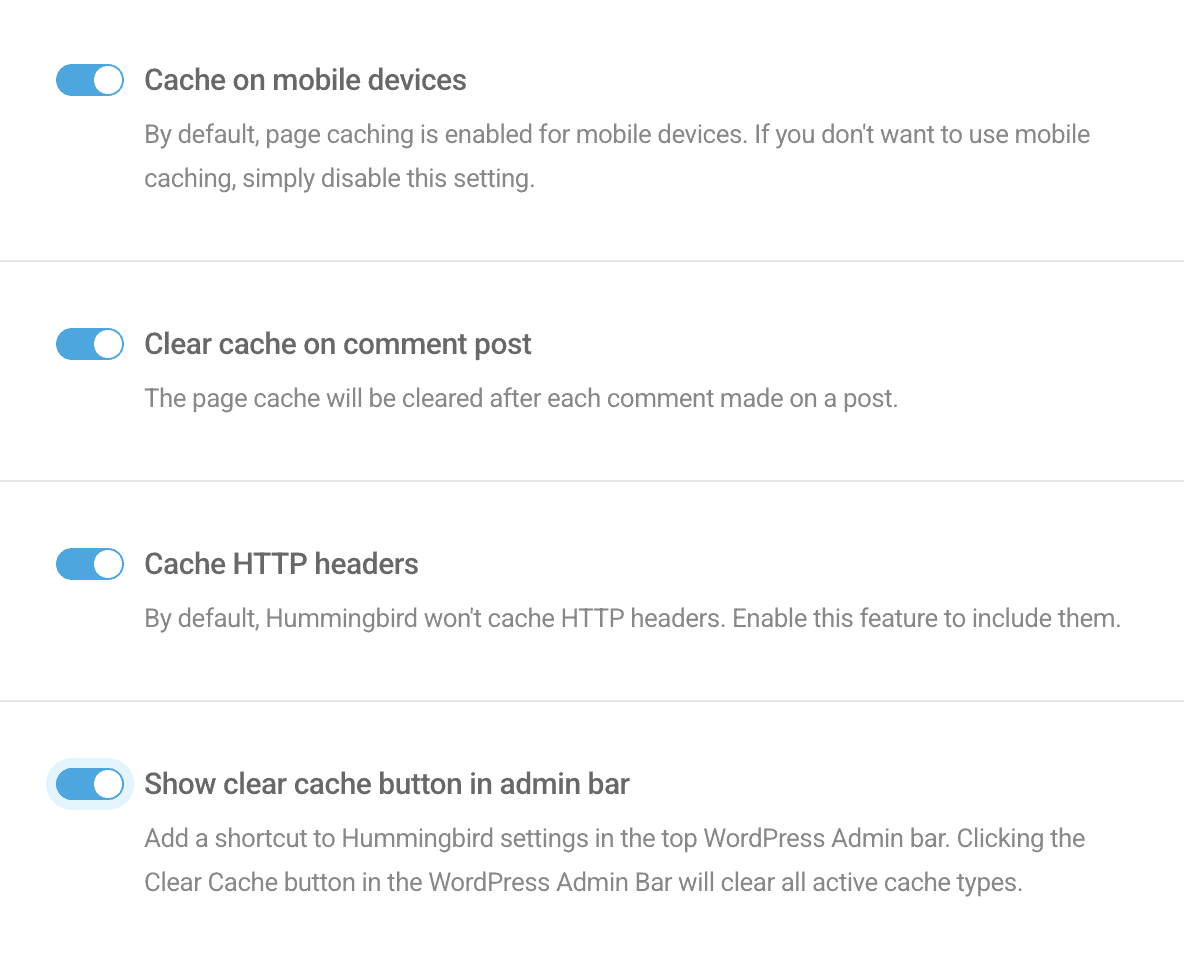
While the free version offers a solid introduction, the full power of Hummingbird is unlocked with a WPMU DEV membership. For those already in that ecosystem, it’s a seamless and powerful addition.
Key Features
- Performance scan that provides a score and actionable advice.
- Full suite of caching, GZIP compression, and minification tools.
- Excellent user interface that is clean and easy to navigate.
- Offers uptime monitoring to alert you if your site goes down.
Price Hummingbird has a free version, with its Pro features included as part of the WPMU DEV membership subscription.
8. WP Fastest Cache
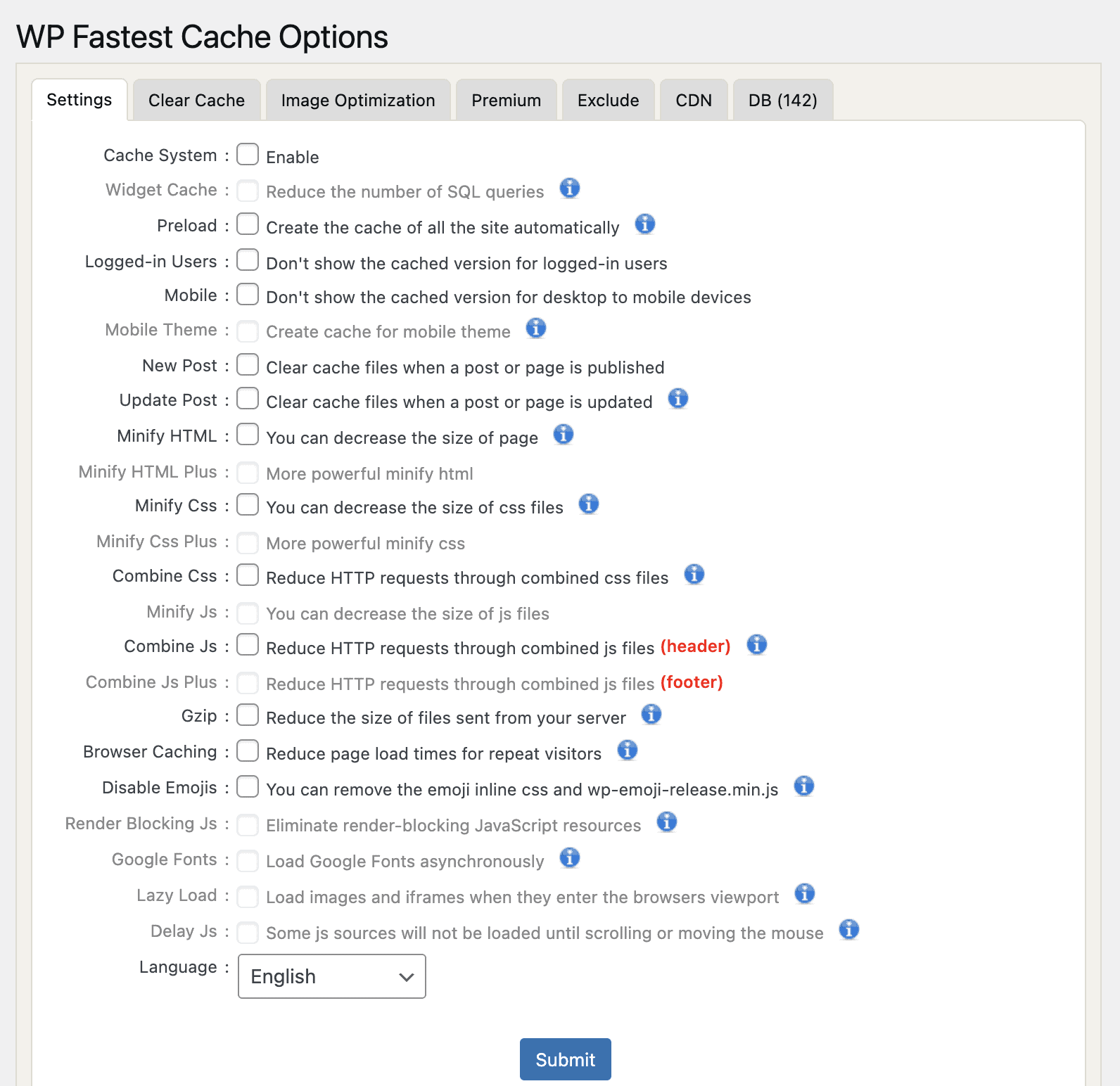
WP Fastest Cache is an incredibly popular plugin that strikes an excellent balance between simplicity and effectiveness. It’s designed for users who want a noticeable speed boost without getting lost in a sea of technical options. The interface is one of the simplest available, consisting mainly of a single page of checkboxes.

This straightforward approach makes it a fantastic starting point for beginners. The free version covers all the essentials, including page caching, basic minification, and GZIP compression. It provides a solid foundation for improving site speed with just a few clicks.
Key Features
- Extremely simple, checkbox-based user interface.
- The free version includes page caching and HTML/CSS minification.
- Premium version adds image optimization and database cleanup.
- Easy integration with popular CDNs.
Price It’s a freemium plugin. The premium version is sold for a one-time fee per site.
9. Cache Enabler
Cache Enabler, developed by the team at KeyCDN, is a plugin built on the philosophy of doing one thing and doing it exceptionally well. It is a free, lightweight, and no-frills caching engine. Its sole purpose is to create static HTML files of your pages and serve them to visitors as efficiently as possible.
You won’t find options for database optimization, minification, or other advanced features here. This is intentional. By focusing exclusively on caching, the plugin remains incredibly lean and fast. The settings panel is minimal, allowing you to get it up and running in seconds. It also includes modern features like support for serving smaller WebP images.
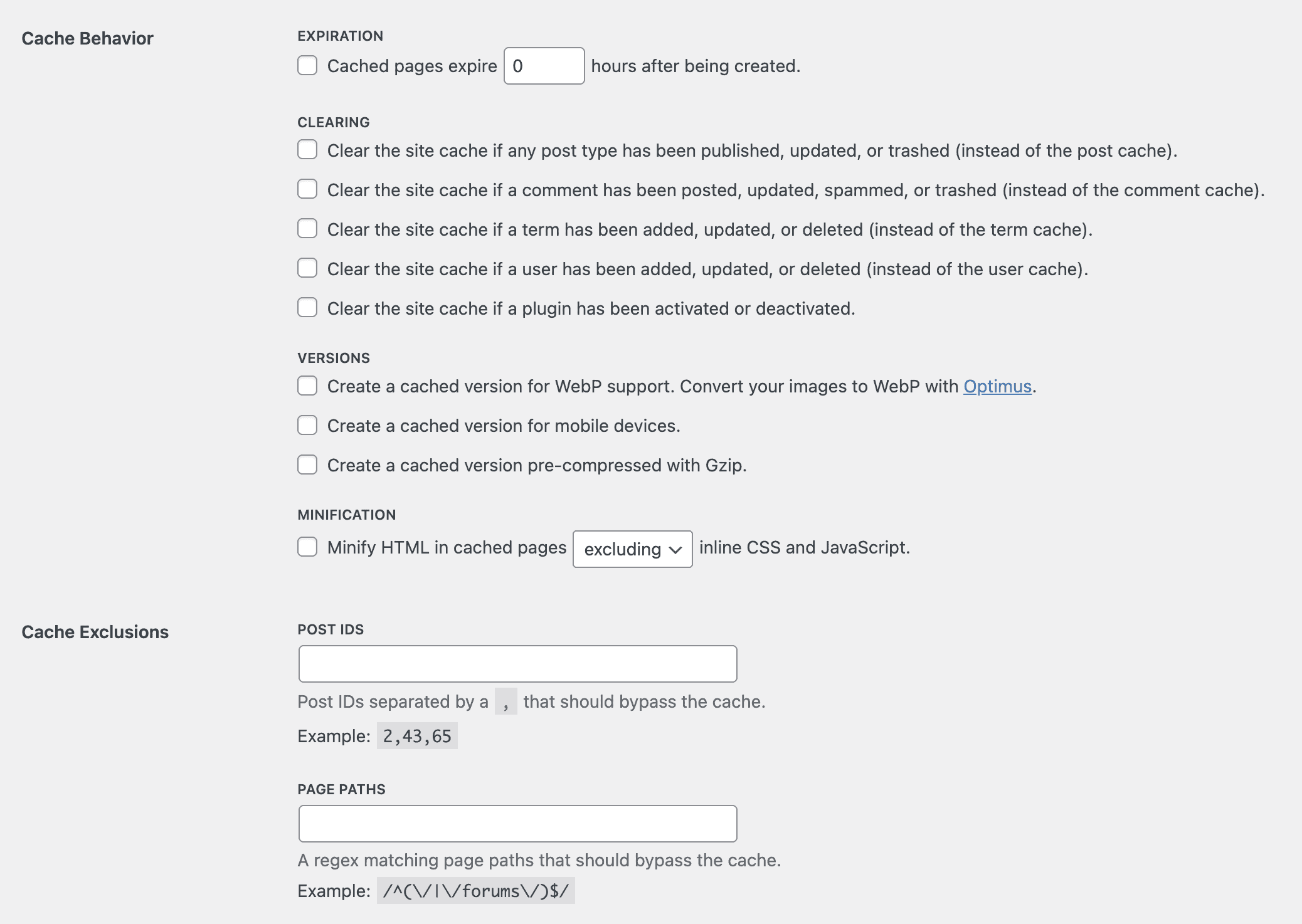
Key Features
- Generates and serves static HTML files for fast page loads.
- Extremely lightweight with a minimal, easy-to-use interface.
- Includes built-in support for serving WebP images.
- Sets the cache to clear automatically when content is updated.
Price Cache Enabler is completely free.
10. Breeze
Breeze is the free, in-house caching plugin developed by the popular hosting company Cloudways. It was designed to work seamlessly with the advanced hosting stack used at Cloudways, which often includes technologies like Varnish and Nginx. For their customers, Breeze is the simplest and most effective solution.
The plugin itself is clean, simple, and easy to configure. It covers the core functionalities you’d expect, including page caching, GZIP compression, minification, and database optimization. Its key advantage is its direct integration with the Varnish cache used on Cloudways servers, allowing users to manage everything from one place.
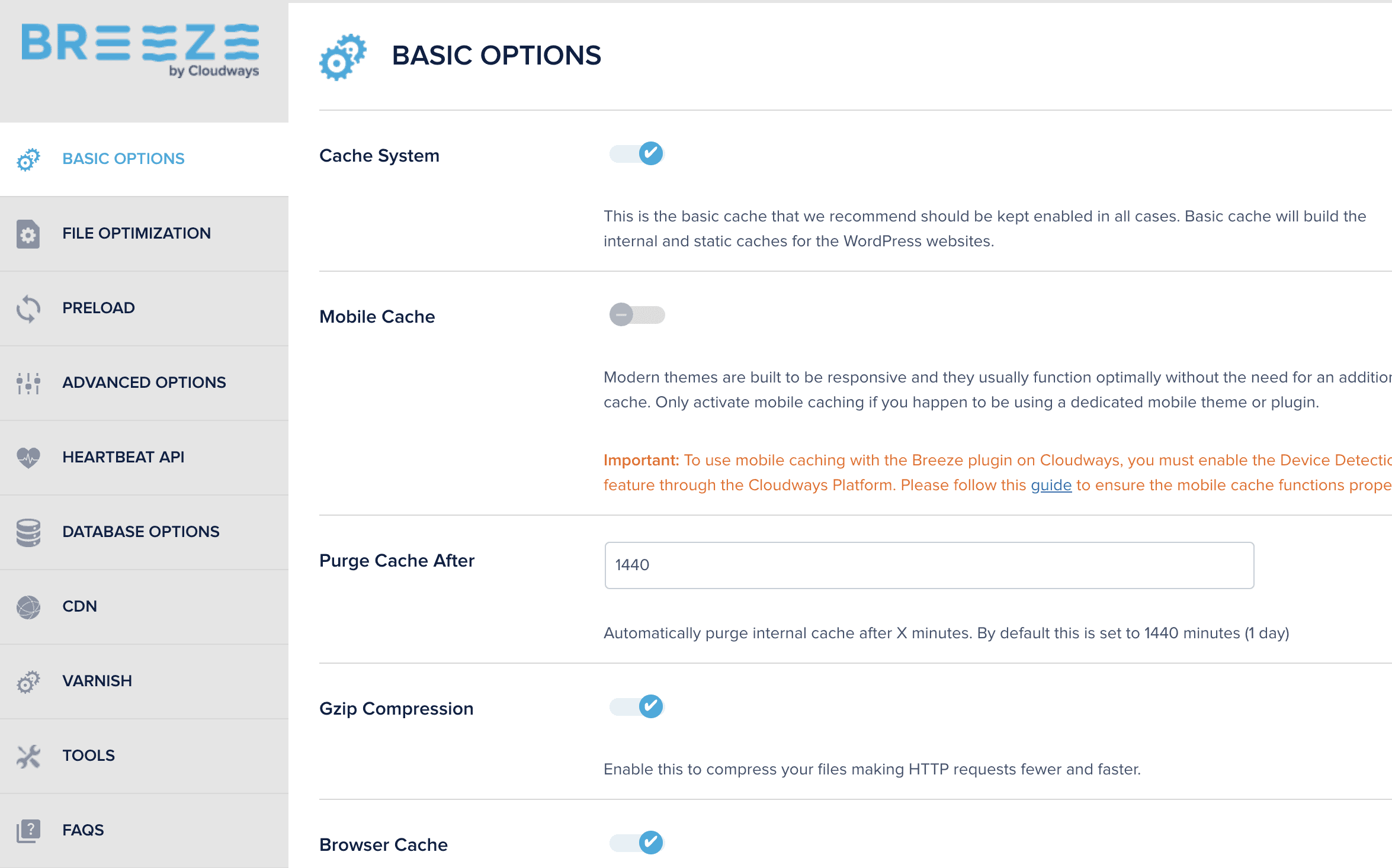
While Breeze can be installed and used on any web host, it is most powerful within its native environment. On other hosts, it serves as a decent, simple free caching plugin, but it may not be as feature-rich as some of the other dedicated options on this list.
Key Features
- Optimized to work perfectly with the Cloudways hosting environment.
- Provides built-in Varnish cache control.
- Simple, clean user interface that is easy for beginners to navigate.
- Includes options for minification and database optimization.
Price Breeze is completely free.
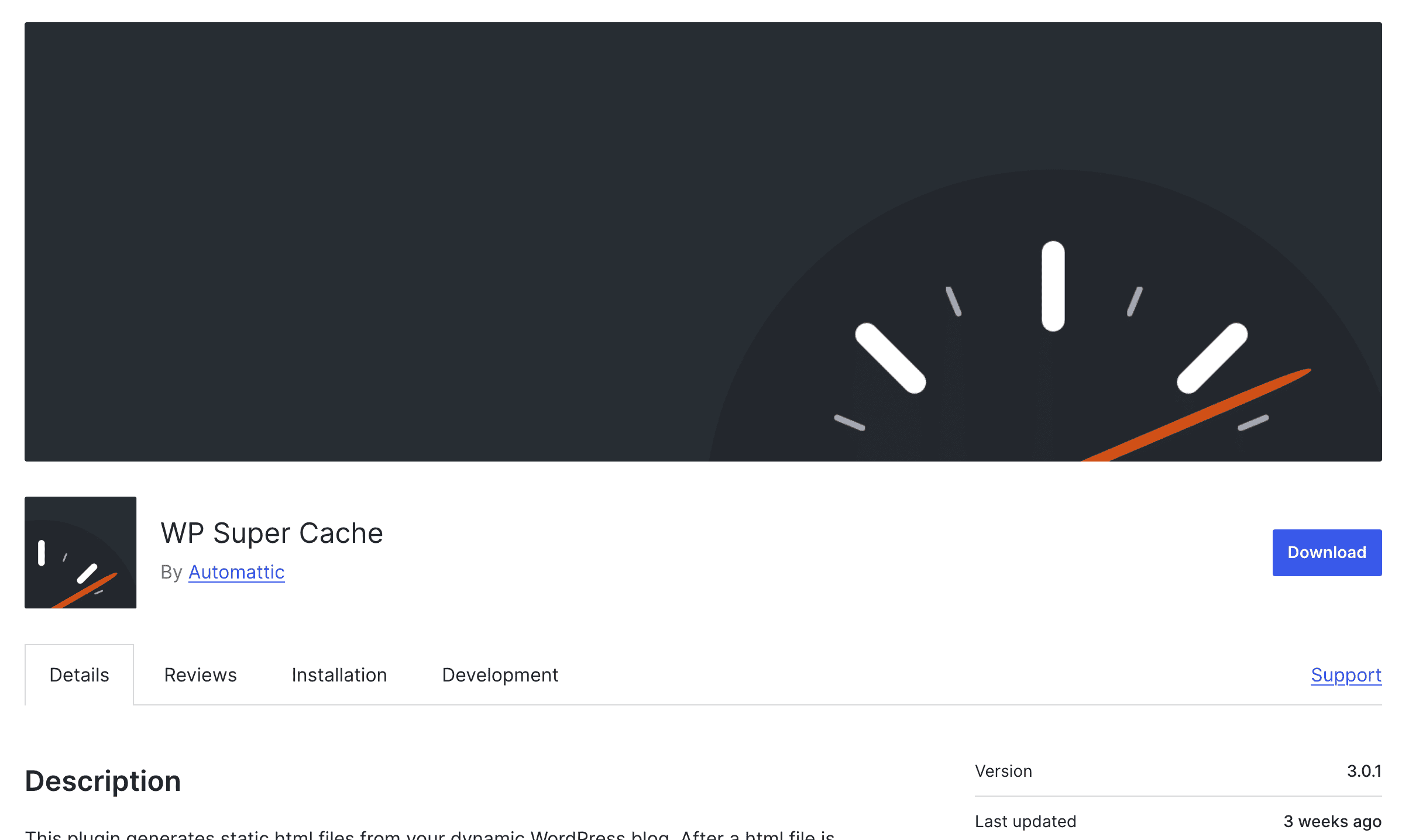
11. WP Super Cache
We put WP Super Cache and W3 Total Cache against each other. We found that this plugin is one of the most downloaded and trusted plugins of all time, and for good reason. It’s developed and maintained by Automattic, the same company behind WordPress.com and WooCommerce. This plugin is the definition of a reliable, no-frills workhorse. It focuses on the core task of page caching and does it well.
The plugin offers three caching modes, with the “Simple” mode being the recommended choice for most users. It generates static HTML files to serve to visitors, providing a significant speed boost with a very straightforward setup. You won’t find a long list of extra features like image or database optimization here; its goal is to be a pure and stable caching solution.
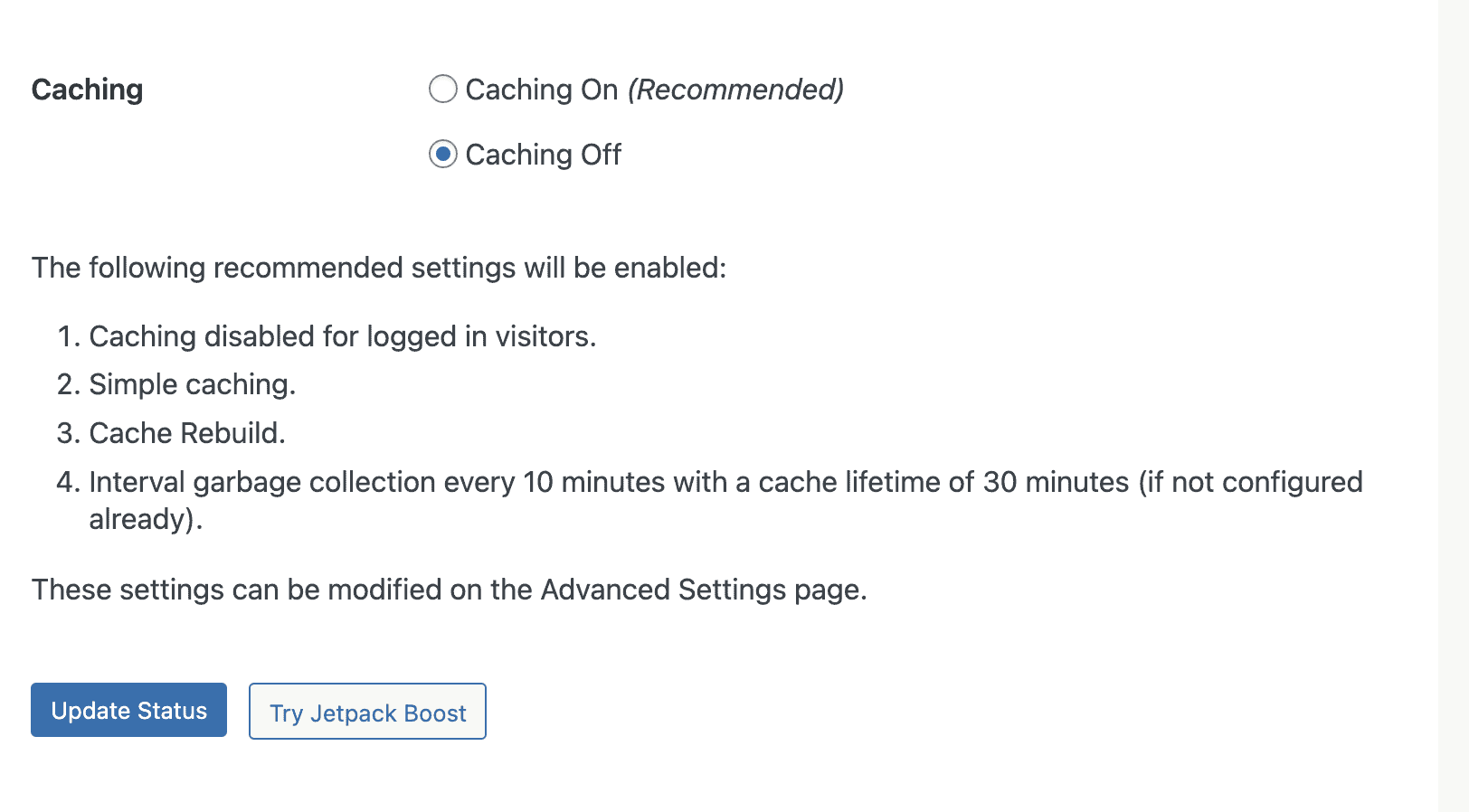
Key Features
- Offers three different caching modes for various server setups.
- Generates static HTML files to reduce server processing time.
- Includes support for popular Content Delivery Networks (CDNs).
- Developed and maintained by Automattic, the founders of WordPress.com.
Price WP Super Cache is completely free.
12. Comet Cache
Comet Cache, the successor to the popular ZenCache plugin, focuses on providing a fast and user-friendly caching experience. One of its greatest strengths is its comprehensive documentation. The developers have taken great care to explain what every single option does, making it an excellent choice for users who want to understand the caching process.
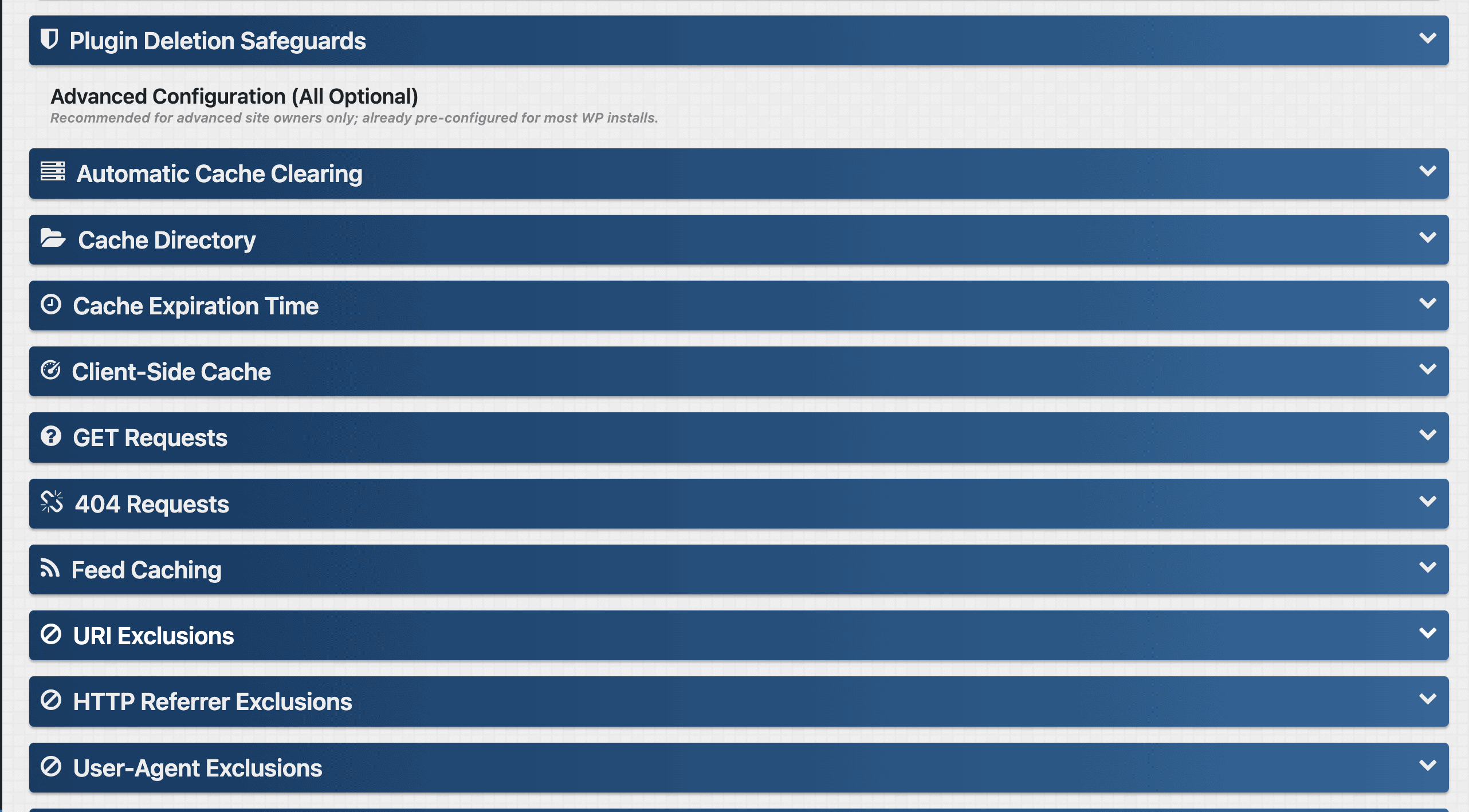
The plugin is simple to set up and offers a clear, intuitive interface. The free version handles all the essential tasks of page caching and client-side browser caching effectively. For those needing more power, the premium version is sold for a one-time fee, which is a welcome alternative to the subscription models used by many competitors.
Key Features
- Excellent, comprehensive documentation explaining every feature.
- Simple and intuitive user interface for easy setup.
- Handles both server-side page caching and client-side browser caching.
- Pro version can cache pages for logged-in users.
Price Comet Cache is a freemium plugin. The premium version is available for a one-time payment.
Common Caching Mistakes to Avoid
Once you’ve installed a caching plugin, you’re 90% of the way there. However, I’ve seen a few common missteps that can cause confusion or even break a site. Being aware of these simple pitfalls will ensure you get all the benefits of caching without any of the headaches.
- Forgetting to Clear the Cache: After you make changes to your site’s design or update content on a page, you need to clear the cache. If you don’t, WordPress will continue to serve the old, saved version, and you won’t see your changes live. Most plugins have a “Clear Cache” or “Purge Cache” button in the admin bar for this exact reason.
- Caching for Logged-in Users: You should almost never cache pages for logged-in users (like yourself or other administrators). Doing so can lead to strange behavior, such as seeing another user’s information or not being able to see changes you’ve just made. Good plugins disable this by default, but it’s a critical setting to be aware of.
- Using Multiple Caching Plugins: This is the most critical mistake to avoid. Never install and activate more than one page caching plugin at the same time. They will conflict with each other, fighting for control over the same files and server rules, which will almost certainly lead to errors or a completely broken website. Pick one and stick with it.
Final Thoughts
Choosing a WordPress cache plugin is one of the highest-impact decisions you can make for your website’s performance. It’s the difference between a site that feels sluggish and one that feels snappy and professional.
Instead of giving you a static tool with endless checkboxes, it acts like a dynamic performance expert that constantly analyzes and adapts to your site. It moves the heavy lifting from your server to a powerful cloud network, delivering enterprise-level speed without the enterprise-level complexity. It’s a smarter, more automated approach.
FAQs
Which cache plugin is best for WordPress?
Airlift is the best caching plugin for WordPress sites. It offers additional features for more performance optimization. It’s an free plugi that you can set-it-and-forget.
What is the purpose of a WordPress cache plugin?
The main purpose of a WordPress cache plugin is to make your website load faster. It does this by creating and storing static copies of your pages. When a visitor arrives, the server can send this lightweight, pre-built copy instead of processing all the site’s code from scratch, which saves time and server resources.
Do I need a cache plugin for WordPress?
Yes, virtually every WordPress site needs a cache plugin. A slow website leads to poor user experience and can hurt your SEO rankings. Caching is the single most effective way to improve your site’s speed and stability. The only exception is if your managed WordPress host has a robust, server-level caching system built-in that you are happy with.
Is WP Super cache free?
Yes, WP Super Cache is 100% free. It is developed and supported by Automattic, the company behind WordPress.com, making it one of the most trusted and widely used free plugins available.

Shreya has been a writer for as long as she can remember. Now, she writes articles that help WordPress users manage the sites that they're proud of, with little to no coding