Stuck trying to decide between WP Super Cache vs W3 Total Cache? You’re not alone. You know you need a powerful speed optimization plugin to fix your slow site, but one wrong click in the settings can bring everything crashing down.
This decision matters. A fast website keeps visitors happy and Google on your side. In this no-fluff comparison, we’ll break down exactly which of these two plugins you should choose based on your technical skill and your website’s needs.
And for those who want to skip the headache entirely, we’ll show you how Airlift by BlogVault handles all this automatically, giving you a faster site without touching a single setting.
Both plugins are outdated. They solve one part of the speed problem – caching. A solution like Airlift is a far better choice. It automates every aspect of performance, giving you a faster site without the complex setup and risk.
Quick Look at WP Super Cache vs W3 Total Cache
They both want to make your site faster, but they take fundamentally different approaches. Here’s a quick look at them both:
WP Super Cache:
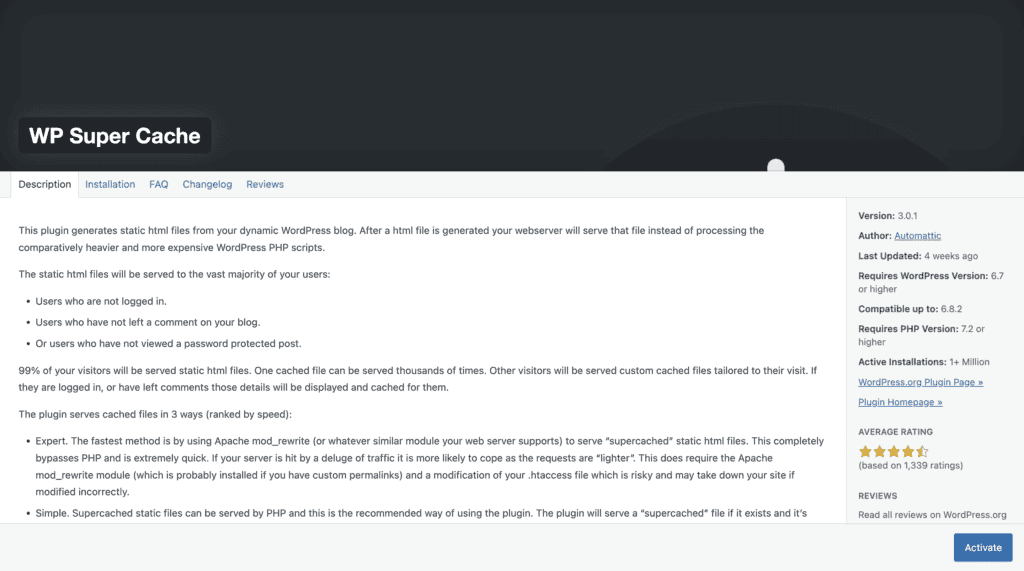
WP Super Cache is developed and maintained by Automattic, the same company behind WordPress.com and WooCommerce. This pedigree is reflected in the plugin’s design philosophy: it’s built for stability and ease of use. It is designed to be a specialist, focusing on doing one job—page caching—and doing it exceptionally well. Its target audience is clear: bloggers, small business owners, and anyone who wants a significant speed boost without needing a degree in server administration.
W3 Total Cache:
W3 Total Cache, now managed by BoldGrid, has a long-standing reputation as the power user’s choice for WordPress performance. It is less of a simple plugin and more of a complete optimization framework, offering a vast array of settings that go far beyond what WP Super Cache provides. This plugin is designed for developers, agencies, and owners of large, complex sites like e-commerce stores or membership platforms that require granular control over their caching policies.

Its power comes from a multi-layered approach. W3 Total Cache offers not just page caching but also database caching, object caching, and browser caching. It is notoriously easy to misconfigure and break your site’s functionality or appearance, making it a risky choice for the inexperienced.
Caching Features
This section looks at the core caching capabilities of each plugin. We’re evaluating how effectively they store different parts of your website to deliver pages faster to your visitors, which is the primary job of any caching plugin.
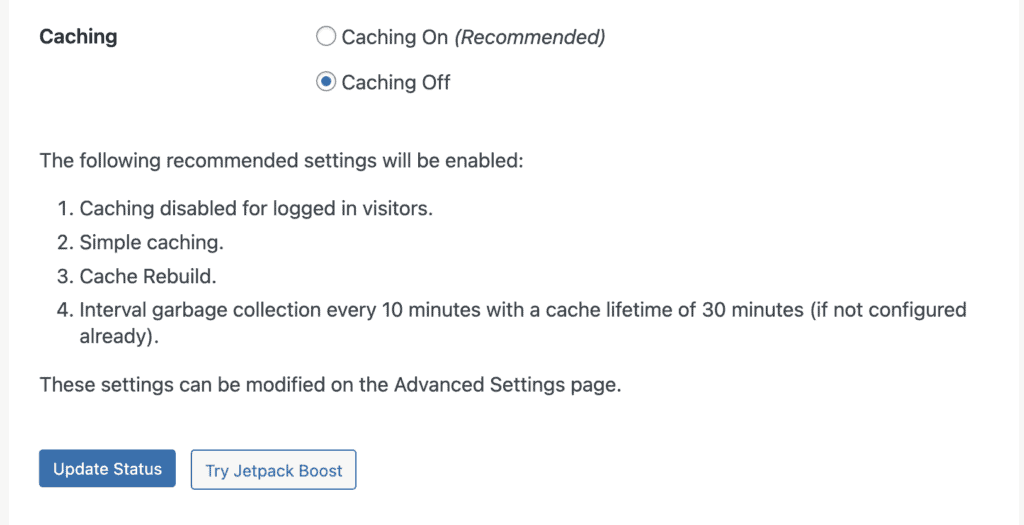
WP Super Cache: WP Super Cache takes a simple and effective approach. It focuses entirely on WordPress page caching, creating static HTML files of your pages to serve to visitors. It offers a few modes to balance speed with server compatibility, but its capabilities end there. Its method for handling dynamic content relies on manually excluding URLs, which is functional but not ideal for complex sites.
W3 Total Cache: W3 Total Cache offers a far more comprehensive, multi-layered framework. In addition to page caching, it provides database caching, object caching, and browser caching. This allows it to speed up not just the final page delivery but also the backend processes. When considering w3 total cache vs wp super cache for ecommerce, W3TC’s powerful, rule-based exclusions for dynamic content (like shopping carts) make it the clear winner for complex websites.
Asset Optimization (CSS, JavaScript)
Here, we’re looking at how each plugin handles asset optimization—the process of minifying (shrinking) and combining code files like CSS and JavaScript. This reduces the size and number of files a browser has to download, resulting in a faster-loading site.
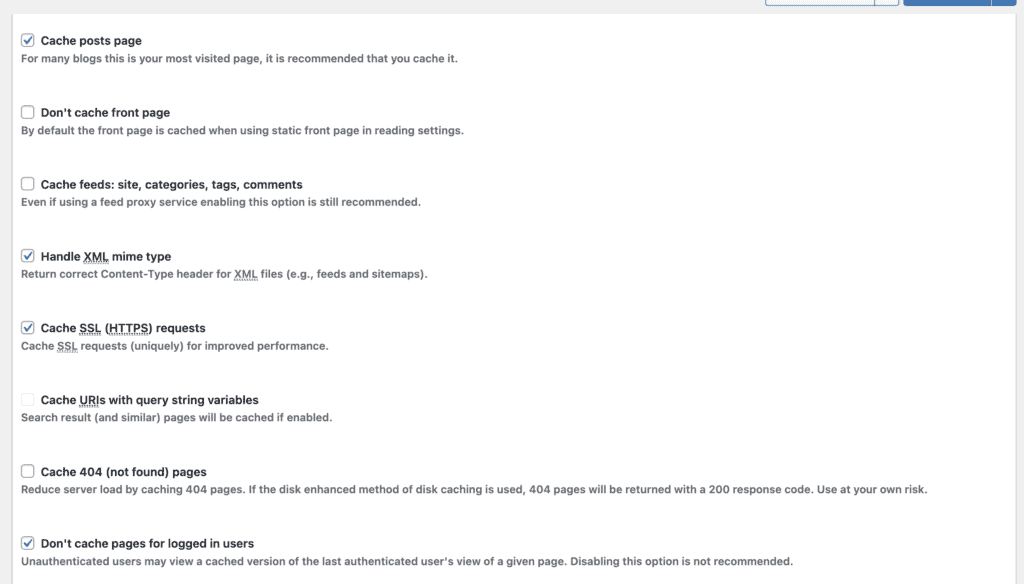
WP Super Cache: This is a major weakness for WP Super Cache. It offers absolutely no built-in features for asset optimization. You cannot minify or combine CSS or JavaScript files with this plugin alone; you would need to install a separate tool like Autoptimize to handle this crucial task.
W3 Total Cache: W3 Total Cache includes an extensive “Minify” module that gives you granular control over asset optimization. It can minify and combine CSS, JavaScript, and HTML files. However, this power comes with a significant risk. A faulty w3 total cache configuration in this section is one of the most common reasons users break their site’s layout or functionality, requiring careful and expert setup.

Media Optimization (Images, Video)
This category assesses each plugin’s ability to optimize media files like images, which are often the heaviest elements on a page. We’re looking for features like lazy loading (loading images only when they’re visible) and image format conversion.
WP Super Cache: The plugin provides no features for media optimization whatsoever. It does not compress, lazy load, or convert images to modern formats like WebP.
W3 Total Cache: The free version of W3 Total Cache is equally lacking in this area. While the paid Pro version adds valuable features like lazy loading and WebP conversion, these are not available to free users.
Database Optimization
Database optimization is critical, especially for dynamic sites. This section compares how each plugin helps by either speeding up database queries or cleaning out old, unnecessary data.
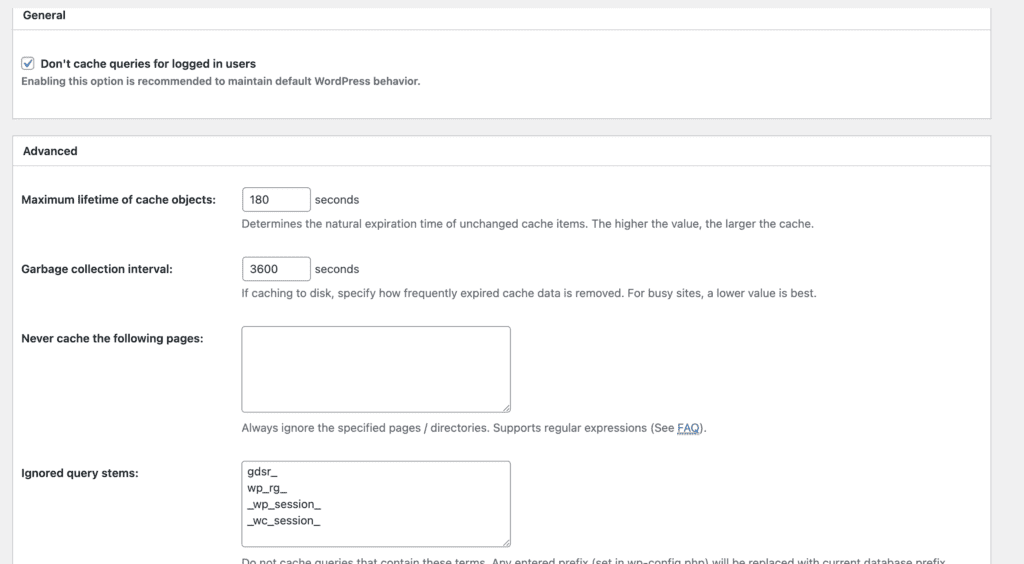
WP Super Cache: WP Super Cache has no database optimization features. It is purely a page caching plugin and does not interact with your site’s database to speed up queries or perform cleanup tasks like removing old post revisions.
W3 Total Cache: So, is W3 Total Cache good for database performance? Yes, significantly. It includes a Database Caching feature that stores the results of common database queries. This means for repeat requests, WordPress can grab the result from the cache instead of querying the database again, reducing server load and speeding up your site, especially for logged-in users.
Pricing
For many users, especially those just starting, the cost of a plugin is a major deciding factor. Here, we look at the pricing models of both plugins and what kind of support you can expect to receive.
WP Super Cache: WP Super Cache is one of the best free WordPress caching plugins. It is 100% free with no paid add-ons, no “Pro” version, and no hidden costs.
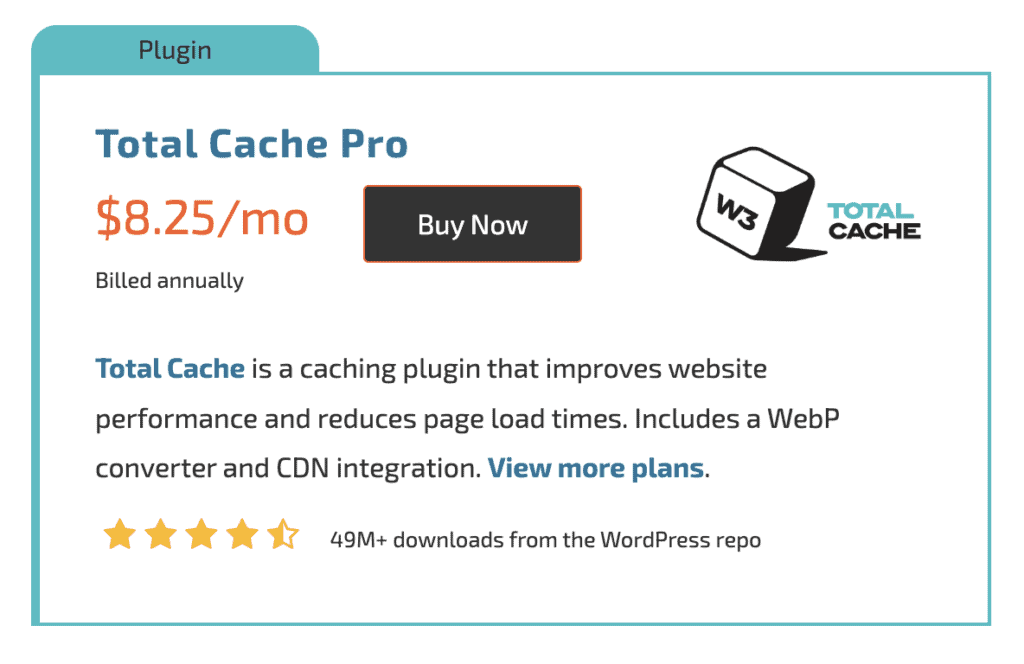
W3 Total Cache: W3 Total Cache operates on a “freemium” model. The core plugin is free and offers more features in its free version than WP Super Cache. However, there is also a W3 Total Cache Pro version, which costs $8.25 q month. The Pro version unlocks advanced features like REST API caching, lazy loading for Google Maps, and full-site delivery via CDN.
Where do WP Super Cache and W3 Total Cache Fall Short?
Despite their differences, it’s important to understand that both WP Super Cache and W3 Total Cache share some significant gaps in their functionality.
- No Built-in Image Optimization: Neither plugin will optimize your images. Critical performance features like image compression, lazy loading (which stops images from loading until they are visible on the screen), or converting images to modern, faster formats like WebP are completely absent. You will still need a dedicated image optimization plugin to handle this crucial task.
- No Database Cleaning: Do not confuse W3 Total Cache’s database caching with database cleaning. Neither plugin includes tools to clean up your WordPress database by removing old post revisions, spam comments, or expired transients. This is a separate but essential maintenance task that requires another plugin, like WP-Optimize.
- Outdated and Complex User Interfaces: Both plugins suffer from user interfaces that feel dated and can be confusing. Unlike some of the easiest wordpress cache plugin options available today, their settings panels are often packed with technical jargon and lack the intuitive design of modern tools, which can be overwhelming for beginners.
- Manual Configuration and Potential for Conflicts: These plugins are not “smart” and won’t automatically detect your server environment to apply the best settings. This manual setup process, combined with how deeply they integrate into WordPress, creates a high potential for conflict with your theme or other plugins. This is a common reason users find themselves searching for solutions when their wp super cache not working correctly.
- Reliance on Community Support: As free plugins, your primary source for help is the community support forums on WordPress.org. While the community can be helpful, there is no guarantee of a quick or official response when you run into a problem. Direct, professional support is not an option with these free versions.
Best alternative to WP Super Cache and W3 Total Cache
While WP Super Cache and W3 Total Cache have been popular for years, they are outdated tools. They put the burden of complex configuration and maintenance on you, the user. In all our testing, Airlift by BlogVault is a much better solution. .
Here’s how Airlift from BlogVault directly addresses the gaps left by the older plugins:
- Customized optimization: It analyzes how each individual page loads and how the browser handles it, then develops a custom strategy to optimize its performance. This bespoke process is repeated for every page on your site, ensuring the best possible configuration—something a one-size-fits-all plugin can’t do.
- Continues optimization: A website is never static. Plugin updates, theme modifications, and new content can break the fragile configurations of plugins like W3 Total Cache. Airlift solves this by conducting daily analysis of your site. It automatically adjusts its optimization strategy to adapt to any changes,
- Integrated Image and Media Optimization: Unlike the other plugins, Airlift comes with a full suite of media optimization tools built-in. It automatically compresses your images, converts them to the fast and modern WebP format, and implements lazy loading. You don’t need a separate, paid plugin for this—it’s all handled for you.
- Intelligent, Automatic Configuration: Forget the manual setup and the risk of conflict. Airlift’s biggest advantage is its intelligence. It automatically analyzes your specific server environment and applies the optimal settings for you. There are no complex menus or technical jargon to decipher; it’s a truly “set-it-and-forget-it” service that eliminates the guesswork and the risk of your wp super cache not working because of a wrong setting.
- A Modern, Simple Interface: Instead of an outdated and overwhelming settings panel, Airlift offers a clean, simple dashboard. It’s designed to be the easiest wordpress cache plugin solution, focusing on results rather than confusing you with dozens of checkboxes. You see the performance improvements, not a wall of technical options.
Final Thoughts
So, what’s the verdict? Both WP Super Cache and W3 Total Cache are decent, free plugins that can speed up your website. But honestly, both plugins are products of a bygone era. They require you to become a part-time performance engineer. That’s why a modern, all-in-one solution like Airlift is the better choice. It handles every aspect of site optimization automatically—from caching and image compression to database cleaning—without you ever having to touch a setting. It’s the performance solution you don’t have to think about.
FAQs
Is W3 Total Cache good?
Yes, W3 Total Cache is good if you are a developer or an advanced user who needs maximum control over every aspect of your site’s performance. Its multi-layer caching and asset minification are powerful. However, its complexity is its biggest flaw; incorrect configuration can easily break your site, making it a poor choice for beginners.
What is the difference between W3 total cache and fastest cache?
The main difference is usability. Both are comprehensive caching plugins, but WP Fastest Cache is generally considered much more user-friendly and less likely to cause conflicts. W3 Total Cache offers more granular, technical settings, while WP Fastest Cache provides a simpler interface with powerful features available in its premium version.
What does W3 Total Cache do?
W3 Total Cache speeds up your WordPress site by implementing multiple layers of caching. It saves static copies of your pages (page cache), results of database queries (database cache), and bits of code (object cache). It also optimizes your site’s code by minifying and combining CSS and JavaScript files to reduce their size and number.
Is WP Super Cache good?
Yes, WP Super Cache is a very good plugin for beginners and owners of simple websites like blogs or small business sites. Its strength lies in its simplicity and reliability. It does the core job of page caching exceptionally well with a one-click setup, making it the easiest wordpress cache plugin to use safely and effectively if you don’t have technical expertise.

Shreya has been a writer for as long as she can remember. Now, she writes articles that help WordPress users manage the sites that they're proud of, with little to no coding