

Building a good form shouldn’t be a chore. Yet, most WordPress form plugins make you fight clunky designs and spam.
WPForms changes that, giving you a powerful, professional form in just five minutes.
In this WPForms review guide, we will cover everything you need to get started.
WPForms is the easiest and most reliable way to create powerful forms for your WordPress site, from simple contact forms to complex surveys. The plugin is solid, but it’s always smart to use a backup plugin to prevent any potential conflicts.
WPForms in a nutshell
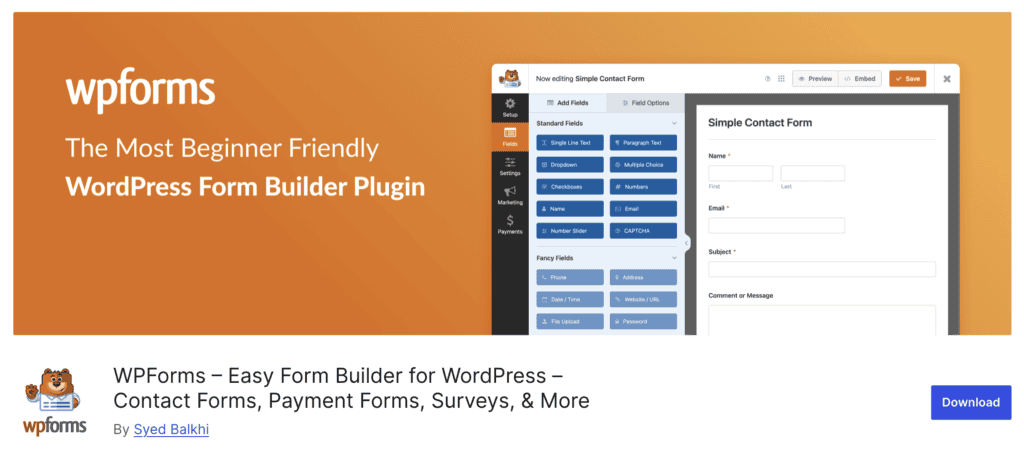
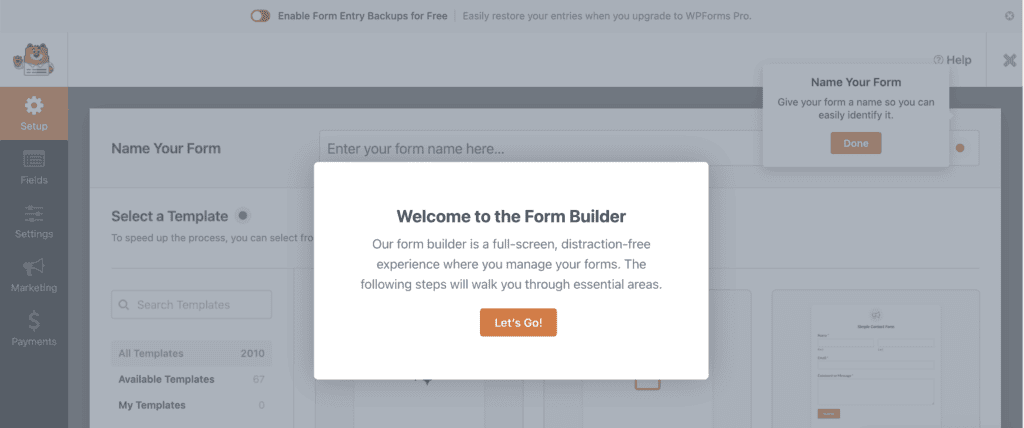
WPForms is all about simplicity. You don’t need to know any code. The first time we used it, we built a solid contact form in just a few minutes using one of the free templates. The whole process is drag-and-drop, and the interface is clean and uncluttered. It’s not overwhelming.
A standout feature is the full-screen builder within the dashboard. Your WordPress sidebar just vanishes, letting you focus completely on the form itself. The free Lite version gives you the basics, but the Pro plan opens up a huge library of templates and advanced fields.
Everything just works. Your forms are mobile-responsive out of the box, and the built-in spam protection is a lifesaver. With Pro, you can also collect all your form entries right in your dashboard, which is incredibly useful.
It integrates smoothly with tools for email, payments, and CRMs, and you can create smart forms with conditional logic. It’s fast, too; the plugin is lightweight and won’t bog down your site.
Who should actually use WPForms?
It’s a perfect fit for beginners who want to create professional forms without touching a line of code. Business owners and bloggers will find it invaluable for generating leads, building email lists, or even taking payments.
For agencies, freelancers, and marketers, it’s a workhorse. You can manage client forms, gather customer insights, and connect to CRMs without the usual technical fuss. But it’s not just for them. Nonprofits can handle donations, e-commerce sites can manage feedback, and event planners can coordinate RSVPs.
If you need a form (any form) and you need it working quickly, this is your tool.
A deep dive into WPForms features
So, what’s under the hood? It’s one thing to see a list of features, but it’s another to know what they mean for you. Let’s break down what you get with the free version versus what the paid plans offer.
What’s in the Free WPForms Lite?
The free version is way more than just a trial. It gives you the real tools to build a great form, and honestly, it includes a couple of surprises.
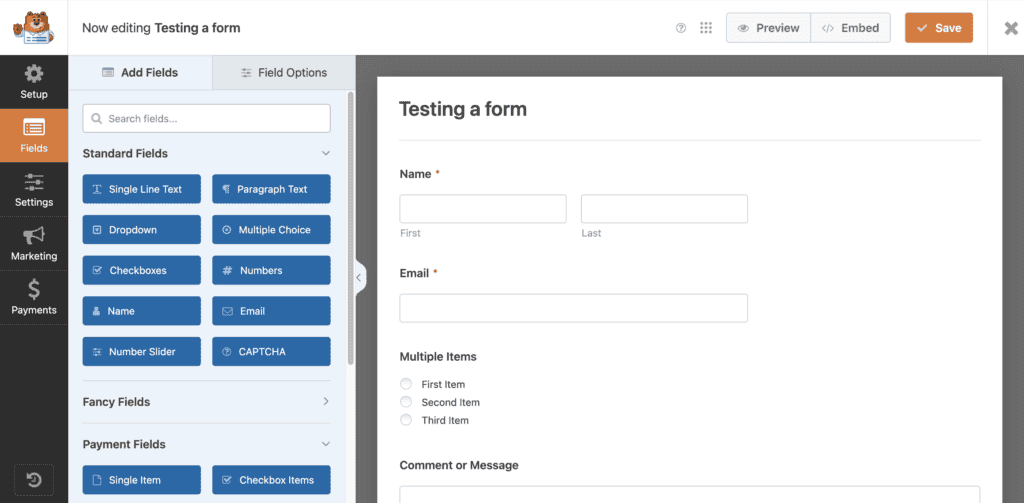
- A drag-and-drop builder: Think of it like building with LEGOs. You just grab the piece you want, like a name field or a checkbox, and drop it into place. You see exactly what your form will look like as you build it. No coding, no guessing.
- As many forms as you need: You aren’t limited. You can create a contact form for one page, a simple quote request for another, and a newsletter signup for your footer. You don’t have to pick and choose.
- Built-in spam protection: You know those annoying CAPTCHA puzzles that make you prove you’re human? WPForms avoids that. It uses a smart, invisible method to block most spam bots automatically, so your inbox stays clean without frustrating your visitors.
- Stripe payments: This is the big one. Most free form plugins would never let you take credit card payments. WPForms Lite does. You can create a simple donation or order form and start collecting money right away.
- Cloud backup for your entries: Here’s the thing: the free version emails your form submissions to you; it doesn’t save them in WordPress. But a feature called Lite Connect saves a backup to the cloud. So, if you ever switch to Pro, all those old leads and messages will be there for you to restore.
What do you get with WPForms Pro?
Upgrading to a paid plan is where WPForms adds more value to your business. It adds the powerful stuff that saves you time and gets you better results.
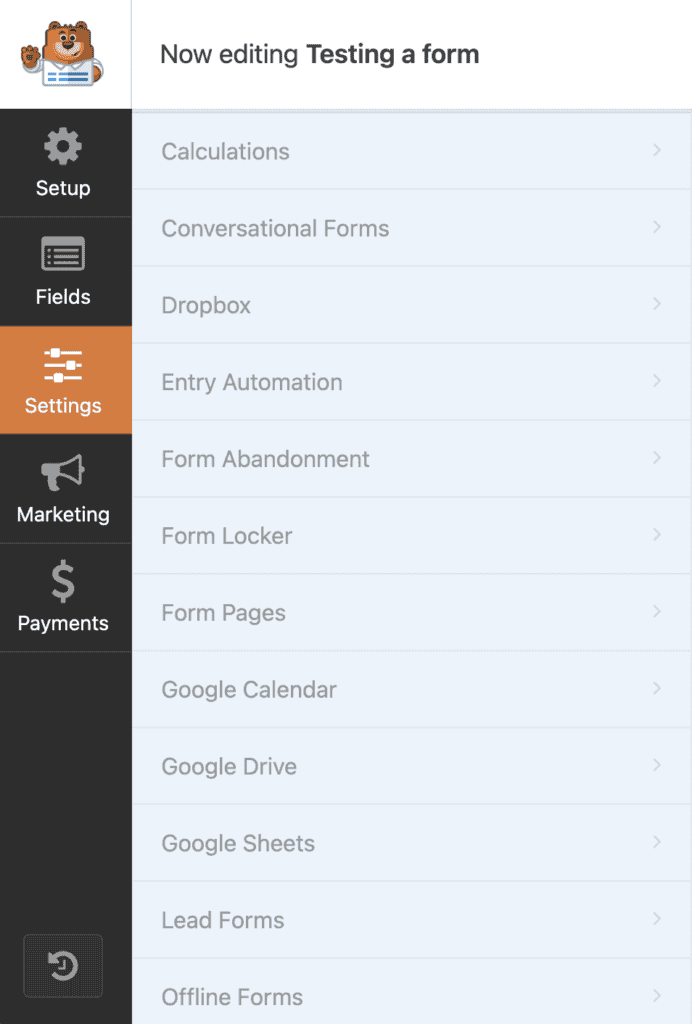
- Entry management: Think of this as a dedicated inbox for your forms, right inside WordPress. Instead of just getting emails, every submission is saved, so you can search, filter, and review them anytime. Nothing ever gets lost in a spam folder again.
- Advanced form fields: This lets you ask for more than just an email or a message. You can add fields for file uploads, digital signatures, star ratings, and much more. It’s all just a drag-and-drop away.
- Conditional logic: This makes your forms smart. You can show or hide fields based on a user’s previous answers, making your forms shorter, more personal, and less intimidating for your visitors.
- Powerful integrations: This feature connects WPForms to the other tools you already use, like Mailchimp or HubSpot. It automatically sends your form data where it needs to go, saving you a ton of manual work.
- Surveys, polls, and multi-page forms: You’re no longer limited to just simple contact forms. You can build engaging surveys with real-time reports or break long forms into simple, easy-to-follow steps to keep people from giving up.
How you’ll manage your entries
Honestly, this is the biggest reason to get the paid version of WPForms. Instead of just getting email notifications that can get lost or sent to spam, you get a dedicated inbox for your forms right inside WordPress.
Everything is in one place. You can see all your submissions in a clean list under the “Entries” menu. It feels a lot like managing an email inbox. You can mark entries as read, star the important ones you need to follow up on, and use the search bar to find a specific submission in seconds.
When you click on an entry, you see everything. All the data the person submitted is there, along with helpful info like their IP address and the time they sent it. What’s really useful is the ability to add private notes to an entry. If you work with a team, you can leave comments that only you and your colleagues can see.
And getting your data out is simple. You can export everything to a CSV file to open in a spreadsheet for reports or import it into another tool. You can even customize the view, choosing which form fields to show as columns so you can scan your entries faster. It’s a complete, organized system that makes sure you never lose a lead again.
WPForms pros and cons
| Pros | Cons |
| Simple drag-and-drop builder for beginners | Most advanced functions are not free |
| Saves time with 2,000+ form templates | Cannot upload multiple files in a single field |
| Handles contacts, surveys, payments, and registrations | Higher cost than some competitors |
| Seamlessly connects with marketing and payment tools | Customization relies heavily on CSS knowledge |
| Forms are responsive on any device | No free trial for premium |
| Effective spam protection |
How the pricing works

The free version is solid for basic needs, but the paid plans offer the real power, usually with a large first-year discount.
For most businesses, the Pro plan is the best value, adding essential features like entry management and conditional logic. The Basic plan is limited, while the Elite plan is for agencies.
Is WPForms the right form plugin for you?
Let’s get straight to it. Should you use WPForms?
This is the perfect plugin for you if:
You are a beginner or a business owner who wants to build forms without code. The drag-and-drop builder is genuinely easy to use. If you need a form working quickly, the templates will get you there in minutes. The free version covers the essentials, while paid plans add powerful features like conditional logic.
You might want to look elsewhere if:
You are on a very tight budget. The best features are in the premium plans, which are a yearly subscription. It may also be limiting if you have highly technical needs, such as deep integrations with a custom database.
For most people, from bloggers to agencies, WPForms is the most dependable choice. It gets the job done without the headache.
Parting thoughts
WPForms strikes that rare balance between a simple tool for beginners and a powerful one for businesses. The free version is perfect for getting started, while the premium plans offer serious features without the usual complexity. It’s a reliable, no-fuss plugin that just works.
FAQs
What is the use of WPForms?
WPForms is a WordPress plugin used to create all kinds of forms, like contact forms, surveys, or payment forms. Its drag-and-drop builder makes it easy for anyone to build professional forms without needing to write any code.
Is WPForms free?
Yes, WPForms offers a powerful free version called WPForms Lite that covers all the essential form-building features. Premium plans are also available to add more advanced capabilities like entry management and additional integrations.
How to create a WP form?
You create a WP form by installing the WPForms plugin, going to WPForms > Add New, and using the simple drag-and-drop builder. Once you’re done, you can embed the form on any page using the dedicated WPForms block.
How do I install WPForms?
You install WPForms from your WordPress dashboard by navigating to Plugins > Add New and searching for “WPForms.” Simply click “Install Now” and then “Activate” to get started.
How to import entries in WPForms?
You can import entries using the official Import Entries addon, which is available on some of the premium plans. This tool lets you map data from a CSV file directly to your form fields.

Shivani enjoys crafting guides that make every aspect of using WordPress simple and easy to follow. When she's not glued to her laptop, you can find her buried in a good book or occasionally, painting.


