
Choosing the best free WordPress cache plugin is a smart move to speed up your website. A reliable WordPress cache plugin is one of the most effective ways to improve loading times and ensure your visitors have a smooth experience.
But the long list of options and their technical settings can feel overwhelming when you’re trying to run your business. So, we’ve tested the top contenders for you. We’ll break down our findings in simple terms, helping you pick the right plugin and get it set up in minutes, without any confusing jargon.
The best free WordPress cache plugin for most users is Airlift. It’s fully automated, requires zero technical setup, and delivers excellent performance, making it the perfect “set it and forget it” solution for busy business owners.
How to Choose the Best WordPress Caching Plugin
Understanding a few key terms will help you know what a good caching plugin is actually doing for your site. Here are the most important features to look for, explained in simple terms.
- Page Caching: This is the most important feature. It creates a static HTML copy of your pages so that WordPress doesn’t have to build them from scratch for every visitor.
- Browser Caching: This tells a visitor’s browser to save files that don’t change often (like your logo and fonts). This makes your site load much faster for returning visitors because their browser already has those files stored.
- Minification of CSS/JS: This removes unnecessary spaces and comments from your site’s code files, making them smaller. Smaller files download more quickly, which speeds up your site.
- Database Optimization: This cleans out junk from your WordPress database, like old post revisions and spam comments.
With that in mind, here is everything I learnt from testing 5 differe plugins that are either free or are freemium models.

1. Airlift
Airlift immediately stood out from the pack, when we started testing caching plugins for its automatic solutions. Most of the other plugins in this list offer an array of checkboxes and settings. While powerful, this approach often leaves beginners feeling overwhelmed and at risk of breaking their site. Our goal was to find a solution that delivered significant performance gains without requiring a degree in web development to configure and Airlift met that criteria.
It positioned itself as an automated performance service. Upon installation on our test site, it began a deep audit on its own. It analyzed our theme, plugins, and content to build a custom optimization strategy from the ground up. Zero initial input.
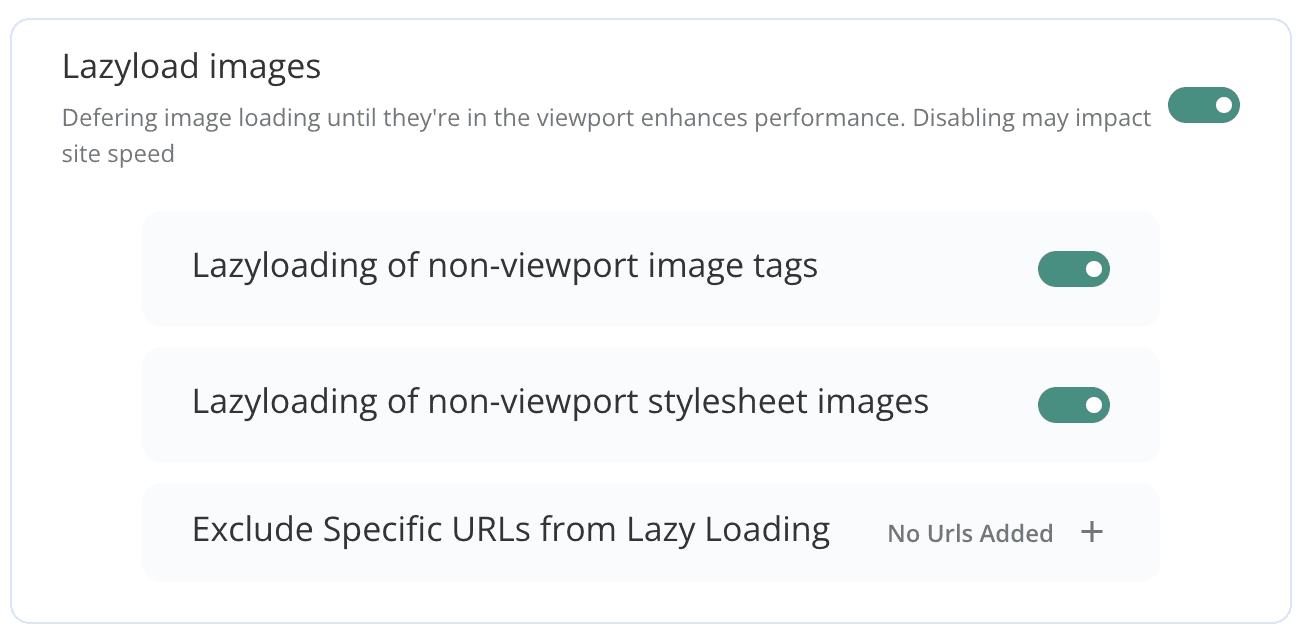
What impressed us most during our testing was its adaptive intelligence. We deliberately added new posts and updated pages to see how it would react. True to its promise, Airlift detected these changes, automatically purged the relevant cache, and re-optimized the new content without any manual intervention. This continuous optimization loop ensures the site remains fast over time, a crucial factor that many ‘set-it-and-forget-it’ plugins miss.
Key Features:
- Fully automated performance optimization and caching
- Weekly automatic re-optimization
- Dynamic Used CSS calculation
- Font conversion to woff2 format
- Intelligent Google Fonts handling
- Automatic cache purging after updates
- Exclusion of dynamic pages (like WooCommerce cart/checkout)
- Performance reporting dashboard
- Free plan includes:
- Up to 1,000 image optimizations
- Handling of up to 10 custom pages
2. LiteSpeed Cache
In our review of LiteSpeed Cache, we found that it is an excellent video with a major caveat: it requires a LiteSpeed web server to achieve it’s full potential. This is necessary to unlock its true power. Unlike most plugins that use PHP to serve cached files, this plugin integrates directly at the server level. This makes it an all-in-one performance suite, not just a simple caching tool.

Upon activating it on a compatible server, the dashboard can be intimidating. You’re presented with a vast number of tabs and settings, covering everything from page caching to image optimization and a database cleaner. It’s clear this tool is built for power users, but the defaults are sensible, providing an immediate speed boost without touching a single setting. The sheer scope of its features is on par with premium plugins like WP Rocket, but it’s completely free.
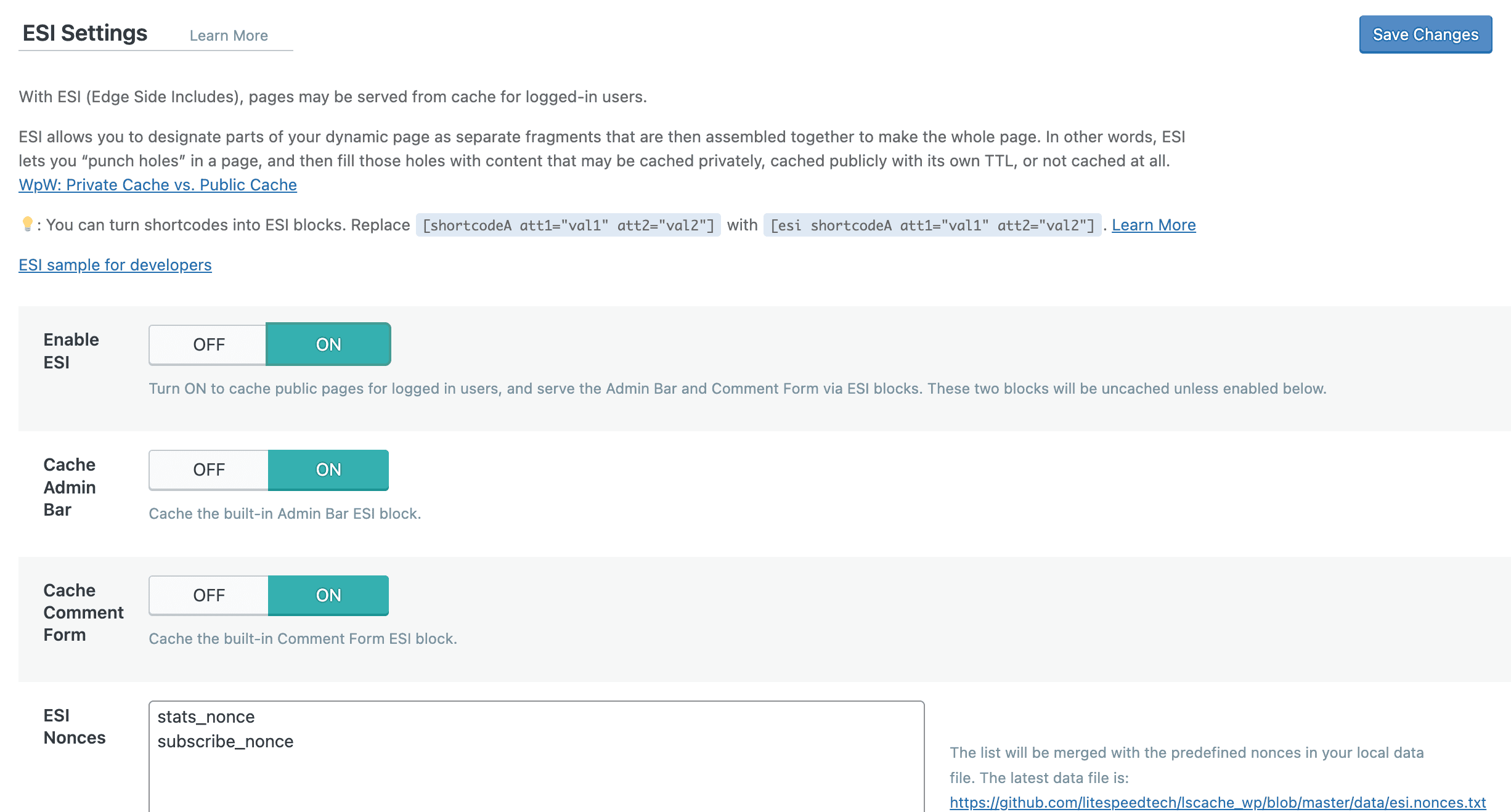
During our testing, the performance on a LiteSpeed server was unmatched by any other free plugin. The server-level page cache delivered near-instant load times. We were also impressed by the built-in image optimization service and the QUIC.cloud CDN, a free service that can bring LiteSpeed’s power even to visitors far from your server. Without the right server, its functionality is drastically limited, but on its home turf, it’s unbeatable.
Key Features:
- Server-level full page caching
- Free QUIC.cloud CDN integration
- Free built-in image optimization service
- Database optimization and cleanup
- Object Cache support (Redis, Memcached)
- Minify CSS, JavaScript, and HTML
- Browser and Gravatar caching
- Can serve separate cached pages for logged-in users
3. W3 Total Cache
We had previously put W3 Total Cache and WP Rocket head to head. It is one of the titans of the WordPress caching world, known for its immense power and granular control. It’s a tool built for developers and seasoned performance experts. Where other plugins offer simple checkboxes, W3TC gives you dropdown menus with multiple methods for every type of caching imaginable, from disk to memory-based systems like Redis.
Our first impression upon activation was one of complexity. The dashboard features over a dozen pages of settings, and a single wrong click can easily lead to site errors. This isn’t a plugin you can install and activate in five minutes. It demands a careful, methodical approach to configuration, and a deep understanding of what each setting does.
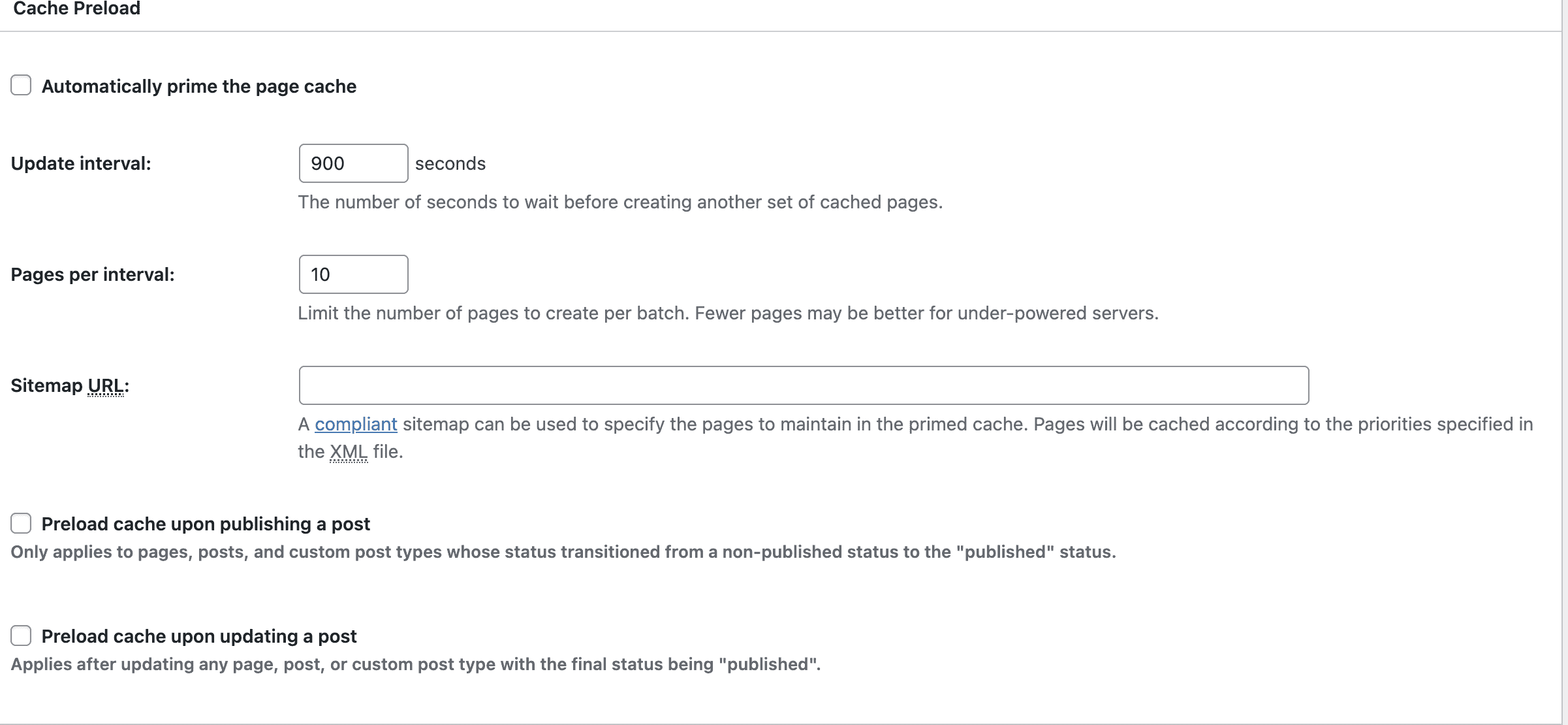
That said, for a user who knows what they’re doing, W3TC is a masterpiece of flexibility. The free version is incredibly generous, offering capabilities that many competitors charge for.
Key Features:
- Support for multiple caching methods (Disk, Redis, Memcached)
- Granular control over page, object, and browser caching
- CDN integration support
- Minification of HTML, CSS, and JavaScript files
- Full support for Reverse Proxies like Varnish
- Designed for scalability and high-traffic sites
4. WP Fastest Cache
WP Fastest Cache strikes a perfect balance between simplicity and effectiveness, making it one of the most popular plugins on the market. It was a refreshing change of pace from more complex solutions. The plugin avoids overwhelming users with endless menus and instead presents nearly all its options on a single, clean settings page.

The user experience is straightforward and intuitive. Configuration consists of running through a simple list of checkboxes with clear labels like “Page Cache,” “Minify HTML,” and “Gzip.” We had it set up and running on our test site in less than two minutes, and the performance improvement was immediate and noticeable. It’s a prime example of a plugin that does the essentials incredibly well without any unnecessary fluff.
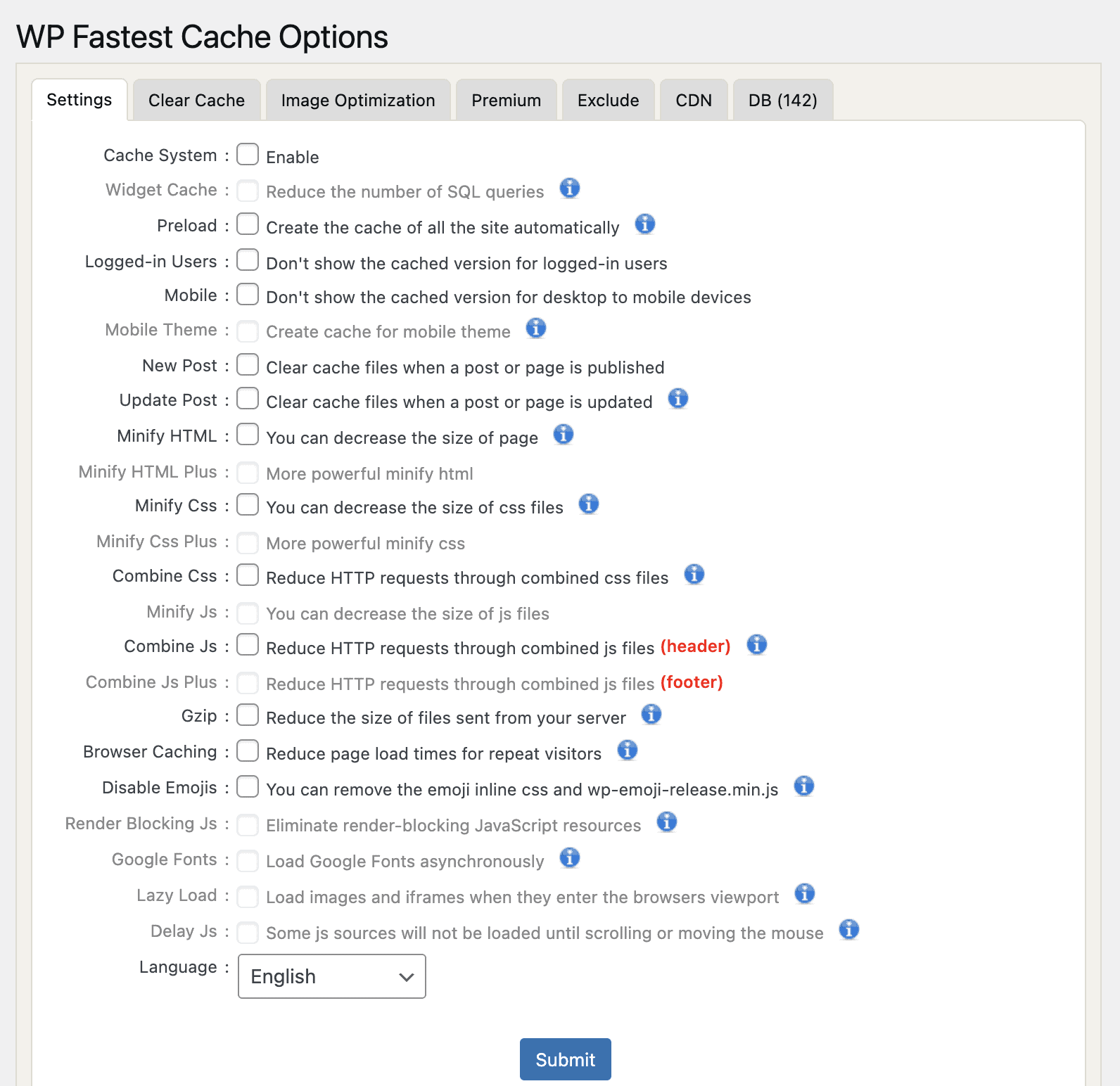
While the free version covers the core caching and minification features you need for a basic speed boost, the premium version is a compelling upgrade. It adds image optimization, database cleanup, and other advanced features for a very reasonable one-time fee—a major plus compared to the subscription models of many competitors. It’s a reliable, no-fuss performer that just works.
Key Features:
- Simple, checkbox-based user interface
- One-click cache clearing
- Minify HTML and CSS (JS minification is premium)
- Gzip compression
- Browser caching
- CDN support
- Premium version (one-time fee) adds image optimization, database cleanup, and more
5. WP Super Cache
When we tested WP Super Cache is the definition of a reliable, no-frills caching plugin. It’s one of the oldest and most trusted solutions available, focusing on doing one thing exceptionally well: page caching. It forgoes the bells and whistles of modern all-in-one plugins for stability and simplicity.
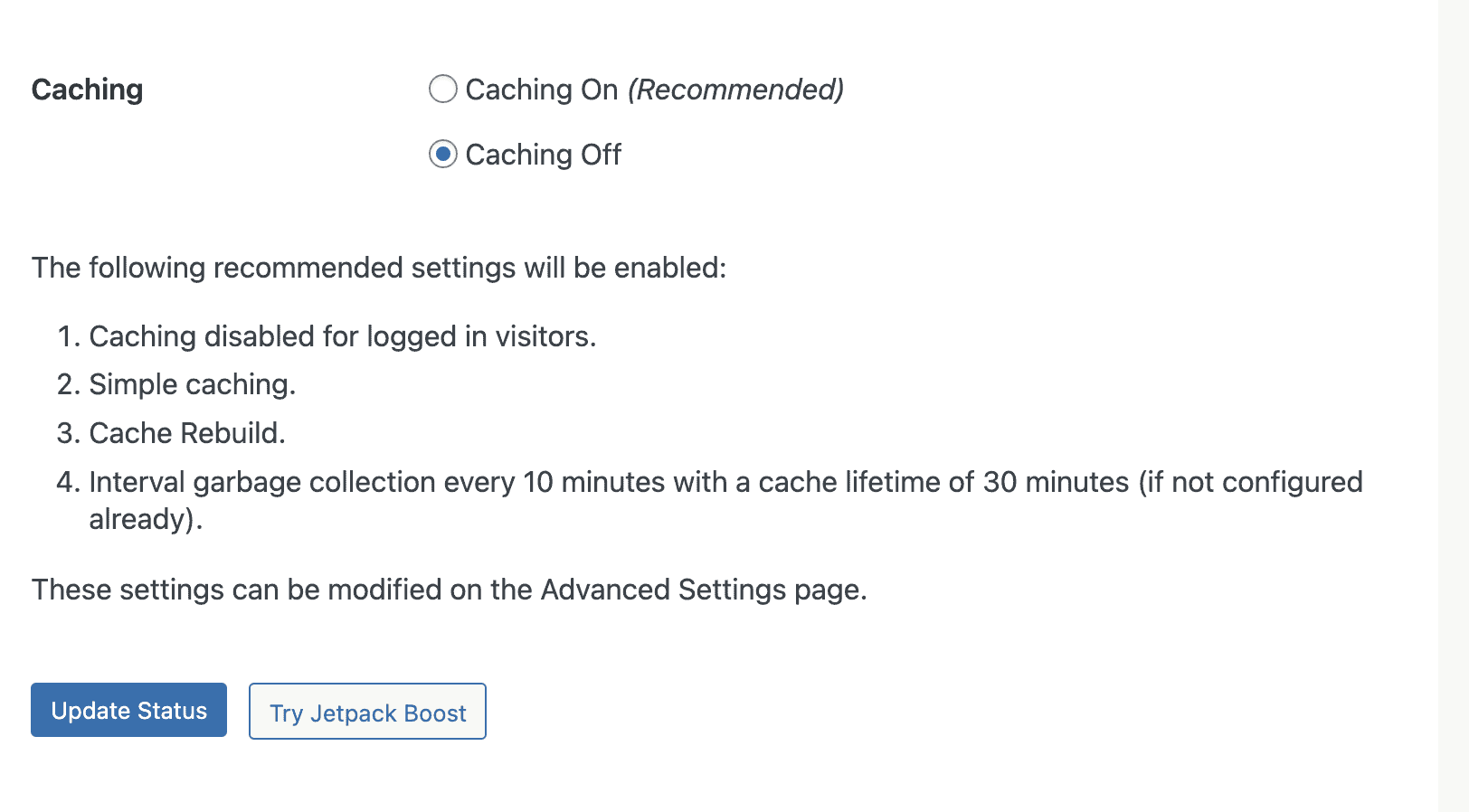
The user interface feels a bit dated compared to newer plugins, but it’s incredibly straightforward. The plugin offers two main modes: “Simple” and “Expert.” The “Simple” mode works right out of the box and is the recommended option for most users. The “Expert” mode delivers faster performance by directly modifying your .htaccess file, but it comes with a slightly higher risk if you’re not comfortable with server files.
We have to note that a lot of users online have complained about the WP Super Cache 500 error. This is usually caused by conflicts with the plugin and can be inconvenient to fix. Keep this in mind, when you consider this plugin.
Key Features:
- Simple and Expert caching modes
- Serves static HTML files to the vast majority of users
- CDN support
- Preloading to generate cached files for your posts and pages
- Developed and maintained by Automattic (creators of WordPress)
Best Practices for Best Free WordPress Caching Plugin
Once you’ve chosen and installed a caching plugin, following a few simple rules will ensure you get the best results without causing any headaches.
- Take a backup before you install it: A caching plugin makes changes to your WordPress site files. If done wrong, you can break your site. So, the first step is to take a full backup of your entire website.
- Use Only One Caching Plugin: This is the golden rule. Running two or more caching plugins at the same time is a recipe for disaster. They will conflict with each other, leading to errors, broken layouts, or even a crashed site. Pick one plugin that fits your needs and stick with it.
- Clear Your Cache After Making Changes: If you update a page, theme, or plugin and don’t see your changes on the live site, it’s almost certainly because you’re seeing an old cached version. Get into the habit of clearing your cache via the admin bar button after you make any significant site updates. This ensures the latest version of your site is always being served.
- Exclude Dynamic Pages: Pages like the shopping cart, checkout, and user account areas should never be cached. Caching them can show one customer’s information to another. Most modern caching plugins (like Airlift) are smart enough to exclude these pages automatically, but if you’re using another plugin, it’s crucial to check the settings and add these page URLs to the “Exclude” list.
- Check for Hosting-Specific Caching First: Many managed WordPress hosts (like Kinsta, WP Engine, and Cloudways) include their own powerful, server-level caching. In these cases, their built-in solution is often better than any plugin. Check your hosting provider’s documentation first; you might not even need a separate caching plugin.
- Pair Your Plugin with a CDN: For the best possible performance, combine your caching plugin with a Content Delivery Network (CDN) like Cloudflare. A CDN stores copies of your site’s static files (like images) on servers around the world, so they are delivered much faster to your international visitors. Most top caching plugins have easy integrations for CDNs.
Final Thoughts
Improving your website’s speed is crucial, but it shouldn’t require you to become a web developer. While there are many powerful tools available, the best solution for most business owners is one that works automatically and reliably in the background.
For this reason, our top recommendation is Airlift. Its “set it and forget it” approach delivers fantastic performance gains without the complex setup, allowing you to focus on what really matters: running your business.
FAQs
What is the best free WordPress caching plugin?
For most users, Airlift is the best free plugin because it is fully automated and requires no technical configuration. If your site is hosted on a LiteSpeed server, then LiteSpeed Cache is the most powerful option available.
Is WP Fastest Cache free?
Yes, WP Fastest Cache has a very capable free version that provides excellent page caching and basic optimization. It also offers a premium version with more features, which you can buy with a one-time payment.
Is W3 Total Cache free?
Yes, W3 Total Cache has a powerful and feature-rich free version that is popular among developers. It also has a premium version that unlocks even more advanced settings and support.
Is LiteSpeed Cache free?
Yes, the LiteSpeed Cache plugin is 100% free and contains no premium upsells. However, to use its main server-level caching features, your website must be hosted on a web server that runs LiteSpeed software.

Shreya has been a writer for as long as she can remember. Now, she writes articles that help WordPress users manage the sites that they're proud of, with little to no coding