
Differential backups can make restoring your WordPress site much easier. You usually need just two files: the full backup that started the cycle and the latest valid differential backup.
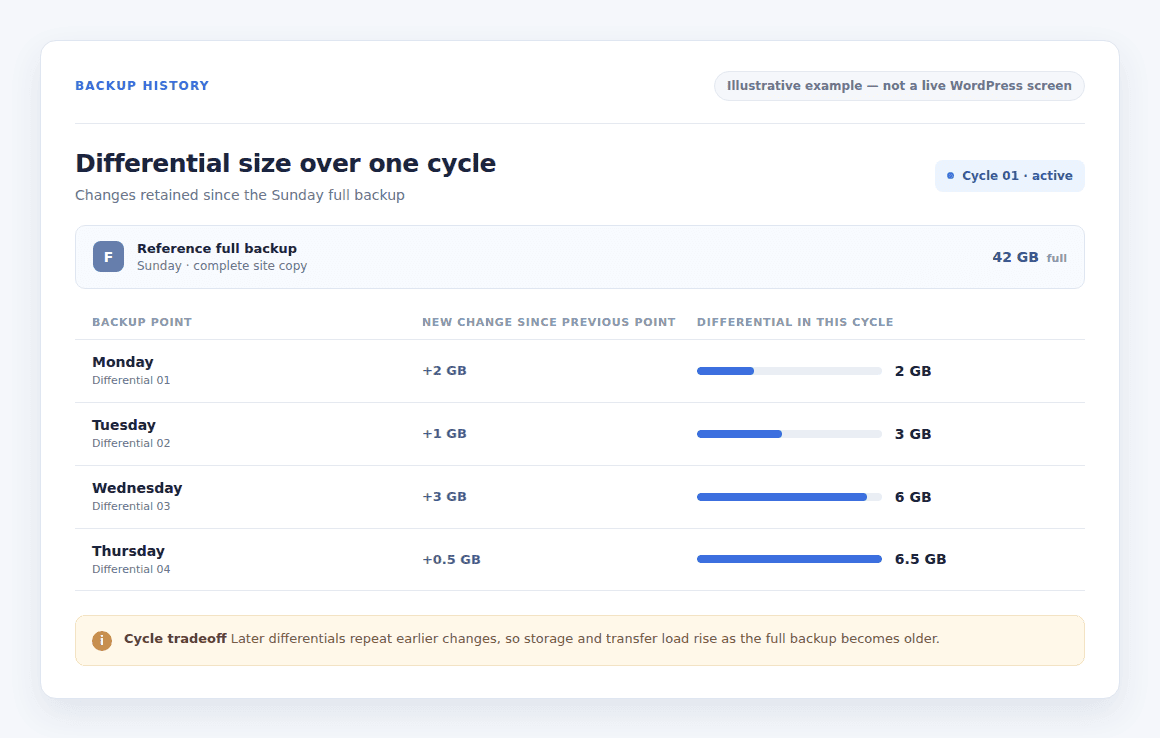
There is a trade-off. Each differential backup includes every change made since the last full backup, so the files grow over time and use more storage and bandwidth. In return, recovery is faster because you do not need to combine a long chain of backup files.
We will explain how full, differential, and incremental backups work too so you can choose the best option for your site.
A differential backup stores all changes made since the latest full backup. For WordPress: A backup plugin can automate backups and restores, but check what it stores and how it protects each restore point.
What is a differential backup?
A differential backup uses one full backup as its reference. Every later differential in that cycle saves new or changed data since that same full backup. It does not start over after each differential.
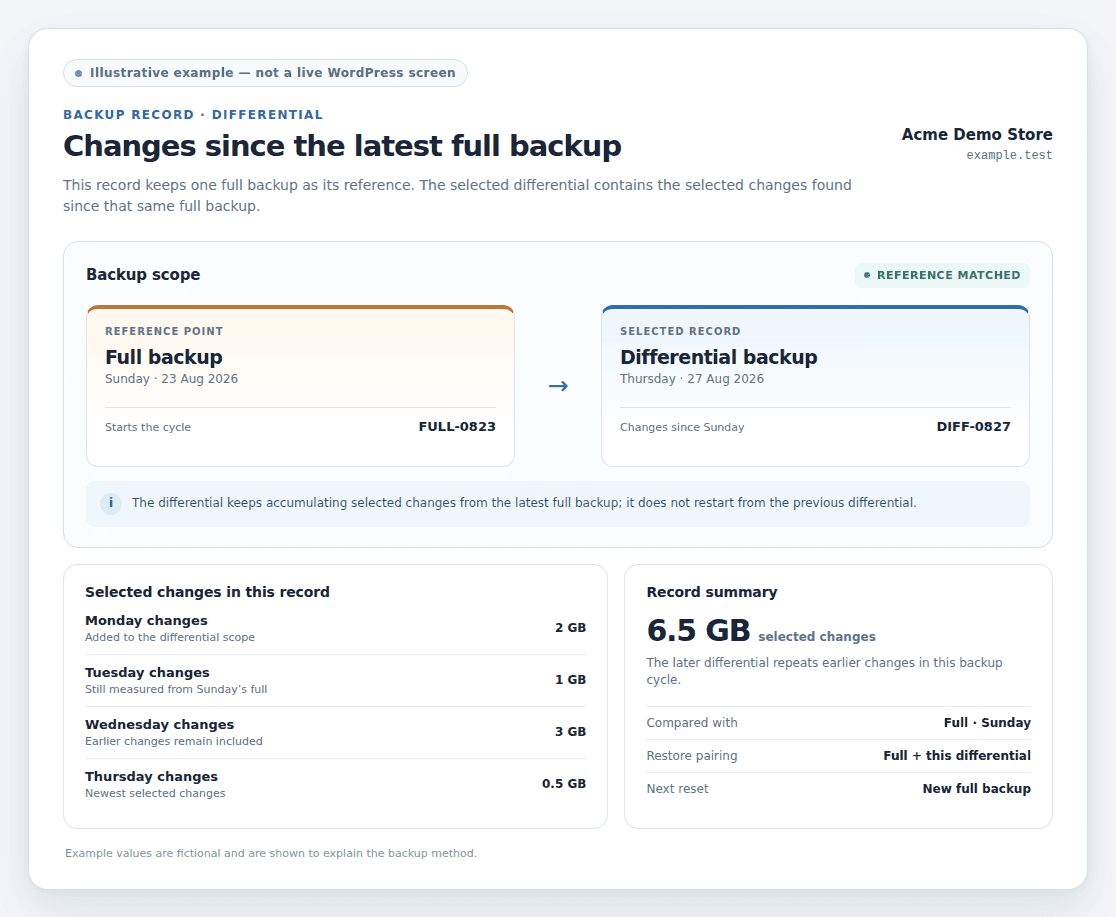
That reference point separates differential backups from incremental backups. An incremental backup saves only what changed since the most recent backup, whether that backup was full or incremental. A differential backup keeps checking against the latest full backup.
This method is only one part of a plan. It does not promise separate storage, protection against tampering, a period for keeping old copies, or a successful restore.
How do differential backups work?
Imagine a site that takes a full backup on Sunday and a differential backup each evening. The Monday file contains Monday’s changes. The Tuesday file contains Monday’s and Tuesday’s changes. By Thursday, it contains every selected change since Sunday’s full backup.
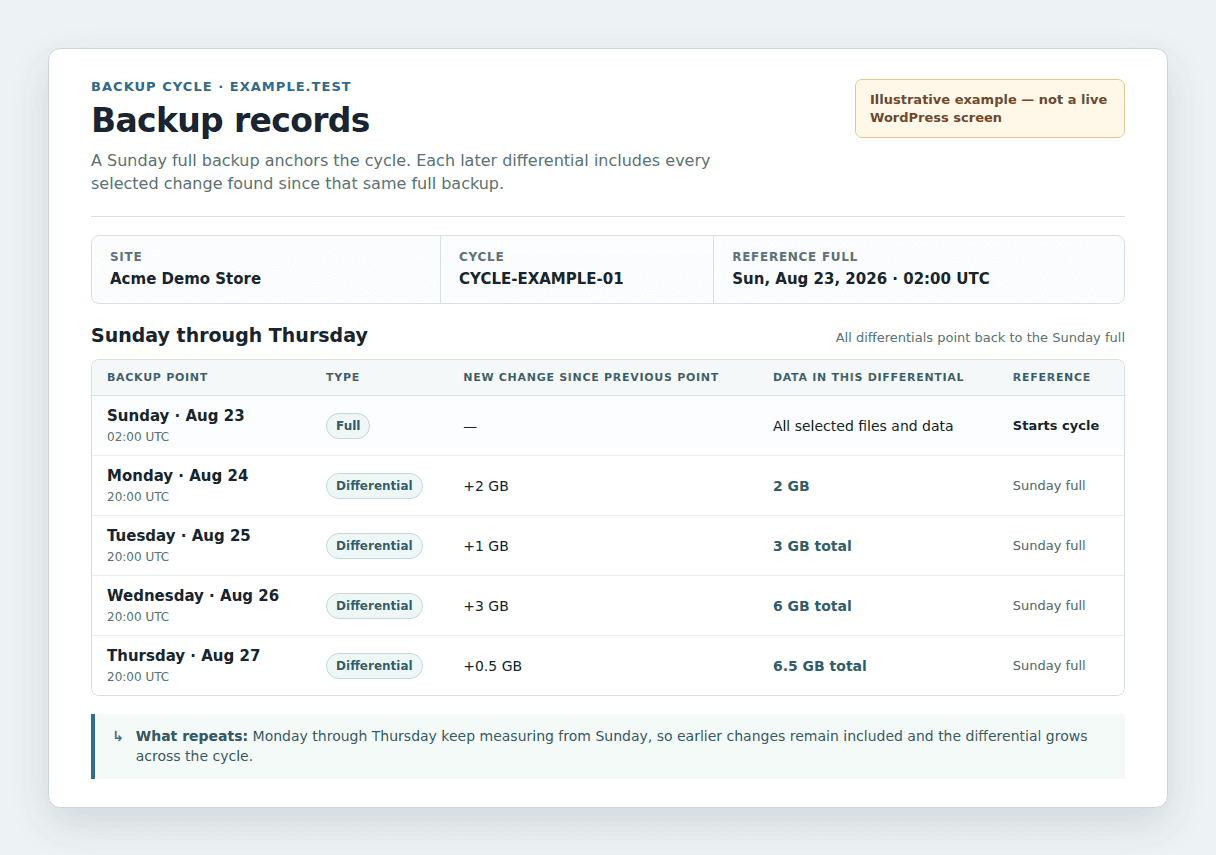
This example shows the pattern. It is not a required schedule.
| Backup point | New change since the previous point | Data in that differential |
|---|---|---|
| Sunday full | Not applicable | All selected files and data |
| Monday differential | 2 GB | 2 GB |
| Tuesday differential | 1 GB | 3 GB total |
| Wednesday differential | 3 GB | 6 GB total |
| Thursday differential | 0.5 GB | 6.5 GB total |
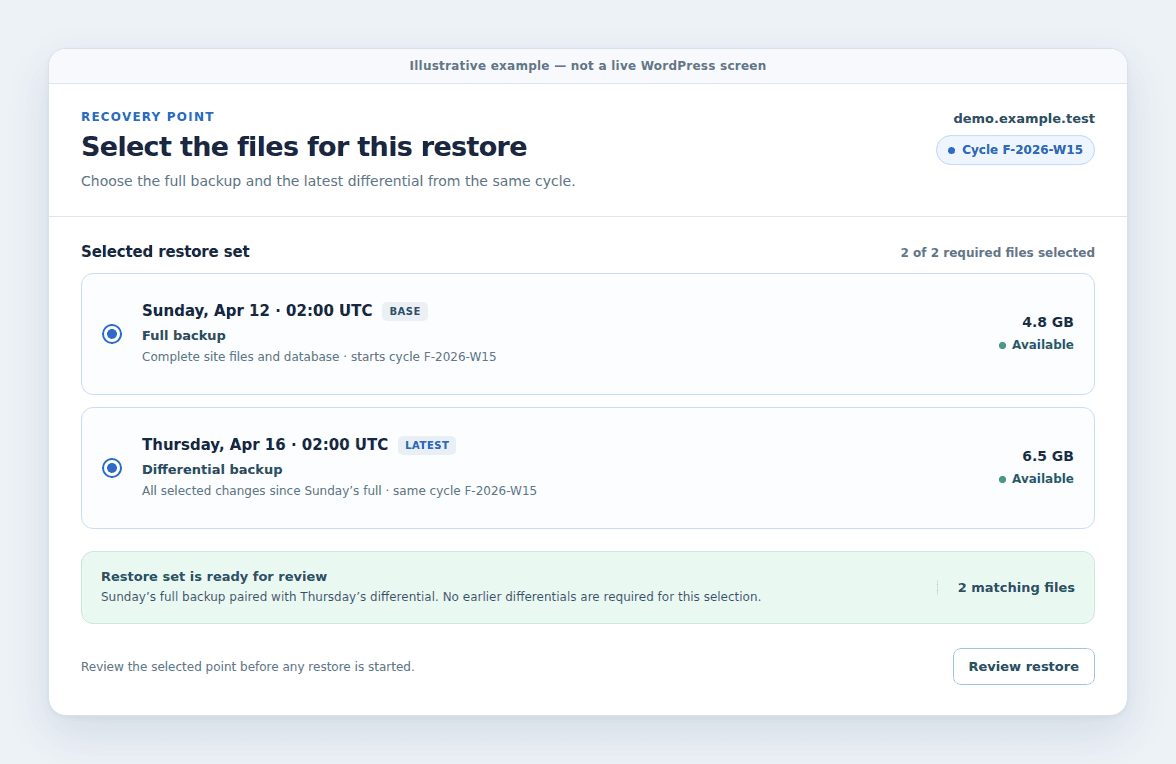
If a theme update breaks the site on Thursday, the usual restore process needs Sunday’s full backup and Thursday’s valid differential. It does not normally need Monday’s, Tuesday’s, and Wednesday’s files as separate steps.
A new full backup starts a new cycle. The next differential then begins with only the changes made after that new full backup.
Differential vs. full, incremental, and mirror backups
The backup type tells you what gets copied and which files are needed when you restore the site.
| Backup type | What it copies | What a normal restore needs | Main tradeoff |
|---|---|---|---|
| Full | All selected files and data | One full backup | Simple to understand, but uses the most resources to create |
| Differential | Changes since the latest full backup | The full backup and one matching differential | Easier restore path, but later files repeat earlier changes |
| Incremental | Changes since the latest backup | The full backup and each required incremental after it | Small frequent backups, but more files may be needed to restore |
| Mirror or sync | A current copy that follows the source | The copy, if it still contains the needed files | A deletion or damaged file may be copied instead of preserved |
The first differential and first incremental after a full backup contain the same changes. They differ on the next backup. The differential repeats the earlier changes, while the incremental saves only the newest changes.
The shorter list of files needed for a differential restore does not guarantee faster recovery. File size, storage access, connection speed, compression, which reduces file size, backup software, and the availability of both site files and organized site data all affect the time needed.
What are the pros and cons of differential backups?
Differential backups suit sites that want less work than repeated full backups without relying on a long chain, a sequence of smaller backups that may all be needed for one restore.
Advantages of differential backups
- Reduce repeated full copies: The backup saves changed data instead of copying the entire site every time.
- Simplify common restores: A normal restore uses the right full backup and one matching differential.
Disadvantages of differential backups
- Use more storage over time: Later files include earlier changes again.
- Send more data later in the cycle: Larger files can take longer to create and use more of the connection that sends them.
- Depend on the full backup: A missing, damaged, or mismatched full backup can prevent the intended restore.
- Need a planned reset: If full backups are too far apart, a differential can become nearly as large as a full backup.
Which backup strategy should you use?
There is no best method for every site. Choose based on how often your site changes, how much data your connection can send, how much recent work you can lose, and how quickly you need to recover. Differential backup usually favors a simpler recovery path; incremental backup usually favors smaller recurring backup files.
A full backup followed by frequent incrementals can use fewer resources on sites with constant orders, bookings, registrations, comments, uploads, or publishing. It saves less repeated data, but the backup tool must manage the sequence well.
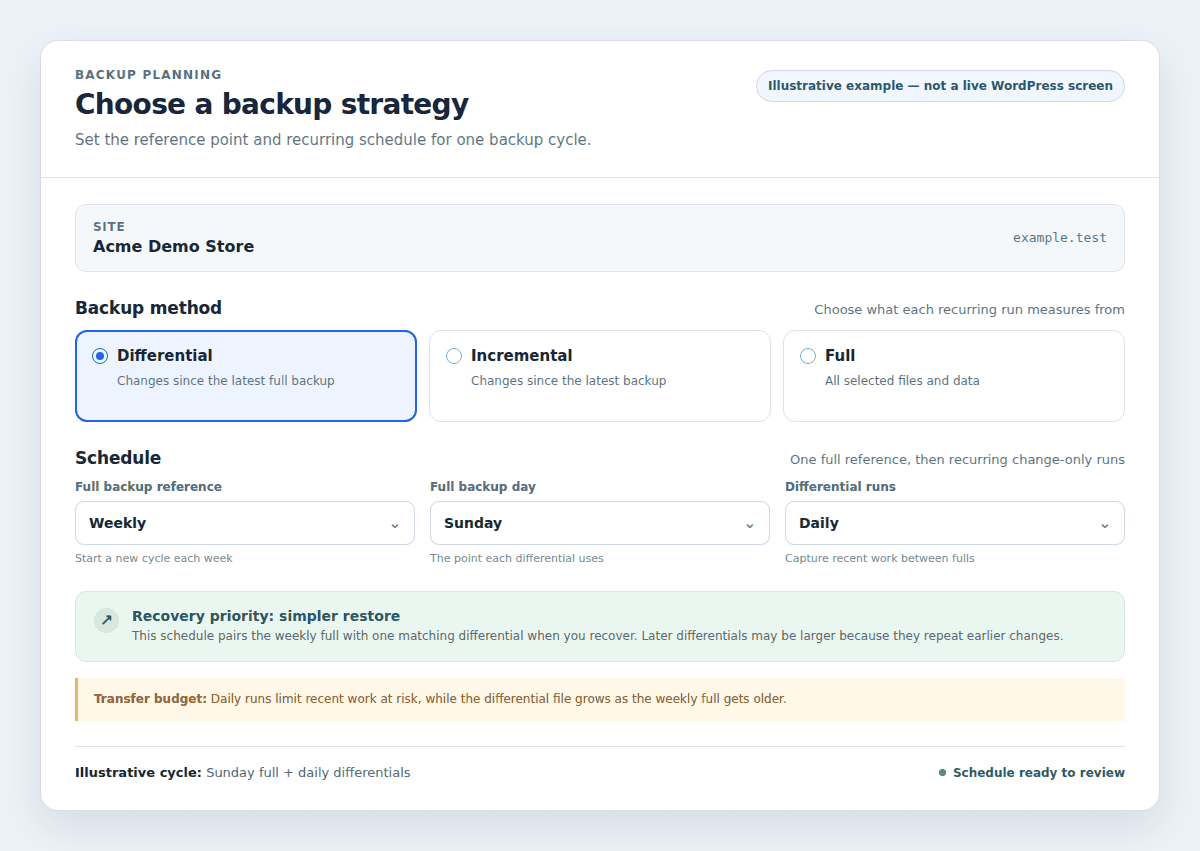
Differential backups can be a better fit when a simpler restore matters more than keeping each recurring backup small. Full backups remain useful when you want a self-contained copy, even though frequent full backups require more time and storage.
Do not judge a method only by how quickly it creates a backup. Check how the tool finds the correct full backup, checks related files, and provides reliable restores for both site files and organized site data.
How should WordPress users set up differential backups?
Use these checks when a WordPress plugin or service offers differential backups, incremental backups, or similar labels:
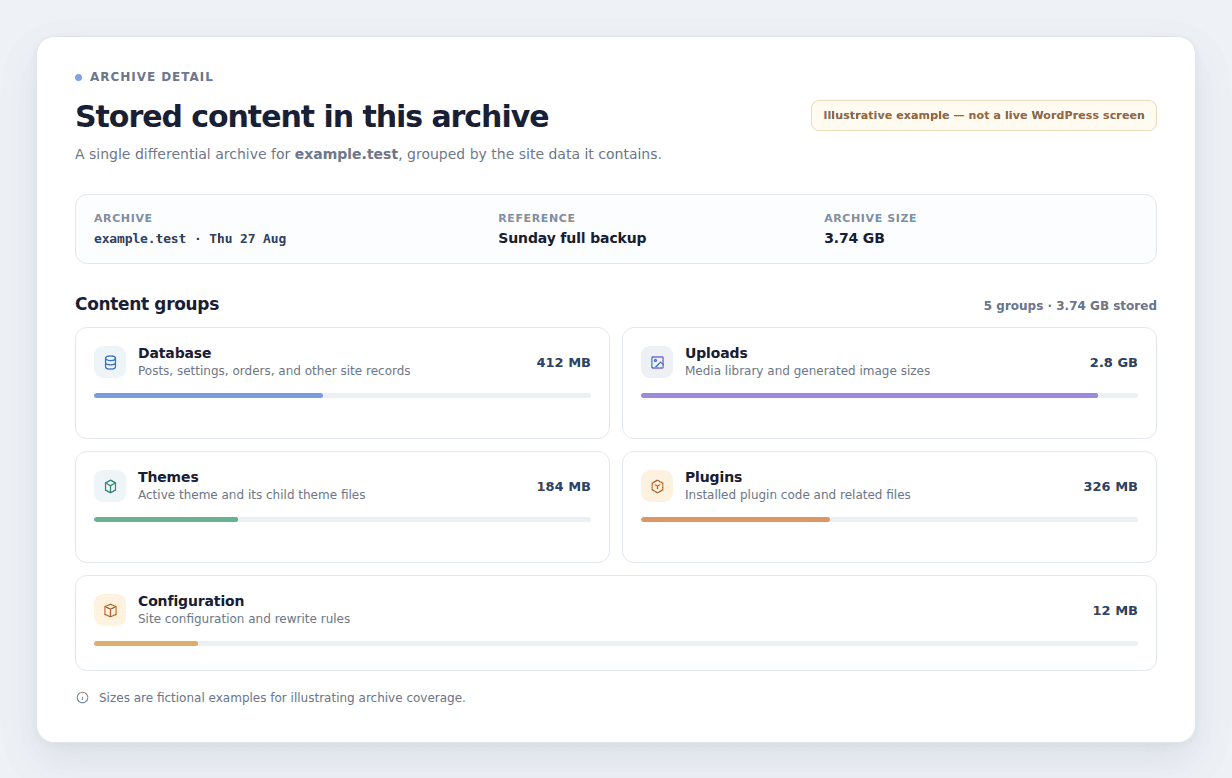
- Confirm the complete site contents: Check that it includes the database backup, which holds posts, orders, settings, and other organized site data, as well as uploads, themes, plugins, and configuration files that control site settings.
- Match the schedule to site activity: Back up more often when your site receives orders, bookings, comments, or frequent edits. The right schedule limits how much recent work you could lose.
- Keep each full and its related files together: Before deleting an older full backup, confirm that no differential you still need relies on it. Keeping only the newest differential is not enough.
- Store and test copies away from the live site: Separate storage keeps a recovery copy available if the hosting server fails or someone gains access to the site. Restore a copy in a safe place, test it, and check pages, logins, forms, orders, uploads, and important settings.
- Check how the plugin names each backup: A label may not reveal the method used. Confirm how to find the right backup version and what the tool means by full, differential, incremental, and restore point, which is a saved version of the site from a particular time.
Can a backup plugin manage this for you?
Manual scheduling, separate storage, and restore checks take time. A backup plugin can manage much of that work, but it does not remove the need to check coverage and test recovery.
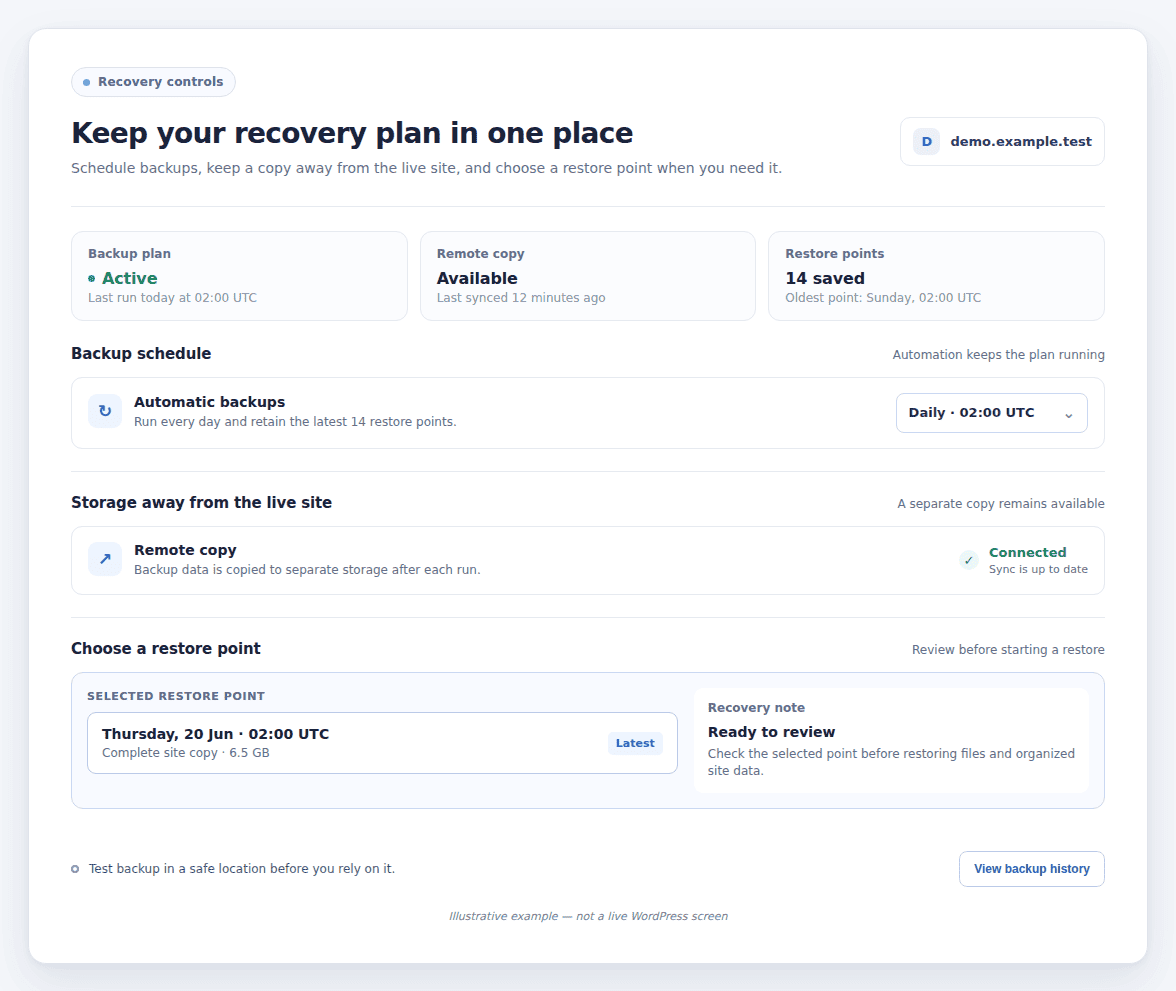
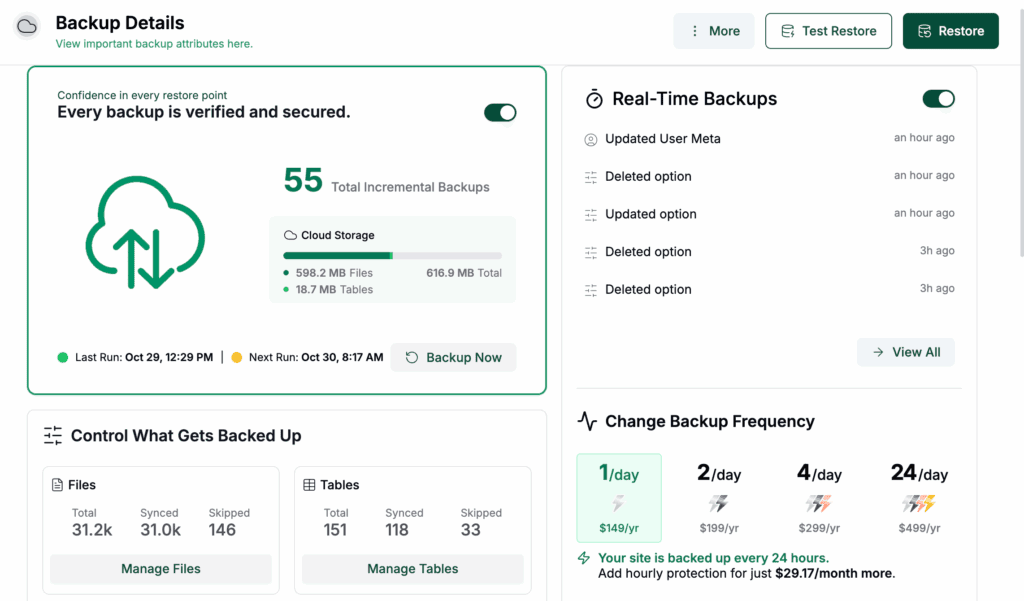
BlogVault is a WordPress backup plugin and service that currently presents automatic backups, incremental backups, storage away from the live site, one-click restores, partial restores that bring back selected site data, and test backups. These features support scheduling and recovery management. They do not show that BlogVault uses differential backups, so do not choose it on that assumption.
The same checks apply to any plugin: confirm what it saves, where it stores copies, how long it keeps them, and what you must select to restore the site. Verify current documentation before relying on a specific feature.
FAQs
What is a differential backup?
A differential backup contains selected files and data changed since the latest full backup. Each later differential in that cycle includes the earlier changes again.
How does a differential backup work?
It starts with a full backup as the reference point. Each later backup compares the site with that full backup and saves all selected changes found since then. A new full backup starts the process again.
What is the difference between incremental and differential backup?
An incremental backup saves changes since the most recent backup. A differential backup saves changes since the most recent full backup. Incrementals are usually smaller, while differentials usually need fewer files to restore.
Is a differential backup better than a full backup?
It depends on the need. A differential backup usually takes less work to create and uses less storage than a full backup, while a full backup is a complete copy that can stand on its own. Your site activity, storage, and recovery plan should decide.
Can differential backups be used for WordPress?
Yes, the method can be used for WordPress. The plugin or service decides what it saves, how it labels each backup, where it stores copies, and how it restores the database and files. Confirm those details before choosing it.
Conclusion
A differential backup saves changes since the latest full backup. It usually offers a simpler restore than a sequence of incremental backups, but later files grow because they repeat earlier changes.
For WordPress, choose the method that fits your site’s activity, storage, recovery needs, and backup tool. Keep complete copies away from the live server and test a restore before you need it. A backup plugin can reduce the manual work, but only a verified restore proves that the plan works.

Shivani enjoys crafting guides that make every aspect of using WordPress simple and easy to follow. When she's not glued to her laptop, you can find her buried in a good book or occasionally, painting.