When it comes to form plugins for WordPress, the last thing you need is decision fatigue. Plus, we know you don’t have time for a ten-hour research project.
So, here’s the five-minute breakdown of Formidable Forms vs Gravity Forms.
We’ll skip the fluff and guide you straight to the best choice for your site.
Opt for Formidable Forms for complex, data-driven applications showcasing data on the front end. Choose Gravity Forms for its intuitive interface and extensive integration library for standard form building. Use a backup plugin to avoid conflicts during updates or feature additions.
Formidable Forms vs Gravity Forms in a snapshot

Which form builder is more intuitive for new users?
When you’re under pressure, the last thing you need is a confusing interface. The initial user experience is where these two plugins diverge significantly.
The Formidable Forms plugin greets you with a modern, powerful dashboard. It’s clean, but it can also feel dense because it presents a vast number of fields and settings all at once.
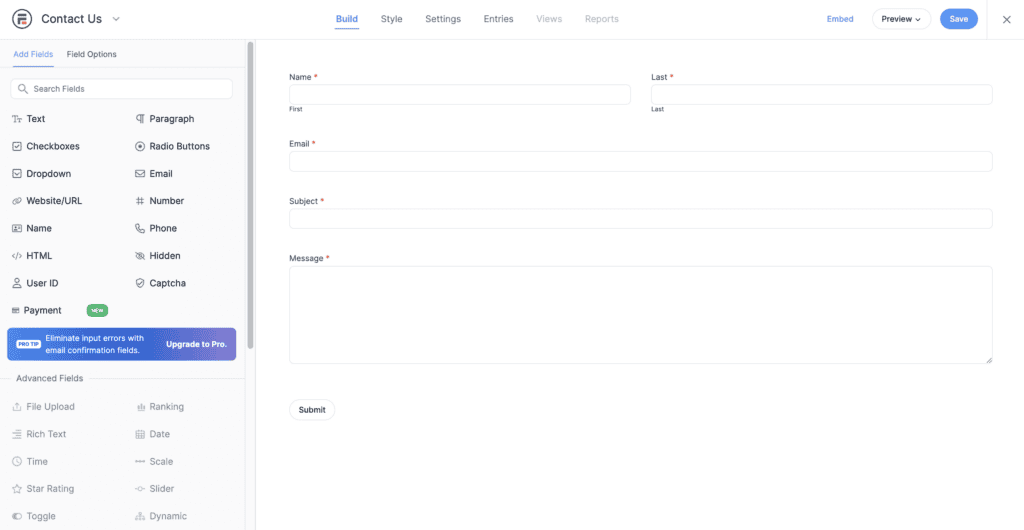
To help you focus, the editor uses a full-screen, distraction-free interface, similar to WPForms. The layout is split into two panes: the left panel is dedicated to your available fields and their settings, while the central area is where you construct your form. You can also build a simple contact form in minutes using the preset templates.
The real learning curve arrives with its signature feature, Views. This tool displays your submitted data on the front end, but it requires a different way of thinking, almost like using a database manager.
Thankfully, the free Lite version is a huge advantage, letting you learn the basics without any financial risk.
Gravity Forms plugin prioritizes a focused, streamlined workflow. Its drag-and-drop builder feels like a natural extension of WordPress itself. You add a field, and its options appear neatly in a sidebar. The entire process is linear and contained, which reduces distraction and helps you build standard forms faster.
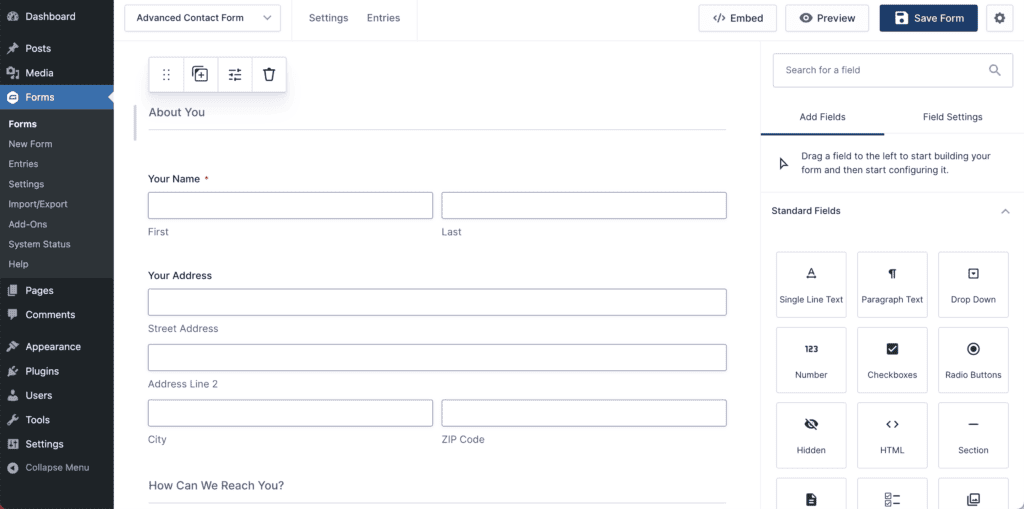
There is no free version, which is a major consideration. You have to purchase a license to begin. However, their full-featured demo site lets you test every single feature, giving you a clear picture of what you’re buying. For a user who just needs to build a solid, reliable form quickly, Gravity Forms is undeniably easier to master.
Feature face-off
Beyond the initial feel, the core features determine what you can actually accomplish.
Available form fields
Both plugins cover all the standard fields you need, like text, email, and checkboxes. The difference is in the advanced options. Formidable excels by including application-style fields like Repeaters and Lookups directly in its premium plans.
Gravity Forms can do this too, but it often requires third-party add-ons to get the same specialized fields.
Conditional logic
Conditional logic makes your forms smart; they can change based on what a user selects. On this front, both plugins are neck and neck.
Formidable and Gravity Forms have incredibly robust and intuitive conditional logic engines. You can easily show or hide fields, pages, or even the submit button based on user input. You will not be disappointed with either choice here.
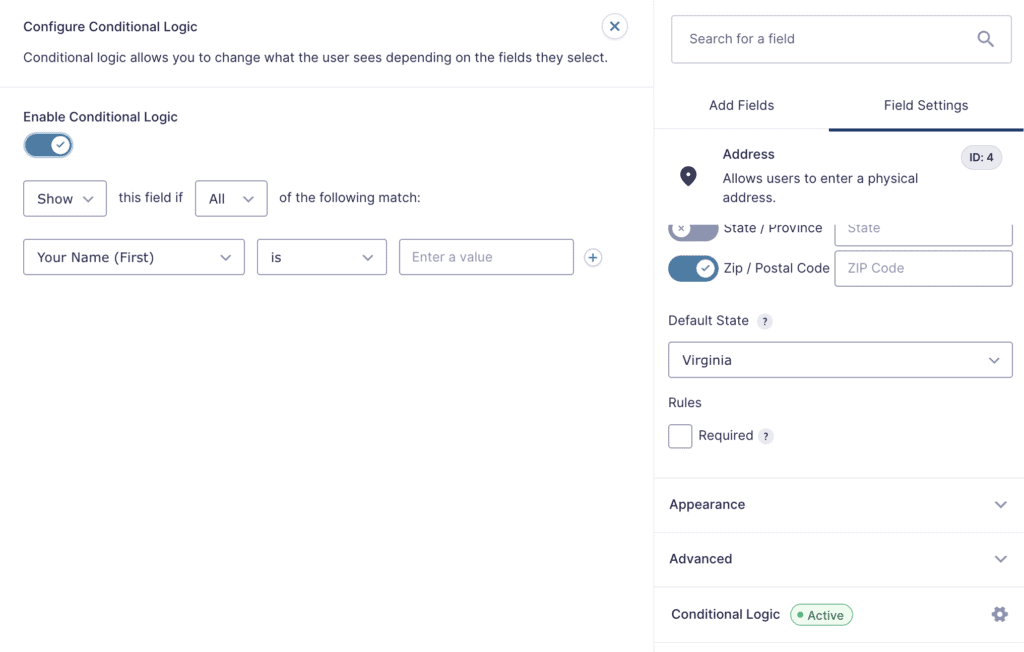
Keep in mind that there is some amount of complexity that can sometimes lead to issues. Especially if it conflicts with another plugin or theme. Knowing how to safely troubleshoot WordPress errors can save you a massive headache.
Entry management and data display
This is the single most important difference between the two. Gravity Forms is an expert at collecting data. It stores form entries securely in your dashboard for you to review or export.
Formidable Forms, however, is designed to both collect and display that data on your website. Its Views feature lets you turn submissions into front-end content like directories, event calendars, or real estate listings.
To do the same with Gravity Forms, you need to buy a separate, premium plugin like GravityView.
Payment gateways
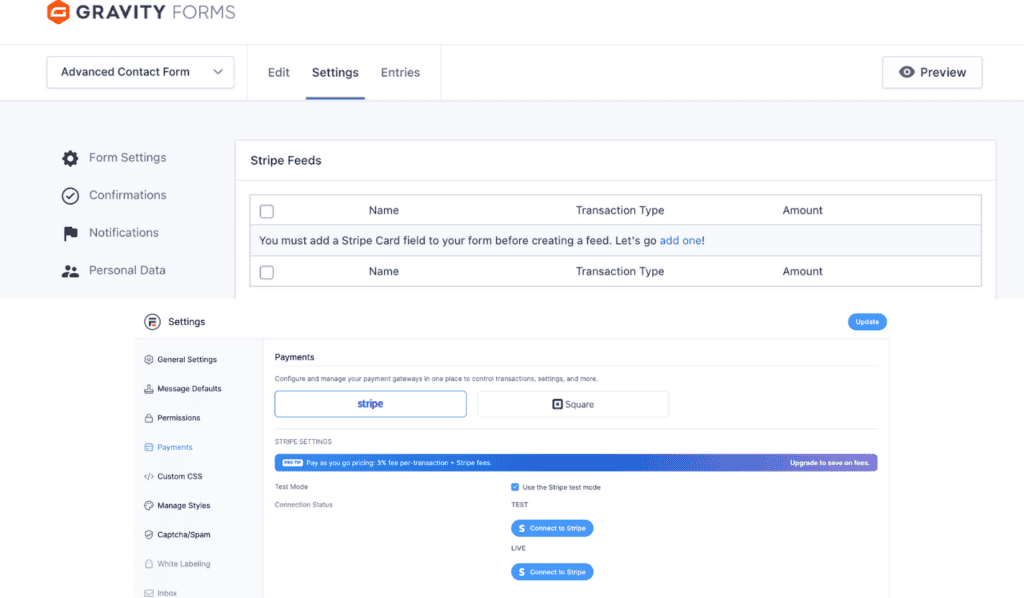
Need to accept payments? Both plugins have you covered. However, the moment you begin processing financial transactions, your website’s security requirements change dramatically.
Developer extensibility
For developers, this is a critical point. An API allows your forms to communicate with other applications, and Gravity Forms’ open access is a huge advantage. However, you should never build or test custom integrations on a live website.
User support and documentation
When you’re stuck, good support is essential. Both platforms provide excellent, detailed online documentation. For direct help, Formidable offers support to free users via the WordPress.org forums and provides prioritized ticket support for paying customers.
Gravity Forms offers expert-level ticket support exclusively to its license holders. The one catch with Gravity Forms is its huge third-party ecosystem; if a problem is caused by another developer’s add-on, their official support team won’t be able to help.
Pricing plans
The financial commitment is often the deciding factor. The two plugins approach pricing from opposite directions.
Formidable Forms plugin uses a freemium model with introductory pricing. You can start for free with their Lite plugin, which is perfect for basic needs. Their premium plans are advertised with a significant first-year discount.
This makes the initial purchase very attractive. However, you must pay attention to the renewal cost, which is the full, non-discounted price and represents a substantial jump.

Gravity Forms is a premium-only product with straightforward, predictable pricing. There is no free version and no introductory discount. The price you see is the price you pay, and that same price applies to your annual renewal.
This transparency is ideal for agencies and businesses that need to forecast expenses accurately. Over three years, Gravity Forms is often the more affordable option because you avoid the significant price increase at the first renewal.

For a one-off project on a tight budget, Formidable’s initial cost is lower. For long-term use and predictable budgeting, Gravity Forms provides better financial stability.
Which form builder should you pick?
Your choice depends entirely on what you are building. But before you install either of these powerful plugins, the first and most important step is to perform a complete backup of your website. This gives you a one-click safety net if anything goes wrong during setup.
Choose Formidable Forms if:
- You’re building a web application, not just a form. Think job boards, event calendars, or member directories.
- Displaying submitted data on the front end is your main goal. The “Views” feature is purpose-built for this and is more integrated than any third-party solution.
- You need complex, multi-step calculations for quote generators or financial calculators.
- You need to start with a free plugin and are willing to accept a learning curve as you grow.
Choose Gravity Forms if:
- You are a consultant, agency, or business that values reliability and speed above all else.
- You need the most intuitive and user-friendly experience to get standard-to-complex forms built quickly.
- You require integrations with a wide array of marketing, CRM, and payment systems. Its ecosystem is unmatched.
- You are a developer who needs API access without paying for the most expensive license.
Ultimately, Formidable is an application framework that uses forms to capture data. Gravity Forms is the most robust and polished pure form builder on the market.
Exploring alternative form plugins
While these two are heavyweights, they aren’t your only options. It’s smart to know the landscape before making a final decision.
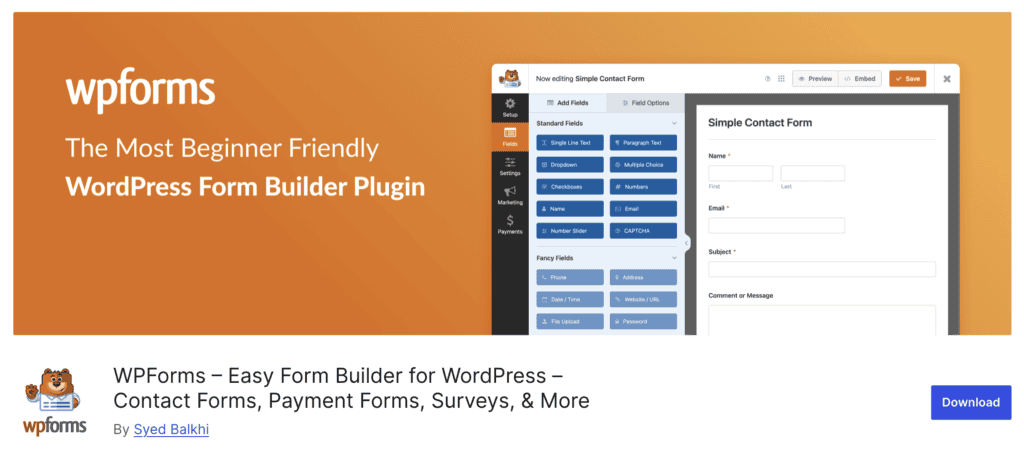
- WPForms builder: This is the go-to plugin for absolute beginners. Its entire philosophy is built around simplicity and speed. With a huge library of pre-built templates and a guided workflow, you can create and launch a professional-looking form in minutes. It’s the perfect choice for small businesses or individuals who prioritize ease of use over deep customization.
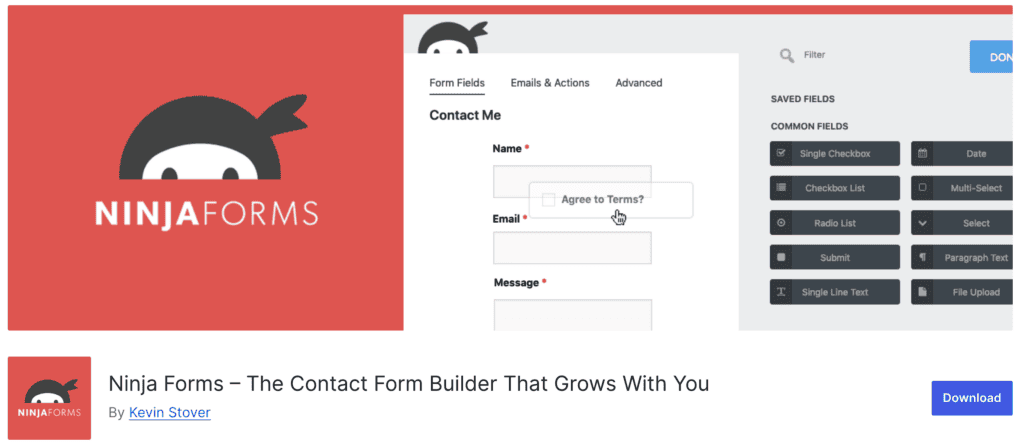
- Ninja Forms builder: Think of this as the “build-your-own” solution. The core plugin is free and capable, but its real strength is the a la carte model for add-ons. If you only need one or two specific premium features, like a Mailchimp integration or a single payment gateway, you can buy just those extensions. This can be far more cost-effective than purchasing a bundled plan full of features you’ll never use.

- Fluent Forms builder: For those who are obsessed with website speed, Fluent Forms is a top contender. It’s known for being incredibly lightweight and fast, ensuring your forms don’t slow down your site. It also packs a surprising number of advanced features into its plans, often offering more value at lower price points than its older competitors.

- Forminator form builder: This plugin offers the most powerful free version of any form builder, period. It includes advanced features like polls, quizzes, calculations, and payment integrations without asking for a dime. For users who need sophisticated functionality on a zero-dollar budget, Forminator is an unbeatable choice.
Parting thoughts
The choice is clear: pick Formidable to display data-driven content, and Gravity Forms for reliable data collection and integration. Whichever you install, the final, critical step is ensuring it works perfectly.
You can confirm your forms are submitted correctly and remove all the guesswork by using a service like BlogVault’s automated form testing feature.
FAQs
Which plugin is more beginner-friendly?
Gravity Forms is generally considered more beginner-friendly due to its straightforward user interface. Formidable Forms has a steeper learning curve, as it is designed for more advanced users and application building, which can be initially overwhelming for beginners.
What are the main differences in features?
The key difference is Formidable Forms’s powerful built-in “Views” feature for displaying form data on the front end, which Gravity Forms lacks natively. While both offer similar advanced form-building features like conditional logic, file uploads, and multi-page forms, Gravity Forms has a larger ecosystem of official and third-party add-ons for extended functionality.
How do the pricing models compare?
Formidable Forms offers a free “Lite” version for basic needs, while Gravity Forms is a premium-only plugin. While Formidable’s introductory prices can be attractive, be aware that renewal costs can increase significantly. Gravity Forms offers more transparent and stable annual pricing.
Which has better developer flexibility?
Gravity Forms provides full API access on all its licenses, making it a more flexible and cost-effective choice for developers who need to create custom integrations. Formidable Forms restricts REST API access to its higher-tier plans.
Is Formidable Forms or Gravity Forms better for creating data-driven applications?
Formidable Forms is the clear winner for building data-driven applications, directories, or calendars. Its native “Views” feature allows you to display, filter, and edit form entries on the front end without extra cost. With Gravity Forms, you must purchase a separate third-party add-on like GravityView for this functionality.
Which plugin has more integrations?
Gravity Forms has a larger marketplace of third-party add-ons and integrations, giving you more options to connect with various services. However, Formidable Forms bundles more features into its core product, meaning you might not need as many separate extensions to get the functionality you need.
Which plugin offers better support?
Both plugins are highly regarded for their customer support and extensive documentation. All Gravity Forms users with a paid license receive direct support via a ticket system. Formidable Forms Lite users are directed to the WordPress.org forums, while premium users get ticket-based support.

Shivani enjoys crafting guides that make every aspect of using WordPress simple and easy to follow. When she's not glued to her laptop, you can find her buried in a good book or occasionally, painting.