Tired of sifting through endless form plugins?
Your search ends here. We’ve done the hard work and narrowed it down to the top seven options.
Let us help you choose a WordPress form plugin that truly converts visitors into customers.
Selecting the ideal WordPress form plugin drives leads and efficiency. While many exist, we’ve reviewed and ranked the 7 top contenders to simplify your choice. Ensure you have a reliable backup plugin, as it prevents costly downtime from plugin conflicts.
Quick WordPress form plugin option comparison

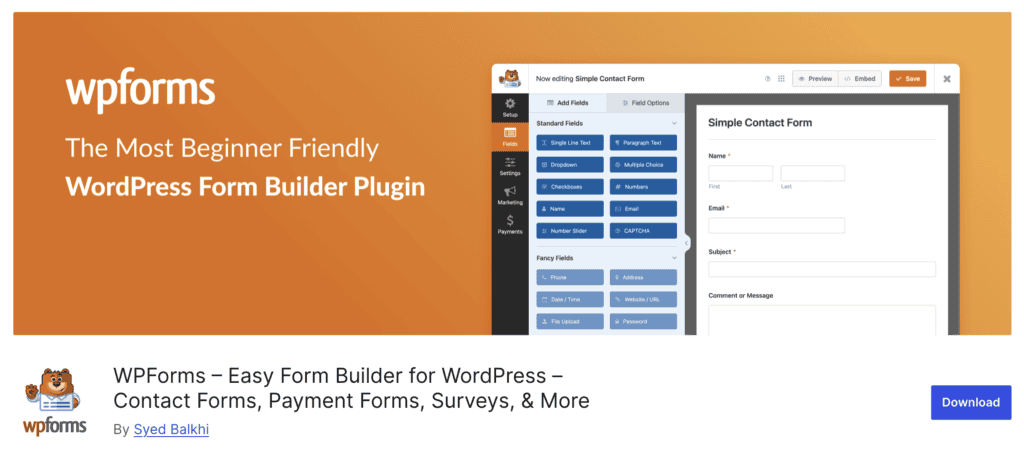
1. WPForms
⭐ Score: 5/5
WPForms perfectly balances powerful features with incredible ease of use. It’s the ideal choice for beginners seeking simplicity and professionals valuing efficiency.
Its drag-and-drop builder is exceptionally intuitive. Anyone can genuinely create a professional form in minutes, no technical skills required. The massive template library boasts over 600 pre-built forms for contact, surveys, payments, and more.
This provides a significant head start. While incredibly easy to use, it’s surprisingly powerful. It includes smart conditional logic and essential payment integrations like Stripe and PayPal. We confidently recommend WPForms for everyone.
Pricing
WPForms offers a Freemium model with a free Lite version. Premium plans start at $49.50/year for advanced features. Keep in mind, renewal prices may vary.

2. Gravity Forms

⭐ Score: 4.5/5
Gravity Forms is the rock-solid, veteran choice. Developers and agencies globally trust it for mission-critical forms. It consistently delivers flawless performance. Gravity Forms simply will not break your site, making it a cornerstone for serious projects.
It boasts a massive ecosystem of over 30 official add-ons. These connect it to virtually every CRM, email tool, and payment gateway imaginable. For developers, its powerful API and extensive hooks are a true dream.
They allow for completely custom and complex form solutions. We noted a slight learning curve, however. Its interface is highly functional but less intuitive than WPForms. This makes it slightly less ideal for absolute beginners preferring a more guided experience.
Pricing
This is a premium plugin only, with no free option. Plans start at $59/year and go up to $259/year depending on your needs.

3. Fluent Forms

⭐ Score: 4.5/5
Fluent Forms offers the best value. It delivers premium-level features at a fraction of the cost. It’s engineered for speed and packed with modern functionalities.
In our assessment, Fluent Forms truly offers incredible value. The free version itself is packed with features. Its Pro plan remains one of the most affordable on the market. It’s built with performance in mind.
This ensures forms load quickly without leading to a slow-loading site. This plugin includes advanced features like conversational forms, detailed analytics, and over 60 integrations. This places it firmly in the premium category.
While its reputation is growing rapidly, it lacks the long-standing brand recognition or extensive ecosystem of WPForms or Gravity Forms. This means you might find fewer community tutorials or third-party extensions compared to the more established players.
Pricing
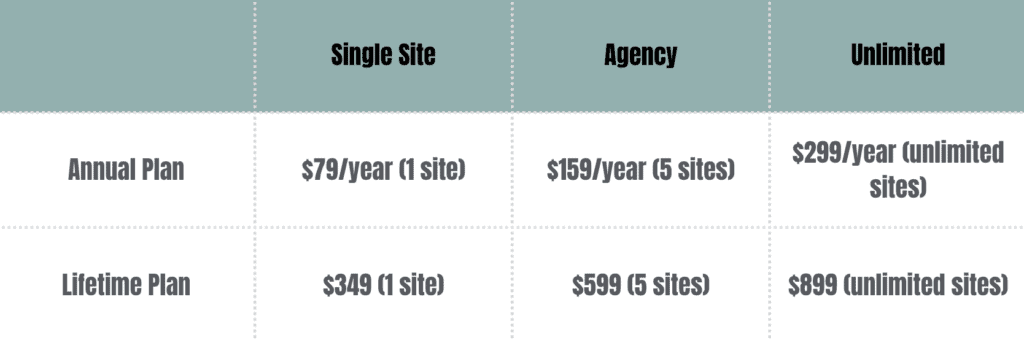
Fluent Forms operates on a Freemium model. The Lite version is free. Pro plans (offering incredible value) start at just $79/year, with lifetime options also available.
4. Formidable Forms

⭐ Score: 4.5/5
Formidable Forms stands out as the most flexible form builder. It transforms WordPress into a powerful application platform, enabling advanced data management.
You can build complex directories, calculators, and sophisticated front-end applications. These display and manage submitted data. Its unique Views feature truly lets you display form entries on the front-end.
This effectively turns forms into a robust database. This incredible flexibility means that if you can imagine a form-based tool, you can likely build it with Formidable. However, this power comes with a steeper learning curve. We consider it overkill if you’re looking for a basic contact form.
Pricing
Formidable Forms offers a Freemium model. A free Lite version is available, with Premium plans starting from $39.50/year to $299.50/year.

5. Forminator

⭐ Score: 4/5
Forminator is a powerful plugin for forms, quizzes, and polls, available as part of a comprehensive WPMU DEV membership. It’s an all-in-one solution, particularly valuable for those managing multiple sites.
Its free core plugin on WordPress.org that includes features like Stripe/PayPal payments and advanced quizzes.
However, to unlock its full potential, including premium support and access to all features, the WPMU DEV membership is required. This makes Forminator an excellent choice if you already use or plan to use other WPMU DEV tools.
Without the membership, major updates or advanced functionality can be limited compared to dedicated premium form builders.
Pricing
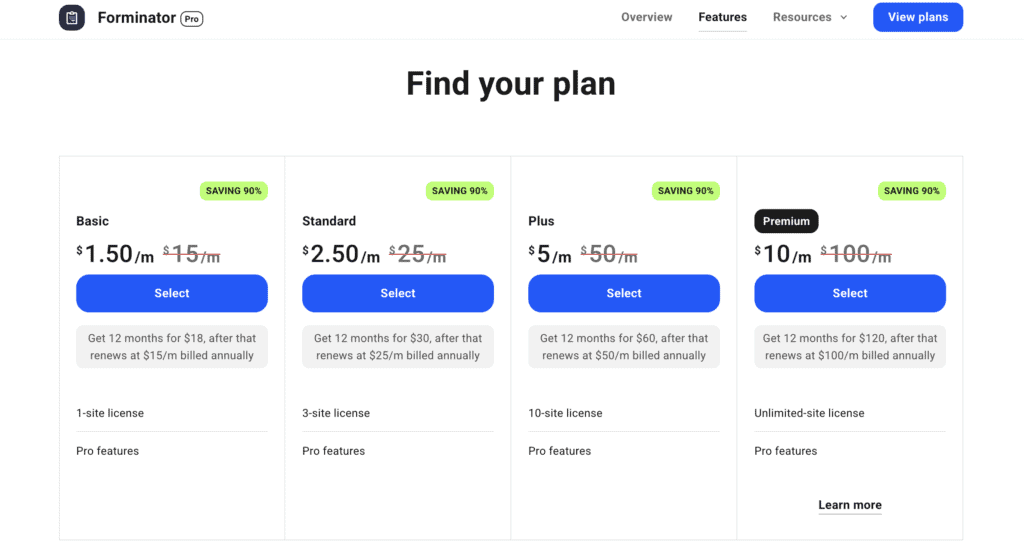
Forminator is included with a WPMU DEV Membership. Plans range from $15/month for 1 site to $100/month for unlimited sites.
6. Ninja Forms
⭐ Score: 3.5/5
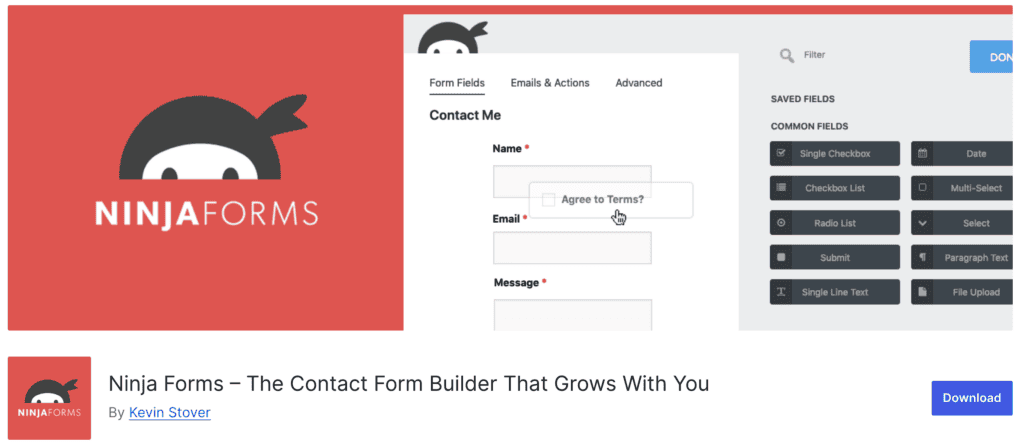
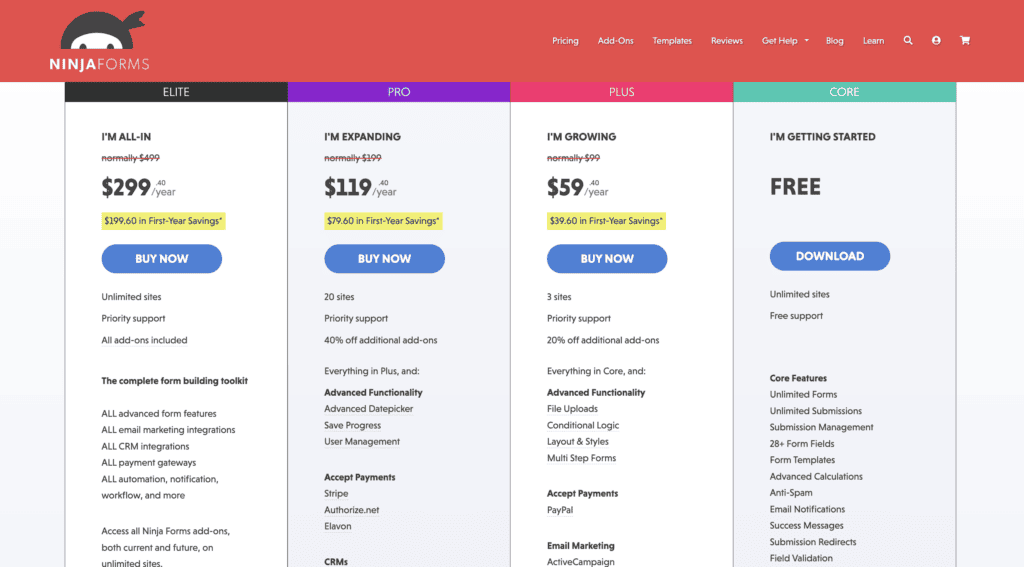
Ninja Forms allows you to build a form system by adding individual extensions. It offers a solid free foundation to start with.
We appreciate Ninja Forms’ flexible, modular approach. You can start with the free core for basic forms. Then, you only pay for the specific extensions you need. This can be appealing initially. However, we found that purchasing multiple extensions can quickly accumulate costs. This can potentially make it more expensive than comprehensive all-in-one premium plugins.
Furthermore, a common frustration users report is “Ninja Forms not sending email,” often requiring extra troubleshooting. Additionally, using many extensions can sometimes lead to a less cohesive and potentially slower website experience.
Pricing
Ninja Forms operates on a Freemium model. The core plugin is free, allowing you to add functionality via paid add-ons starting at $29. You also have membership packages starting from $59.40/year.
7. Contact Form 7

⭐ Score: 2.5/5
Contact Form 7 is a veteran, code-based plugin that is lightweight but notably lacks most modern features. It remains 100% free. Contact Form 7 is undeniably lightweight, adding almost no load to your website.
However, its significant drawback is the absence of a visual builder; you must hand-code your forms using HTML. This makes it largely inaccessible for non-developers. It’s also high maintenance, lacking built-in spam protection, which often leads to massive spam issues.
They also have no way to view submissions without adding more plugins. We conclude that in today’s landscape, it’s simply not a practical or efficient choice for the vast majority of WordPress users.
Pricing
Contact Form 7 is 100% Free. However, be aware that achieving modern functionality often requires additional third-party plugins, which can quickly add up in cost or complexity.
How to choose the best form plugin for your site
Selecting the right WordPress form plugin doesn’t have to be overwhelming. Follow these steps to make an informed decision:
- Define your needs: List specific forms (contact, payment, survey), data to collect, and required integrations (email service, CRM).
- Assess your skill level: Prioritize ease of use for beginners, or API access and customization for developers.
- Evaluate must-have features: Ensure essential fields, conditional logic, specific integrations, and built-in spam protection.
- Consider your budget: Decide if a free or premium plugin meets needs, factoring in long-term costs vs. time saved.
- Test user experience: Install a free version or demo; build a test form to gauge intuitiveness.
- Research performance & reputation: Choose plugins known for clean code, regular updates, and quality support.
- Think about the future: Select a plugin that scales with your website’s growth and avoids abandonment.
Parting thoughts
Choosing a WordPress form plugin is a strategic investment. Prioritize ease of use and future needs over short-term costs. Always test demos, ensure essential integrations, and avoid outdated solutions. Crucially, test your forms thoroughly after setup. Focus on long-term value for security and functionality.
FAQs
Do I need a premium form plugin?
Not always, but a premium plugin offers advanced features, dedicated support, and better integrations crucial for business growth. Free versions can cover basic needs, but often have limitations that affect functionality and efficiency.
How do form plugins affect website speed?
Well-coded form plugins have minimal impact. But poorly optimized ones, or those with many heavy features, can slow your site down. Always choose plugins known for performance and clean code to maintain fast load times.
What happens to my form data if I delete the plugin?
When you delete a form plugin, its associated form data (submissions) often remains in your WordPress database, but becomes inaccessible. To prevent data loss, always export your entries before deleting a plugin.
Are there any form plugins with lifetime deals?
Yes, some form plugins, like Fluent Forms, occasionally offer lifetime deals as an alternative to annual subscriptions. These deals provide access to features and updates for a one-time payment.
Can I accept payments through these form plugins?
Many premium form plugins, and even some free ones like Forminator, offer direct integrations with payment gateways like Stripe and PayPal. This allows you to collect payments directly through your forms.
How often should I update my form plugin?
You should update your form plugin as soon as new versions are released, especially for security patches and bug fixes. Regular updates ensure compatibility with WordPress and other plugins, maintaining your site’s stability and security.

Shivani enjoys crafting guides that make every aspect of using WordPress simple and easy to follow. When she's not glued to her laptop, you can find her buried in a good book or occasionally, painting.