

With form plugins for WordPress, it’s wise to be cautious. Selecting one appears straightforward, but unforeseen costs and challenges can easily complicate things.
You’re thinking about using Ninja Forms but worry it might not meet your expectations. In this Ninja Forms review, we’ve tested it thoroughly. Here’s what we discovered.
Ninja Forms offers a robust free core and flexible add-ons, making it suitable for many needs. However, weigh its pricing carefully, and always use a backup plugin before any installation, as conflicts can happen.
An overview of Ninja Forms
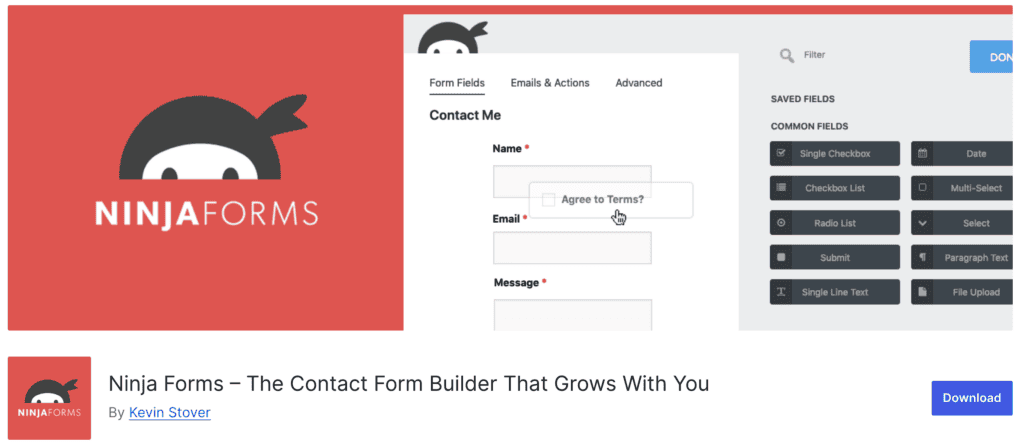
Ninja Forms truly excels in user guidance. An onboarding wizard helps you create your first form, which is great for beginners. Basic functions are immediately available.
The drag-and-drop interface feels intuitive. It’s easy to build forms directly, and publishing them is clear, whether on a page or via a link. A preview option simplifies checking your work. The plugin handles various form behaviors and advanced settings.
Regarding cost, the core Ninja Forms plugin is free. This is a solid starting point for basic forms. Your forms will be responsive and mobile-friendly, adapting to your theme. You can get a working form without coding.
However, many premium capabilities come as individual add-ons. If you need specific functionalities or extensive visual control, these typically require separate purchases. The free version does not offer native styling options.
This means your total cost can increase if you need several features beyond the basics. Membership plans offer bundles, which are often more economical for multiple needs. This pricing differs from competitors like Gravity Forms, which frequently include more features in their base paid plans.
The experience generally caters to both new users and those with specific demands, thanks to options like developer mode. Ninja Forms provides fewer pre-designed templates than some rivals. Building very complex forms might still have a learning curve.
What are the core features offered?
Let’s break down the capabilities Ninja Forms offers.
What do you get without spending a dime?
Honestly, the free version of Ninja Forms is quite generous; it provides a solid foundation.
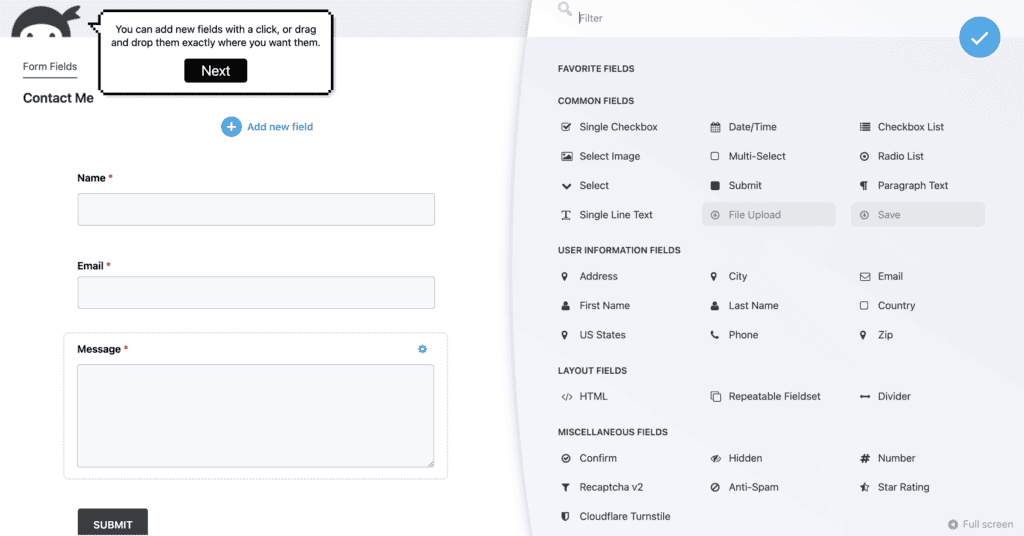
- Simple drag-and-drop builder: This intuitive interface allows you to easily arrange form fields, making form creation accessible even for beginners.
- Unlimited forms and submissions: You face no restrictions on how many forms you create or the amount of data you collect.
- Over 25 field types: The plugin provides a wide range of essential input options, ensuring versatility for various form purposes.
- Calculations included: This functionality allows you to set up basic calculations within your forms without extra cost, useful for simple quotes or order summaries.
- Customizable email notifications: You can configure personalized email alerts when a user submits a form.
- Submission management: All your collected form data is stored directly within your WordPress dashboard, making it convenient to review and manage entries.
- Built-in spam protection: Essential for preventing unwanted submissions, the plugin includes its own spam filtering tools and supports Google reCAPTCHA and Akismet. Honestly, this has kept my inbox much cleaner.
- Shareable links: You have the option to generate a direct link to your form, allowing you to share it easily without needing to embed it. This is incredibly handy for social media or email campaigns.
What premium adds to your toolkit
If your form needs to get a bit more ambitious, that’s where the premium features truly make forms smarter and more powerful.
- Conditional logic: This powerful feature allows forms to react dynamically, showing or hiding fields, sections, or even entire pages based on previous user answers, which significantly enhances user experience and completion rates.
- Multi-step forms: Breaks longer questionnaires into smaller, more manageable pages, reducing user fatigue and frequently leading to more people finishing complex forms. It’s a game-changer for lengthy applications.
- File uploads: Enables you to collect documents, images, résumés, or other files directly through your forms, simplifying data collection for various purposes. Super useful for job applications or content submissions.
- Save progress: This functionality allows users to save their partially completed entries and return to finish a lengthy form later, which is a genuine lifesaver for detailed applications or surveys. This feature alone can drastically improve completion rates.
- Payment gateways (Stripe, PayPal): Integrates directly with popular payment processors, letting you securely collect money for registrations, orders, donations, or service payments.
- CRM integrations: Connects your form submissions directly with customer relationship management (CRM) services like HubSpot, Salesforce, and Zoho, ensuring your customer data flows smoothly into your sales and marketing systems.
- Email marketing integrations: Hooks up with popular email marketing platforms such as Mailchimp and ActiveCampaign, automatically adding new subscribers or updating contact information from your forms.
- User management (frontend): Allows users to create and manage their accounts, log in, or update profiles directly from forms on your website, simplifying user registration and administration.
- Custom styling: Provides full visual control over your form’s appearance, moving beyond your theme’s default look to create truly unique and branded form designs.
Breaking down Ninja Forms’ costs
Ninja Forms’ pricing uses a freemium model. The core plugin is free, which is an attractive entry point, truly sufficient for simple forms.
However, this freemium model can sometimes be deceiving. While the free core is great, individual add-ons quickly get expensive if you need several. Annual memberships bundle more value, but always watch out for significant renewal price jumps after initial discounts.
If your needs grow beyond the free version, you’ll encounter two main paths for accessing premium features:

- Individual Add-ons: These range from about $29 to $129 each. Buying several can quickly increase your total cost.
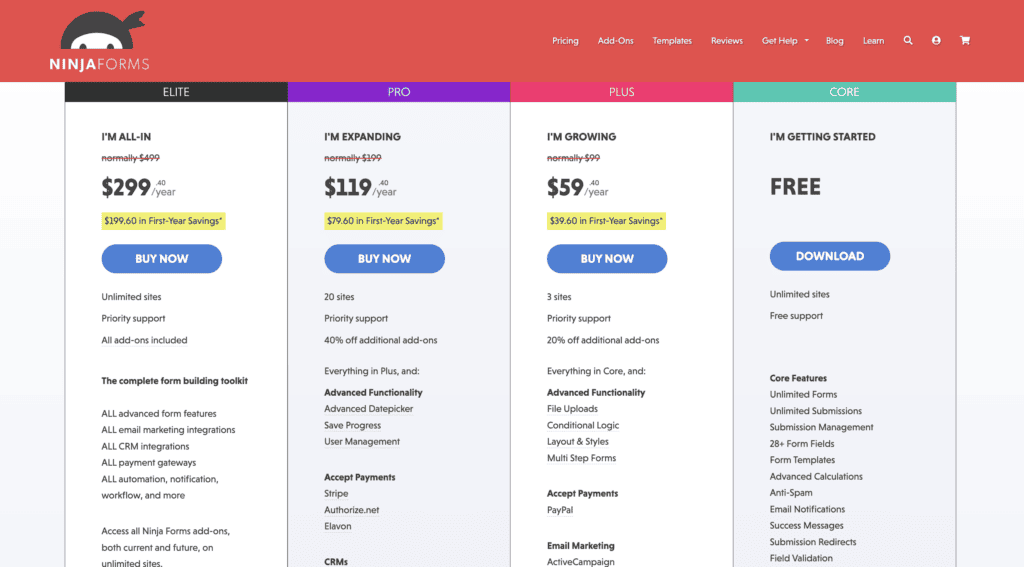
- Bundled Membership Plans: These offer more value if you need multiple features.
- Plus Plan: Starts around $99 per year for more websites.
- Pro Plan: $199 annually, offering more integrations and sites.
- Elite Plan: Roughly $499 annually, providing access to all features.
- Agency Plan: Covers unlimited websites, a fair price for broad usage.
Is Ninja Forms right for you?
So, after all this talk about features and pricing, the big question remains: Is Ninja Forms actually the right plugin for your WordPress site? It’s not a one-size-fits-all answer, so let’s break down who benefits most. Go with Ninja Forms if:
- You’re a beginner or budget-conscious: The free version is a great starting point, offering easy drag-and-drop building, unlimited forms, submissions, and spam protection without code or cost. It’s perfect for simple contact or signup forms.
- You need a flexible, growing solution: Start free, then purchase individual add-ons as you grow. This lets you choose only the premium features you need (like payments or integrations). It’s a good option for small to mid-sized businesses and agencies needing to manage many sites.
- You have complex or specific needs: Premium add-ons provide conditional logic, multi-step forms, CRM/email marketing integrations, payment gateways, user management, and front-end post creation. It’s strong for those who prefer a WordPress-native experience and developers needing customization.
How to get started with Ninja Forms
If Ninja Forms sounds like it might be a good fit, you’re probably wondering, “How do I actually get this thing going?” Good news: the process is pretty straightforward.
- Install, activate, and start building: First, install and activate the Ninja Forms plugin from your WordPress dashboard. Find the new “Ninja Forms” menu item in your sidebar, then navigate to Ninja Forms > Add New. Here, you can choose a template or start blank, then simply drag and drop fields into the form canvas.
- Customize and configure essentials: Click the gear icon on fields to edit labels and settings in the right sidebar. Crucially, add an email action so you receive notifications, customize the user confirmation email, and set up spam protection like Google reCAPTCHA.
- Publish and display your form: Once you’re happy, click “Done” and “Publish.” Copy the form’s unique shortcode. To display it, add a Ninja Forms block to a page/post, or paste the shortcode directly into your content.
- Test thoroughly and go live: Preview the page to see your form in action. It’s vital to submit a test entry yourself and confirm email notifications work. Then you’re ready to go live! You can manage all submissions later in the WordPress dashboard.
- Expand with premium and ongoing management: If you have a pro license or add-ons, install and activate these premium components, like the core plugin. This opens up advanced features. As you get comfortable, explore developer mode for deeper settings, review submission data regularly, and adjust settings based on your site’s evolving needs. Don’t hesitate to refer to documentation or support if you get stuck.
Exploring other WordPress form options
If you think Ninja Forms isn’t quite the right fit, that’s completely fair. The WordPress form builder landscape is crowded, and there are some excellent alternatives out there:
WPForms
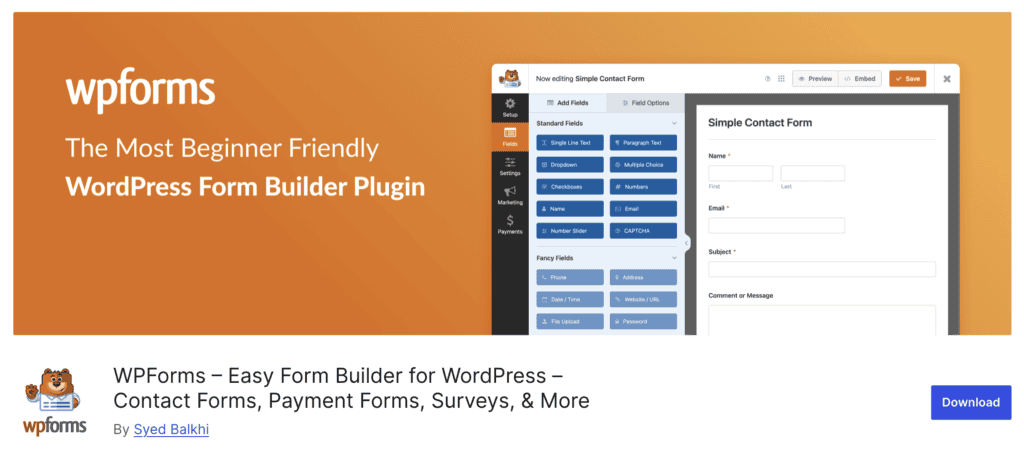
The WPForms plugin excels at being beginner-friendly with its intuitive drag-and-drop builder and faster workflow. It offers built-in survey tools, a vast template library, and more detailed entry management. Its premium plans typically bundle features, often avoiding individual add-on costs, and free support is very responsive.
Gravity Forms

In our Gravity Forms review, we saw that the plugin is truly built for complex applications, offering advanced functionality and powerful multi-step workflow automation out of the box. It boasts a larger third-party add-on ecosystem, robust survey analytics, and a strong REST API. Its premium licensing is straightforward, but remember, there’s no free core plugin.
Formidable Forms

Formidable Forms WordPress plugin truly shines if your goal is powerful data management and application building from forms. It excels at dynamic calculations, populating content, and is a favorite for developers needing deep customization. However, its advanced capabilities can mean a steeper learning curve for beginners, though it offers both free and robust premium plans.
Fluent Forms

Fluent Forms stands out for packing significant value into both its free and paid offerings. Its free version is feature-rich, and premium plans are generally all-inclusive. It offers an extensive template library, advanced fields, excellent support, and many built-in integrations, often making it a budget-friendly and capable choice.
Parting thoughts
Ultimately, Ninja Forms offers a robust free starting point, scaling well with individual add-ons. However, its “a la carte” pricing can quickly exceed bundled alternatives. While powerful, its value depends heavily on your specific needs, budget, and willingness to navigate its interface nuances and support structure.
FAQs
Is Ninja Forms free?
Yes, Ninja Forms offers a free core plugin, which is quite robust for basic form needs. Many advanced features, however, are available through individual premium add-ons or bundled memberships.
How to use Ninja Forms?
You start by installing the plugin in WordPress, then use its intuitive drag-and-drop builder to create your form. You’ll then publish it via a shortcode on any page or post.
What are Ninja Forms primarily used for?
Ninja Forms is primarily used for creating various types of forms on WordPress websites, such as contact forms, lead generation forms, registration forms, and even simple order forms. Its flexibility allows for a wide range of data collection needs.
How to download Ninja Forms?
You can download the free core Ninja Forms plugin directly from the WordPress plugin repository through your WordPress dashboard. Premium add-ons or memberships are purchased from the official Ninja Forms website.
How much is Gravity Forms?
Gravity Forms does not offer a free core plugin; it is a premium-only solution. Its pricing typically starts around $59 per year for a single-site license, with higher tiers available for more features and sites.

Shivani enjoys crafting guides that make every aspect of using WordPress simple and easy to follow. When she's not glued to her laptop, you can find her buried in a good book or occasionally, painting.


