

Choosing between WP Rocket vs WP Super Cache is a critical step when your WordPress site loads slowly and visitors are leaving. You need a simple, reliable way to speed things up without breaking your site or spending hours in settings.
This article compares both tools side-by-side. It’s part of a bigger look at caching plugins for WordPress and gives clear, non-technical setup steps and recommendations so you get faster pages with minimal fuss.
WP Rocket is the better choice for most non-technical users. But, there’s a cost associated with it. WP Super Cache on the other hand is a good automatic option but it runs the risk of crashing your site. Airlift is the best of both worlds. It’s free, automatic and powerful.
What are WP Rocket and WP Super Cache?
Understanding the fundamental approach of each plugin is key when you’re looking for the best WordPress cache plugin. While both aim to make your site faster, they achieve this with very different tools and philosophies.
WP Rocket: This is a premium, user-friendly performance plugin that combines page caching with many front-end optimizations. It works immediately after activation with simple toggles for cache, lazy load, and CSS/JS optimizations. A paid license includes support and updates, making it a comprehensive choice for WordPress performance optimization.

WP Super Cache: This is a free caching plugin from Automattic, focused on doing one job well: page caching. Its “Easy” mode provides set-it-and-forget-it caching for beginners. However, it offers no built-in file optimization or image/WebP features. You’ll need to add other plugins for a complete solution.
WP Rocket vs WP Super Cache: A Head-to-Head Comparison
This caching plugin comparison breaks down the key differences. This will help you decide which tool best fits your needs and technical comfort level.

Ease of Use and Setup
Verdict: WP Rocket is the better choice for non-technical users who want guided setup and support.
For anyone new to WordPress caching, the setup process can feel daunting. This section looks at how easy each plugin is to install, how clear its interface is, and how quickly it delivers results without requiring a deep dive into technical manuals.
- WP Rocket: When we tested WP Rocket and found that it is built for non-technical users. Its interface presents a few clear toggles that deliver large gains without much manual configuration. The paid download and installation process is straightforward, and the license includes helpful documentation and direct support.
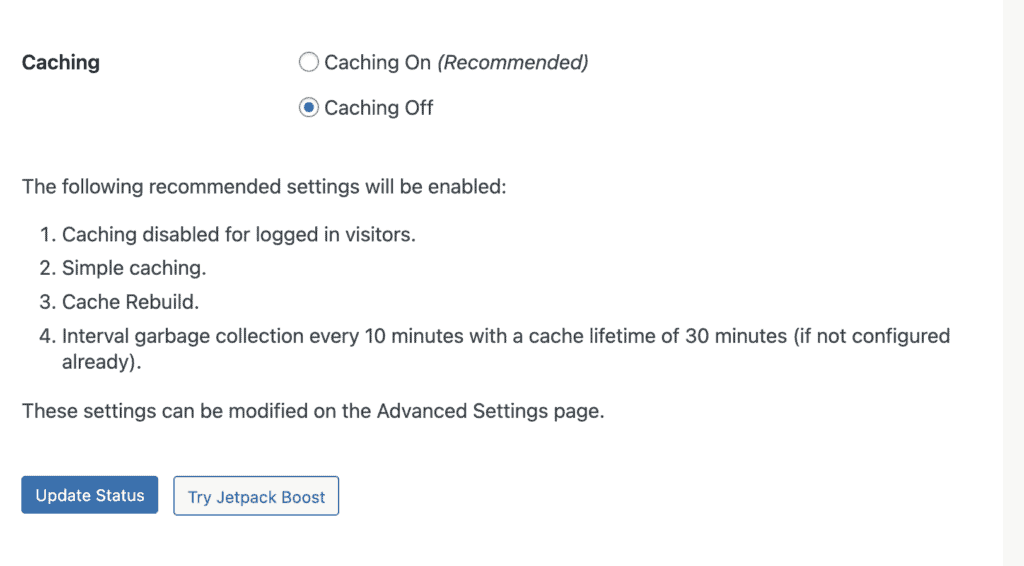
- WP Super Cache: WP Super Cache is extremely simple to install directly from the WordPress plugin repository. You can use its “Easy” tab to enable effective caching in seconds. Its minimal settings are ideal for beginners who don’t want complexity and just want a simple speed boost.
Core Page Caching Mechanism
Verdict: Both do the job well, but WP Rocket adds more automation for preloading.
The primary job of any caching plugin is page caching—creating static copies of your pages to reduce server load. This is a key solution to improving a slow website by serving pre-built HTML files.
- WP Rocket: Automated Cache Building. It builds static HTML cache files to reduce PHP execution and database calls. It also handles cache preloading automatically via your sitemap, which means less manual work to ensure your pages are cached.
- WP Super Cache: Our WP Super Cache review started with how the cache was handled. It generates static HTML files and can serve them using PHP, a “Simple” mode, or a faster “Expert (mod_rewrite)” mode for Apache servers. Its Preload mode crawls the site to build cached pages, offering straightforward cache generation.
Cache Preloading / Warm-up
Verdict: It’s a tie for basic functionality; WP Rocket is more automated.
Cache preloading ensures that even the very first visitor to a page receives a fast, cached version, preventing the “first visitor penalty.” This is an important feature when deciding on the best free WordPress cache plugin.
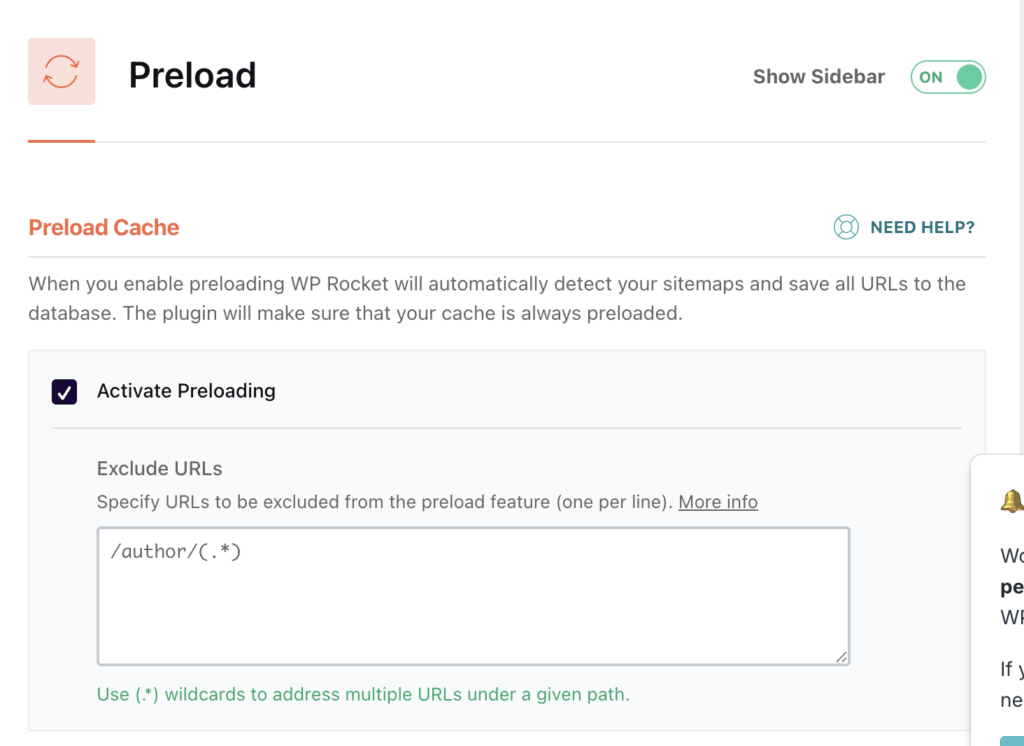
- WP Rocket: Sitemap-Driven Automation. It uses your sitemap to pre-build cache automatically after changes. This ensures first visitors see cached content, though it uses your server’s resources during the preload process.
- WP Super Cache: Simple Interval Setting. It has a Preload feature with simple interval settings to create WordPress cache for all posts and pages. It’s easy to set up, but less flexible than WP Rocket’s sitemap integration for managing server load on larger sites.
Handling Logged-in Users & Dynamic Content
Verdict: WP Rocket is friendlier for dynamic and e-commerce sites by default.
E-commerce and membership sites have pages—like shopping carts or user account areas—that must never be cached. A crucial part of any caching plugin comparison is how well it handles these dynamic elements.
- WP Rocket: Smart Exclusions. It detects logged-in users and bypasses cache for them. It also auto-excludes common e-commerce pages like cart and checkout for platforms like WooCommerce. This provides good default behavior for dynamic sites.
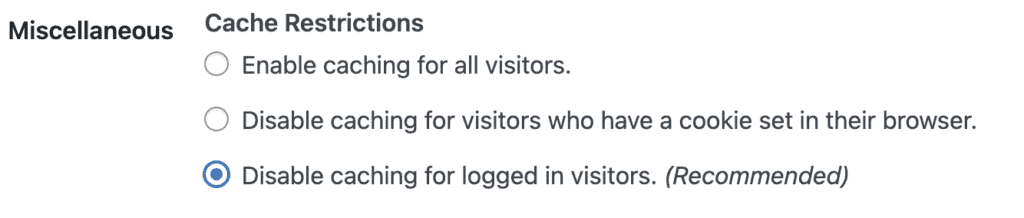
- WP Super Cache: Manual Exclusions Needed. It does not cache pages for logged-in users by default, but you must manually exclude specific URLs or query strings. This requires more manual effort for e-commerce or membership dynamic pages.
Browser Caching & Compression
Verdict: Both offer browser caching, but WP Rocket provides more convenience.
WordPress errors are the most common introduction to browser cache. It often needs to be purged when you’re troubleshooting.
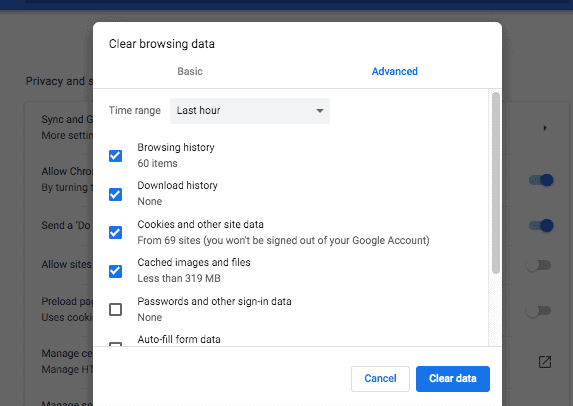
Browser caching tells a visitor’s web browser to store static files like your logo, CSS, and JavaScript locally. This is a fundamental step in how to speed up WordPress for repeat visitors.
- WP Rocket: Integrated Control. It writes cache-control and expires rules and works cooperatively with server compression (GZIP/Brotli) through simple settings or server cooperation. This ensures static assets are cached efficiently.
- WP Super Cache: Basic Rule Addition. It adds browser-caching rules to your .htaccess file with a simple checkbox in its advanced settings. Its basic compression support depends entirely on your server.
Cache Purging & Invalidation
Verdict: Both handle purging reliably; WP Rocket’s UI is more user-friendly.
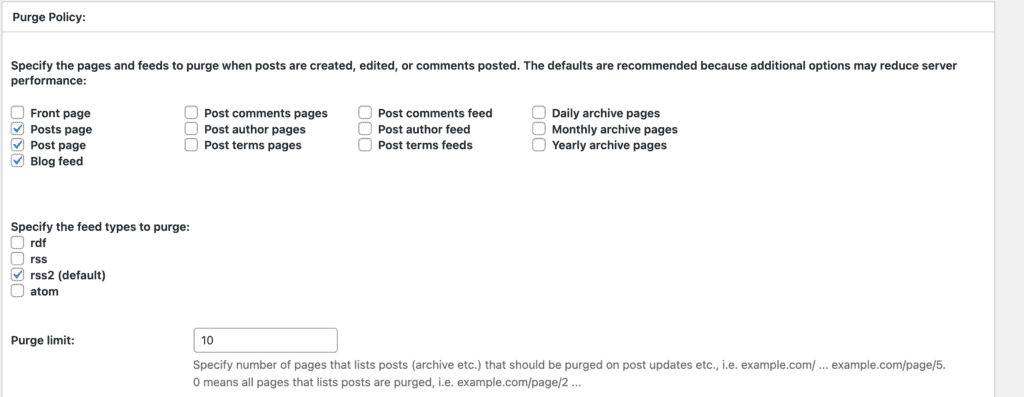
When you update your content, you need to clear your cache so visitors see the latest version. This section looks at how intelligently and easily each plugin handles cache purging.
- WP Rocket: Automatic and Easy Manual Purge. It automatically purges affected cache on content updates and provides easy manual purge buttons in the dashboard and admin bar.
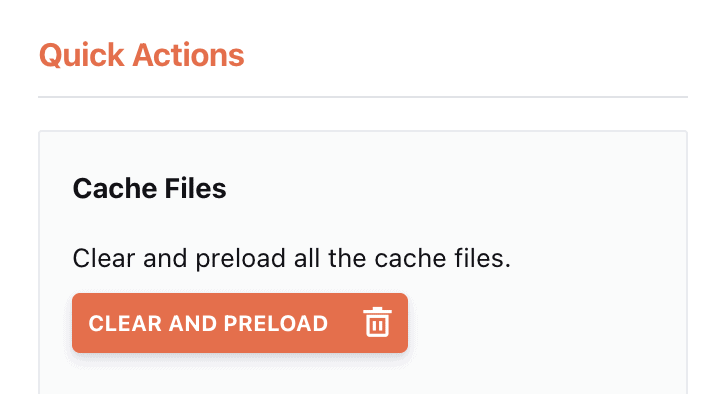
- WP Super Cache: Effective Auto and Manual Purge. It auto-purges on updates and offers a prominent “Delete Cache” button for manual clearing. It’s effective but not as polished in the user interface as WP Rocket.
Mobile Caching
Verdict: WP Rocket has more built-in options for device-specific caching.
As mobile traffic dominates, efficient mobile caching is essential. Both plugins handle responsive sites well, but one offers more granular control.
- WP Rocket: Responsive with Mobile Options. It is designed around responsive sites and offers an optional separate mobile cache if you need distinct caching strategies for mobile users.
- WP Super Cache: Responsive by Default. It serves responsive sites fine, but it has fewer built-in controls for device-specific caching.

Performance Tuning & Advanced Caching
Verdict: WP Rocket provides a broader set of built-in optimizations that improve perceived load times.
For true WordPress performance optimization, you often need more than just basic page caching. This is where the plugins diverge significantly.
- WP Rocket: Comprehensive Optimizations. It includes additional front-end optimizations like critical CSS generation, options to remove unused CSS, and JavaScript defer/delay controls. These features actively improve perceived load times and Core Web Vitals.
- WP Super Cache: Pure Page Caching. It focuses on page caching only and does not provide advanced file or front-end optimization features. For these, you would need to use other plugins alongside it.
Comparing Non-Caching Features
This is where the two plugins differ the most in their comprehensive approach to how to speed up WordPress.
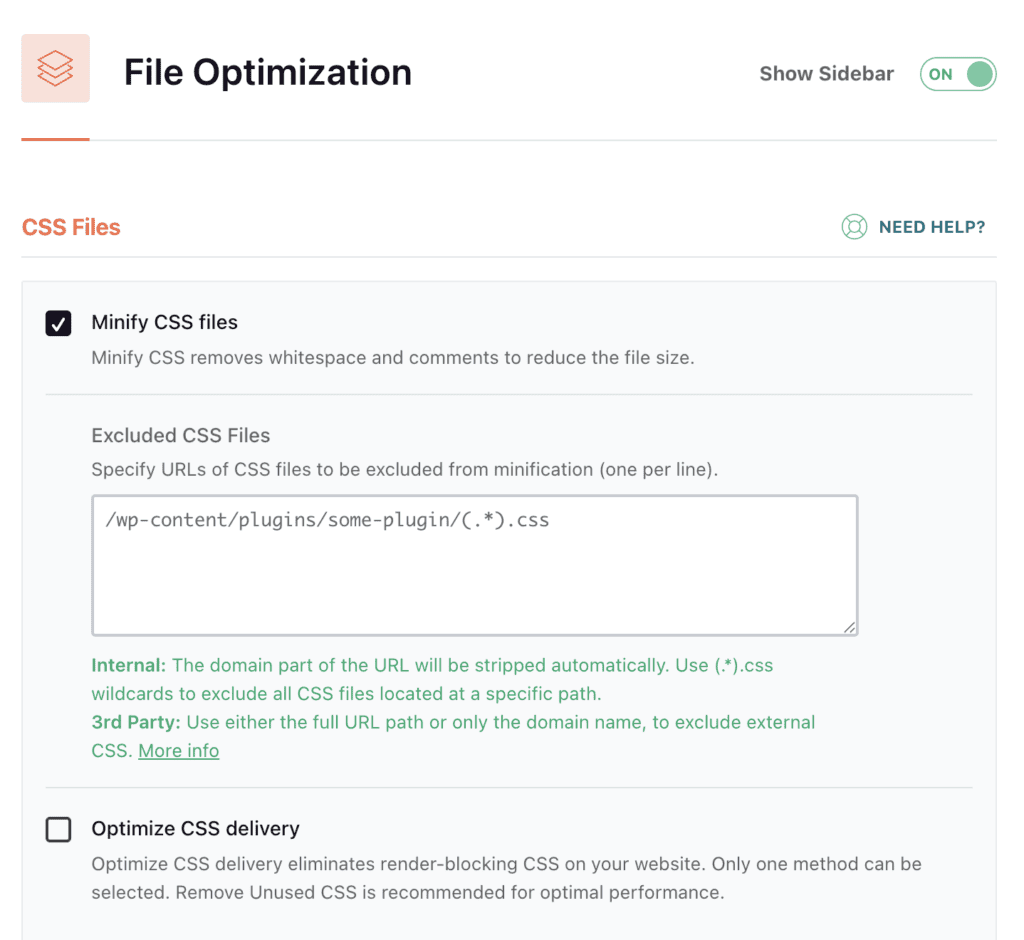
- File optimization (CSS & JS): WP Rocket offers user-friendly toggles for minifying, combining (optional), deferring, or delaying JS, and Optimize CSS Delivery (Critical CSS). WP Super Cache offers no file optimization; you’ll need a separate plugin like Autoptimize or Asset CleanUp.
- Lazy loading (images/iframes/videos): WP Rocket has built-in lazy loading with a simple one-click toggle. WP Super Cache has no lazy load; you must add a dedicated plugin.
- Image optimization & WebP: WP Rocket integrates with image optimization tools (Imagify, ShortPixel) but doesn’t compress images itself. WP Super Cache offers no image optimization; a separate plugin is required.
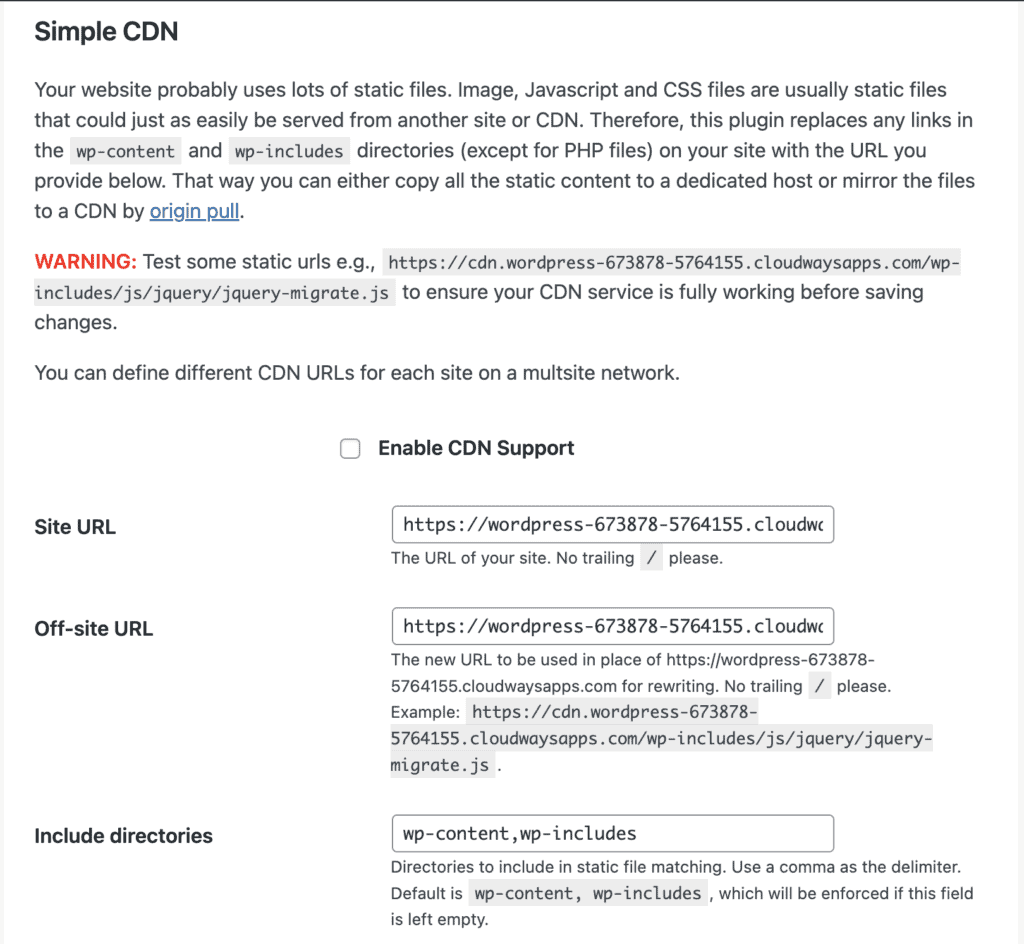
- CDN support & asset rewriting: WP Rocket provides easy CDN integration (BunnyCDN, Cloudflare, etc.) with simple settings. WP Super Cache has a basic CDN URL rewrite option but fewer direct integrations.
- Database cleanup / maintenance: Errors like the database disk full are caused by database space getting full. WP Rocket includes database cleanup tools (revisions, transients). WP Super Cache has no DB tools; use WP-Optimize or similar.
- Critical CSS / Remove Unused CSS: WP Rocket offers automatic Critical CSS generation and unused CSS removal features. WP Super Cache does not include these features.
- Heartbeat control & resource hints: WP Rocket includes Heartbeat control and easy resource hint additions (preconnect, dns-prefetch). WP Super Cache has no dedicated controls for these.

- Developer tools / debug & import-export: WP Rocket offers import/export settings and debug options aimed at less technical users. WP Super Cache provides basic debug logs but minimal advanced developer tools.
Support & Updates
Verdict: WP Rocket’s paid support is a significant advantage for peace of mind.
Reliable support and consistent updates are crucial for any active WordPress site.
- WP Rocket: Dedicated Support. A paid license gives access to dedicated support and regular plugin updates. This can be invaluable for non-technical users when issues arise.
- WP Super Cache: Community-Driven. It is free and maintained by Automattic. Support is available through WordPress.org forums and the community, which is generally helpful but not always as immediate as dedicated support.
Pricing
Verdict: WP Super Cache is 100% free; WP Rocket offers value for its price.
If you’re looking for the best free WordPress cache plugin, you know which one wins this category.
- WP Rocket: Annual License. It requires an annual paid license. Many non-technical users consider this a good return on investment because it bundles many optimizations into one easy-to-use plugin.
- WP Super Cache: Completely Free. It is 100% free with no paid tiers or add-ons.
What These Plugins Won’t Fix
Even the best caching plugin can’t solve every performance problem. Understanding these limitations is part of learning how to speed up WordPress effectively.
- Hosting Bottlenecks: Neither plugin can fully compensate for slow hosting (high TTFB, low CPU/RAM, too few PHP workers). If your server is underpowered, it might be time to migrate to a different host.
- Image Optimization Gap: Both plugins need separate image/WebP optimization to reduce image file sizes. Images are often the largest contributors to page bloat.
- Complex Dynamic Behavior: E-commerce and membership sites, or any site with significant dynamic content, need careful exclusions and testing. No plugin can perfectly handle all complex dynamic scenarios without some manual configuration.
- Automation Risks: Automated optimizations, like critical CSS generation or JavaScript deferring, can sometimes break site layouts or functionality. Always test changes thoroughly.
- Multitool Maintenance: A complete performance setup often involves multiple plugins and services (e.g., image optimizer, CDN, database cleaner). This adds maintenance overhead and increases the risk of plugin conflicts.
Final Thoughts
WP Rocket is the best choice for most non-technical users who are okay with paying the costs. WP Super Cache is a free, no-frills page caching option for beginners. However, it’s not our favourite.
For a truly hands-off solution, Airlift addresses the hosting, configuration, and maintenance gaps these plugins can’t solve alone. We handle the entire performance stack—from server tuning to expert plugin configuration, CDN integration, image optimization, and ongoing monitoring—so you get consistent speed without the headaches of piecing together multiple plugins or risking breakage.
FAQs
What is better than WP Rocket?
For most non-technical users, nothing beats WP Rocket for its simplicity and bundled features. Power users on LiteSpeed servers might find LiteSpeed Cache (free) superior due to its server-level integration, but it only works on compatible hosting.
Which cache plugin is best for WordPress?
The “best” plugin depends on your specific needs: WP Rocket for ease of use and comprehensive features; WP Super Cache for a reliable, free page cache.
Is WP Super Cache good?
Yes, it is a solid, free page-caching plugin that is especially good for beginners who want a quick, easy win for site speed.
Which is better, WP Rocket or LiteSpeed Cache?
WP Rocket is easier for non-technical users and works on any host. LiteSpeed Cache can be superior on LiteSpeed servers because it leverages server-level caching and advanced features, but it only works on compatible hosting environments.

Shreya has been a writer for as long as she can remember. Now, she writes articles that help WordPress users manage the sites that they're proud of, with little to no coding


