Staring at another low PageSpeed score? That’s probably why you’re stuck in the wp rocket vs wp fastest cache debate, trying to find the right tool to fix it.
The best speed plugins for wordpress site promises a faster site and better SEO, while the wrong one can lead to a broken layout and a massive headache. It’s a high-stakes choice, and the pressure is on. We’ve spent years testing these tools, and in this article, we’ll give you a no-fluff breakdown of both.
TL;DR: WP Rocket is a powerful but expensive plugin and WP Fastest Cache puts high-impact features behind a premium upgrade. Airlift is a better choice. It’s an automated service that does everything for you—caching, image optimization, and continuous monitoring—without you having to touch a single setting.
Quick Summary of WP Rocket and WP Fastest Cache
Before we dive into the nitty-gritty, let’s get a high-level view of the two plugins at the center of this debate. Both have been around for a long time and have millions of users, but they were built on very different philosophies. Understanding their core approach is key to seeing why a modern alternative is now a better option.
WP Rocket

WP Rocket is positioned as the premium, all-in-one performance plugin. Its entire design philosophy is built around ease of use and consolidating as many features as possible into one dashboard. It’s for the user who is willing to pay an annual fee to get powerful optimizations with minimal technical configuration and access to expert support.
WP Fastest Cache

WP Fastest Cache takes a freemium approach. It has a very popular free version that provides solid, fundamental caching for anyone on a tight budget. Its business model is to entice you to upgrade to its premium add-on, which unlocks the more advanced features needed to truly compete with a tool like WP Rocket. It offers a low-cost entry point to a faster site.

Caching Features
The main job of a WordPress caching plugin is to take a “snapshot” of your pages so they load lightning-fast for visitors. We’re looking at which plugin does this core job better, especially when it comes to smart features like preloading the cache so no visitor ever gets a slow first load.
WP Rocket: As soon as you turn it on, it starts caching your site intelligently. It knows what not to cache, for example the shopping cart for your customers and has a feature called “cache preloading.” This means it quietly builds a fresh cache in the background anytime you update something.
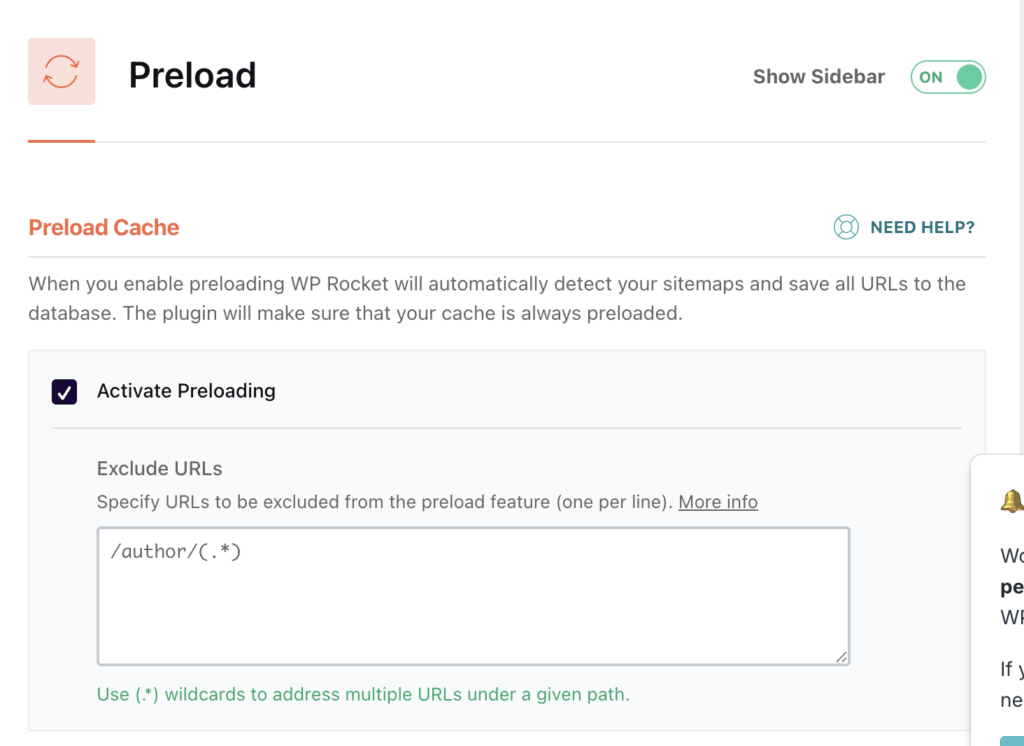
WP Fastest Cache: The free version gives you the essentials you need to get started: it caches your pages, tells browsers to save files, and compresses things. It does a solid job. But to get smarter features like preloading, you have to upgrade to their premium version.

Asset Optimization (CSS, JavaScript)
A good speed plugin should be able to optimize the CSS and JavaScript files without crashing your site. Your website is built with code (CSS for style, JavaScript for cool features). Sometimes this code can slow things down. We’re looking at which plugin is better at cleaning up and organizing this code to make your site fly.
WP Rocket: WP Rocket is a pro at this. It doesn’t just tidy up your code by minifying and combining it; it does some seriously smart things. For example, it can delay loading certain scripts until a visitor actually clicks or scrolls—this makes the initial load time feel instant. It also removes unused CSS, which is a huge deal for passing those Google speed tests. It’s a complete toolkit designed to speed up your WordPress site without you needing to be a developer.
WP Fastest Cache: WP Fastest Cache keeps it simple here. The free version will clean up your files (minify them), but it won’t combine them into a single package, which is a big part of speeding things up. You need to pay a premium for that. Even then, it doesn’t have the fancy, high-impact features like delaying JavaScript. You can definitely get there, but you’d probably need to install another plugin like Autoptimize to get the same results.
Media Optimization (Images, Video)
Let’s be honest, images and videos are usually the heaviest things on a webpage. So, how do these plugins handle them? We’re checking for things like “lazy loading” (loading images only when you scroll to them) and other smart tricks.
WP Rocket: Our review of WP Rocket showed that lazy loading is built right in. Just flip a switch, and it will automatically make sure images only load when they’re about to appear on the screen. It’s a game-changer for speed. It also plays nicely with modern image formats like WebP, but a heads-up: it won’t create those WebP images for you. You’d need another plugin for that part.
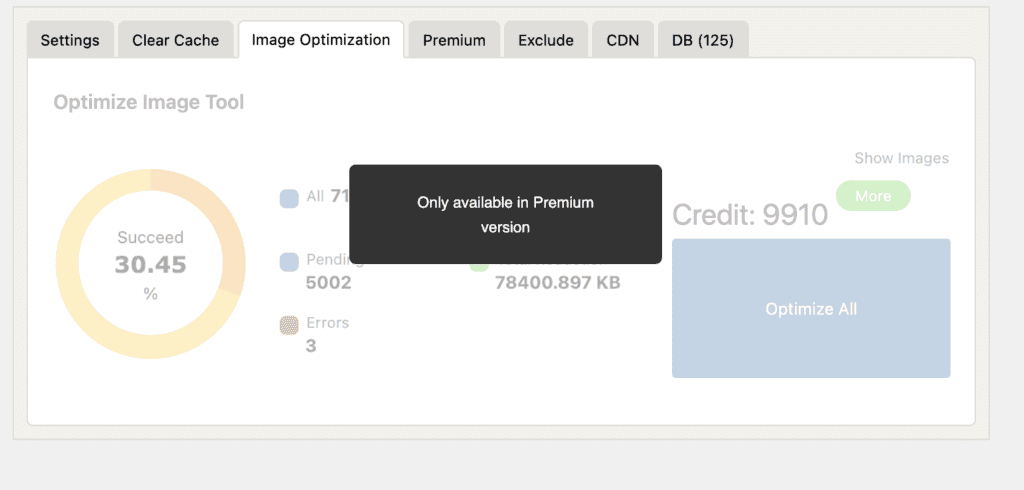
WP Fastest Cache: With WP Fastest Cache, you don’t get any media help in the free version. It’s all locked behind their premium upgrade. If you do upgrade, though, you get a full suite: image compression, lazy loading, and even WebP creation. So while the free version is a no-go here, its premium version is actually more complete for images than WP Rocket.
Database Optimization
Cleaning the database needs to be regularly done to prevent slow websites. Over time, the databse gets filled with junk you don’t need—old post drafts, spam comments, you name it. A cluttered database can slow your site down. So, let’s see which plugin helps you clean house.
WP Rocket: WP Rocket comes with its own little cleaning crew. Right inside the plugin, there’s a database tab where you can get rid of all that old junk with a few clicks. It’s super handy for keeping your site feeling fresh and fast, and it’s included in the price.
WP Fastest Cache: You guessed it—database cleaning is another feature you’ll need to pay for with WP Fastest Cache. The free version doesn’t touch your database. If you upgrade to premium, you get a tool to do the cleanup, but it’s not part of the free package.

Pricing & Value
Okay, let’s talk about money. What’s this going to cost, and are you getting a good deal? We’re trying to figure out if that price tag is justified and answer the big question: is WP Rocket worth the money?
WP Rocket: WP Rocket is a premium-only deal. You pay an annual fee, which starts around $59 a year. Now, that might sound like a lot, but think about what you’re getting: it’s a great caching plugin and offers a code optimizer, a lazy loader, and a database cleaner all rolled into one. Plus, you get that fantastic support. You’re paying for convenience and power, and for most people, that’s a great value.
WP Fastest Cache: This is where WP Fastest Cache really shines for a lot of people. It has a fantastic free WordPress cache plugin that does a great job with the basics. If you need more power, their premium version is a one-time payment, which can feel a lot better than a yearly subscription. It’s the clear winner if your budget is the number one priority.
What is Missing in WP Rocket and WP Fastest Cache?
No single plugin offers a complete solution for website performance. When you focus on how to speed up WordPress site, it is essential to understand the limitations of any tool you choose. Acknowledging the gaps in both WP Rocket and WP Fastest Cache allows for a more comprehensive optimization strategy and helps set realistic expectations.
- No Built-in Image Compression (WP Rocket) While WP Rocket excels at optimizing the delivery of images through lazy loading, it does not natively compress image files or convert them to modern formats like WebP. This is a critical performance component that must be addressed with a separate, dedicated image optimization plugin.
- Limited Features in the Free Tier (WP Fastest Cache) The free WordPress cache plugin from WP Fastest Cache provides a solid foundation for performance. However, many high-impact features—such as file combination, lazy loading, and database cleanup—are only available in the premium version. The free tier should be viewed as a starting point, not a complete solution.
- Lack of Automatic Server-Level Configuration Neither plugin can automatically detect and apply optimal configurations for specific server environments like Apache or Nginx. Achieving the best results may require manual adjustments to server files (e.g., .htaccess) or coordination with your hosting provider’s support team.
- Potential for Plugin Conflicts Both plugins function by modifying how your site’s assets are delivered to visitors. Incorrect configuration can lead to conflicts with themes or other plugins, resulting in display or functionality errors. It is a critical best practice to test all configuration changes on a staging environment before deploying them to a live site.
Best Alternative to WP Rocket and WP Fastest Cache
While WP Rocket and WP Fastest Cache are clear leaders in the caching space, they still operate on an older model. They put the burden of complex configuration and ongoing maintenance on you, the user. After years of testing these tools, we realized there had to be a better way. That’s why we built Airlift by BlogVault. It is not just another caching plugin; it’s a modern performance service.
Here’s how Airlift by BlogVault directly addresses the gaps left by even the best traditional plugins:
- Customized Optimization Airlift analyzes how each individual page loads and how the browser handles it, then develops a custom strategy to optimize its performance. This bespoke process is repeated for every single page on your site, ensuring the best possible configuration—something a one-size-fits-all plugin like WP Rocket can’t do.
- Continuous Optimization A website is never static. Plugin updates, theme modifications, and new content can break the fragile configurations of any caching plugin. Airlift solves this by conducting daily analysis of your site. It automatically adjusts its optimization strategy to adapt to any changes, ensuring your site stays fast without you ever having to touch a setting.
- Integrated Image and Media Optimization This is where Airlift truly shines. It comes with a full suite of media optimization tools built-in. It automatically compresses your images, converts them to the fast and modern WebP format, and implements lazy loading. This directly solves WP Rocket’s biggest gap and means you don’t need to pay for WP Fastest Cache’s premium add-ons or a separate image optimization subscription—it’s all handled for you.
- Intelligent, Automatic Configuration Forget the manual setup and the risk of conflict. Airlift’s biggest advantage is its intelligence. It automatically analyzes your specific server environment and applies the optimal settings for you. There are no complex menus or technical jargon to decipher; it’s a truly “set-it-and-forget-it” service that eliminates the guesswork and the risk of your site breaking because of a wrong setting.
- A Modern, Simple Interface Instead of an outdated and overwhelming settings panel, Airlift offers a clean, simple dashboard. It’s designed to be the easiest caching plugin for beginners, focusing on results rather than confusing you with dozens of checkboxes. You see the performance improvements, not a wall of technical options.
Final Thoughts
The debate between WP Rocket and WP Fastest Cache is asking the wrong question. Both are manual tools that require you to become a performance expert, purchase separate plugins for key features like image optimization, and risk breaking your site with every change. Frankly, neither is the ideal solution anymore.
A modern performance service like Airlift makes this choice obsolete. It’s an automated, all-in-one solution that analyzes your site, creates a custom strategy, and includes everything from caching to image optimization. If you want a site that is simply fast, without the constant hassle and guesswork, it’s time to use Airlift.
FAQs
What is the difference between WP Rocket and WP cache?
“WP cache” is a general term, often confused with old, basic plugins like “WP Super Cache.” WP Rocket is a far more advanced plugin from that same generation, bundling more features together. However, a modern service like Airlift is the next evolution. It’s not just a plugin you configure; it’s an automated system that manages your site’s performance for you, making both older concepts obsolete.
What’s better than WP Rocket?
For the vast majority of website owners, Airlift is better than WP Rocket. While WP Rocket is a powerful manual tool, Airlift is an automated service that solves its biggest weaknesses. Airlift includes full image optimization (which WP Rocket lacks), continuously monitors your site for changes, and requires zero technical configuration. It delivers superior results without the guesswork and ongoing maintenance that WP Rocket demands.
Which cache plugin is best for WordPress?
The conversation is shifting from finding the “best plugin” to finding the “best performance solution.” While WP Fastest Cache is a decent free plugin and WP Rocket is a powerful paid one, they both require you to do the work. The best solution today is a service that does the work for you. Airlift is the best choice because it’s a complete, automated service that handles caching, image optimization, and continuous monitoring in one package, making the “best plugin” debate irrelevant.
Which is better, WP Rocket or LiteSpeed Cache?
This is a technical comparison between two plugins. On a LiteSpeed server, the LiteSpeed Cache plugin has a technical advantage. On any other server, WP Rocket is the comparable choice. However, a better question is: which service gives you the best results with the least effort? Airlift works expertly on any server environment and provides a more comprehensive, automated solution than either manual plugin, delivering guaranteed performance without the hassle.

Shreya has been a writer for as long as she can remember. Now, she writes articles that help WordPress users manage the sites that they're proud of, with little to no coding