You’ve done the research and narrowed down WordPress form plugin options to the two heavyweights: WPForms vs Gravity Forms.
The fear of choosing wrong is natural. You’re that you might either waste money on features you don’t use or hit a growth wall later.
Is one a trap and the other overkill? Let’s figure it out. This guide gives you the clear answers you need.
WPForms is the best choice for beginners prioritizing speed and ease of use, while Gravity Forms is the clear winner for developers needing deep customization and control. Regardless of your choice, always backup your site with a reliable backup solution first; it’s your safety net against any conflicts.
WPForms vs Gravity Forms at a glance

Which plugin is more beginner-friendly?
Honestly, this isn’t even a close contest. WPForms is built from the ground up for beginners, while Gravity Forms expects you to know your way around WordPress already.
The WPForms builder
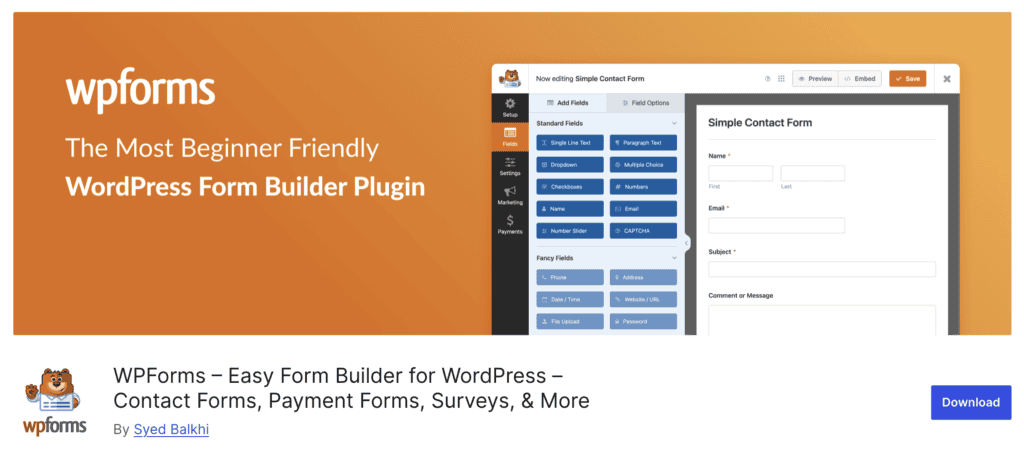
Right out of the box, WPForms feels welcoming. It features a streamlined drag-and-drop builder. It operates in a focused, full-screen mode, eliminating distractions from other WordPress menus. They even give you a guided walkthrough for your first form.
The real game-changer, though, is its massive library of over 2,000 templates. Need a contact form, a survey, or a registration form? There’s a template for that, and you can get it live in minutes, not hours.
The free Lite version is also incredibly generous, giving you everything you need to get started without paying a dime.
Gravity Forms plugin

Gravity Forms is less of a guided builder and more of a professional toolkit. You can’t install a free version on your site, but they do offer a full demo to test its features. Its interface feels less like a guided builder and more like a professional toolkit.
Gravity Forms presents you with powerful options from the start. This creates a steeper learning curve, as it’s designed for custom, complex workflows. It’s a powerful platform, just not the one you’d hand to a client who’s new to WordPress.
Core features comparison
Let’s look at how WPForms and Gravity Forms stack up feature for feature:
Form builder & templates
WPForms greets you with over 2,000 pre-built templates, while Gravity Forms offers just 16. That difference says it all: WPForms is built for speed with ready-made solutions, while Gravity Forms gives you the powerful tools to build something custom from scratch.
This difference in philosophy carries right into the building experience.
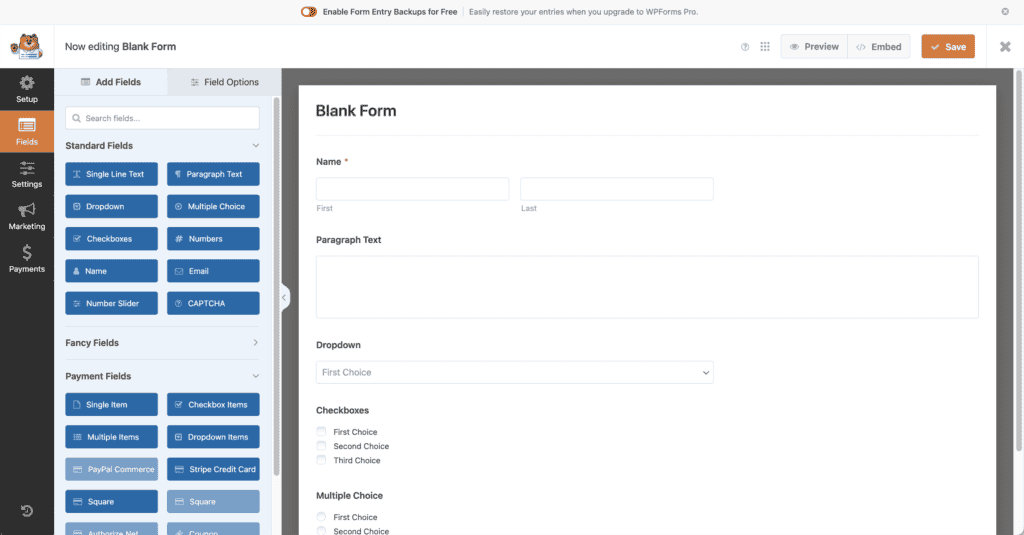
WPForms offers a full-screen, drag-and-drop interface. This dedicated environment removes the standard WordPress menus, giving you a focused, distraction-free space to build your form.
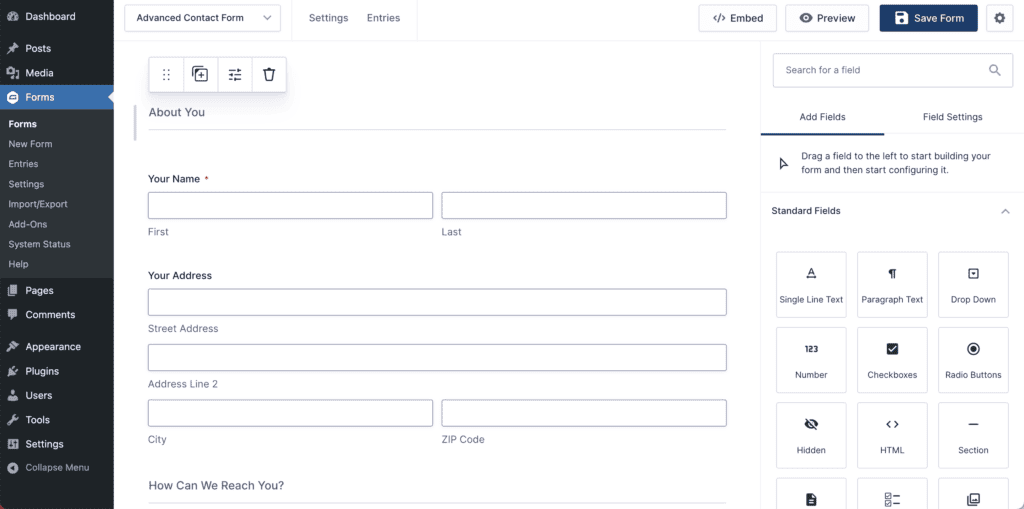
The Gravity Forms builder, in contrast, is embedded within the standard WordPress admin. This keeps you inside the familiar dashboard, which some power users prefer for quick access to other settings.
To see your final design, both plugins use a preview button that opens a new tab, showing you how the form will look on the front end of your site.
Available fields & logic
Both plugins cover all the essential fields. WPForms includes a few unique ones, like a Repeater field (great for group registrations) and a Net Promoter Score (NPS) field. Gravity Forms has a smaller native set but shines with its extensibility through a massive library of add-ons.
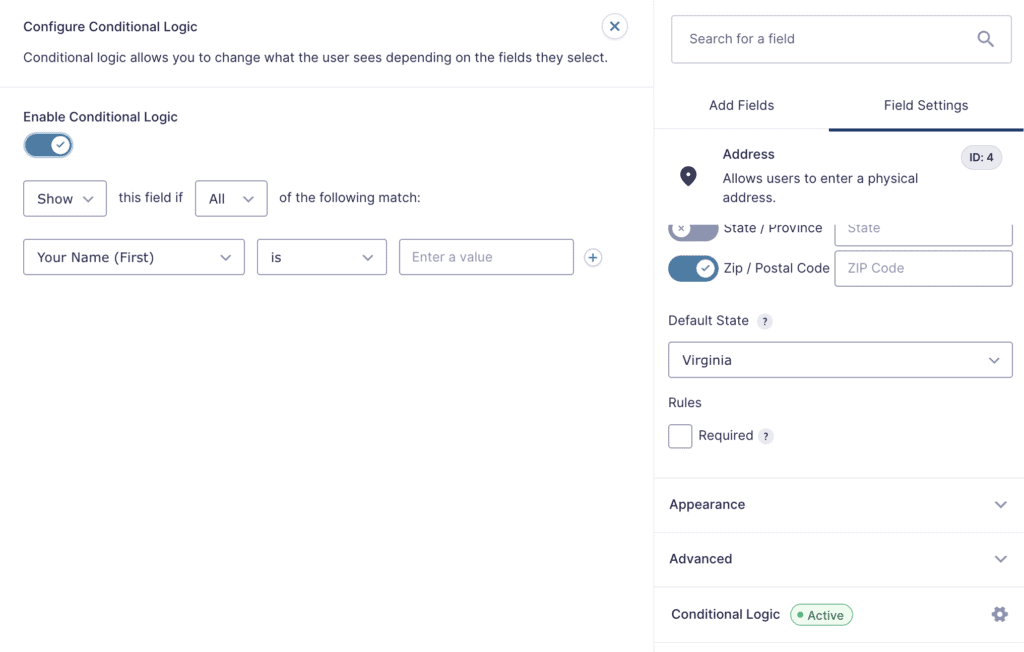
When it comes to conditional logic: showing or hiding fields based on user input, WPForms is visual and intuitive, perfect for most needs but is locked behind a paywall.
Gravity Forms offers more robust logic that can span multiple pages and handle extremely complex rules. It’s pure power, but you’ll need to learn how to use it.
Entry management & spam
For paid users, both plugins store form entries directly in your WordPress database. This means all that valuable data lives on your site, making a reliable backup strategy an absolute must.
WPForms has a slight edge here with better filtering options and the ability to export entries as XLSX files, not just CSVs.
As for spam, it’s a tie. Both offer excellent protection. WPForms uses a smart anti-spam token automatically, while Gravity Forms relies on a honeypot. Both support tools like reCAPTCHA and hCaptcha, so you’ll be well-protected either way.
Payments & conversions
Here’s a huge win for WPForms: the free Lite version includes a Stripe integration. You can start collecting payments without spending anything. Its paid plans add PayPal, Square, and Authorize.Net.
Gravity Forms, being a premium plugin, requires you to invest in a license to get payment add-ons like Stripe and PayPal.
For marketers, WPForms has built-in features like form abandonment tracking and conversational forms to boost submissions. Gravity Forms, on the other hand, requires higher-tier licenses or separate add-ons for similar functionality.
Extensibility for developers
If you’re a developer or an agency, Gravity Forms is hard to beat. It was built to be extended. It has a huge ecosystem of third-party add-ons and powerful APIs (both REST and PHP) that let you build almost anything you can imagine.
A WordPress staging site is non-negotiable for safely testing custom code before deploying it. WPForms also has developer hooks for customization, though it operates more as a self-contained system with official add-ons.
Pricing breakdown
The pricing models are fundamentally different.
WPForms
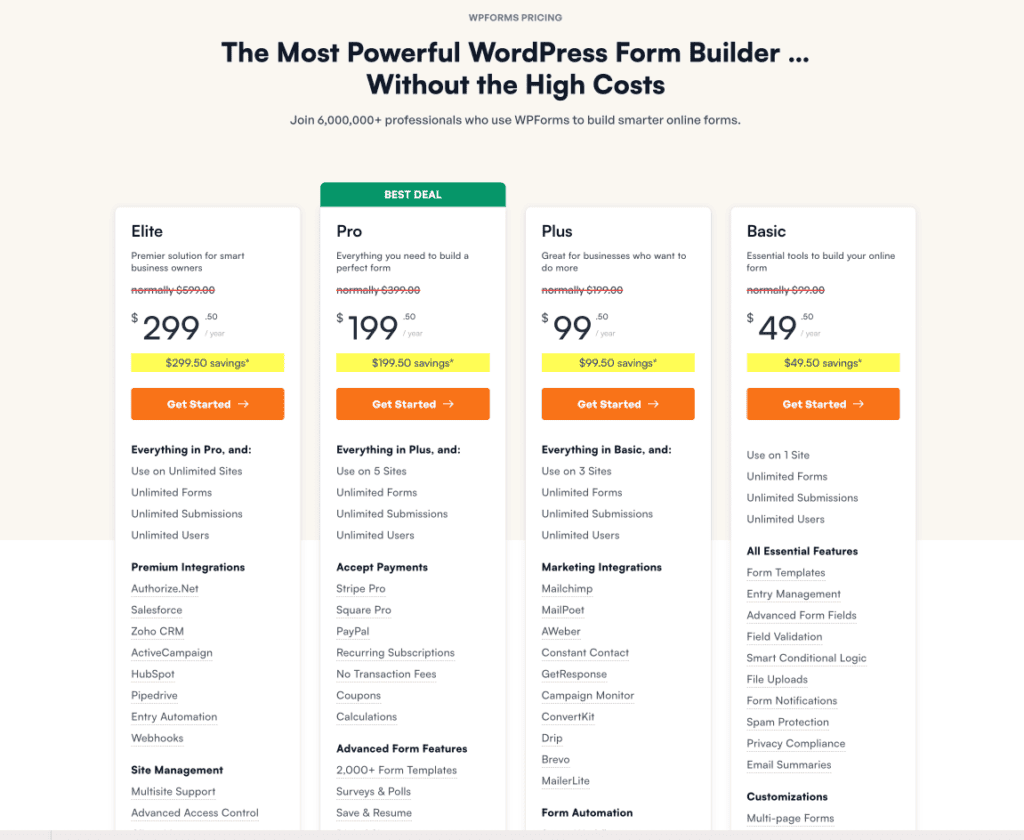
WPForms uses a promotional pricing strategy. The Lite version is free forever. For the premium versions, you get a significant discount for the first year, but the renewal price is much higher. To be honest, the free Lite version makes a fantastic starting point.
Gravity Forms
Gravity Forms is premium-only, with no free version to install (though they offer a full demo site). Its pricing is straightforward and predictable; what you pay the first year is what you pay every year. While its entry plan is more expensive than WPForms’ initial offer, its Elite plan is cheaper in the long run.

Which one should you choose?
It really just boils down to who you are and what you need. Here’s how you can make the right call:
Choose WPForms if:
- You’re a beginner, blogger, or small business owner.
- You want the easiest and fastest form-building experience.
- You need a great free plugin to get started.
- A huge template library is important to you.
- You want built-in tools like conversational forms and surveys.
Choose Gravity Forms if:
- You’re a developer, agency, or power user.
- You need to build complex, custom workflows.
- You require a massive ecosystem of third-party add-ons.
- Predictable, long-term pricing is a priority.
- You need powerful APIs to integrate forms with other systems.
Which one should you choose?
It really just boils down to who you are and what you need. Here’s how you can make the right call:
Choose WPForms if:
- You’re a beginner, blogger, or small business owner.
- You want the easiest and fastest form-building experience.
- You need a great free plugin to get started.
- A huge template library is important to you.
- You want built-in tools like conversational forms and surveys.
Choose Gravity Forms if:
- You’re a developer, agency, or power user.
- You need to build complex, custom workflows.
- You require a massive ecosystem of third-party add-ons.
- Predictable, long-term pricing is a priority.
- You need powerful APIs to integrate forms with other systems.
Best alternatives to WPForms and Gravity Forms
While WPForms and Gravity Forms dominate the conversation, they aren’t your only options. In fact, some of the alternatives might be an even better fit depending on what you need.

- Fluent Forms plugin: This one has been gaining a lot of traction, and for good reason. It’s incredibly fast and has a beautiful, modern interface that’s a joy to use. The free version is one of the most generous around, and its premium plans are very competitively priced. One of its biggest draws is the lifetime license option—pay once and you get updates forever. It’s a fantastic all-arounder that’s seriously challenging the top dogs.

- Formidable Forms builder: If you think of forms as just a way to collect data, Formidable Forms will change your mind. It’s designed to help you do things with that data. Think of creating real estate listings, business directories, or event calendars, all powered by your form submissions and displayed on the front end of your site. It’s more of an application builder than a simple form plugin. It has a steeper learning curve for its advanced features, but for data-heavy projects, nothing else comes close.
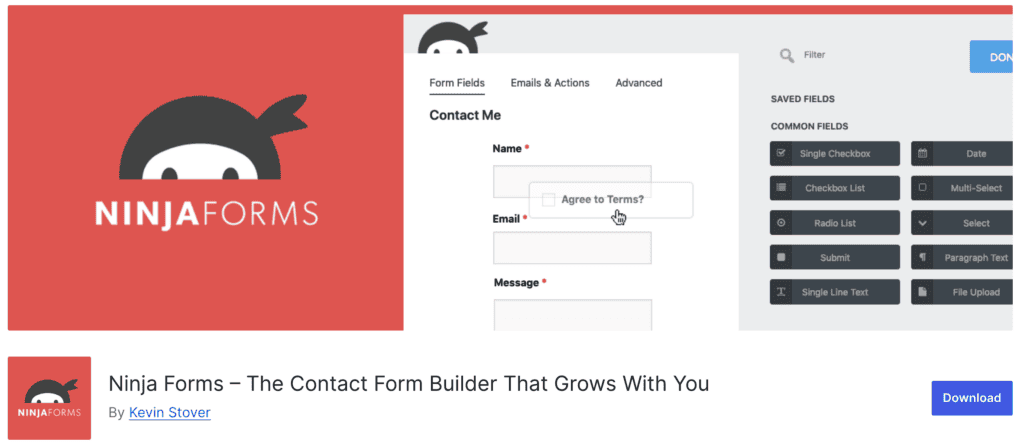
- Ninja Forms builder: The core Ninja Forms plugin is free, and its power comes from an à la carte model for add-ons. Instead of buying a big bundle of features you might not need, you can purchase just the specific integrations you want, like a connection to Mailchimp or a specific payment gateway. This can be very cost-effective if your needs are specific. However, the costs can add up quickly if you need several add-ons, sometimes making a bundled plan from another plugin a better deal.

- Contact Form 7 plugin: This is the old guard of WordPress forms. It’s completely free, incredibly lightweight, and has been a reliable workhorse for over a decade. The catch? It’s not a visual builder. You create and edit forms using shortcodes and text, which feels a bit dated and requires some comfort with basic code. But if all you need is a simple, no-frills contact form that just works, Contact Form 7 is still an unbeatable choice.
Parting thoughts
The choice is a balance between simplicity and power. WPForms is the clear winner for beginners and marketers who prioritize speed and an excellent free version. Gravity Forms is the superior tool for developers and agencies who need deep customization, predictable pricing, and control for complex projects.
Whichever plugin you choose, remember to test your forms after setup; to automate this process and skip the manual effort, you can use a tool like BlogVault’s form testing feature.
FAQs
How much is Gravity Form?
Gravity Forms is a premium-only plugin starting at $59 per year for its Basic license. Pro and Elite plans are also available, offering more features and use on more sites.
Which is the best free form plugin for WordPress?
WPForms Lite is widely considered the best free form plugin for WordPress. Its user-friendly drag-and-drop builder and free Stripe payments offer incredible value.
What is the best alternative to WPForms?
Fluent Forms is an excellent alternative to WPForms, known for its speed and generous free version. It also offers a popular lifetime pricing option, which is a major draw for many users.
Which form is best for WordPress?
The best form plugin depends on your needs: WPForms is best for beginners, while Gravity Forms is best for developers. For most business owners and bloggers, WPForms provides the perfect balance of simplicity and power.
Which is better, Contact Form 7 or WPForms?
For most users, WPForms is better than Contact Form 7 due to its visual drag-and-drop builder. Contact Form 7 is a great, lightweight choice if you only need a very basic form and are comfortable using shortcodes.
Is Gravity Forms free?
No, Gravity Forms does not have a free version that you can install on your site. They do offer a free demo site where you can test all its features before you buy.
Is WPForms free?
Yes, WPForms offers a powerful free version called WPForms Lite. It allows you to create unlimited forms and even accept payments, with paid plans available for advanced features.

Shivani enjoys crafting guides that make every aspect of using WordPress simple and easy to follow. When she's not glued to her laptop, you can find her buried in a good book or occasionally, painting.