
Finding a WordPress form plugin that actually works should be easy, right? But it rarely is.
It’s a story we hear all the time: you’re stuck with a tool that’s too expensive, a pain to use, or just limited by bloated code and missing integrations. The whole search for a replacement is just frustrating.
That’s exactly why we took a hard look at Fluent Forms to see if it’s the real deal.
Fluent Forms is a fast, powerful WordPress form builder that strikes a perfect balance of features and price for almost any user. Always use a backup plugin before you install it to keep your site safe.
Fluent Forms in a nutshell

Fluent Forms is a powerful but surprisingly lightweight form builder for WordPress. Instead of fighting with code or clunky interfaces, you get a clean, drag-and-drop visual builder to create everything from a simple contact form to a detailed survey.
But here’s what really caught my attention: the built-in AI form builder in the free version. I’ve tested a lot of form plugins, and this is a genuine surprise. Even a heavyweight paid tool like the Gravity Forms plugin doesn’t have this built-in. With Fluent Forms, you just give it a prompt, and it generates a solid starting point for you.
Another major advantage is its speed. While many plugins feel like a heavy engine bolted onto your site, Fluent Forms is designed to be lean, keeping your site fast.
Building the form is only half the battle. It also has a great dashboard for managing entries, creating visual reports, and exporting data. Plus, it connects easily to tools like Mailchimp, Google Sheets, and its own Fluent ecosystem.
Fluent Forms’ core features and capabilities
What was surprising about Fluent Forms wasn’t just its features, but how much power they give you before asking for a credit card.
What do you get for free?
Honestly, the free version of Fluent Forms is one of the most generous out there. You’re not just getting a crippled teaser product.
You get the essentials right away: a smooth drag-and-drop builder, over 25 input fields, and pre-built templates to get you started. It even has conversational forms and a new AI form builder to give you a head start.
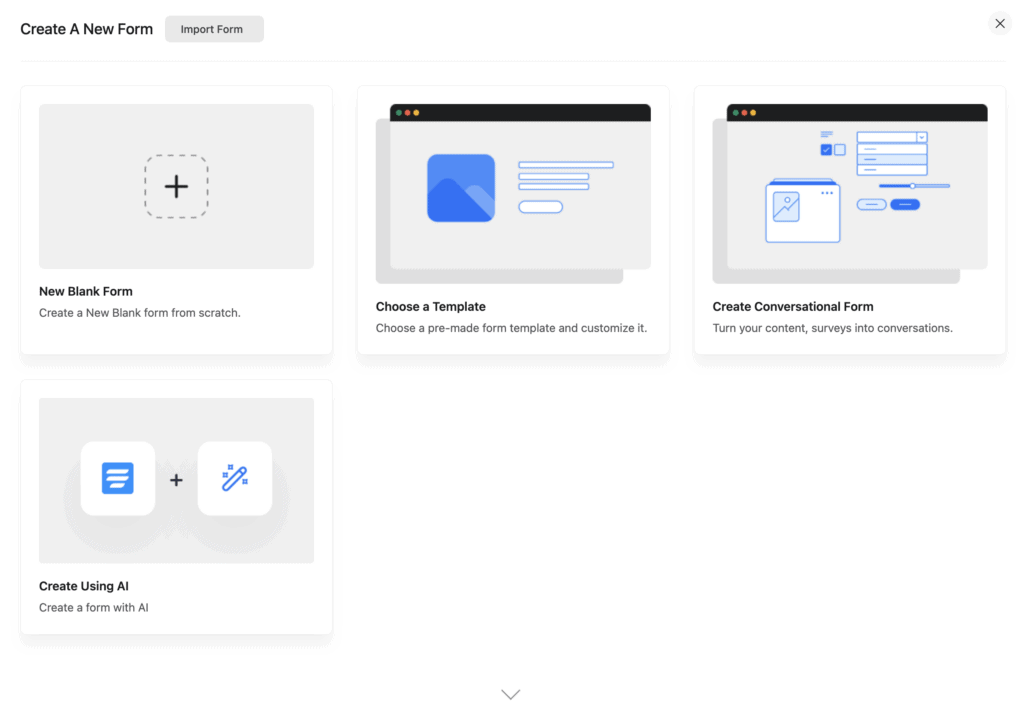
But here’s the thing that really stands out: smart conditional logic is included for free.
Most plugins, like Formidable Form builder, lock that behind a pro license. Getting it for free is a huge deal and makes your forms feel so much more professional.
On top of that, you can still:
- Organize forms with multi-column layouts.
- Protect yourself from spam with reCAPTCHA.
- Accept payments using Stripe.
- Export all your entries whenever you need to.
- Get excellent support, even as a free user.
For a small business or a personal site, the free version might genuinely be all you ever need. It covers the fundamentals and then some.
What do you have to pay for?
This is where Fluent Forms goes from being a great tool to a full-blown business machine.
When you upgrade, you’re paying for features that solve more complex problems:
- Advanced user journeys: Multi-step forms to reduce fatigue, file uploads for applications, and the ability for users to save and resume a form later.
- Serious e-commerce: More payment gateways like PayPal, numeric calculations for instant quotes, inventory management, and coupon fields.
- Deeper engagement: You can build quizzes with scoring, detailed surveys, allow user-submitted posts, and collect eSignatures.
- Powerful automation: This is where you get the good stuff like SMS notifications, direct Google Sheets integration, and advanced conditional routing for emails.
The Pro version is for the heavy lifting. If you’re building a registration system, running a business, or connecting to other marketing tools, that’s when you make the jump. It feels like a logical next step for a growing site, not a pushy upsell.
Pricing breakdown
Fluent Forms’ pricing model is refreshingly simple: pay annually or get a lifetime license.
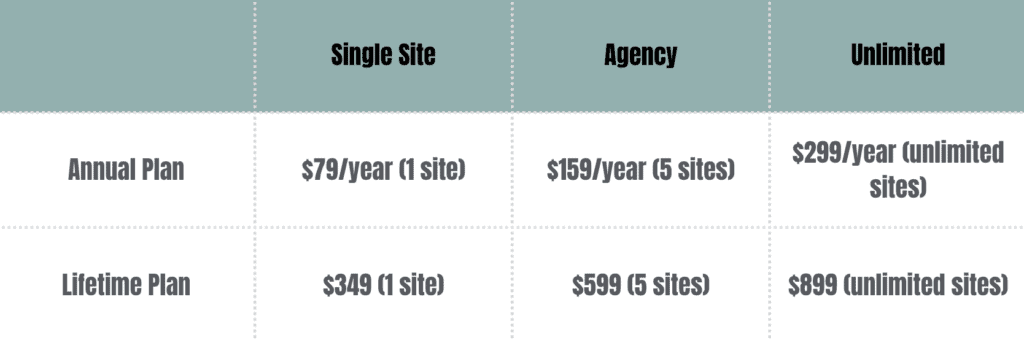
Crucially, all paid plans unlock all features; the only difference is the site count. This means no surprise upsells for individual add-ons.
Here’s a quick breakdown:
- Annual: Starts at $79/year for a single site.
- Lifetime: Starts at $349 for a single site, paid once.
Compared to its competitors, the value is clear. The lifetime deals in particular are a game-changer, saving you from the expensive add-on models and recurring fees common elsewhere.
Is Fluent Forms the right plugin for you?
After all that, we get to the final question: should you actually use it? The answer really depends on what you need.
Yes, it’s probably for you if:
- You value speed. If you need a powerful form builder that won’t slow your site down, this is a top contender.
- You’re on a budget. The free version is so robust that many small businesses and personal sites will never need to upgrade.
- You’re an agency or developer. The unlimited lifetime license is one of the best value deals on the market, period.
- You need to connect to other tools. Its library of marketing and CRM integrations is extensive, especially for a tool in this price range.
How quick is it to get started?
It’s genuinely simple. There’s no steep learning curve.
Once you’ve tested it, here’s how simple it is to get a form running:
- After installing, find the Fluent Forms menu in your WordPress dashboard.

- Click New Form and either pick a template, start from scratch, or use the AI builder to get going.
- Use the drag-and-drop builder to add the fields you need. You can click on any field to customize its settings.

- When you’re done, copy the form’s shortcode. Paste that shortcode onto any page or post. That’s it.
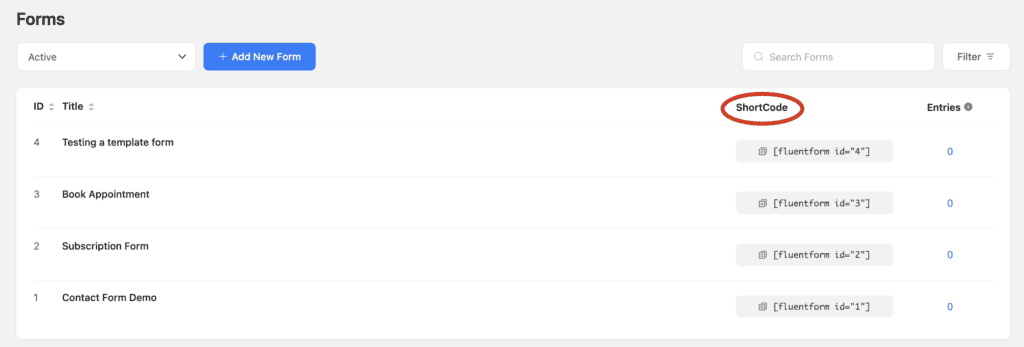
You can have a professional-looking form live on your site in just a few minutes.
You might want to consider an alternative if:
- You need a massive add-on library. If your business relies on a huge ecosystem of very specific, niche add-ons, a major player like the WPForms plugin might still have the edge due to its extensive library.
- You require extremely complex, multi-step workflows. For workflows that need something like Gravity Flow, you’re looking at a more specialized tool.
- You need deep, native WooCommerce integration. While it works with WooCommerce, getting them to connect seamlessly for certain tasks might require a third-party tool.
- You want advanced visual styling without touching CSS. The built-in styler is good, but for pixel-perfect designs, you might need to write a little custom CSS.
Alternatives to Fluent Forms
Not sold on Fluent Forms? Let’s look at the other top contenders and see who they’re built for.
The Gravity Forms plugin

Gravity Forms is often called the gold standard, especially for developers and agencies. It has a massive library of third-party add-ons and powerful tools like a custom REST API.
If you’re building something complex and need that deep developer control, it’s a beast. The big catch? There’s no free version, so you have to be ready to invest from day one.
WPForms plugin
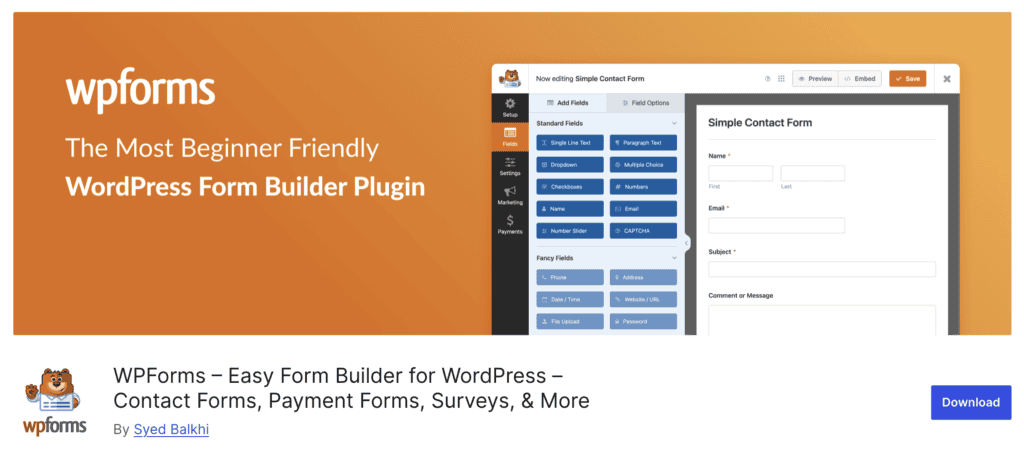
WPForms is probably the most beginner-friendly builder out there. Its full-screen, distraction-free editor and huge template library make it super easy to get started.
The main drawback is that its free version (WPForms Lite) is much more limited than what Fluent Forms offers for free. You’ll likely need to pay to get the features you really want.
Formidable Forms plugin

Formidable Forms markets itself as more than just a form builder; it’s an application builder. This is for when you need to do complex things with the data you collect. Its standout feature is Views, which lets you display form data on the front end of your site, like creating directories or listings.
It’s a powerful choice for advanced users, but it can be overkill for simple contact forms.
Ninja Forms
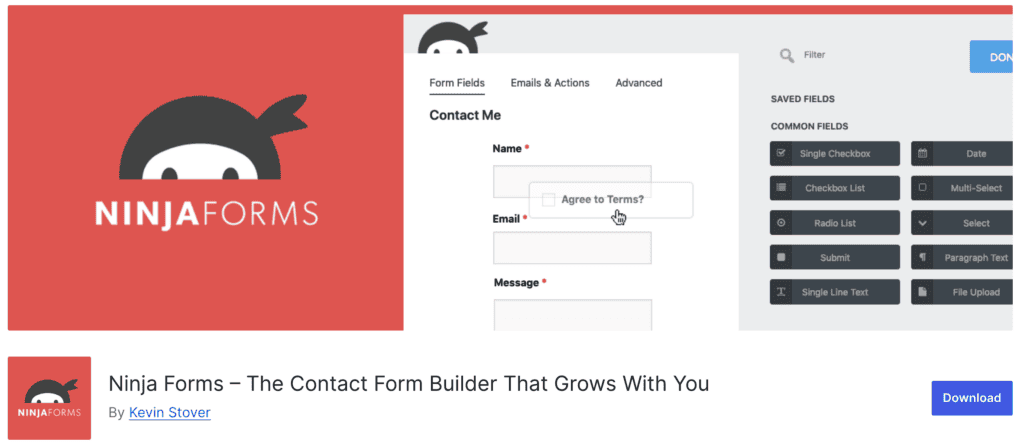
Ninja Forms has a unique “buy what you need” model. The core plugin is free, and then you purchase the specific add-ons you want individually. This can be great if you only need one or two pro features, but it can also get expensive quickly if you need several.
It’s flexible, but you’ll want to do the math to see if a bundle from another plugin might be cheaper.
Contact Form 7

Contact Form 7 is one of the oldest and most downloaded plugins, and it’s completely free. But honestly, that’s where the good news ends for most users today.
It has no visual builder, requires you to work with shortcodes and code for any customization, and has very few features built-in. It’s a bare-bones tool for developers who want total control and don’t need any hand-holding.
Parting thoughts
Fluent Forms strikes an impressive balance between performance, features, and price, making it a fantastic choice for most users.
While those needing a massive third-party add-on library might still look to Gravity Forms, Fluent Forms delivers incredible value with its lifetime deals and a powerful free version. It’s a modern, fast, and affordable solution that’s genuinely hard to beat.
FAQs
What is a fluent form?
Fluent Forms is a powerful and lightweight WordPress plugin used to create everything from simple contact forms to complex surveys. It’s known for its speed, user-friendly drag-and-drop builder, and extensive features.
Is Fluent Forms free?
Yes, Fluent Forms has a very generous free version available on the WordPress repository with many features. A Pro version is also available, which adds more advanced capabilities for a yearly or lifetime fee.
What is the difference between fluent forms and ninja forms?
The main difference is the feature set in their free versions; Fluent Forms includes more advanced features like conditional logic for free. Ninja Forms typically requires you to purchase individual add-ons for similar pro-level functionality.
What is the difference between WPForm and fluent forms?
Fluent Forms’ free version is generally more powerful, while WPForms is often considered slightly more beginner-friendly with its guided setup. WPForms tends to lock more core features behind its paid plans compared to Fluent Forms.
How to setup fluent forms?
You can set up Fluent Forms by installing the plugin from your WordPress dashboard and using the simple drag-and-drop builder. Once your form is ready, just copy its shortcode and paste it onto any page or post to publish it.

Shivani enjoys crafting guides that make every aspect of using WordPress simple and easy to follow. When she's not glued to her laptop, you can find her buried in a good book or occasionally, painting.