

When looking at WordPress booking plugins, FluentBooking stands out as a powerful solution to scheduling chaos. Are you tired of the endless back-and-forth emails just to find a time that works? This manual process is not just a headache; it’s a bottleneck that can cost you clients and valuable time.
This article will break down everything you need to know about FluentBooking. We’ll explore its key features, how to set it up, and help you decide if it’s the right plugin to streamline your business and reclaim your schedule.
Our experience with FluentBooking was incredibly smooth and intuitive. You can explore the plugin using a test site.
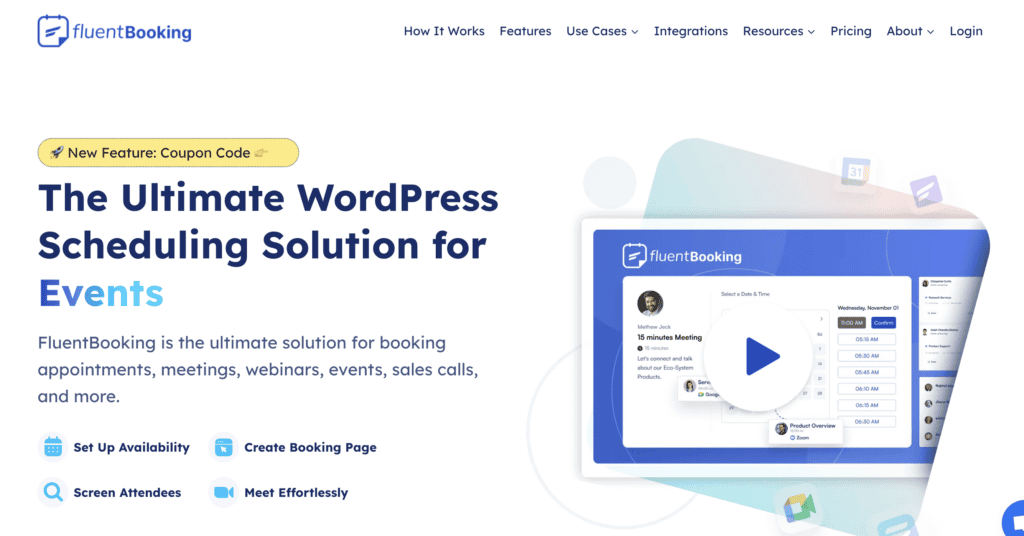
FluentBooking is a user-friendly WordPress plugin that automates your appointment scheduling. It syncs with your Google or Outlook calendars to prevent double-bookings, accepts online payments, sends automated reminders to clients, and integrates with tools like Zoom—all managed directly from your WordPress dashboard.
We tested this booking plugin looking to answer a few key questions:
- How can admins manage bookings?
- Can clients manage their own bookings?
- Is it easy to use the plugin?
- How much does it cost?
Managing Your Bookings with FluentBookings
After putting FluentBooking to the test, I was impressed by how much control it offers administrators.
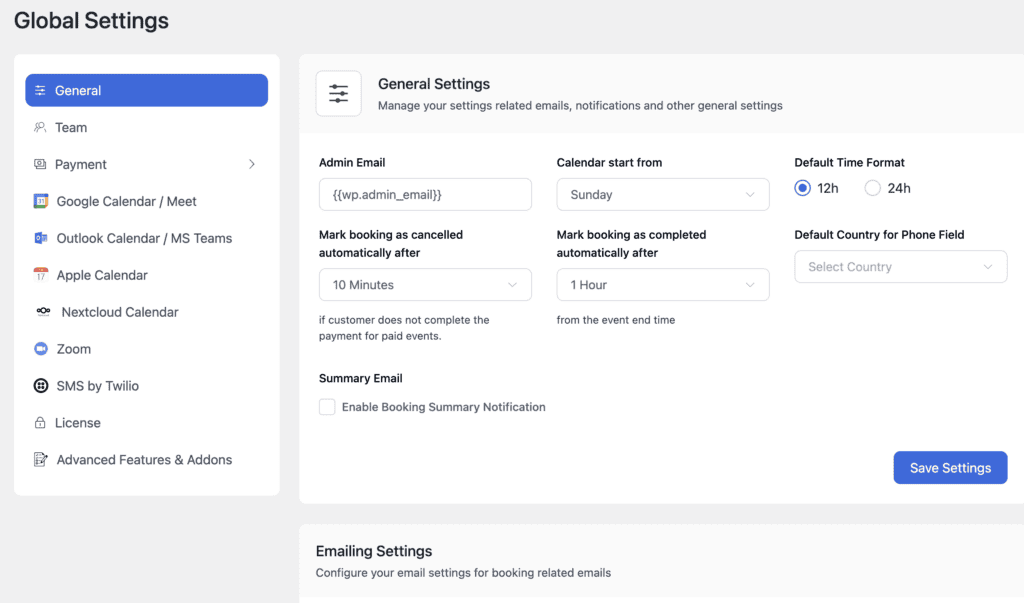
The plugin is clearly designed to streamline the entire management process, making it easy to oversee everything from team schedules to payments without any hassle.
Here are the standout features I found for managing your bookings:
- Intuitive Dashboard and Analytics: The main dashboard gives you an instant, clear overview of total bookings, revenue, and upcoming meetings. I found the analytics graph particularly useful for visualizing booking trends over specific date ranges.
- Flexible Availability Customization: Setting up schedules is incredibly versatile. You can define your standard weekly hours, block out holidays with date overrides, and automatically add buffer times between appointments to prevent back-to-back burnout.
- Multiple Meeting Types: I could easily create different kinds of events. Whether it was a one-on-one call, a group webinar, or a round-robin system that assigns leads to the next available team member, the setup was logical and straightforward.
- Team and User Management: For businesses with multiple staff, you can add hosts and assign them to specific calendars. The ability to manage permissions based on WordPress user roles is a huge plus for organization and security.
- Automated Notifications: This is a set-it-and-forget-it feature that works perfectly. I configured automated email and SMS reminders for both myself and the person booking, which is a game-changer for reducing no-shows.
- Manual Booking Approval: I appreciated having the option to manually approve certain bookings. This gives you a final check before the appointment is confirmed, which is ideal for high-value consultations or initial client screenings.
- Convenient Frontend Panel: A standout feature is the frontend dashboard. It lets you or your team members manage schedules and appointments directly from the live website, without needing to navigate the WordPress admin area.
- Simple Payment Integration: Connecting payment gateways like Stripe and PayPal was quick. You can require full payment at the time of booking, which is essential for monetizing your services efficiently. The option to include instructions for offline payments is also a nice touch.
Quick Look at the Customer Experience
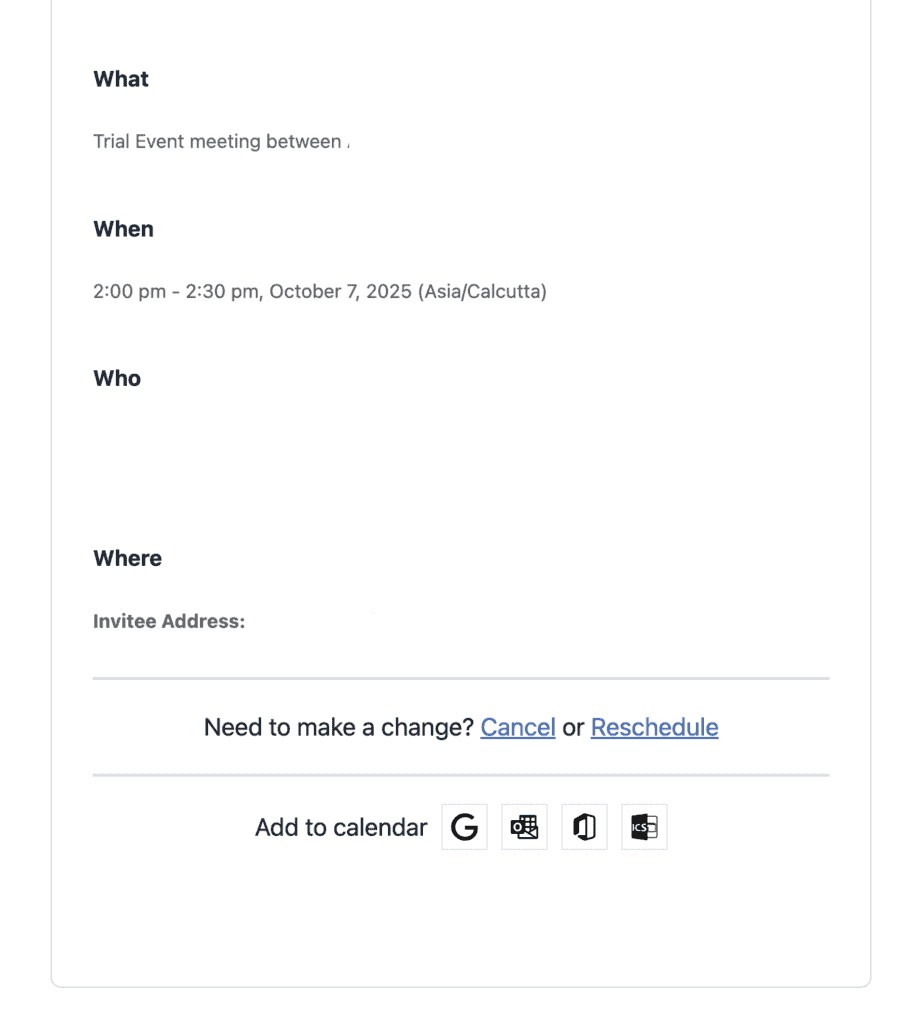
Beyond the admin tools, what truly impressed me during my testing was the smooth and professional experience FluentBooking creates for the end-user. The plugin empowers customers by giving them the autonomy to manage their own bookings with confidence, which reduces friction and makes them more likely to schedule time with you.
Here’s what your customers will experience:
- Effortless Calendar Synchronization: After booking, customers can add the appointment to their Google, Apple, or Outlook calendar with a single click. This simple step ensures the meeting is on their radar and makes them less likely to forget.
- Simple and Flexible Scheduling: The booking process is incredibly straightforward. Customers see a clean calendar with only your available time slots, eliminating the frustrating back-and-forth of finding a time that works.
- Automatic Time Zone Detection: This is a critical feature that FluentBooking handles flawlessly. It automatically detects the customer’s time zone and displays all slots in their local time, removing all guesswork and preventing mix-ups.
- Automated Confirmations and Reminders: Customers receive an instant email confirmation after booking, giving them peace of mind. The automated reminders I set up were sent on time, providing a professional touch that helps them stay organized.
- Self-Service Cancellation and Rescheduling: I liked that you can empower customers by providing links to cancel or reschedule their own meetings (within rules you set, of course). This self-service option saves everyone time and gives customers the flexibility they expect.
- Clean and Custom Booking Pages: The entire booking journey feels professional. Customers interact with a simple, branded page that is easy to navigate, making the process quick and trustworthy.
- Personal Booking Management: If you enable the frontend dashboard for clients, they can log in to view their complete history of upcoming and past appointments. This is a fantastic feature for recurring clients who need a central place to manage their bookings with you.
How Much Does FluentBooking Cost?
FluentBooking operates on a freemium model. You can get started with the free version from the WordPress repository, but to unlock its most powerful features like payment processing and team scheduling, you’ll need to upgrade.
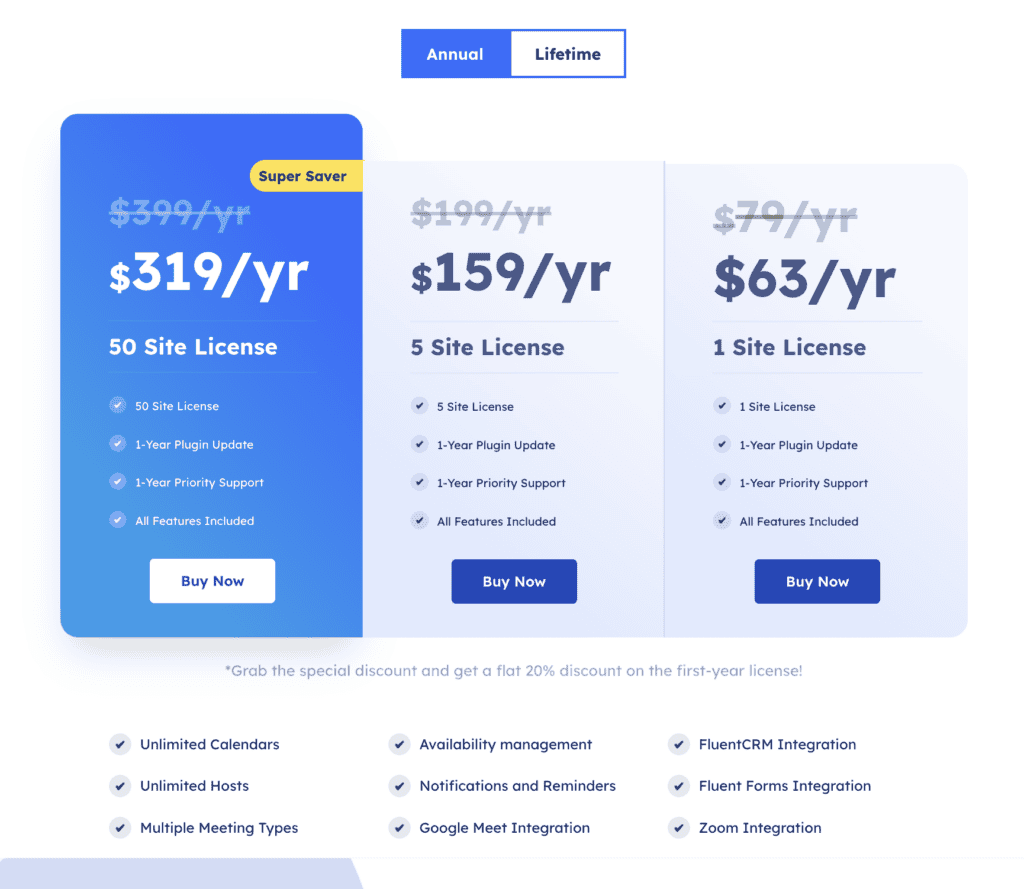
FluentBooking pricing will offer great flexibility with both annual subscriptions and lifetime deals (LTDs), which are perfect for anyone who wants to avoid recurring fees.
Annual Plans
- Single License: $79 per year for 1 website.
- Startup License: $199 per year for 5 websites.
- Agency License: $399 per year for 50 websites.
Lifetime Deals (LTDs)
- Single License: $249 one-time payment for 1 website.
- Startup License: $436 one-time payment for 5 websites.
- Agency License: $749 one-time payment for 50 websites.
User Experience with FluentBooking
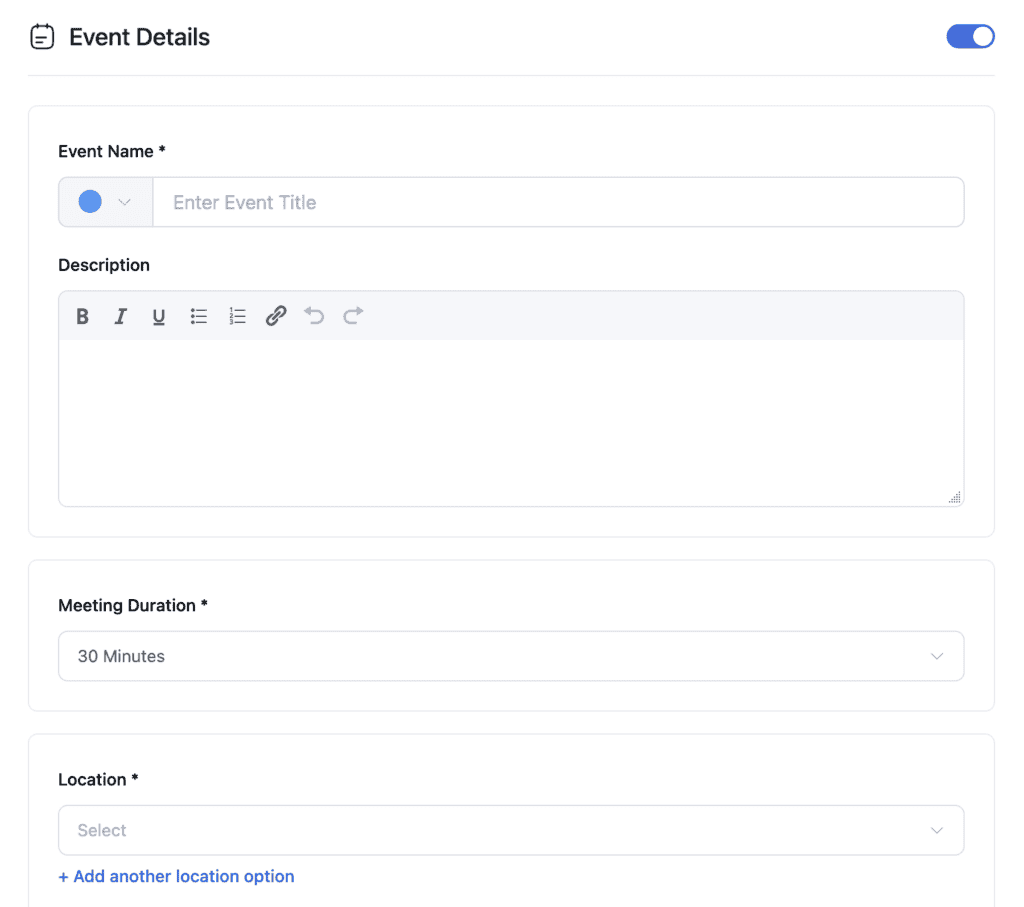
A plugin can have all the features in the world, but if it’s a nightmare to use, it’s worthless. I can confidently say that usability is one of FluentBooking’s strongest selling points. It feels like it was designed by people who actually use WordPress, making the entire experience smooth and intuitive.
Here are my key takeaways on its ease of use:
- Lightning-Fast Setup: Getting my first booking form live was incredibly fast. The setup wizard is clear, and I went from installation to a functional calendar on my site in just a few minutes, all without touching a line of code.
- Clean, Native Interface: The admin area doesn’t feel like a clunky, tacked-on system. It blends seamlessly into the WordPress dashboard, so everything is right where you’d expect it to be.
- Efficient Day-to-Day Management: Whether I was checking the dashboard for analytics, adding a manual booking, or adjusting a team member’s schedule, the process was logical and efficient. The frontend panel is a bonus, allowing for quick management without even logging into the backend.
- Seamless Integrations: If you’re already in the WPManageNinja ecosystem (using Fluent Forms or FluentCRM), the integration is flawless. Connecting forms to create advanced booking questionnaires or adding new bookings directly to my CRM was a one-click process that automated my workflow instantly.
What is Missing in FluentBooking?
No plugin is perfect, and while FluentBooking excels at appointment scheduling, there are some advanced features it currently lacks. During my review, I noted a few limitations that are important to consider, especially if you have highly specific business needs.
- Recurring Appointments: You can’t set up a series of recurring appointments (e.g., weekly coaching calls for a month) in a single booking. This is a highly requested feature and a key consideration for service providers with ongoing client relationships.
- Built-in Waiting Lists: There is no native feature to create a waiting list. If a client cancels, there’s no automated way to notify others that the time slot has opened up.
- Advanced Conditional Logic: While the integration with Fluent Forms is powerful, the booking calendar itself lacks deep conditional logic. For example, you can’t show or hide certain time slots based on a user’s previous answer in the form.
- Resource Management: The plugin doesn’t have a system for managing physical resources. You can’t assign a specific meeting room or piece of equipment to a booking to prevent it from being double-booked.
- Multi-Day Bookings: FluentBooking is optimized for time-slot-based appointments, not multi-day events. It’s not the ideal solution for things like hotel stays, multi-day workshops, or equipment rentals that span several days.
- Limited E-commerce Features: While it processes payments well, it lacks built-in e-commerce functions like offering coupons, deposits, or gift vouchers directly within the booking system. These features typically require integration with a tool like WooCommerce.
Is FluentBooking Right for You?
After extensive testing, FluentBooking proves to be an exceptional choice for most service-based businesses on WordPress. Its greatest strengths are its simplicity, clean interface, and seamless integration, making it easy to set up a professional scheduling system without any technical skills. It’s a perfect fit for consultants, coaches, and small teams, especially those already using other Fluent products like Fluent Forms or FluentCRM, where the synergy creates a powerful, automated workflow.
While it’s not yet the ideal solution for those needing complex recurring appointments or multi-day bookings, it excels at its core purpose: making scheduling effortless for you and your clients. As with any critical plugin, we strongly recommend you install and test FluentBooking on a staging site first. This allows you to explore its features and ensure perfect compatibility with your setup before going live.
FAQs
How do you use FluentBooking?
Getting started is simple. First, you install and activate the plugin from your WordPress dashboard. Next, you connect your Google or Outlook calendar to sync your availability. Then, you create a “Booking Calendar,” where you define the meeting duration, location (physical or virtual), and set your available hours. Finally, you embed the calendar on any page using its provided shortcode or block, and you’re ready to accept appointments.
Is the Bookly plugin free?
Yes, Bookly offers a free version in the WordPress repository with basic booking functionalities. However, like FluentBooking, many of its essential features—such as online payments, unlimited staff members, and advanced integrations—are only available in its paid Pro version.
What is the best free booking plugin for WordPress?
The “best” free plugin depends entirely on your specific needs. However, FluentBooking’s free version is a very strong contender because it offers a modern interface, unlimited bookings, and crucial features like Google Calendar sync without a paid subscription. Other popular free options include Simply Schedule Appointments and the free versions of Amelia and Bookly.
Is the Amelia booking plugin free?
Yes, Amelia has a free version called “Amelia Lite” available on WordPress.org. It provides basic appointment booking capabilities suitable for individuals or small businesses just starting out. For more advanced features like recurring appointments, multiple locations, and payment gateway support, you would need to upgrade to their premium version.

Shreya has been a writer for as long as she can remember. Now, she writes articles that help WordPress users manage the sites that they're proud of, with little to no coding


