

WordPress form plugins are a dime a dozen, and honestly, most of them hit a wall pretty fast.
You’re likely here because you’ve heard the name Formidable Forms, wondering if it’s the real deal or just more of the same.
You need a tool that stops limiting you and actually helps you build what you have in mind. This Formidable Forms review will give you that clarity, so you can confidently decide if it is the right move.
Formidable’s free version is a great value for basic forms, but the premium plans’ high renewal cost is only justified if you need its advanced application-building tools. No matter which you choose, always safeguard your site with a plugin for backups before installing anything new.
Formidable Forms in a nutshell

Formidable Forms positions itself as a full-blown application builder, and honestly, that’s not just marketing hype.
The building process itself is pretty intuitive. You get a clean, drag-and-drop builder that feels familiar, along with a helpful onboarding wizard to get you started. The lite version even comes with over 30 templates.
But the feature that sets it apart is Formidable Views. This is what lets you build those directories and listings. You can even allow users to edit their own submissions from the front of your site.
It completely shifts your perspective on what a form plugin is supposed to do. You’re not just collecting data; you’re using it to create content.
Of course, it nails the essentials, too. You can:
- Create calculators that show results as users type.
- Use conditional logic to build smart forms that react to user input (this is a Pro feature).
- Style your forms to match your theme without touching a line of code.
- Connect to payment gateways like Stripe and PayPal, or your favorite marketing services.
Similar to WPForms, Formidable also offers a free Lite version, and it’s perfectly capable for basic forms. But all the powerful application-building tools we just talked about are in the Pro version.
Is there a downside? A slight one. Building a simple form is a breeze, but mastering its more powerful features requires a little time. Thankfully, the 14-day money-back guarantee lets you explore it without risk.
Key features & capabilities
Formidable Forms splits its features between a free version and a Pro one. Here’s what that looks like.
What’s in the free Lite version?
The free version is solid for getting started. It covers all the basics you’d expect from a modern form plugin.
- The Form Builder: A clean, drag-and-drop interface that’s easy to figure out.
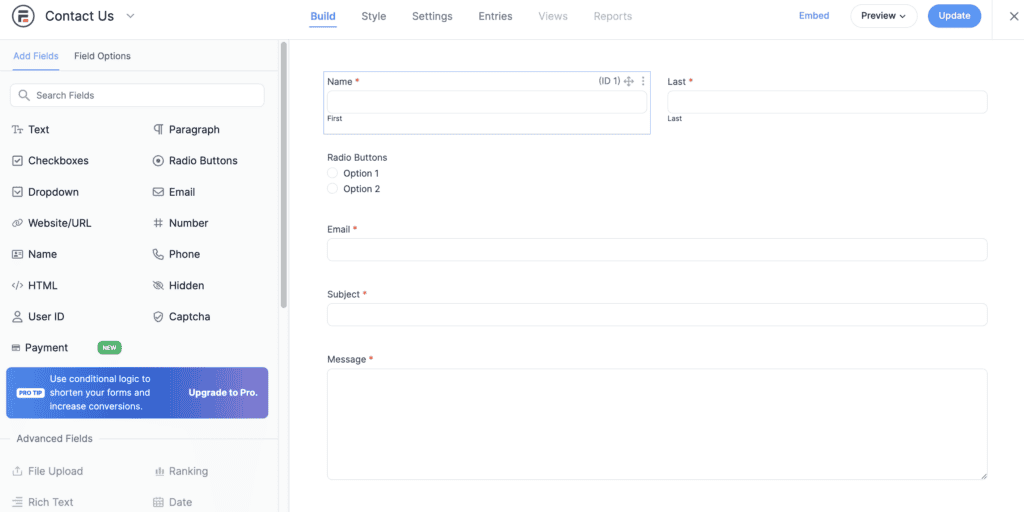
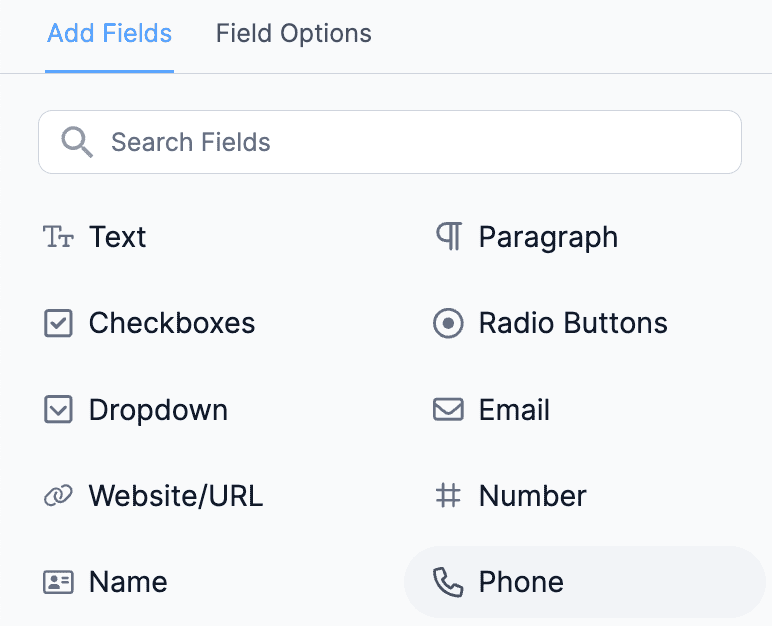
- Basic Fields: All the standard stuff is here, like text fields, email, paragraphs, checkboxes, and radio buttons.
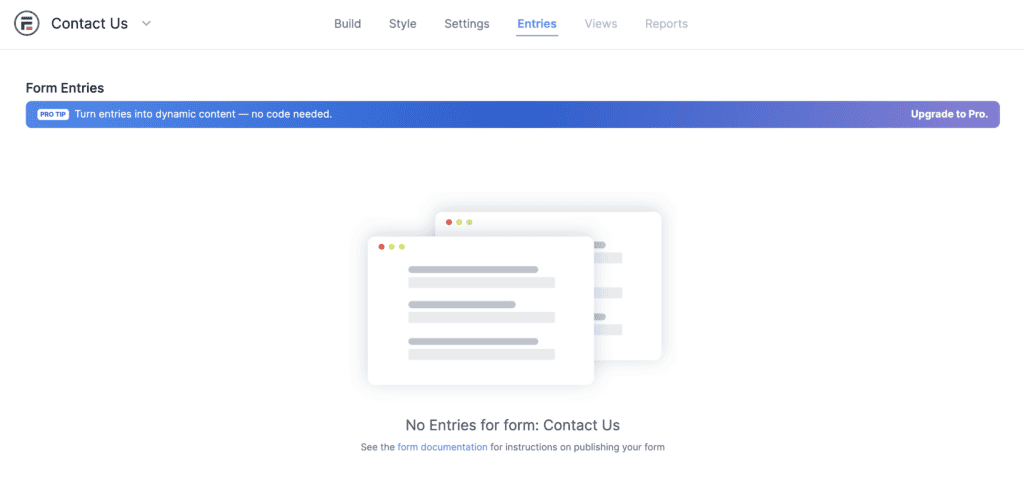
- Unlimited Forms & Entries: You won’t hit a wall on how many forms you can create or how much data you can collect.
- Simple Email Notifications: Set up automatic emails when someone hits “submit.”
- Visual Styler: You can change colors and basic layout to match your site without needing to know CSS.
- Spam Protection: It includes common tools like reCAPTCHA to keep the bots away.
Honestly, for a simple contact or feedback form, the Lite version does the job just fine. It’s reliable and gets you what you need without much fuss.
And what about the Pro version?
The Pro version is where Formidable earns its reputation as an application builder. It includes everything from the free version, plus a whole lot more.
Data and Display: As mentioned earlier, this is Formidable’s core strength. It’s less about collecting data and more about what you do with it. With Formidable Views, you can build directories or event listings where users can submit and edit their own entries.
Advanced Form Fields: This is where you build really smart, interactive forms.
- Conditional Logic: This lets you show or hide fields based on a user’s previous answers. It makes your forms feel more like a conversation.
- Calculated Fields: Perfect for creating quote generators, mortgage calculators, or anything that needs to do math on the fly.
- Repeater Fields: Ever filled out a form and needed to add another “child” or “attendee”? That’s a repeater field. It lets users add multiple sets of the same fields to one submission.
- Multi-Page Forms: Break up long, intimidating forms into smaller, manageable steps.
Integrations and Automation: A form is only as good as its connections. The Pro version integrates with key payment gateways, which is a fundamental step if you’re thinking about building an online store. Plus, it connects with CRMs and email marketing services through Zapier.
Other Enhancements: Beyond the core features, you get other nice touches. Conversational forms improve engagement, while features like scheduling, landing pages, and user-submitted posts add a lot of extra power.
Formidable Forms pricing and plan breakdown
Formidable has a free version for basic needs and several paid tiers for more power.
The Free version on WordPress.org is great for simple contact forms, but the advanced application-building tools are locked behind the paid plans.
Here’s a quick look at what each tier adds:
- Basic Plan: Adds smart features like conditional logic and multi-page forms.
- Plus Plan: The key addition is Formidable Views for displaying data.
- Business Plan: Unlocks payments, quizzes, calculators, and PDF generation.
- Elite Plan: Gives you every single add-on, including WooCommerce integration and white-labeling.

So, is it worth the price? For simple forms, the renewal cost can feel steep. But if you need to build data-driven applications with features like Views or payment gateways, the value is clear. Just make your decision based on the full renewal price, not the intro offer.
Is Formidable Forms for you?
To figure out if this plugin is the right fit, it’s best to see which of these three groups you fall into.

1. Stick with the free version if…
- You just need reliable contact or feedback forms. For the basic job of letting people contact you, the free version is modern, easy to use, and gets the job done without any fuss.
- Your budget is the top priority. If you simply need to collect information and don’t require advanced features, there’s no need to pay.
- You’re new to WordPress. The free version is a great, uncomplicated introduction to form building before you get into more complex tools.
2. Invest in Pro if…
- Your main goal is to display data on your site. This is the number one reason to go premium. If you want to build directories, event calendars, or user-generated listings, you need the Formidable Views feature.
- You need complex, interactive forms. If you’re building calculators, quote generators, quizzes, or multi-page registration forms, you will need the advanced fields and conditional logic from the Pro version.
- You’re building a business or client project. Accepting payments, creating custom user registration forms, or integrating with WooCommerce all require a premium plan.
3. You might want to look elsewhere if…
- The free version is too “Lite” for your needs. While Formidable’s free plugin is solid for simple forms, it’s quite lean on features. If you need just one or two advanced options, like basic conditional logic or a wider selection of form fields, you might find a competitor’s free version is more generous.
- The renewal cost feels too high for what you’ll actually use. If you only need one feature (like file uploads) but have to buy a plan that includes ten others you’ll never touch, the value isn’t there.
- A competitor has a very specific integration you need. While Formidable connects to many services, you might find that another plugin like Gravity Forms or WPForms has a niche, official add-on that’s critical for your workflow.
How to get started with Formidable Forms
Getting started with Formidable Forms is a pretty straightforward process. Here’s a quick step-by-step guide.
Step 1: Install and activate the plugin. From your WordPress dashboard, go to Plugins → Add New and search for Formidable Forms. Install and activate it. If you purchased a premium plan, you’ll upload the plugin here and enter your license key to access the Pro features.
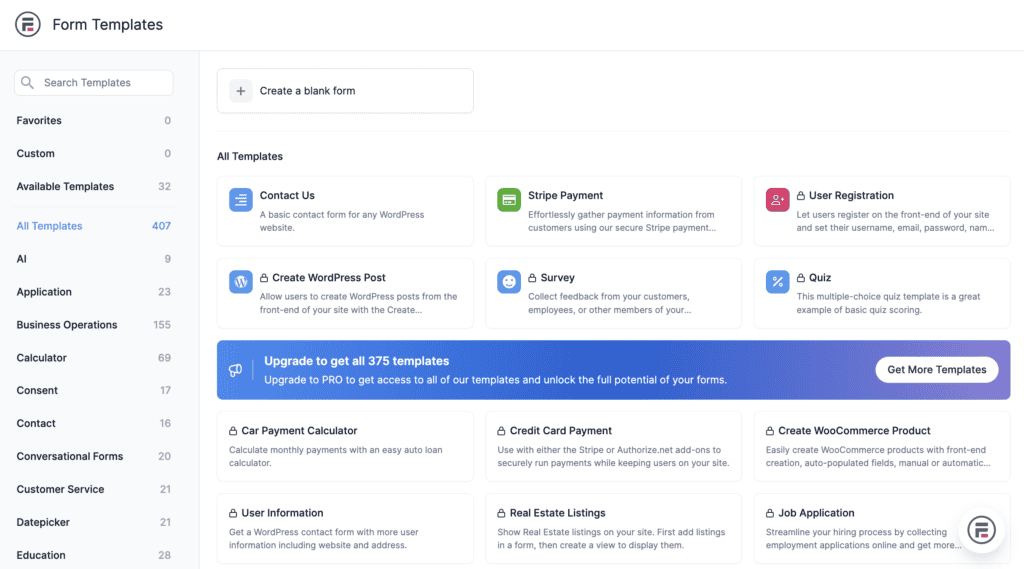
Step 2: Build your form. Once activated, find the new Formidable menu in your dashboard and click Add New. If you’re a beginner, start with a template. It’s much faster than building from scratch. You’ll be taken to the simple drag-and-drop builder where you can add, remove, and customize your form fields.
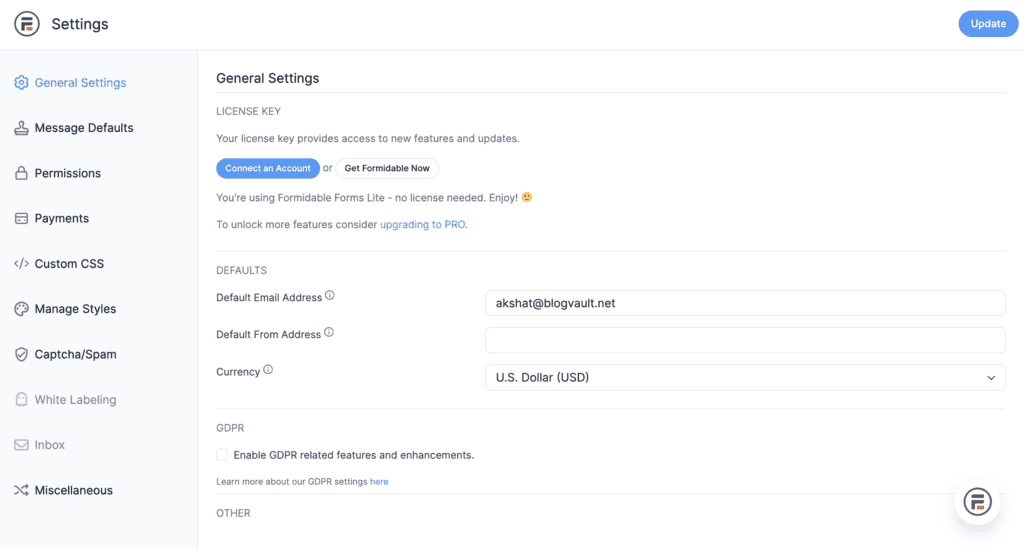
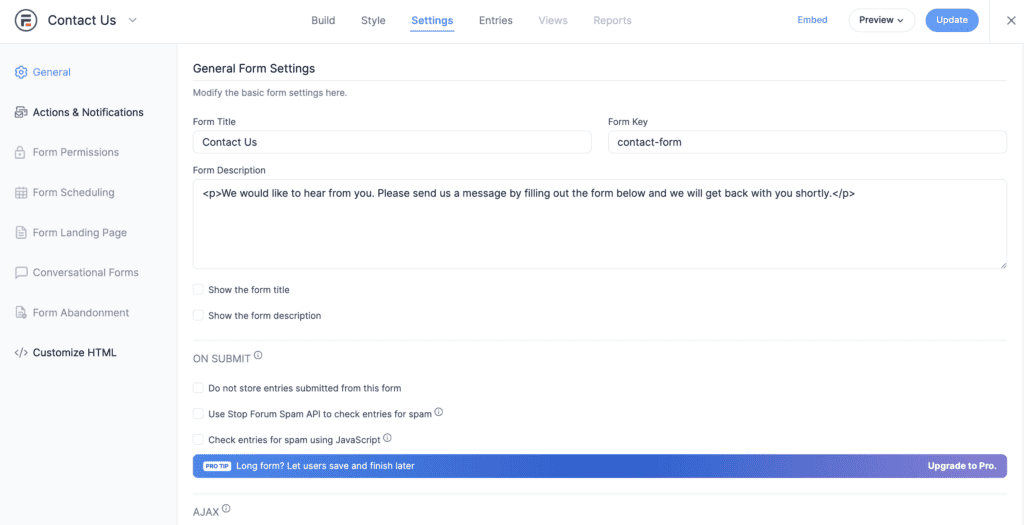
Step 3: Tweak the settings and go live. Before you finish, click the Settings tab. This is where you set up important things like the confirmation message your visitors see and the email notifications you receive. Once you save your form, add it to any page using the dedicated Formidable Forms block in the editor. It’s as easy as adding an image.
Not sold on Formidable? Here’s what else to consider
Maybe Formidable Forms isn’t the perfect fit for you. The WordPress form space is crowded, which means you have plenty of other excellent choices. The key is to know what each one does best.
Here’s a quick rundown of the other big names and what they’re known for:
- Gravity Forms: This is the other long-standing giant in the room. Gravity Forms is an all-around professional tool, but its main strength is a massive ecosystem of third-party add-ons. If you need an obscure integration that Formidable doesn’t have, chances are someone has built it for Gravity Forms.

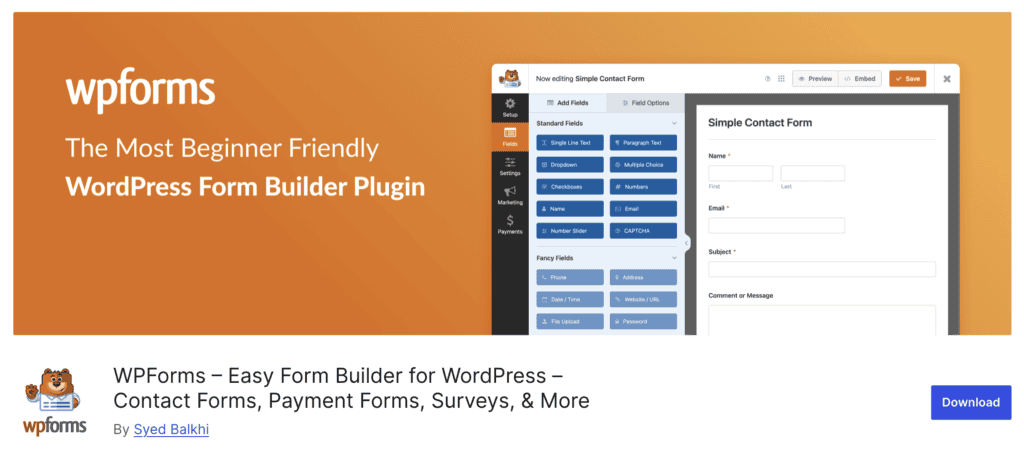
- WPForms: If your top priority is ease of use, WPForms is probably your best bet. It’s often considered the most beginner-friendly of the premium plugins, focusing on a super clean drag-and-drop experience and a huge library of pre-built templates for marketing and lead generation.
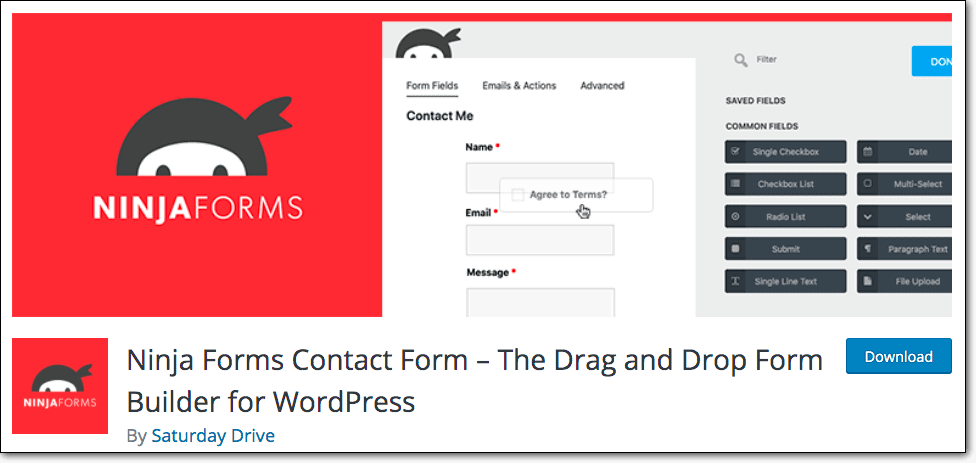
- Ninja Forms: This plugin has a capable free version and an interesting à la carte model where you can buy individual add-ons. This can be cost-effective if you only need one or two specific premium features, but the interface can sometimes feel less polished than its competitors.
- Fluent Forms: Fluent Forms has made a big splash by offering a ton of features for a very competitive price. Its free version is arguably one of the most generous out there, giving you features that other plugins charge for.

- Forminator: Coming from the team at WPMU DEV, Forminator also packs a serious punch in its free version. It includes things like payment integrations and quizzes for free, which is almost unheard of.

- Contact Form 7: We have to mention the classic. Contact Form 7 is incredibly lightweight and completely free. The catch is that it’s not very user-friendly. It’s best for developers or those who don’t mind getting their hands dirty with shortcodes.

So, which one is best? It all comes down to a single question: What’s your one, non-negotiable feature? Once you decide whether that’s the easiest builder, the most generous free plan, or a specific integration, the right choice becomes obvious.
Parting thoughts
The free version of Formidable is a solid choice for basic contact forms. But the real reason to choose this plugin is its premium version, a powerful application builder priced for complex projects.
If you don’t need to build data-driven content, simpler alternatives are a smarter choice.
FAQs
What is the difference between WPForms and Formidable Forms?
The main difference is their focus; WPForms is designed to be the easiest, most user-friendly builder for marketing forms, while Formidable Forms is an advanced application builder for displaying submitted data. Choose WPForms for simplicity and templates, and Formidable for building directories, listings, or other data-driven content.
How much is Formidable Forms?
Formidable Forms has a free Lite version, while its premium plans start at around $79 for the first year and renew at a higher rate. The cost increases with each tier, which unlocks more powerful features like data display, payments, and advanced integrations.
What is the difference between Ninja Forms and Formidable Forms?
The biggest difference is their business model; Formidable sells its features in tiered plans, while Ninja Forms has a core free plugin and lets you buy individual add-ons. Formidable is a more comprehensive toolkit, while Ninja Forms can be more cost-effective if you only need one or two specific premium features.
Which is the best form plugin for WordPress?
There is no single “best” form plugin because the right choice depends entirely on your specific needs and budget. WPForms is often best for beginners, Formidable or Gravity Forms are excellent for developers, and Fluent Forms or Forminator offer great value in their free versions.
Does Elementor have forms?
Yes, but only the paid version, Elementor Pro, has a built-in Form Widget for standard forms. For those using the free version of Elementor, dedicated plugins like WPForms or Forminator offer excellent and often more powerful free alternatives.

Shivani enjoys crafting guides that make every aspect of using WordPress simple and easy to follow. When she's not glued to her laptop, you can find her buried in a good book or occasionally, painting.


