

Every form plugin claims to be both powerful and easy. The problem is, you only find out the truth after you’ve already wasted hours on setup.
So, we’re ignoring the marketing hype.
In this Forminator review, we have tested the plugin to see if it lives up to its promises and deserves a spot on your site.
Forminator’s free version is exceptionally powerful, while its Pro plan is a full membership ideal for agencies. Whichever form plugin you choose, always use a reliable backup plugin to safeguard your site first.
Forminator forms at a glance

When you create a new form with Forminator, you can start with a blank slate or one of 26 free templates. It’s a solid library for common needs like contact forms or quotes.
If you’re coming from a tool like the WPForms plugin, the builder will feel a bit different. It’s not a live, visual canvas where you see the form take shape in real-time.
Instead, you select fields from a menu, and then you can drag those fields to reorder them. It’s a two-step process that’s clean and gets the job done without much fuss.

After the form is built, you can set up custom submission behaviors, route notifications to different people, and connect to other apps. Integrations with Google Sheets and thousands of other services through webhooks are included for free, which is a huge plus.
Finally, it also comes with solid spam protection right out of the box.
Forminator’s core features
Let’s break down what you actually get and where the paywall comes up. The separation is clearer than you might think.
What do you get for free?
Similar to the Fluent Forms plugin, Forminator’s free version is one of the most generous out there. You aren’t just getting basic contact forms; you get tools that most competitors charge for.
Here’s a quick rundown of the highlights:
- Unlimited everything: You can create as many forms, quizzes, and polls as you need. No arbitrary limits.
- Payments included: You get both Stripe and PayPal integrations for one-time payments. This is almost always a premium feature elsewhere.
- Advanced fields: Calculation fields for quote estimators and multi-file uploads are standard.
- Conditional logic: Build smart forms that show or hide fields based on user input.
- Key integrations: Connect to Mailchimp, Google Sheets, and other apps with webhooks without paying a dime.
- Submission management: All entries are stored in your WordPress database, so you never lose a lead.
What do you have to pay for?
You don’t just buy Forminator Pro. You buy a WPMU DEV membership, which includes Forminator Pro and their entire suite of other plugins like Smush Pro (for images) and Hummingbird Pro (for speed).
Paying unlocks specific, high-value features within Forminator and gives you the whole toolkit:
- Advanced form features: This includes recurring Stripe subscriptions, an e-Signature field, and the ability to save form progress.
- The full plugin suite: You get access to all WPMU DEV Pro plugins. If you need security, optimization, and image compression, the value proposition changes completely.
- Expert support: You get 24/7 access to their support team, which is a big step up from the free forum support.
- Agency tools: Things like cloud templates for reusing forms across sites and white-labeling are geared toward professionals managing client sites.
What is the pricing like?
You can’t buy Forminator Pro as a standalone plugin. It’s only available as part of a WPMU DEV membership, which gives you their entire suite of Pro plugins and services.
The pricing is tiered based on how many sites you manage. It’s pretty straightforward:
- Basic: $15 per month for 1 site.
- Standard: $25 per month for 3 sites.
- Premium / Agency: $100 per month for unlimited sites.
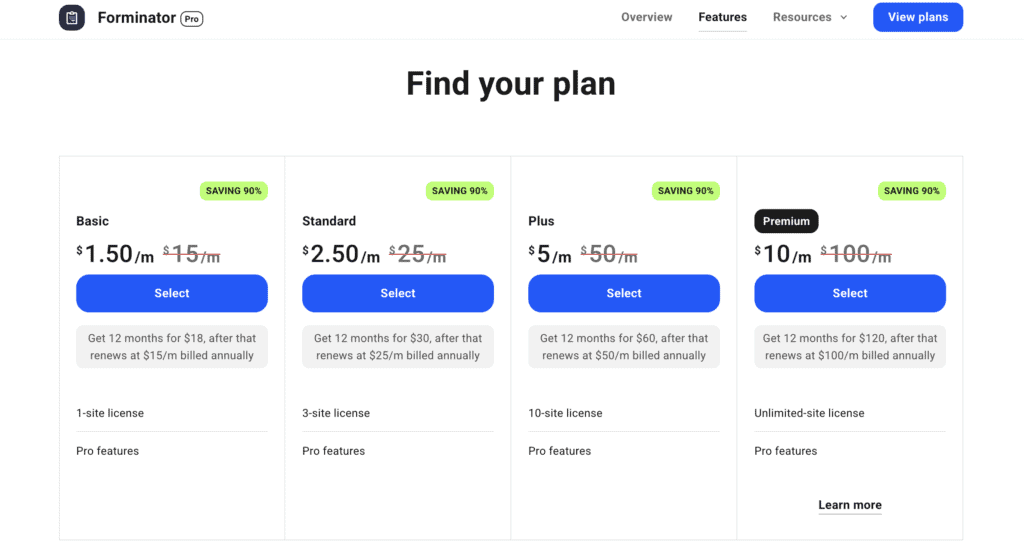
This pricing model is clearly aimed at agencies. For a single site, the value depends on whether you’ll use the entire toolkit. If you also need security and speed plugins like Defender Pro and Hummingbird Pro. The membership is a clear win with a 30 day money back guarantee.
Is Forminator the right form plugin for you?
This is where the rubber meets the road. Forminator isn’t for everyone, but for some people, it’s the perfect fit.
Forminator is an easy choice if:
- You prioritize powerful free features. Things like conditional logic, payments, and quizzes are included at no cost, which is rare.
- You need Stripe or PayPal integrations without paying for a pro version.
- You already have (or want) a WPMU DEV membership. The value of the entire plugin suite is a major factor here.
- You want users to submit posts from the front end of your site.
- You need to connect to other apps. Free webhooks and direct integrations are a huge advantage.
How to get started with Forminator
Getting up and running is incredibly straightforward. Here’s how to go about it:
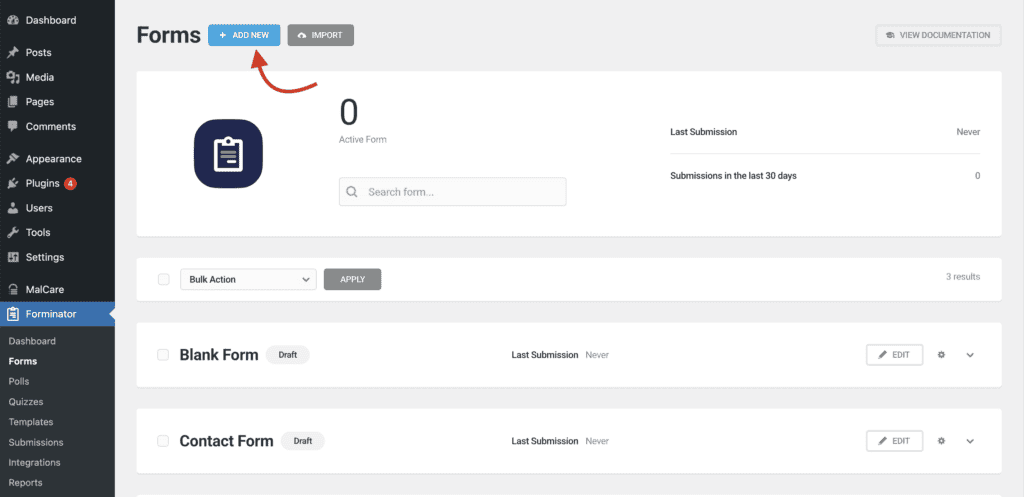
- Choose how to create your form: Start by navigating to Forminator > Forms in your dashboard and clicking + ADD NEW, where you can choose between a blank canvas or a pre-built template to save time.
- Build the form: Add all the elements you need by clicking the + INSERT FROM FIELDS button, then click on each field to set its label and rules. You can easily reorder them by dragging and dropping.
- Configure the settings: Fine-tune your form using the top tabs to change its Appearance, Behavior, and Email Notifications.
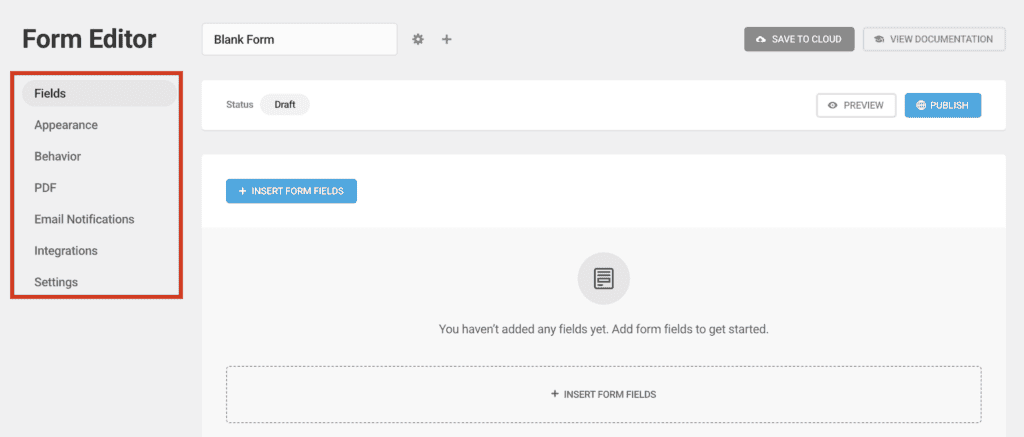
- Publish your form: Once you’re finished, hit Publish in the top right. You can then add the form to any page using its dedicated Gutenberg block or by pasting the provided shortcode.
You should consider other options if:
- You only need one specific pro feature for a single site. The membership model might feel like overkill.
- You prefer buying standalone plugins instead of subscribing to a membership.
- You need specific compliance, like HIPAA. You’ll have to look for a specialized solution.
- You value a polished, live-editing experience above all else. A tool like WPForms might feel more intuitive to you.
What are some alternatives you can consider?
If Forminator doesn’t sound quite right, the WordPress ecosystem has other fantastic options.
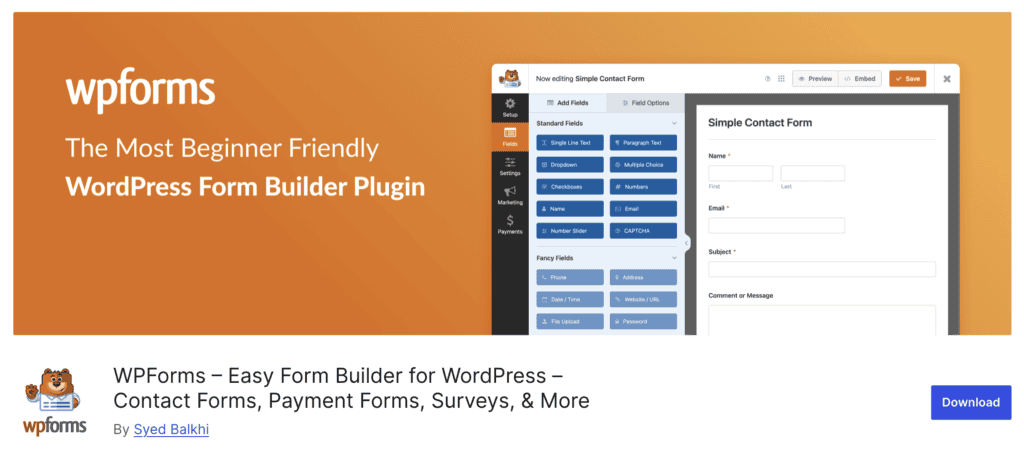
- The WPForms plugin: This is the top choice for beginners. Its main advantage is a live visual builder where you see the form as you create it. The free version is limited, so expect to pay for features like conditional logic. Its paid plans provide a very polished experience and a large template library.

- The Fluent Forms plugin: This option offers excellent value for the money. It provides powerful features at a fair price and is known for being very lightweight and fast. The plugin also specializes in creating engaging conversational forms. It is a serious contender that often includes advanced features for less cost than competitors.

- The Gravity Forms plugin: This is the standard for developers and complex projects. It functions like a development framework with a massive ecosystem of third-party add-ons for custom functionality. There is no free version, making it a paid investment from the start. It is the tool for projects that require deep customization.

- The Formidable Forms plugin: This tool is designed for building data-driven applications, not just collecting entries. It excels at turning submissions into front-end content like directories, calendars, and listings. Its unique “Views” feature lets you display form data with charts and graphs, making it a powerful tool for application building.
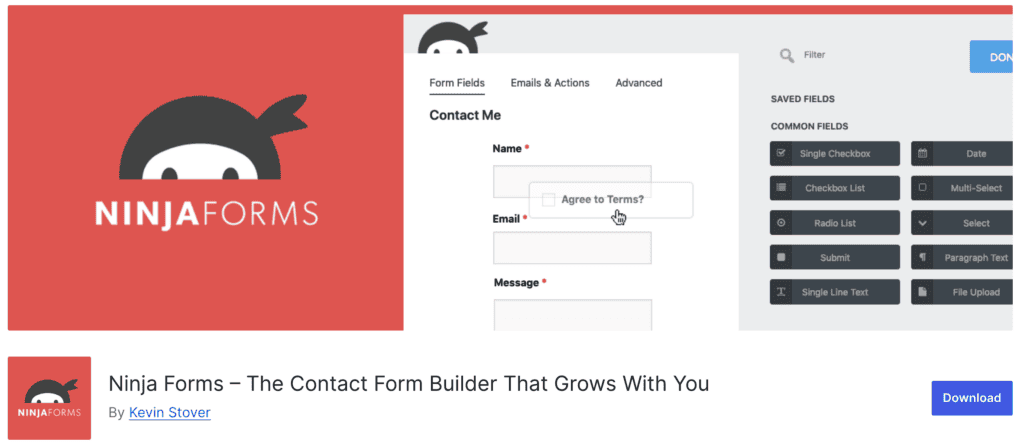
- The Ninja Forms builder: This is a user-friendly option with a unique sales model. Instead of a membership, you can buy individual add-ons for specific features you need. This can be a more affordable route if you only require one or two premium functions and want to avoid paying for a full bundle.
Parting Thoughts
Forminator provides exceptional free value with included payments and conditional logic.
Your ideal choice, however, depends entirely on your needs. WPForms is a better fit if you prioritize absolute ease of use. Gravity Forms is the standard for developers building complex solutions. Formidable Forms is the best for building data-driven applications.
Your decision rests on your budget, technical skill, and what you need your forms to accomplish.
FAQs
What is the Forminator?
Forminator is an all-in-one form builder plugin for WordPress created by WPMU DEV. It allows you to build contact forms, payment forms, interactive quizzes, and polls.
Is the Forminator free?
Yes, Forminator has a powerful free version with many features that are typically paid. A Pro version with more advanced capabilities is available through a WPMU DEV membership.
What is the difference between formidable and Forminator?
The main difference is that Forminator is a versatile form builder, while Formidable Forms is a tool for creating data-driven applications. Formidable excels at displaying submission data on the front end as directories or listings.
What is the use of WPForms?
WPForms is used to create WordPress forms with a major focus on being beginner-friendly. It is best known for its simple, live visual builder and its large library of form templates.
What is the difference between free and pro Forminator?
The free version offers core features like payments and conditional logic, while the Pro version adds advanced tools. Pro features include e-signatures, recurring Stripe subscriptions, and access to all other WPMU DEV premium plugins.

Shivani enjoys crafting guides that make every aspect of using WordPress simple and easy to follow. When she's not glued to her laptop, you can find her buried in a good book or occasionally, painting.


