When choosing between plugins for forms in WordPress, the decision can feel like a high-stakes one.
You’re likely stuck weighing a fast-rising contender against the well-known market leader in the Fluent Forms vs WPForms debate.
This comparison is designed to end that paralysis by cutting through the marketing. We’ll give you a clear breakdown so you can confidently choose the right plugin for your goals.
Choose Fluent Forms for its powerful features and incredible value, or WPForms for its unmatched simplicity, which is ideal for beginners. Whichever plugin you decide on, it is critical to use a reliable backup plugin to protect your site before installing any new software.
Fluent Forms vs WPForms at a glance
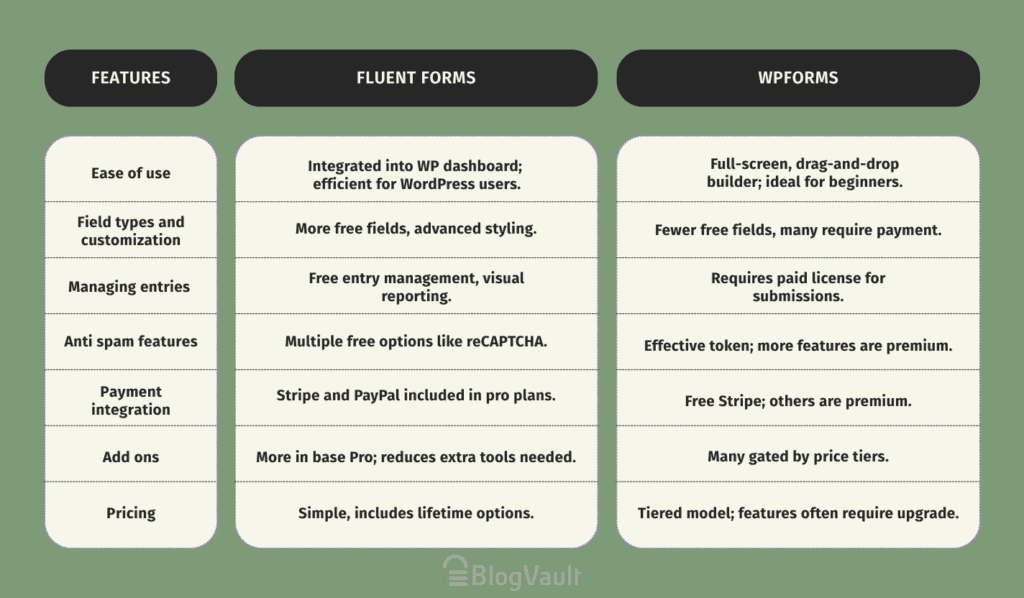
Ease of use
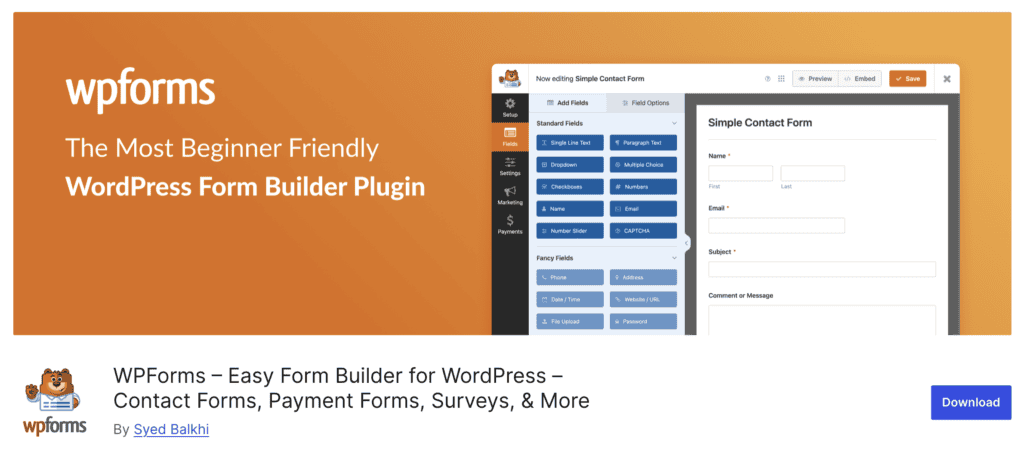
The WPForms builder is built for the absolute beginner. Its full-screen, drag-and-drop builder feels less like a part of WordPress and more like a separate, dedicated app. For someone new to website building, this is a huge win.
There are no other WordPress menus to distract you. You just build the form. It’s clean, smooth, and everything happens without a single page reload.

The Fluent Forms plugin takes a different path. It lives right inside the standard WordPress dashboard. If you’re already comfortable with WordPress, this feels much faster.
There’s no loading a whole new interface; you just click and start building. The builder itself is clear and functional, but it doesn’t have that same polish as WPForms. It’s built for efficiency within the environment you already know.
Head-to-head feature analysis
Let’s compare the key features and how they compare:
Field types and customization
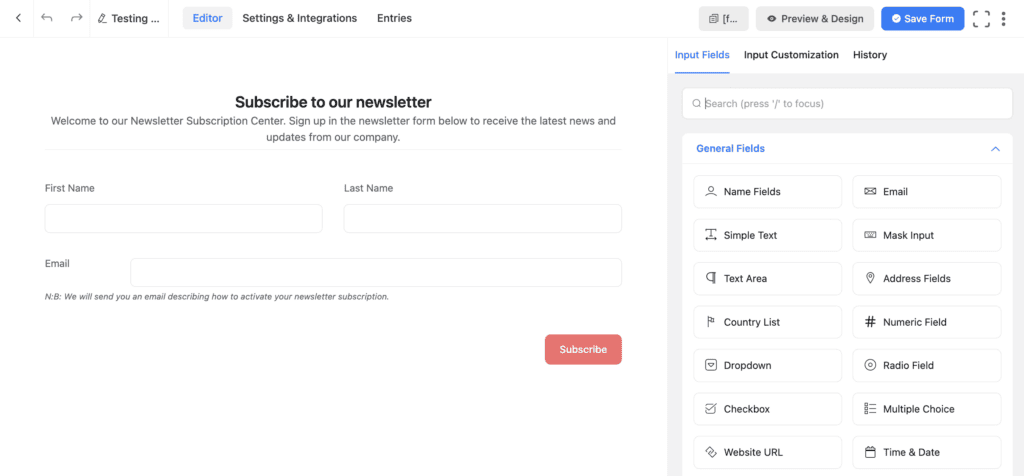
With Fluent Forms, we found that more fields are available in the free version right away. Building multi-column layouts was simple and built-in. The advanced styling options gave us much more control.
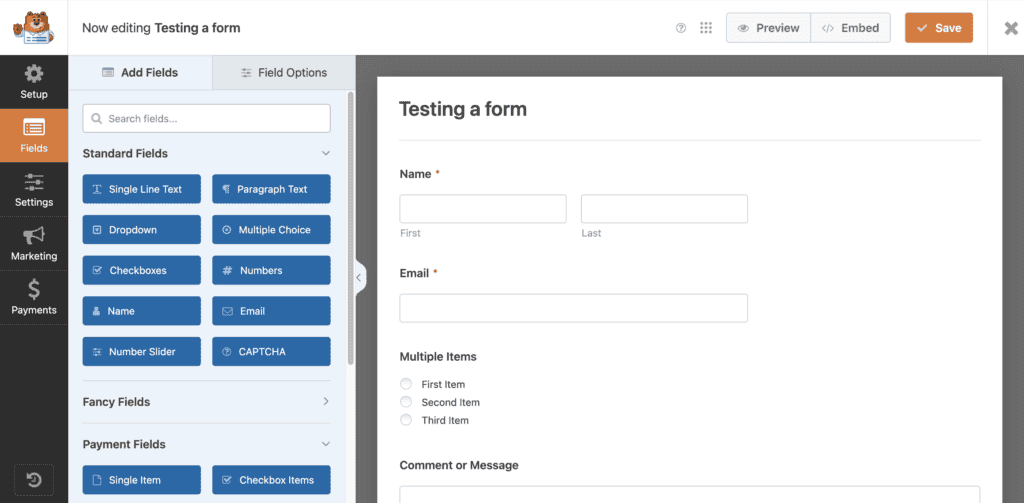
In contrast, WPForms has fewer free fields, with many common ones being premium-only. Customization felt limited without upgrading or writing CSS from scratch.
Smart conditional logic
Conditional logic is shockingly powerful in the free version of Fluent Forms. We found setting up multi-step conditional paths very intuitive. It’s a huge reason to choose the plugin.
With WPForms, conditional logic is a strictly premium feature. Once you pay for it, the interface is simple, but it just feels less comprehensive than what Fluent Forms offers.
Managing and viewing form submissions
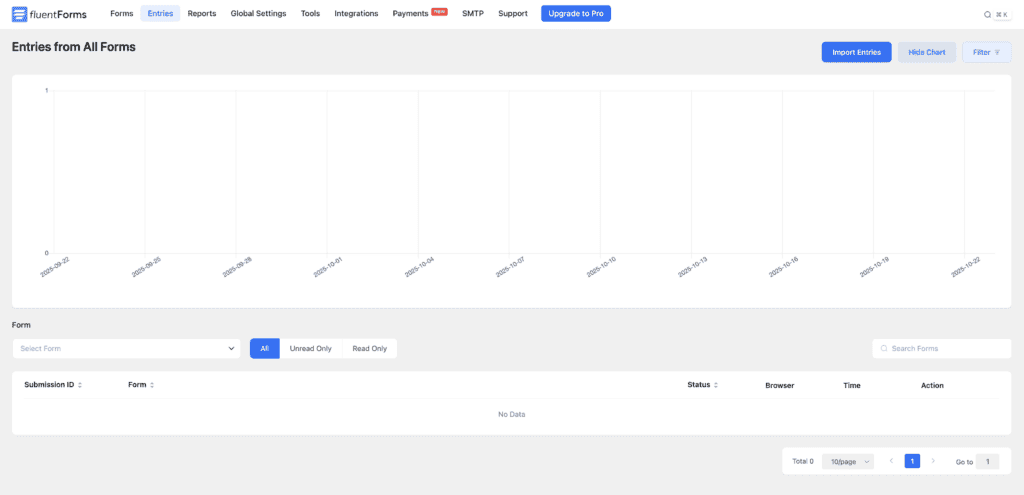
Free entry management in Fluent Forms is a complete game-changer. The dashboard is fast, doesn’t need page reloads, and the visual data reporting gives quick, useful insights. We could easily see and edit every entry without paying a dime.
WPForms is the complete opposite; you can’t view any submissions without a paid license. For us, this is a massive limitation for free users. Even when you do pay, the entry management is clean but pretty basic and lacks the helpful reporting Fluent Forms has.
Notifications and confirmations
Fluent Forms’ conditional notifications let us route emails based on user input, and the connection with their FluentSMTP plugin is seamless. The setup offers more granular control over email content, giving you more power over communication.
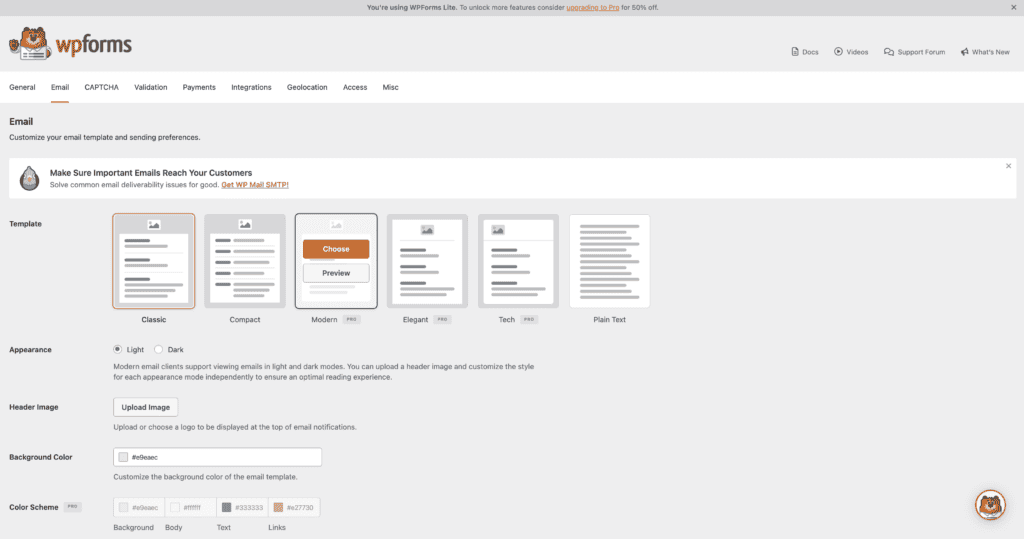
WPForms notifications are dead simple to set up, reliable, and just work. But again, any conditional options are locked behind a paywall, and there are simply fewer customization options available overall.
Anti-spam features
Both plugins handle spam well, just differently. We get multiple free spam protection options with Fluent Forms, including support for reCAPTCHA, hCaptcha, and Cloudflare Turnstile. It’s great to have so many choices.
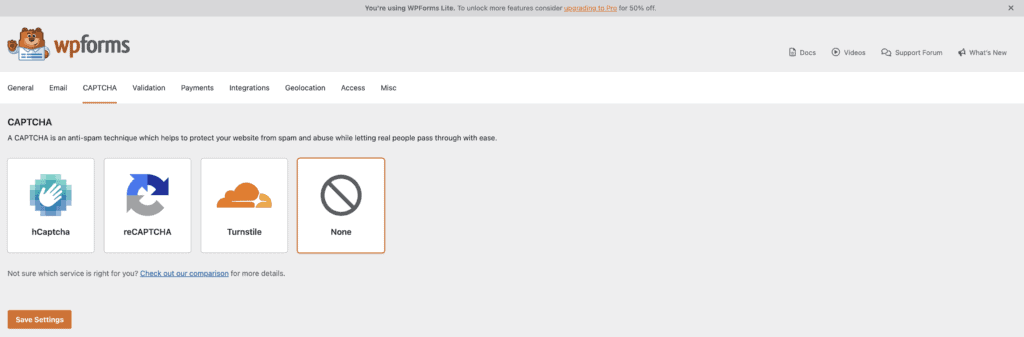
WPForms uses a very effective anti-spam token that is more modern than a simple honeypot, but you do have to remember to enable it. It also offers nice premium features like country filtering.
Payment integration capabilities
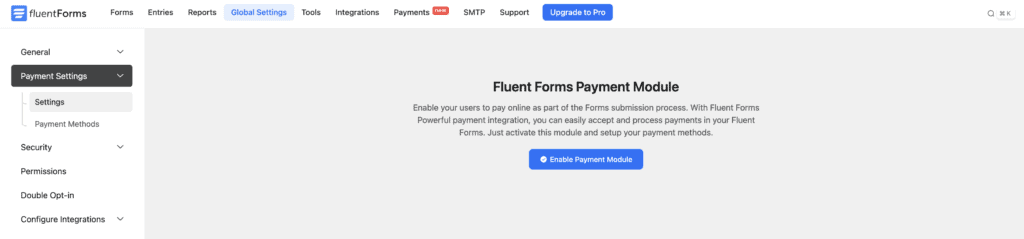
If you need to take payments, this is a critical difference. Fluent Forms includes payment gateways like Stripe and PayPal in all its pro plans. Setting up both was a breeze during our review, making it perfect for simple donation or order forms.
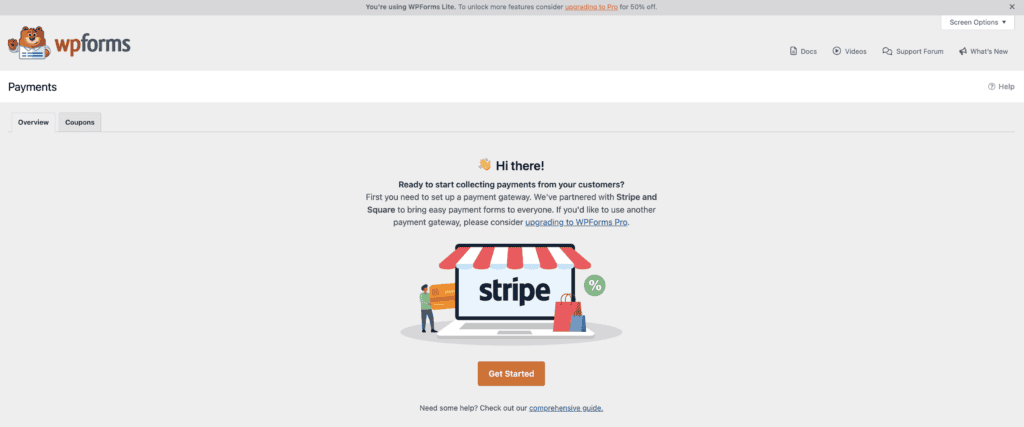
With WPForms, you get a free Stripe integration, which is a fantastic feature for getting started. The catch, however, is that if you need any other payment gateway, like PayPal, Square, or Authorize.Net, those are locked in expensive, higher-tier plans.
Add-ons and third-party integrations
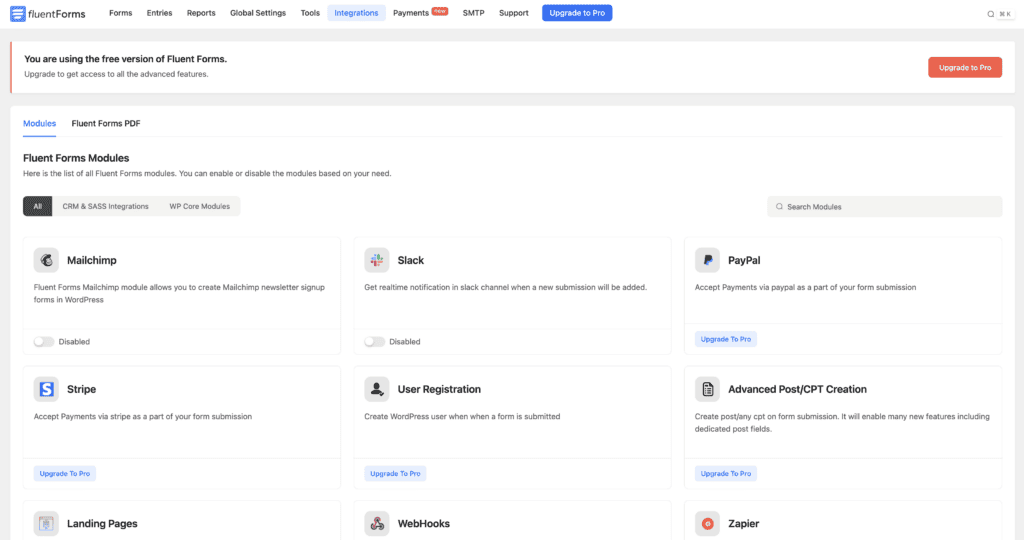
Fluent Forms includes far more integrations in its base Pro plan. We connected to Mailchimp without any hassle, reducing reliance on a tool like Zapier and saving money on other subscriptions.
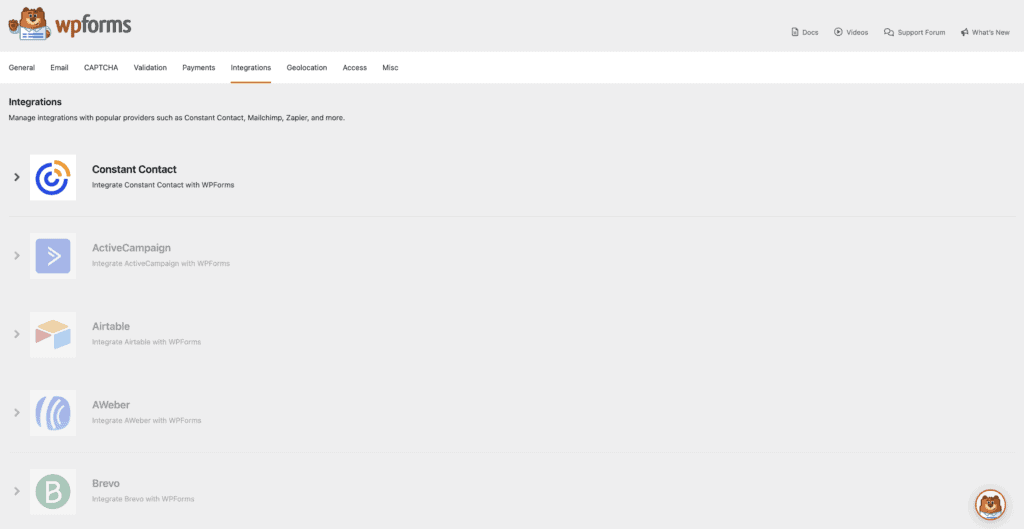
WPForms has many integrations, but most are gated behind different price tiers. We kept having to check which plan had which connection, and you often need Zapier, which adds another monthly cost.
Support & documentation
Here, both plugins shine. The documentation for WPForms is fantastic. It’s extensive, well-organized, and incredibly clear, which is a huge benefit for anyone troubleshooting an issue. Their paid support is fast and professional.
Fluent Forms also has good documentation, though it could be a bit cleaner. Their big advantage is that they offer priority support for both free and paid users, and the support team felt responsive and knowledgeable.
Pricing breakdown
Here’s the thing about pricing: it’s not just about the number. It’s about the value.
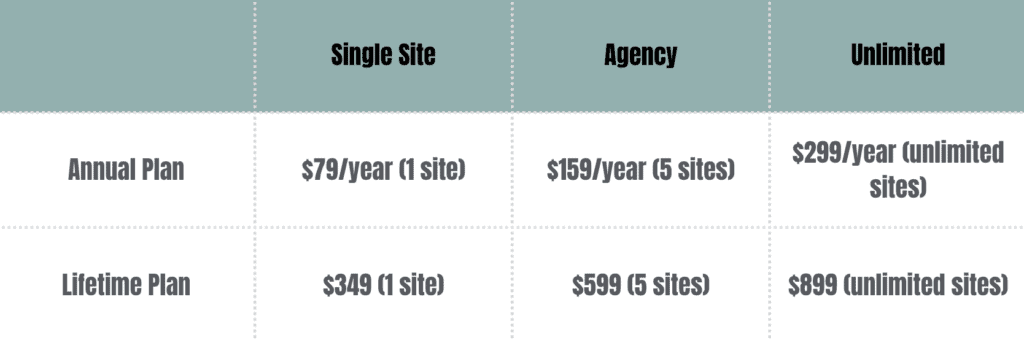
Fluent Forms is all about delivering overwhelming value. Their pricing is simple. You buy a pro license, and you get all the pro features. Even better, they offer lifetime licenses. For an agency or a freelancer, buying a tool once and never paying again is a massive financial win. It feels honest.
WPForms uses a very common tiered annual subscription model. You start with Basic and move up through Plus, Pro, and Elite. Features like payment gateways, specific integrations, and advanced fields are used as incentives to get you to upgrade.
This can be frustrating when the one feature you need is locked in the next plan up, doubling your cost. It’s a proven business model, but it feels less user-friendly than Fluent Forms’ approach.

Which form builder should you pick?
So, after all that, who wins the Fluent Forms vs WPForms showdown? The real answer depends entirely on you.
Pick Fluent Forms if… You’re a power user, a developer, or an agency owner. If you see a lifetime deal and understand the incredible value it represents, this is your plugin.
It’s for the person who wants all the features, maximum control, and the best bang for their buck, and doesn’t mind a slightly more “WordPress-native” interface. If you need things like conditional logic on a free plan, the choice is obvious.
Pick WPForms if… Your number one priority is a simple, polished, and foolproof experience. If you’re building a website for a client who is not tech-savvy, WPForms is a safer bet.
It holds your hand through the process. It’s for the person who values a pristine user interface and is willing to pay a premium for that simplicity, upgrading tiers as their needs grow.
Other top plugins to consider
The WordPress form world is a big place! While these two are top contenders, a few others might be a better fit for specific needs.

- Formidable Forms: This is less of a form builder and more of an application builder. If you need to create complex, data-heavy directories or listings, Formidable is the one.

- Gravity Forms: A long-time favorite for developers. It’s known for its reliability and massive library of third-party add-ons, but it can feel a little dated.
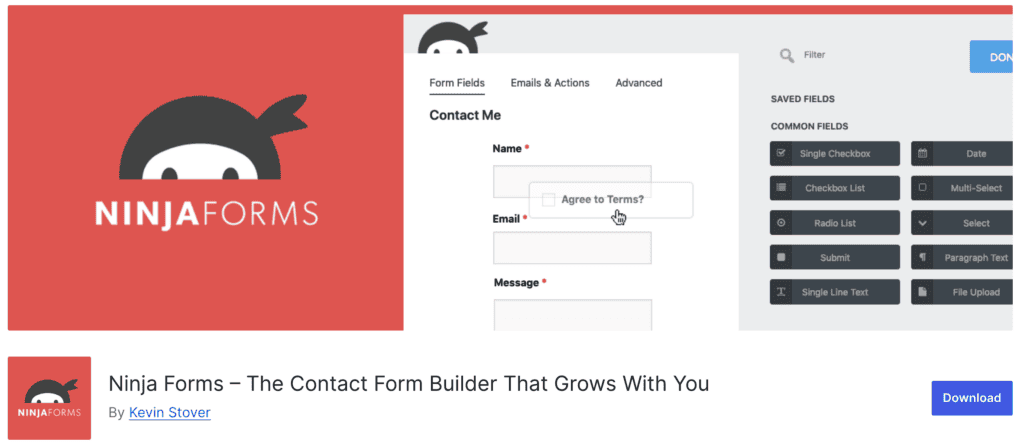
- Ninja Forms: Its core plugin is free, but you buy add-ons individually. This can be good if you only need one or two pro features, but it gets expensive quickly.

- Forminator: A really strong free option from the team at WPMU DEV. It packs a surprising number of features, like polls and quizzes, into its free version.
Parting thoughts
Fluent Forms is the scrappy, high-value choice, while WPForms is the polished, beginner-friendly option. The best choice is the one that feels right for you.
Install the free version of both and build a quick contact form. You’ll get a good sense of which one you prefer. But to be absolutely sure, remember to test your new form. This simple check is the most important step and will tell you everything you need to know.
FAQs
Which is easier to use, WPForms or Fluent Forms?
WPForms is easier for absolute beginners because of its focused, full-screen builder. Fluent Forms is easier for experienced WordPress users who prefer a faster, integrated workflow.
Does Fluent Forms offer a lifetime license option?
Yes, and it’s one of its biggest selling points. Fluent Forms offers lifetime licenses that provide incredible long-term value. WPForms only offers annual subscriptions.
How does the pricing of Fluent Forms compare to WPForms?
Fluent Forms is significantly more affordable. Its pro plans include all features, and the lifetime deals are much cheaper over time than WPForms’ tiered annual plans.
Which form builder provides more effective spam protection?
Both are excellent. WPForms’ anti-spam token is a modern, set-it-and-forget-it solution. Fluent Forms offers more choice, with support for reCAPTCHA, hCaptcha, and Cloudflare Turnstile right out of the box.
How do the integrations compare between Fluent Forms and WPForms?
Fluent Forms includes more key integrations (like email marketing services) in its standard pro plans. WPForms has a large library, but many integrations are locked behind its most expensive tiers.

Shivani enjoys crafting guides that make every aspect of using WordPress simple and easy to follow. When she's not glued to her laptop, you can find her buried in a good book or occasionally, painting.