Tired of a slow WordPress site? Litespeed Cache review may be the solution that you’re looking for.
The LiteSpeed plugin is a top contender when looking at a cache plugin for WordPress sites. It offers a long list of advanced settings that can make a world of a difference, if configured well. But, is it too complicated? What features are absolutely necessary? Is Litespeed actually good?
This guide will break down exactly what LiteSpeed Cache is, how it works, and help you determine if it’s the perfect fit for your website—or if a simpler alternative would serve you better.
Litespeed Cache offers server-level performance for free, but it’s best features only work if you’re hosted on a Litespeed server. If you want powerful, safe optimizations without the technical risk, you should use Airlift.
Fixing a slow WordPress site requires moving a lot of levers, caching being one of them. This is because, normally, when a visitor arrives, your server has to assemble the page from scratch. A caching plugin makes a complete copy of that finished page. When the next visitor arrives, the server just hands them the fast-loading photocopy instead of rebuilding it.
We’ve tested all the top caching plugins and realised that not all caching is the same. A solid caching plugin should handle several key tasks to be truly effective.
- Page Caching: This is the core function. It generates and stores static HTML files of your pages to serve them instantly.
- Cache Preloading: It should proactively build the cache before a visitor arrives, so no one is the “first” to experience a slow, uncached page.
- Browser Caching: It needs to instruct a visitor’s web browser to store files like your logo, images, and CSS locally, so they don’t have to be re-downloaded on repeat visits.
- Mobile Caching: The plugin should have the ability to create a separate cache specifically for mobile devices.
- Cache Expiry & Purging: Look for clear rules for automatically clearing the cache when content is updated, plus a manual “purge all” button for emergencies.
- Logged-in User & Dynamic Content Handling: It must be smart enough to handle pages that change for each user, like WooCommerce shopping carts or membership account pages.
We tested Litespeed Cache for the WordPress caching features that could help. But, we have to mention that Litespeed Cache is best used on sites hosted on their server. That would offer “server-level caching,” that makes it so much faster than other plugins. If your host uses Apache or Nginx, the plugin will still work, but its main advantage is gone.
Now let’s get into the nitty-gritty.
1. Page Cachin
When I reviewed WP Rocket, I found that most plugins work at the WordPress (PHP) application level. It’s like a receptionist deep inside an office building. A request has to come all the way in before it’s handled.
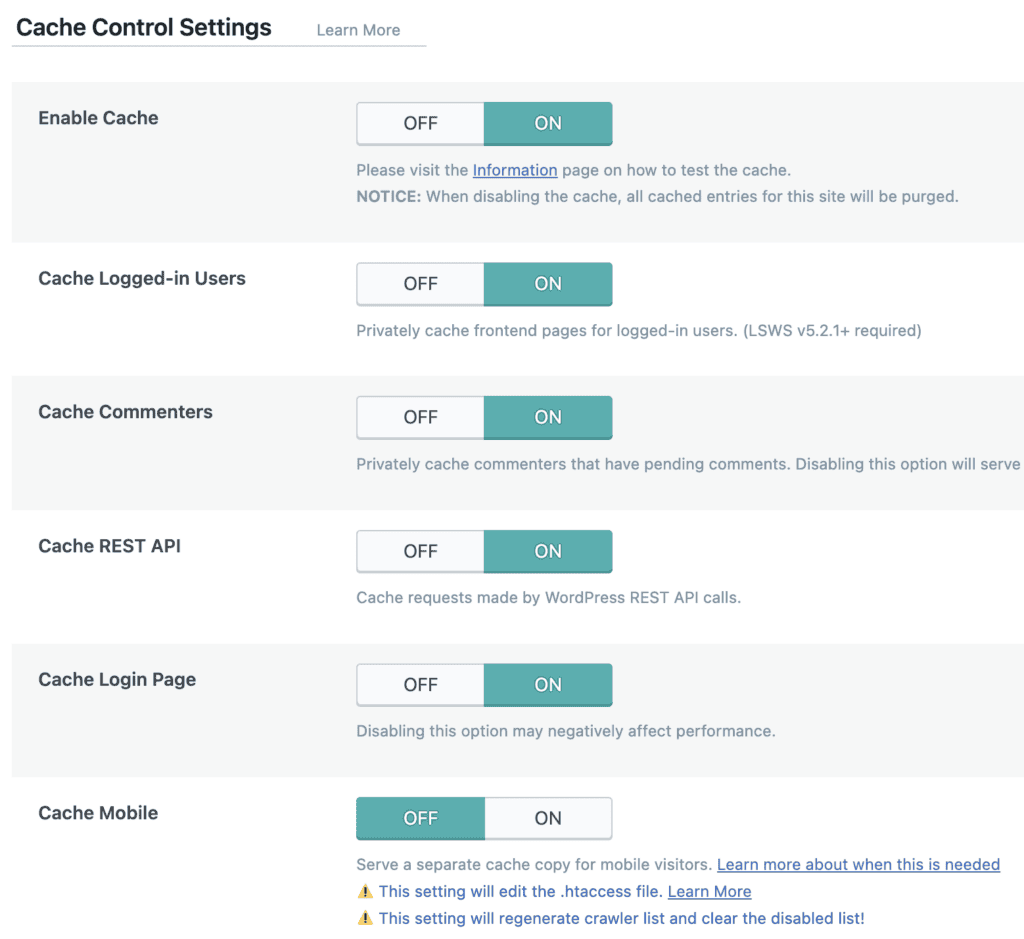
LiteSpeed Cache works at the server level, like a bouncer at the front door. It can instantly direct visitors without letting them clog up the lobby. By communicating directly with the LiteSpeed web server, it completely bypasses the slower PHP layer, reducing overhead and serving cached pages almost instantly.
2. Cache Preloading
One of the classic problems with caching is the “unlucky first visitor.” After you clear the cache, the next person to visit a page has to wait for the server to rebuild it from scratch, giving them a slow experience.
Other plugins like WP Rocket and Nitropack also offer cache preloading. But, LiteSpeed’s Cache does it better. It solves this problem with an automated crawler. This crawler systematically works through your XML sitemap to visit every public URL on your site. Its job is to request these pages so the server generates and stores a cached version before a human visitor ever has to. The crawler is also smart; it can simulate different user states, like visiting from a mobile device or as a logged-in user, to ensure all necessary versions of a page are cached and ready to be served.
3. Browser Caching
While server caching speeds up how quickly your website is delivered, browser caching speeds up the experience for repeat visitors.
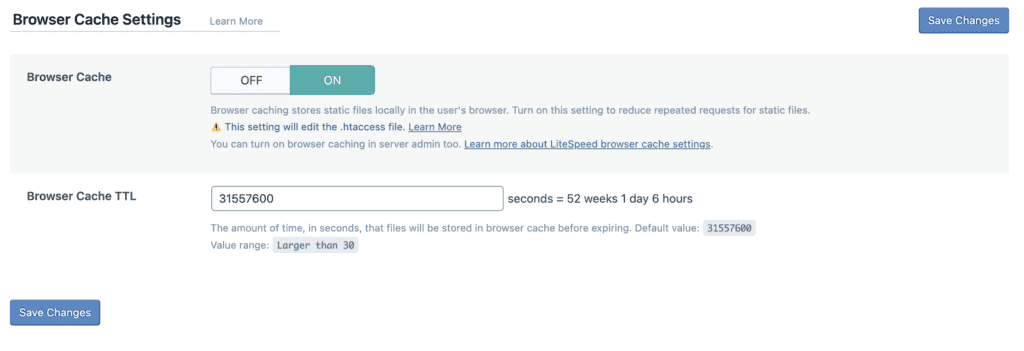
When we tested WP Rocket and LiteSpeed’s abilities to handle browser cache, Litespeed came out ahead. It enables this feature by default, adding a set of rules to your server’s .htaccess file. These rules tell a visitor’s web browser (like Chrome or Safari) to download and store static assets—such as your logo, images, CSS stylesheets, and JavaScript files—locally on their computer. When that person visits another page on your site or returns the next day, their browser can load those files directly from its local storage instead of re-downloading them from your server.
4. Mobile Caching
In a mobile-first world, you have to cater to different screens. Responsiveness is a huge point of discussion when researching things like the best themes for your WordPress site. It’s also important to note that while most modern themes are responsive, some websites go a step further and serve different content, ads, or even use a completely different layout on mobile.
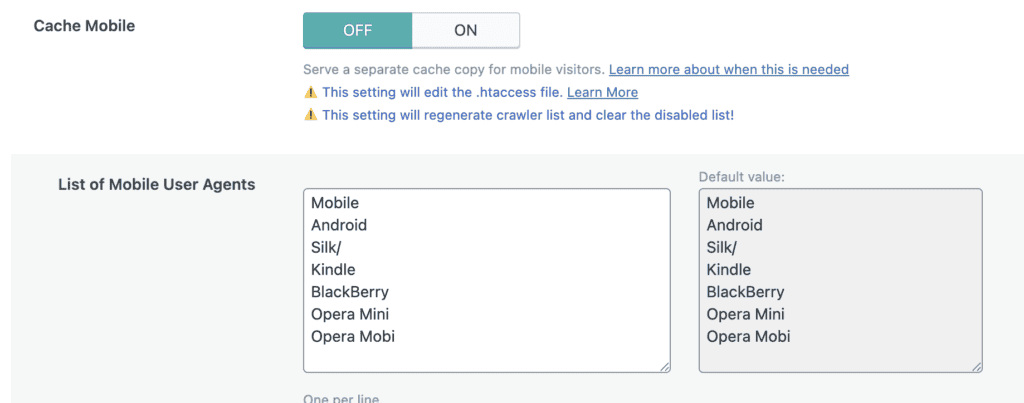
LiteSpeed Cache provides a specific setting to create and serve a separate cache just for mobile devices. This gives you granular control over the mobile experience. If your site is simply responsive, you can leave this off. But if you have mobile-specific functionality, enabling this ensures that mobile users receive a fast, perfectly formatted cached version built just for them, a level of control that many other plugins lack.
5. Cache Expiry & Purging
While caching is important, it is paramount to purge it regularly. WordPress errors are abundant when your cache is still serving outdated content.
Thankfully, Litespeed handles it automatically. When you update a post, the plugin doesn’t just purge the cache for that specific page; it also automatically purges related pages where that post might appear. This smart purging means you rarely have to think about it.
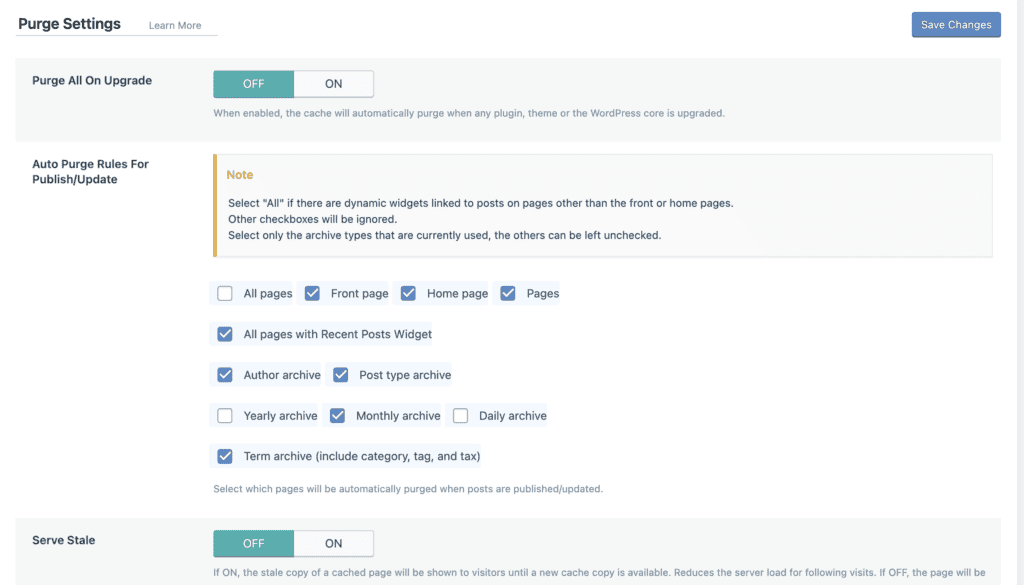
For more fine-tuned control, you can set specific TTLs (Time To Live), which dictate how long different types of content stay cached before being refreshed. And for those times when you make major site-wide changes, a “Purge All” option is always available in the WordPress admin toolbar for a complete manual reset.
6. Logged-in User / Dynamic Content Handling
This is where many simple caching plugins fail, especially on ecommerce and membership sites. Caching a shopping cart or a user’s account page for the public would be a disaster. LiteSpeed excels here with several advanced options.
It has a “Private Cache” feature that can create and serve a cached version of a page specifically for an individual logged-in user, so they see their personalized content quickly. It also automatically detects and excludes sensitive pages from WooCommerce and other ecommerce platforms.
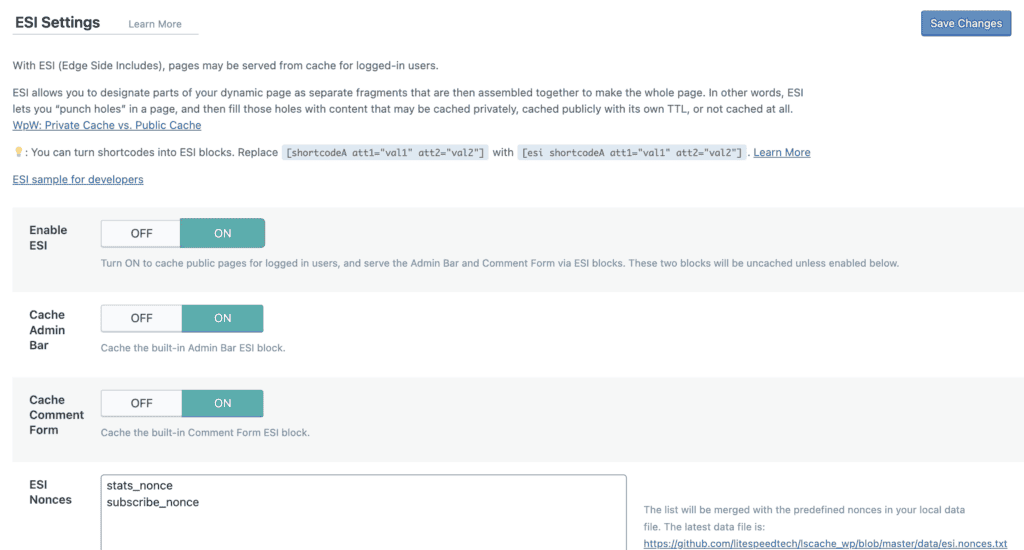
Most impressively, it features ESI (Edge Side Includes), a technique that lets you “hole-punch” a publicly cached page. This means you can serve a fast, static page to everyone but have a small “window” in that page that shows live, dynamic content, like a shopping cart widget or a “Welcome, [Username]!” message. This provides the best of both worlds: incredible speed with essential dynamic functionality.
Beyond Caching: Litespeed’s All-in-One Optimization Suite
Litespeed Cache aims to be a complete wordpress speed optimization plugin, bundling features that often require you to install several other plugins. This is where you’ll spend most of your time exploring the extensive Litespeed cache settings.
- Image Optimization: The plugin includes a robust Litespeed Cache image optimization service. It connects to their QUIC.cloud online service to process your images without using your server’s resources. Key features include:
- Lossless and lossy compression: It will automatically create next-gen WebP image formats. Additionally, Litespeed cache will implement lazy loading for images and iframes. This can significantly improve your website performance.
- Asset Optimization: This section is powerful but also dangerous for beginners. It provides tools to minify, combine, and defer CSS and JavaScript files to reduce render-blocking resources. While these features can significantly improve your PageSpeed scores, they can also easily break your site’s appearance or functionality if you don’t know what you’re doing. Proceed with extreme caution here.
- Database Optimization: Over time, your WordPress database disk gets full and gets bloated with junk. Litespeed includes tools to clean it up. You can remove old post revisions, trashed posts and comments, spam comments, and expired transient data to keep your database lean and efficient.
- QUIC.cloud CDN Integration: The plugin offers seamless, one-click integration with its own Content Delivery Network (CDN). A proper quic.cloud cdn review would note that it’s a modern CDN that uses HTTP/3 for faster connections. It serves your assets from servers around the world, which dramatically speeds up load times for international visitors.
Pricing
The Litespeed Cache WordPress plugin itself is 100% free to download and use. All features contained within the plugin are free.
However, the online services, like the CDN, Image Optimization, and Page Optimizatio. operate on a credit system. You get a generous amount of free credits each month, which is more than enough for most small to medium-sized websites. High-traffic sites may need to purchase additional credits.
Potential Downsides of LiteSpeed Cache review
Litespeed is powerful, but it’s not perfect for everyone. It comes with a few significant caveats you need to be aware of before you decide how to configure Litespeed cache.
- The Hard Requirement: It is not a universal solution. Its main advantage is completely lost if you are not on a Litespeed web server.
- Steep Learning Curve: The settings dashboard is packed with dozens of advanced tabs and options. It’s very easy for a beginner to get lost or enable a setting that breaks the site’s layout or functionality.
- Risk of Breaking Your Site: Because of its powerful asset optimization features, incorrectly combining or deferring JS or CSS files can easily lead to a broken website. This can be stressful and time-consuming for a non-technical user to troubleshoot and fix.
Expert advice: Take a full backup before you install a caching plugin like Litespeed.
Final verdict
Litespeed Cache is an incredibly powerful and feature-rich plugin that can deliver phenomenal website performance. But its value is directly tied to your hosting environment. If your site is hosted on one that already uses Litespeed CDN, it’s arguably the best free optimization plugin you can get. If not, you are better off with a simpler, more user-friendly alternative.
This is why we built Airlift. It handles all the complex speed optimizations without needing technical know-how. Instead of you guessing at dozens of settings, our system analyzes your site and applies tailored, safe optimizations.
FAQs
What is Litespeed Cache?
Litespeed Cache is an all-in-one website acceleration plugin for WordPress. It combines server-level page caching with a suite of optimization features like image optimization, database cleaning, and CDN integration. Its most powerful features require a Litespeed web server.
Is Litespeed Cache free?
Yes, the WordPress plugin itself is 100% free. However, its associated online services like the QUIC.cloud CDN and Image Optimization use a freemium model. They provide a generous free monthly quota, but high-traffic sites may need to pay for additional usage.
Is Litespeed Cache better than WP Rocket?
It depends. In the Litespeed cache vs wp rocket debate, Litespeed offers better raw performance and more features for free if you are on a Litespeed server. However, WP Rocket is far easier to use, works perfectly on any server, and is less likely to break your site, making it a better choice for beginners or those who prioritize simplicity and stability.
Is Litespeed a CDN?
No, Litespeed itself is a web server technology. However, the Litespeed Cache plugin integrates seamlessly with QUIC.cloud, which is the company’s own Content Delivery Network (CDN).

Shreya has been a writer for as long as she can remember. Now, she writes articles that help WordPress users manage the sites that they're proud of, with little to no coding