Have you ever compared WordPress SEO plugins only to get more confused? One review claims Rank Math is the ultimate free solution. Another insists All in One SEO is the only professional choice.
Here’s the reality: there’s no universally “best” option, only the best plugin for your specific needs.
This Rank Math vs All in One SEO guide cuts through the noise with a clear comparison that actually helps you choose.
Rank Math wins by offering more free features and better value across most categories, while All in One SEO excels primarily in setup simplicity for beginners. Try Rank Math’s free version first, and always safeguard your site with a trustworthy backup plugin before switching or installing new plugins.
Rank Math vs All in One SEO at a glance
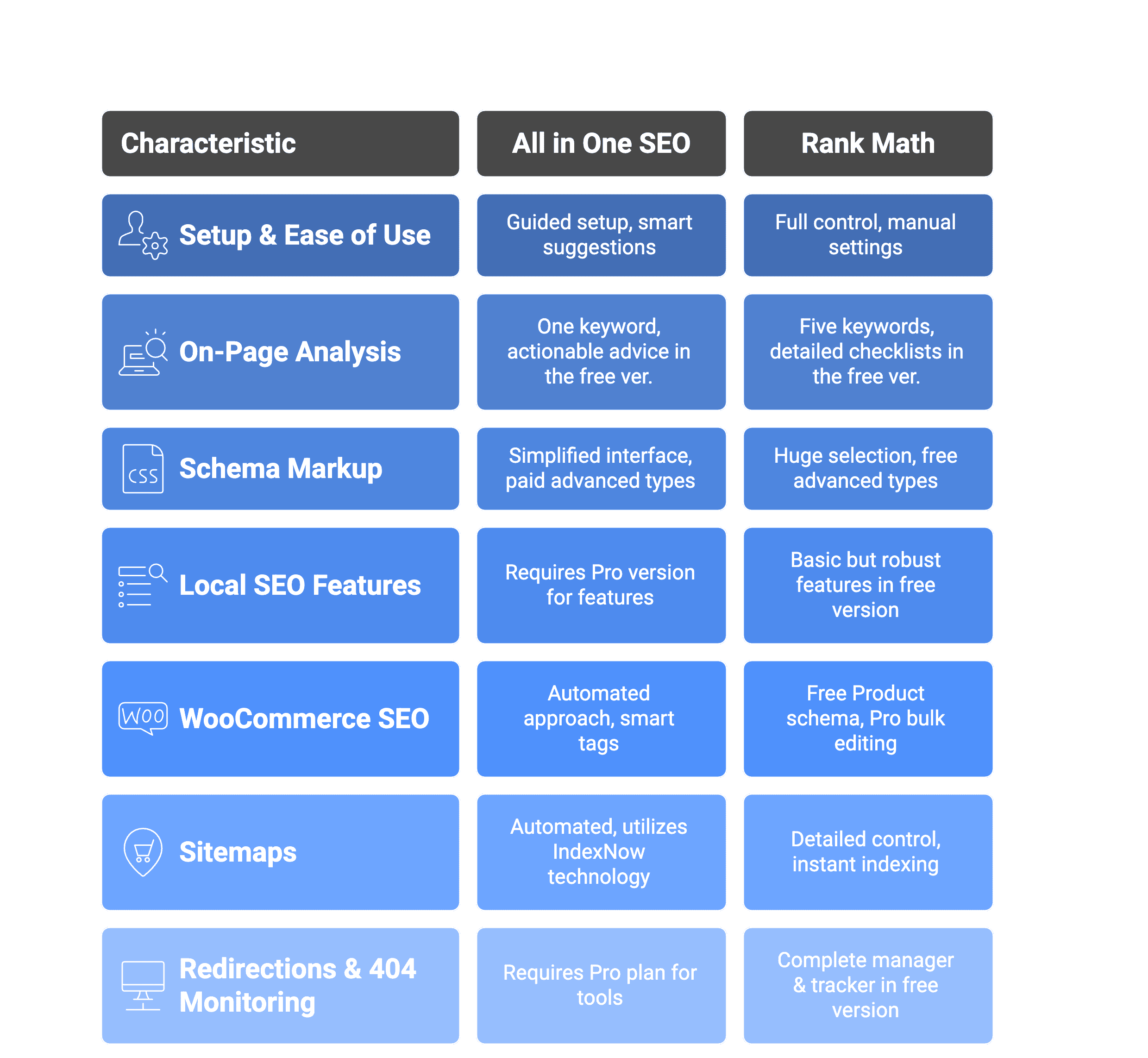
Head-to-head feature comparison
Let’s break down how these plugins actually perform where it matters most.
I. Setup and ease of use
Both plugins start with setup wizards asking about your site type and goals. But that’s where the similarities end.
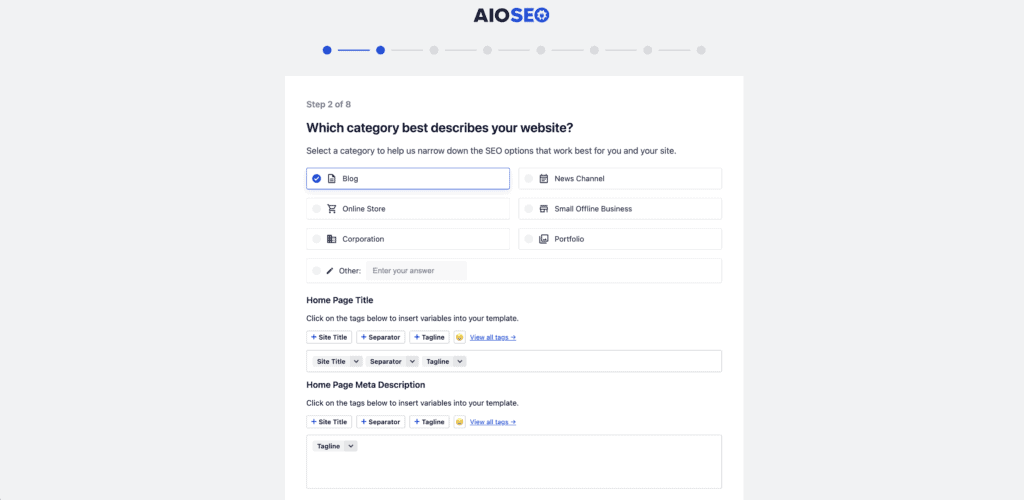
All in One SEO takes the consultant approach. It asks targeted questions, then automatically selects the best features for your site. The interface stays clean afterward, showing only what matters for your specific setup.
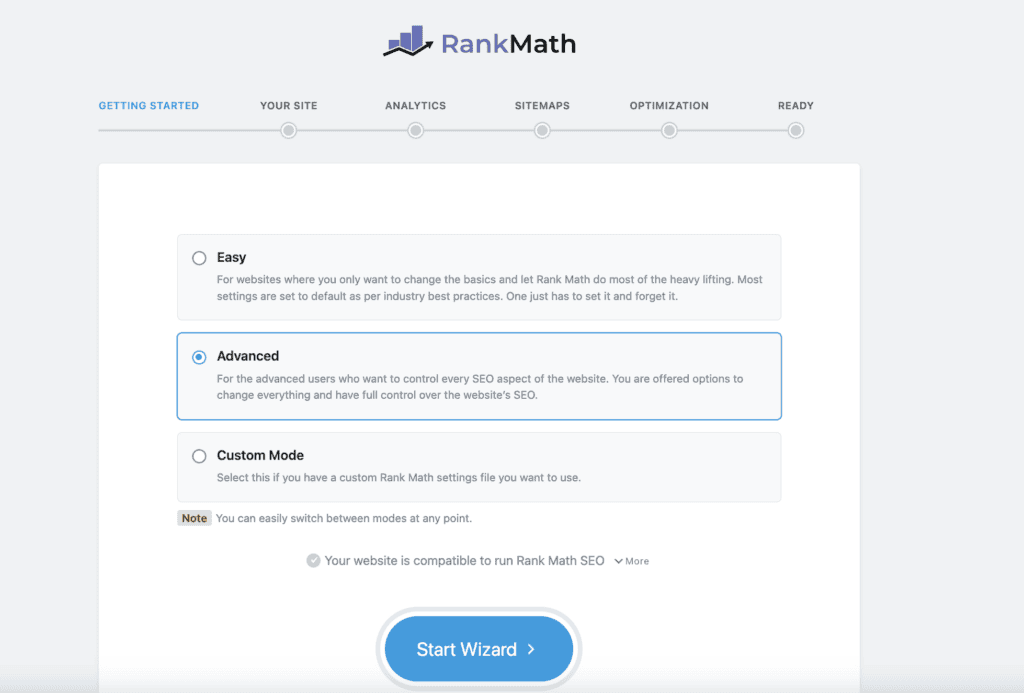
Rank Math goes the opposite direction. Every feature appears upfront during setup, and you manually choose each setting. This continues post-installation with a dashboard packed with options and data.
The difference becomes clear when you consider your experience level. If you’re new to SEO, All in One SEO’s smart defaults remove the guesswork while still letting you customize later. More experienced users often prefer Rank Math’s immediate access to every setting and decision point.
II. On-page analysis
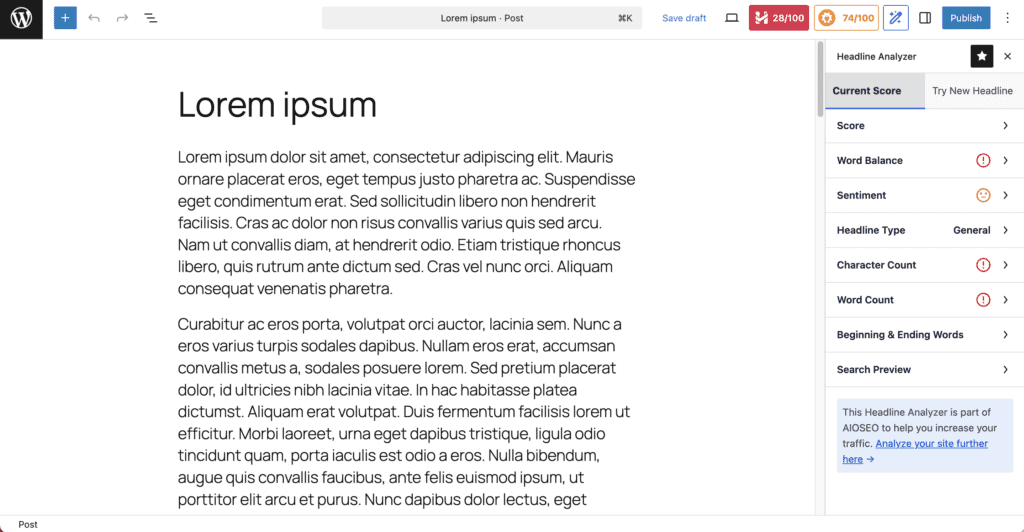
Both plugins analyze your content as you write and provide scores with improvement suggestions.
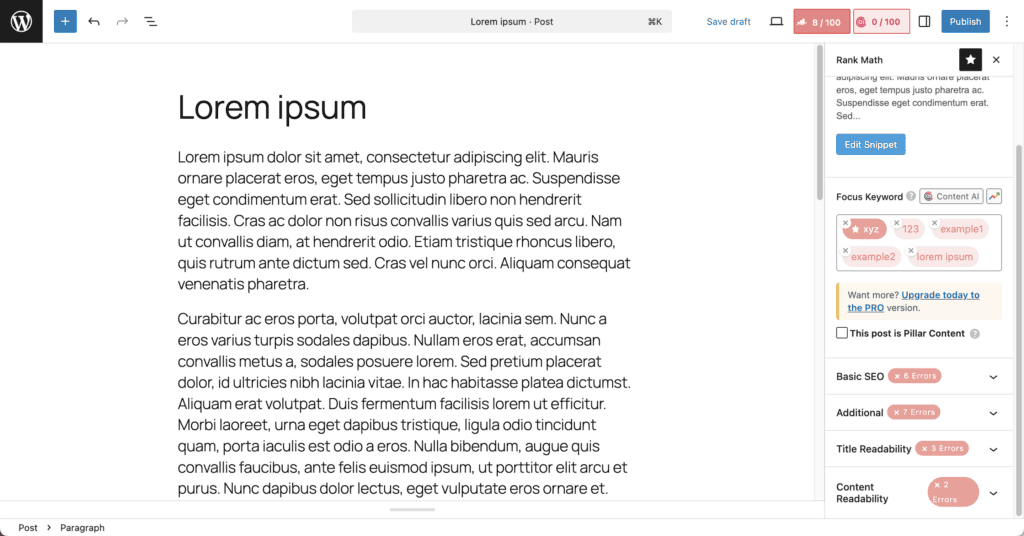
Rank Math’s free version lets you target five keywords simultaneously and delivers detailed technical checklists for perfect scores. The feedback is comprehensive, giving you granular control over optimization factors.
All in One SEO focuses on one primary keyword with clear, actionable advice. However, its scoring system can sometimes push users toward over-optimization, making content feel robotic.
III. Schema markup
Rank Math dominates the free tier here. It includes a huge selection of schema types like FAQ and How-To schemas at no cost. The interface is more technical but gives you greater control over implementation.
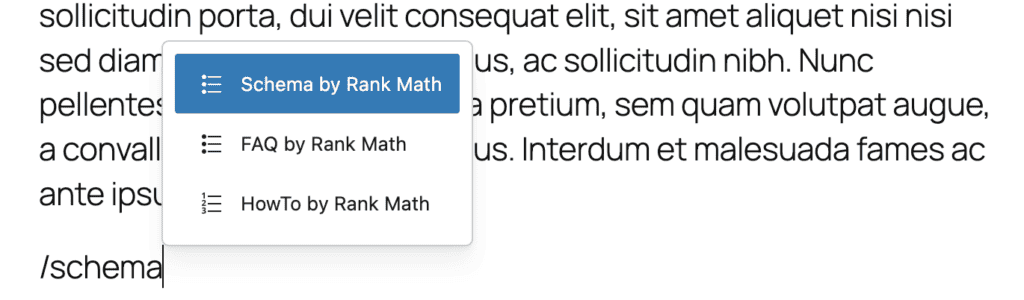
All in One SEO takes the opposite approach. Most advanced schema types, including FAQ markup, require the paid Pro plan. However, their visual drag-and-drop builder is significantly easier for beginners to navigate without confusion.
This becomes a major deciding factor if you’re budget-conscious. Free users get powerful schema options only with Rank Math. Paid users might prefer All in One SEO’s simplified interface.
IV. Local SEO features
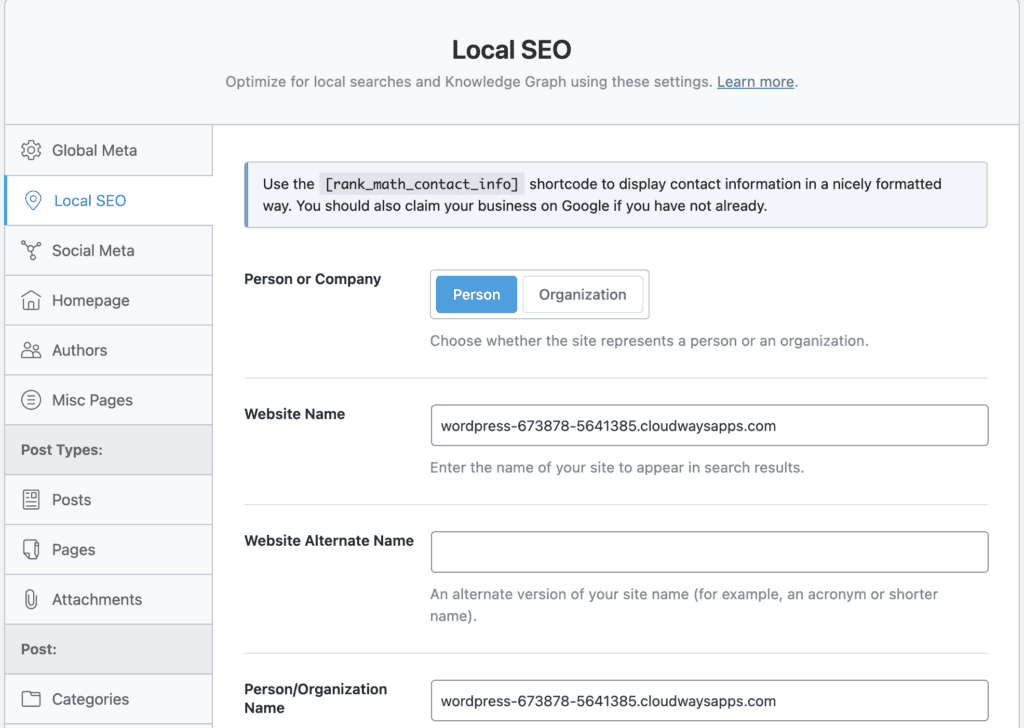
Rank Math’s free version offers robust local SEO capabilities. It supports multiple business locations, includes a dedicated Local Settings section, and provides 18 pre-defined schema types including Local Business Schema. You can input essential business information like address, hours, and business type to generate proper local metadata for Google.
All in One SEO’s free version (AIOSEO free) does not include dedicated local SEO features. While it covers basic SEO fundamentals like on-page optimization and sitemaps, the Local SEO module with business location management, local schema markup, and Google Maps integration requires upgrading to the Pro version.
The difference is significant for budget-conscious local businesses. Rank Math provides comprehensive local SEO tools at no cost, while All in One SEO reserves these features for paying customers. However, All in One SEO’s Pro version does offer a more user-friendly interface for local SEO management once you upgrade.
V. WooCommerce SEO
Rank Math delivers strong value, especially for its price point. The free version automatically adds crucial Product schema to your items, helping them appear in Google’s rich results. The Pro version includes bulk editing tools that save massive time when managing hundreds of products.
All in One SEO takes a more automated approach. It uses smart tags to automatically pull product details like price and SKU into your meta descriptions, reducing manual work. The integration feels seamless and requires less hands-on management.
The difference comes down to approach and budget. All in One SEO offers more automation out of the box but typically costs more. Rank Math gives you powerful control and essential features for free, with affordable Pro upgrades for larger stores.
VI. Sitemaps and indexing
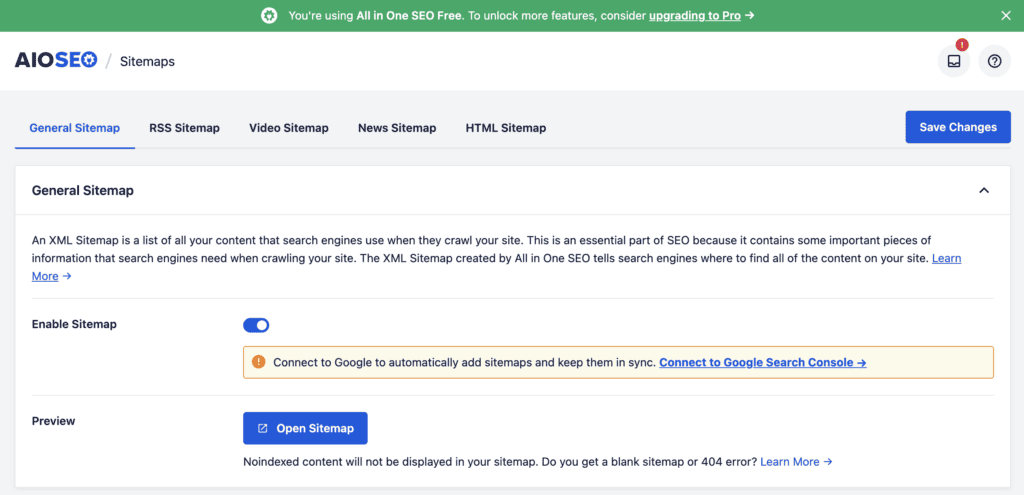
Rank Math gives you detailed sitemap control plus instant indexing in its free version. You can fine-tune exactly what gets included in your sitemap and instantly notify search engines about new content. The granular options are useful for experts who want to micromanage every detail.
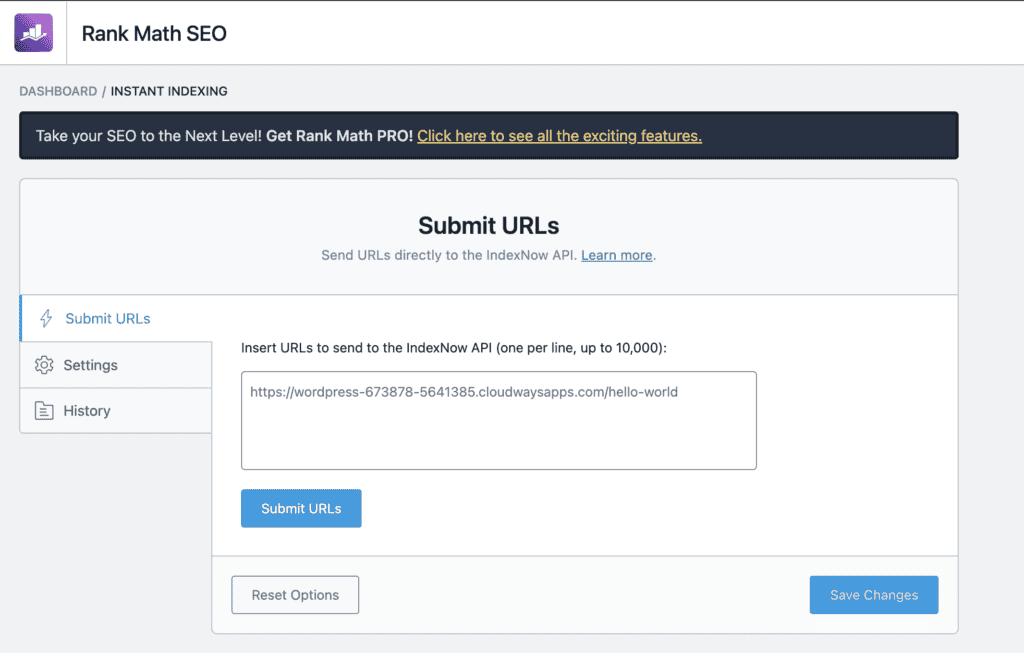
All in One SEO gives you detailed sitemap control too. It utilizes IndexNow technology to instantly notify search engines about new content, resulting in faster indexing. The set it and forget it approach works efficiently in the background.
VII. Redirections and 404 monitoring
Rank Math includes a complete redirection manager and 404 error tracker in its free version. You can set up 301 redirects, monitor broken links, and track which pages are causing problems. This saves you from installing a separate plugin.
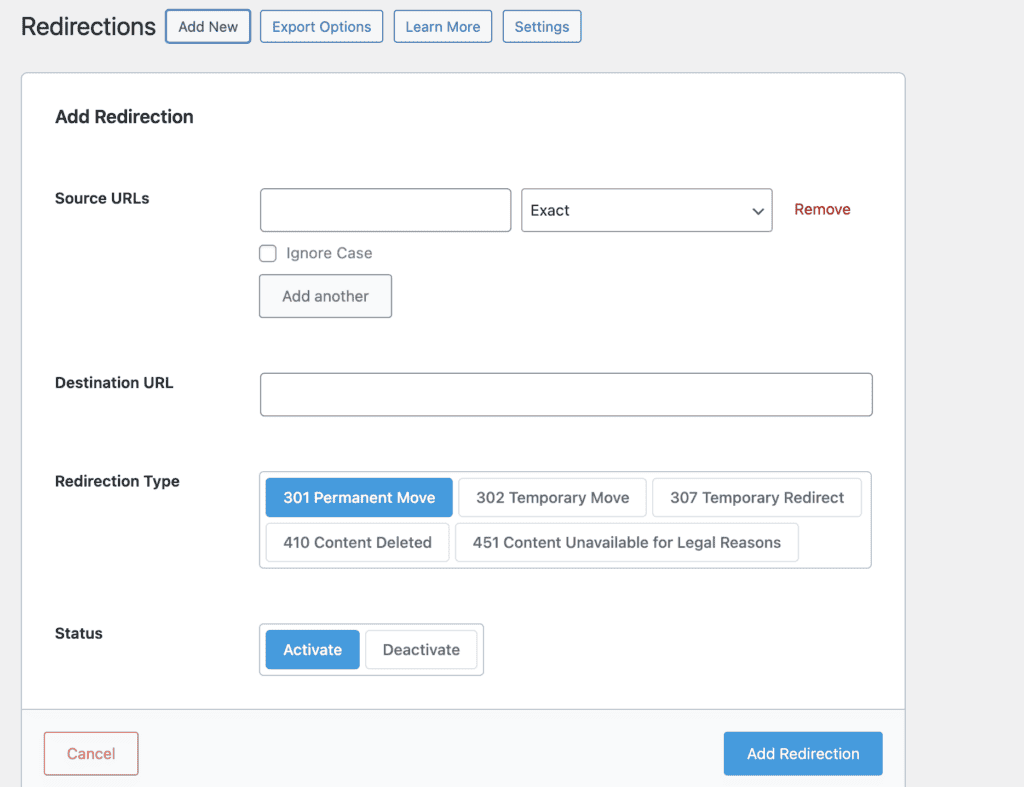
All in One SEO requires the Pro plan to access its redirection management tools. The functionality is solid once you upgrade, but you’re paying extra for what Rank Math gives you free.
Both plugins handle the technical aspects well when you have access to them. You can easily create redirects and monitor 404 errors to keep your site running smoothly.
Pricing
Rank Math’s free version includes schema markup, redirects, and multiple keyword optimization. All in One SEO’s free plan covers basics but requires Pro for advanced features.
Rank Math paid plans:
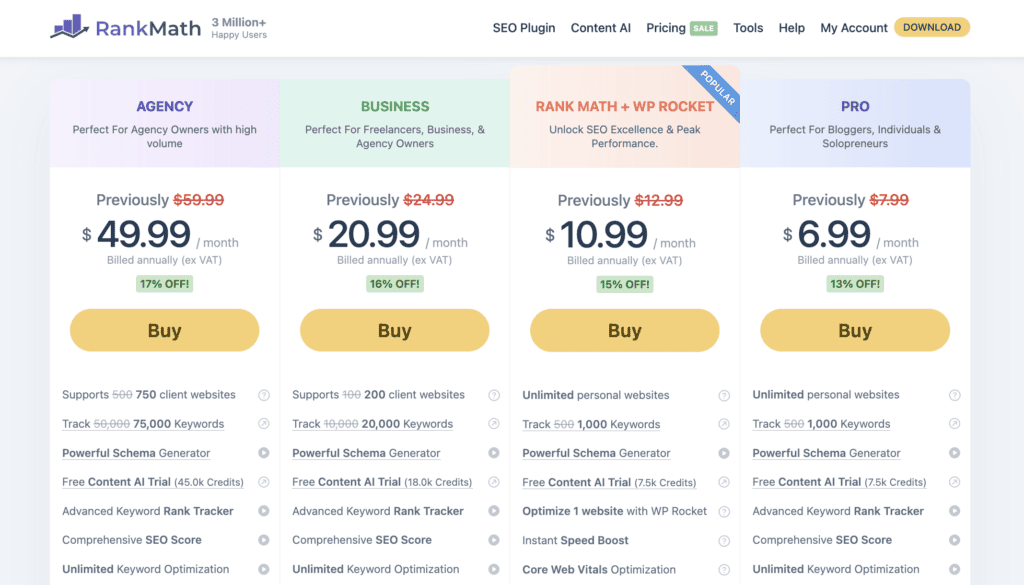
Pro: $6.99/month (Unlimited personal sites, 1,000 keyword tracking, Content AI)
Business: $20.99/month (200 client sites, 20,000 keywords)
Agency: $49.99/month (750 client sites, 75,000 keywords)
All in One SEO paid plans:

Basic: $49.60/year (1 site, WooCommerce SEO)
Plus: $99.60/year (3 sites, local SEO)
Pro: $174.65/year (10 sites, video sitemaps)
Elite: $224.70/year (100 sites, agency tools)
Strengths and weaknesses
Every plugin has trade-offs, so let’s see where each one shines and stumbles.
Rank Math
| Strengths | Weaknesses |
| Unbeatable value in its free plan | The dashboard can feel cluttered and overwhelming |
| Gives you more control and advanced features | Steep learning curve |
| Far more affordable for managing multiple websites |
All in One SEO
| Strengths | Weaknesses |
| Much easier and less intimidating for beginners | Its free plan is very basic |
| Great setup wizard for beginners | Becomes expensive quickly if you manage many sites |
| Known for being very stable and reliable | Its detailed scoring can encourage over-optimizing |
Which one should you pick?
The choice comes down to your priorities and experience level.
Choose Rank Math if:
- You want powerful features without paying anything
- You enjoy having detailed control over SEO settings
- You’re managing multiple websites on a budget
- You need local SEO features but can’t afford paid plans
- Free schema markup and redirects matter to you
Choose All in One SEO if:
- You’re new to SEO and want guided setup with smart defaults
- You prefer clean, uncluttered interfaces over feature-rich dashboards
- You’re willing to pay for premium simplicity and user experience
- You value automated features over granular control
We recommend starting with Rank Math. The free version gives you more than what most competitors charge for. You can always switch later if you find the interface too complex. All in One SEO makes sense if you value hand-holding over savings, or if you’re running a local business where their specialized tools justify the cost.
Parting thoughts
Remember how we started with the confusion of conflicting reviews? After comparing every feature, the choice becomes clearer based on your specific needs.
Rank Math won most categories due to its generous free version and superior value proposition. All in One SEO’s main strength lies in its beginner-friendly setup and guided experience.
Both plugins will improve your SEO. Pick the one that matches your budget and comfort level.
FAQs
Is Rank Math good for SEO?
Yes, Rank Math is excellent for SEO and offers more features in its free version than most competitors charge for. It handles technical SEO, schema markup, and content optimization effectively.
Which one is better Rank Math or Yoast SEO?
Rank Math generally outperforms Yoast SEO due to its superior free features and more affordable pricing. Yoast has a simpler interface but requires paid upgrades for basic features like schema markup.
Is all in one SEO any good?
Yes, All in One SEO is a solid plugin that excels in local SEO and user-friendly interfaces. It’s particularly good for beginners who prefer a guided setup over advanced controls.
Is Rank Math SEO free?
Yes, Rank Math offers a robust free version with schema markup, redirects, and multi-keyword optimization. The free plan includes features that other plugins typically charge for.
How much does rank math SEO cost?
Rank Math’s paid plans start at $83.88/year for personal use, $251.88/year for 100 sites, and $599.88/year for agencies. The free version covers most users’ needs effectively.
Is 75 a good SEO score?
A score of 75 is decent but has room for improvement in most SEO plugins. Focus on the specific suggestions rather than chasing a perfect score, as over-optimization can hurt your content quality.

Shivani enjoys crafting guides that make every aspect of using WordPress simple and easy to follow. When she's not glued to her laptop, you can find her buried in a good book or occasionally, painting.