
We’ve all been there. Staring at endless WordPress SEO plugin options, feeling like we’re about to roll the dice with our website’s future. The sheer number of choices is honestly overwhelming.
But it doesn’t have to feel like you’re playing roulette with your rankings.
We got tired of the guesswork, so we tested them all (yes, even the questionable ones). We narrowed it down to 7 solid options that actually deliver results, not just promises.
We tested a bunch of SEO plugins to help you pick: Rank Math for maximum free features, Yoast for beginners, The SEO Framework for speed, All-in-One SEO for local businesses, Slim SEO for minimalists, SEOPress for value, and Surfer SEO for content optimization. Always use a backup plugin to avoid potential conflicts during installation.
Before installing any new plugin, use a backup plugin to safeguard your site from potential conflicts that may arise post-installation.
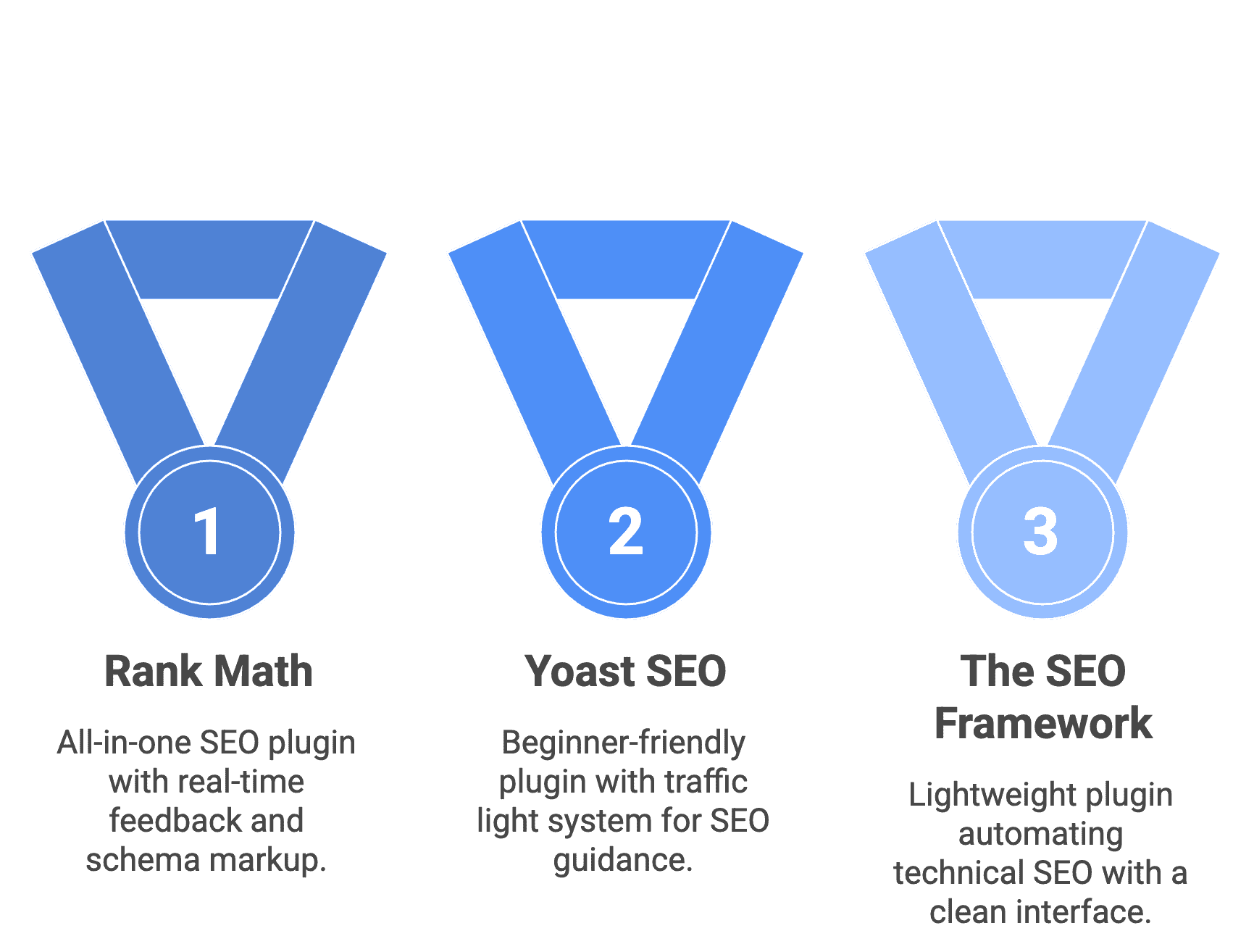
1. Rank Math

Rank Math is a powerful, all-in-one SEO plugin that simplifies WordPress site optimization, making it more effective. It bundles essential SEO tools into one user-friendly package, so you don’t need multiple plugins cluttering up your site.
Here’s what it does right out of the box:
- On-page SEO analysis: Gives you real-time feedback and scores as you write, helping create content that search engines actually want to rank.
- Schema markup: Adds special code to your pages that makes your Google listings look better with star ratings, FAQs, and other eye-catching elements. Think of it as making your search result more clickable.
- XML sitemaps: Automatically creates a roadmap of your website so Google can find and catalog all your content quickly.
- Redirection manager: Sets up 301 redirects easily. These guide visitors to the right page if you change a URL, preventing those annoying “404 Not Found” errors.
- Google Search Console integration: Connects your site to see important search data and fix issues directly from your WordPress dashboard.
Key strengths and weaknesses
| Strengths | Weaknesses |
| Exceptional free version value | It can feel overwhelming for beginners |
| All-in-one functionality | Frequent upselling notifications |
| Rich snippet and schema control | Performance is impacted when all features are enabled |
| Seamless plugin migration | AI credits that can run out quickly |
| Superior performance integration | |
| Smart AI-powered content analysis |
Pricing
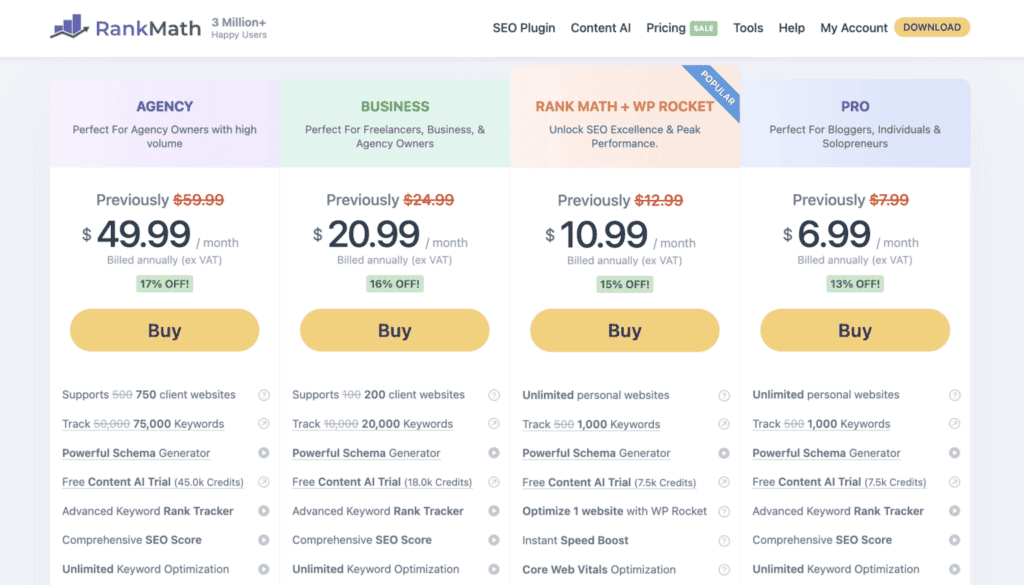
- Free version: $0. Robust enough for most personal blogs and small businesses.
- Pro plan: $6.99/month (billed annually at $83.88). Adds keyword tracking, more Content AI credits, and advanced 404 monitoring.
- Business plan: $20.99/month (billed annually at $251.88). For freelancers managing up to 100 sites with 20,000 keyword tracking.
- Agency plan: $49.99/month (billed annually at $599.88). For agencies managing up to 500 websites with 75,000 keyword tracking.
Ideal user for this plugin
Rank Math works best for budget-conscious users who want powerful free tools and don’t mind learning a more complex system. Small business owners love it for local SEO and e-commerce features without buying multiple plugins.
Content creators appreciate the data-driven insights and AI-powered suggestions to outrank competitors. Freelancers and agencies benefit from managing multiple client sites with scalable, white-label solutions. Power users enjoy the granular control over every SEO aspect.
2. Yoast SEO

Yoast SEO is one of the original and most trusted SEO plugins for WordPress. It’s designed to make SEO straightforward and accessible, especially for beginners.
Its famous traffic light system (red, orange, green) gives you instant, easy-to-understand feedback right where you write your posts.
Here’s what it handles for you:
- Real-time SEO and readability checks: Get color-coded tips as you type to improve your content and make it easier to read.
- Focus keyword optimization: Tell Yoast your target keyword, and it checks if you’ve used it in all the right places, like your title and headings.
- Search result preview: See exactly how your page will look in Google search results before you publish.
- Automated technical SEO: Automatically generates XML sitemaps and adds important behind-the-scenes code without you lifting a finger.
- Content insights: Helps you avoid writing about the same keyword on multiple pages, so your posts don’t compete against each other.
- Social media preview: Control how your content looks when shared on Facebook and Twitter.
Key strengths and weaknesses
| Strengths | Weaknesses |
| Extremely beginner-friendly | Limited free features |
| Great content guidance | Can encourage over-optimization |
| Technical SEO on autopilot | Frequent upgrade prompts |
| Seamless plugin migration | Less control for advanced users |
| Prevents redundancy | Performance is impacted |
| Encourages transition words for better flow |
Pricing
- Free version: $0. Includes essential SEO and readability analysis, automatic technical setup, and basic features. It’s a complete tool on its own.
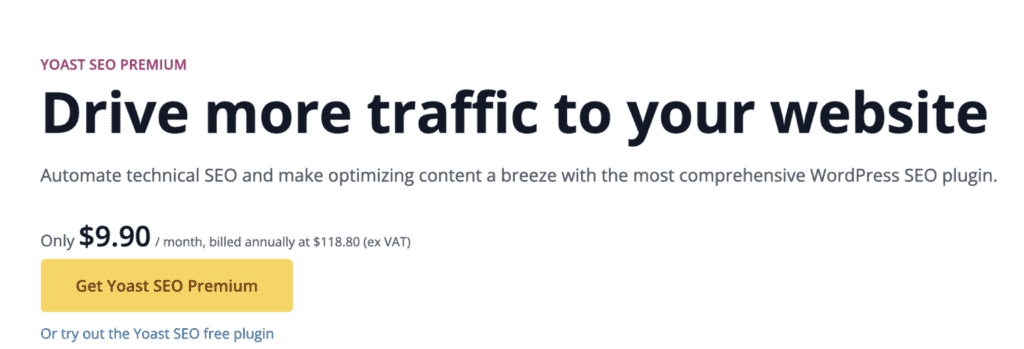
- Yoast SEO Premium: $118 per year for one site. Adds internal linking suggestions, multiple keyword optimization, and a redirect manager.
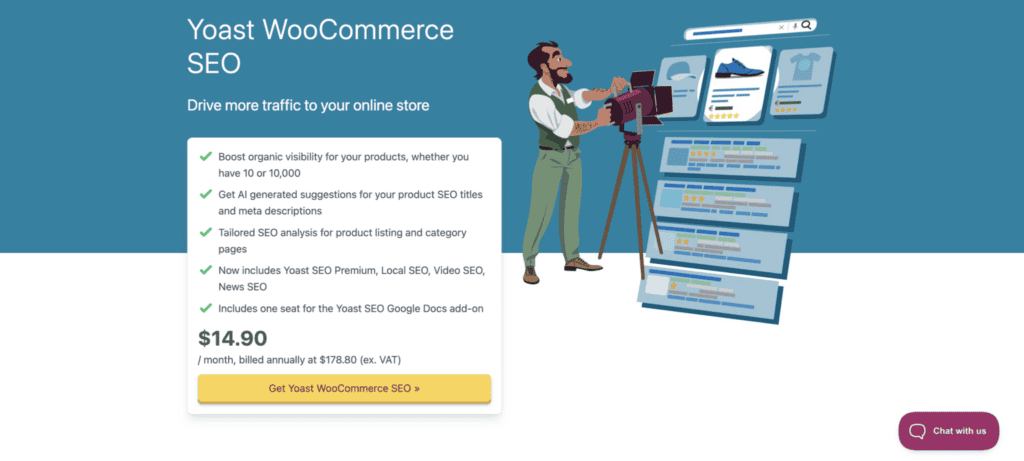
- Premium bundles: Starting around $179/year, include extra plugins for WooCommerce SEO or local business needs.
Ideal user for this plugin
Yoast works best for WordPress beginners who need simple, guided SEO education and want to learn the basics. Bloggers and content writers love the clear, real-time feedback to improve their content for both readers and search engines.
Small business owners appreciate the reliable, hands-off solution for basic SEO without becoming experts. It’s perfect for anyone who prefers simplicity and wants a “set it and forget it” tool for technical SEO.
3. The SEO Framework

The SEO Framework is a lightweight, no-fuss WordPress plugin designed for users who want powerful SEO without the bloat and complexity of other tools. It focuses on automating the technical side so you can focus on creating content.
Here’s what it handles automatically:
- Automatic setup: Works right out of the box with smart defaults, so you don’t need to be an expert to configure it.
- Clean and simple interface: Integrates directly into your WordPress admin with no cluttered menus or separate dashboard to learn.
- Automated meta tags: Automatically generate good SEO titles and descriptions for your pages based on your content.
- XML sitemaps: Creates and maintains a sitemap for Google automatically so search engines can find all your pages.
- Schema markup: Adds important behind-the-scenes code to help your content look better in search results with rich snippets.
- Privacy-focused: Doesn’t track your data or slow down your website.
Key strengths and weaknesses
| Strengths | Weaknesses |
| Extremely lightweight and fast | Not for beginners needing guidance |
| Clean and uncluttered interface | Advanced features cost extra |
| True “set and forget” functionality | Minimum two-site pricing |
| Strong privacy focus | |
| Powerful free version | |
| Modular design |
Pricing
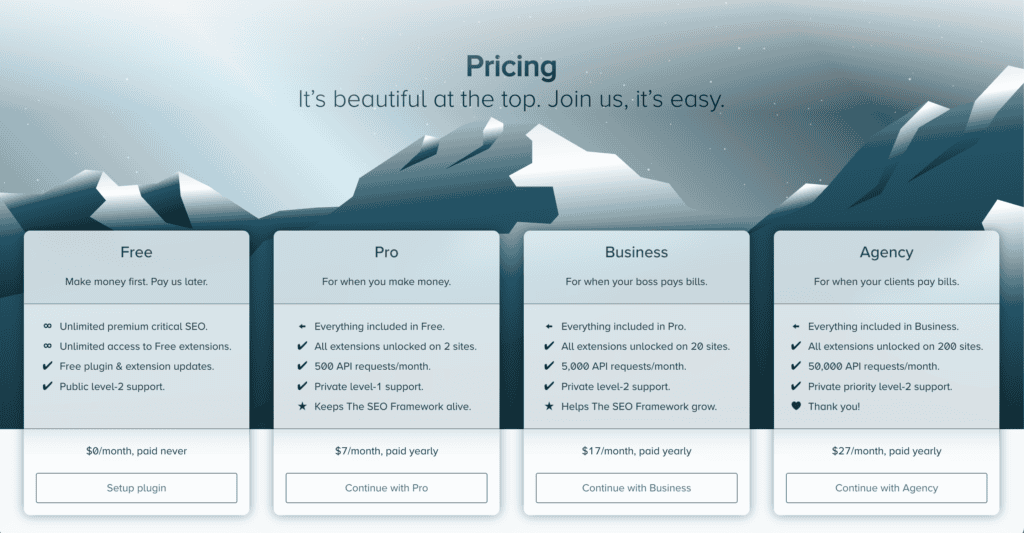
- Free version: $0. Complete and includes all core automation features. Many users never need more than this.
- Pro plan: $84 per year for 2 websites. Access to all premium extensions like content analysis and local SEO, plus private support.
- Business plan: $204 per year for 20 websites. More resources and higher priority support.
- Agency plan: $324 per year for 200 websites. For large agencies managing many client sites.
Ideal user for this plugin
The SEO Framework works best for website developers and designers who build sites for clients and need a fast, clean, unbranded solution. Performance-obsessed site owners who prioritize website speed above all else will appreciate the lightweight design.
It’s perfect for experienced WordPress users who understand SEO basics and just want automatic technical implementation. Bloggers and site owners wanting a “set and forget” solution that works quietly in the background will find it ideal. Privacy-conscious users who prefer software that doesn’t collect their data will also appreciate this approach.
4. All-in-One SEO
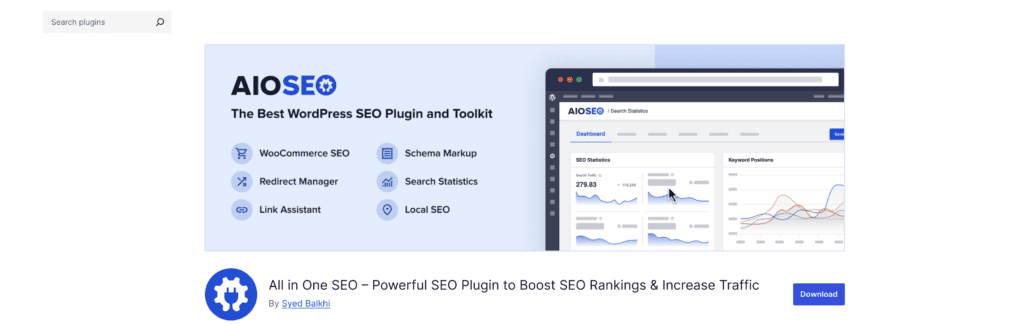
All in One SEO (often called AIOSEO) is a powerful and user-friendly WordPress plugin designed to make SEO simple for everyone. It focuses on automating the technical parts while giving you clear tools to improve your content.
Here’s what it handles for you:
- Guided setup wizard: A step-by-step walkthrough that configures the most important settings automatically, so you don’t get lost in technical jargon.
- On-page SEO analysis: Get a simple score (TruSEO Score) and specific suggestions to improve your content and meta tags as you write.
- XML sitemaps: Automatically creates a roadmap of your website so Google can find and catalog all your pages easily.
- Schema markup: Adds special code behind the scenes to help your listings stand out in Google with rich snippets like star ratings or FAQs.
- Social media integration: Control exactly how your content looks when shared on Facebook, Twitter, and other platforms.
- Local SEO tools: Premium features help brick-and-mortar businesses show up in local search results and Google Maps.
Key strengths and weaknesses
| Strengths | Weaknesses |
| Incredibly user-friendly setup | Best features require a premium |
| Strong local SEO focus | Limited for power users |
| Excellent e-commerce integration | Can be overwhelming |
| Smooth plugin migration | Slow site audits |
| Reliable performance |
Pricing

- Free version: $0. Covers essentials like on-page analysis, XML sitemaps, basic schema, and social previews.
- Lite plan: $49.60 per year for one site. Adds WooCommerce SEO, video sitemaps, and advanced settings.
- Plus plan: $99.60 per year for up to 3 sites. Popular choice that adds powerful local SEO features.
- Pro plan: $174.65 per year for up to 10 sites. Includes Link Assistant for internal linking and advanced SEO capabilities.
- Elite plan: $224.70 per year for up to 100 sites. Designed for agencies.
Ideal user for this plugin
All-in-One SEO works best for WordPress beginners who want the easiest and most guided setup process possible. Local businesses with physical locations love the strong local SEO features for showing up in Google Maps.
WooCommerce store owners appreciate the robust product page optimization. It’s also perfect for users switching from another plugin who want a smooth, one-click import of their existing settings. Bloggers and business owners who prefer clean, straightforward interfaces over complex option-packed dashboards will feel right at home.
5. Slim SEO
Slim SEO is a WordPress plugin built for one thing: doing essential technical SEO work automatically without slowing your site down. It’s the opposite of big, complex plugins, focusing only on what’s necessary.
Here’s what it handles without any setup:
- Automatic meta tags: Creates page titles and descriptions for you using your existing content.
- Schema markup: Adds important behind-the-scenes code to help Google understand your pages better.
- XML sitemaps: Generates a sitemap automatically so Google can find all your content.
- Social media previews: Make sure your content looks good when shared on Facebook or Twitter.
- Simple redirects: Can automatically create redirects if you change a page’s URL, preventing broken links.
Key strengths and weaknesses
| Strengths | Weaknesses |
| Unbeatable speed and lightweight design | No content guidance |
| Works immediately after activation | Lacks advanced features |
| Extremely simple interface | No granular control |
| One-time payment for pro |
Pricing
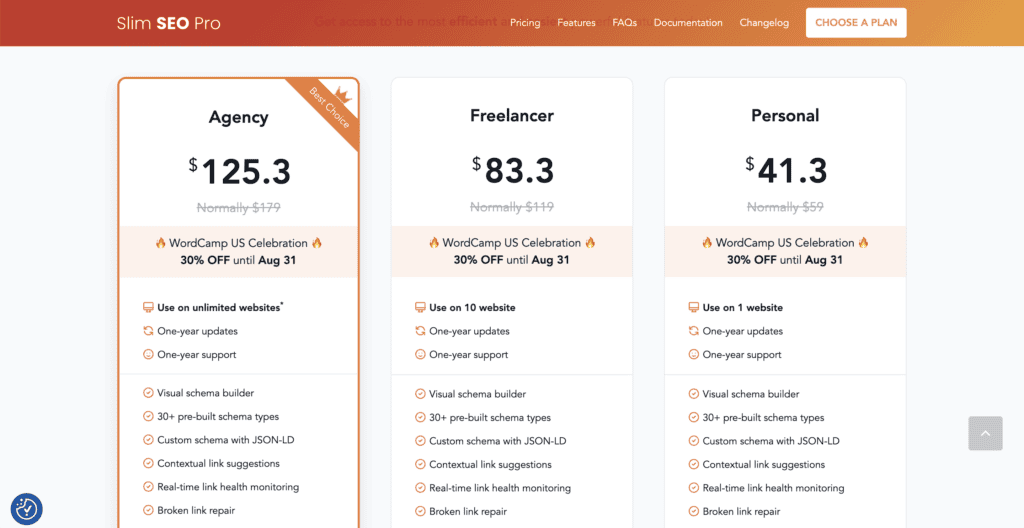
- Free version: $0. Includes all core automation features like meta tags, schema, and sitemap. Many users never need more.
- Pro version: One-time payment (not yearly subscription):
- Personal license: $41 for 1 website
- Freelancer license: $83 for 10 websites
- Agency license: $125 for unlimited websites
Ideal user for this plugin
Slim SEO works best for website owners who value speed above all else and want the fastest-loading SEO solution available. Developers and technical users who understand SEO basics and just want automatic implementation without fuss will appreciate its simplicity.
It’s perfect for minimalists who get overwhelmed by complex dashboards and prefer clean, “set it and forget it” tools. Users switching from heavy plugins like Yoast or RankMath who are tired of slow loading times but only need core technical features will find this refreshing.
6. SEOPress
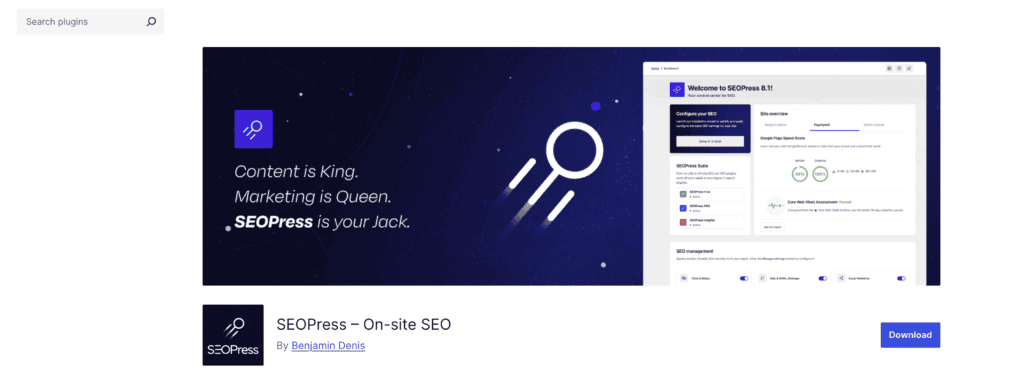
SEOPress is a powerful yet affordable WordPress SEO plugin that strikes a great balance between useful features and a simple, clean interface. It offers a robust free version and fairly priced premium plans.
Here’s what it brings to the table:
- On-page SEO analysis: A meta box in the editor lets you customize titles and descriptions and get feedback on your content.
- XML sitemaps: Automatically generate a roadmap to help Google find and catalog all your pages.
- Social media integration: Control how your content looks when shared on Facebook, Twitter, and other platforms.
- Schema markup (Pro): Adds special code to help your listings stand out in Google with rich results like star ratings.
- Setup wizard: A helpful guide that walks you through the most important settings to get started quickly.
- WooCommerce SEO (Pro): Special features designed to help product pages rank better in search results.
Key strengths and weaknesses
| Strengths | Weaknesses |
| Excellent value for money | Some advanced settings are complex |
| Clean and user-friendly interface | No built-in rank tracking |
| Great for e-commerce | Less beginner guidance |
| White-label option (Pro) | Basic content analysis |
| Lightweight performance |
Pricing
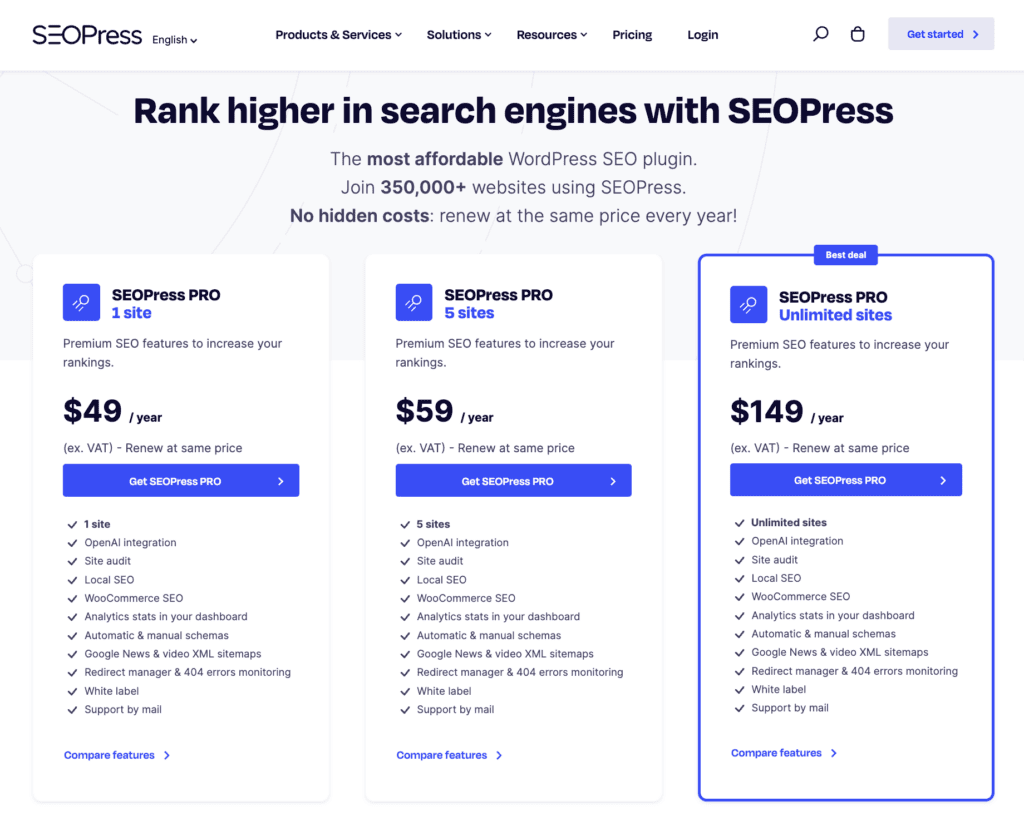
- Free version: $0. Very powerful and includes metadata editing, XML sitemaps, basic social previews, and more. Works on unlimited sites.
- Pro plan options:
- 1 site: $49 per year
- 5 sites: $59 per year
- Unlimited sites: $149 per year
Ideal user for this plugin
SEOPress works best for value-conscious website owners who want powerful tools without the high price tag of Yoast or RankMath Pro. WooCommerce store owners particularly benefit from the specialized product page SEO features. It’s perfect for bloggers and small businesses looking for clean, effective SEO coverage without bloat.
Agencies and developers appreciate the white-label option and unlimited sites plan for managing multiple client sites. Users switching from other plugins often find it a more affordable, less cluttered alternative.
7. Surfer SEO
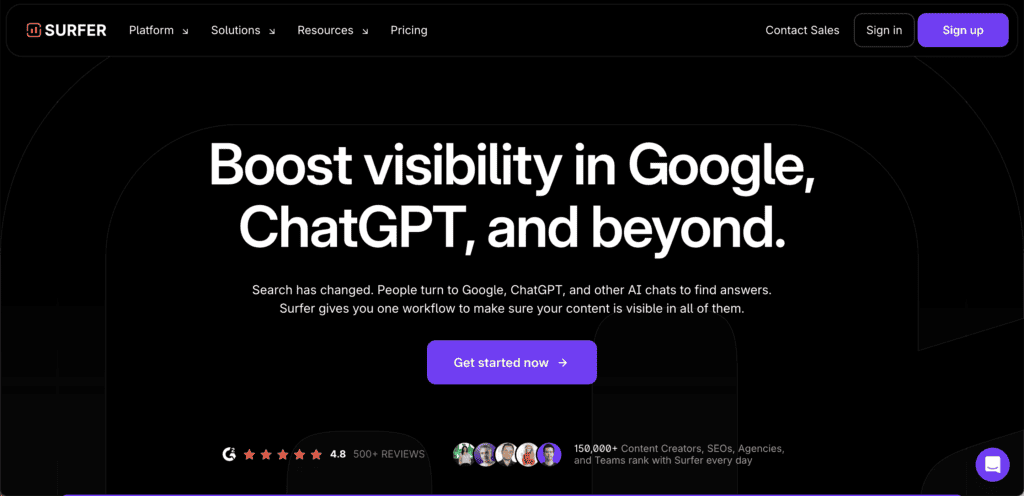
Surfer SEO is not a traditional WordPress plugin that handles technical SEO. Instead, it’s a powerful, data-driven web application designed for one main purpose: content optimization. A free connector plugin allows it to work inside your WordPress dashboard, but all the processing happens on Surfer’s own platform.
Here’s what it does for content creators:
- Content editor: Acts as a real-time writing coach that analyzes top-ranking pages for your keyword and gives you a checklist of what to include (keywords, headings, word count, images) to compete.
- Content audit: Scans your existing blog posts and pages to find easy fixes and optimization opportunities you’ve missed.
- SERP analyzer: Shows you exactly what top-ranking pages for a keyword have in common, like word count and specific related terms they all use.
- Keyword research: Helps you find new, relevant keywords to target in your content strategy.
- AI writer: Can generate a full article draft based on a keyword, though it often requires heavy editing to be useful.
- Plagiarism checker: Scans your content to ensure it’s unique before you publish.
Key strengths and weaknesses
| Strengths | Weaknesses |
| Data-driven content advice | Very expensive |
| Comprehensive content analysis | Risk of over-optimization |
| Excellent for scaling content | Not a complete SEO solution |
| Helps build topical authority | The AI writer is mediocre |
| Smooth integrations | Steep learning curve |
Pricing
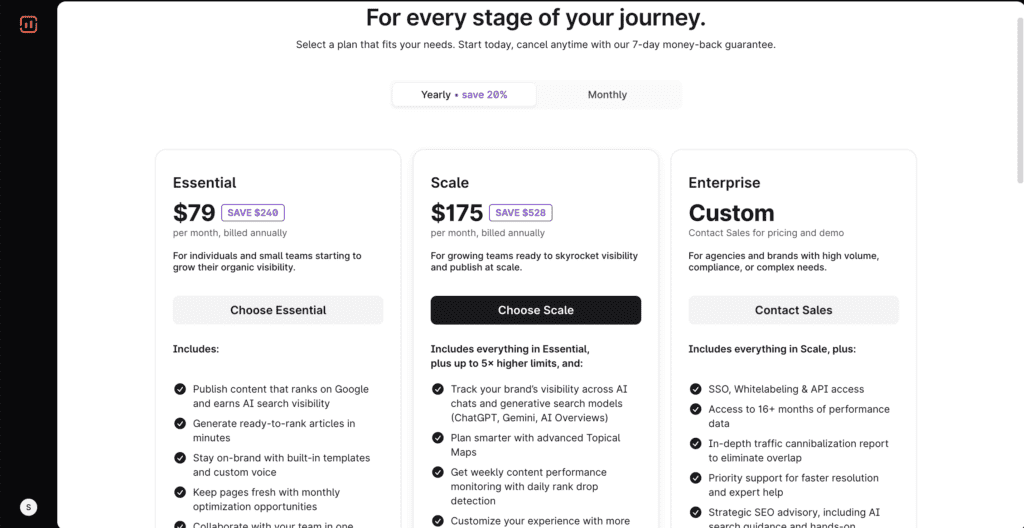
- Essential plan: $99 per month. Includes core Content Editor and optimization tools, plus some AI writing credits. Good for individual bloggers and small sites.
- Scale plan: $219 per month. For growing businesses and content teams. Includes higher usage limits and advanced features like detailed analytics.
- Enterprise plan: Custom pricing ( can get very expensive). For large agencies and enterprises. Includes white-label reporting, API access, and dedicated support.
Ideal user for this plugin
Surfer SEO works best for content teams and agencies that produce high volumes of content and need a data-driven process to optimize it systematically.
SEO professionals and content strategists who understand SEO fundamentals can intelligently interpret Surfer’s data without over-optimizing. Website owners with healthy budgets who are serious about content marketing and have already mastered basic SEO will find it valuable for competitive content creation.
How to choose the right WordPress SEO plugin?
Choosing the right WordPress SEO plugin doesn’t have to feel like picking a needle from a haystack if you know what to look for.
Start by being brutally honest about your tech skills
Beginners need guided setup wizards and simple interfaces that won’t overwhelm them with options. Experts, on the other hand, want granular control over every setting and don’t mind complex dashboards. This single factor will immediately narrow down your choices.
Budget should be your next consideration
Free versions like Rank Math and Yoast work great for most sites and offer impressive functionality without spending a dime. Premium tools like Surfer SEO cost $99+ monthly, so know what you can realistically afford before falling in love with expensive features.
Your website type matters more than you might think
Simple blogs need basic SEO tools, while e-commerce sites require specialized product optimization features. Local businesses benefit most from plugins with strong Google Maps integration and local search capabilities. Make a list of your absolute must-haves: redirect management, schema markup, local SEO tools, or content analysis. Focus on what you actually need, not what sounds impressive.
Consider how much time you can realistically invest
Want something that works automatically in the background? Choose The SEO Framework or Slim SEO. Enjoy tweaking settings and exploring advanced options? Rank Math gives you plenty to work with.
Here’s the thing: the most popular choice isn’t always the best choice for your specific needs. A lightweight plugin might serve you better than a feature-packed alternative that slows down your site.
Start with free versions whenever possible. You can always upgrade later once you understand what you actually need, and honestly, most users never require premium features anyway.
Parting thoughts
There’s no single “best” SEO plugin for everyone. The right choice depends entirely on your specific needs and skills. If you’re a beginner wanting guidance, start with Yoast SEO or All in One SEO.
If you want maximum features for free and don’t mind complexity, choose Rank Math. If website speed is your top priority, go with The SEO Framework or Slim SEO. Before installing any plugin, backup your site first. This simple step can save you hours of headaches if something goes wrong during installation or if you need to switch plugins later.
Remember, an SEO plugin is just a tool. Great content and good user experience matter more than which plugin you choose. Pick one that fits your needs, install it, and focus on creating amazing content that people actually want to read.
FAQs
Is Yoast SEO free?
Yes, Yoast SEO offers a robust free version that includes essential SEO features like meta tags, XML sitemaps, and readability analysis. The premium version costs $99 per year and adds features like multiple keyword optimization and redirect management.
Are SEO plugins worth it?
SEO plugins are absolutely worth it because they automate complex technical tasks and guide you through content optimization. Without them, you’d need to manually code meta tags, sitemaps, and schema markup, which is time-consuming and error-prone.
How do I add a SEO plugin to a WordPress site?
You can add an SEO plugin by going to Plugins > Add New in your WordPress dashboard, searching for your chosen plugin, and clicking “Install Now” then “Activate.” Most plugins will then run a setup wizard to configure basic settings automatically.
Which is better, Yoast or Rank Math?
Neither is universally better, as it depends on your specific needs and experience level. Yoast is simpler for beginners, while Rank Math offers more free features but has a steeper learning curve.
What happens if you don’t use SEO?
Without SEO, your website will struggle to rank in search engines and get minimal organic traffic. You’ll miss out on free, targeted visitors who are actively searching for what you offer, making it much harder to grow your audience.

Shivani enjoys crafting guides that make every aspect of using WordPress simple and easy to follow. When she's not glued to her laptop, you can find her buried in a good book or occasionally, painting.