

Your to-do list stretches for miles, and now you’re supposed to become an SEO expert too? You’ve narrowed down your WordPress SEO plugin choices to All in One SEO and Yoast.
Both plugins promise higher search rankings and boast millions of users, but they’re completely different underneath. Yoast built its following through aggressive content marketing, while All in One SEO focused on simplicity and performance from the start.
This All in One SEO vs Yoast comparison cuts through the marketing noise. We’ll show you which SEO plugin actually delivers results without the headaches.
All in One SEO wins this comparison with better value, more included features, and lower costs than Yoast. While Yoast remains solid, All in One SEO offers WooCommerce support, redirects, and comprehensive tools without expensive add-ons. Just remember to create backups using a backup plugin before making any major changes.
All in One SEO vs Yoast at a glance
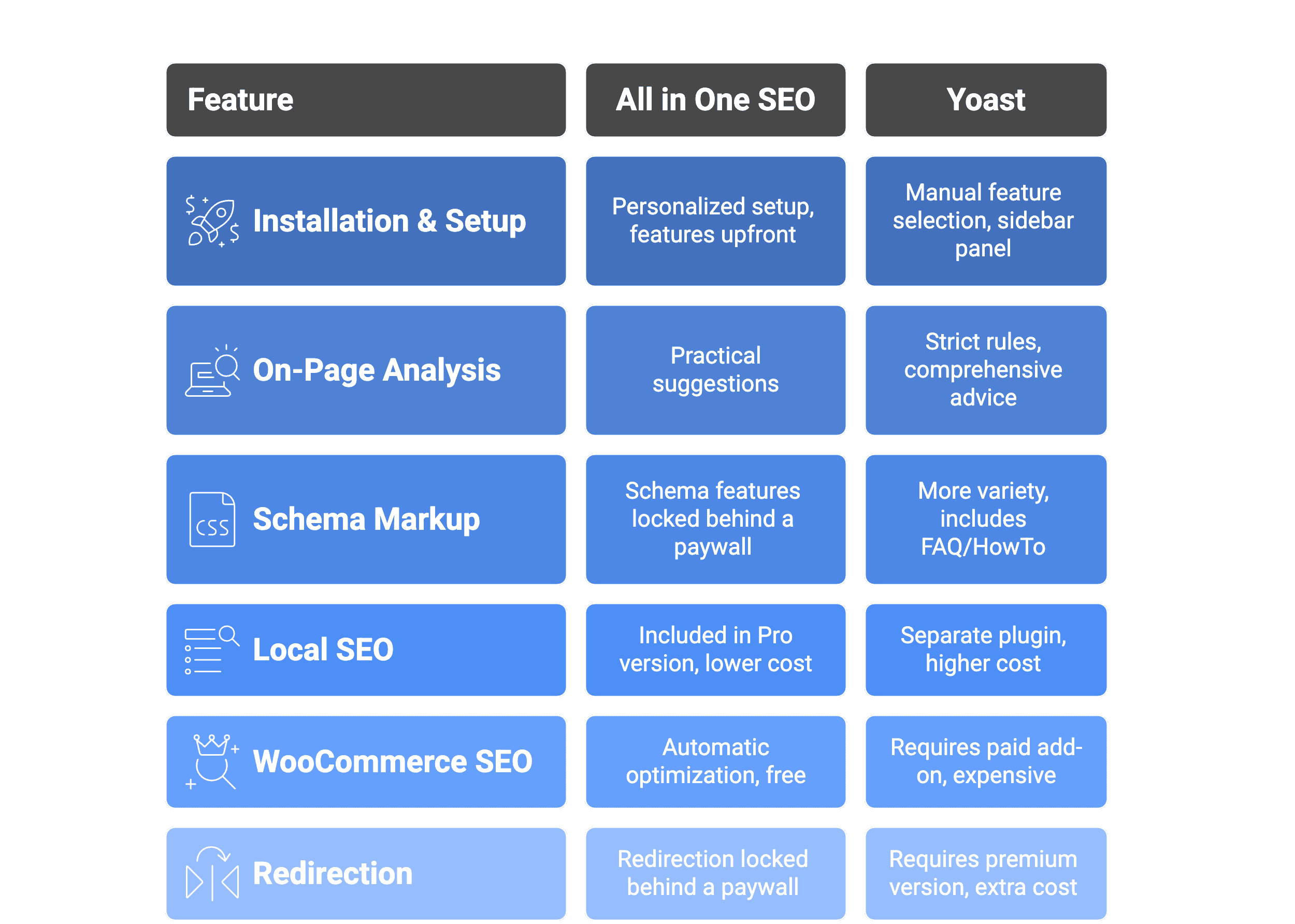
Comprehensive feature analysis
Let’s look at what these plugins offer in key areas.
1. Installation and user-friendliness
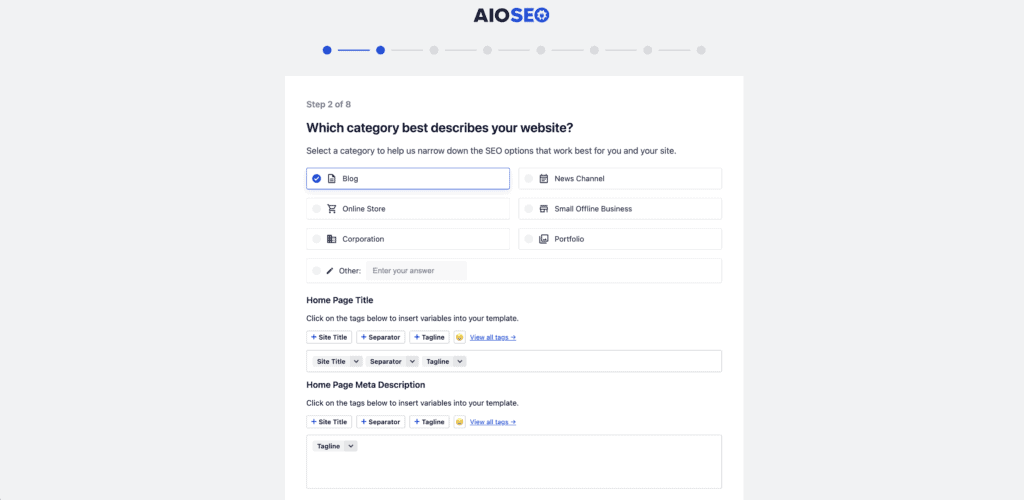
All in One SEO‘s setup wizard asks about your site type and goals, then suggests relevant features based on your answers. This personalized approach means you won’t activate tools you don’t need. The main dashboard displays all features upfront where you can see them.
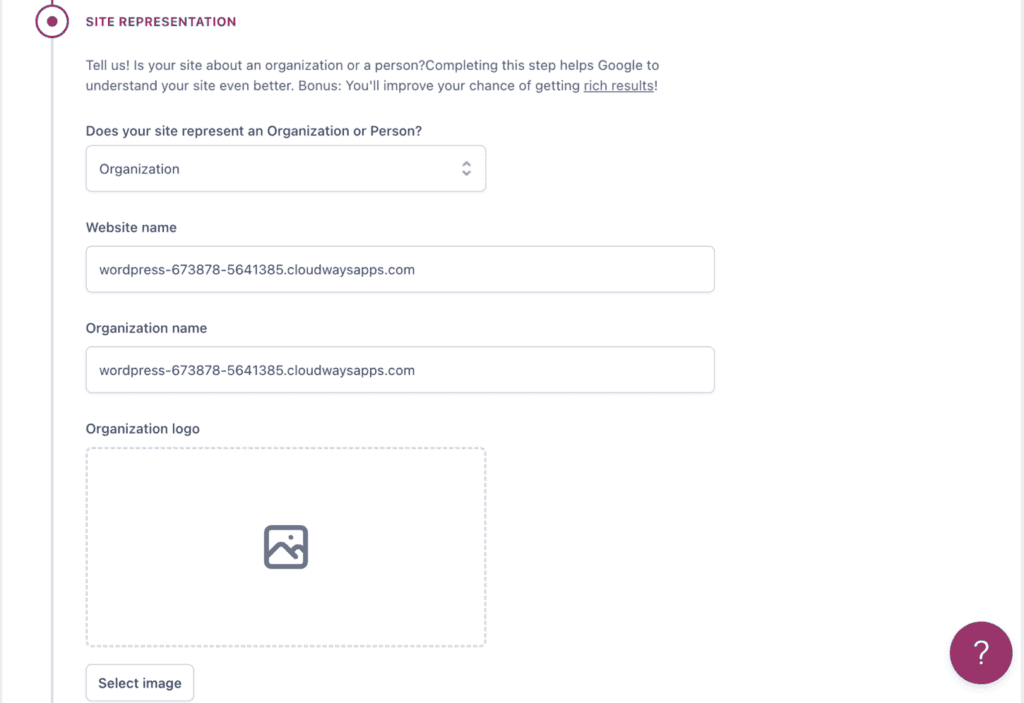
Yoast lets you pick features yourself after setup without guidance on what’s useful for your situation. You’ll need to research which options make sense for your site type. Features live in a sidebar panel that requires extra clicks to access.
2. On-page analysis
All in One SEO analyzes your content and shows improvement suggestions in a clean sidebar. It checks for keyword placement, readability issues, and technical SEO factors while giving you a score.
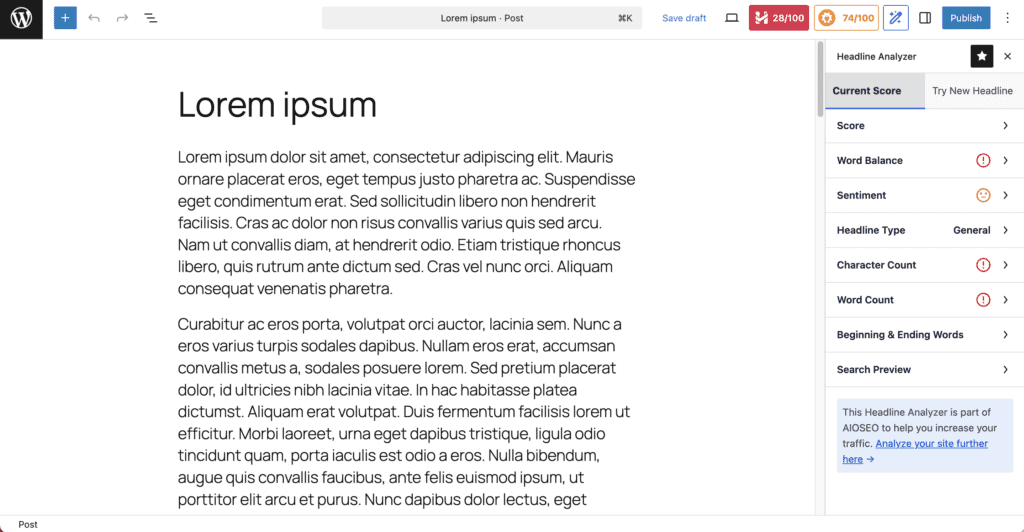
Yoast’s traffic light system has trained millions of users to chase green lights. It grades everything from keyword density to sentence length with strict rules. Write a long sentence? Red light. Don’t use your keyword enough? Another red light.
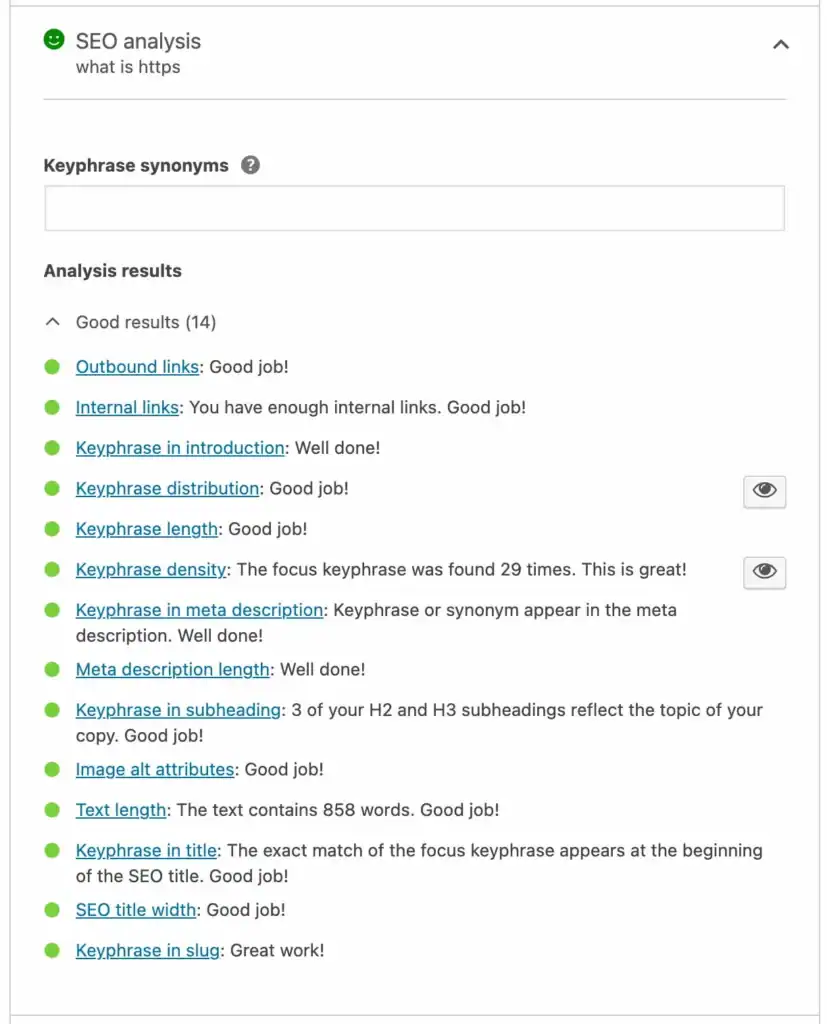
Both plugins can push you toward choppy sentences and keyword stuffing just to satisfy their algorithms. Both catch missing meta descriptions and broken links equally well.
3. Schema markup
All in One SEO’s free version doesn’t include schema markup features. These are locked behind their premium plans. You’ll need to upgrade to get organization/person schema, breadcrumb navigation, or article markup.
Yoast’s free version actually offers a few schemas. You get the same organization/person and breadcrumb schema, but they also include FAQPage and HowTo markup. This means you can create those expandable FAQ sections and step-by-step guides that appear directly in search results.

Both handle basic webpage and article schema automatically. The difference shows in specialized content types. Yoast gives you FAQ and tutorial markup for free, while All in One SEO focuses on fundamental business information.
Neither free version includes review stars, product pricing, or event details. Those premium features require paid upgrades from both plugins.
4. Local SEO
All in One SEO includes local features in its Pro version for $49.50 per year. You get business schema, opening hours, and location management all within the main plugin. No juggling multiple tools.
Yoast sells local SEO in the premium version. Their local SEO does offer advanced multi-location management just like All in One SEO.
Both handle the basics once you pay: business address in search results, opening hours, and contact information. The difference is cost and complexity.
5. WooCommerce SEO
All in One SEO handles WooCommerce optimization automatically in their free version. Your products get proper schema markup for Google Shopping results, and category pages rank better. No extra plugins or payments required.
Yoast’s free version ignores WooCommerce almost entirely. You need their separate WooCommerce SEO plugin ($69/year) to match what All in One SEO does for free. The core Yoast SEO plugin does provides some free, basic functionality, but the specialized Yoast’s WooCommerce SEO add-on offers advanced tools for online stores.
6. Redirections
All in One SEO locks their redirect manager behind their premium plans. Free users get no redirect management tools. With the PRO version, the tool catches 404 errors automatically, lets you create redirects easily, and monitors broken links. Everything works within the main plugin.
Yoast also makes you pay extra for their redirect manager. Free users need to upgrade to a premium version to access this feature.
The practical difference shows when you’re maintaining your site. All in One SEO handles redirects and monitors problems automatically. Yoast users either pay premium prices or juggle multiple plugins to do the same thing.
Advantages and disadvantages
All in One SEO
| Strengths | Weakness |
| The best setup wizard and most beginner-friendly dashboard | The site audit tool can run slowly on very large websites |
| The interface is intuitive and less cluttered | Prices can add up quickly |
| Robust features are included in its free and lower-cost plans | Redirects and schema are locked behind paywalls |
Yoast
| Strengths | Weakness |
| The iconic traffic light system provides clear, real-time writing guidance | Key features like redirects and advanced schema are locked behind expensive paywalls |
| A veteran in the space with a massive user base and extensive knowledge base | Prices can add up quickly |
| The free version is extremely robust for on-page SEO and technical fundamentals |
What is the pricing like?
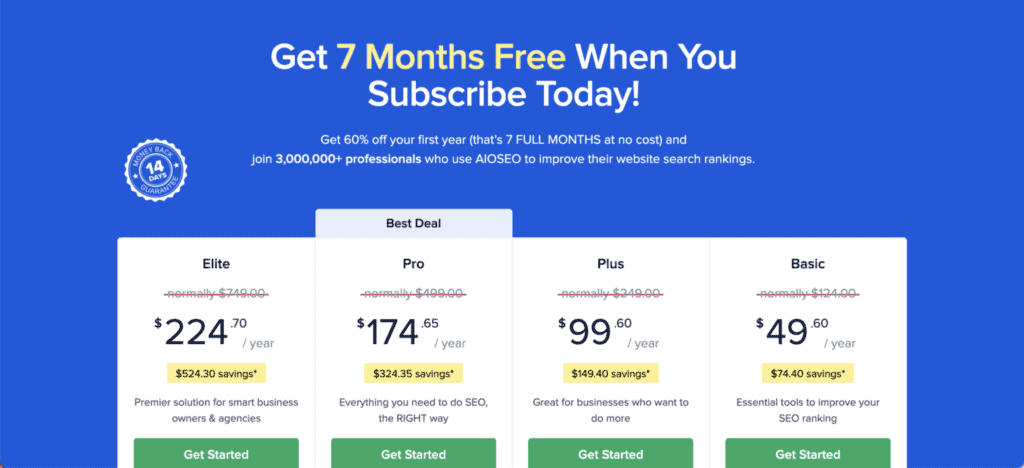
All in One SEO costs $50-200 annually and includes WooCommerce and local SEO features.
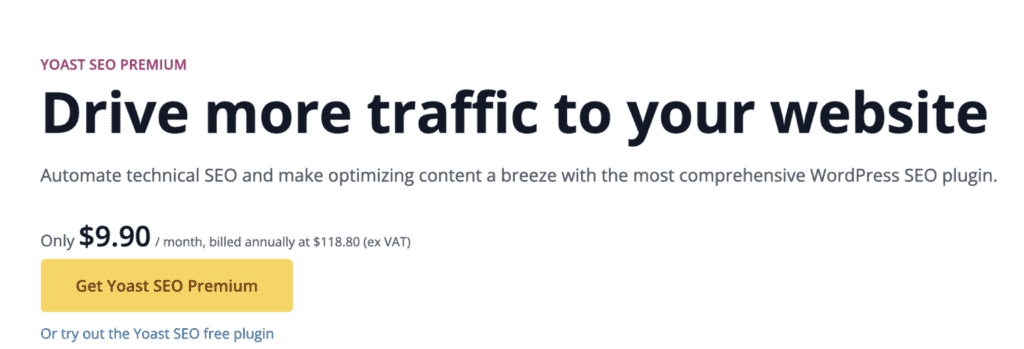
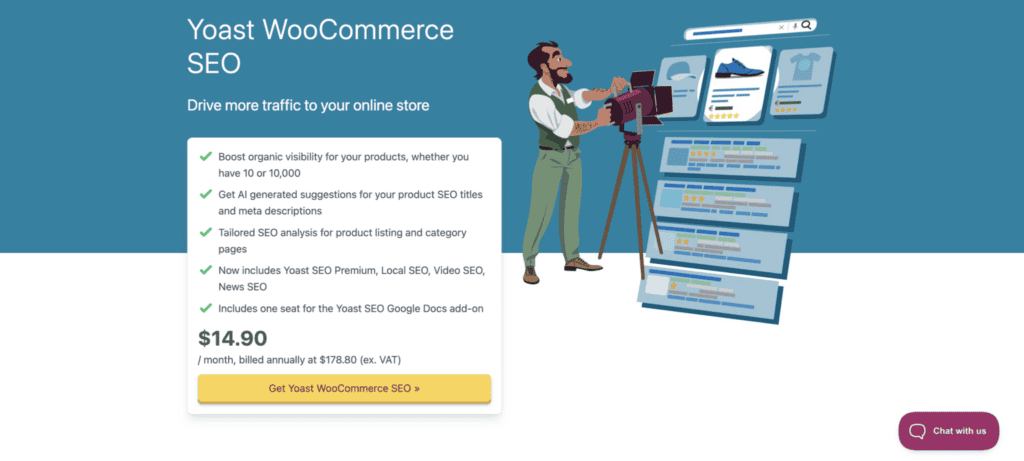
Yoast charges $119 for Premium, then another $179 for e-commerce functionality – nearly $300 total.
Multiple sites make the gap worse. All in One SEO plans cover several websites while Yoast requires separate licenses for each site.
Which SEO plugin should you pick?
Here’s where the rubber meets the road. After comparing everything, which plugin actually fits your specific situation?
Go with All in One SEO if you:
- Want personalized setup recommendations based on your site type
- Need WooCommerce optimization without paying extra
- Prefer all features visible on the main dashboard
- Want built-in redirect management for free
- Value better pricing (covers multiple sites, lower cost overall)
- Run a business and need comprehensive features without multiple plugins
Choose Yoast if you:
- Need FAQ and How-To schema markup in the free version
- Have a simple blog with basic needs
- Don’t mind paying extra for WooCommerce and local features
- Rely on their extensive educational resources
Parting thoughts
Both plugins work well, but All in One SEO delivers better value and features for most users. Before switching plugins or installing a new one, make sure to backup your website completely.
This protects your content and settings during any migration process. Start with the free version of either plugin, and remember you can always migrate your settings if your needs change later.
FAQs
Is All in One SEO worth it?
Yes, All in One SEO offers excellent value with comprehensive features at competitive prices. You get WooCommerce support, schema markup, and redirects without expensive add-ons.
What is the best alternative to Yoast?
All in One SEO is the top Yoast alternative, offering similar features at lower costs. It provides better free functionality and doesn’t require multiple premium plugins for full capability.
Which is better rank, math or AIOSEO?
All in One SEO generally offers better value and user experience than RankMath. While both are capable plugins, AIOSEO provides cleaner interfaces and more straightforward pricing.
Is Yoast SEO still relevant?
Yes, Yoast remains a solid SEO plugin with strong fundamentals and extensive documentation. However, it’s becoming less competitive due to expensive pricing and fragmented premium features.
Is Yoast or AIOSEO better?
AIOSEO is better for most users due to superior value, more included features, and lower total costs. Yoast only wins if you’re already invested in their ecosystem and don’t mind premium pricing.
How much does Yoast SEO cost?
Yoast Premium costs $119 per year for one site, with additional costs for WooCommerce ($179) and Local SEO ($69). Full functionality can cost nearly $300 annually compared to AIOSEO’s $50-100 plans.

Shivani enjoys crafting guides that make every aspect of using WordPress simple and easy to follow. When she's not glued to her laptop, you can find her buried in a good book or occasionally, painting.


