Newsletter plugins are essential for growing your audience. You’re smart to be careful with your choice. A bad pick can lead to slow sites and frustrating plugin conflicts. The good news?
Landing on MailPoet vs Mailster means you’re comparing two of the best. But they serve different needs.
We’ve put them head-to-head to give you the specific “choose this if…” advice that actually helps.
Go with MailPoet for its simplicity and built-in sending, or pick Mailster for its one-time cost and deep customization. Since your email list is a critical asset, make sure a good backup plugin is active from day one.
MailPoet vs Mailster: At a glance
Here’s a quick, at-a-glance look at how MailPoet and Mailster stack up against each other.
| Feature | MailPoet | Mailster |
|---|---|---|
| Pricing Model | Freemium, then a monthly/yearly subscription that scales with subscribers. | One-time payment for lifetime use, with an optional annual fee for updates. |
| Email Sending | Includes its own professional sending service (all-in-one). | Requires you to configure a separate, third-party SMTP service. |
| Ease of Use | Very beginner-friendly with a clean, intuitive interface. | More powerful with a steeper learning curve; best for technical users. |
| Best for WooCommerce | Excellent. Deep, native integration is a core strength. | Good. Integrates via add-ons but is not as seamless. |
| Customization | Simpler and more streamlined, with less granular design control. | High. Offers deep automation and custom CSS for full control. |
| Performance Impact | Minimal. Offloads sending to its own servers, protecting your site speed. | Varies. Can strain shared hosting during large email sends. |
Price breakdown
How you pay is a major factor here. The models are completely different.
MailPoet uses a freemium model. You can start for free and stay free up to 1,000 subscribers. This is a huge advantage for new sites.
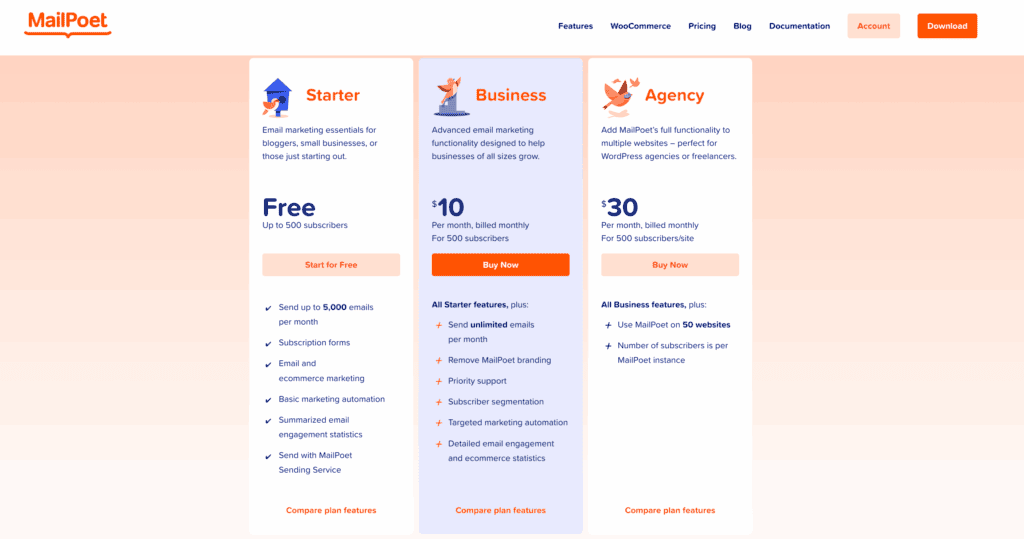
Once you pass that limit, you pay a monthly or yearly fee that goes up with your subscriber count. A key detail is that MailPoet’s price includes its professional sending service. You do not need to pay for a separate service to deliver your emails.
Mailster is different. It uses a one-time payment model for lifetime usage.
- Starter: $79 per year for one site. This plan limits you to three active automations.
- Professional: $99 per year for one site. Includes a money-back guarantee.
- Agency: $199 per year for one site. Gives you unlimited automations and other perks.
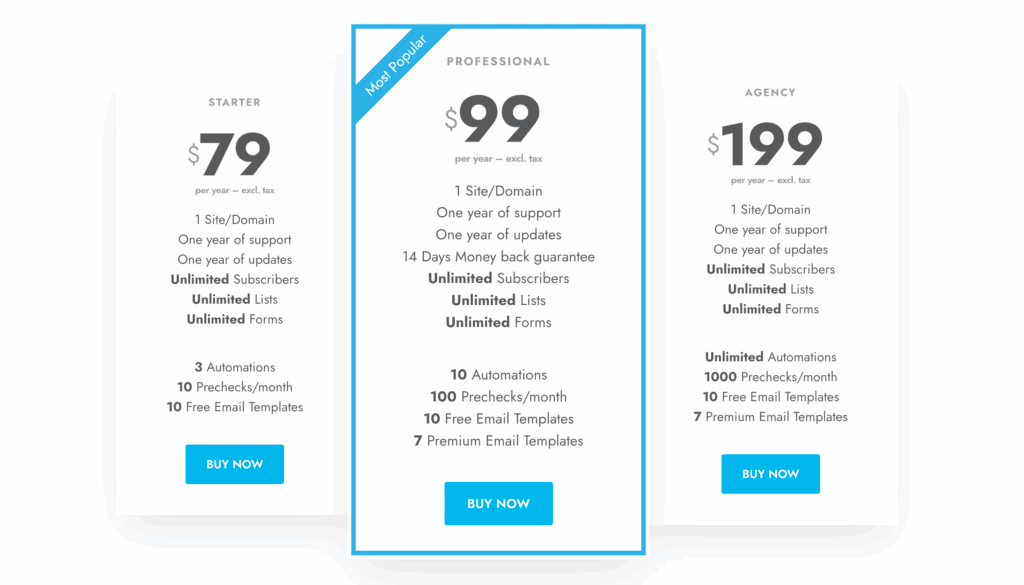
Here is the most important part of Mailster’s pricing. While you get to use the plugin forever, the annual fee is for automatic updates and customer support. Letting your license expire means you stop getting these.
For large email lists, Mailster’s one-time fee is often cheaper over the long run. But for anyone starting out. MailPoet’s free plan offers unbeatable value. The right choice depends entirely on your budget, and choosing a web host that can support your growth is an equally important financial decision.
Feature comparison
Both plugins handle the basics well. You get a drag-and-drop editor to build your emails and tools to manage your lists. But their special features solve different problems.
MailPoet’s biggest strength is its deep, native WooCommerce integration. You can easily set up abandoned cart emails or send special offers to customers who bought specific products. It all works right out of the box.
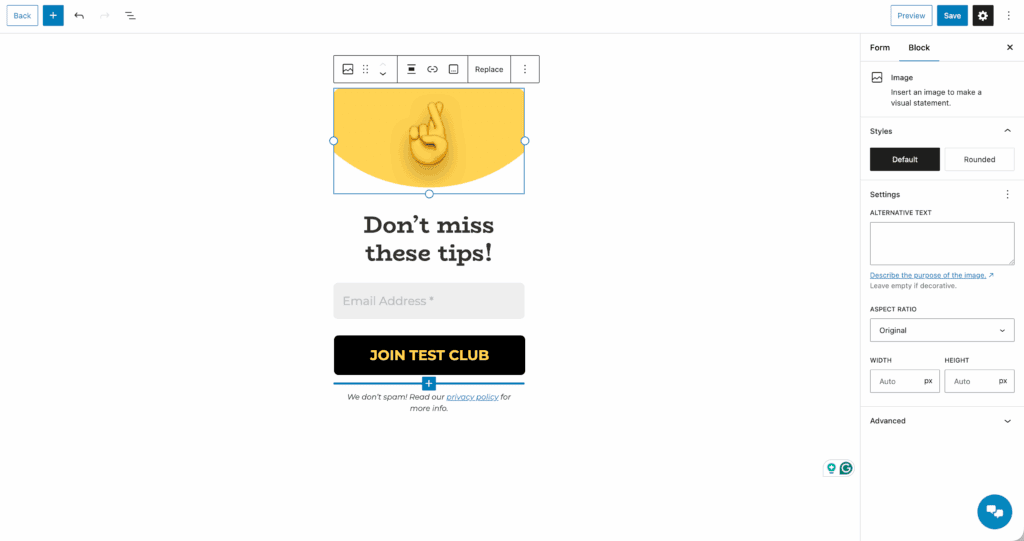
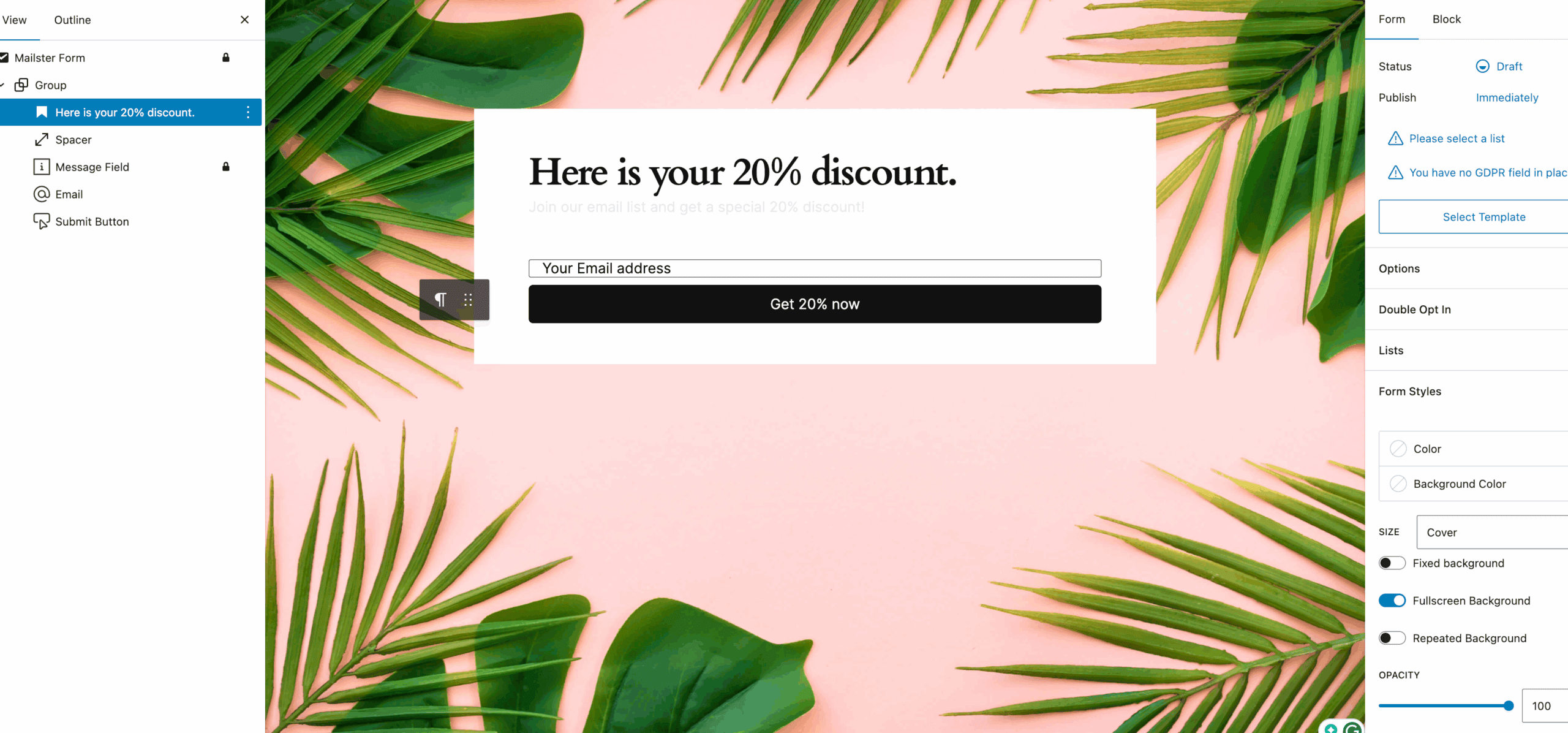
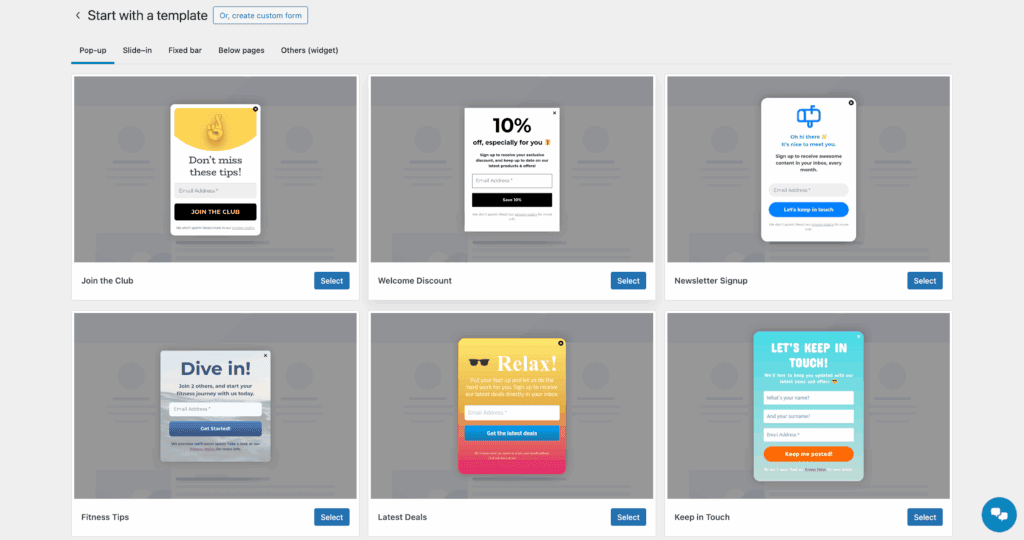
MailPoet also includes a very good built-in form and pop-up creator, so you do not need another plugin for that.
Mailster is built for control. It offers more advanced automation and segmentation. You can create very specific workflows to target subscribers. Mailster also allows unlimited lists and subscribers on all its plans.

For designers, Mailster provides much more granular control over email styling, and you may need to clear the cache to see your custom CSS changes live. It also supports a wide range of third-party add-ons to extend its features even further.
So what does this mean for you? If you run a WooCommerce store, MailPoet will feel like it was made for you. If you are a marketer who needs complex funnels and total design freedom, Mailster provides the tools you need.
Interface and design
A plugin’s features do not matter if it is confusing to use. This is where you will feel a big difference between the two.
MailPoet’s interface is clean, modern, and very intuitive. We have seen total beginners get their first campaign sent without any trouble.

Everything is easy to find. The editor is simple to use but offers less design flexibility as a trade-off. It is designed for speed and simplicity.
Mailster’s dashboard is powerful, and it looks it. There are many more options, which can feel a bit overwhelming at first. It definitely has a steeper learning curve. However, that complexity gives you incredible power. The editor allows for highly customized styling.
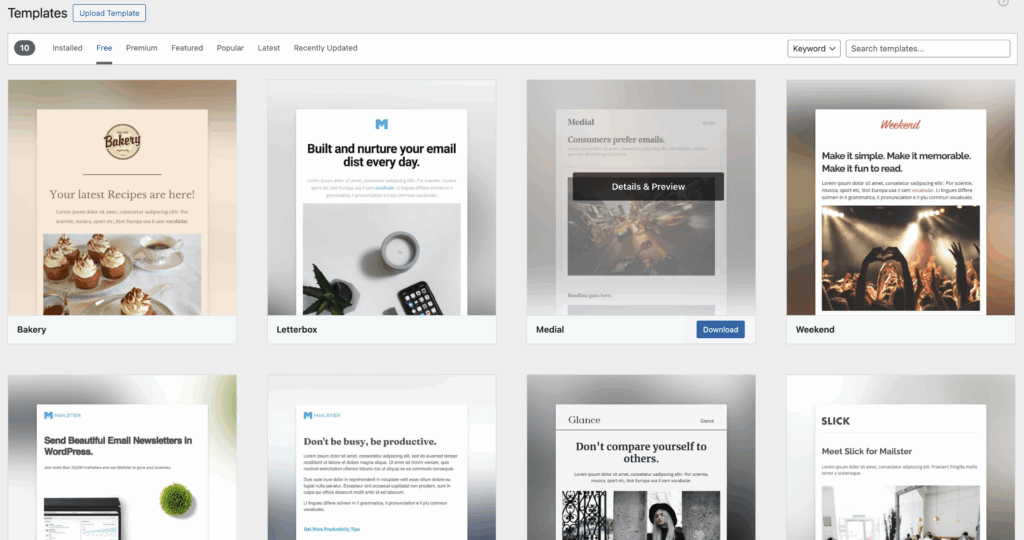
Both provide mobile-responsive email templates to get you started. The choice here is about your personal preference. For pure ease of use, MailPoet wins easily. If you are willing to learn a more complex system to get more power, Mailster is the more flexible tool.
Sending reliability
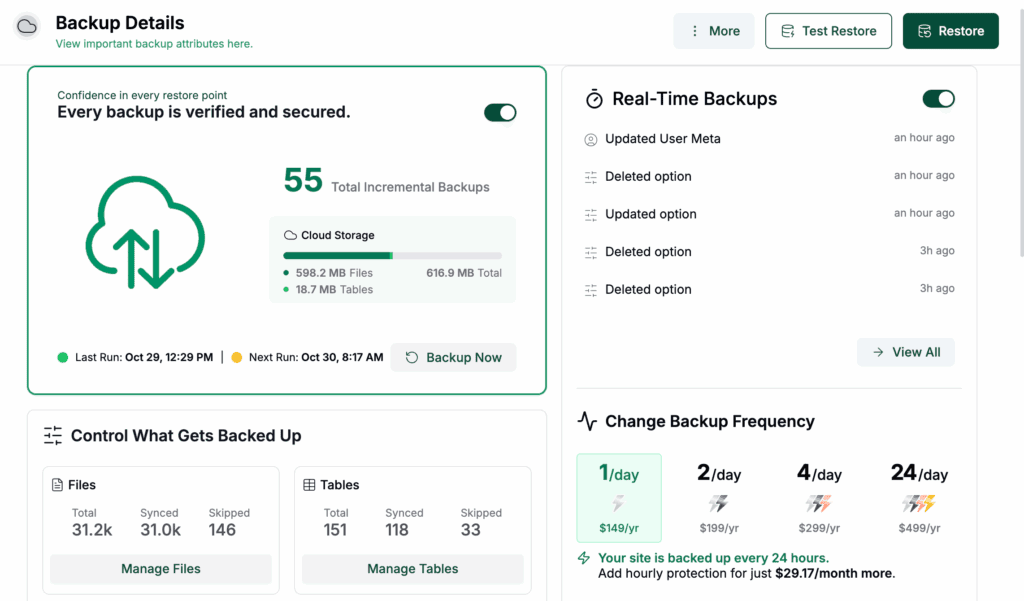
MailPoet runs its own managed sending service, so your main job is to use WordPress backups to protect the list data on your site. This simplifies everything and helps your deliverability. You do not have to set anything up. Their team manages server reputations to make sure emails get through.
Be aware that MailPoet enforces strict anti-spam policies, which complement the protection offered by good security plugins.
Configuring an external SMTP service can be tricky, so it’s a good time to learn how to debug WordPress effectively. This means connecting to a third-party service like Amazon SES or SendGrid to send your emails. Your deliverability depends entirely on the service you choose. The benefit here is that Mailster gives you full control over your sending volume and limits.
If you want a simple, reliable solution without any technical setup, choose MailPoet. If you are comfortable with technology and want to control your own sending service, Mailster gives you that freedom.
Performance
No one wants a plugin that slows down their website.
MailPoet offloads all email sending to its external servers. This is a huge performance benefit. It prevents heavy email sends from slowing down your website for your visitors. You can send a huge campaign with almost no impact on your site’s speed.
Mailster’s performance is tied to your web host, so you’ll want a solid backup strategy in place before launching big campaigns. Sending a large campaign directly through some SMTPs can use a lot of your server’s resources. This can seriously strain a shared hosting plan.
Both plugins handle contact list management efficiently inside WordPress. But for sending, MailPoet is the safer choice for site performance, especially if you are on an entry-level hosting plan.
Which one is for you?
Let’s break it down into simple choices.

Go with MailPoet if…
- You value simplicity. You need an all-in-one system that just works.
- You run a WooCommerce store. The seamless integration is its biggest advantage.
- You have a small list. Starting for free under 1,000 subscribers is unbeatable.
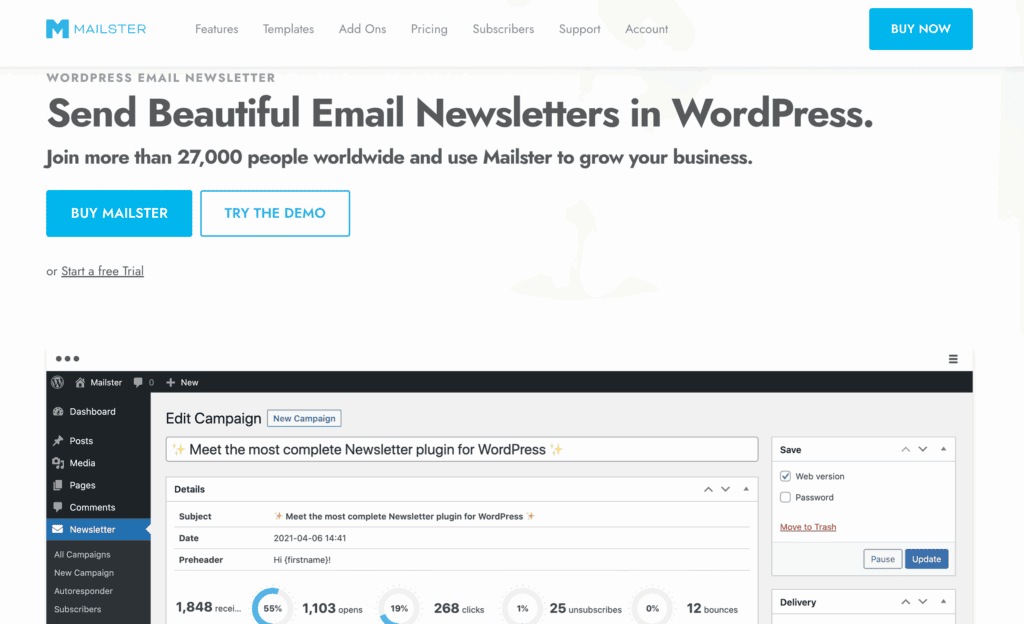
Go with Mailster if…
- You want a one-time payment. This is your best bet for avoiding monthly fees.
- You need total control. Advanced automation and design customization are essential for you.
- You are technically confident. Setting up your own SMTP service is something you are comfortable with.
Other tools to consider
While MailPoet and Mailster are excellent, your perfect fit might be another WordPress plugin. Here are two other great options.
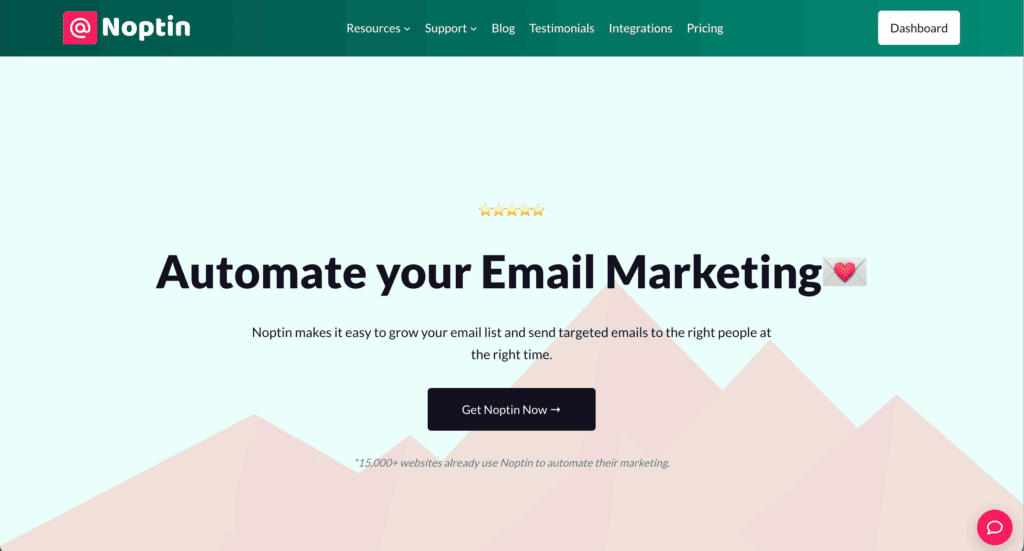
Noptin is a modern, lightweight freemium plugin focused on lead generation. The core plugin is completely free with no subscriber limits. It has a clean, minimalist interface that is very beginner-friendly and offers built-in pop-ups and forms.

Newsletter Plugin is an extremely popular and highly extensible plugin. Its free version is very powerful. It is famous for its detailed statistics and uses a unique composer-based editor. It has a huge number of add-ons available.
Parting thoughts
You cannot go wrong with either plugin, as both are capable and well-supported. The choice comes down to your preferred workflow: managed simplicity or technical control.
If you prefer an easy, all-in-one solution that just works, MailPoet is your plugin. If you value long-term savings and having full technical control, Mailster is the answer.
FAQs
Which is better for WooCommerce: MailPoet or Mailster?
MailPoet is definitively better for WooCommerce. Its deep, native integration allows for seamless abandoned cart emails and customer segmentation right out of the box.
Is MailPoet free for unlimited subscribers?
No, MailPoet is not free for unlimited subscribers. The generous free plan works for your first 1,000 subscribers, after which you must upgrade to a paid plan.
Does Mailster require a separate SMTP service?
Yes, Mailster absolutely requires a separate SMTP service. You must connect it to a third-party sending provider like Amazon SES or SendGrid to deliver your emails.
What are the main differences between MailPoet and Mailster?
The main differences are cost, sending method, and control. MailPoet is an all-in-one subscription service, while Mailster is a one-time purchase that gives you more technical control.
Which plugin has better email deliverability?
MailPoet provides more reliable deliverability out of the box. Its managed sending service is optimized for you, whereas Mailster’s success depends on the external SMTP you configure.
Is Mailster a one-time payment?
Yes, Mailster is a one-time payment for lifetime usage of the plugin itself. However, you need to renew annually to receive critical software updates and access to support.
Which plugin is easier to set up for beginners?
MailPoet is much easier for beginners to set up. Its all-in-one system means you can install it and start sending emails without any complex technical configuration.
Does MailPoet or Mailster offer better automation features?
Mailster offers more powerful and advanced automation features. It allows for more complex, granular workflows compared to MailPoet’s more straightforward automation options.

Shivani enjoys crafting guides that make every aspect of using WordPress simple and easy to follow. When she's not glued to her laptop, you can find her buried in a good book or occasionally, painting.