

Is Surfer SEO’s price tag making your content budget groan? Marketers are ditching expensive tools for alternatives that cost a fraction of the price.
The market is now packed with alternatives that deliver professional-grade results at a fraction of the cost.
Here are the top 10 alternatives that’ll boost your rankings without emptying your wallet.
Multiple alternatives to Surfer SEO exist ranging from $19-$189+ per month, each offering unique content optimization approaches and features. The key is testing these tools with free trials to find what fits your specific workflow and budget before making a commitment.
Surfer SEO alternatives at a glance

1. Frase.io

Frase.io takes the guesswork out of content creation by combining AI writing with serious SEO research.
The tool analyzes what’s already ranking for your target keywords and creates detailed content briefs based on that data. It looks at competitor content structure, topics they cover, and keywords they’re targeting. Then it guides you through creating content that can actually compete.
What makes Frase different is how it connects research to writing. You’re not just getting keyword suggestions; you’re getting a roadmap for content that search engines want to see. The AI writing assistant can draft sections, create outlines, or even write full articles based on this research.
The platform integrates with Google Search Console to track how your content performs after publishing. This helps you spot which pieces need updates or refreshes.
Key feature list
- AI content briefs: Creates detailed writing guides by analyzing top-ranking competitors
- Built-in AI writer: Generates outlines, paragraphs, and complete articles on demand
- Competitor analysis: Shows you exactly how top pages are structured and what keywords they use
- SERP research: Pulls insights from up to 26 search results for comprehensive topic coverage
- Real-time SEO scoring: Grades your content against competitors and suggests improvements
- Content analytics: Connects with Google Search Console to monitor traffic and rankings
- Content audits: Identifies old content that needs refreshing or optimization
- Outline builder: Lets you create article structures from search results or AI suggestions
- Question research: Finds relevant questions from People Also Ask, Quora, and Reddit
- Content templates: Provides ready-made formats for different content types
- Brand voice tools: Helps maintain consistent tone across all your content
- Team collaboration: Allows document sharing and task assignments for content teams
Pricing
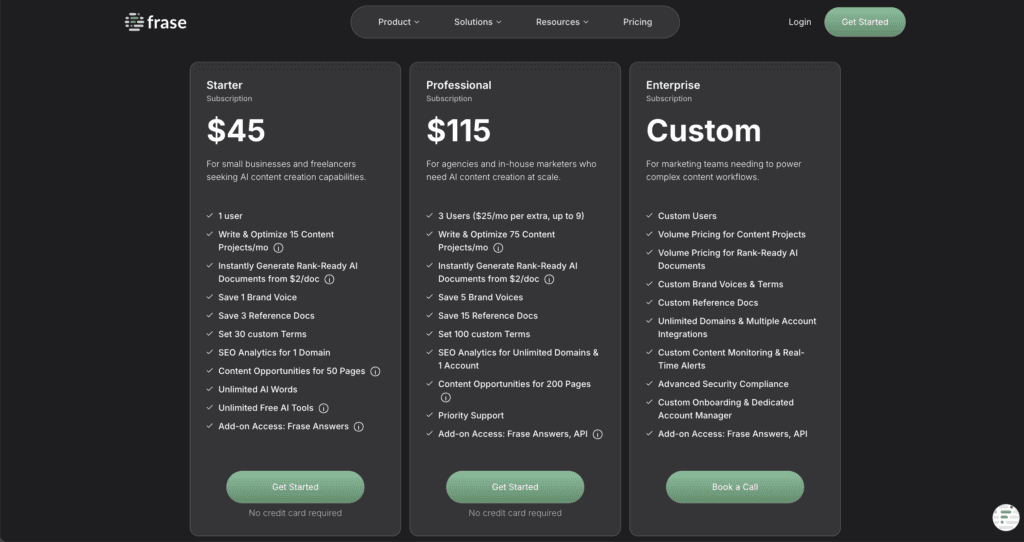
Starts at $45/month for 1 user. This puts it in the mid-range for content optimization tools, more affordable than enterprise options. Additional AI writing features and higher usage limits are available on higher-tier plans.
Pros and cons

2. MarketMuse
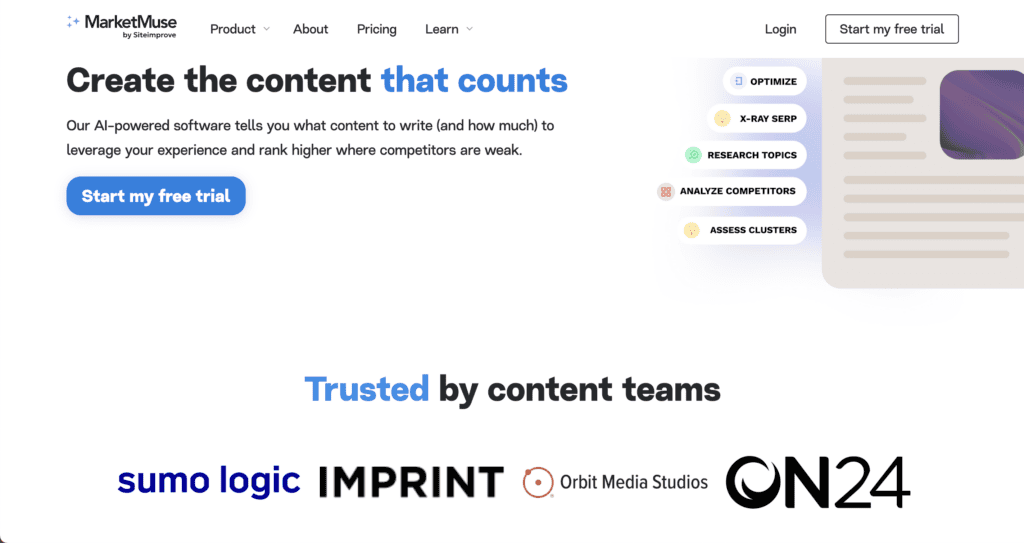
MarketMuse takes a different approach to content optimization by focusing on topical authority instead of just individual keywords. Think of it as a content strategist that looks at your entire website to find gaps and opportunities.
The platform analyzes your content inventory against competitors to show you exactly where you’re falling short. Instead of telling you to write about random keywords, it creates comprehensive content plans based on what topics you need to establish authority in your niche.
What sets MarketMuse apart is its personalized difficulty scores. These scores factor in your domain’s current authority, so you’re not chasing impossible keywords that bigger sites will always dominate.
The tool was recently acquired by Siteimprove in October 2024, which means it now connects content strategy with website performance and accessibility insights.
Key feature list
- AI topic modeling: Groups related keywords into topic clusters for comprehensive coverage
- Content inventory audits: Scans your entire website to identify content weaknesses and gaps
- Prioritized content plans: Creates strategic roadmaps showing which content to create first
- Personalized difficulty scores: Calculates keyword difficulty based on your site’s authority level
- Competitive gap analysis: Shows exactly what topics competitors cover that you don’t
- Content optimization editor: Provides real-time scoring and suggestions as you write
- Linking recommendations: Suggests internal and external links to boost topic authority
- Search intent analysis: Determines what users actually want when searching for topics
- Content decay monitoring: Alerts you when existing content starts losing rankings
Pricing
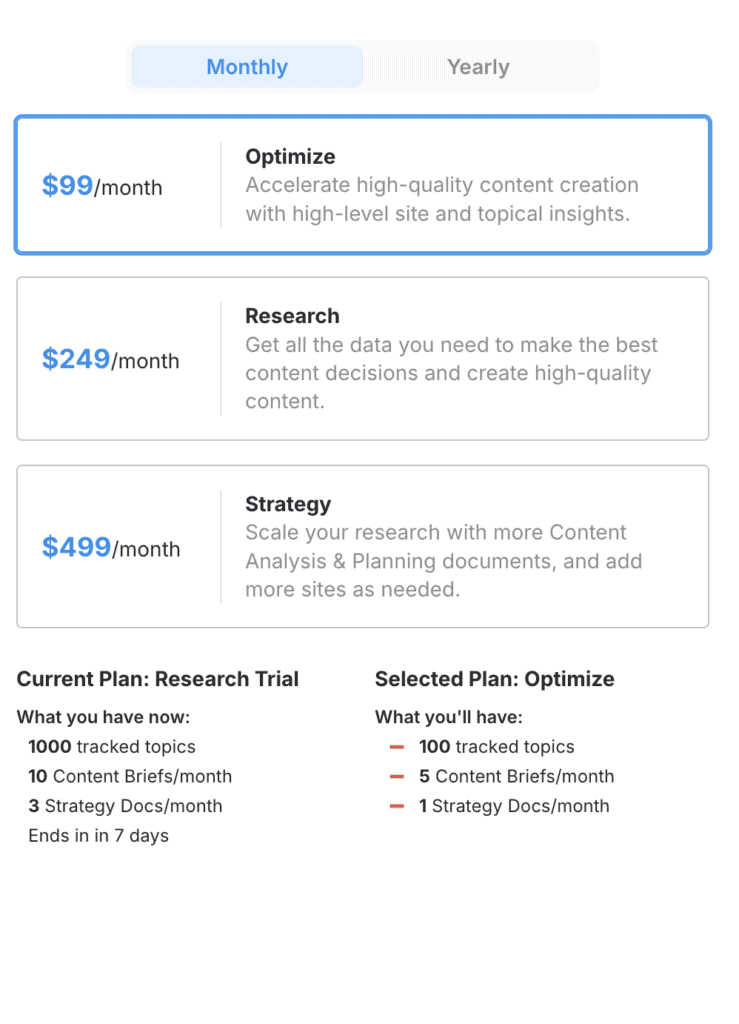
Starts at $99 per month for 1 user. This makes it significantly more expensive than tools like Frase or Clearscope. The pricing reflects its enterprise-focused features and comprehensive content strategy capabilities rather than simple optimization.
Pros and cons

3. PageOptimizer Pro
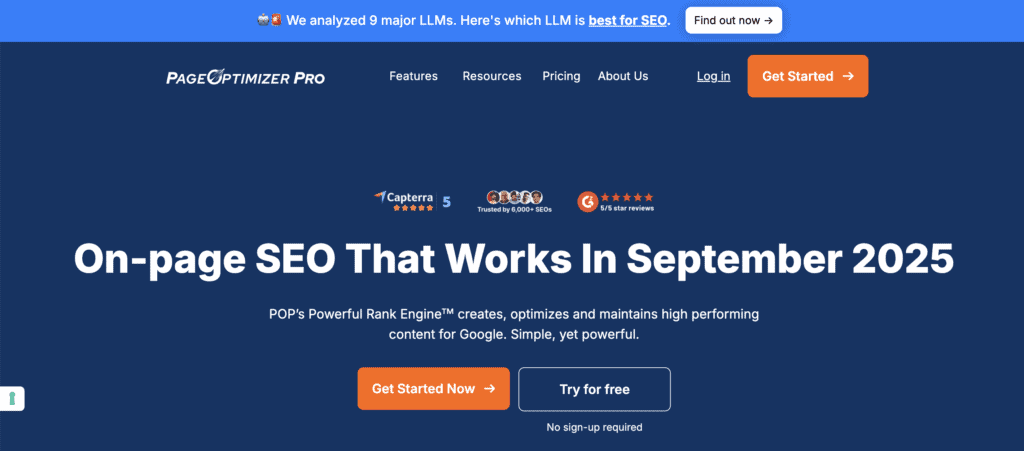
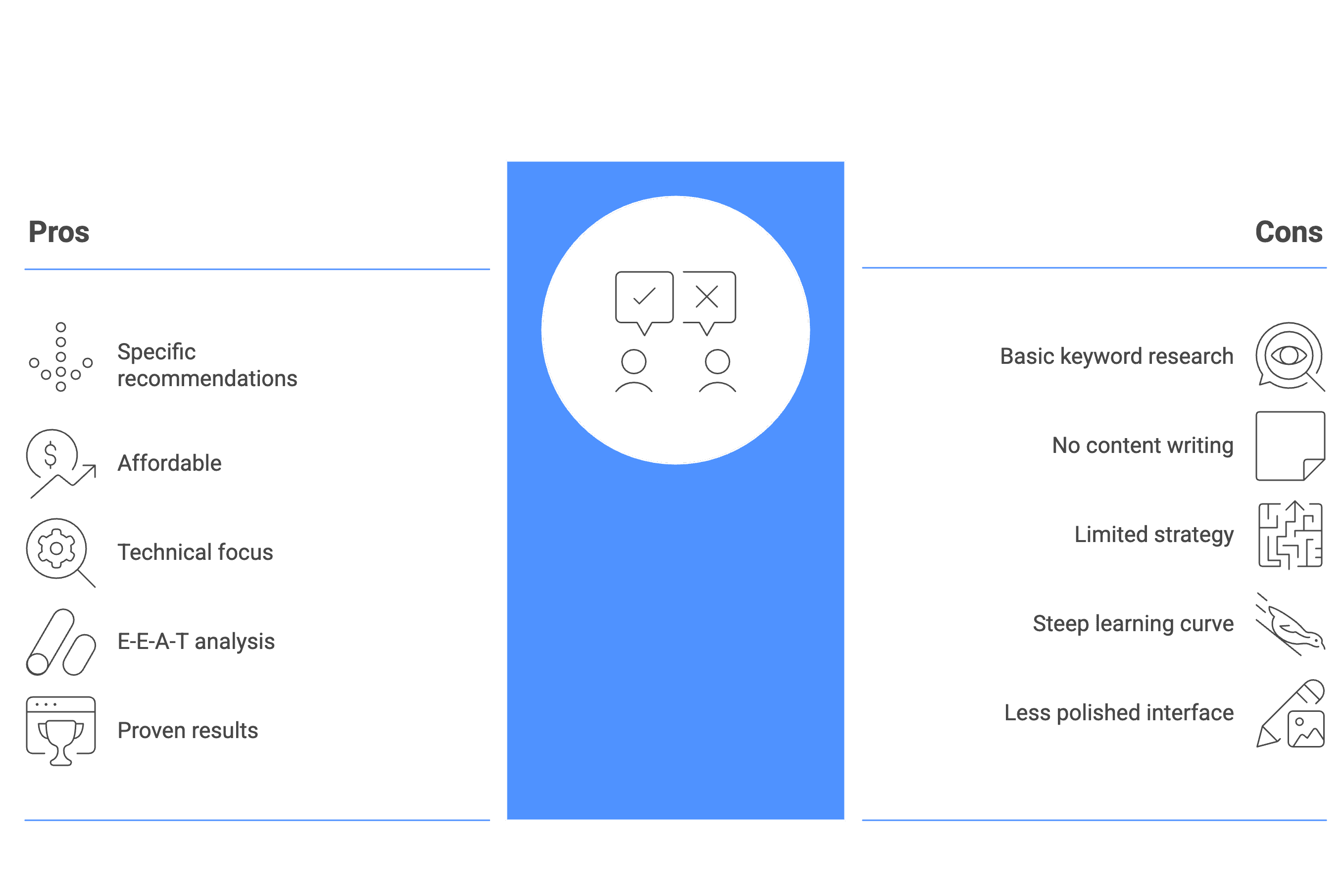
PageOptimizer Pro takes a different angle on content optimization by focusing heavily on technical on-page factors. Created by Kyle Roof, this tool uses something called “edge analysis” to give you extremely specific recommendations rather than generic advice.
The system analyzes over 400 different on-page elements that affect rankings. This means it looks at everything from keyword placement to technical HTML factors that most content tools ignore. Instead of giving you average-based suggestions, it finds the specific patterns that top-ranking pages use for your exact keyword.
What makes this tool stand out is its granular approach. While other tools might say “use your keyword more,” PageOptimizer Pro tells you exactly where to place it and how many times based on what’s actually working for your competitors.
Key feature list
- On-page SEO reports: Analyzes over 400 ranking factors to provide detailed optimization recommendations
- Competitor analysis: Compares your content against top-ranking pages to find winning patterns
- AI-powered E-E-A-T audits: Evaluates your content for expertise, experience, authoritativeness, and trustworthiness
- Schema generation: Creates structured data markup to help search engines understand your content better
- Content editor: Provides real-time optimization suggestions as you write or edit
- POP Watchdog: Monitors your pages and alerts you when rankings start to drop
- Chrome extension: Works directly in Google Docs and WordPress for seamless optimization
- Automatic competitor research: Identifies and analyzes your main competitors without manual input
- Keyword placement guidance: Shows exactly where and how often to use your target keywords
Pricing
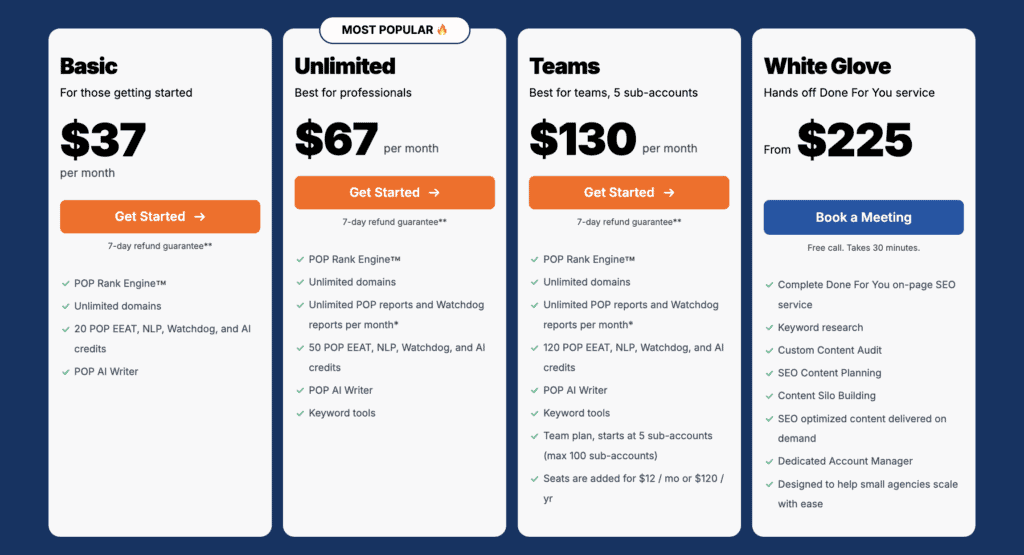
Starts at $37 per month, making it one of the most budget-friendly options available. This low price point puts professional-grade on-page analysis within reach of small businesses and freelancers. The affordable pricing makes it an attractive alternative for users who want technical SEO insights without enterprise-level costs.
Pros and cons
4. Clearscope
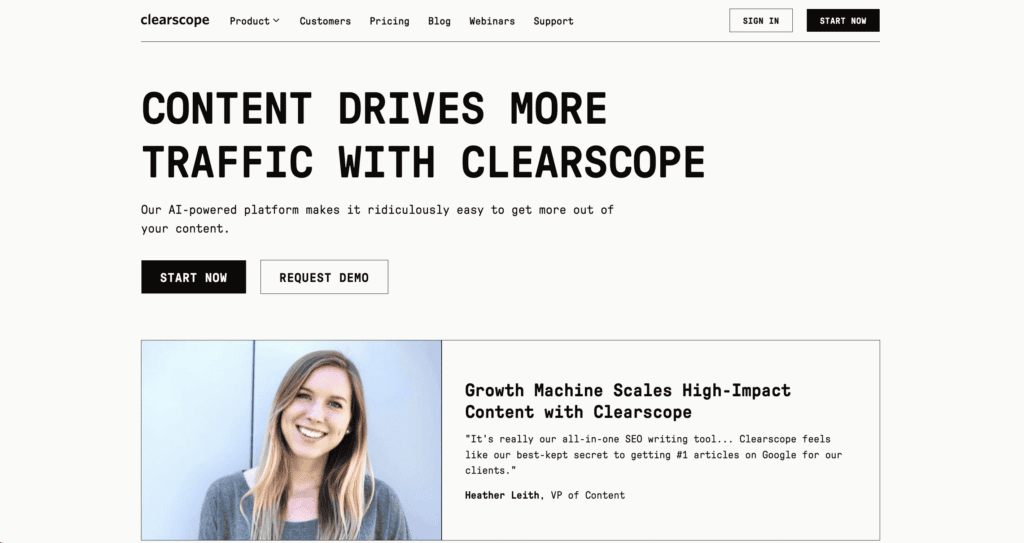
Clearscope focuses on semantic relevance rather than just keyword stuffing. This means it helps you create content that truly matches what searchers want to know, not just content that repeats keywords.
The platform analyzes top-ranking content to understand the topics and related terms that search engines expect to see. Instead of telling you to use your main keyword X times, it suggests related terms and concepts that make your content more comprehensive and valuable.
What makes Clearscope appealing is its simplicity. The interface is clean and the workflow feels natural for writers. You get a content grade from F to A+ that makes it easy to understand how well your content is optimized.
The tool integrates directly with Google Docs and WordPress, so you can optimize content without switching between platforms.
Key feature list
- Content grading system: Scores your content from F to A+ based on semantic relevance and optimization
- Real-time editor: Provides live suggestions as you write, showing missing topics and related terms
- Keyword discovery: Research tool for finding semantically related keywords and topics
- Content inventory: Dashboard for monitoring and managing your existing content performance
- Readability analysis: Checks how easy your content is to read and understand
- Platform integrations: Works directly in Google Docs, WordPress, and other writing tools
- People Also Ask questions: Shows relevant questions searchers are asking about your topic
- Collaboration features: Shareable links allow team members to review and comment on content
Pricing
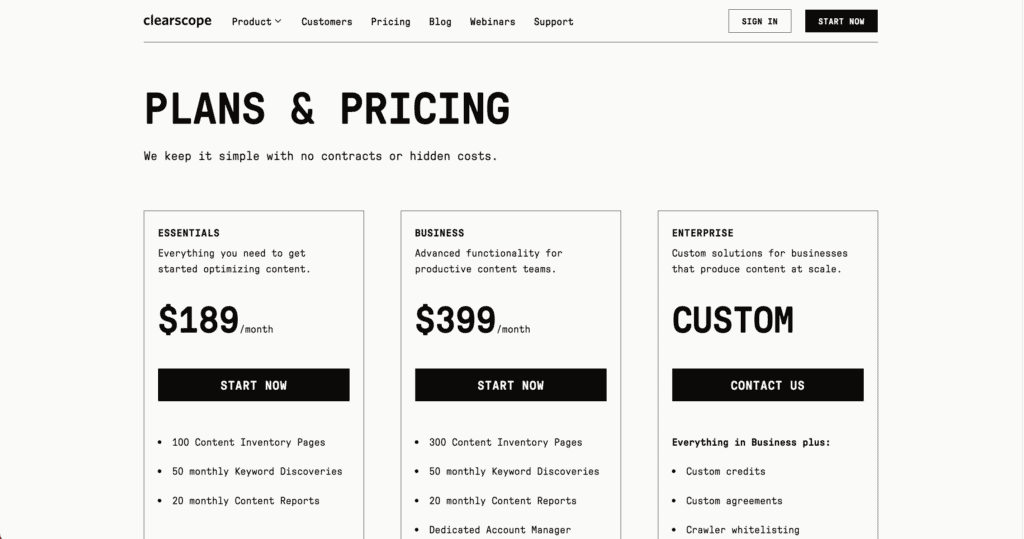
Starts at $189/month, making it one of the more expensive content optimization tools. This price point targets established businesses and larger content teams rather than individual creators or small companies. The higher cost reflects its focus on enterprise-level features and integrations.
Pros and cons
5. SEMrush Writing Assistant

SEMrush Writing Assistant is the content optimization add-on that comes with SEMrush subscriptions. If you’re already using SEMrush for keyword research and competitor analysis, this tool extends that data into your content creation process.
The assistant provides real-time feedback as you write, checking three main areas: SEO potential, readability, and originality. It taps into SEMrush’s massive keyword database to suggest related terms and analyze how your content compares to top-ranking competitors.
What makes this different from standalone tools is the integration with SEMrush’s broader SEO data. You get content suggestions based on the same competitive intelligence you use for your overall SEO strategy.
The tool works directly in Google Docs and WordPress, plus it’s built into the main SEMrush platform.
Key feature list
- Real-time SEO feedback: Provides live suggestions while you write based on target keywords
- Readability analysis: Checks how easy your content is to read and understand
- Originality checker: Scans for plagiarism and duplicate content issues
- Tone analysis: Evaluates whether your content matches your intended voice and style
- Keyword suggestions: Recommends semantically related terms from SEMrush’s database
- Competitor insights: Shows how your content compares to top-ranking pages for your keywords
- Platform integrations: Works in Google Docs, WordPress, and the main SEMrush interface
- SEO scoring: Grades your content’s optimization potential based on target keywords
Pricing
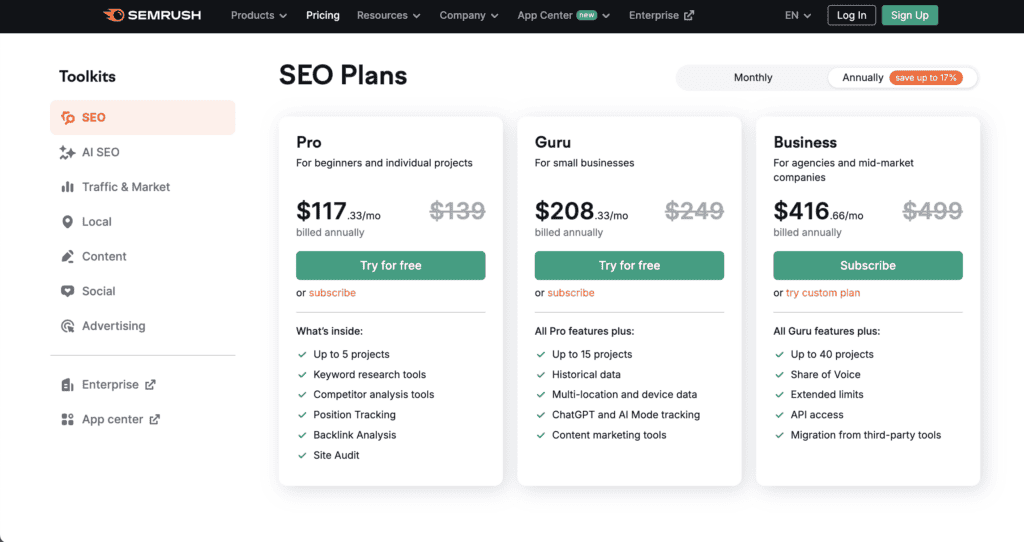
Starts at $117.33/month as part of a SEMrush subscription. This makes it more expensive than dedicated content tools like Frase, but you’re getting the entire SEMrush suite of SEO tools along with it. The writing assistant isn’t available as a standalone product, so you need the full SEMrush subscription to access it.
Pros and cons

6. NeuronWriter
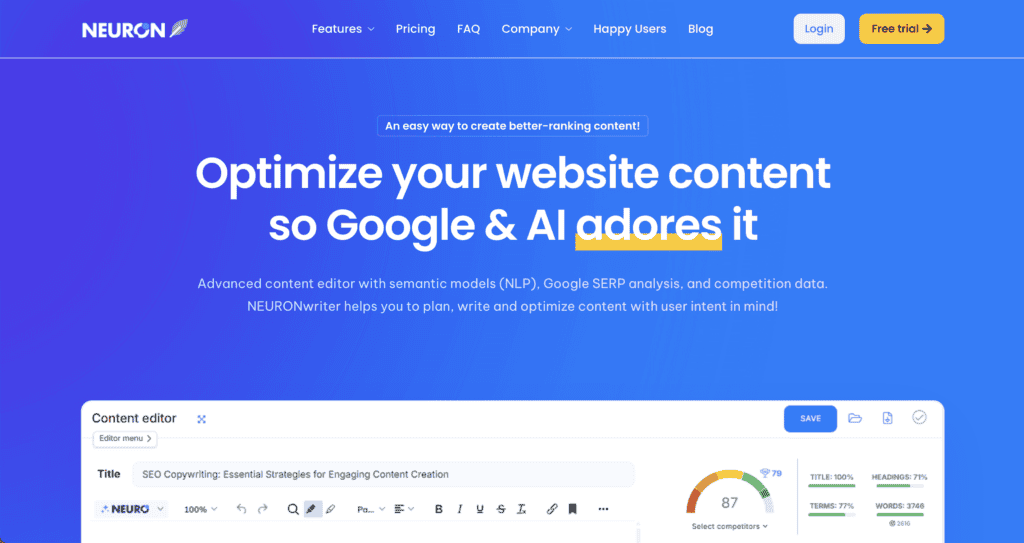
NeuronWriter positions itself as the budget-friendly alternative to expensive content optimization tools. The platform uses natural language processing (NLP) to understand semantic relationships between words and topics, which is fancy tech speak for “it knows which related words and concepts belong together.”
What sets NeuronWriter apart is its complete workflow approach. It guides you from initial topic research through content planning, AI-assisted writing, and final optimization. The interface feels modern and intuitive, making it accessible for users who might find other tools overwhelming.
The platform’s semantic analysis goes beyond basic keyword matching to understand the deeper meaning and context of your content. This helps create more comprehensive articles that cover topics the way search engines expect.
Key feature list
- AI content briefs: Generates detailed writing guides based on competitor analysis and semantic research
- Real-time optimization: Provides live scoring and suggestions as you write your content
- NLP analysis: Uses natural language processing to find semantically related keywords and topics
- AI text generation: Creates outlines, drafts, and complete sections to speed up writing
- SERP competitor analysis: Analyzes top-ranking pages to understand what makes them successful
- Linking recommendations: Suggests internal and external links to improve content authority
- Google Search Console integration: Tracks content performance and ranking changes over time
- Topic clustering: Helps plan comprehensive content strategies around related topics
- Content scoring: Grades your optimization against competitors in real-time
- Keyword suggestions: Recommends semantically related terms to improve topic coverage
Pricing
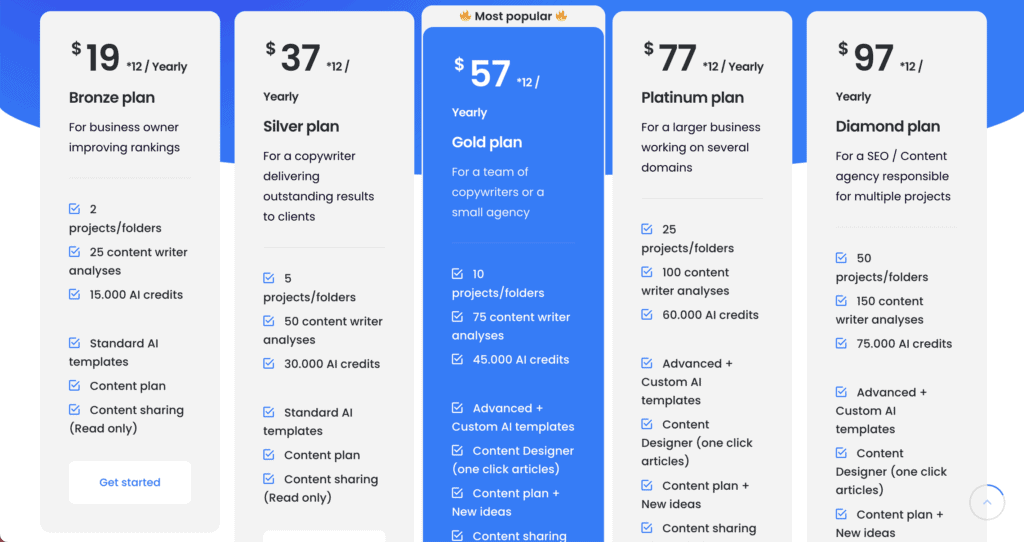
Starts at $19 per month, making it one of the most affordable options in the content optimization space. This low price point puts professional-grade content optimization within reach of freelancers and small businesses with tight budgets. The pricing represents exceptional value when you consider the range of features included at this entry level.
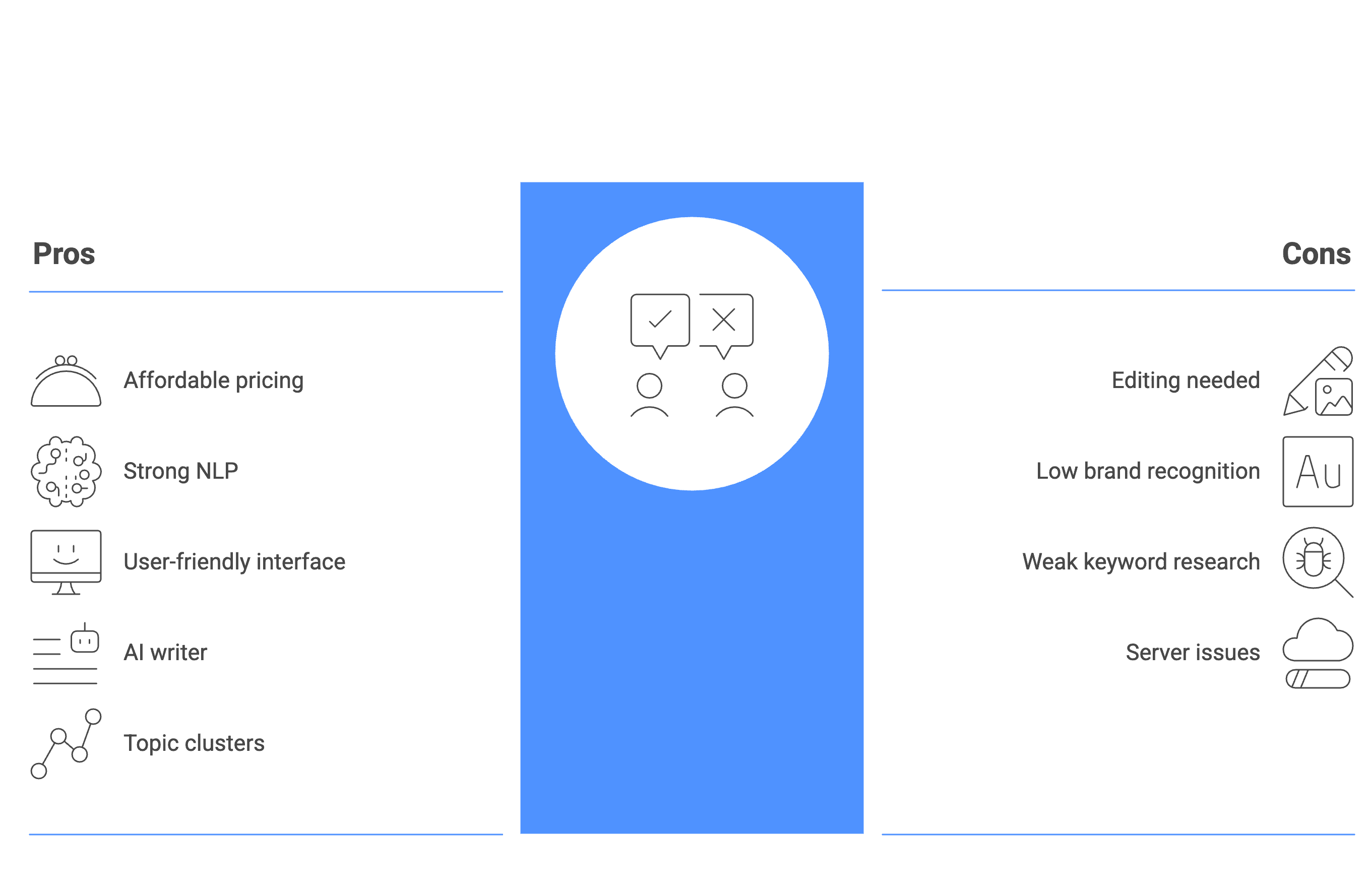
Pros and cons
7. Content Harmony
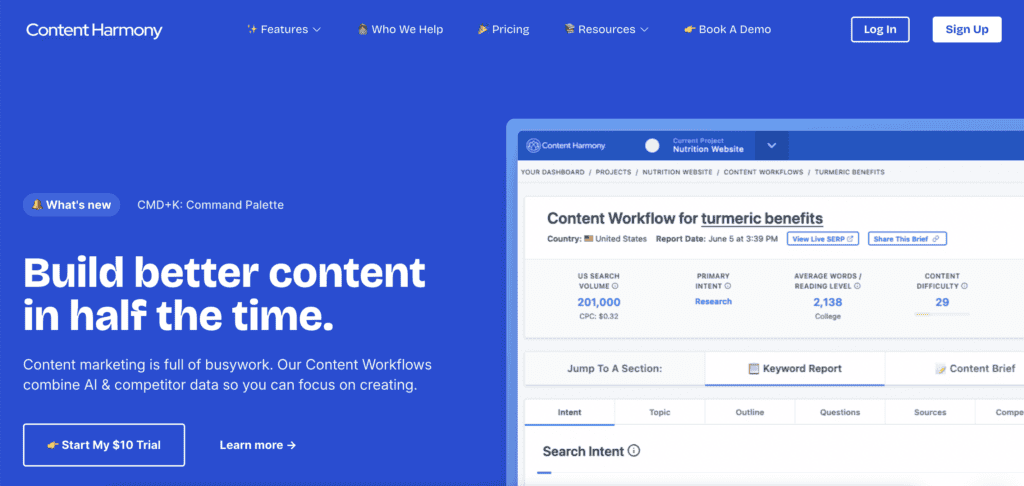
Content Harmony takes a different approach by focusing heavily on the research and briefing process rather than AI writing. Think of it as a research assistant that creates comprehensive content briefs so human writers can produce better work.
The platform analyzes competitor content and search intent to build detailed briefs that guide your content strategy. Instead of generating text for you, it gives you all the data and insights needed to create high-quality content that actually ranks.
What makes Content Harmony unique is its emphasis on human strategy over automation. The tool provides the research foundation, but expects skilled writers and strategists to use that data creatively.
The company was acquired by Siteimprove in October 2024, which means it now integrates with broader website performance and accessibility tools.
Key feature list
- Keyword research and reporting: Provides comprehensive keyword analysis and detailed reports for content planning
- Data-driven content briefs: Creates detailed writing guides based on competitor analysis and search intent research
- Content optimization grader: Scores your content and suggests improvements for better search performance
- Competitor structure analysis: Shows how top-ranking pages are organized and what topics they cover
- Visual content research: Identifies image and video opportunities to enhance your content
- Search intent classification: Determines what users actually want when they search for specific terms
- Collaborative brief sharing: Creates shareable formats that teams can review and comment on
- Audience question analysis: Pulls relevant questions from multiple sources to address user needs
- Workflow management: Organizes the entire content creation process from research to publication
Pricing
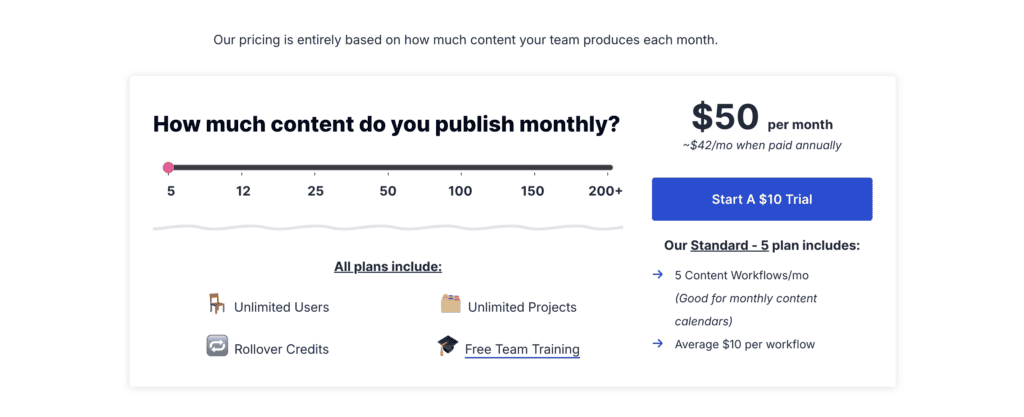
Content Harmony offers a $10 trial for 10 content workflow credits to test the platform. The Standard plan begins at $50/month for 5 workflows, making it competitively priced for the depth of research provided. The pricing structure focuses on workflow credits rather than user seats, which can be cost-effective for teams that produce high-quality content less frequently.
Pros and cons

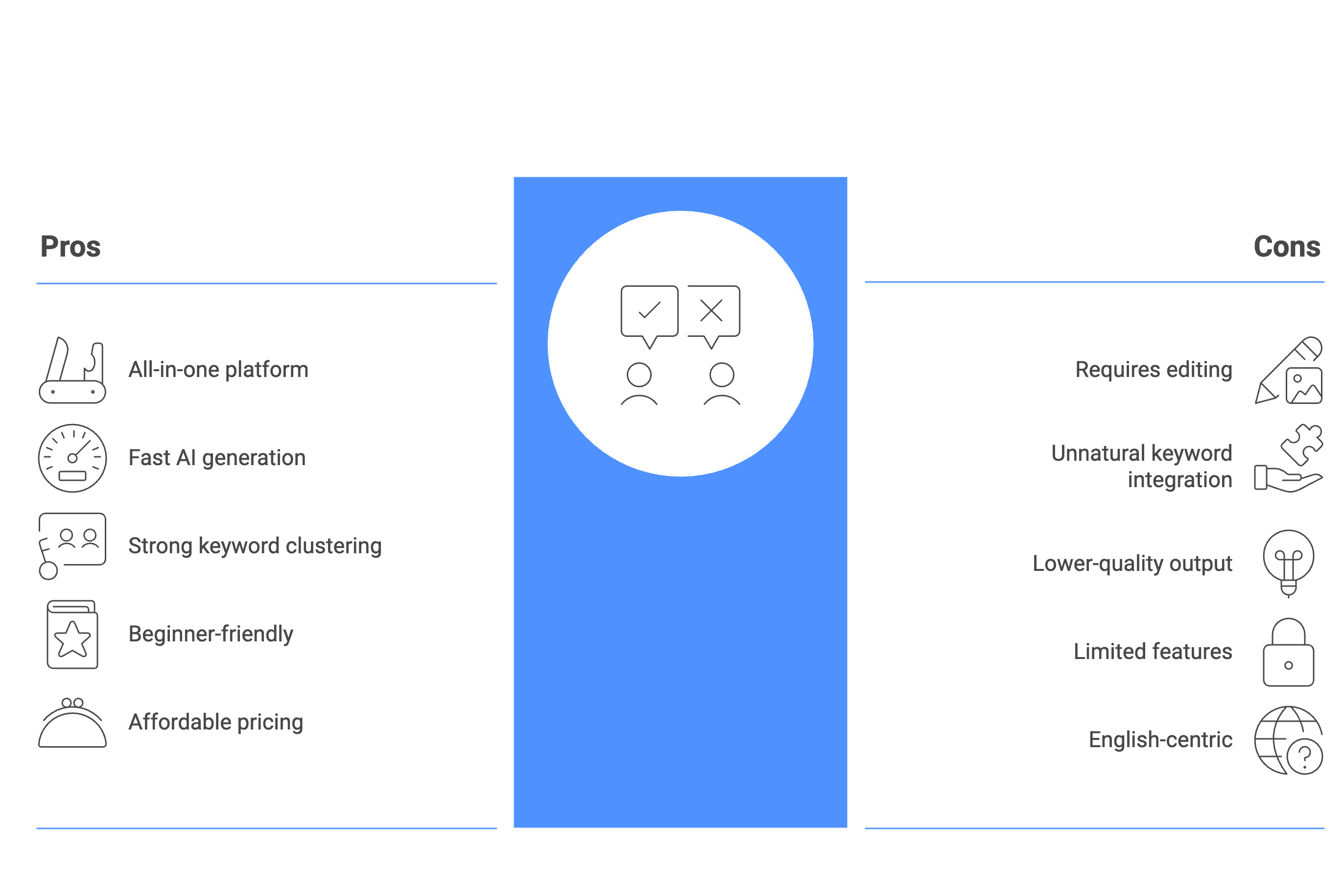
8. Scalenut
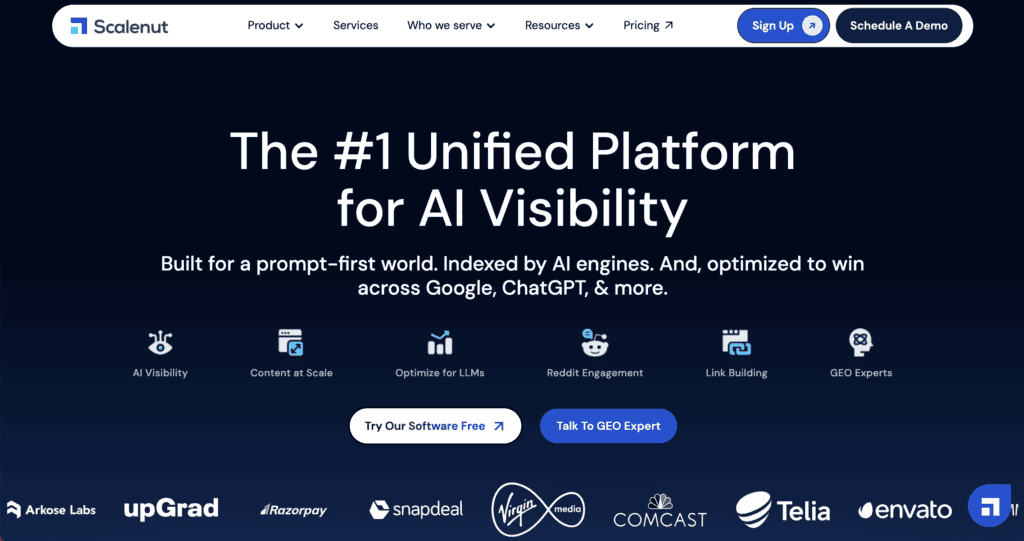
Scalenut bills itself as the all-in-one solution for content creation, combining keyword research, AI writing, and SEO optimization in a single platform. The tool’s standout feature is “Cruise Mode,” which can generate complete long-form articles in minutes based on your target keywords.
What makes Scalenut different is its focus on speed and volume. While other tools might help you optimize existing content, Scalenut wants to handle the entire workflow from research to final draft. The AI writer is designed to produce comprehensive articles that cover semantic keywords and related topics automatically.
The platform positions itself as a budget-friendly alternative to more expensive tools like Surfer SEO, offering similar optimization features at a fraction of the cost. The interface is designed for beginners who want professional results without a steep learning curve.
Key feature list
- AI Article Writer (Cruise Mode): Generates complete long-form articles automatically based on target keywords and competitor analysis
- Content Optimizer: Provides real-time SEO scoring and suggestions as you write or edit content
- Keyword planning and clustering: Groups related keywords into topic clusters for comprehensive content strategies
- SERP analysis: Analyzes top-ranking competitors to understand what content performs best
- 40+ AI templates: Offers pre-built formats for different content types like blog posts, product descriptions, and social media
- AI humanizer: Refines AI-generated content to sound more natural and engaging
- Traffic Analyzer: Monitors content performance and tracks ranking improvements over time
- Chrome extension: Works directly in your browser for seamless content optimization
- WordPress integration: Publishes optimized content directly to your WordPress site
Pricing
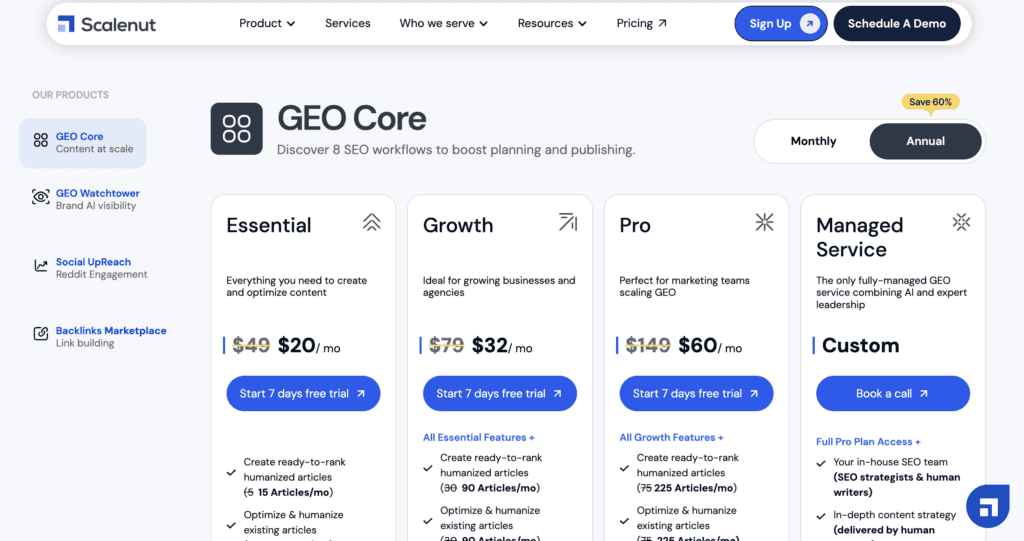
Starts at $20 per month for 15 articles, making it one of the most affordable options for AI-assisted content creation. This pricing structure focuses on article limits rather than user seats, which works well for solo creators and small teams. The low cost per article makes it attractive for businesses that need to produce content at scale without breaking their budget.
Pros and cons
9. SE Ranking

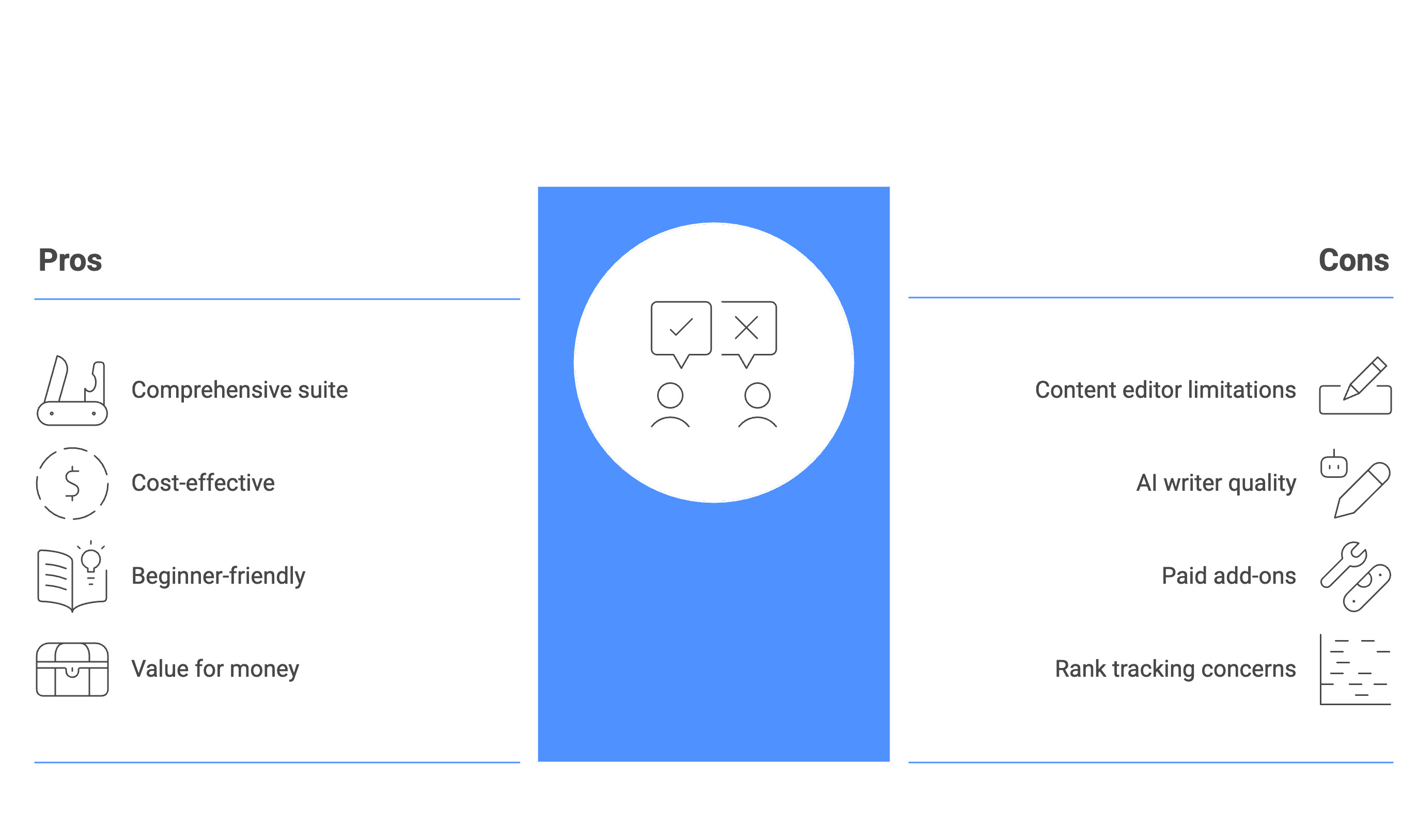
SE Ranking is a comprehensive SEO platform that happens to include content optimization tools rather than focusing exclusively on content like Surfer SEO. Think of it as a Swiss Army knife for digital marketing that covers keyword research, rank tracking, technical audits, and content creation all in one place.
The platform’s content editor and AI writer are solid but not as specialized as dedicated content tools. Where SE Ranking shines is giving you the broader SEO context around your content strategy, showing how your content fits into your overall search performance.
This makes it appealing for users who want one platform to handle multiple SEO tasks instead of subscribing to several different tools.
Key feature list
- Comprehensive keyword research: Full keyword analysis with search volume, difficulty scores, and trend data
- Content Editor: Generates content briefs by analyzing top-ranking pages for your target keywords
- AI Writer: Creates articles, outlines, and individual paragraphs based on your content briefs
- Website audit: Scans your site for technical SEO issues that might hurt your rankings
- Rank tracking: Monitors your keyword positions and tracks changes over time
- Competitive analysis: Shows what keywords competitors rank for in both organic and paid search
- Backlink monitoring: Tracks who’s linking to your site and identifies new link opportunities
- Local marketing tools: Helps manage local business listings and online reputation
- White-label reporting: Allows agencies to brand reports with their own logo and colors
- Platform integrations: Works with Google Docs, WordPress, and other popular tools
Pricing
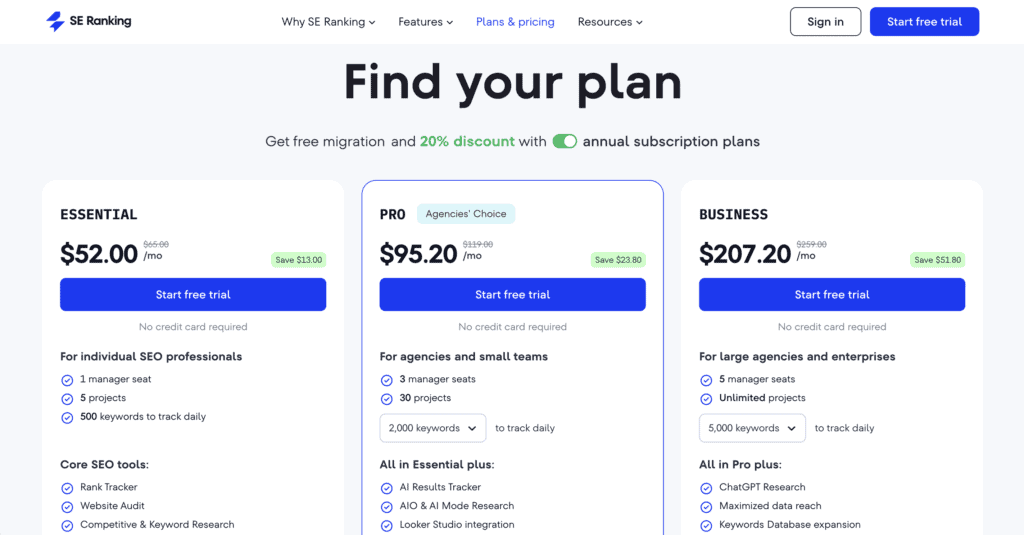
Starts at $52.00 per month, positioning it in the mid-range for comprehensive SEO platforms. This price includes access to the full SEO toolkit, making it more cost-effective than buying separate tools for rank tracking, keyword research, and content optimization. Some advanced features like enhanced content tools and local SEO require paid add-ons on top of the base subscription.
Pros and cons
10. WriterZEN
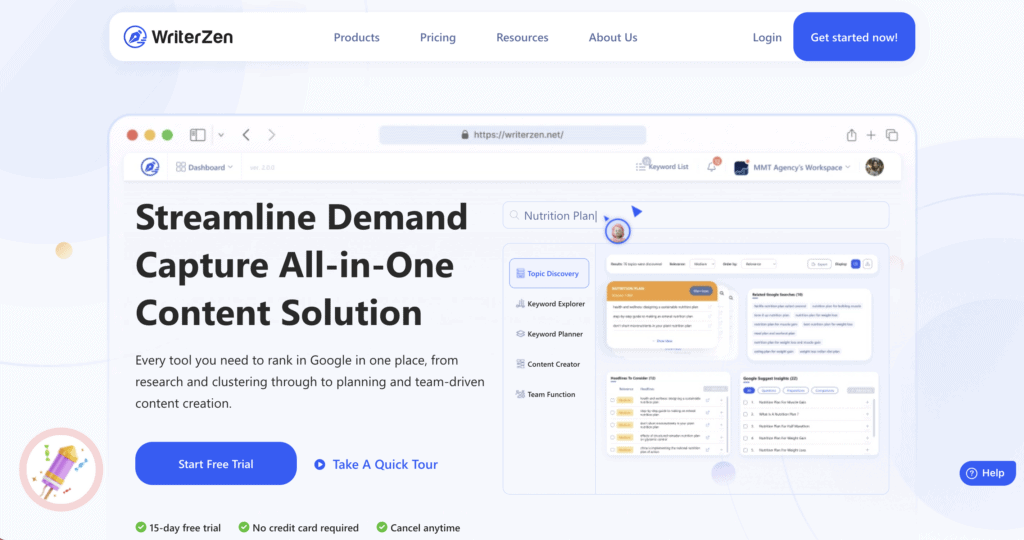
WriterZen offers a complete workflow approach to content creation, guiding you from initial topic ideas through keyword research to final optimized content. The platform stands out for its integrated process that connects each step, rather than treating keyword research and content creation as separate tasks.
What makes WriterZen different is its focus on the entire content marketing workflow. It starts with topic discovery, moves through keyword clustering (grouping related keywords together), and ends with AI-assisted writing and optimization. This sequential approach helps ensure your content strategy stays organized and cohesive.
The platform is known for being both budget-friendly and user-friendly, making it accessible to content creators.
Key feature list
- Topic Discovery: Finds new content ideas and opportunities based on seed keywords and competitor analysis
- Keyword Clustering: Groups related keywords into topics for comprehensive content planning
- Keyword Golden Filter: Identifies low-competition keywords that are easier to rank for
- AI Assistant: Helps create outlines, write paragraphs, and rewrite existing content
- Content Editor: Provides real-time SEO scoring and optimization suggestions as you write
- Built-in plagiarism checker: Scans your content for duplicate text without needing separate tools
- Google NLP integration: Uses Google’s natural language processing to find semantically related keywords
- Content Brief generator: Creates detailed writing guides based on competitor analysis
- Workflow management: Organizes your entire content process from research to publication
Pricing
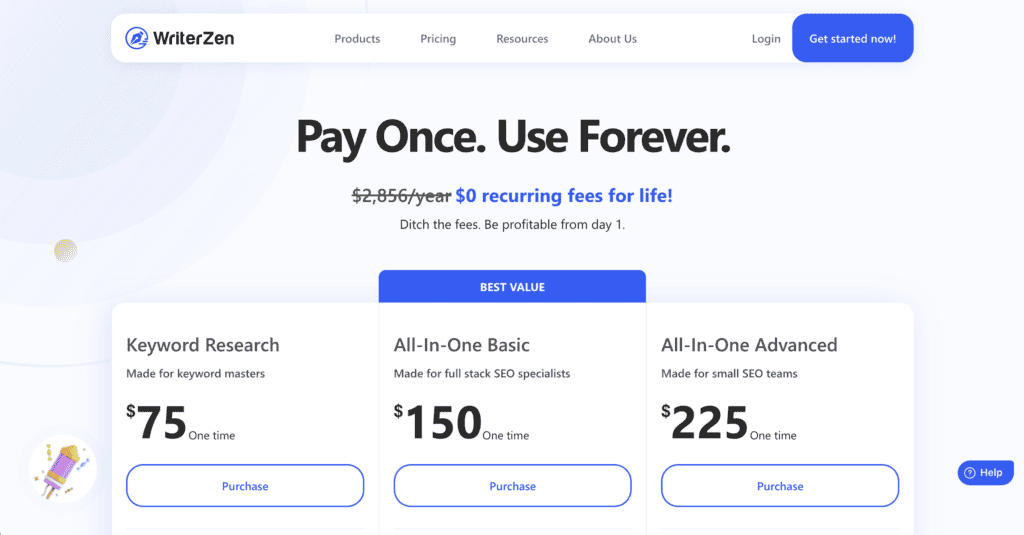
One-time payment starts at $75, which is unusual in a market dominated by monthly subscriptions. This pricing model makes WriterZen extremely cost-effective for long-term users who don’t want ongoing monthly fees. The platform occasionally offers lifetime deals, which can provide exceptional value compared to subscription-based alternatives.
Pros and cons

Can a WordPress SEO plugin replace Surfer SEO?
This is a common question, but WordPress SEO plugins and content optimization tools like Surfer SEO serve completely different purposes. They’re not competitors; they’re teammates in your SEO strategy.
Content optimization tools handle strategy and creation
Tools like Frase, MarketMuse, and other Surfer alternatives focus on what happens before and during writing. They analyze top-ranking competitors to create a blueprint for your content.
These tools excel at telling you which keywords to include, how to structure your content, and what topics to cover. They provide real-time scoring based on what’s actually ranking in search results.
WordPress SEO plugins handle technical implementation
Plugins like Rank Math and Yoast SEO, manage your website’s technical foundation and optimize pages after they’re written.
They generate XML sitemaps (roadmaps that help search engines find your pages), create meta descriptions, and add schema markup. Schema markup is code that helps search engines understand what your content is about.
These plugins also handle basic content suggestions like keyword placement and readability checks, but that’s not their main strength.
How they work together
The most effective approach combines both tools. Use a content optimization tool to research and write your article, then use a WordPress plugin to handle the technical details when you publish.

Which one do you actually need?
- If you want better content strategy: Choose a Surfer alternative like Frase or NeuronWriter. You’re investing in tools that engineer articles to rank higher.
- If you want basic website management: A WordPress SEO plugin is essential and often free. Every WordPress site needs one for technical SEO functions.
- If you want maximum results: Use both tools together. This is the standard approach for serious content creators and agencies.
WordPress SEO plugins can’t replace the deep content analysis that dedicated optimization tools provide. Similarly, content tools can’t handle the technical SEO requirements that WordPress plugins manage automatically.
The choice isn’t either/or. It’s about understanding that each tool handles a different part of your SEO success.
Parting thoughts
There’s no single “best” alternative because the right choice depends on your budget, workflow, and specific needs. Different tools excel in different areas: some offer comprehensive all-around features, others specialize in enterprise strategy or budget-friendly optimization, while certain platforms provide exceptional value for specific use cases.
Most importantly, take advantage of free trials to test these alternatives with your actual keywords and content before committing to a subscription.
FAQs
What is the alternative to surfer SEO?
The top alternatives to Surfer SEO include Frase.io, MarketMuse, PageOptimizer Pro, Clearscope, and NeuronWriter. Each offers content optimization features with different strengths, pricing, and workflows to suit various needs and budgets.
Is Surfer SEO better than Ubersuggest?
Surfer SEO is better for content optimization and on-page analysis, while Ubersuggest excels at keyword research and competitor analysis. They serve different primary purposes, so the better choice depends on whether you need content optimization or broader SEO research tools.
Is Surfer SEO better than Yoast?
Surfer SEO and Yoast aren’t directly comparable since they serve different functions in your SEO workflow. Surfer focuses on content strategy and optimization, while Yoast handles technical on-page SEO and WordPress site management.
Is Surfer SEO better than Semrush?
Surfer SEO specializes in content optimization, while SEMrush offers a comprehensive SEO toolkit including keyword research, competitor analysis, and rank tracking. SEMrush is better for overall SEO strategy, but Surfer provides more focused content optimization features.
Is Surfer SEO Humanizer free?
Surfer SEO’s AI Humanizer feature is not free and requires a paid subscription to access. The tool is included in higher-tier plans, but you’ll need to upgrade from the basic plan to use this content refinement feature.

Shivani enjoys crafting guides that make every aspect of using WordPress simple and easy to follow. When she's not glued to her laptop, you can find her buried in a good book or occasionally, painting.


