

SEO plugins for WordPress flood the market with promises, but most site owners still struggle to get their content found. You know you need SEO help, but don’t know which tools work without ending up with a broken website.
The Yoast SEO WordPress plugin promises to guide you through this maze, but is it worth the learning curve, and will the free version cut it?
Let us show you exactly what Yoast offers, and whether it deserves a spot on your site.
Yoast’s free version provides color-coded SEO guidance and automatic optimizations, making it ideal for WordPress beginners wanting better rankings without cost. Before installing Yoast, consider using a backup solution to protect your site. It’s smart to have a safety net when making changes to your WordPress setup.
Yoast SEO WordPress plugin in a nutshell

Yoast SEO helps you create content that ranks well in search results. The plugin provides color-coded feedback as you write:
- Red = needs work
- Orange = getting there
- Green = you’re good to go.
You won’t find confusing jargon here.
Yoast handles technical SEO tasks automatically. Things like XML sitemaps, meta descriptions, and schema markup all work without your direct input. This frees you to focus on content while the plugin manages backend requirements.
The free version covers most essential SEO needs. Beginners can achieve solid results without paying anything. The premium version adds internal linking suggestions, redirect management, and advanced features.
One drawback is that the scoring system can encourage over-optimization. Sometimes you’ll find yourself tweaking sentences just to hit green. Your content quality matters more than perfect scores.
Core features offered
Yoast SEO combines content optimization tools with automatic technical fixes. Let’s break down what Yoast provides, without the marketing fluff:
SEO analysis
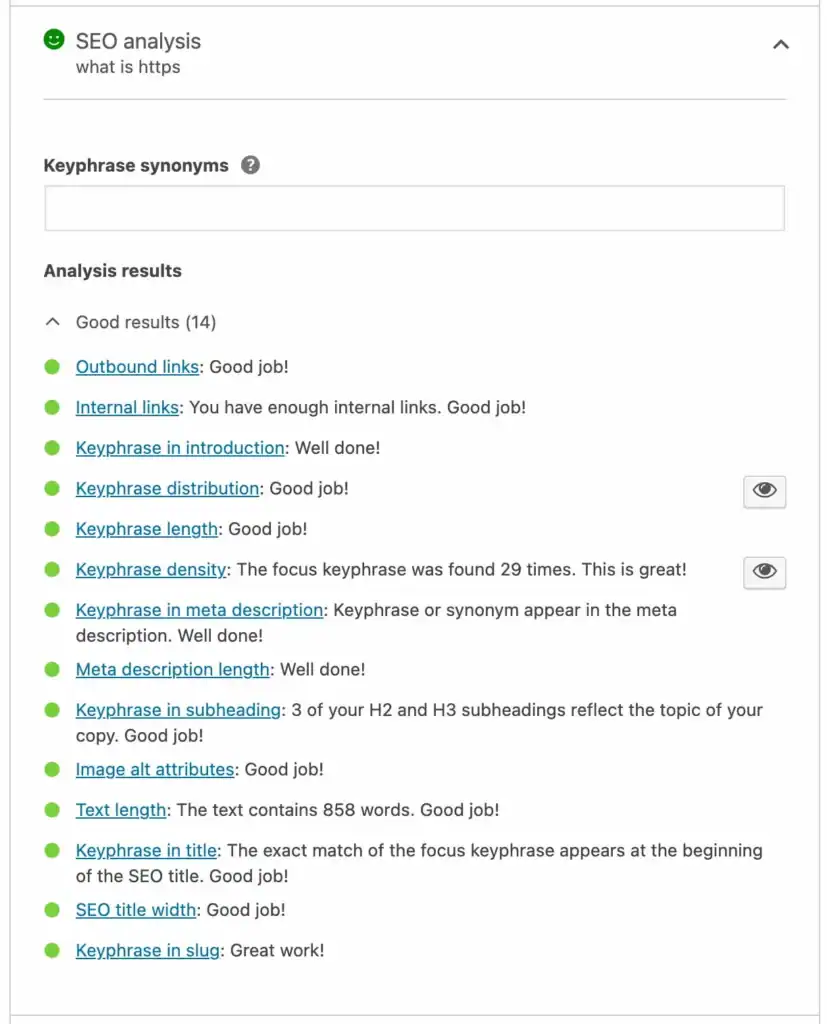
Yoast checks your content in real time as you write. You pick a focus keyword, and it verifies that the keyword appears in your title, meta description, URL, headings, and first paragraph.
It monitors keyword density to prevent stuffing while ensuring you use your target term enough. The plugin also reminds you to add internal links to your own pages and external links to authoritative sources.
The plugin checks image alt text and recommends a minimum content length. These are simple things, but easy to overlook when you’re focused on writing.
Readability analysis

This tool scores your content’s readability using the Flesch Reading Ease scale. Higher scores mean easier reading for your audience.
Yoast flags passive voice, long sentences, and chunky paragraphs. It encourages transition words like however and therefore to improve flow between ideas.
The plugin catches repetitive sentence starters and suggests inclusive language alternatives. These small tweaks make content more engaging and accessible.
Technical SEO
Here’s where Yoast shines for non-developers. It automatically creates XML sitemaps that help Google find and index your content.
Schema markup gets added behind the scenes, helping your content appear as rich snippets in search results. It also manages canonical URLs, preventing duplicate content issues without your input.
The plugin handles breadcrumb navigation and includes a robots.txt editor. Local businesses get structured data for Google Maps rankings. Video creators get specialized sitemaps for YouTube content.
The real-time analysis changes how you write content. SEO becomes part of the process instead of an afterthought. The technical automation is the biggest win for beginners who don’t want to touch code.
How to get started with Yoast
Getting Yoast running takes roughly 5 minutes. Here’s a quick guide:
Step 1: Launch the Setup wizard
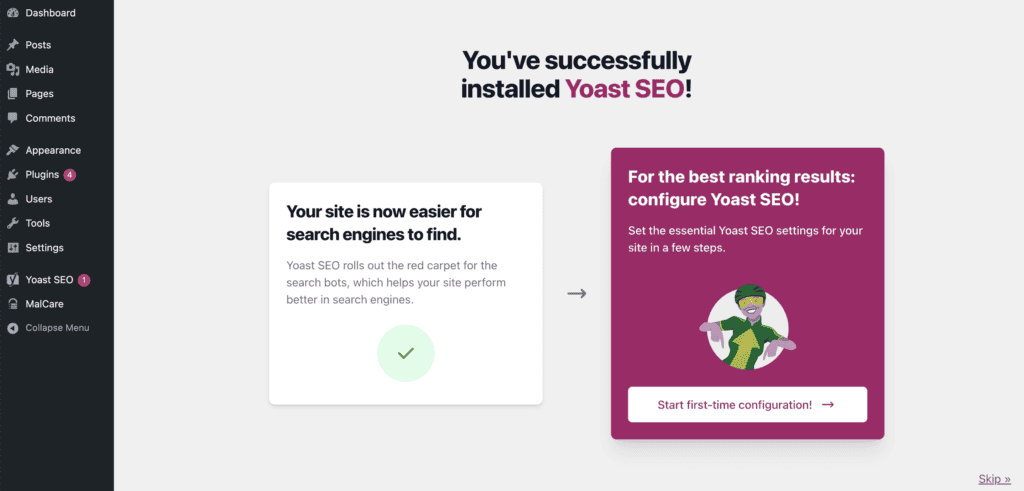
After installing, click Start first-time configuration! from the dashboard notice. Can’t find it? Go to Yoast SEO, find and click on First-time configuration from the side panel.
Step 2: Run the initial scan
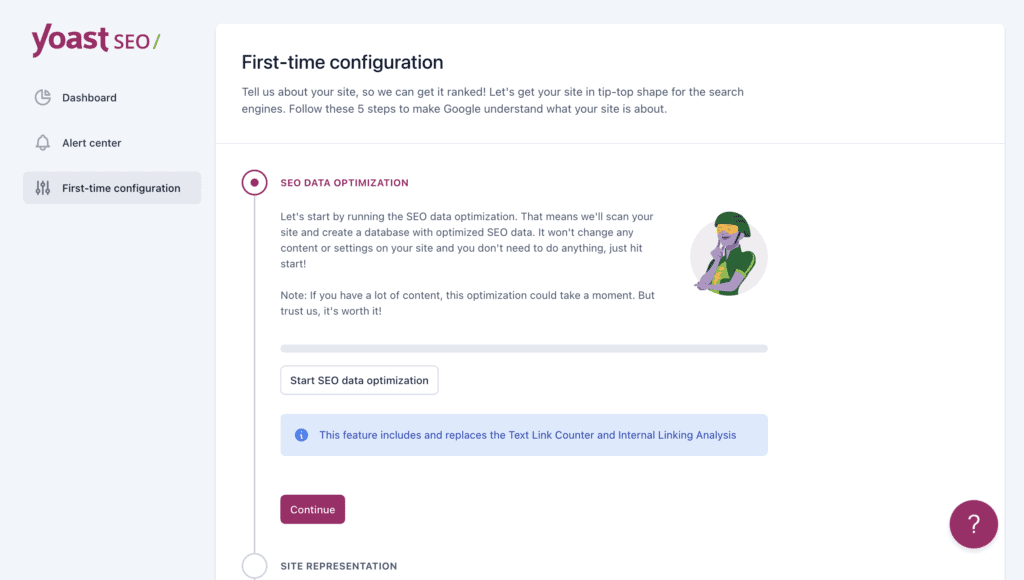
Click Start SEO data optimization when prompted. This scans your existing content to build Yoast’s database. Nothing gets changed or deleted.

Large sites take a few minutes. Let it finish completely.
Step 3: Set your site identity
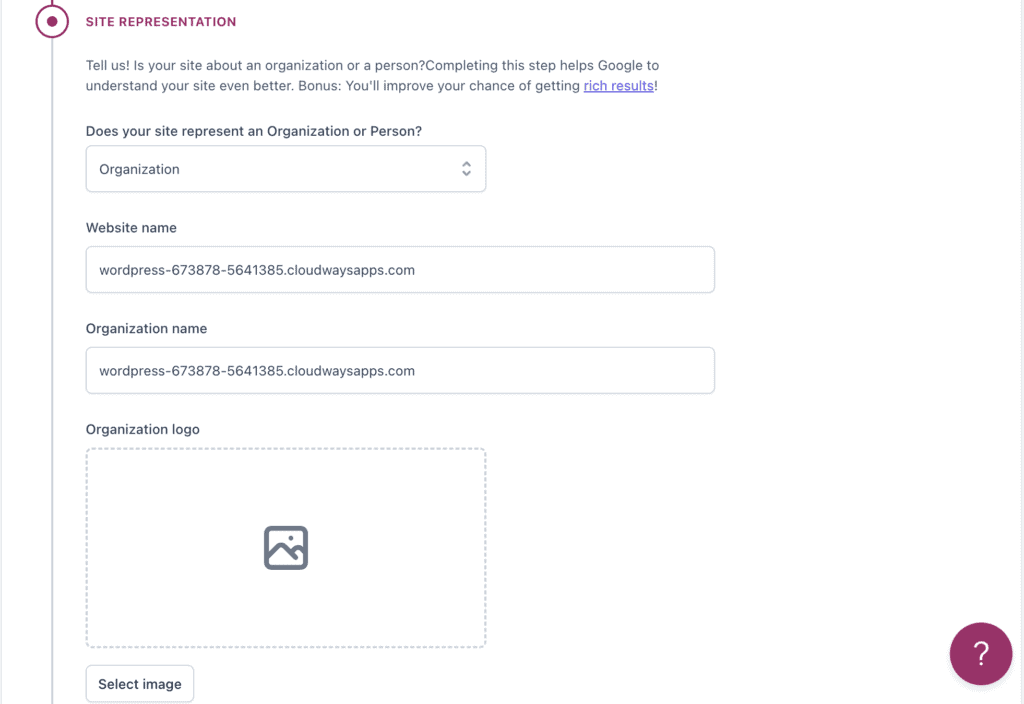
Choose Organization for businesses or Person for personal sites. Add your site name, logo, and basic details.
This helps search engines understand your brand and improves how you appear in results.
Step 4: Connect social profiles
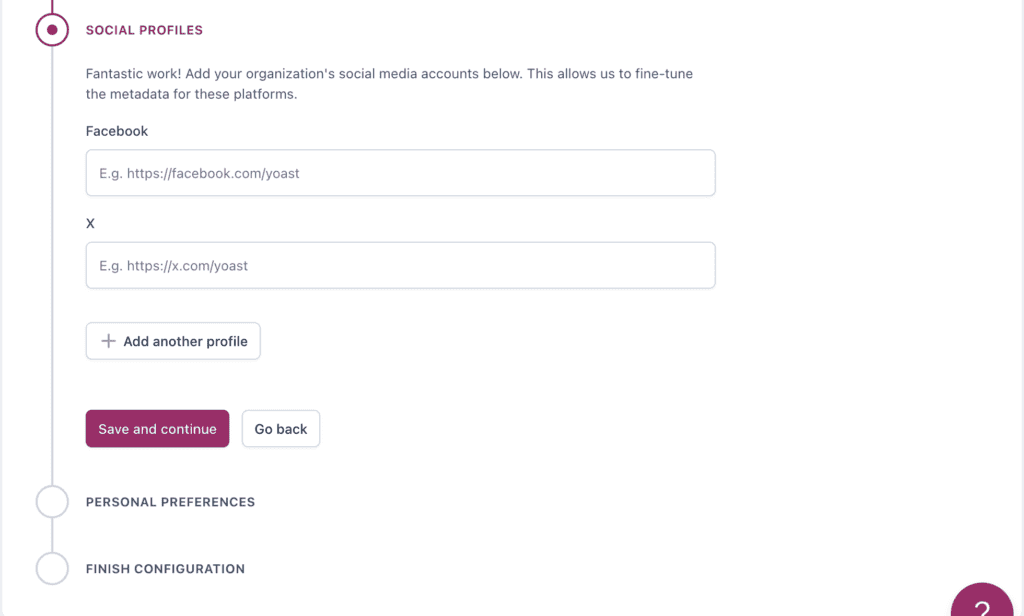
Link your Facebook, Twitter, and Instagram accounts. Yoast uses these for proper social sharing tags.
The wizard creates your XML sitemap automatically. Start writing your next post and use the traffic light system to help guide your SEO optimization.
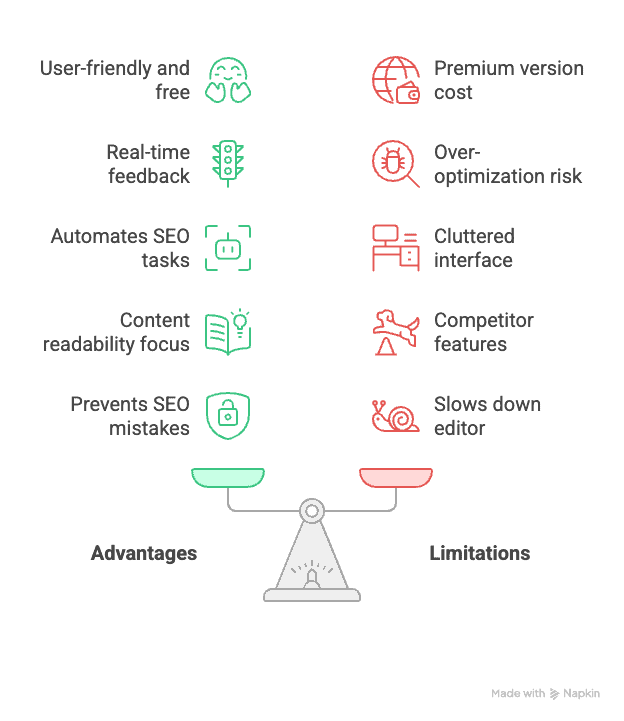
Advantages and drawbacks
Pricing
Yoast keeps pricing simple with three clear options.
Yoast SEO Free: Costs nothing. Includes all essential SEO tools like content analysis, technical optimization, and XML sitemaps. Most bloggers and small sites can stop here.
Yoast SEO Premium: $118.80 per year. Adds multiple focus keywords, internal linking suggestions, and redirect management. Worth it if you publish content regularly and want deeper optimization control.

Yoast WooCommerce SEO: $178.80 per year. Built for online stores. Includes everything from Premium plus product page optimization, WooCommerce-specific schema markup, and shopping-focused features.
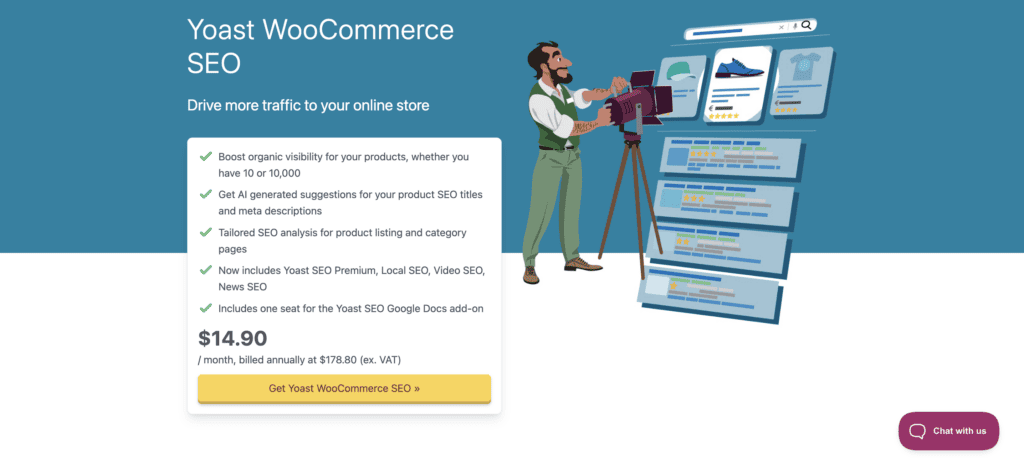
All paid plans come with a 14-day money-back guarantee. You can test the premium features risk-free.
Should you go for Yoast SEO?
Here’s the straight answer: it depends on what you need and how you work.
Choose Yoast SEO if you want:
- Beginner-friendly guidance. The color-coded feedback system makes SEO approachable for newcomers. You’ll learn SEO fundamentals while optimizing your content.
- Reliable free features. The free version handles content analysis and technical SEO basics without any cost. Most small sites get everything they need.
- Clear, simple interface. No confusing menus or cryptic settings. Everything feels intuitive from day one.
- Specialized business features. Running a local business, news site, or video blog? Yoast’s premium add-ons target these specific needs.
Skip Yoast SEO if you’re looking for:
- Advanced free features. Need redirects, multiple keywords, or detailed analytics without paying? RankMath offers more in its free tier.
- Minimal interface. Yoast adds notifications, metaboxes, and constant feedback. Technical users often find this intrusive.
- Distraction-free writing. The traffic light system can interrupt your flow if you’re the type who gets caught up optimizing instead of creating.
Yoast excels at teaching SEO while you use it. Start here if you’re new to WordPress SEO or want a trusted, well-supported plugin that grows with your needs.
Best Yoast SEO alternatives
Not convinced Yoast is right for you? Here are three solid alternatives worth considering.
RankMath

RankMath packs more features into its free version than Yoast does. You get multiple focus keywords, basic redirects, and 404 monitoring without paying anything.
The interface can feel overwhelming if you’re new to SEO. It’s built for users who want control over every setting. Power users love it; beginners sometimes get lost in the options.
Best for: Sites that need advanced features.
All in One SEO (AIOSEO)
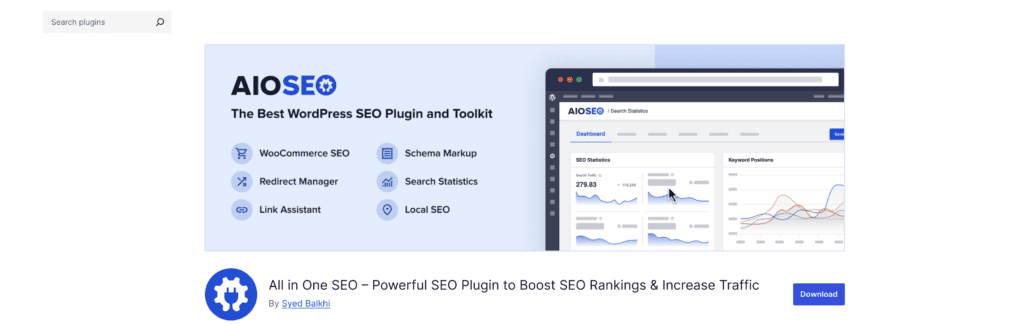
AIOSEO strikes a nice balance between features and simplicity. It’s been around as long as Yoast and offers similar functionality with a cleaner interface.
The setup wizard guides you through configuration without drowning you in options. The free version handles most basic SEO needs effectively.
Best for: Users who want reliable SEO tools without complexity.
SEOPress
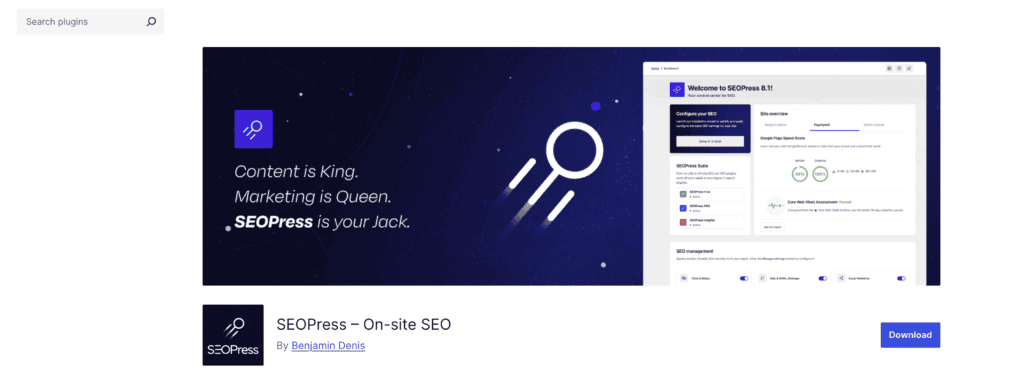
SEOPress keeps things simple and runs faster than feature-heavy alternatives. No ads in the free version, clean interface, and solid core functionality.
The premium version costs less than Yoast Premium but includes similar features. It won’t slow down your site or clutter your dashboard.
Best for: Sites that prioritize speed and minimal resource usage.
Each plugin handles the SEO basics well. Your choice depends on whether you prioritize features, simplicity, or performance.
Parting thoughts
So does Yoast deliver on its promise to guide you through the SEO maze? Absolutely. The plugin transforms SEO from an overwhelming technical challenge into manageable, color-coded steps that actually teach you while you write.
The free version cuts it for most sites, proving you don’t need to break the bank or risk a broken website to get your content found. If you’re tired of creating great content that sits invisible on Google’s second page, Yoast SEO deserves that spot on your site.
FAQs
What is the Yoast SEO plugin in WordPress?
The Yoast SEO plugin is a popular tool designed to optimize your WordPress website for search engines. It provides features like keyword optimization, readability checks, and XML sitemaps. Yoast aims to improve your site’s visibility and overall SEO performance.
Is Yoast SEO free for WordPress?
Yes, Yoast SEO offers a free version with essential SEO tools suitable for most users. The free version includes content analysis, meta description creation, and readability checks. For advanced features, a premium version is available.
How to install Yoast SEO for free?
You can install Yoast SEO for free via your WordPress dashboard by navigating to “Plugins” and selecting “Add New.” Search for “Yoast SEO,” and click “Install Now,” then activate it. The free version offers robust SEO tools without cost.
How much does Yoast SEO cost?
Yoast SEO offers a free version and a premium version that costs $99 per year for one site. The premium plan includes advanced features like multiple focus keywords, insights, and 24/7 support. Additional costs may apply for specific add-ons.
How to add multiple keywords in Yoast SEO free?
The free version of Yoast SEO supports only one focus keyword per post. To optimize for multiple keywords, consider upgrading to the premium version. Alternatively, you can manually integrate additional keywords in strategic places without official analysis from Yoast.

Shivani enjoys crafting guides that make every aspect of using WordPress simple and easy to follow. When she's not glued to her laptop, you can find her buried in a good book or occasionally, painting.


