When choosing between WordPress translation plugins, you need a solution that simply works. You don’t want to be dealing with a plugin conflict that crashes your entire website, forcing you to restore your site from a backup.
You’ve seen the international traffic in your analytics or made the strategic decision to expand.
This definitive Weglot review cuts through the hype. We’ll see if its famed ease-of-use truly delivers an effective, SEO-friendly, and manageable multilingual website for your business.
Weglot is an excellent, user-friendly AI solution for fast, SEO-friendly translations if its premium subscription model fits your budget. Before implementing any new service, always ensure your site’s content is protected with a reliable backup plugin.
Weglot review at a glance

Key features and how they work
To understand Weglot’s value, you need to look at its core components:
The hybrid translation approach
Weglot begins with high-quality AI translations from services like DeepL and Google, instantly providing a fully translated version of your site as a strong starting point.
While AI can occasionally miss nuances and brand voice, you can easily refine these using the Visual Editor or Translation List.
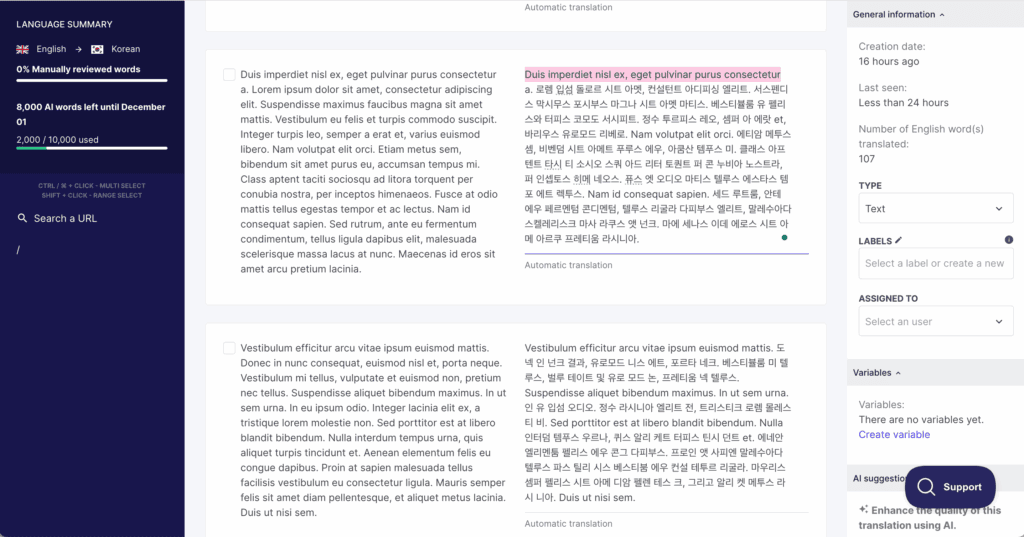
Additionally, you can develop a custom AI language model with OpenAI and Gemini. This model learns from your translation history, glossary, and specific guidelines to ensure translations align with your brand style.
You can delegate tasks to your team or opt for professional human translations directly from the Weglot dashboard for added accuracy.
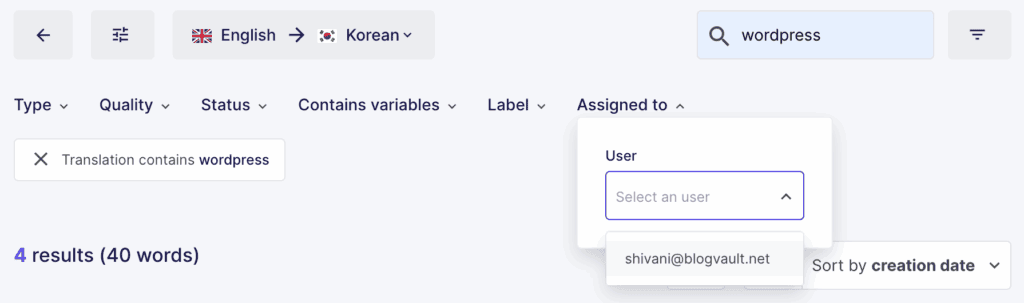
This approach combines speed with meticulous quality control. For extensive projects, many teams choose to review translations thoroughly before making them live.
Translation management and editing tools
We interacted with our translations through two primary interfaces.
The Visual Editor. A standout feature in our experience, this editor lets you browse your live website and edit text in its visual context. Clicking on any text element brings up an editing window, which helps prevent the awkward phrasing that can result from translating text out of context.
The Translations List. This is a comprehensive, searchable list of all text strings on your site. We found it efficient for making global changes to a specific word or phrase.

A glossary feature also lets you set rules to prevent the translation of certain terms, such as brand names, ensuring brand consistency across all languages.
Multilingual SEO (M-SEO) capabilities
Multilingual SEO (M-SEO) simply means optimizing your site so search engines show the correct language version to the right users.
A translated website must be discoverable to be effective, and this is a critical area where we found Weglot provides significant value by automating technical SEO.
It creates language-specific URLs (e.g., yoursite.com/es/ for Spanish), automatically adds the correct hreflang tags ( code that points search engines to the correct language page for a user) for Google. This is a good time to ensure your WordPress permalinks are configured before these new subdirectories are added.

Additionally, it translates SEO titles and meta descriptions, working in tandem with your existing SEO plugin, like Yoast or Rank Math, to ensure consistency.
These automated functions handle complex but essential tasks, making the site visible to international audiences.
Compatibility and integrations
A common concern with any new plugin is compatibility. During our testing, Weglot integrated smoothly with a standard WordPress environment using Elementor and WooCommerce, showing no conflicts.
However, if you’re not so lucky with another plugin, learning how to fix plugin conflicts is an essential skill for any site admin.
It is built to work across major platforms, including Shopify and Webflow, and generally functions well with most themes and plugins.
Customer support and documentation
If issues arise, Weglot’s support is known to be responsive and helpful. Their online help center is also comprehensive, providing a large library of articles and video tutorials to address common questions.
Ease of use
For a first-time user of a translation plugin, our experience was straightforward. The dashboard is clean and guides you through the setup process.
The goal of the product is to make website translation accessible to non-developers, and in our view, the user interface succeeds in this goal.
How to get started with Weglot
Unlike plugins that operate entirely within your dashboard, Weglot is a cloud-based service, so the first step happens on their website.
First, you must sign up for an account on the Weglot website. We chose to start with a free trial for our testing. After signing up, you’ll need to validate your account via email and provide some basic information about your site. Once that’s done, Weglot provides you with a unique API key that you need to copy.
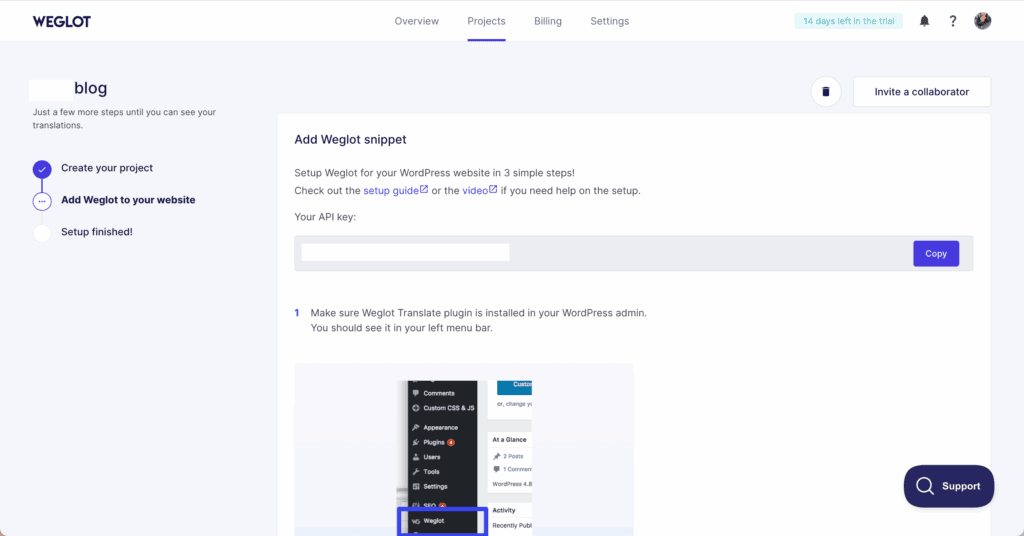
Next, you go back to your website and install the Weglot plugin (or the appropriate integration for your platform, like Shopify or Webflow). The crucial step is connecting the plugin to your account by pasting that unique API key into the settings.
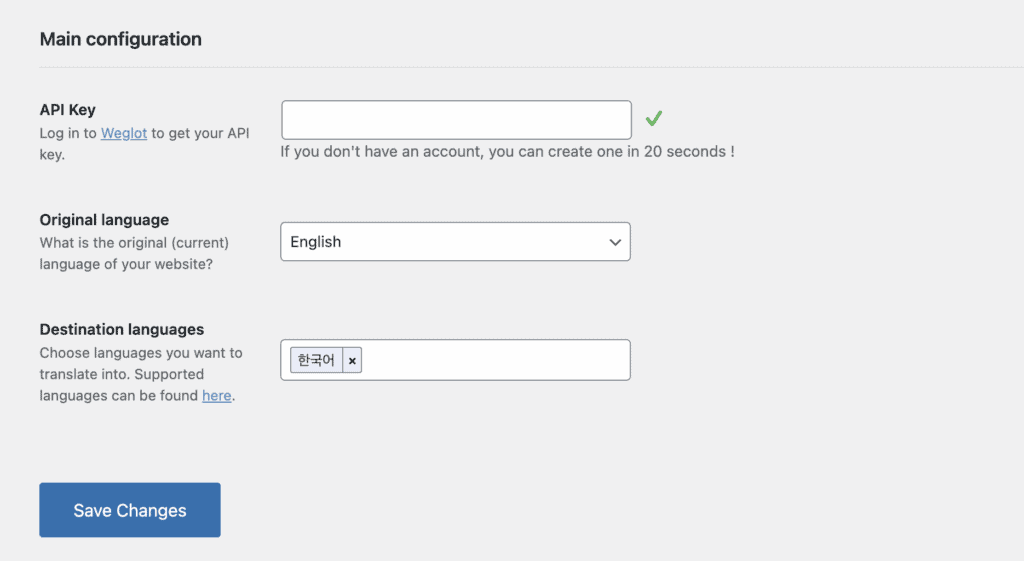
From there, the configuration is simple. You select your site’s original language and then choose the destination languages you want to add. For our test, we chose Korean.
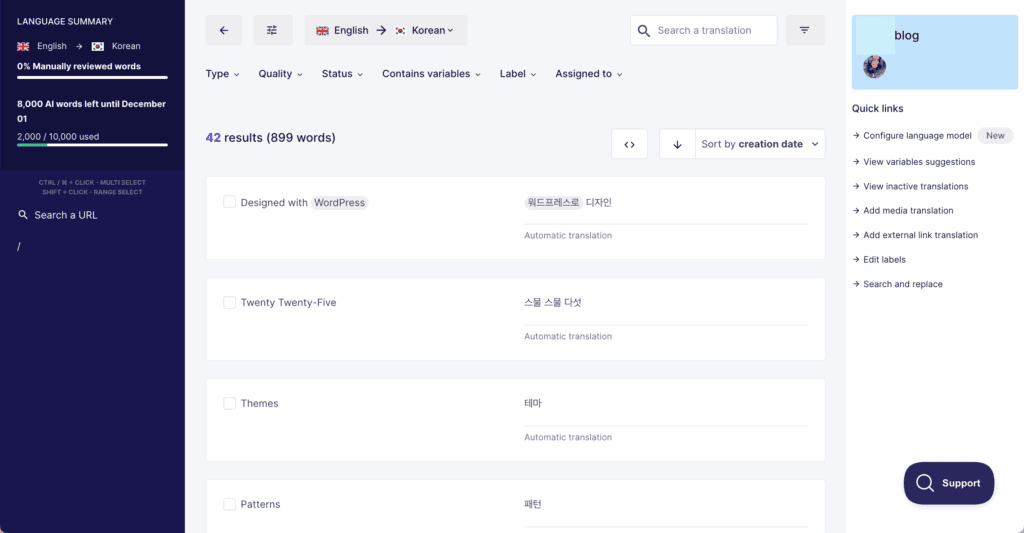
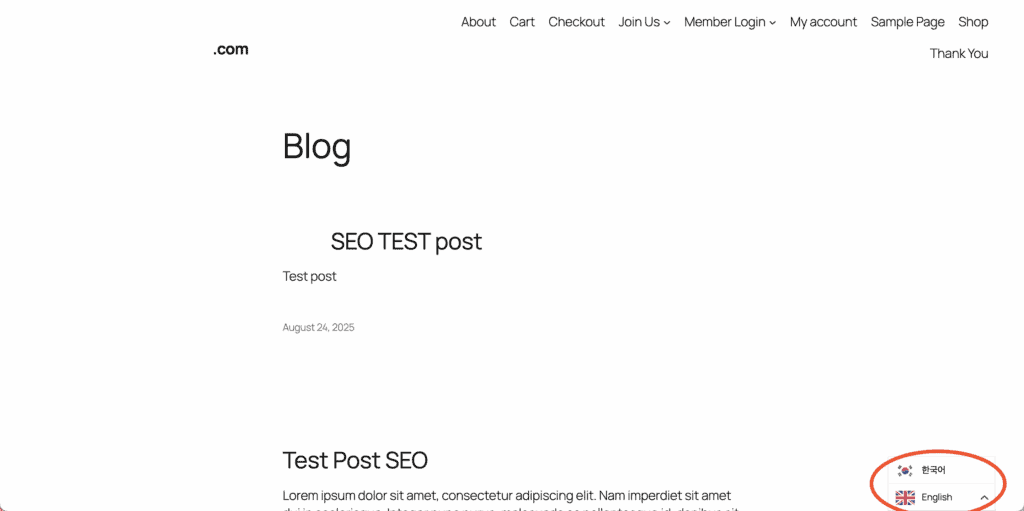
The results were immediate. As soon as we saved the settings, the translations were live, and a language switcher appeared on our site automatically. The free trial includes up to 2,000 words. Our small test site used 899 words, which left us with plenty of capacity to use the visual editor and begin refining the initial machine translations.
Weglot pricing
Weglot offers a subscription model based on your site’s total word count and the number of languages. A free trial lets you explore the service with one language, a 2,000-word limit, and 2,000 AI credits. You can remain on the free plan if your translations stay under 2,000 words.
Paid plans start at around $17 per month, raising the limit to 10,000 words for one language and 10,000 AI credits, with options for monthly or annual payments. Higher tiers offer more words and additional languages.
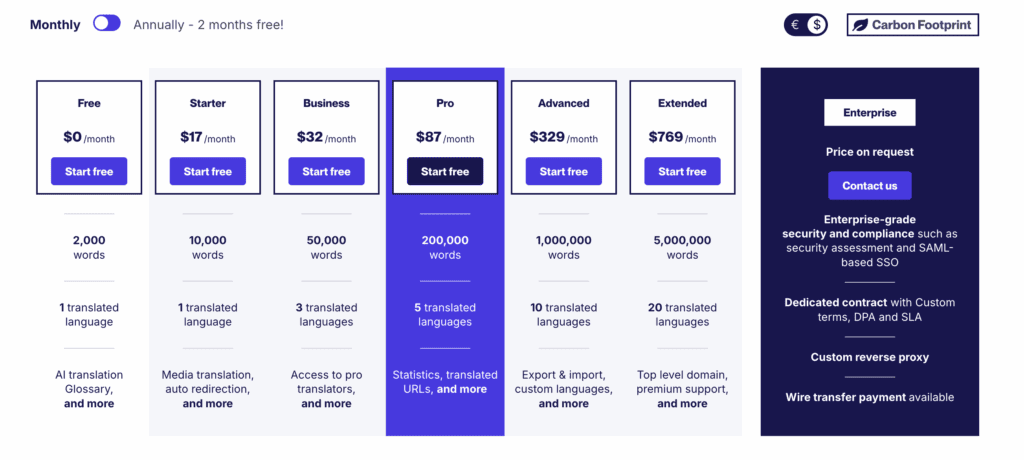
While the Weglot pricing is a common discussion point, the subscription covers the automated technology, translation hosting, management dashboard, and crucial SEO features. For many businesses, the time saved on manual setup and technical work can justify the recurring expense.
Weglot pros and cons
Here is a balanced summary based on our experience with the platform.
| Pros | Cons |
| Simple setup process without technical expertise. | Can become expensive for larger websites. |
| AI Language Model that generates translations according to your instructions, reducing the need for manual review. | Limited to monthly credits based on your word count; 1 string translated with the AI Language Model = 1 AI credit used. |
| Quickly translates content into multiple languages. | May require manual editing for accuracy. |
| Creates dedicated URLs for each language, improving SEO. | Lower-tier plans have limits on translated words. |
| Compatible with multiple platforms, like WordPress, squarespace wix, and even Shopify | Issues with Weglot’s servers may impact translations. |
| Allows manual editing to ensure translation accuracy. | Deep customization may require additional knowledge. |
| Regular updates and support enhance user experience. |
Is Weglot the translation plugin for you?
The decision to use Weglot depends on your project’s specific needs and resources.
Yes, Weglot is a suitable choice if:
- You prioritize speed and ease of implementation.
- You have a budget for a premium solution and value the time saved.
- You require a reliable system that correctly handles multilingual SEO without manual intervention.
No, you might consider alternatives if:
- You are working with a strict or limited budget.
- You require deep customization and prefer manual control over every technical setting.
Alternatives to Weglot
If Weglot isn’t the right fit, consider these other options.
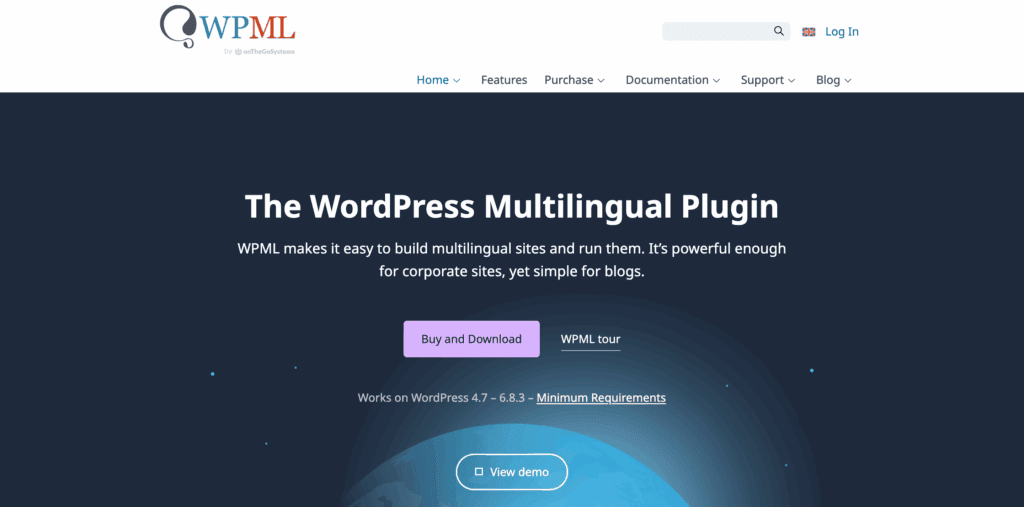
- WPML. A powerful, self-hosted WordPress plugin with a one-time fee, but it has a steeper learning curve and requires more manual configuration.
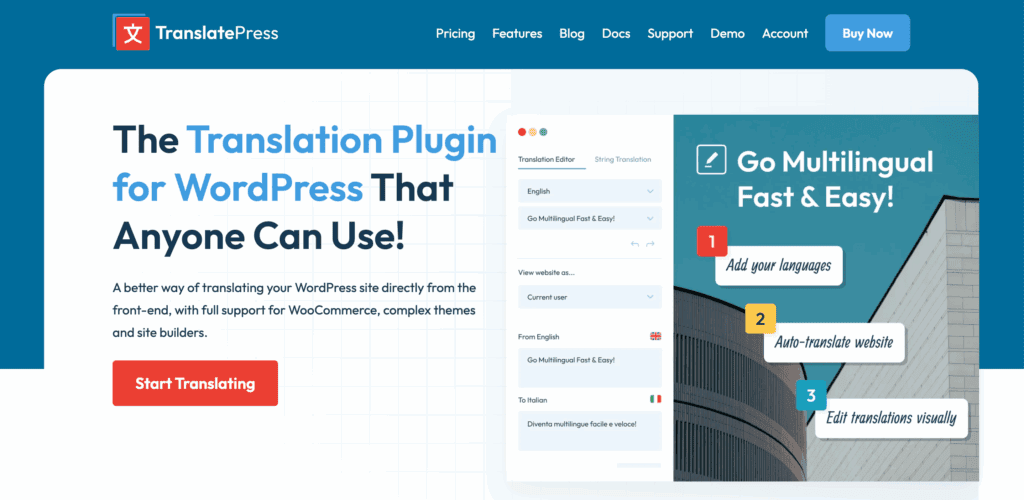
- TranslatePress. Offers a front-end visual translation editor similar to Weglot. It has a functional free version, though its SEO capabilities are less automated.
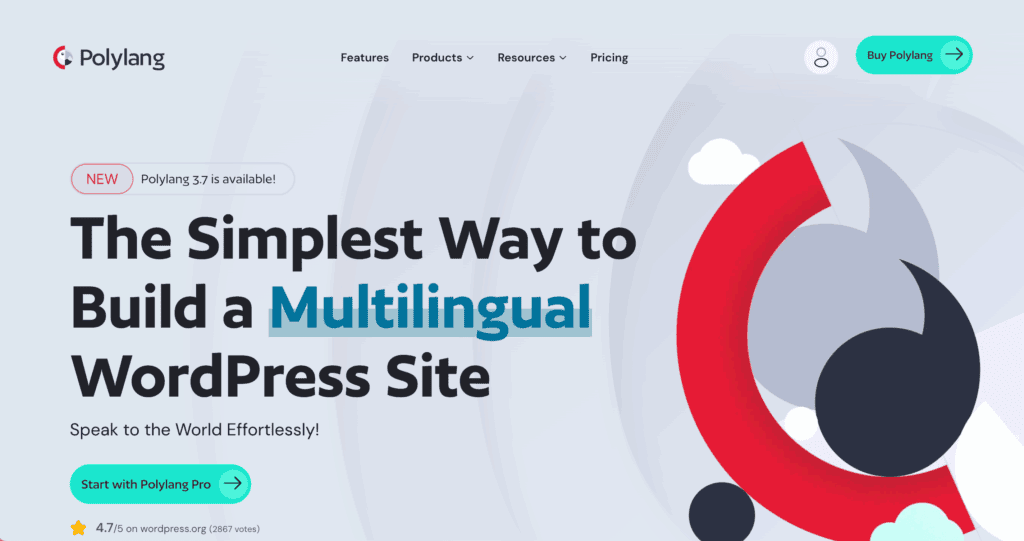
- Polylang. A popular free plugin for creating multilingual content, but it is a more manual process that involves creating separate posts for each language.
Parting thoughts
Weglot is a powerful tool that effectively delivers on its promise of simplifying website translation. It successfully balances automation with the manual control necessary for maintaining quality.
The primary consideration is its cost versus the value it provides in time and technical expertise saved. It is a premium product designed for users who need a hands-off, reliable solution. Our best advice is to use the free trial. Test it on your site to determine if its performance and workflow justify the investment for your specific goals.
FAQs
Is Weglot any good?
Yes. From our testing, we conclude that Weglot is a highly effective tool for users who prioritize speed, ease of use, and automated multilingual SEO.
Do you have to pay for Weglot?
No. Weglot offers you a limited free plan with restrictions on languages and word count. If you are looking for more extensive needs, especially for business websites, you’ll require a paid subscription.
Can I use Weglot for free?
The free plan includes one translated language and up to 2,000 words, making it ideal for small personal sites or testing. Keep in mind, the free trial lasts 14 days. You can remain on the free plan if your word count stays under 2,000; otherwise, you’ll need to upgrade.
Does Weglot use AI?
Yes. It’s powered by leading providers like DeepL, Google Translate, OpenAI, and Gemini for the initial translation layer, which can then be edited by humans.

Shivani enjoys crafting guides that make every aspect of using WordPress simple and easy to follow. When she's not glued to her laptop, you can find her buried in a good book or occasionally, painting.