
Tired of wading through endless articles that only make the WooCommerce vs. Shopify choice harder?
Your products are ready. Your brand is set. The final hurdle between you and your first sale is this single, critical decision that could save you thousands or cost you months.
This guide will help you pick the right e-commerce platform without the guesswork.
Shopify is perfect for beginners who want to launch quickly without technical headaches and don’t mind paying monthly fees for simplicity. WooCommerce suits technical users who need complete control, unlimited customization, and want to avoid transaction fees as they scale.
WooCommerce vs Shopify at a glance
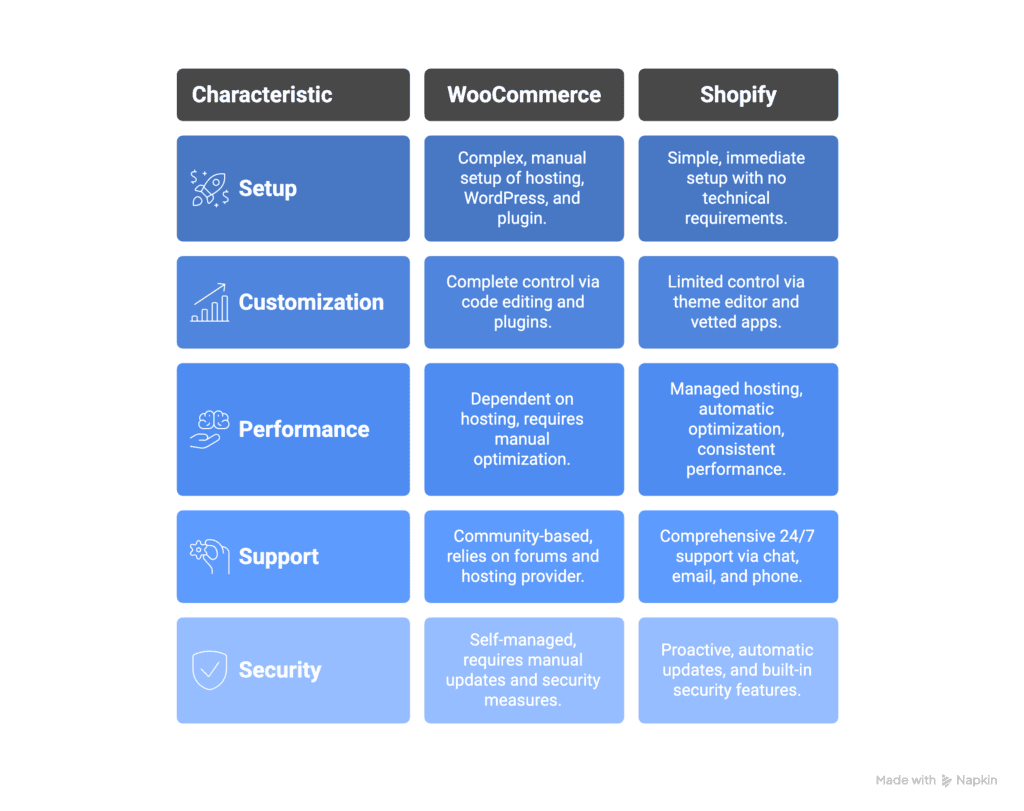
WooCommerce in a nutshell
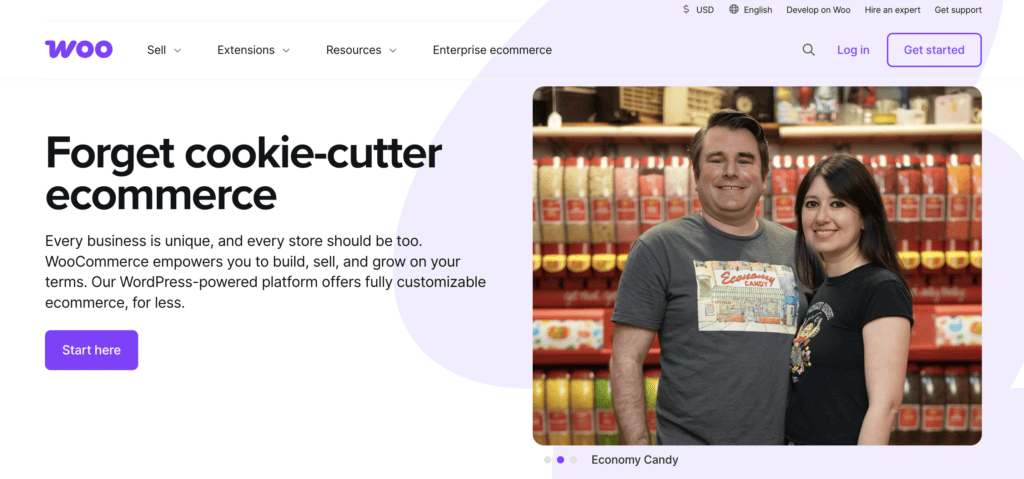
WooCommerce is a free WordPress plugin that turns any WordPress site into an online store. You own everything completely, but you’re also responsible for hosting, security, and site maintenance.
The big advantage? No platform fees. You only pay processing fees to your payment gateway, which saves money as you grow.
Customization is virtually unlimited since it’s open-source. Thousands of themes and extensions let you build exactly what you need, though powerful features often cost money.
Here’s the catch: WooCommerce has a steeper learning curve. You’ll manage updates, troubleshoot issues, and maintain performance yourself. The “free” plugin isn’t really free when you add hosting, themes, and essential extensions.
Support comes from community forums and hired developers, not official customer service. Your success depends on your technical comfort level or budget for professional help.
Shopify in a nutshell

Shopify is an all-in-one hosted e-commerce platform where you rent digital space rather than own the software. Your monthly subscription includes everything: hosting, security, maintenance, and technical updates handled automatically.
Setup is incredibly fast and designed for absolute beginners. Your store becomes mobile-optimized and secure without any technical knowledge required. Professional themes and a drag-and-drop editor make customization simple.
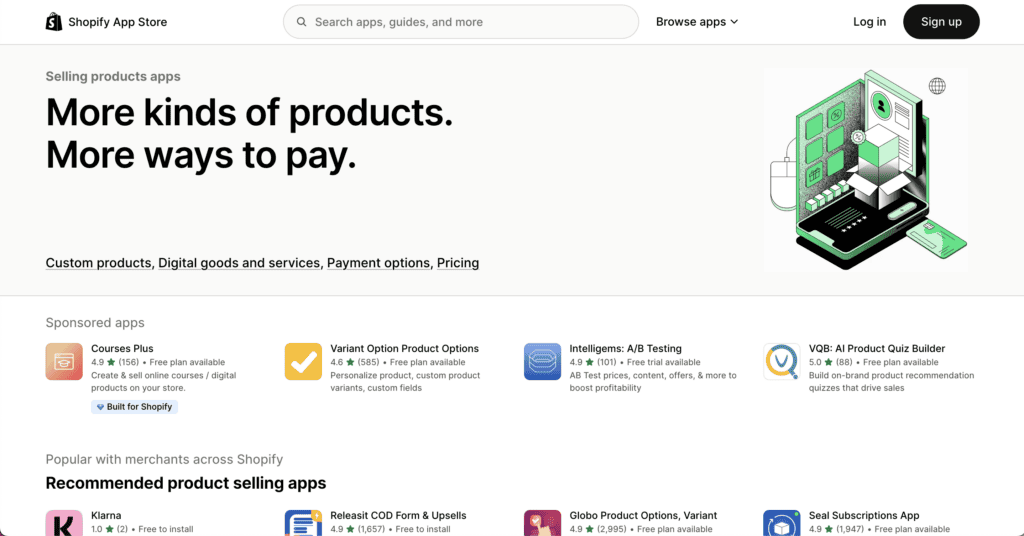
The App Store adds features easily, though many apps require separate monthly subscriptions that can stack up quickly. Using Shopify Payments avoids extra transaction fees, but other payment gateways cost you additional fees per sale.
You get 24/7 customer support, and Shopify handles your store’s performance completely. This lets you focus entirely on selling rather than technical management.
The trade-off? You can’t modify the platform’s core code, making it less flexible for unique business models. You’re building on rented property, which makes migrating away more difficult later.
Ease of use and setup
When it comes to getting started, these platforms couldn’t be more different.
Setting up WooCommerce requires several steps. You need to sign up for web hosting, install WordPress (either manually or through a hosting installer), and then find and install the WooCommerce plugin.
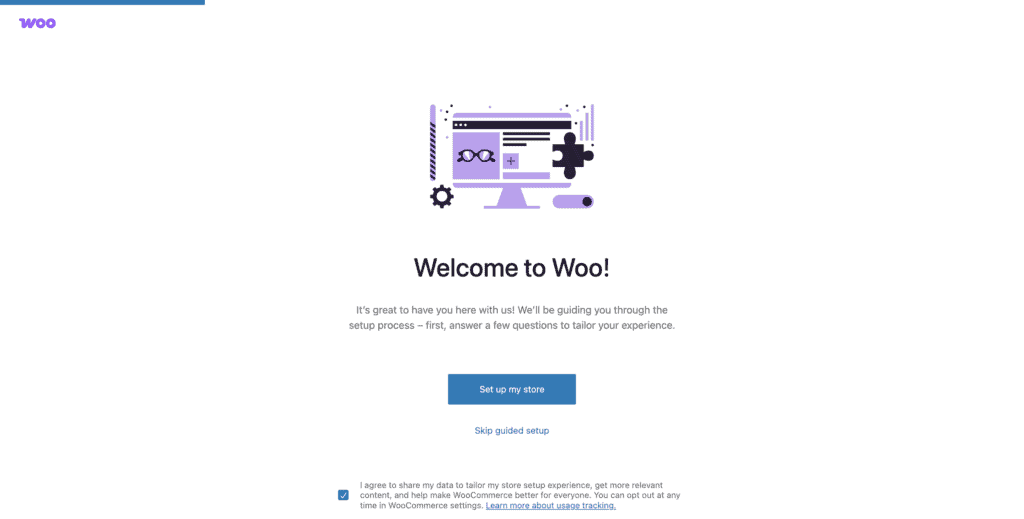
While the setup wizard guides you through basic configuration, the WordPress dashboard can feel overwhelming if you’re new to it.
From there, you’ll hunt for a suitable theme and figure out customization, which often requires some technical knowledge. Adding features means researching, installing, and configuring individual plugins.

You’re also responsible for all WooCommerce updates, maintenance, and troubleshooting. When you need help, you’ll rely on community forums or your web host’s support team.
Shopify takes the opposite approach. You sign up and start building immediately with no technical setup required. The dashboard is clean, intuitive, and built specifically for e-commerce. Getting your first product online happens incredibly fast since everything lives within one simple admin interface.
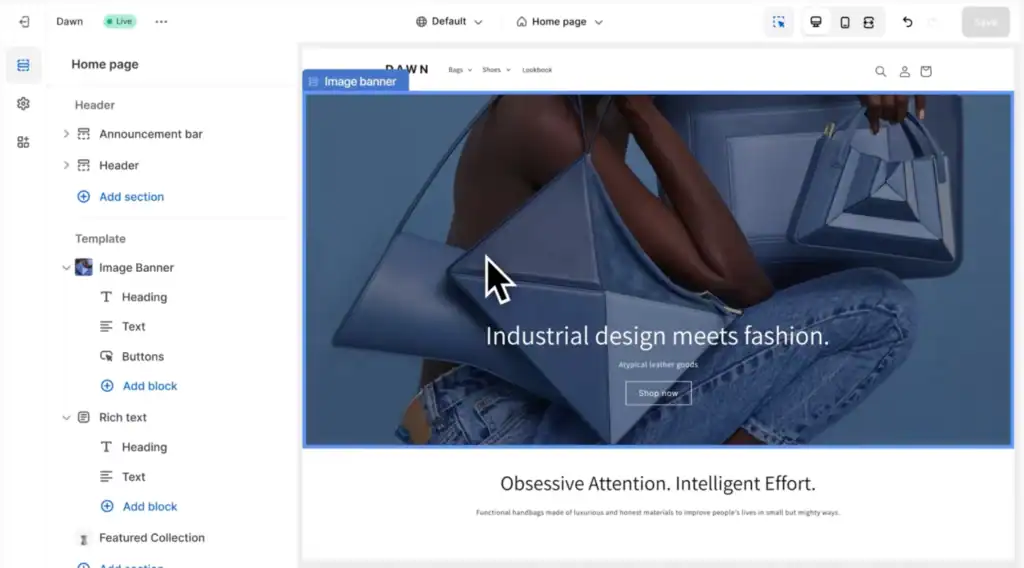
Themes can be previewed and applied with a single click. The visual editor makes customization user-friendly even for complete beginners. Apps install instantly without any configuration headaches. Updates and security patches happen automatically in the background, and 24/7 support is available right inside your dashboard.
Customization and flexibility
WooCommerce gives you complete control since it’s open-source. You can modify any HTML, CSS, or PHP code to create exactly what you envision. Want a unique checkout process? Custom product types? Unusual pricing structures? No problem.
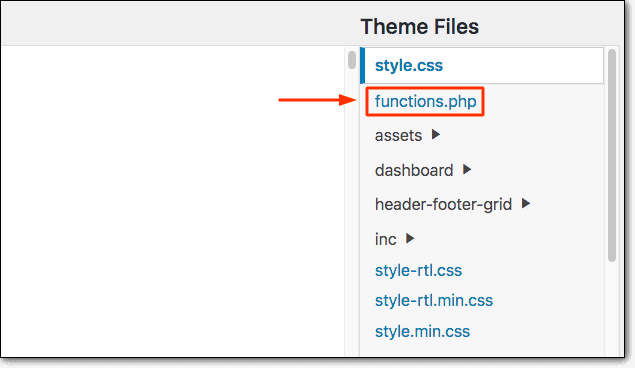
The platform integrates with page builders like Elementor and provides access to thousands of WordPress themes, both free and premium.
This flexibility extends to functionality too. A vast library of plugins lets you add virtually any feature imaginable. You can connect to any third-party tool, create custom database structures, and build truly unique ecommerce experiences. If you can imagine it, WooCommerce can probably do it.
Shopify takes a different approach. Customization happens through the theme editor, which is much simpler but more restrictive. You can edit theme code using Liquid templating, but you can’t modify the core platform. The checkout process can only be customized on higher-tier plans, and you must work within Shopify’s defined system boundaries.
The App Store provides vetted functionality that installs easily, but apps can sometimes slow down your store. You’ll achieve a professional look quickly with less risk of breaking something, but truly custom solutions often aren’t possible.
Performance and scalability
WooCommerce performance depends entirely on your hosting choice. You control every aspect of speed optimization, from caching to CDN setup, but you’re also responsible for managing traffic spikes and maintaining uptime.
With proper optimization and choosing a good host, WooCommerce sites can achieve excellent speeds. However, too many plugins can bog things down, and scaling requires upgrading your hosting plan or moving to specialized WooCommerce hosting.
The technical knowledge required for optimal performance is significant. You’ll need to understand caching, image optimization, database management, and server configurations to get the best results.
Shopify handles performance automatically. Their managed hosting includes high uptime, global CDN, and built-in speed optimizations that work from day one. The platform scales gracefully to handle traffic spikes without any intervention from you. Shopify Plus extends this to enterprise-level demands.
Performance stays consistent and predictable across all Shopify stores. The checkout process is highly optimized, and apps are less likely to cause significant slowdowns compared to WordPress plugins.
Support and security
With WooCommerce, you handle everything yourself. You need a secure hosting provider, must install and configure SSL certificates, and PCI compliance falls on your shoulders. Updates for WordPress, WooCommerce, and all plugins require manual attention.
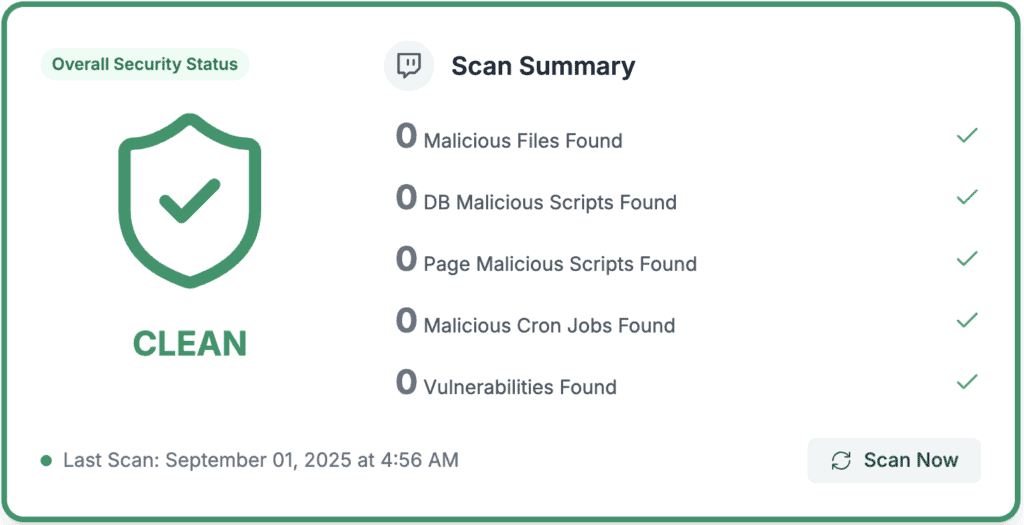
Security plugins can help, but you’re responsible for identifying vulnerabilities and taking action.
Support comes from the community, not WooCommerce directly. You’ll rely on forums, documentation, and your hosting provider for server issues. Third-party plugin developers support their own products, but finding answers can take time, especially for beginners.
Shopify handles security proactively. The platform is Level 1 PCI DSS compliant by default, includes free SSL certificates, and protects against DDoS attacks with built-in fraud analysis.
Security patches and updates happen automatically across the entire system. Two-factor authentication adds an extra security layer for admin access.
Support is comprehensive with 24/7 availability through live chat, email, and scheduled phone calls. Their Help Center is well-organized, community forums are active, and an AI assistant provides quick answers right in your dashboard. Support quality stays consistent regardless of which plan you choose.
Cost and pricing models
WooCommerce’s core plugin is free, but you’ll pay for:
- Hosting ($10-50/month)
- Domain ($14/year)
- Premium themes and extensions ($20-100 one-time or annually)
Transaction fees depend on your payment gateway, but WooCommerce never takes a cut. Extra costs like security plugins and developer help can push total costs from $30/month to $200+ monthly.
Shopify operates on predictable monthly pricing:
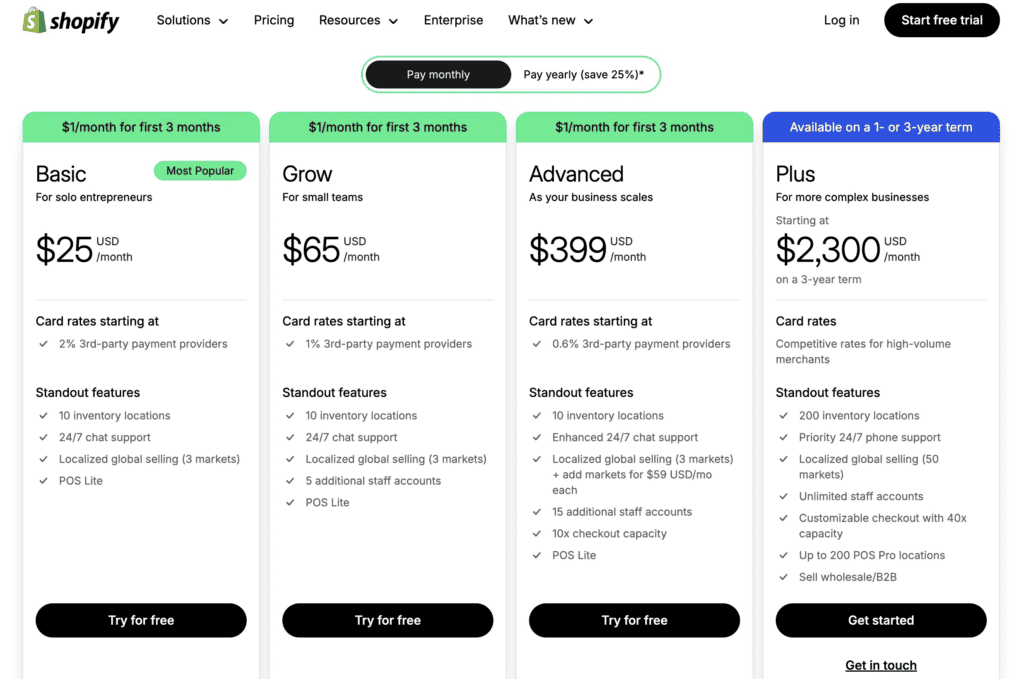
- Basic ($25/month)
- Grow ($65/month)
- Advanced ($399/month)
- Plus ($2,300+/month)
You’ll also pay transaction fees without Shopify Payments (0.5-2%), domain costs ($14/year), and premium apps that can add $20-100+ monthly.
Who should choose WooCommerce?
WooCommerce is the right choice if you:
- Are already comfortable with the WordPress interface
- Have technical skills or budget for developers
- Want to avoid transaction fees on high-volume sales
- Need complete control over your data and store
- Require custom functionality that doesn’t exist elsewhere
- Want unlimited product variants and complex options
- Plan to integrate with specific third-party systems
- Prioritize long-term cost savings over convenience
- Want the freedom to switch platforms later
- Are comfortable managing website updates and maintenance
Who should choose Shopify?
Shopify is the right choice if you:
- Have no technical experience or coding skills
- Want to launch your store within hours, not weeks
- Prefer all-in-one solutions with everything included
- Need predictable monthly costs for budgeting
- Want 24/7 customer support available
- Sell physical products with straightforward inventory
- Don’t want to manage updates, security, or maintenance
- Prefer adding features through simple app installations
- Want automatic mobile optimization and tax calculations
- Run a dropshipping or print-on-demand business
Parting thoughts
Choose Shopify if you want simplicity, speed, and don’t want to deal with technical maintenance. Choose WooCommerce if you need control, flexibility, and want to avoid transaction fees at scale.
Remember to install a backup plugin if you go with WooCommerce, since you’re responsible for protecting your own data. The best platform is the one that matches your technical comfort level and business goals, so pick based on your specific needs and start building your store today.
FAQs
Which is better Shopify or WooCommerce?
Neither platform is universally better since they serve different needs and user types. Shopify excels for beginners wanting simplicity, while WooCommerce suits technical users needing complete control and customization.
Is it worth moving from WooCommerce to Shopify?
Moving to Shopify is worth it if you’re struggling with technical maintenance, security issues, or want professional support. However, you’ll lose customization flexibility and face ongoing monthly fees plus transaction costs.
What are the downsides of WooCommerce?
WooCommerce’s main downsides include technical complexity, security responsibility, manual updates, and no official customer support. You’ll also need to manage hosting quality, performance optimization, and troubleshoot issues yourself.
Is WooCommerce slower than Shopify?
WooCommerce can be slower than Shopify if you choose poor hosting or install too many plugins. However, with quality hosting and proper optimization, WooCommerce sites often outperform Shopify in speed tests.
Can you migrate from WooCommerce to Shopify?
Yes, you can migrate from WooCommerce to Shopify using migration apps like Cart2Cart or Store2Store. The process transfers products, customers, and orders, but custom functionality and design will need to be rebuilt.

Shivani enjoys crafting guides that make every aspect of using WordPress simple and easy to follow. When she's not glued to her laptop, you can find her buried in a good book or occasionally, painting.