

Struggling to choose a form plugin? The WPForms vs Contact Form 7 decision can be confusing. Both are used by millions of people, but they are built for very different users.
We will break down the key differences and help you confidently pick the right one for your website.
WPForms is the best choice for ease of use, while Contact Form 7 suits developers. Whichever you pick, always protect your site and its data with a backup plugin.
WPForms vs Contact Form 7: A quick comparison

Which plugin is easier to use?
The building experience is the single biggest difference between these plugins, and it will likely decide for you.
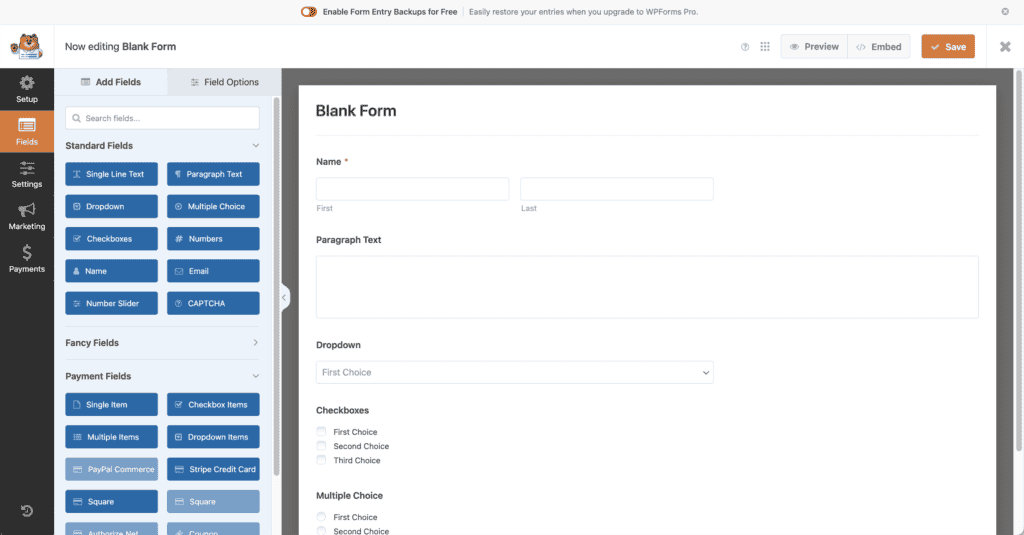
The WPForms plugin uses a modern, visual drag-and-drop builder. You see a live preview of your form as you drag fields onto it, and you can start with over 2,000 pre-built templates. When you’re done, a shortcode adds the form to a page for you. No coding is ever required.
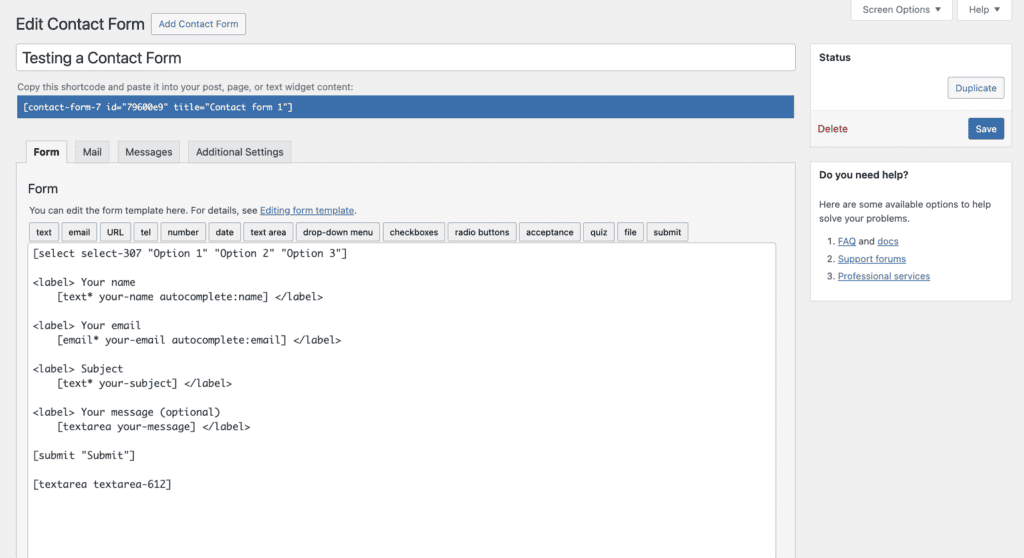
Contact Form 7 uses a text-based interface. You build forms by manually typing code-like tags into a box, a process that often requires basic HTML knowledge. There is no live preview, and you must copy and paste a shortcode to place the form on your site.
How their features measure up
Beyond the building experience, the features you get are a major deciding factor. Here’s a direct comparison of what each offers:
What kinds of forms can you create?
WPForms is incredibly versatile. The free version handles all essential contact forms, while the Pro plans unlock everything from payment forms and surveys to user registration and file uploads.
Contact Form 7 sticks to the basics. It provides simple text fields and buttons. For anything more advanced, you will need to find, install, and configure third-party add-on plugins.
Managing and storing form submissions
Have you ever worried about a server glitch losing an important email? WPForms Pro solves this by automatically saving every form submission in your WordPress dashboard.
You get a secure, searchable database of all your entries. The free version even includes entry backups, which you can unlock if you upgrade later.
Contact Form 7 does not store form entries by default. If your email fails to send, that lead is gone forever. To save entries, you must install a separate plugin like Flamingo.
How each plugin handles spam
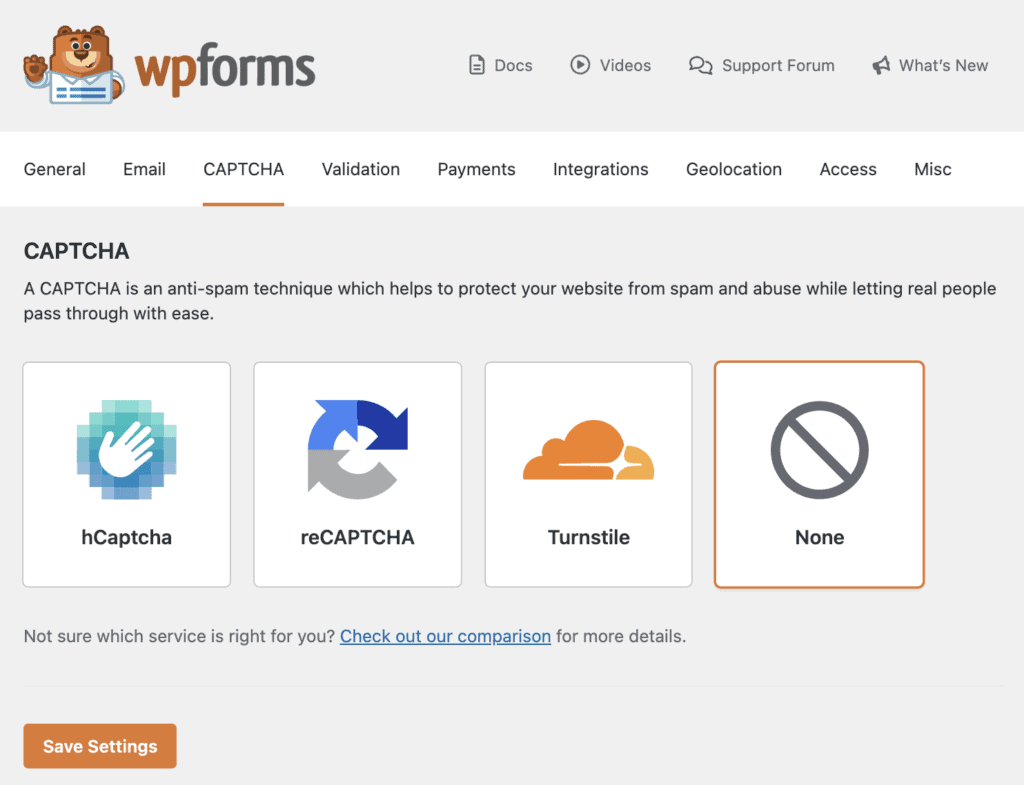
WPForms includes multiple spam prevention tools right out of the box. You can enable a smart, invisible Honeypot or add various versions of reCAPTCHA and hCaptcha with a few clicks.
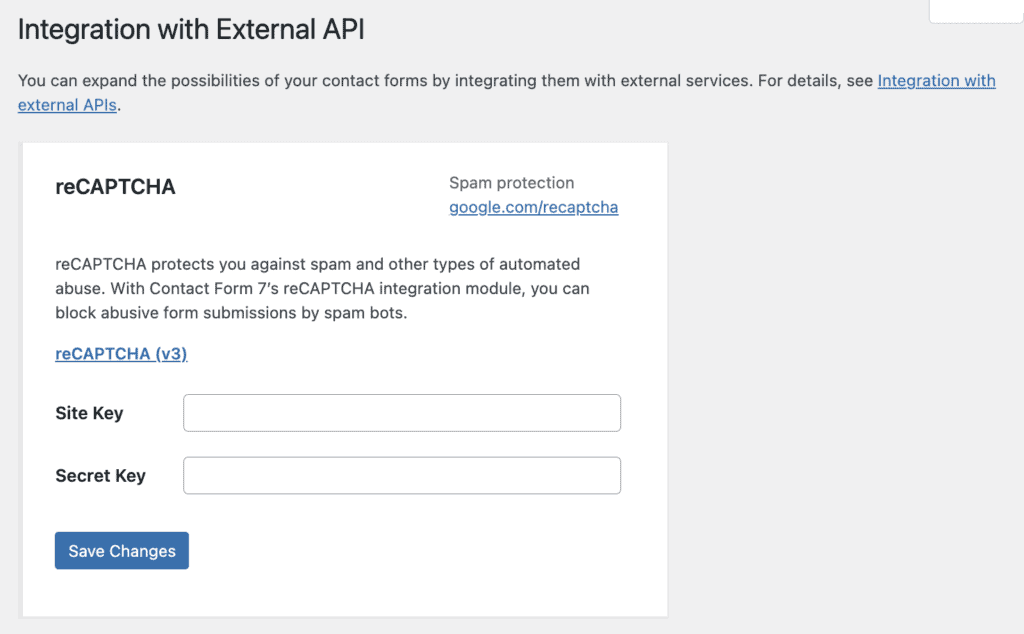
Contact Form 7 supports reCAPTCHA, but it requires you to manually generate and configure API keys. For more advanced protection, you are once again reliant on third-party plugins.
Payment integrations
If you need to accept payments, WPForms makes it simple. The free version even allows you to collect Stripe payments. Upgrading unlocks more gateways like PayPal and Authorize.Net, turning any form into a checkout.
Contact Form 7 has no built-in payment features. Your only option is to find third-party add-ons, which can be less reliable and secure than a native integration.
Alerts and auto-responses
Customizing the email notifications sent to you and your users is straightforward in WPForms. It provides a visual editor with smart tags that let you insert form data without any guesswork.
In Contact Form 7, notifications are configured using the same code-like tags as the form builder. It’s easy to make a typo and break the notification, and there is no visual guide to help you.
Extensibility and support
WPForms manages its own library of official, well-maintained add-ons. This ensures they work together seamlessly. Premium users also get access to a dedicated support team to help with any issues.
Contact Form 7 relies on a vast ecosystem of unofficial, third-party add-ons. This poses an issue since it can lead to plugin conflicts. Support is limited to community forums and basic documentation; there is no one to contact directly for help.
Breaking down the costs
At first glance, this seems simple: Contact Form 7 is free, and WPForms has paid plans. But the real cost is more complex.
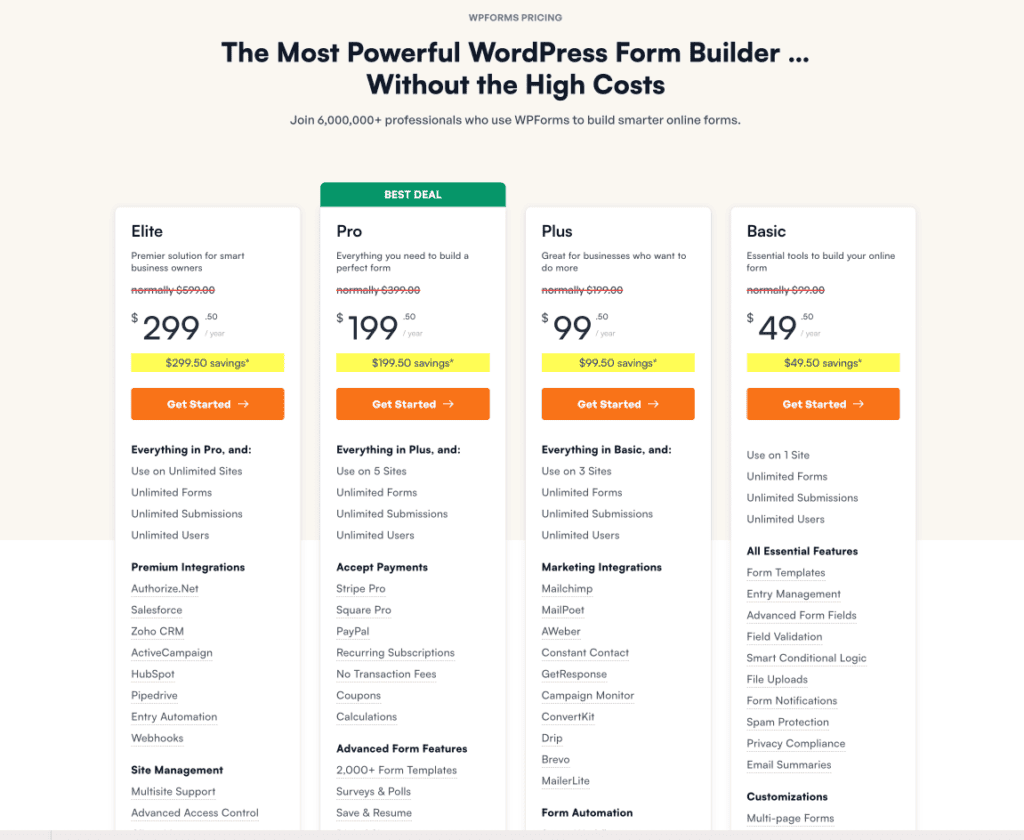
WPForms uses a freemium model. The free Lite version is perfect for simple contact forms. To unlock more powerful features, you upgrade to a premium plan.
Renewal prices are higher than the initial introductory offer. That price gets you a polished product, guaranteed compatibility, and professional support.
Contact Form 7’s core plugin is 100% free. However, the “hidden cost” is the time and money you might spend on third-party add-ons to replicate features that WPForms includes natively.
Your total cost of ownership can easily creep up, especially if you need premium extensions.

Other top form builder options
If neither WPForms nor Contact Form 7 feels like the perfect fit, consider one of these powerful alternatives.

- Gravity Forms: A premium-only plugin that is the gold standard for developers. It is known for its power, reliability, and endless customization options for complex projects.

- Formidable Forms: This plugin goes beyond simple forms to create data-driven applications. Use it to turn submissions into front-end directories, listings, and calendars.
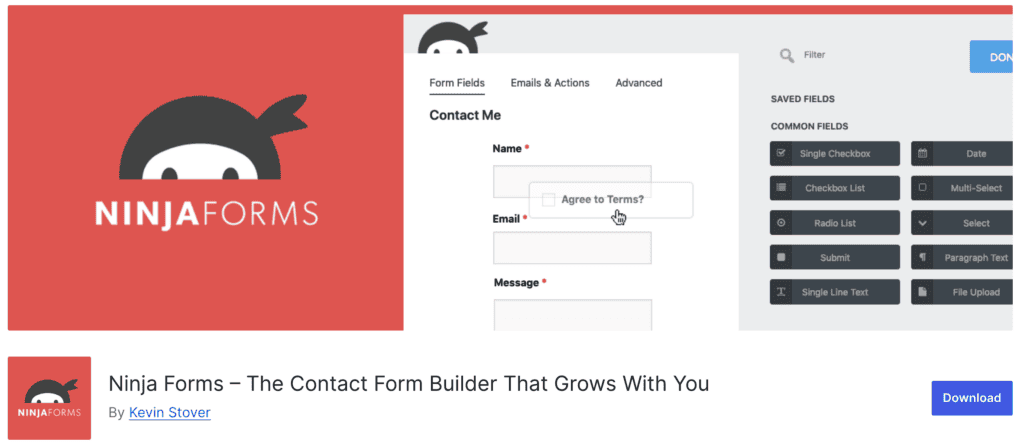
- Ninja Forms: Its strength is its “à la carte” model. The core plugin is free, and you can buy individual add-ons, making it a cost-effective way to get specific premium features.

- Fluent Forms: A fast and lightweight builder known for offering many premium features, such as conditional logic, in its free version, delivering exceptional value for those on a budget.
Parting thoughts
Ultimately, the right choice depends on your needs and technical comfort. A modern, user-friendly builder is a smart investment for those who value speed and features. A free plugin can suffice for developers who need basic forms and prefer manual control. Regardless of your choice, always remember to test your forms to ensure they function correctly.
FAQs
Which is better, Contact Form 7 or WPForms?
WPForms is better for most users due to its ease of use, extensive features, and dedicated support. Contact Form 7 is a solid choice for developers who are comfortable with code and only need basic functionality.
What is better than Contact Form 7?
For most users, plugins like WPForms or Fluent Forms are better because they offer visual drag-and-drop builders. These modern alternatives also provide more built-in features, entry management, and dedicated support.
Is Contact Form 7 free or paid?
The Contact Form 7 plugin is 100% free to install and use from the WordPress repository. However, you may need to purchase paid third-party add-ons to get more advanced functionality.
Which form plugin is best for WordPress?
WPForms is widely considered the best form plugin for most WordPress users due to its balance of powerful features and ease of use. Other top contenders include Gravity Forms for developers and Formidable Forms for data-driven applications.
How do I view WPForms entries for free?
You cannot view entries directly in the free version, as entry storage is a premium feature. WPForms Lite sends all submissions to your email and creates entry backups that can be unlocked by upgrading.

Shivani enjoys crafting guides that make every aspect of using WordPress simple and easy to follow. When she's not glued to her laptop, you can find her buried in a good book or occasionally, painting.


