You’ve tried all the plugins for WordPress SEO out there. You’ve drowned in confusing settings while your site crawled to a halt.
Now you’re looking for alternatives, and you’ve come across SEOPress.
Most WordPress owners face pressure to “do SEO,” but don’t realize the right tool shouldn’t add complexity. What does SEOPress actually offer? Is it the right fit for your site, or should you keep looking?
SEOPress is a solid WordPress SEO plugin with a capable free version and fairly priced Pro features. Before installing, always save a copy of your site with a backup plugin to prevent potential conflicts with your existing setup.
SEOPress in a nutshell
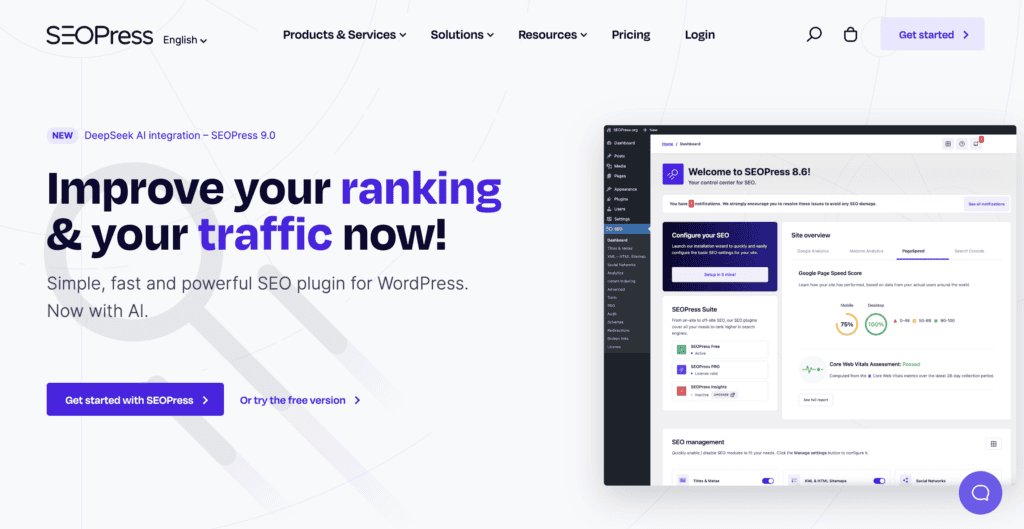
SEOPress is a WordPress SEO plugin with free and premium versions that cover all the essential optimization features.
The plugin handles all the SEO essentials you’d expect. You get metadata optimization, XML sitemaps, and social media integration right out of the box.
Technical features like breadcrumbs and sitemap management are included, with advanced tools like a redirection manager and schema markup available in the Pro version.
The content analysis feature helps improve your writing for search engines. Pro users get AI-powered meta content generation. A setup wizard handles initial configuration, making the process straightforward.
The interface feels clean overall, though some sections can look a bit crowded when you’re digging into advanced settings.
What are the core features offered
Here’s what SEOPress actually brings to the table:
On-page SEO tools
SEOPress adds a handy box right in your WordPress editor where you can edit page titles and descriptions. These are what show up in Google search results, so getting them right matters.
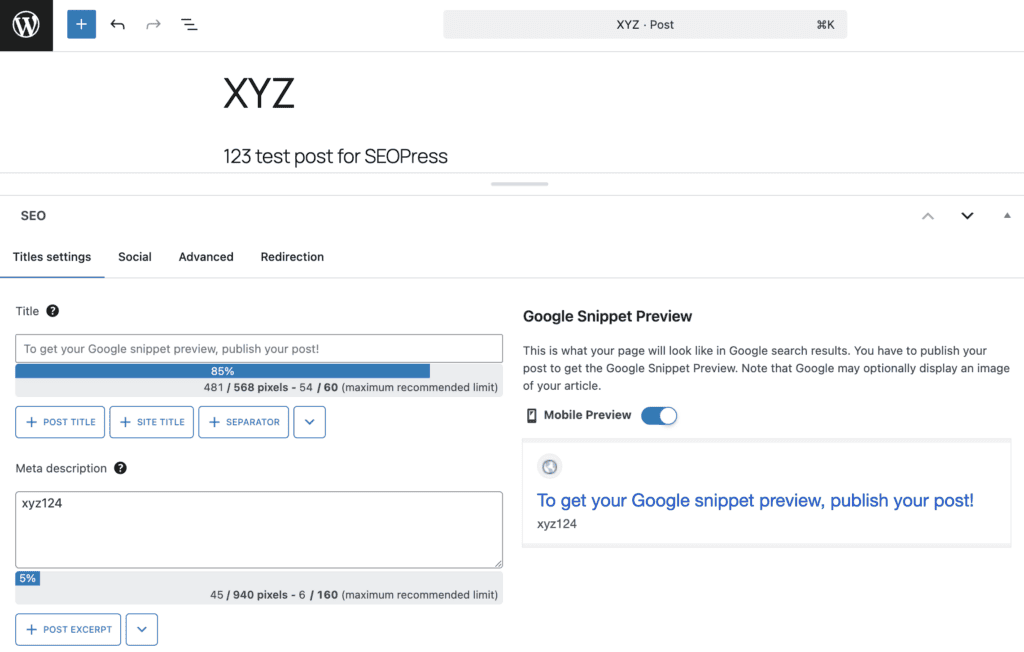
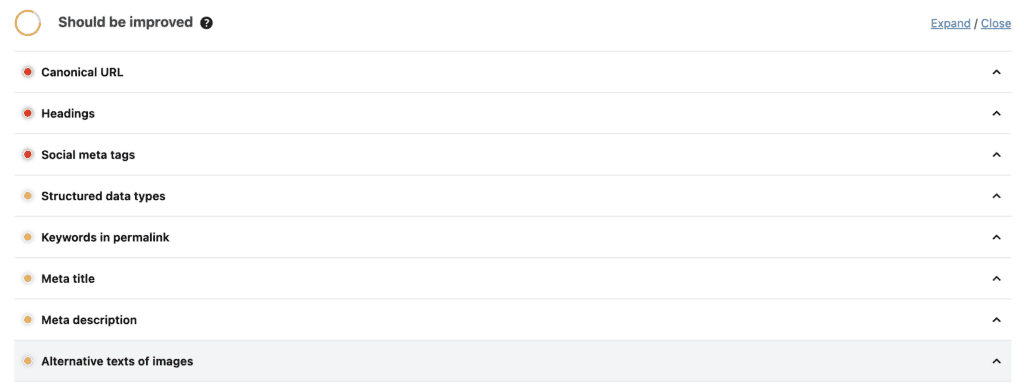
You do not get a score like you do with plugins like Rank Math. Instead, you get a content analysis tool checks your posts after you save them and suggests improvements like adding more keywords or making titles shorter.
Social media previews let you control how your content looks when people share it on Facebook or Twitter. Pro users get AI tools that automatically write meta titles and descriptions when you’re stuck.
Pro also includes an internal linking feature that suggests other posts to link to, which helps Google understand your site better.
Technical SEO features
Here’s where things get more technical, but SEOPress keeps it simple. XML sitemaps are like roadmaps that tell Google about all your pages. The plugin creates these automatically.
You also get Breadcrumbs. These are the Home > Blog > Article links that help visitors navigate your site. Keep in mind that Breadcrumb navigation is available for free, but schema-optimized breadcrumbs are a Pro feature.
The Pro version includes a redirection manager, a robots.txt editor (telling search engines which pages to skip), and powerful schema markup tools.
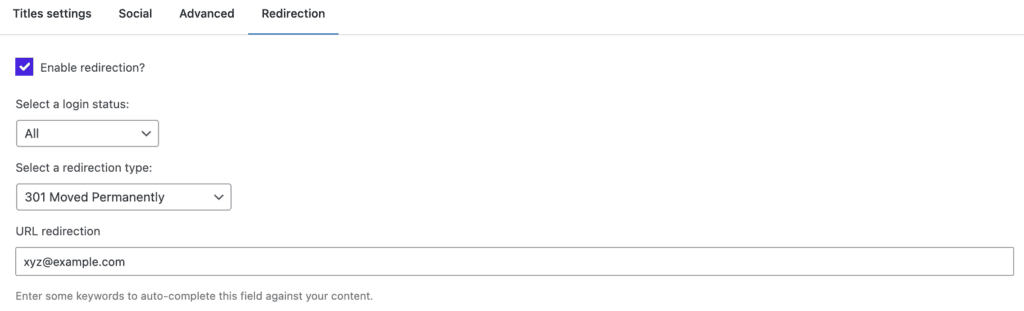
Schema is basically code that helps Google show rich results like star ratings or event dates in search results.
Performance & analytics
Instead of switching between WordPress and Google Analytics, SEOPress brings your website stats right into your dashboard. While basic Google Analytics integration is available in the free version, viewing detailed statistics within the WordPress dashboard requires a Pro plan.
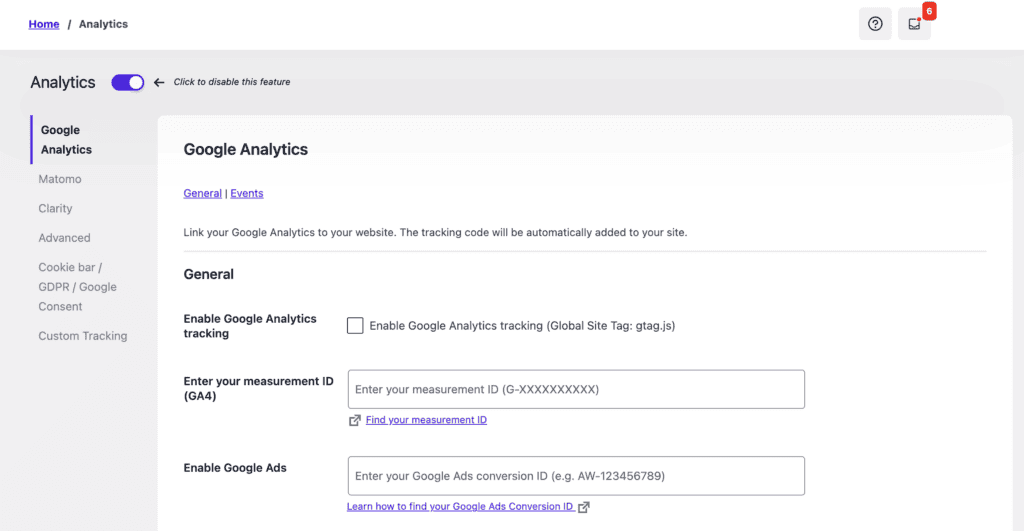
The same goes for Search Console data, which shows how people find your site in Google searches.
The Pro version performs a site audit, scanning your website for technical problems like broken links or missing alt text.
WooCommerce store owners get dedicated optimization features (Pro version), which can really help with online sales.
Everything else
The plugin also handles image optimization for search engines, creates visitor-friendly HTML sitemaps, and tracks custom events in Google Analytics. Local businesses can add special markup to help with local search results.
The free version covers most websites perfectly well. Pro features like AI content generation and advanced analytics make the upgrade worthwhile for serious bloggers and businesses.
Getting started with SEOPress
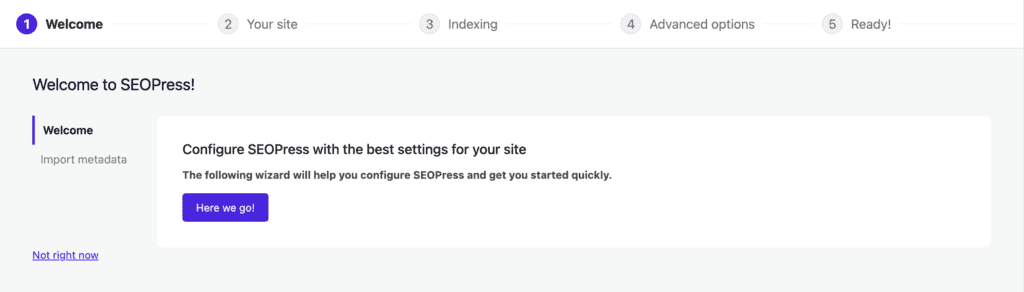
Getting SEOPress running takes about 5 minutes. The setup wizard handles most of the work for you.
Step 1: Install and activate. Install and activate the SEOPress plugin on your WordPress dashboard. The setup wizard launches automatically.
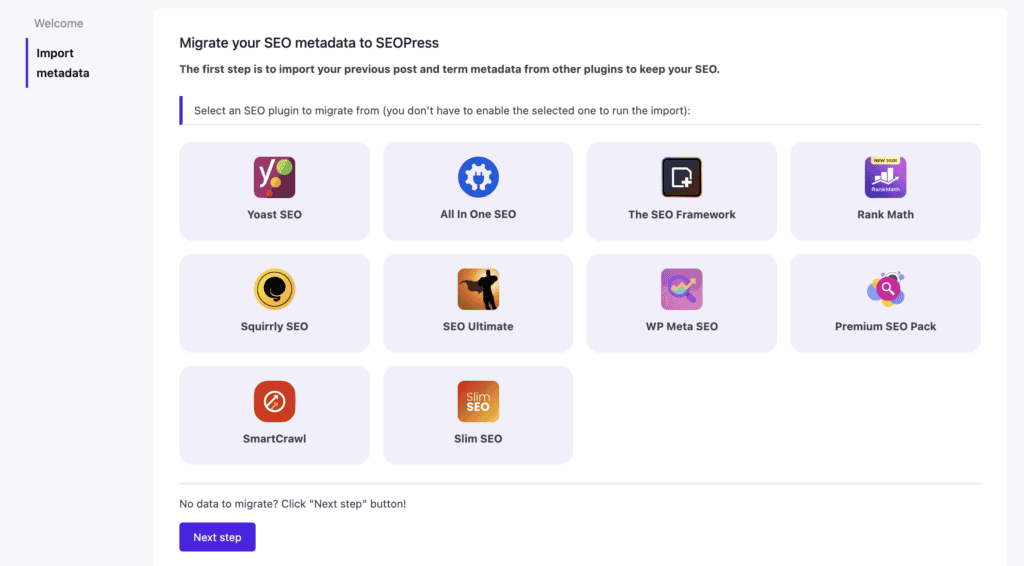
Step 2: Import existing data (optional): If you’re switching from Yoast or another SEO plugin, let SEOPress import your existing meta titles, descriptions, and settings. This saves hours of manual work.
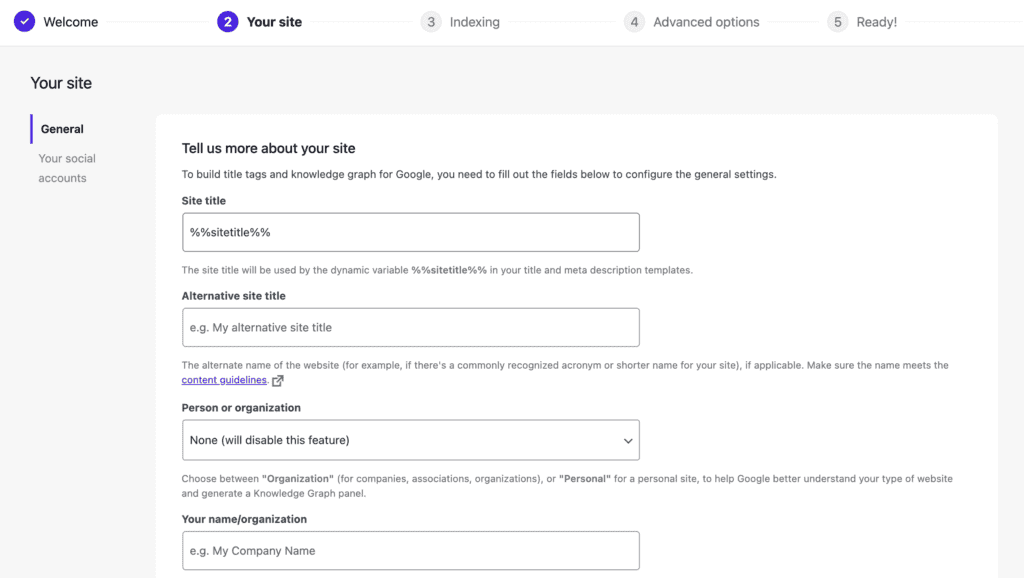
Step 3: Add your site information: Enter your website title and organization details. Next, choose whether you represent an organization or a person. Upload your logo if you have one.
Step 4: Set indexing preferences: Tell search engines which content to include:
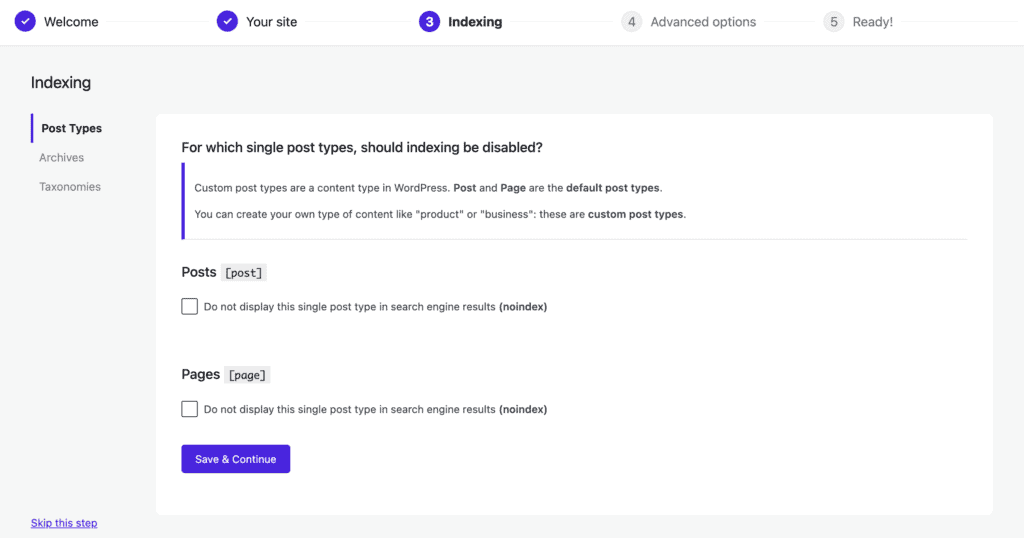
- Index archive pages: Depends on your siteChoose the character that separates page titles from your site name (| or – works well). This affects how titles appear in Google search results.
- Index posts and pages: Yes
- Index attachment pages: Usually no
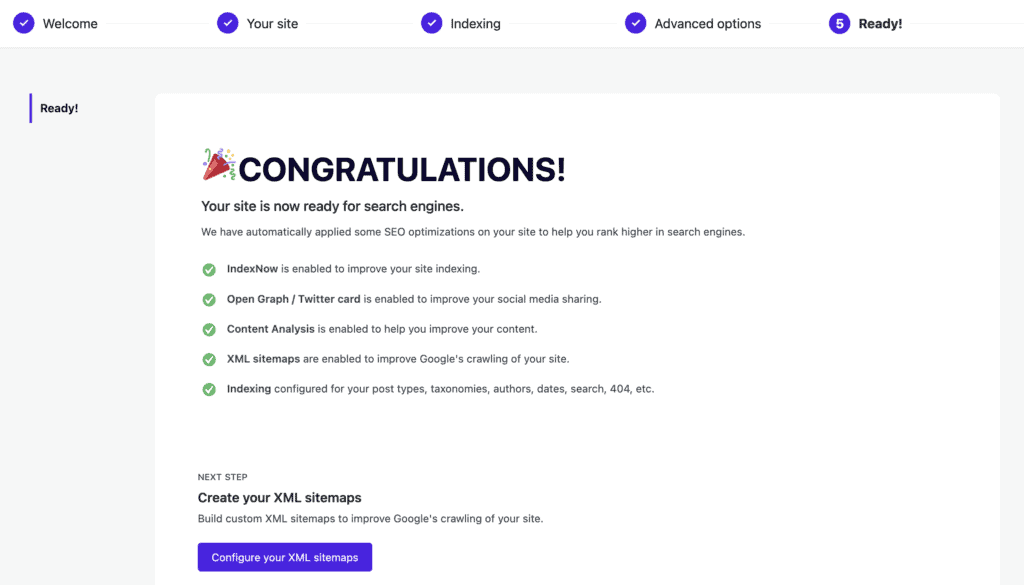
The wizard saves everything automatically. You can modify these settings later through the SEOPress menu if needed.
What is the pricing like?
SEOPress keeps pricing simple with a generous free version and three Pro tiers.
Free Version: The free plan works on unlimited sites and includes essential features like meta editing, XML sitemaps, and basic social previews. No hidden limits or site restrictions.
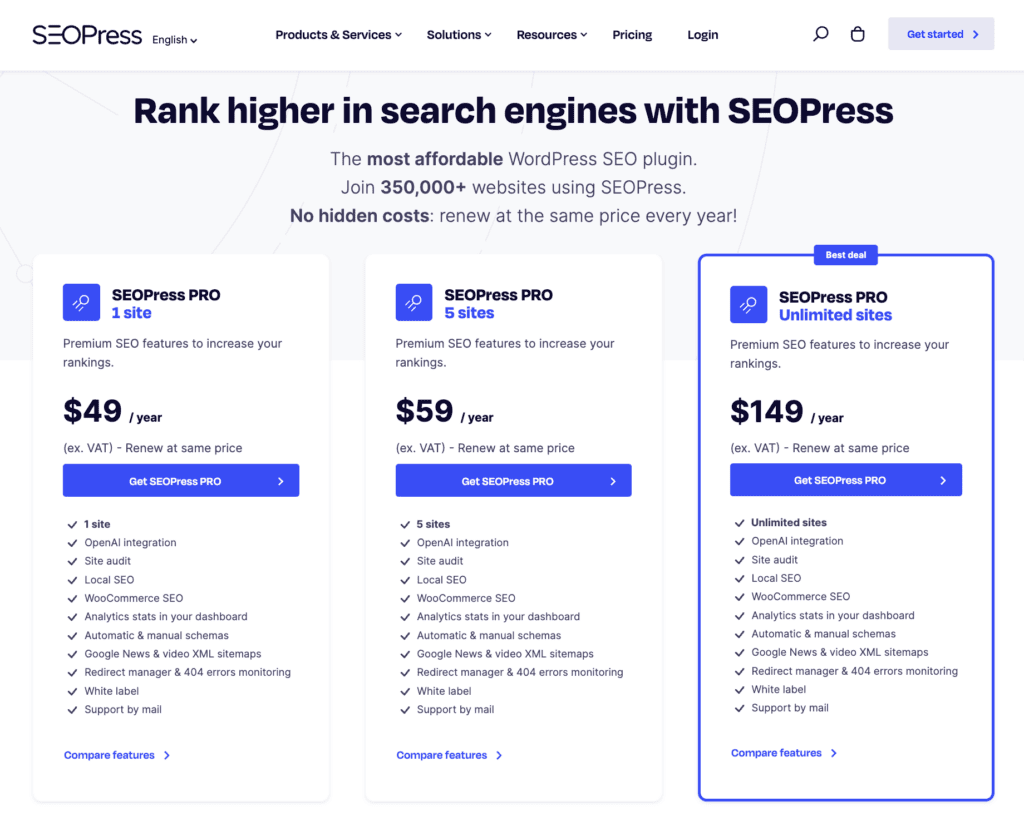
Pro Plans (Annual):
- 1 Site: $49/year
- 5 Sites: $59/year
- Unlimited Sites: $149/year
Pro features include redirects, advanced schema markup, WooCommerce SEO, AI content generation, and site audits.
Money-Back Guarantee: All Pro plans come with a 14-day refund policy if you’re not satisfied.
The free version handles most small websites perfectly. Pro pricing beats competitors like Yoast Premium and RankMath Pro. The unlimited plan makes sense for agencies or developers managing multiple client sites.
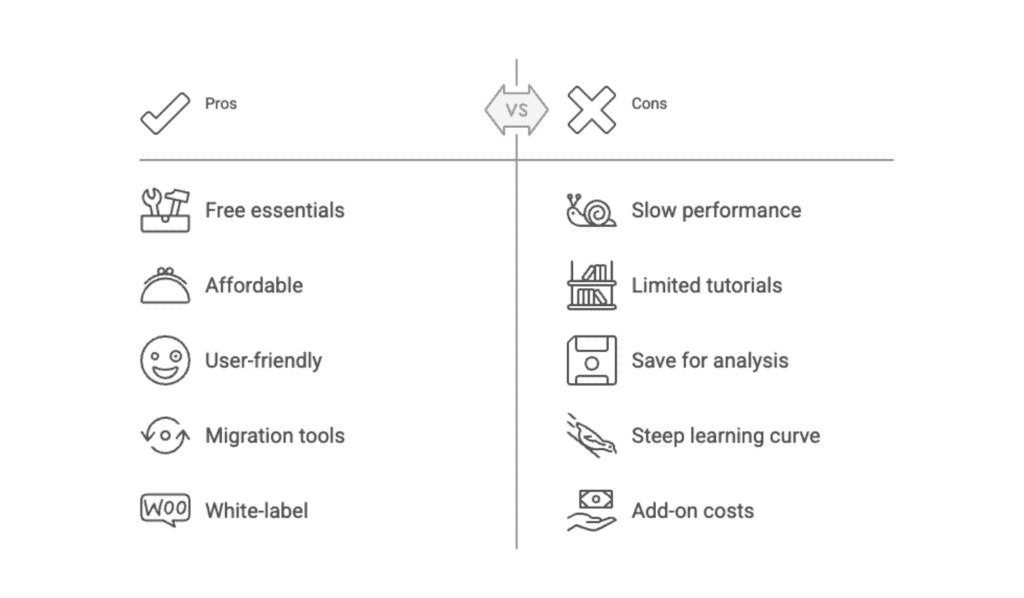
Advantages and drawbacks of SEOPress
Is SEOPress right for you?
SEOPress works well for most WordPress sites, but it’s not perfect for everyone.
Choose SEOPress if you:
- Need a free plugin that actually does useful work
- Are tired of paying high prices for competitors like Yoast Premium
- Run a WooCommerce store and need e-commerce SEO tools
- Looking for a plugin with white-label options
- Prefer clean interfaces over cluttered dashboards
- Are switching from another plugin and want better value
Avoid SEOPress if you:
- Are a complete beginner who needs maximum guidance and tutorials
- Need extremely advanced schema markup capabilities
- Want built-in rank tracking without buying additional tools
- Must have the most well-known plugin with maximum community support
SEOPress alternatives
If SEOPress doesn’t feel right, here are the main alternatives worth considering.
Yoast SEO
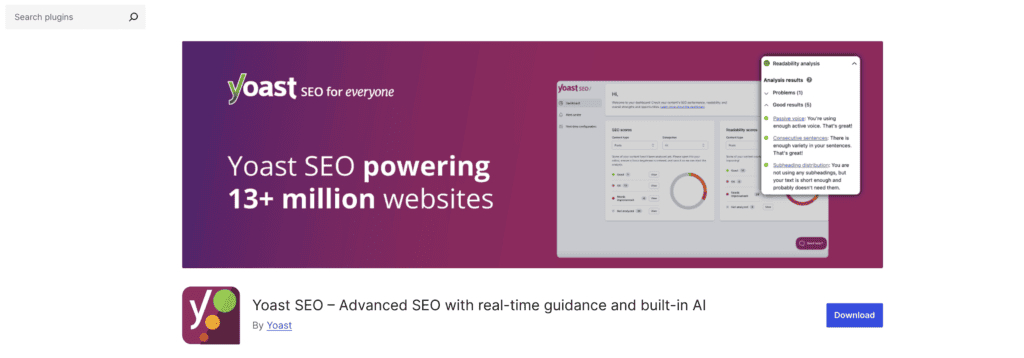
The most popular WordPress SEO plugin with a massive user base. The free version covers basics well, but premium plans cost more than SEOPress for fewer features. The interface can feel cluttered with upgrade prompts.
Rank Math

Feature-packed even in the free version, with an excellent setup wizard. Premium pricing is competitive, but the sheer number of options can be overwhelming for new users. Great for power users who want maximum control.
All in One SEO (AIOSEO)
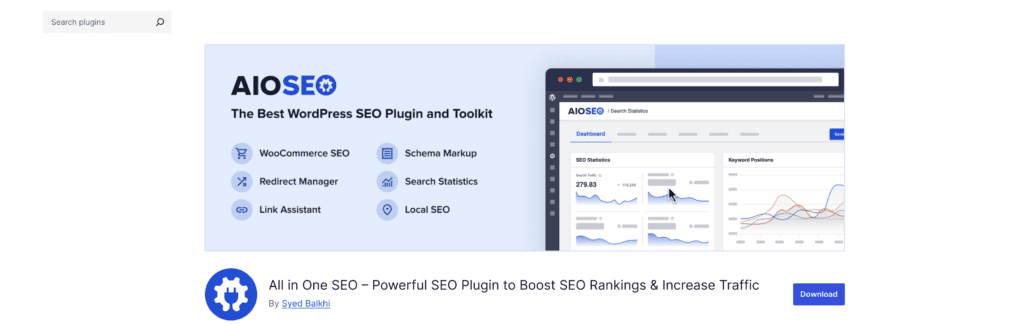
Simple, beginner-friendly interface that makes SEO approachable. The free version is quite limited compared to others. Premium plans can become expensive quickly for what you receive.
The SEO Framework

Ultra-lightweight plugin favored by developers. Clean interface with no bloat, but fewer features than competitors. Perfect if you want basic SEO without complexity.
Slim SEO
Focuses on automatic optimization with zero configuration needed. Extremely lightweight and fast, but lacks advanced features like schema markup or detailed analytics. Good for “set and forget” users.
Each has its strengths. Yoast for popularity, Rank Math for features, AIOSEO for simplicity, The SEO Framework for performance, and Slim SEO for minimal manual intervention. SEOPress sits in the middle, offering solid features without the bloat or high prices.
Parting thoughts
If you’ve been frustrated by feature bloat and confusing dashboards, SEOPress feels like a breath of fresh air.
The interface makes sense without overwhelming you, and your site performance won’t suffer like it did before. The free version covers most needs, while Pro pricing stays reasonable compared to competitors.
SEOPress won’t revolutionize your SEO overnight, but it handles the fundamentals reliably while staying out of your way.
FAQs
Is SEOPress free?
Yes, SEOPress offers a free version with essential SEO features suitable for beginners. It includes tools for managing meta titles, descriptions, and XML sitemaps. For more advanced features, you can upgrade to SEOPress Pro.
What is the difference between SEOPress and Yoast?
SEOPress is known for its simplicity and affordability, while Yoast offers a more comprehensive set of features with a focus on readability analysis. SEOPress provides unlimited keyword optimization in Pro, whereas Yoast limits this without premium access.
How much is SEOPress plugin?
The SEOPress Pro plugin starts at $49 per year for unlimited sites. This subscription includes access to all premium features, updates, and 24/7 support.
What is the alternative to SEOPress?
Alternatives to SEOPress include Yoast SEO, Rank Math, and All in One SEO Pack. Each offers varying features and pricing, allowing users to choose based on their specific requirements.
What is SEOPress Pro?
SEOPress Pro is the premium version of the SEOPress plugin, offering advanced SEO tools. It includes features like schema markups, WooCommerce integration, and advanced redirection management.

Shivani enjoys crafting guides that make every aspect of using WordPress simple and easy to follow. When she's not glued to her laptop, you can find her buried in a good book or occasionally, painting.