

You’ve waded through plenty of WordPress form plugins, and Contact Form 7 always pops up. But you don’t have time to test a classic that might not be the right fit.
That’s why we did the work for you.
This Contact Form 7 review article breaks down exactly what you need to know to decide.
Contact Form 7 is ideal for developers needing a fast, simple form builder, but its dated interface means most users are better served by modern alternatives. Whichever plugin you choose, always use a reliable WordPress backup solution to safeguard your site before making any changes.
A quick overview of Contact Form 7

Contact Form 7 is a cornerstone of the classic WordPress toolkit. It’s a free, open-source plugin built for one purpose: creating simple, lightweight forms.
But its workflow is a relic of an older era. Like Forminator, it forgoes the modern drag-and-drop interfaces you’d find in other builders. Instead, you work within a text editor, using shortcode-like tags to construct your form. It’s an efficient, bare-metal approach that’s predictable if you understand the markup.
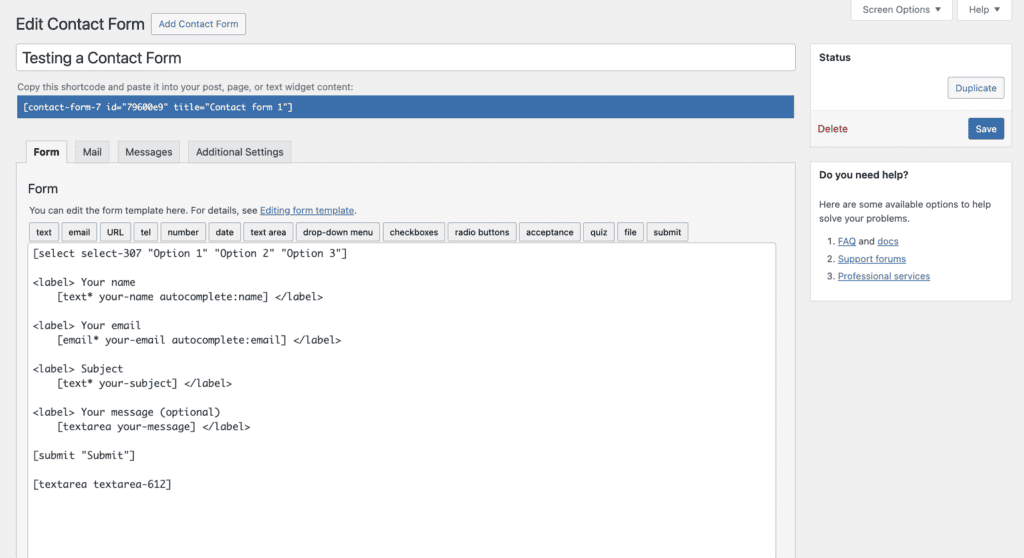
However, there are two critical issues with its default setup that we see trip up users. First, it doesn’t save submissions to your database. This creates a massive single point of failure; a mail server glitch means that the lead is permanently lost. That’s why installing the Flamingo plugin is non-negotiable; it saves every submission to your database as a failsafe.
Second, relying on the default WordPress mail function is a notorious failure point. We’ve seen countless sites where forms were silently failing because they lacked a dedicated SMTP plugin. It’s the same Achilles’ heel that causes the common ninja forms not sending email issue, a simple fix for a developer, but a little complex for beginners.
Core features offered
Contact Form 7 is a workhorse for a reason. With over 5 million installations, its main draw is its simplicity and speed. It’s incredibly lightweight.
Here’s what you get right out of the box:
- Core form fields: It covers all the basics: text, email, checkboxes, file uploads, and drop-down menus.
- Ajax-powered submissions: Forms submit without a full page reload. It’s a small touch, but it makes the user experience much smoother.
- Spam protection: It integrates directly with Google’s reCAPTCHA and Akismet, and also includes a simple honeypot method to trick bots.
- Simple customization: You can configure email notifications and auto-responders, and all styling is handled by your theme’s CSS. This keeps things clean.
- Extensibility: Its real power comes from third-party add-ons. Need to connect to Stripe or Brevo? There’s probably an add-on for that.
Is this plugin entirely free?
Yes, the core Contact Form 7 plugin is 100% free. There are no hidden fees or pro versions from the original developer.
But “free” has its limits.
The core plugin is free, but this is a critical distinction: its functionality is intentionally basic. For essential business features like conditional logic, payment gateways, or CRM connections, you must rely on third-party add-ons, and the most reliable ones are paid.
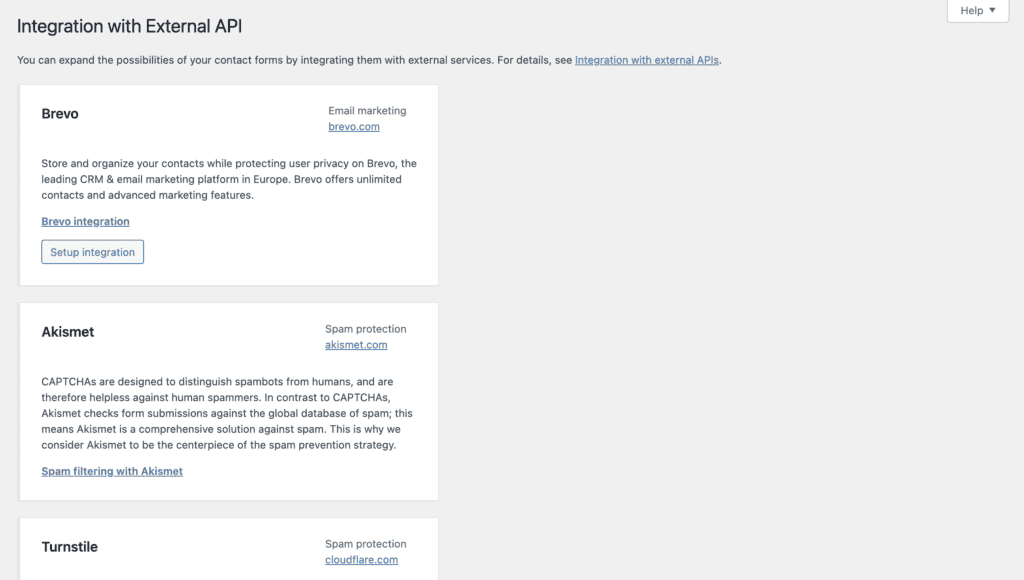
We consistently see users spend more piecing together these add-ons than they would have on a single, comprehensive plugin like Gravity Forms. While the Contact Form 7 plugin is free, a complete form solution built on it rarely is.
Is Contact Form 7 your perfect form solution?
This is where you need to be honest about your skills and needs.
You’ll love Contact Form 7 if…
- You’re a developer: You get full control over the markup and can extend it with custom code without fighting a clunky interface.
- You’re a minimalist: You just need a simple, reliable form without all the extra features bloating your site.
- You’re performance-focused: It’s one of the most lightweight options available, ensuring your forms don’t slow down your site.
How to get started with Contact Form 7
Getting a basic form up and running is pretty quick.
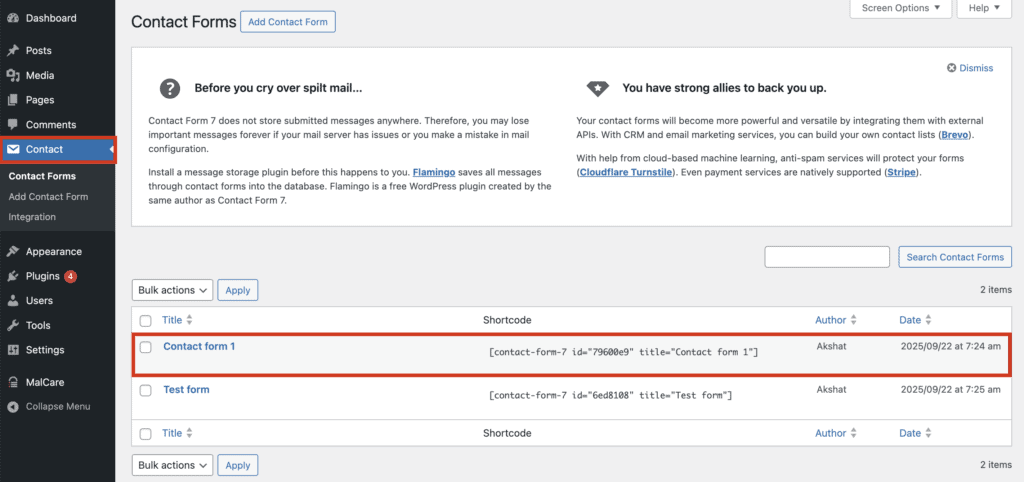
- Find your form. A new Contact menu will appear on your sidebar. Click it, and you’ll see a default form named Contact form 1 ready to go. You can edit this one or create a new one.
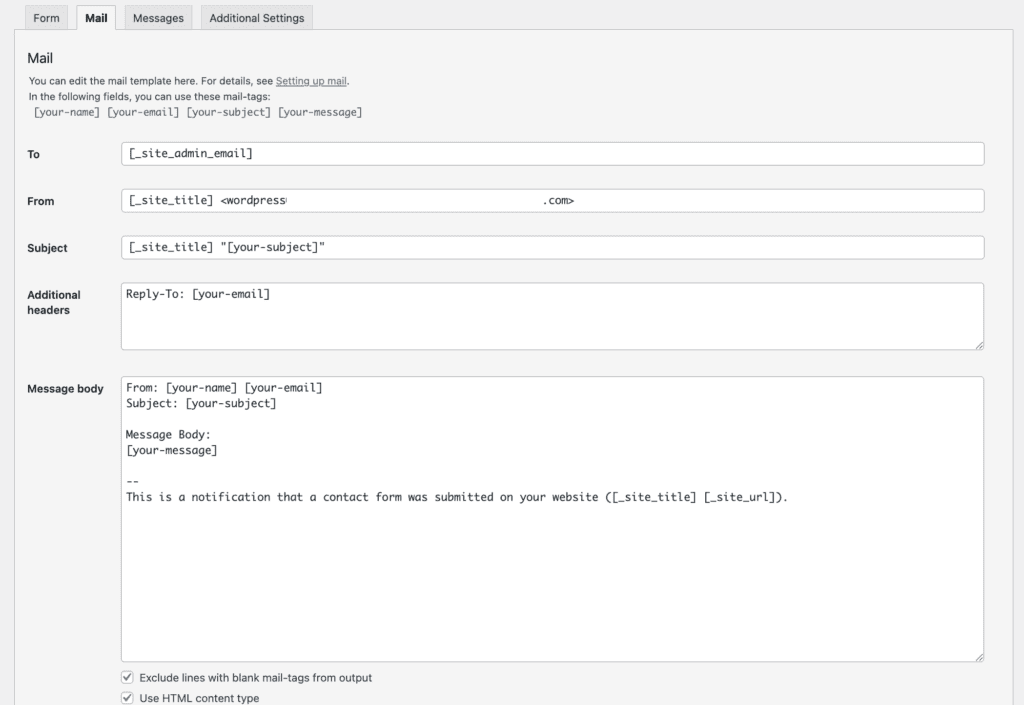
- Configure the mail settings. This is the most important step. Click the Mail tab. Make sure the To address is where you want to receive emails. Critically, set the From address to an email using your own domain (like wordpress@yourwebsite.com) to avoid having your own notifications marked as spam.
- Add the form to your page. Copy the blue shortcode you see at the top of the form editor. Then, go to any page or post, add a “Shortcode” block, and paste it in. That’s it.

- Set up spam protection. To avoid a flood of bot submissions, go to Contact > Integration and connect your site to Google reCAPTCHA. It’s a simple process and saves a lot of headaches.
You might want to look elsewhere if…
- You’re a beginner: You prefer a visual, drag-and-drop builder and don’t want to mess with code tags.
- You need advanced features: You want things like conditional logic or payment processing built in, not sourced from third-party add-ons.
- You require dedicated support: You can’t afford to wait for an answer on a community forum if something breaks.
Explore alternative form plugin solutions
While Contact Form 7 has its place, modern plugins offer a fundamentally better experience for most users by solving its biggest shortcomings. If you’re looking for a more robust or user-friendly solution, these are the top contenders.
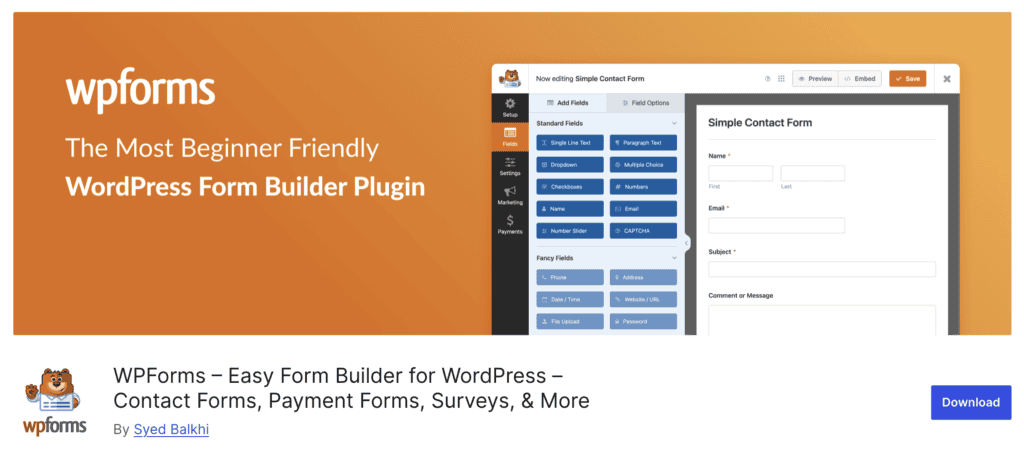
WPForms plugin: Think of WPForms as the polar opposite of Contact Form 7 in terms of user experience. Its primary strength is a clean, intuitive drag-and-drop builder that allows you to visually construct forms in minutes. It also comes with a library of pre-built templates, so you don’t have to start from scratch.
For anyone who doesn’t want to touch code and values ease of use above all else, WPForms is the most approachable and efficient option on the market.

The Gravity Forms plugin: Gravity Forms is a premium, developer-friendly toolkit for building advanced, mission-critical forms. Its power lies in its reliability and the sheer depth of its built-in features, including powerful conditional logic, calculations, and multi-page forms.
Unlike Contact Form 7, which relies on a fragmented ecosystem of third-party add-ons, Gravity Forms offers a suite of official, fully supported integrations. It’s the go-to solution for businesses and agencies that need a powerful, all-in-one system that just works.

Fluent Forms plugin: Fluent Forms has carved out a space by offering a fast, modern interface packed with features that are often locked behind a paywall elsewhere. Its free version is surprisingly powerful, even including basics like conditional logic, which is a major advantage over Contact Form 7.
It’s also built with performance in mind, ensuring it won’t slow down your site. For users who find Contact Form 7 too archaic but don’t need the full power of Gravity Forms, Fluent Forms hits a perfect sweet spot.

Formidable Forms: This is the choice for data-driven applications, not just forms. Formidable’s unique strength is its “Views” feature, which lets you display form submission data on the front end of your site. It’s perfect for building directories, real estate listings, job boards, or any site that relies on user-generated content.
If your goal is to collect data and then do something with it on your site, Formidable Forms offers capabilities that other plugins can’t match without extensive custom code.
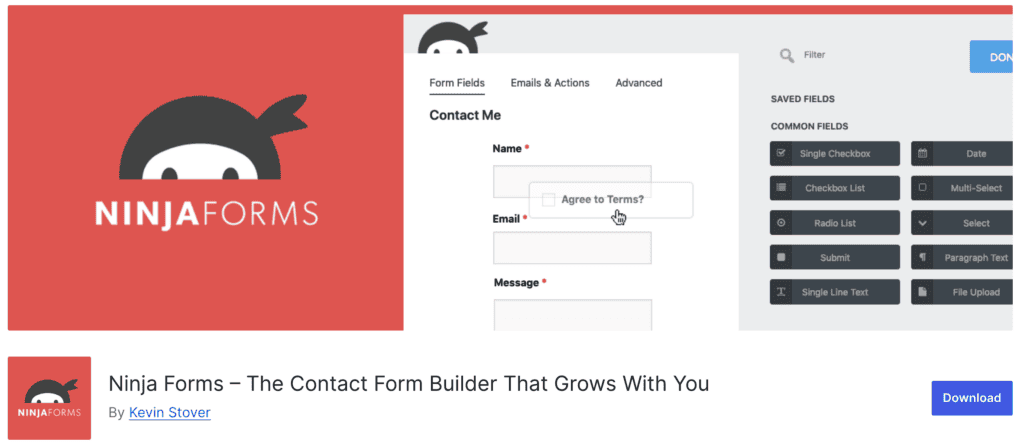
Ninja Forms: Ninja Forms offers a user-friendly drag-and-drop builder in its free core plugin, making it easy to get started. Its “a la carte” model allows users to purchase only the specific features they need, such as conditional logic, payment gateways, or CRM integrations.
While the cost of individual add-ons can add up, it provides a modern alternative to Contact Form 7 without requiring a large upfront investment.upfront premium package.
Parting thoughts
Contact Form 7 is still a solid choice for simple, no-frills contact forms on a personal blog or a basic brochure site. It’s fast, free, and it works.
But the moment you need more: conditional fields, payment processing, or even just saving entries reliably without extra plugins, the cracks start to show. The interface feels dated, and managing a stack of third-party add-ons can become a real headache.
For any serious business use, a premium plugin like WPForms or Gravity Forms is a smarter investment.
FAQs
What is a Contact Form7?
Contact Form 7 is a free WordPress plugin used to create and manage simple contact forms. It uses a code-based editor and shortcodes to add forms to your website.
Is Contact Form7 free or paid?
The core Contact Form 7 plugin is 100% free and open-source. However, advanced features require separate third-party add-ons, which are often paid.
What is the use of Contact Form 7 plugin?
The primary use of the plugin is to allow visitors to send you messages directly from your website. It’s a simple way to create a point of contact without displaying your email address.
How does Contact Form 7 send emails?
It sends emails using the default WordPress mail function, which relies on your web hosting server. This method can be unreliable, so an SMTP plugin is highly recommended.
Does Contact Form 7 need SMTP?
While it doesn’t strictly need SMTP to function, it is highly recommended for reliable email delivery. Without it, your notifications will likely end up in spam folders or fail to send.
How to store Contact Form 7 data in database?
To store form data in the database, you need to install a companion plugin like Flamingo. The core plugin does not save submissions by default, making this an essential add-on.

Shivani enjoys crafting guides that make every aspect of using WordPress simple and easy to follow. When she's not glued to her laptop, you can find her buried in a good book or occasionally, painting.


