Worried your WordPress site is invisible on Google? You don’t need expensive tools to rank higher.
A great free SEO plugin for WordPress can act as your personal guide to getting found.
We’ve narrowed it down to the top 6, making it easy to choose the best free option for your website.
Rank Math is the most powerful free SEO plugin for features, while AIOSEO is the easiest for beginners. Before installing any new plugin, always use a backup plugin to protect your site from potential conflicts.
Our top picks at a glance

1. Rank Math SEO plugin

⭐ Overall Score: 5/5
Rank Math is the undisputed champion for its free features. It gives you powerful tools that other plugins charge for, making it the best value on the market.
Key free features:
- Google Schema Markup (Rich Snippets)
- SEO analysis for up to 5 focus keywords
- Built-in 404 error monitoring and redirection manager
- Advanced content and readability analysis
| Pros | Cons |
| Offers the most feature-rich free plan available | Detailed setup may feel overwhelming for absolute beginners |
| Provides advanced, actionable SEO suggestions | |
| Includes a built-in redirection manager |
2. All-in-One SEO (AIOSEO)
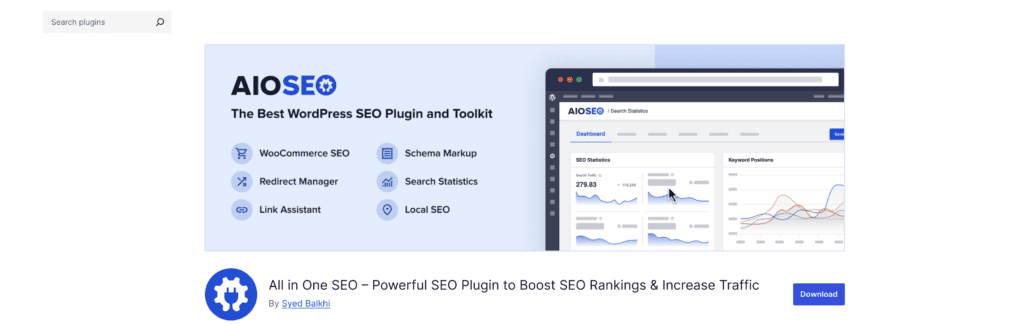
⭐ Overall Score: 4.5/5
AIOSEO is the top choice for beginners. Its setup wizard is the most user-friendly available, getting your site’s core SEO configured correctly in minutes.
Key free features:
- Best-in-class user-friendly setup wizard
- Automated XML Sitemaps
- Open Graph meta tags for social media
- Basic schema generation for breadcrumbs
| Pros | Cons |
| Extremely intuitive and beginner-friendly interface | Lacks advanced free features like a redirection manager |
| Gets your core SEO configured in minutes | No built-in rich snippets or multiple keyword analysis |
| Clean, uncluttered dashboard |
3. SEOPress
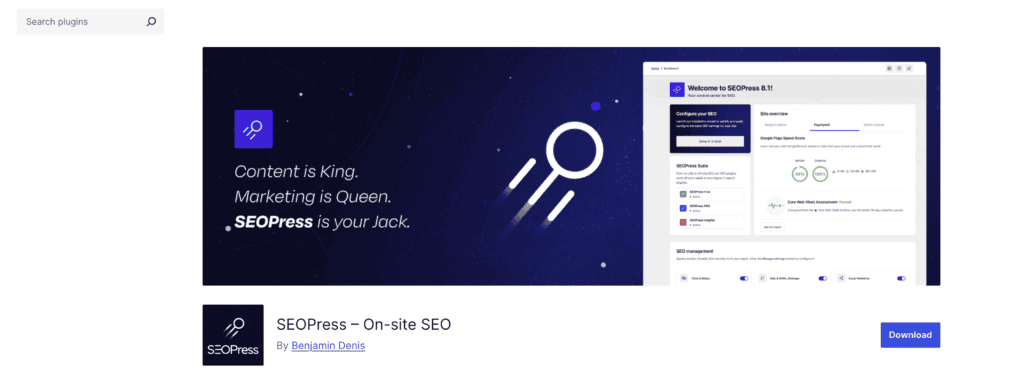
⭐ Overall Score: 4/5
SEOPress is a powerful and lightweight alternative that balances useful features with excellent site performance. It offers more than many bigger names in its free tier.
Key free features:
- One-click Google Analytics integration
- Redirection module with 404 monitoring
- Clean XML Sitemaps
- Open Graph and Twitter Card meta tags
| Pros | Cons |
| Lightweight code with minimal impact on site speed | Less brand recognition means fewer third-party tutorials |
| Includes practical tools like Analytics integration for free | The content analysis is less prominent than in other plugins |
| Clean and logical professional interface |
4. Yoast SEO plugin

⭐ Overall Score: 3.5/5
As the original WordPress SEO plugin, Yoast is famous for its simple traffic-light system. While still reliable, its free version is now outpaced by newer competitors.
Key free features:
- Iconic traffic-light system for content analysis
- Readability analysis
- XML Sitemaps
- Meta title and description templating
| Pros | Cons |
| Very simple and intuitive for daily use | Limited to a single focus keyphrase in the free plan |
| The most recognized name with a massive support community | No Schema markup or rich snippets in the free version |
| Excellent, focused readability analysis |
5. The SEO Framework

⭐ Overall Score: 3/5
The SEO Framework plugin is for users who want their technical SEO handled automatically in the background. It is lightweight and efficient, but offers no guidance on how to improve your content.
Key free features:
- Fully automated basic meta tags
- Automated XML Sitemaps
- Generates Open Graph meta tags
| Pros | Cons |
| The most lightweight and performance-optimized plugin | Lacks any detailed content analysis or SEO suggestions |
| “Set it and forget it” philosophy requires little maintenance | Does not guide how to improve your content |
| Completely free of ads and upsells |
6. Slim SEO
⭐ Overall Score: 2/5
Slim SEO is the most minimalist plugin on this list. It automates only the absolute essentials with virtually no impact on your site’s performance.
Key free features:
- Automatically generates meta titles and descriptions
- Generates an XML Sitemap
- Adds Open Graph tags for social media
| Pros | Cons |
| Extremely fast with near-zero performance overhead | Provides zero content analysis or suggestions |
| Completely hands-off for the basics it covers | Not a complete solution for most users |
How we rated the plugins
To ensure our ratings are fair and useful, we judged every plugin on the same four criteria, focusing only on what you get for free.
- Power of free features: We looked beyond the basics. Does the plugin offer advanced tools like Schema markup (rich snippets), multiple keyword analysis, or a 404/redirection manager without requiring an upgrade? The more value packed into the free version, the higher the score.
- Ease of use & setup: How quickly can a non-technical user get started? We evaluated the clarity of the setup wizard, the cleanliness of the dashboard, and the intuitiveness of the plugin for day-to-day tasks. A plugin that feels confusing or cluttered scored lower.
- Guidance & content analysis: A great SEO plugin is a guide. We tested how well each one provides actionable feedback on your posts and pages. Does it offer clear suggestions to improve readability and keyword optimization, or just a vague score?
- Performance & impact: SEO shouldn’t come at the cost of speed. We considered the plugin’s code efficiency and its potential impact on your website’s loading time. Lightweight, well-coded plugins that don’t add unnecessary bloat received higher marks.
How to pick the best free SEO plugin for WordPress
- For the most power: Choose Rank Math. It offers the most free features if you don’t mind a detailed setup.
- For total beginners: Choose All-in-One SEO. Its setup is the fastest and easiest, making it foolproof.
- For a balance of speed and features: Choose SEOPress. It’s a great middle-ground option.
- For a simple, trusted name: Choose Yoast SEO. It’s easy to use but has more limitations.
- For a hands-off, automated tool: Choose The SEO Framework or Slim SEO. It’s for users who don’t need guidance.
Parting thoughts
Any SEO plugin is a powerful tool, but it can’t replace a good strategy. Your content quality is still the most important factor for ranking on Google. The best plugin is the one you actually install and use consistently, so pick the one that fits your needs and start creating.
FAQs
Which free SEO plugin is best for WordPress?
Rank Math is widely considered the best free SEO plugin for its powerful and extensive feature set. It offers advanced tools like multiple keyword analysis and a redirection manager at no cost.
Is WordPress SEO free?
Yes, you can achieve excellent WordPress SEO for free using powerful plugins and tools. Options like Rank Math or AIOSEO provide all the essential features you need to optimize your site.
Is Yoast SEO free to use?
Yes, Yoast SEO has a very popular free version that covers all the fundamental SEO needs of a website. Advanced features like multiple keyword analysis and social previews require a paid subscription.
Can I do SEO for free?
Yes, you can do effective SEO for free by creating high-quality content and using free tools. A good WordPress SEO plugin and Google Search Console are all you need to get started.
What is the best free SEO tool?
For on-page optimization within WordPress, Rank Math is the best free tool due to its comprehensive features. For tracking performance, Google Search Console is an essential and completely free tool.

Shivani enjoys crafting guides that make every aspect of using WordPress simple and easy to follow. When she's not glued to her laptop, you can find her buried in a good book or occasionally, painting.