Most WordPress users believe that all SEO plugins perform the same function. That’s exactly why 40% of them choose based on download numbers instead of actual performance and wonder why their rankings stay flat.
The truth is, your choice between these two tools can significantly impact your site’s search visibility, load times, and monthly budget.
So let’s cut through the marketing noise and see what really matters in the SEOPress vs Yoast comparison guide.
SEOPress offers better value for agencies and experienced users with unlimited site licensing and comprehensive Pro features, while Yoast excels for beginners who need guided SEO learning and detailed content analysis. Whichever plugin you choose, always safeguard your site from potential plugin conflicts by using a reliable backup plugin.
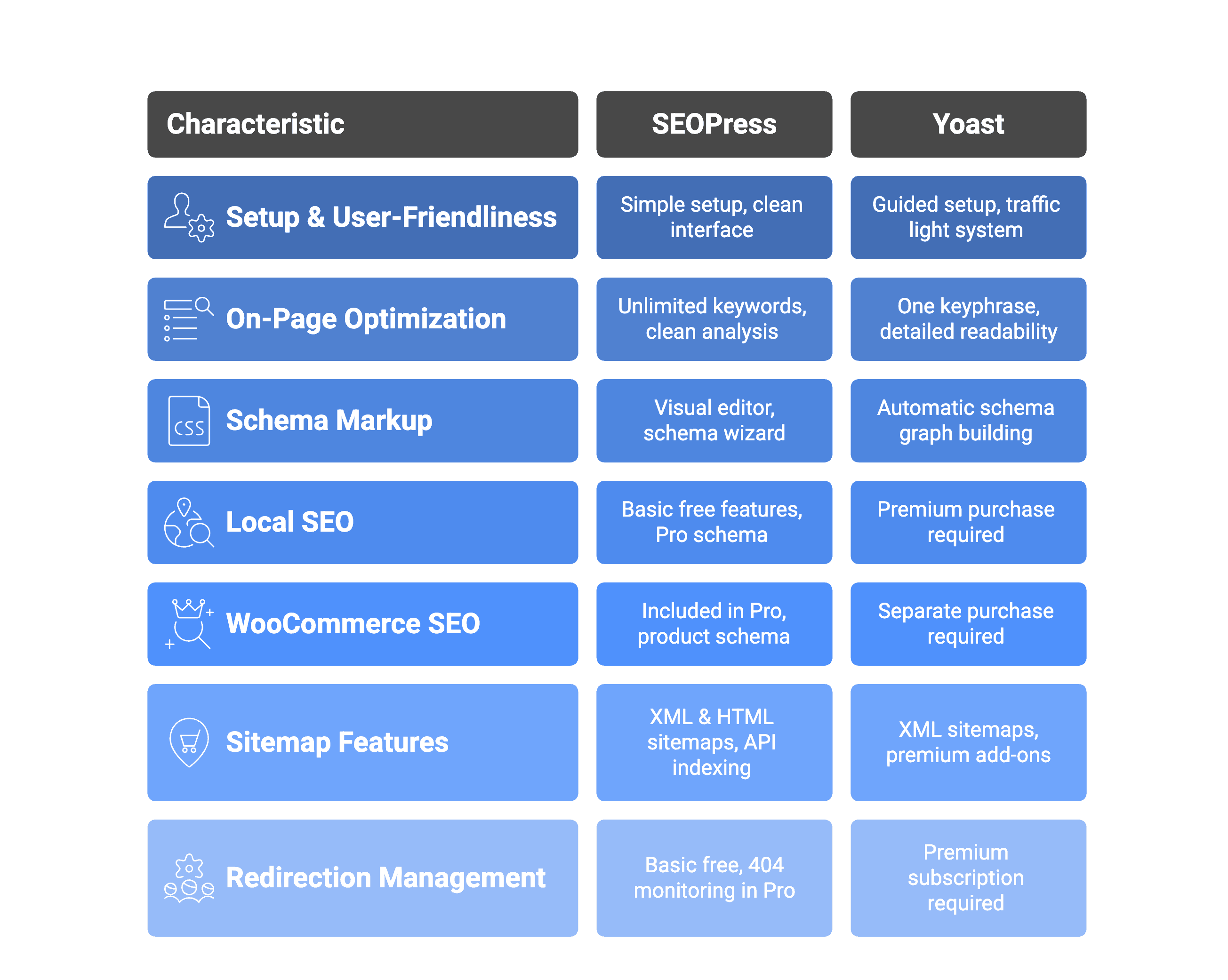
SEOPress vs Yoast at a glance
1. Setup and user-friendliness
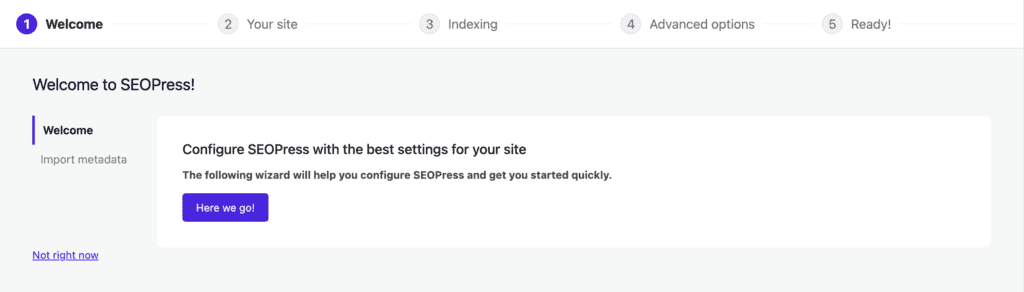
SEOPress keeps setup simple with a quick configuration wizard and maintains a clean, ad-free interface throughout. The plugin assumes you understand SEO basics and provides essential tools without excessive explanations.
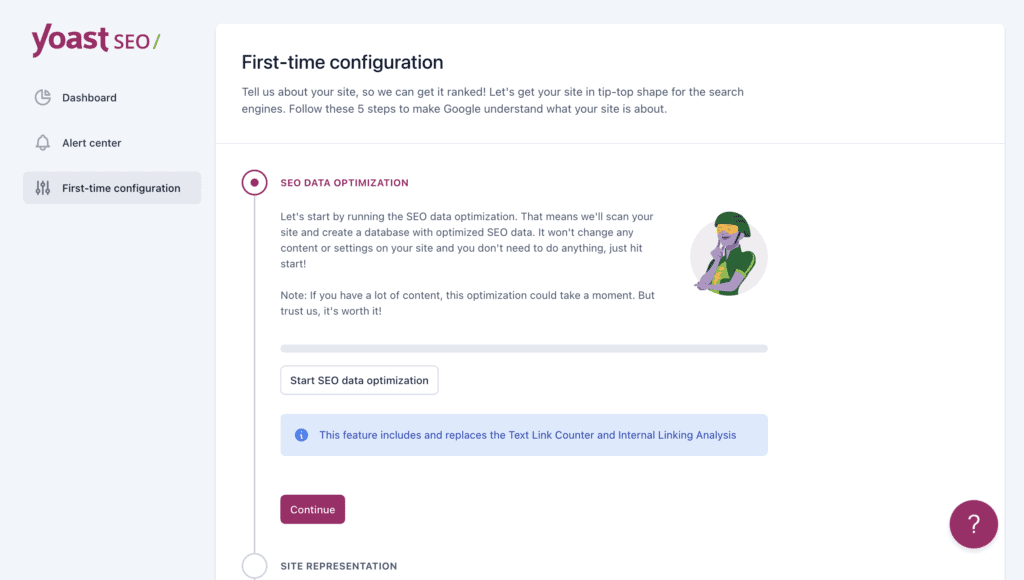
Yoast offers more guidance with detailed setup questions and the famous traffic light system for content optimization. However, the interface includes promotional messages for premium features, and the number of options can overwhelm newcomers. The plugin excels at teaching SEO concepts through tooltips and educational content.
Pro tip: Before installing either plugin, consider testing it on a staging site first. This lets you see how the plugin affects your specific setup without risking your live site’s performance or SEO rankings.
2. On-Page optimization analysis
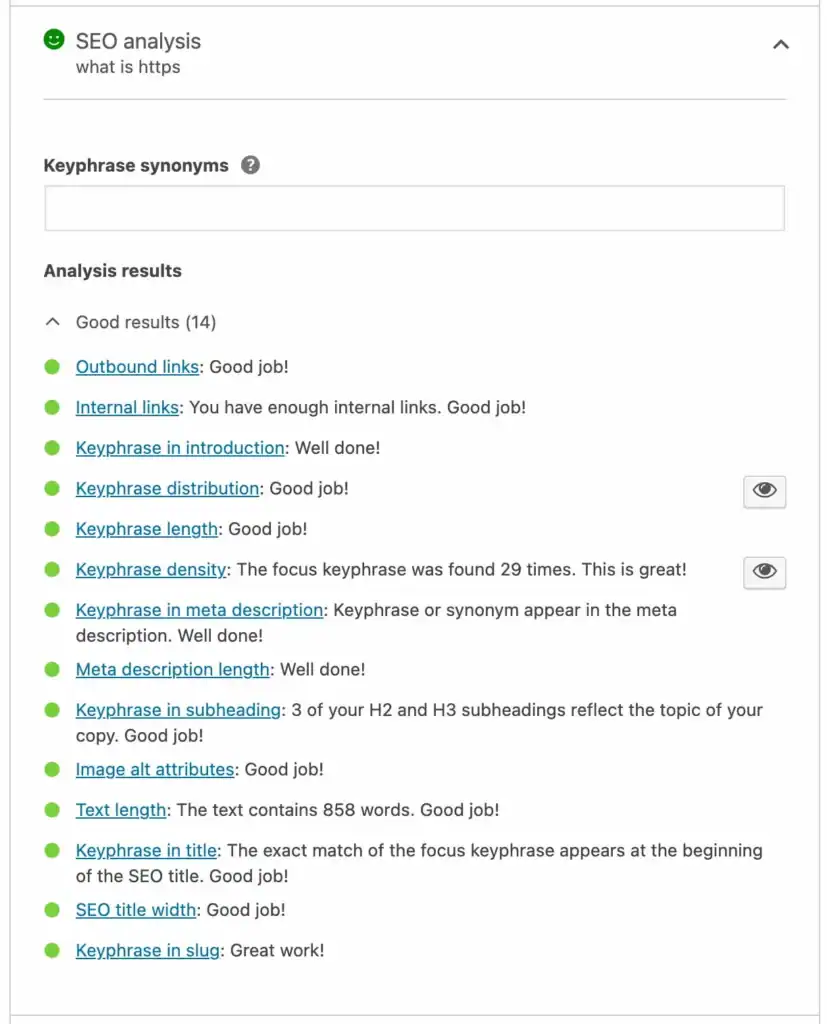
SEOPress lets you target unlimited keywords per page and presents analysis in a clean interface, categorized by importance. You get keyword placement insights, basic readability metrics, and Google snippet previews for mobile and desktop.
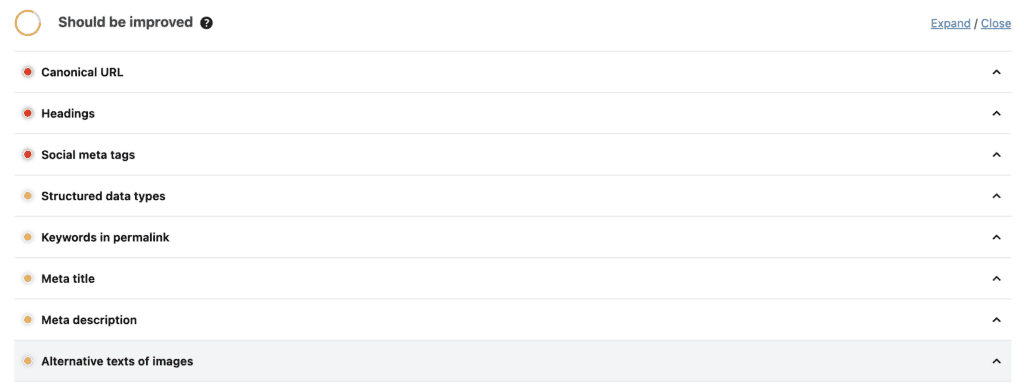
Yoast focuses on one primary keyphrase with its traffic light system. The readability analysis is more detailed, checking sentence length and paragraph structure. Premium adds LSI keyword analysis and AI content suggestions, while the free version covers essential optimization checks.
3. Schema markup functionality
SEOPress gives you a visual schema editor that lets you see exactly what structured data you’re adding to your pages. The Pro version includes a comprehensive schema wizard that walks you through creating complex markup, but you’ll need to do more manual setup for advanced schema types.
Yoast takes the opposite approach by automatically building an interconnected schema graph for your site. It adds basic structured data without you lifting a finger and includes native support for FAQ and How-To schema blocks right in the Gutenberg editor with the free version. The automation makes it much simpler for non-technical users.

4. Local SEO capabilities
SEOPress includes basic local SEO features in its free version, letting you add business information and local schema markup without extra cost. The Pro version adds a comprehensive Local Business schema that can appear in Google’s Knowledge Panel, plus local business widgets and blocks for your site.
Yoast requires a premium purchase for local SEO functionality, but it delivers advanced features like multi-location management and automated technical details such as KML files. It simplifies Google Maps embedding and supports extensive business schema types, making it powerful for businesses with multiple locations.
5. SEO for WooCommerce
SEOPress includes WooCommerce features in its standard Pro version, giving you product schema, XML sitemaps with image galleries, and Google Analytics Enhanced Ecommerce integration without additional costs.
The Pro version handles automated product metadata and dynamic variables for product pages.
Yoast requires a separate purchase for an add-on Yoast WooCommerce functionality, making it more expensive for store owners. However, the add-on provides comprehensive product-specific content analysis, automated rich structured data, and handles duplicate content from filtered product URLs. It also includes specialized e-commerce XML sitemaps.
6. Sitemap features
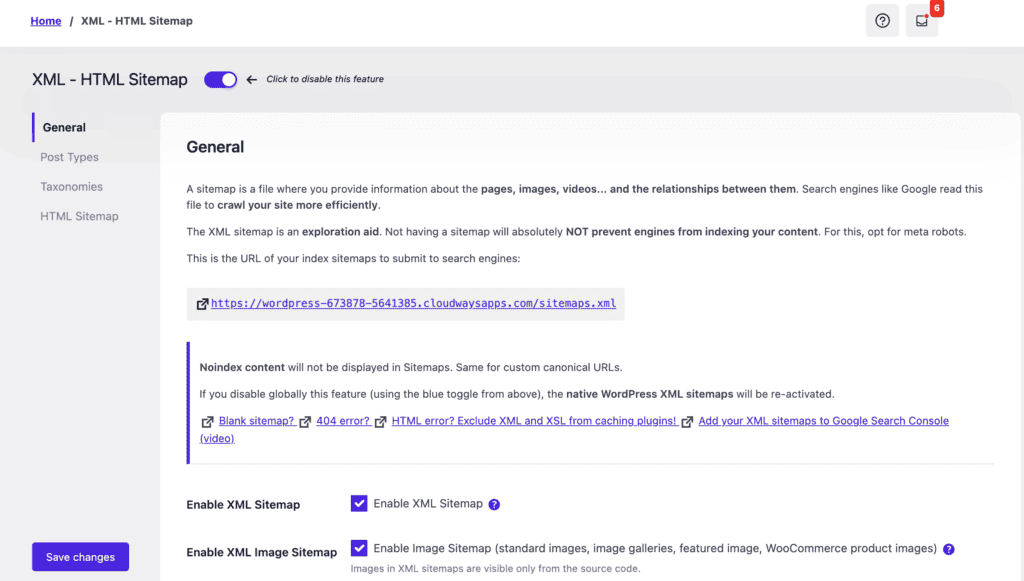
SEOPress automatically generates both XML and HTML sitemaps in its free version, plus includes Google News and video sitemaps in the Pro version. The Pro version also offers Instant Indexing through Google and IndexNow APIs, allowing up to 200 Google and 10,000 IndexNow queries daily for faster content discovery.
Yoast creates XML sitemaps that update dynamically as you add or edit content, but doesn’t include HTML sitemaps in any version. News and video sitemaps require separate premium add-ons, making it more expensive for comprehensive sitemap coverage.
The premium version includes IndexNow integration but lacks Google Indexing API support for general content.
7. Redirection management
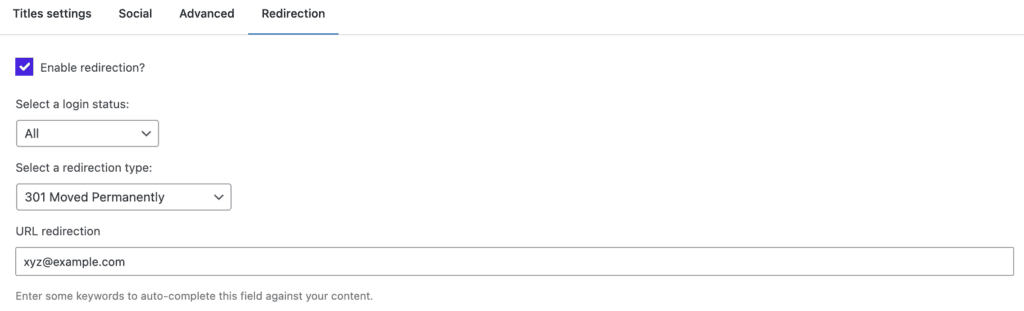
SEOPress includes basic redirect functionality in its free version, while Yoast requires a premium subscription for any redirect features. SEOPress Pro adds 404 monitoring with one-click redirect creation and conditional redirects based on visitor login status.
Yoast’s premium redirect manager automatically creates 301 redirects when you change URL slugs and can use faster web server redirects that bypass WordPress processing. However, it lacks built-in 404 monitoring, which means you won’t know when visitors hit broken links unless you use external tools.
Pricing overview
Both plugins offer solid free versions that handle basic SEO needs. Yoast Premium costs $99 per year for a single site, while SEOPress Pro costs $149 annually but covers unlimited sites.
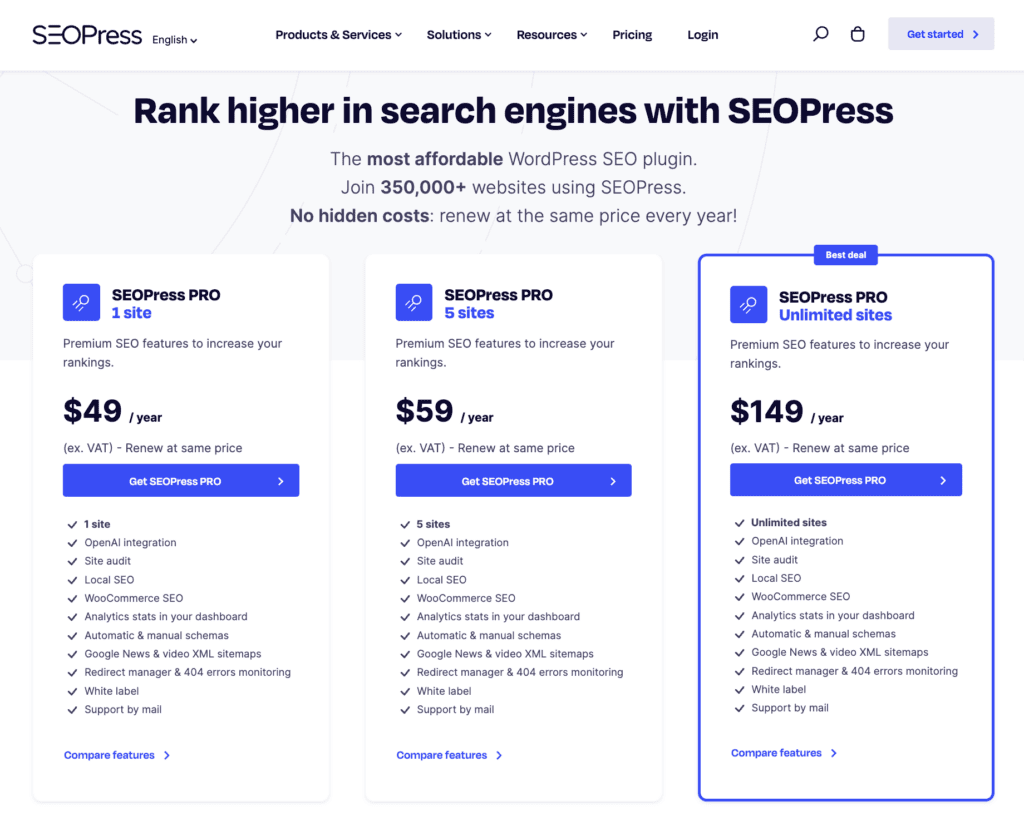
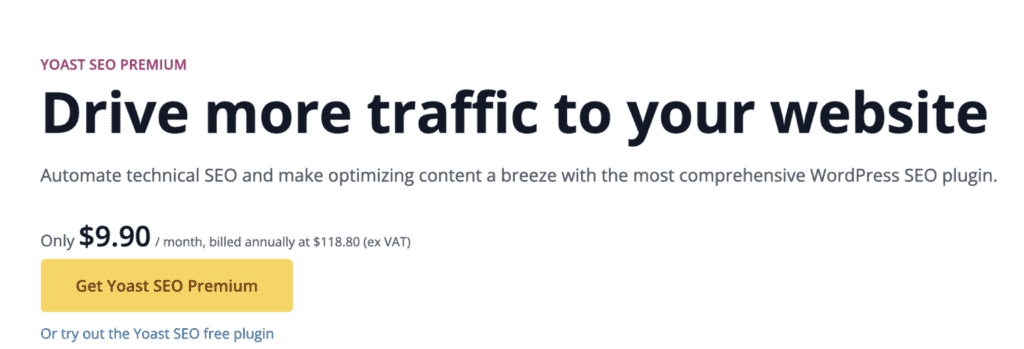
Here’s where the math gets interesting: Yoast requires separate plan purchases for features like Local SEO and WooCommerce, which can push your total cost well beyond $99. SEOPress bundles most premium features into its Pro plan without extra charges.
Advantages and disadvantages
Now let’s break down the real strengths and weaknesses of each plugin so you can see exactly what you’re getting (and what you’re giving up):
SEOPress
| Advantages | Disadvantages |
| Clean, minimal interface without distracting upsells | Less intuitive for beginners due to minimal guidance |
| More features are included in the free version compared to Yoast | Lacks Yoast’s depth in readability analysis |
| Lightweight and performance-focused; less impact on site speed | Fewer integrations with other marketing and analytics tools |
| More affordable, especially for agencies or multiple sites | Limited community resources and documentation compared to Yoast |
| Offers advanced customization options and granular control | Fewer advanced features in areas like competitive analysis and in-depth reporting |
Yoast
| Advantages | Disadvantages |
| User-friendly interface and setup wizard | The free version has limited features, forcing a premium upgrade |
| Comprehensive content analysis with readability and keyword suggestions | Premium features can be expensive for single-site or small businesses |
| Extensive integrations and add-ons available | Can be resource-heavy, potentially slowing down larger sites |
| Trusted and well-known plugin in the SEO community | The interface can be cluttered and overwhelming with many options |
| Regular updates and strong community resources for premium users | Rigid keyword analysis can stifle natural writing sometimes |
Making the right choice for your website
The choice between these plugins really depends on your SEO experience level and how many sites you’re managing.
Choose Yoast if you:
- Are new to SEO and want guided help
- Need detailed content analysis and readability scores
- Don’t mind paying for extra features
- Need extensive tutorials and resources
- Manage only one or a few sites
Choose SEOPress if you:
- Have SEO experience and prefer less guidance
- Manage multiple sites or run an agency
- Want a clean, ad-free interface
- Prefer comprehensive features in one Pro package
- Value cost-effectiveness over learning resources
Alternatives to SEOPress and Yoast
If neither SEOPress nor Yoast seems like the perfect fit for your site, consider exploring these popular alternatives:
Rank Math

- Pros: Offers an impressive range of features in its free version, including advanced schema options, multiple keyword analysis, and seamless integration with platforms like Google Analytics.
- Cons: The extensive features might feel overwhelming for beginners.
All in One SEO (AISEO)
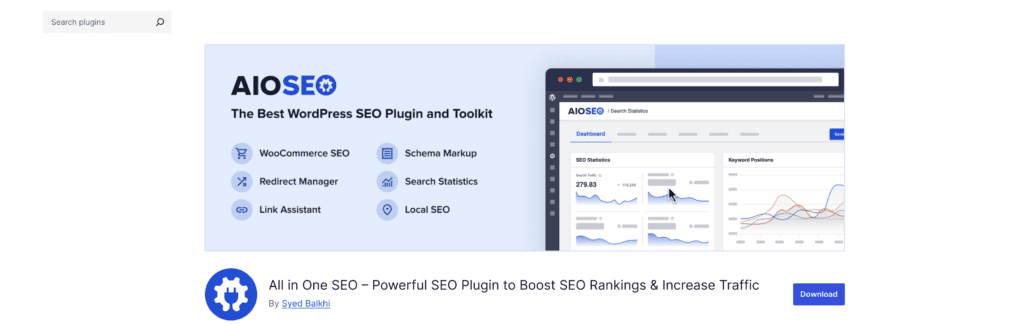
- Pros: Provides a solid set of free features with a focus on user experience. It’s optimized for performance and includes easy social media integration.
- Cons: Lacks some advanced features unless you upgrade to the Pro version.
Slim SEO
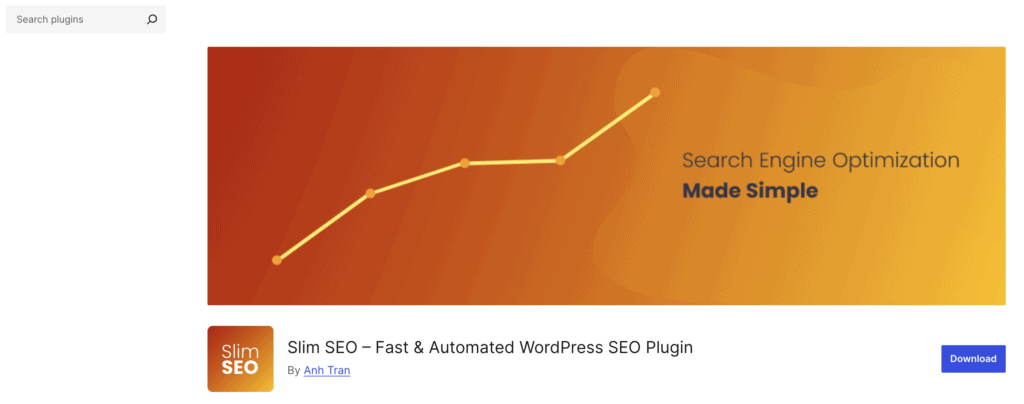
- Pros: Lightweight and easy to use, focusing on automating essential SEO tasks without the bloat. Ideal for users who want minimal setup.
- Cons: Lacks advanced features, making it less suitable for users who need extensive customization and control.
The SEO Framework

- Pros: Known for its lightweight design and focus on performance. It offers automated functionalities and is ad-free.
Cons: Less comprehensive in terms of features for advanced users compared to its competitors.
Parting thoughts
Both SEOPress and Yoast deliver solid SEO results, but your choice should align with your experience level and budget. Beginners who manage single sites will get more value from Yoast’s guidance and educational resources.
Experienced users and agencies benefit from SEOPress’s comprehensive features and unlimited site licensing. Either way, you’re getting a plugin that can genuinely improve your search rankings when used consistently.
FAQs
Which SEO plugin is best?
The best SEO plugin depends on your experience level and needs, but Yoast and SEOPress are the top contenders for most users. Yoast excels for beginners with its guided approach, while SEOPress offers better value for agencies and experienced users. Both can deliver excellent search rankings when used properly.
Is Yoast SEO still relevant?
Yes, Yoast SEO remains highly relevant and continues to be one of the most trusted WordPress SEO plugins in 2024. It consistently updates with new features and maintains compatibility with WordPress changes and Google algorithm updates. The plugin’s educational approach and extensive documentation keep it valuable for millions of users.
Which is better, all in one SEO or Yoast SEO?
Between All in One SEO and Yoast SEO, AISEO offers more features in its free version, while Yoast provides better educational guidance and content analysis. All in One SEO performs slightly better on site speed, but Yoast has superior readability analysis and more comprehensive tutorials. Your choice depends on whether you prioritize features or learning resources.
Which is better, Yoast or rank math?
Between Yoast and Rank Math, RankMath offers more features in its free version and includes advanced schema markup options that Yoast reserves for premium. Yoast provides better educational content and a more polished user experience, especially for beginners. RankMath wins on feature count and customization, while Yoast excels at guided optimization and support quality.
Is Yoast only for WordPress?
Yes, Yoast SEO is exclusively designed for WordPress websites and doesn’t work with other content management systems. The plugin integrates deeply with WordPress core functions and requires the WordPress environment to operate. For other platforms like Shopify or Wix, you’d need different SEO tools specific to those systems.

Shivani enjoys crafting guides that make every aspect of using WordPress simple and easy to follow. When she's not glued to her laptop, you can find her buried in a good book or occasionally, painting.