Form plugins are everywhere. The real challenge isn’t finding information, but filtering it. You’re faced with two excellent options, each with passionate advocates.
Both make an objective choice in the Ninja Forms vs Gravity Forms debate feel impossible.
This uncertainty creates a costly standstill. The best plugin isn’t the one with the most votes. It’s the one that fits your project and your budget. With that in mind, let’s help you make the right call.
Ninja Forms is best for users wanting a free, simple start with the option to buy features individually. Gravity Forms is a premium, all-in-one package for businesses and developers who need advanced power from the start. It is crucial to use a backup plugin before installing either plugin to protect your data.
Ninja Forms vs Gravity Forms at a glance

Which plugin is easier to learn?
The Ninja Forms plugin is known for its clean, modern interface. When you open the form builder, the layout is straightforward. The fields and settings on the right, and your form canvas in the middle.
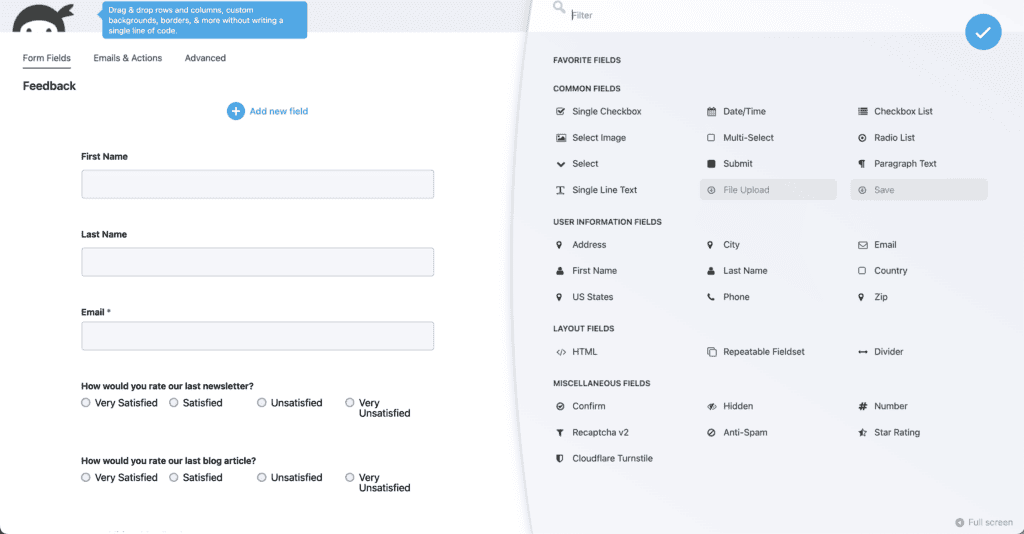
Its drag-and-drop system is intuitive. The free version is functional enough for users to learn the basics without a financial commitment. Keep in mind that creating custom layouts with columns requires either their Layout & Styles add-on (paid) or custom CSS.
The Gravity Forms builder recently updated its interface to be more modern. Its approach consolidates more power into a single view. All available fields and settings are accessible from the start. This gives a clear picture of the plugin’s full capabilities. For some, this can feel more efficient; for others, it might seem overwhelming at first.
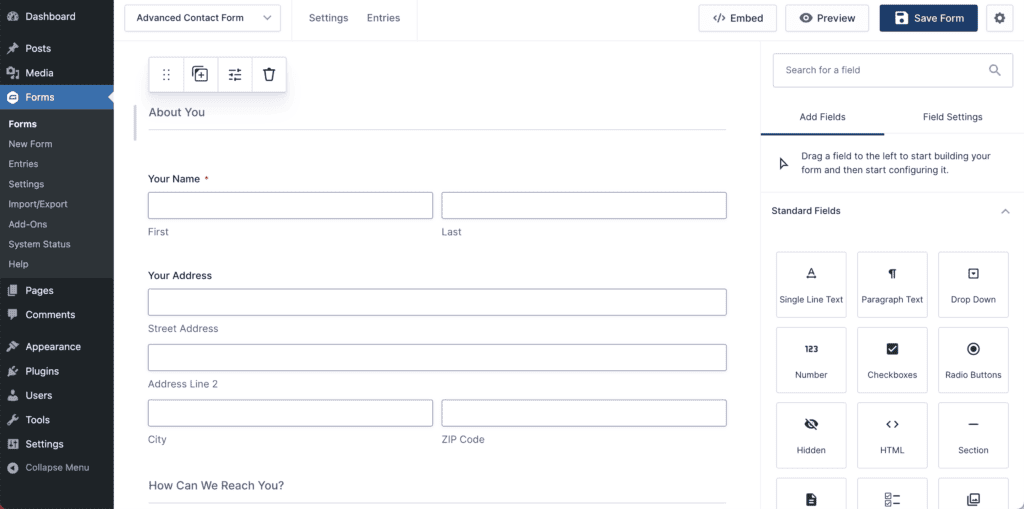
There is no free version, which means users must rely on the public demo to try it before buying. Gravity Forms is generally built for users who anticipate needing advanced features. Creating multi-column layouts is a more integrated process. The settings are typically found within the field options themselves.
Detailed feature comparison
Let’s compare Ninja Forms and Gravity Forms’ features:
What can you build?
Both plugins are highly capable. A key difference is what’s included by default versus what requires a paid add-on.
With Ninja Forms, you can build:
- Simple contact forms: Handled by the free core plugin.
- Email sign-up forms: Included in the free version.
- Multi-step forms: Requires a premium add-on.
- Payment & donation forms: Requires premium add-ons for Stripe or PayPal.
- File upload forms: Requires a premium add-on.
- User registration: Handled by the paid User Management add-on. A feature that’s always best to test on a staging site before deploying live.
With a Gravity Forms paid license, you can build:
- Simple to complex forms: All form-building capabilities are in the core plugin.
- Surveys, polls, and quizzes: These are dedicated field types.
- User registration forms: Includes built-in support for creating WordPress users.
- Content submission forms: Allows users to submit content from the website’s front end.
- Dynamic and multi-page forms: Conditional logic and page breaks are core features.
- Payment & E-commerce forms: Integrations for major gateways are included with Pro and Elite licenses.
Conditional logic capabilities compared
Conditional logic determines when and how fields appear based on user input.
In Ninja Forms, this is a premium feature, available either as a standalone add-on or as part of a membership plan.
Once purchased, its functionality is solid for most standard requirements. You can conditionally show fields, route email notifications, and direct users to different confirmation pages.
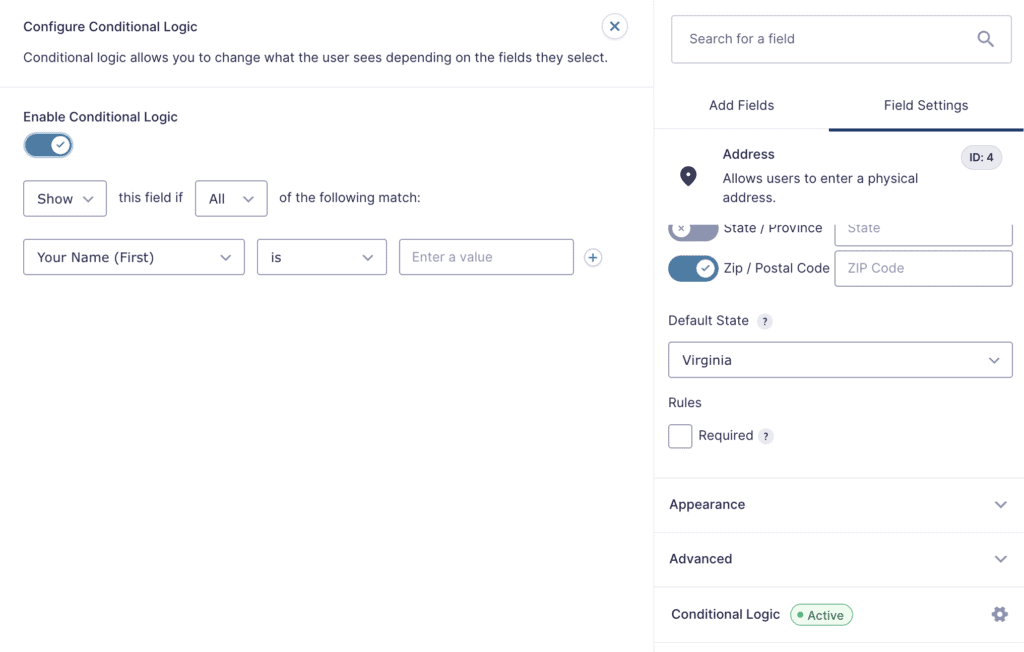
In Gravity Forms, conditional logic is included in all paid licenses. It is deeply integrated throughout the plugin. This allows you to apply logic not just to fields but also to notifications, confirmations, and add-on feeds. This makes it well-suited for creating complex business workflows. This includes routing inquiries to different departments from a single form.
Entry management & data control
Ninja Forms stores all entries in your WordPress database. The free version includes the ability to view and export submissions to a CSV file. For more advanced exports (like PDF) or scheduled exports, paid add-ons are necessary. It also provides good tools for GDPR compliance. This allows you to manage personal data effectively.

Gravity Forms also stores entries in your database, with comprehensive management tools included in all licenses. The search and filtering capabilities are robust.
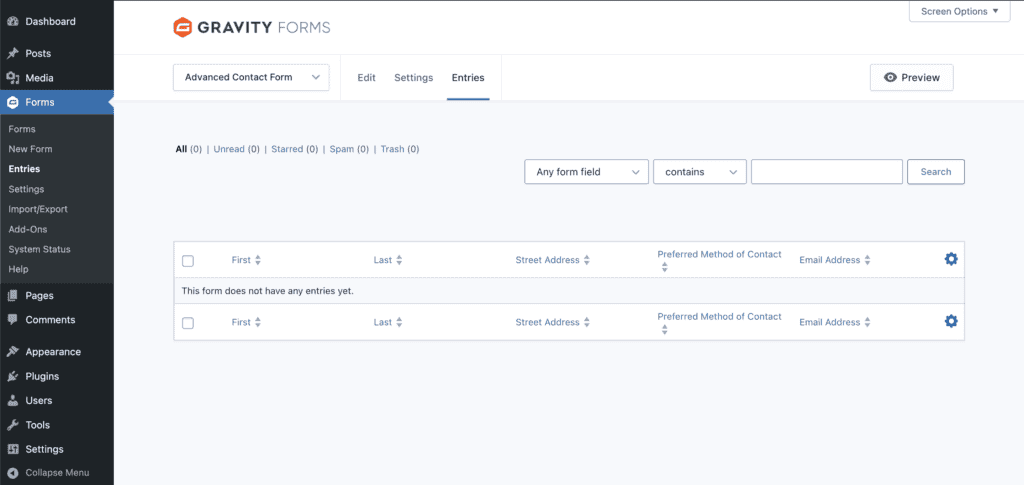
While some advanced exports may require third-party add-ons, the core plugin gives administrators granular control over entry data and user permissions. This is particularly useful for agencies managing client sites.
Email notifications and confirmations
Ninja Forms includes basic email notifications and confirmations in its free version. For more advanced routing, like sending different emails based on a user’s selection, the premium conditional logic add-on is required.
However, because it relies on the default WordPress mail function, a common issue users report is that Ninja Forms sometimes fails to send emails or they end up in spam folders.
Gravity Forms refers to these as Notifications and Confirmations. Users can create an unlimited number of them and apply conditional logic to them out of the box. This built-in routing capability is a significant feature for business use cases. It requires sending information to different people based on form input.
Spam-fighting capabilities
Both plugins provide built-in honeypot protection and support for Google reCAPTCHA. These tools are effective against most automated bot spam.
Gravity Forms offers a broader set of built-in tools and integrations for spam defense. It has official add-ons for Akismet and Cloudflare Turnstile. It also allows for more advanced rules, such as limiting submissions by IP address or blocking entries that contain specific keywords.
Payments
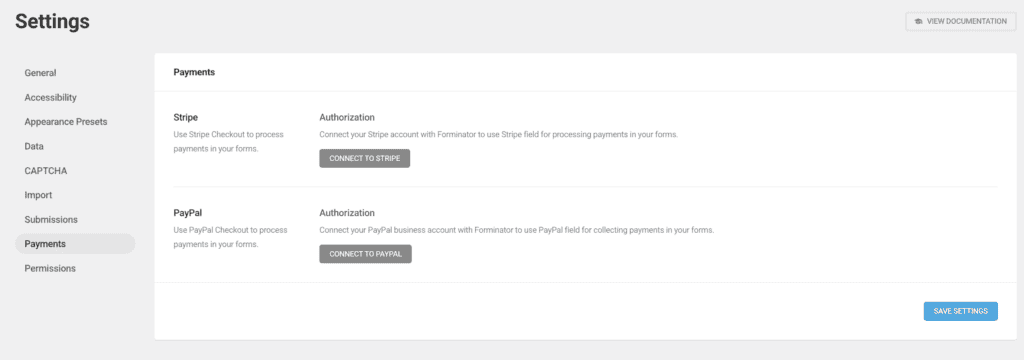
With Ninja Forms, payment gateway support is handled through individual premium add-ons. It integrates with Stripe, PayPal, and others. This model allows users to purchase only the gateway integration they need.
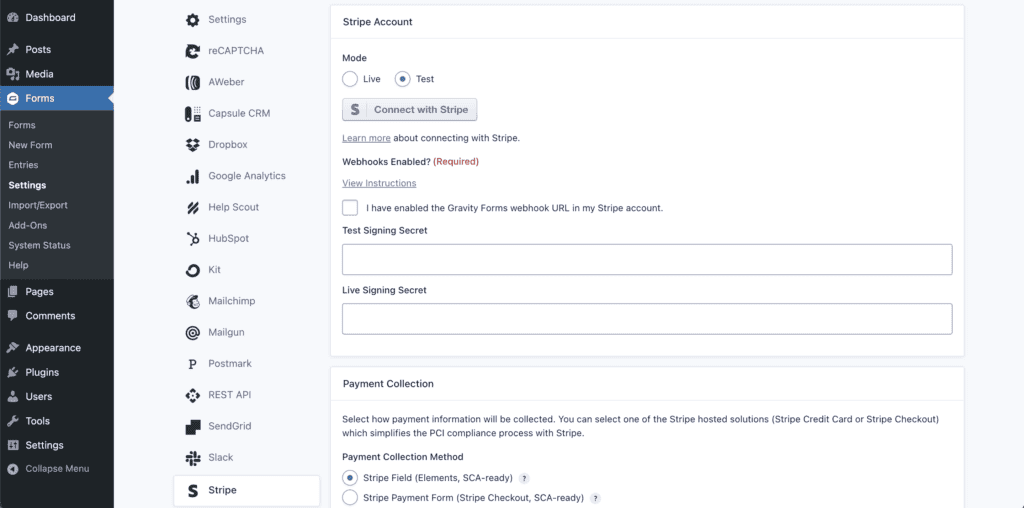
With Gravity Forms, payment gateway add-ons for Stripe, PayPal, and Square are bundled with the Pro and Elite licenses. This provides an integrated system for managing transactions. This also includes viewing sales reports and handling subscriptions directly within WordPress. This bundled approach can be more cost-effective if you need to connect to multiple gateways.
How extensible are they?
Ninja Forms is developer-friendly, with a wide range of hooks available for customization. Its library of official add-ons covers many common needs.
A key strength of Gravity Forms is its large ecosystem. It has a robust API, a REST API for connecting to external applications, and a vast marketplace of third-party add-ons.
Tools like Gravity Perks and Gravity Flow can transform forms into complex applications. This can make them a frequent choice for custom development projects.
Documentation and support
Ninja Forms provides support to all users. This includes those on the free plan, through a ticket system. Their online documentation is well-organized and accessible to users of all skill levels.
Gravity Forms offers support only to users with an active paid license. Its documentation is known for being extremely thorough, catering to both end-users and developers. While support is a premium feature, it is widely regarded as high quality.
Breaking down the price tags
Ninja Forms operates on a freemium model. The core plugin is free. Features are added by purchasing individual add-ons. It’s a crucial best practice to back up your website before installing new plugins.
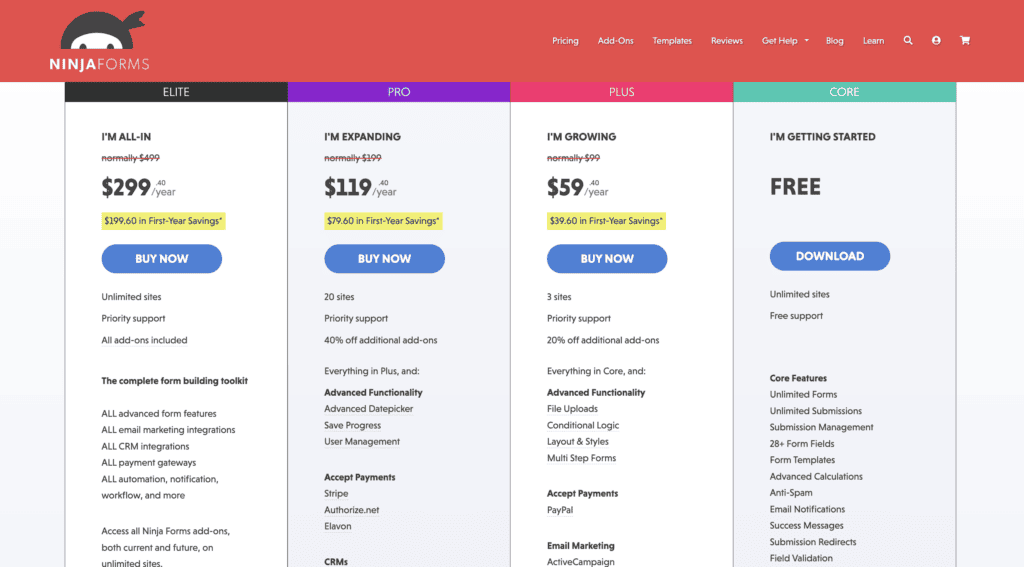
- Pros: Low initial cost. You only pay for the specific features you need.
- Cons: The cost can escalate quickly if multiple premium features are required.
Gravity Forms is a premium-only plugin. There is no free version. It is sold via annual licenses that bundle the core plugin and a selection of add-ons based on the tier.

- Pros: Predictable, all-inclusive pricing. Often provides better value if you need many advanced features.
- Cons: Higher entry cost. You may be paying for features you don’t currently use.
Choosing between ninja forms and gravity forms
When to choose Ninja Forms:
- Your budget is limited, and the free version meets your needs.
- You require only one or two specific premium features.
- Your primary need is for simple forms like contact or newsletter sign-ups.
- You prefer a more guided, visually separated form-building interface.
When to choose Gravity Forms:
- You are an agency, developer, or business with complex form requirements.
- You need built-in features for surveys, user registration, or advanced calculations.
- Accepting payments or integrating with multiple services is a key part of your project.
- You anticipate needing a high degree of customization and access to a broad third-party add-on market.
Other form builders worth looking at
The WordPress form plugin market is competitive, and several other excellent options exist.
WPForms builder
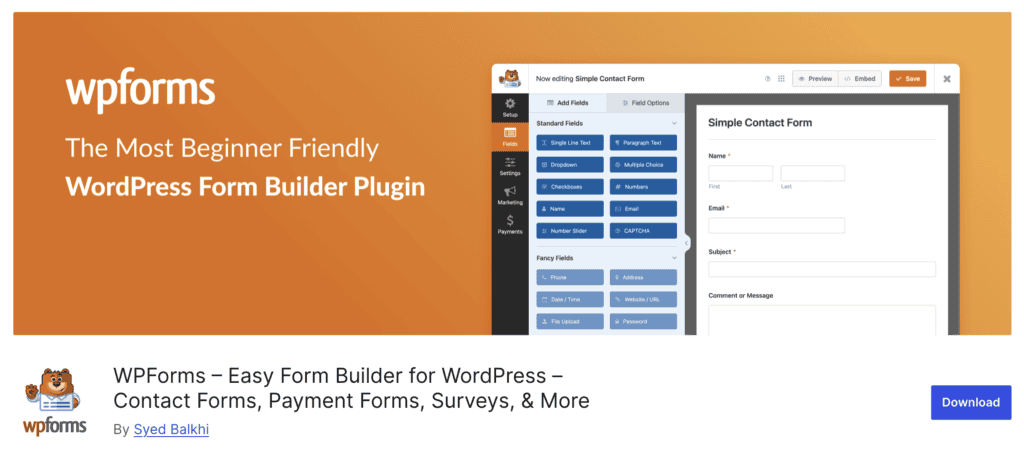
- Best for: Beginners who prioritize ease of use. It features a very user-friendly interface and a large library of pre-built form templates that simplify the creation process.
- Keep in mind: The free “Lite” version is quite capable for basic forms. However, the renewal pricing for paid versions is significantly higher than the initial introductory offer.
Formidable Forms builder

- Best for: Data-driven applications. It excels at more than just collecting data; it’s designed to display it. Its “Views” feature allows you to create front-end directories, listings, and dashboards from form submissions.
- Keep in mind: It has a steeper learning curve and is geared toward more technical users or developers who want to build custom web applications.
Fluent Forms builder

- Best for: Users concerned with site speed and value. It is recognized for its lightweight code and fast performance. Its free version is one of the most feature-rich available, and its premium plans are very competitively priced.
- Keep in mind: While it is a robust and growing plugin, its third-party ecosystem is not as extensive as that of older plugins like Gravity Forms.
Contact Form 7

- Best for: Users who need a simple, reliable, and completely free solution. As one of the oldest form plugins, it has a massive user base and is known for its stability.
Keep in mind: It lacks a visual, drag-and-drop builder. Forms are built using shortcode-like tags, and any customization requires knowledge of HTML and CSS. It is functional, but not user-friendly.
Parting thoughts
Ninja Forms is a great, flexible starting point, while Gravity Forms offers a powerful all-in-one foundation. The right tool is the one that fits your needs. No matter which you pick, be sure to test your forms; a form testing tool makes this last step much easier.
FAQs
Can you start with Ninja Forms for free?
Yes, Ninja Forms offers a robust free core plugin for unlimited forms and submissions, basic spam protection, and email notifications. This is ideal for beginners or users with minimal form needs.
Does Gravity Forms have a free version?
No, Gravity Forms is a premium-only plugin. Users must purchase an annual license to use it, though a free demo is available on its website for testing.
Which is more cost-effective?
For basic needs, Ninja Forms’ free version is cheaper. For advanced features, the cost varies. Ninja Forms can get expensive with individual add-on purchases, while Gravity Forms’ bundled annual licenses might be more cost-effective for those needing a comprehensive feature set.
Can you build complex forms with both?
Yes, both can build complex forms, including multi-page, protected, and payment forms. Gravity Forms has an edge for complex multi-step workflows due to its ecosystem of powerful add-ons, particularly Gravity Flow.

Shivani enjoys crafting guides that make every aspect of using WordPress simple and easy to follow. When she's not glued to her laptop, you can find her buried in a good book or occasionally, painting.