

WordPress SEO plugins should simplify your life, but most just multiply your headaches. You’re juggling multiple tools while competitors outrank you. Confusing settings drain your time, and premium upgrades drain your wallet.
But Rank Math SEO changes everything with one comprehensive plugin that handles it all.
This guide covers everything you need to know about Rank Math SEO, from basic setup to advanced features that move your rankings.
Rank Math SEO is a free WordPress plugin that replaces 5+ SEO tools in one dashboard. Plugins are notorious for causing conflicts, so ensure you use a backup plugin before installation.
Rank Math SEO in a nutshell

Rank Math is a WordPress SEO plugin that replaces your entire SEO toolkit. Think of it as having five plugins rolled into one solution that works together.
Most people juggle Yoast, a redirection plugin, a schema plugin, and maybe a sitemap tool. That’s four different interfaces and four different ways your site can break due to a plugin conflict.
Rank Math eliminates this chaos by compiling everything in one place.
The plugin automatically creates sitemaps, adds 18+ snippet types, manages redirects, and grades your content in real-time while you write. It’s like having an SEO expert looking over your shoulder, controlling everything from one central dashboard.
The free version on its own gives you features that alternatives like Yoast SEO charges more. We’re talking professional-grade redirects, schema markup, and advanced SEO controls without spending a dime.
The Pro version adds features like Content AI that analyzes top-ranking competitors and suggests which keywords to target, plus rank tracking for your positions in Google.
Is Rank Math SEO right for your WordPress site?
Before jumping into setup, let’s figure out if Rank Math solves problems you’re facing. No point installing another plugin if it won’t help your specific situation.
What problems does Rank Math solve?
The technical stuff that sounds like gibberish? Rank Math SEO handles it automatically, so you don’t have to learn any of it.
Technical setup

Rank Math creates a list of your pages for Google (sitemaps) and tells Google immediately when you publish new content. It prevents Google from getting confused by duplicate pages and finds broken links that lead nowhere, then suggests fixes for those dead links.
Content optimization
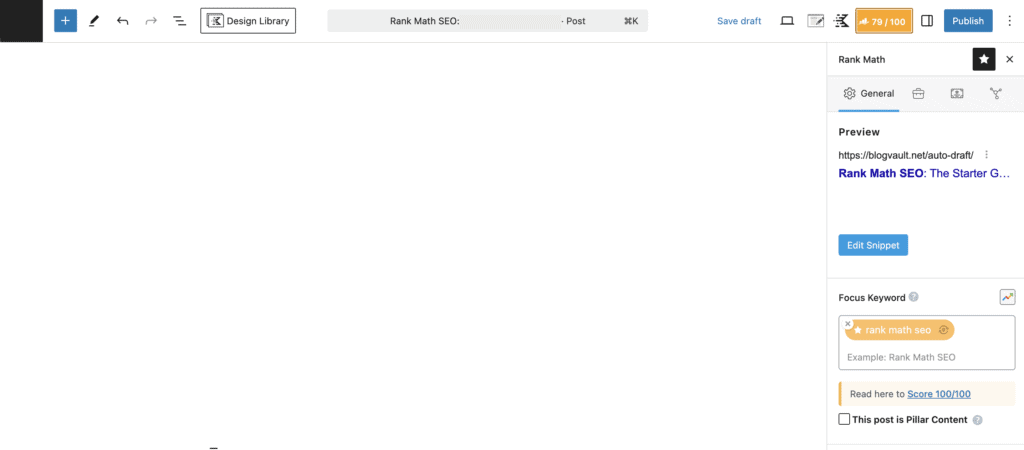
While you’re typing, Rank Math grades your content with a 0-100 score. It tells you if your writing is too complicated, warns if you’re underusing keywords, and suggests linking to your other posts.
Rich search results
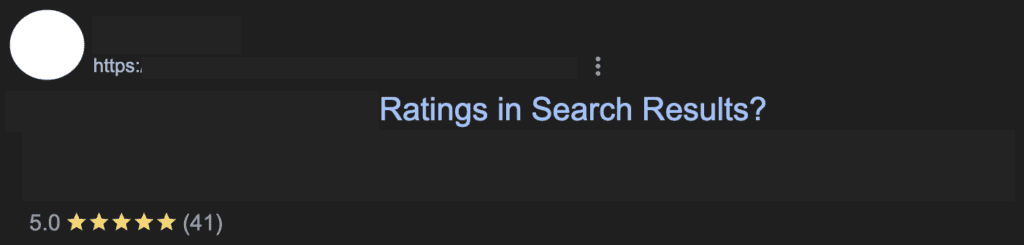
Here’s where it gets interesting. Rank Math makes your search results stand out by adding star ratings to your listings, showing prices for products, displaying FAQ answers directly in Google, and creating rich business listings.
Most plugins charge extra for these features, and Yoast wants quite a few dollars per year for what Rank Math gives away free.
Workflow improvements
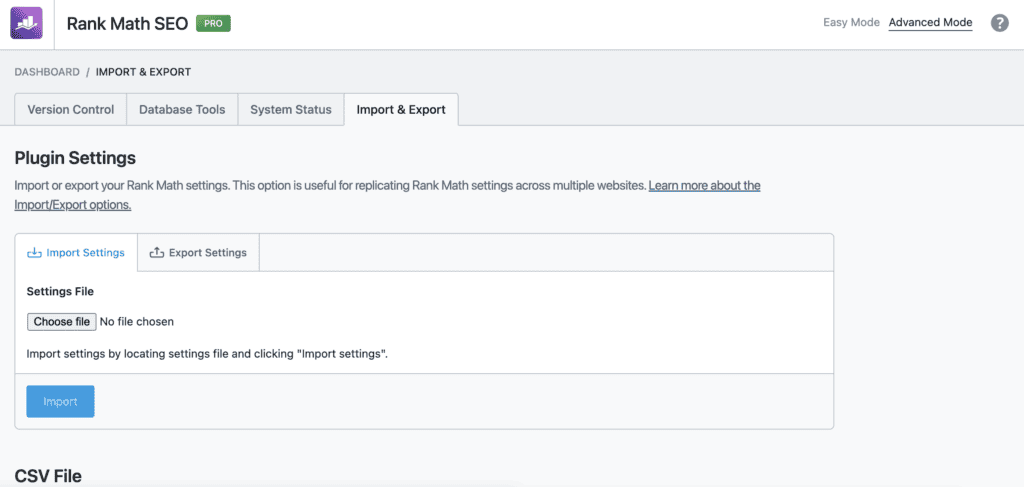
Change hundreds of page titles at once. If you do decide to move from one SEO plugin to Rank Math, you can copy all your previous SEO plugin settings with one click. Automatically write image descriptions. Control everything from one simple dashboard.
Instead of learning five different plugins, you learn one. Your life gets simpler, not more complicated.
Who should use Rank Math for SEO?
Beginner bloggers love the setup wizard that handles 92% of essential settings. Visual Google Search Console integration shows errors in your dashboard. The Green Score system simplifies optimization decisions.
- E-commerce stores get product schema with price tracking, WooCommerce-specific SEO controls, and Open Graph customization for social sharing.
- Local businesses benefit from the Local Business schema with 193+ industry templates, service area markup, and review rich snippets.
- Developers and agencies appreciate role management, multisite support, white-labeling options, and REST API for custom integrations.
- Content teams get Content AI for keyword suggestions, topic clustering, and editorial calendar sync via Zapier.
The plugin works for most WordPress sites but might be overkill for simple personal blogs. For everyone else dealing with SEO complexity, Rank Math typically simplifies more than it complicates.
Rank Math’s key features that help your website
The Rank Math SEO plugin includes more features than most expensive tools. Let’s look at the features that’ll help your website get found on Google from day one.
1. Writing assistant that guides you

Similar to content optimization tools like Surfer SEO, Rank Math’s Content AI looks at the top-performing pages for your topic and suggests related keywords, better titles, and ways to improve your content. It helps turn that intimidating blank page into content that people will find on Google.
Bloggers using this feature typically see twice as much website traffic, though results vary depending on your niche and how consistently you apply the suggestions. The AI doesn’t write your content for you, but it guides you toward creating content that Google loves to show people.
2. Make your Google listings stand out

You know those Google search results that show star ratings, question-and-answer boxes, or product prices? Rank Math helps you create those eye-catching listings with over 20 easy templates. Local businesses often get 30% more phone calls when they use these features properly.
Yoast requires you to buy Yoast’s WooCommerce SEO add on for this, but Rank Math includes it for free.
3. Target multiple keywords naturally
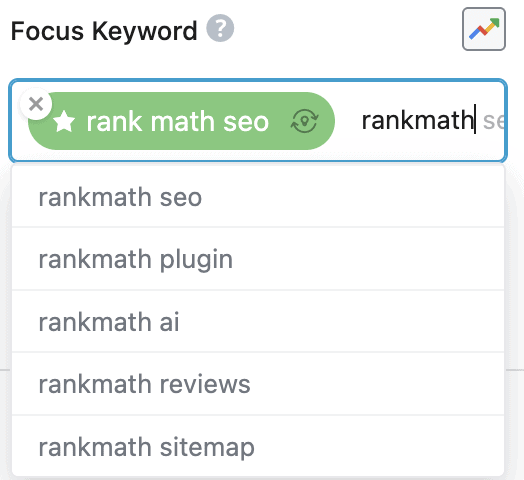
Instead of focusing on just one keyword per page, Rank Math SEO helps you include related keywords that people search for. Bloggers using this approach often rank for three times more keywords because they’re covering topics thoroughly rather than repeating the same word too much.
This works best when you have a solid understanding of your topic and audience, as the tool enhances your expertise rather than replacing it.
4. See your website stats in one place
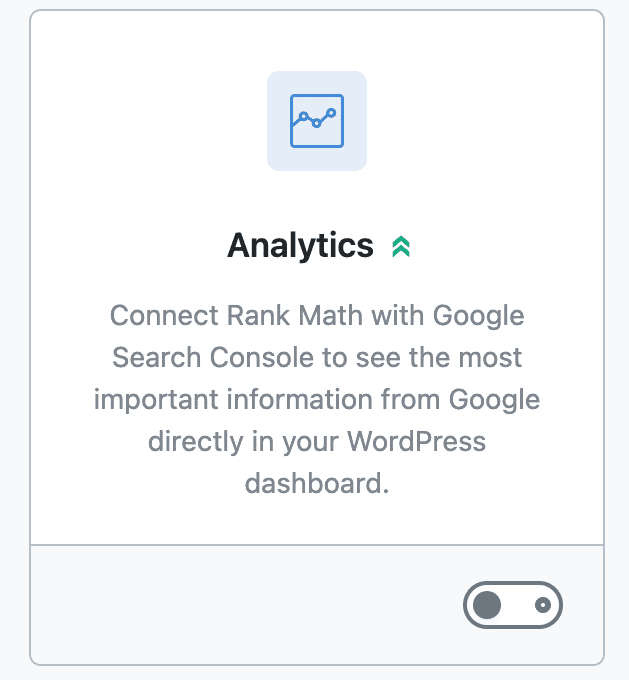
Stop jumping between different websites to check your stats. Rank Math shows your Google rankings, website traffic, and performance right in your WordPress dashboard. You can spot and fix problems with low-traffic pages without leaving your website.
This saves hours of checking different sites and makes understanding your website data much simpler.
5. Find and fix issues automatically
The website analyzer checks your site for over 40 common issues like broken links, missing descriptions, and slow-loading pages. Websites using this feature fix problems five times faster because everything is explained in simple terms with clear instructions.
Online stores often recover about 15% of lost sales by properly directing old product links to new pages. The plugin handles this automatically when you change page addresses.
6. Help local customers find you
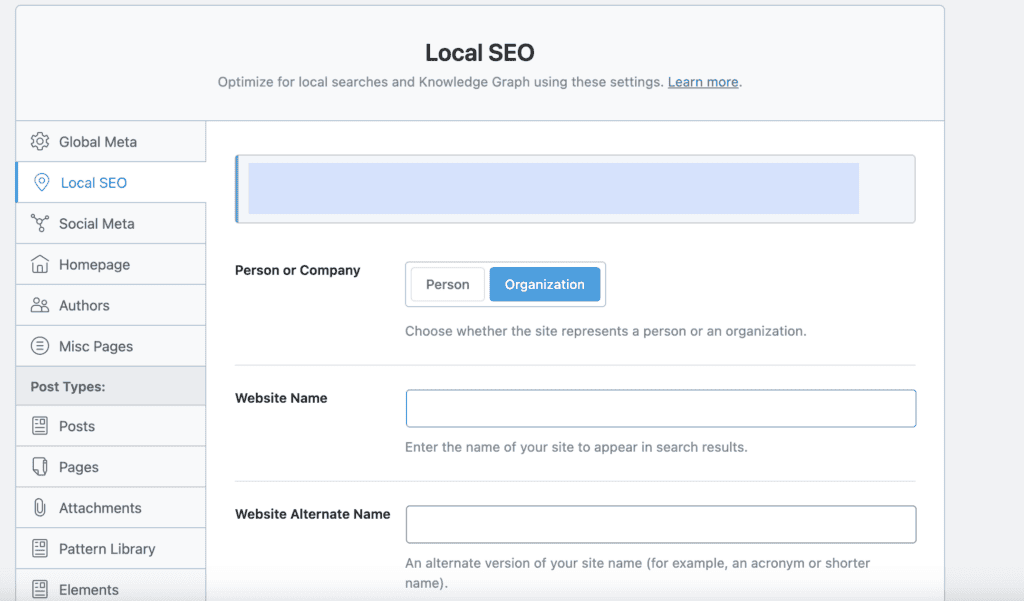
If you serve customers in your local area, the local SEO features help your website appear when people search for businesses near me. Results work best when you have complete business information like accurate addresses, phone numbers, and business hours. The more complete your local business data, the better your chances of appearing in local search results.
7. Help your images get found

Rank Math SEO automatically adds descriptions to your images so they can appear in Google image searches. Travel bloggers often see 40% more website visitors from image searches because their photos become easy to find.
The plugin also includes features that keep your images loading quickly while helping more people discover them. While the auto-generated alt text is helpful, manually writing specific descriptions for your most important images will always perform better.
8. Facilitates migration from other SEO plugins
Whether you’re using online store plugins, page builders, or switching from another SEO plugin, Rank Math works smoothly with your existing setup. The switch takes less than 3 minutes and keeps all your current SEO information safe.
No rebuilding your website, no losing data, no long downtime while you learn new settings.
9. Tell Google about new content immediately
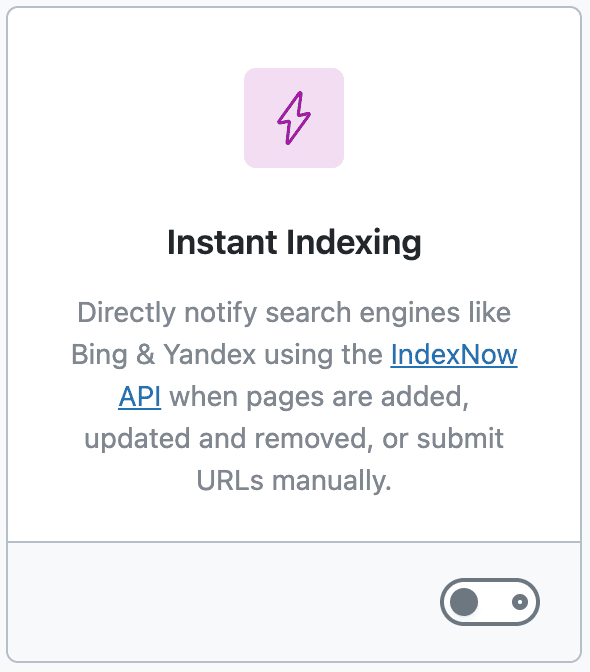
When you publish new content, Rank Math SEO tells Google and Bing right away through their notification systems. News websites and bloggers who share timely content often rank higher than competitors because search engines know about their content within hours instead of days.
This feature uses Google’s IndexNow API, which has daily submission limits, but these limits are generous enough for most websites.
The great thing is you can turn off any features you don’t need, keeping your website fast and focused on what matters most for your situation.
Rank Math Free vs. Pro
Let’s cut through the marketing speak and focus on what matters for your website. Most beginners overthink the free vs. pro decision, but it’s simpler than you’d expect.
Start free, upgrade when it makes sense. The free version handles everything most websites need. You get keyword optimization, schema markup, redirects, sitemaps, and SEO analysis without spending a penny. Honestly, this free package beats what most competitors charge $100+ per year for.
Here’s when you might consider upgrading: if you’re managing multiple client websites, need to track hundreds of keywords, or want advanced analytics that update daily instead of weekly.
The Pro version also includes more Content AI credits for generating keyword suggestions and content ideas.
But here’s the thing; don’t upgrade until you’ve mastered the free version. Too many people jump to Pro thinking it’ll magically fix their SEO problems, when they haven’t even optimized their basic settings yet.
One concern people have about feature-rich plugins is site speed. Rank Math SEO addresses this by letting you disable unused features. Running only the modules you need keeps your site loading fast, which matters since Google considers page speed a ranking factor.
The plugin loads efficiently even with multiple features active, but you can always turn off advanced modules like schema markup or redirects if you’re not using them.
What’s the pricing like?
Rank Math keeps pricing straightforward with three paid options:
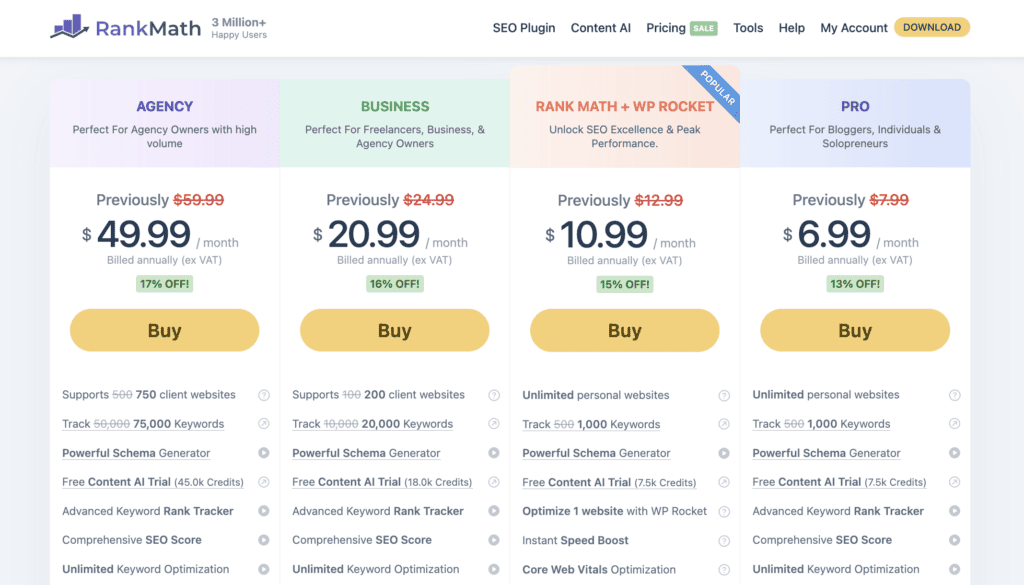
Pro Plan ($6.99/month, billed yearly) works for personal websites and small blogs. You get keyword tracking for 1,000 terms and a Content AI trial with 5,000 credits. Perfect for solo bloggers who want deeper insights into their rankings.
Business Plan ($20.99/month, billed yearly) targets freelancers and small agencies managing up to 100 client sites. Tracks 20,000 keywords and includes 12,000 Content AI credits. This makes sense if you’re managing SEO for multiple businesses.
Agency Plan ($49.99/month, billed yearly) handles up to 500 client websites with 75,000 keyword tracking and 30,000 Content AI credits. Only worth it if you’re running a full-scale SEO agency.
Getting Rank Math up and running
Setting up Rank Math SEO properly from the start saves you headaches later. Here’s how to go about it:
I. Before you install
Step 1: Create a complete backup using a reliable backup plugin like BlogVault before installing any new plugin, as plugin conflicts can break your site.

Step 2: Deactivate existing SEO plugins, especially Yoast. Running two SEO plugins creates conflicts because they try to change the same configurations.

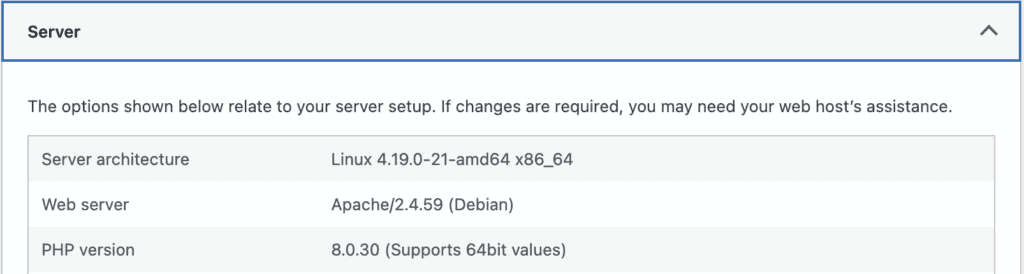
Step 3: Verify your server runs on the latest PHP and WordPress version. Most modern hosts handle this automatically.

II. Installation
Option 1: Search for Rank Math in WordPress plugins and hit Install.
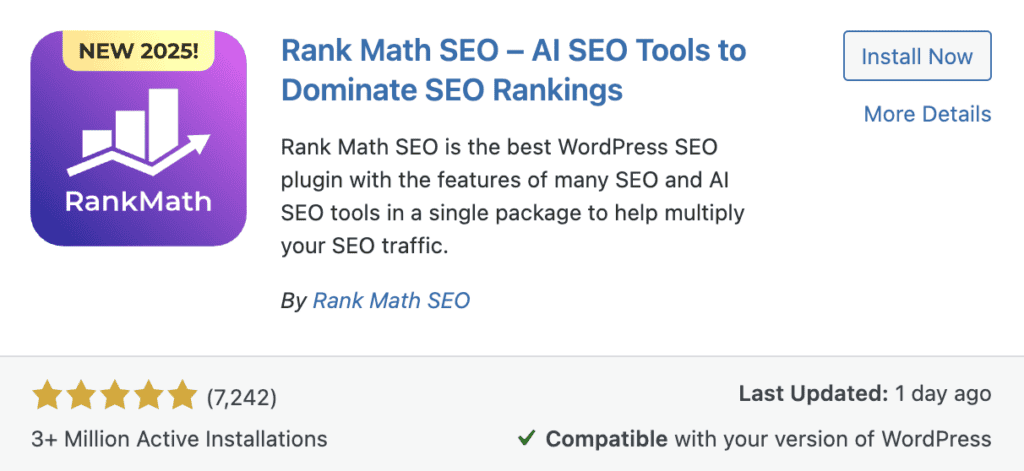
Option 2: Download the Rank Math plugin ZIP file and upload via Plugins → Add New → Upload Plugin.

III. Setup Wizard
Rank Math SEO launches a helpful configuration wizard:
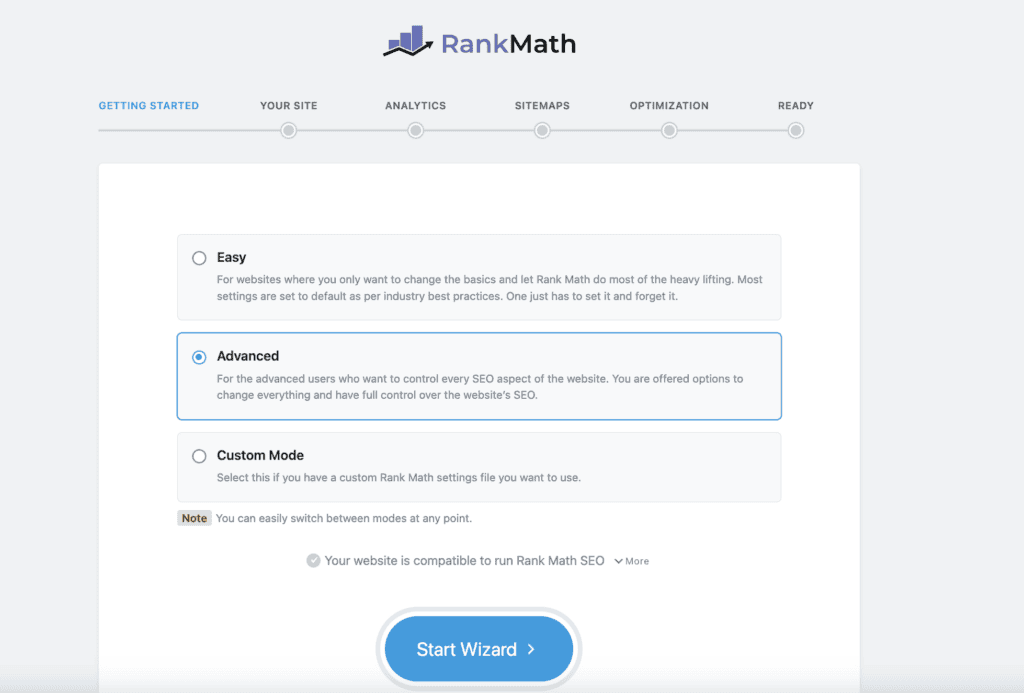
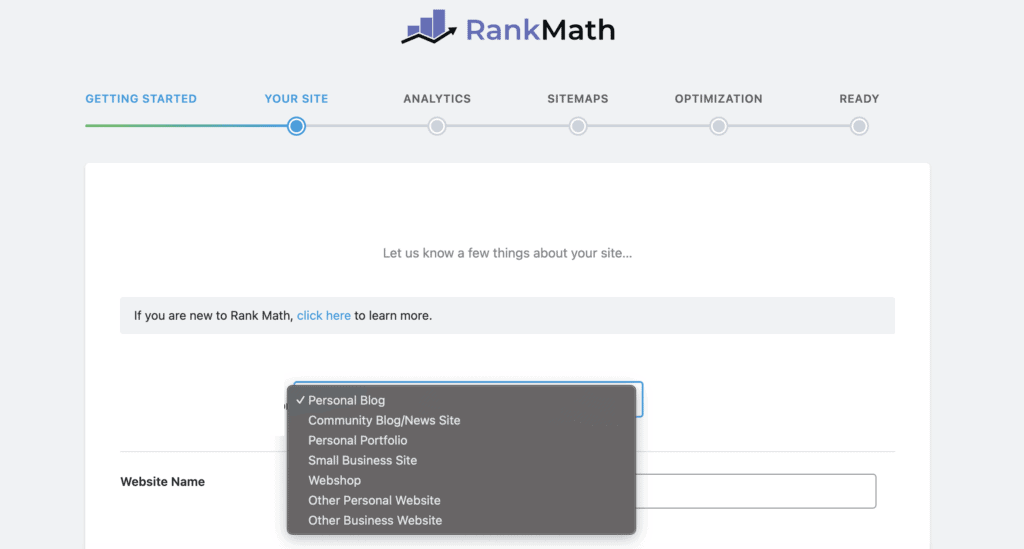
Step 1: Choose your site type (Blog/Shop/News) for optimized defaults.
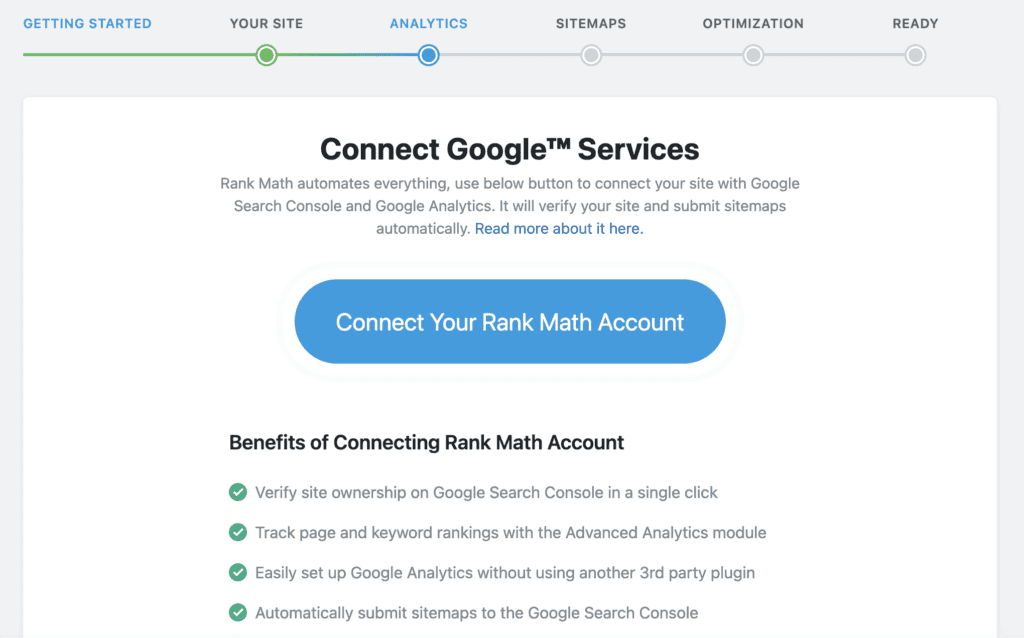
Step 2: Connect Google Search Console through OAuth for valuable search data.
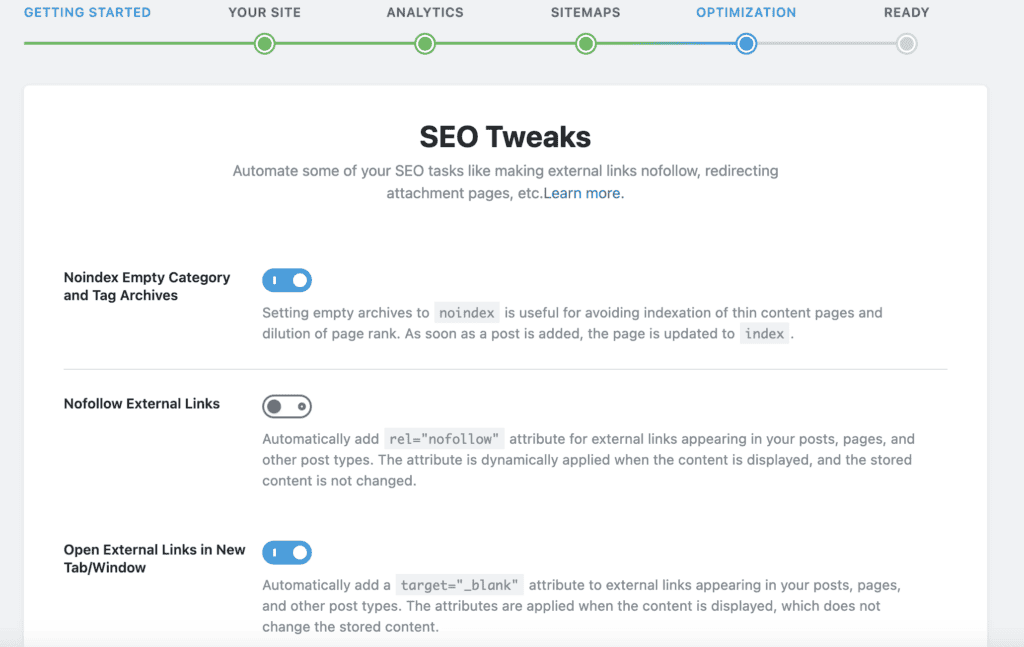
Step 3: Configure critical settings like stripping category bases, enabling breadcrumbs, and activating image SEO.
IV. Final steps
Step 1: Submit your sitemap to Google Search Console (Rank Math SEO generates this automatically).
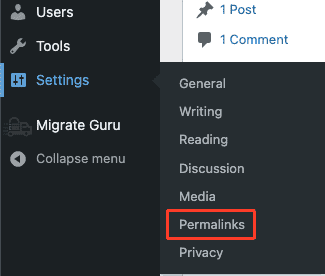
Step 2: Flush permalinks by going to Settings → Permalinks and clicking Save Changes.
Step 3: Test schema markup using Google’s Rich Results Test tool.
The entire setup takes a few minutes. Take your time with each step rather than rushing, and you’ll have a solid foundation for better search rankings.
Parting thoughts
Rank Math replaces your entire SEO toolkit with one comprehensive, free plugin that actually delivers results. The 5-minute setup wizard handles 90% of the technical work, and migrating from other plugins preserves all your existing SEO data with one click. Stop juggling multiple plugins and start with Rank Math SEO today; your website’s search rankings will thank you for it.
FAQs
Is Rank Math good for SEO?
Yes, Rank Math is highly regarded for SEO. It offers comprehensive features like schema markup, keyword optimization, and sitemaps. Users praise its ease of use and effective results.
Which is better, Rank Math or Yoast SEO?
Rank Math SEO provides more features for free compared to Yoast SEO. While both are effective, Rank Math’s user-friendly interface and integrated tools often appeal to site owners seeking an all-in-one solution.
Is 75 a good SEO score?
A score of 75 is decent but leaves room for improvement. Aim for higher scores by addressing on-page SEO factors, improving content, and enhancing site speed and mobile-friendliness.
How do I increase my SEO ranking?
You can improve your SEO ranking by optimizing content for target keywords, building quality backlinks, and ensuring mobile-friendliness. Regularly updating content and using SEO tools like Rank Math helps too.
Is Rank Math SEO free?
Yes, Rank Math offers a comprehensive free version with many features. There is also a premium version available that provides additional tools and support for advanced needs.
Can I use Rank Math and Yoast SEO together?
No, it’s not recommended to use Rank Math and Yoast SEO simultaneously, as they might conflict. Choose one plugin to ensure consistent SEO settings and site performance.

Shivani enjoys crafting guides that make every aspect of using WordPress simple and easy to follow. When she's not glued to her laptop, you can find her buried in a good book or occasionally, painting.


