

Have you ever stalled on choosing between WordPress SEO plugins, paralyzed by the Rank Math vs Yoast decision while your competitors climb the search rankings?
Most website owners delay this choice for weeks, fearing they’ll make a wrong choice and need to start over later. But running without proper SEO optimization costs you more traffic than switching plugins ever could.
This comparison will help you choose between Rank Math and Yoast with confidence in 10 minutes.
Rank Math offers more features for free and is ideal for those seeking value and control, while Yoast is simpler for beginners. Use a backup plugin to protect your site’s data from issues like plugin conflicts.
Rank Math vs Yoast at a glance
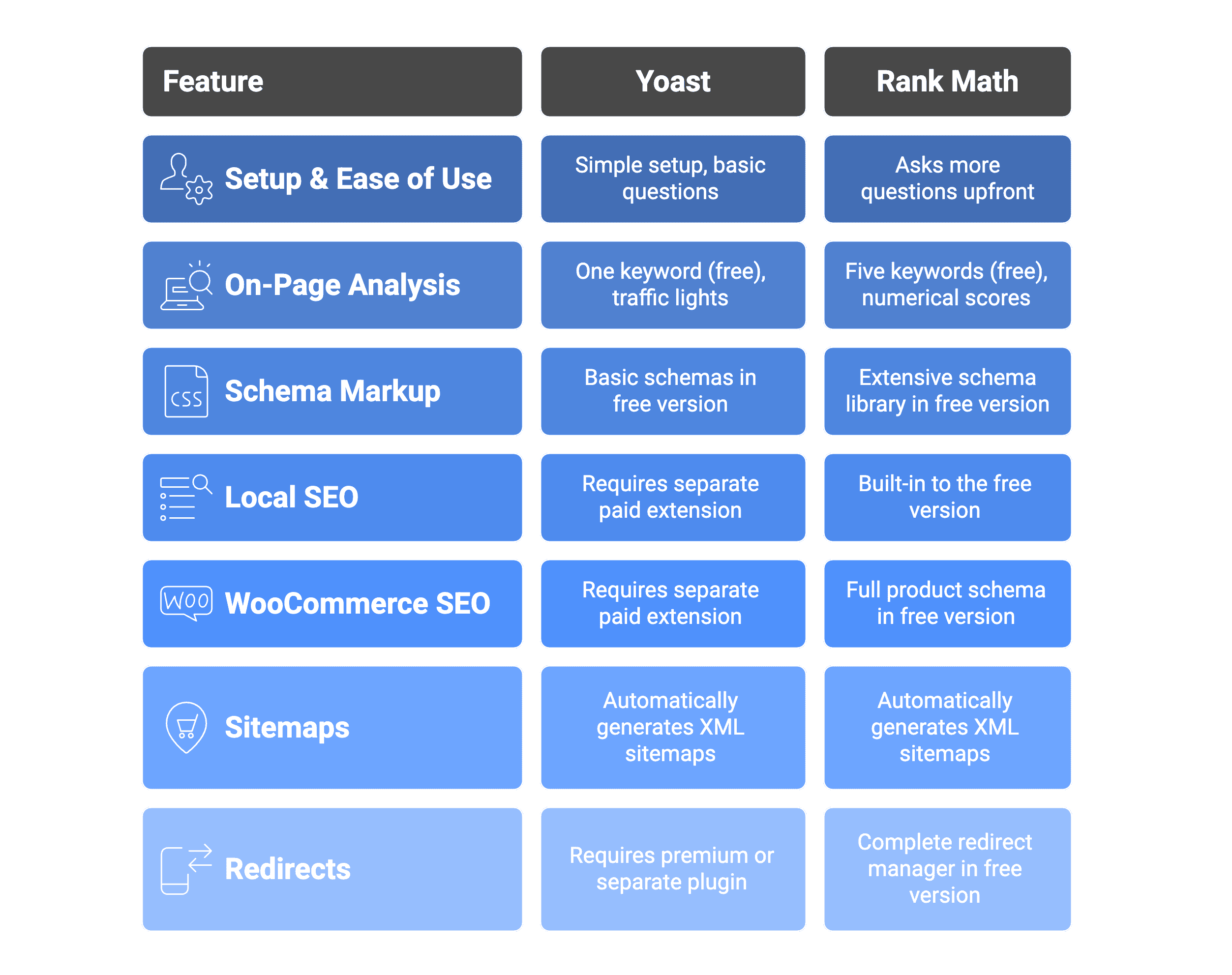
Complete feature-by-feature comparison
Let’s compare the actual features that matter most to your website’s success.
Setting up the plugin and ease of use
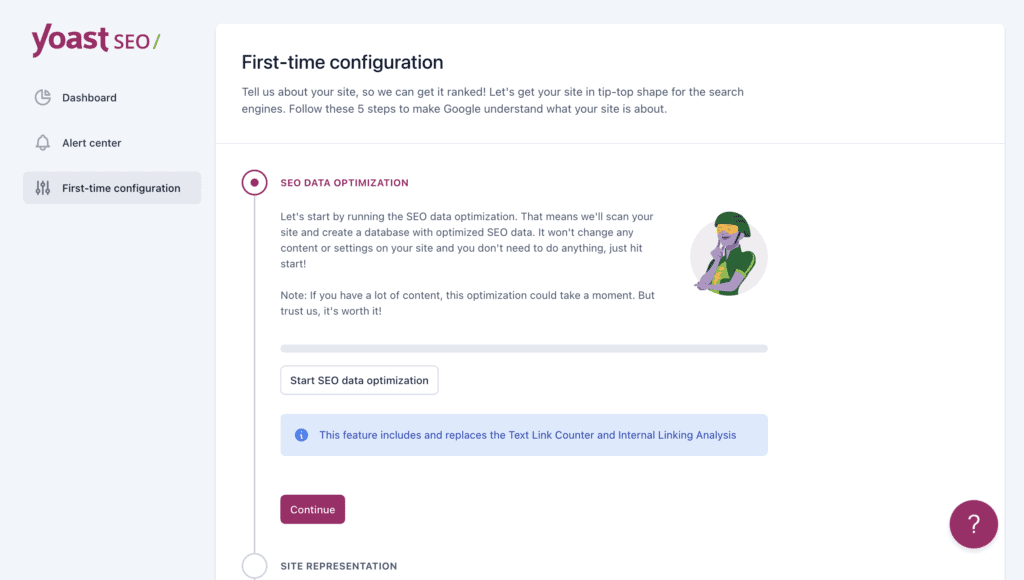
Yoast SEO keeps it simple. Five basic questions during setup, then you’re done. The traffic light system (red, orange, green) tells you exactly what’s wrong without confusion.
Rank Math asks way more questions upfront. Over 40 settings to configure during setup, giving you control over everything from social profiles to search console connections. The interface shows tons of data at once, which can feel overwhelming initially.
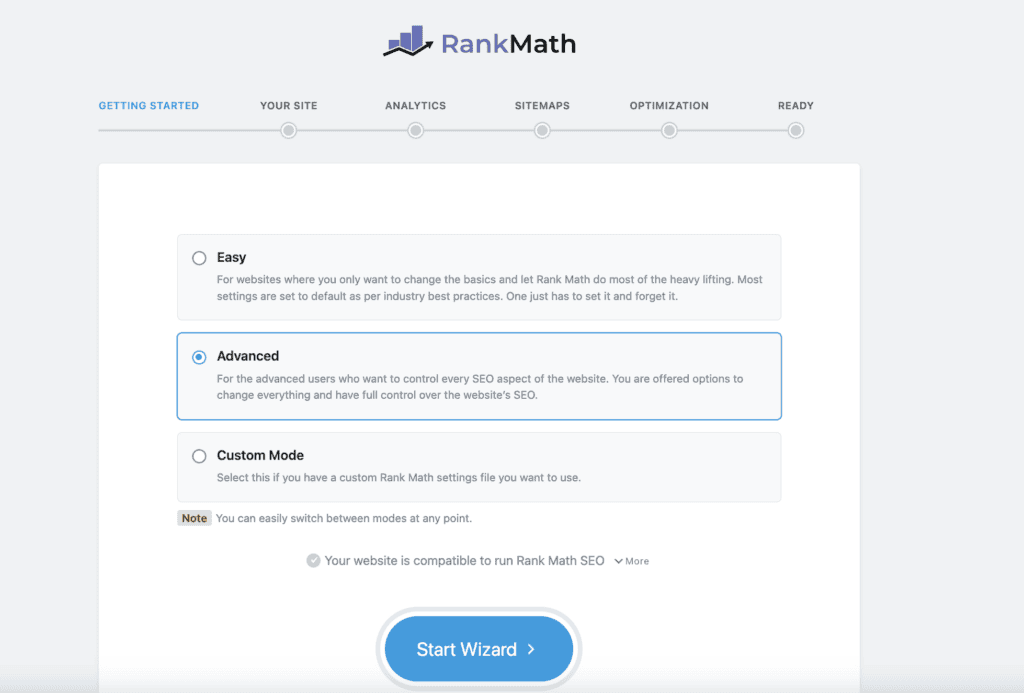
Both approaches have merit. Yoast gets you publishing faster but limits advanced customization. Rank Math requires more time upfront but gives you granular control from day one.
Content on-page analysis
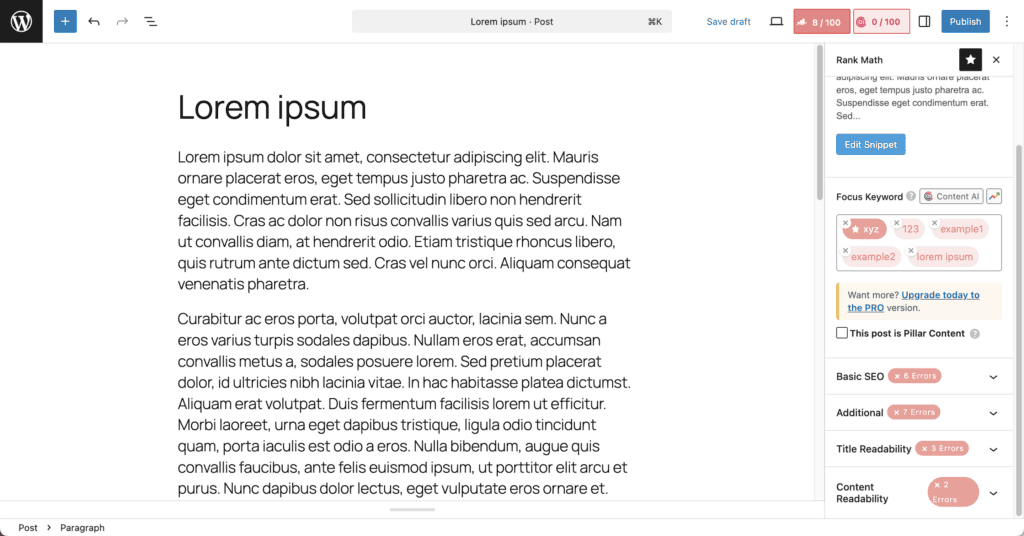
Rank Math lets you target five keywords per post right out of the box for free. Instead of traffic lights, you get numerical scores out of 100 for both SEO and readability, plus detailed metrics like word count and keyword density.
Yoast’s free version gives you feedback on one focus keyword per post with its familiar traffic light system. The premium version adds multiple keyword targeting. Readability checks essentials like sentence length and transition words, keeping things straightforward and easy to follow.
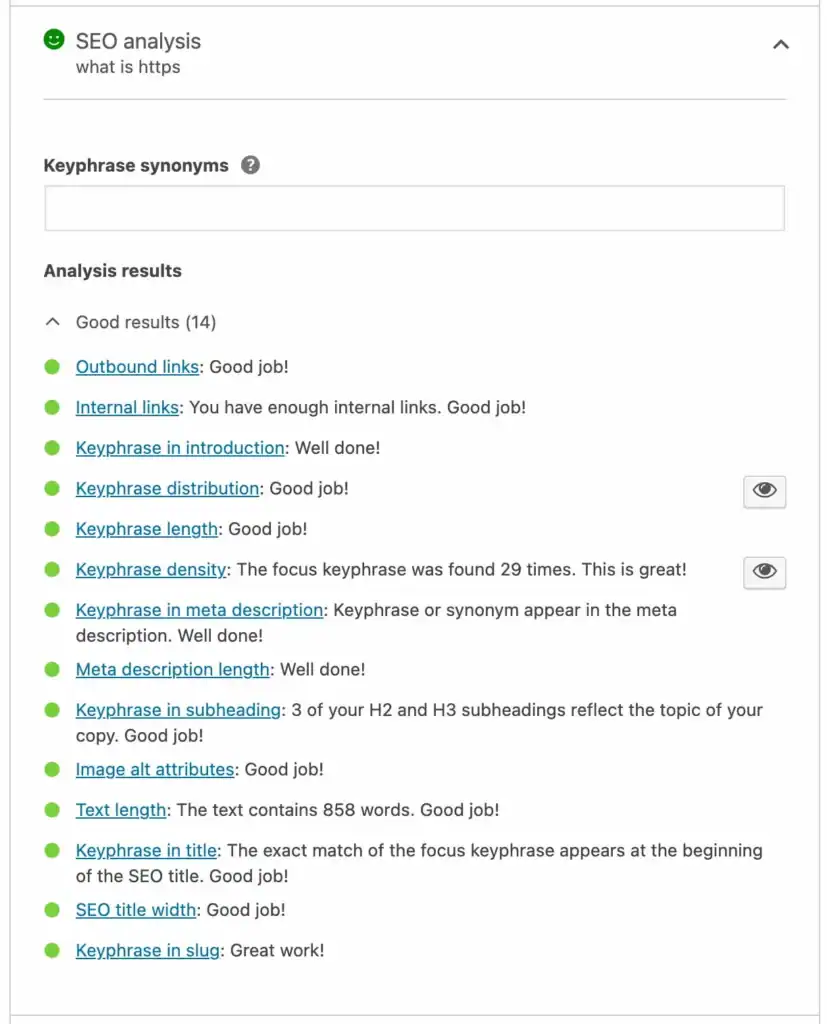
Both approaches work, but they serve different needs. Yoast’s single-keyword focus (in the free version) keeps things simple and prevents keyword stuffing. Rank Math’s multi-keyword approach reflects modern SEO practices where you want to rank for related terms in one piece of content.
Schema markup options
Rank Math gives you over 20 rich snippet types right out of the gate. FAQ schema, product schema, recipe cards, video markup, course markup, and more are all included in the free version. This means your search listings can look way more attractive without spending a dime.
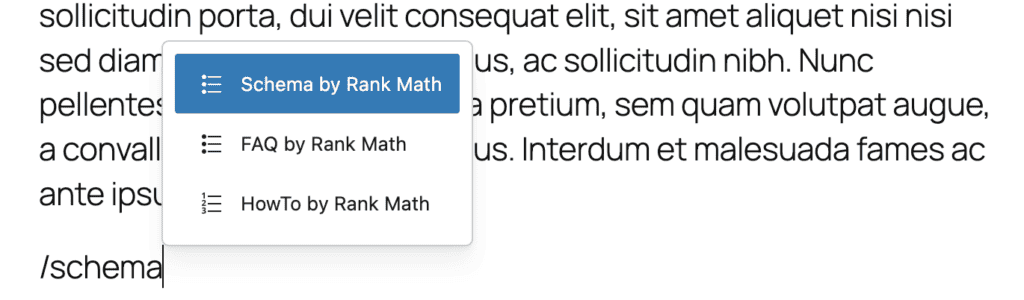
Yoast’s free version includes FAQPage, and HowTo schemas. This covers the basics for most content creators who want expandable FAQ sections and step-by-step guides in search results. For product ratings, recipes, or other specialized markup, you’ll need Yoast Premium.

Local SEO
Rank Math builds Local SEO right into the free version. You can add your business type, address, phone number, opening hours, and other local details without spending anything extra. This helps Google understand your business location and show you in relevant local searches.
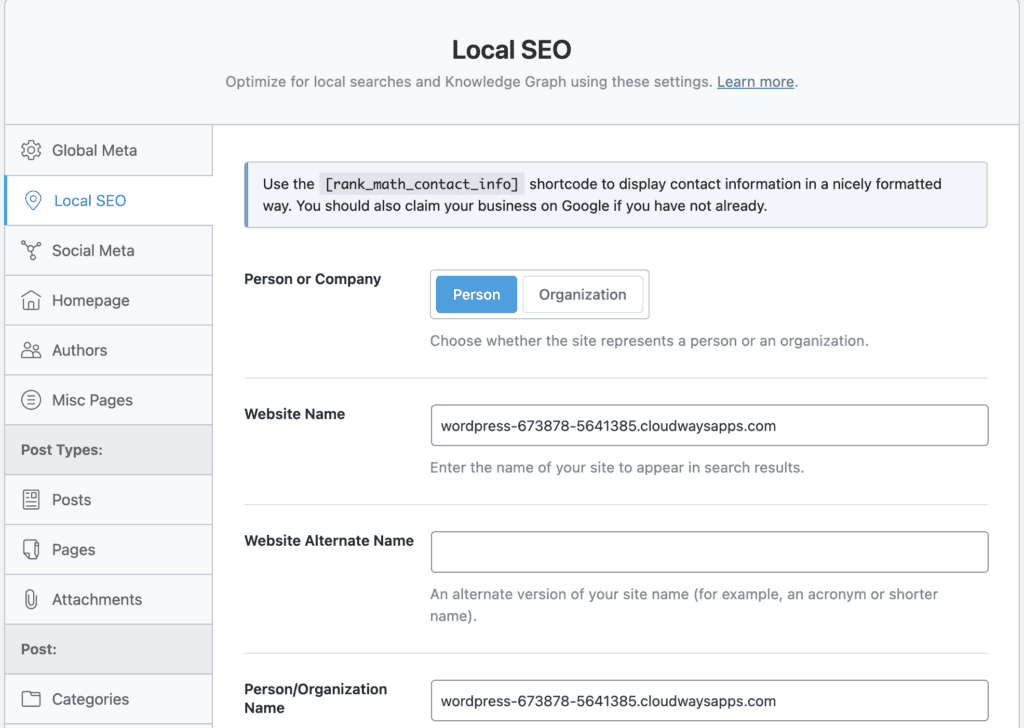
Yoast doesn’t include Local SEO features in its main plugin. Want to add your business hours, location, or contact details for local searches? You’ll need to buy their separate Local SEO extension, which costs extra on top of your main subscription.
Both plugins handle the basics well once you get the features, but the cost difference is significant for small businesses already watching their budgets.
WooCommerce SEO
Rank Math includes full product schema markup and other essential e-commerce SEO features in the free version. Your products can appear in Google with pricing, availability, and customer ratings without any additional purchases.
Yoast’s core plugin handles basic product page optimization like meta titles and descriptions. For advanced e-commerce features like product schema markup (to display prices and star ratings in search results), you need their dedicated Yoast WooCommerce SEO add on, which is a separate premium purchase.
Sitemaps
Both Yoast and Rank Math automatically generate XML sitemaps that include your posts, pages, and other content types. They both submit these sitemaps to Google Search Console and handle updates when you publish new content.

The sitemap functionality is essentially identical between both plugins. Both create clean, properly formatted XML files that search engines can easily read and process.
This is one area where you really can’t go wrong with either choice. Both plugins treat sitemaps as a core feature and execute it flawlessly.
Redirects
Rank Math includes a complete redirect manager and 404 monitor in the free version. You can create redirects, track broken links, and see exactly which missing pages users are trying to access, all within the same interface.
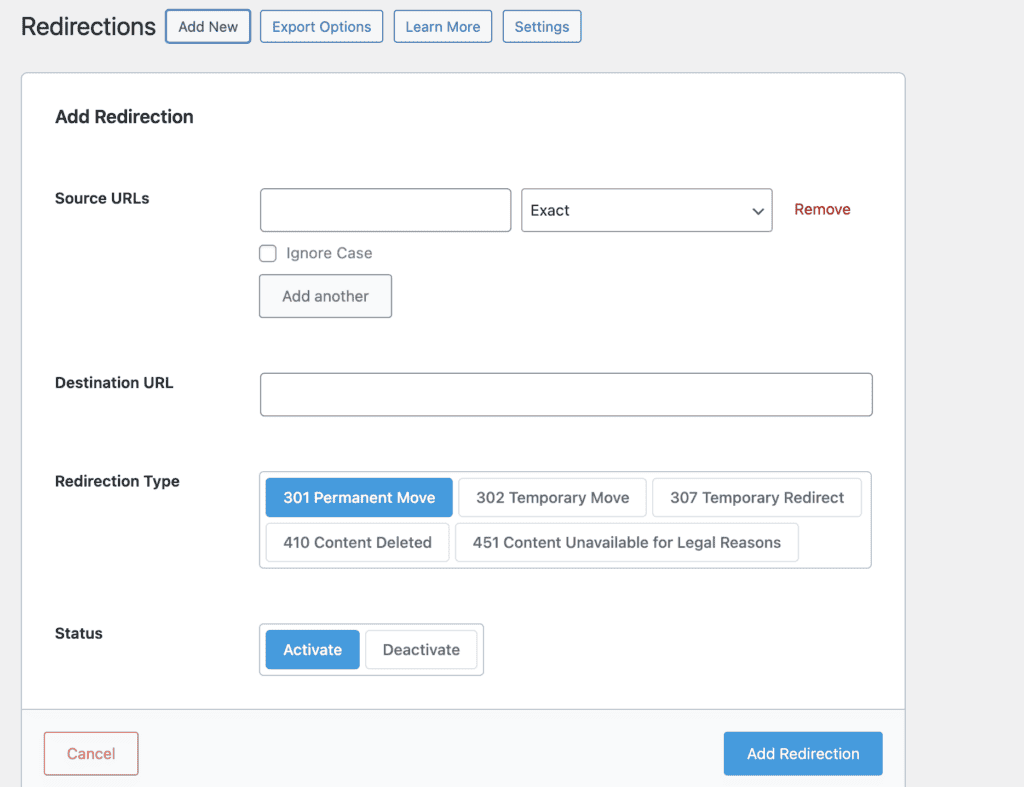
Yoast puts their redirect manager behind a paywall. Want to create 301 redirects or monitor which broken links people are clicking? You’ll need Yoast Premium or install a separate free plugin like Redirection to handle this basic website maintenance.
This isn’t just a nice-to-have feature. Managing redirects properly prevents you from losing traffic when you restructure your site or remove old content. Having it integrated saves you from juggling multiple plugins.
Pricing comparison
Rank Math’s free version is generous. You get advanced schema markup, redirect management, local SEO tools, and multiple keyword targeting that Yoast charges for. Rank Math Pro starts at $6.99 per month (billed yearly) for advanced analytics and rank tracking.
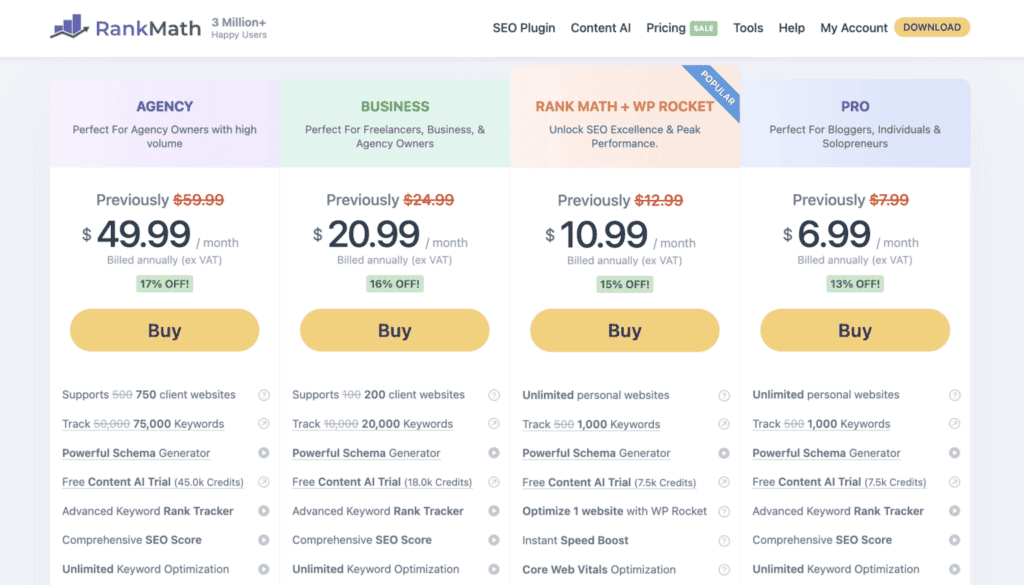
Yoast’s free version covers the basics: meta tags, content analysis, and sitemaps. Yoast Premium costs $118.80 per year for one site, adding multiple keywords and redirect management.


Here’s the reality: Yoast follows the classic freemium model where essential features cost extra. Rank Math gives you premium-level features for free, then charges for advanced growth tools.
Advantages and disadvantages
Every plugin has its strengths and weaknesses, so let’s break down what each one does best and where they fall short.
Rank Math
| Advantages | Disadvantages |
| Powerful for technical users | Overwhelming interface for beginners |
| Advanced features (schema, redirects) free | More complex initial setup process |
| Affordable premium plans for growth | |
| Comprehensive setup wizard |
Yoast
| Advantages | Disadvantages |
| Simple and beginner-friendly | Many features locked behind premium plan |
| Trusted by millions for years | Basic compared to Rank Math |
| Affordable premium plans for growth | Expensive to get a full feature set with add-ons |
| Limited in free version |
Which plugin is right for you?
Your choice comes down to what matters most: simplicity or power.
Choose Rank Math if:
- You want maximum features without paying premium prices
- You run a local business or online store needing advanced SEO tools
- You create content targeting multiple keywords regularly
- You prefer more control even with a busier interface
Choose Yoast if:
- You’re a complete beginner who wants the simplest interface
- You get overwhelmed by too many options and prefer guided experiences
- You don’t mind paying extra for advanced features later
- You value established reputation over cutting-edge features
Alternatives to Yoast and Rank Math
If neither Yoast nor Rank Math fits your needs, consider these other popular SEO plugins:
All in One SEO Pack
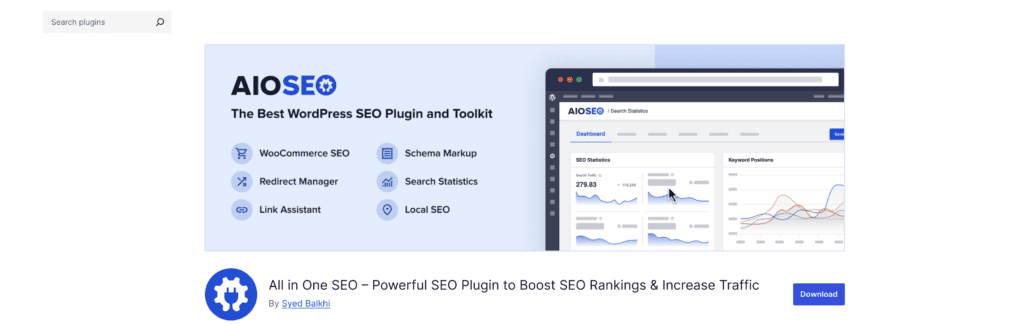
- Features: Comprehensive SEO tools, including XML sitemaps, image SEO, and WooCommerce integration.
- Advantages: Beginner-friendly with powerful features for advanced users.
- Pricing: Free version with premium plans starting at $49.50/year.
SEOPress

- Features: Clean interface, unlimited keywords, and advanced schema support.
- Advantages: Affordable and offers white-label options.
- Pricing: Free version available; Pro version starts at $39/year.
Slim SEO

- Features: Lightweight plugin that includes essential SEO features like meta tags and sitemaps.
- Advantages: Minimalist approach, great for those who need basic SEO without the extra features.
- Pricing: Free.
The SEO Framework

- Features: Automated, AI-driven SEO improvements with a focus on speed.
- Advantages: No ads or upsells, designed for efficiency.
- Pricing: Free version; Premium extensions start at $7/month.
Each of these plugins offers unique advantages, so consider your specific needs—whether it’s simplicity, customization, or affordability—when choosing the best SEO tool for your website.
Parting thoughts
Both plugins will significantly improve your SEO, so you won’t fail with either choice. The core trade-off is simple: Yoast for ease of use, Rank Math for more features and better value.
Don’t overthink it; pick one, start with the free version, and focus on creating great content since that matters more than which plugin you choose.
FAQs
Is Rank Math good for SEO?
Yes, Rank Math is excellent for SEO and offers more features than most competitors in its free version. It includes advanced schema markup, multi-keyword optimization, and redirect management without requiring premium upgrades. Many SEO professionals consider it one of the best WordPress SEO plugins available.
What is the difference between Yoast and Rank Math 2025?
The main difference is that Rank Math offers more advanced features for free, while Yoast keeps many essential tools behind a premium paywall. Rank Math includes multi-keyword targeting, rich snippets, and redirect management in its free version, whereas Yoast charges extra for these features. Yoast focuses on simplicity with its traffic light system, while Rank Math provides more detailed analytics and control.
What is the best alternative to Yoast?
Rank Math is widely considered the best alternative to Yoast due to its generous free version and comprehensive feature set. Other solid alternatives include All in One SEO Pack and SEOPress, but neither matches Rank Math’s combination of features and value. For most users switching from Yoast, Rank Math provides the most compelling upgrade path.
Is Rank Math SEO free?
Yes, Rank Math offers a robust free version that includes features many plugins charge for, such as schema markup and multi-keyword optimization. The free version handles most SEO needs for small to medium websites without requiring any payment. Rank Math Pro costs $6.99/month and adds advanced features like rank tracking and AI content suggestions.
Is 75 a good SEO score?
A score of 75 is generally considered good and indicates your content is well-optimized for search engines. Most SEO plugins use a 0-100 scale where anything above 70 suggests solid optimization, though you should always aim for higher scores when possible. Remember that SEO scores are guidelines, not guarantees of ranking success.
How much does rank math SEO cost?
Rank Math’s free version costs nothing and includes most features you’ll need for effective SEO. The Pro version starts at $6.99 per month (billed annually) and includes advanced analytics, rank tracking, and AI-powered content suggestions. This makes it significantly more affordable than Yoast Premium, which costs $118.80 per year for basic premium features.

Shivani enjoys crafting guides that make every aspect of using WordPress simple and easy to follow. When she's not glued to her laptop, you can find her buried in a good book or occasionally, painting.


