
You publish your WordPress post feeling accomplished, then watch analytics stay flat because you’re playing SEO without knowing all the rules your competitors have mastered.
Among the many SEO plugins you’ve encountered, Surfer SEO might appear as a potential solution. But you’re probably feeling overwhelmed by yet another tool promising to crack the SEO code.
This guide breaks down everything you need to know about Surfer SEO. Whether this content optimization platform is actually worth the investment for your site.
Surfer SEO, starting at $99/month, helps data-driven teams with content optimization and on-page SEO, using competitor analysis. It’s best for scaling content with existing SEO knowledge; otherwise, prioritize safeguarding your site with a reliable backup plugin first.
What exactly is Surfer SEO?
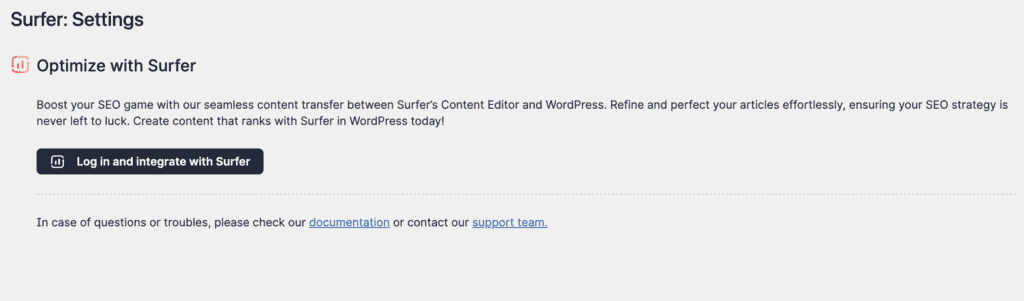
Surfer SEO is a comprehensive web-based platform, built specifically for content optimization and on-page SEO, not as a replacement for your core WordPress SEO plugin. While its main functions run through their standalone web application, a free WordPress plugin connects it seamlessly to your dashboard for an easier workflow.
All of Surfer’s main features: SERP Analyzer, Keyword Research, Content Editor, and Content Audit; operate on the Surfer platform itself.
You access these tools through your web browser, or, thanks to the plugin, directly from your WordPress admin dashboard. This lets you analyze data and get content optimization recommendations right where you create.
Think of the WordPress plugin as a convenient bridge. It links your WordPress editor to Surfer’s platform, displaying content optimization suggestions as you write. However, all the heavy data processing still happens on Surfer’s servers, not on your WordPress site itself.
Surfer’s core features (and what they do)
Here’s what Surfer SEO actually includes and how each feature can help you:
Content editor
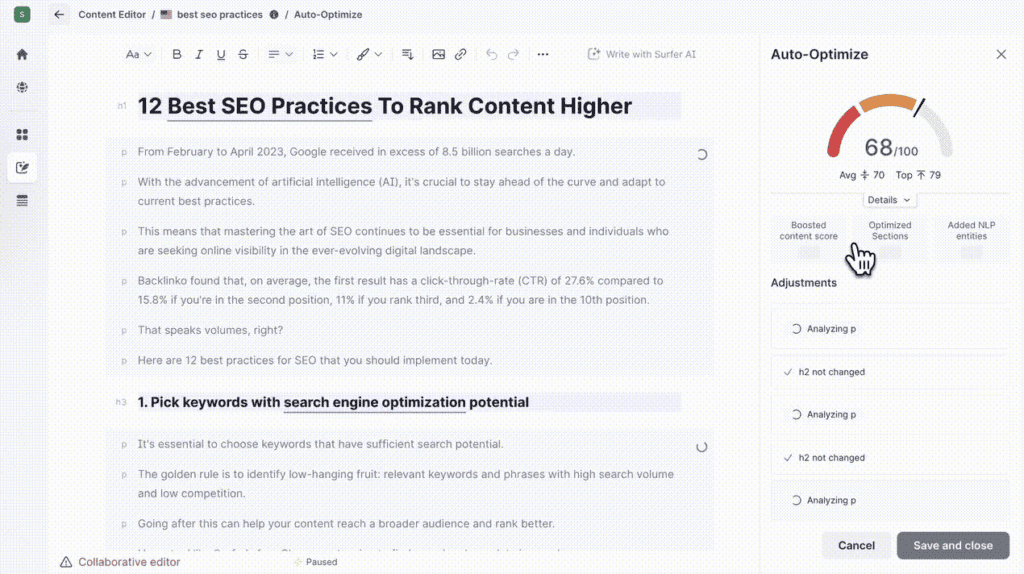
The Content Editor acts as your real-time writing assistant. As you craft content, it analyzes top-ranking pages for your target keyword and provides actionable recommendations.
You’ll get suggestions for optimal word count, relevant keywords, necessary headings, and even image counts. A live Content Score updates as you type, reflecting how well-optimized your piece is compared to current top performers.
Surfer AI
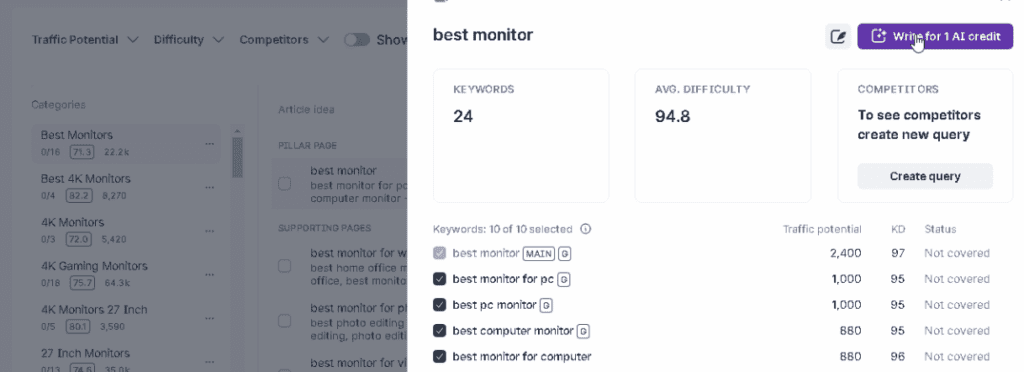
The Surfer AI tool writes complete articles for you based on a target keyword. You input something like “best WordPress backup plugin” and it researches the topic, creates an outline, and generates a full article.
The AI combines general writing capabilities with Surfer’s search data to create content that’s optimized for ranking. Quality varies depending on your topic and how specific your instructions are.
Content audit
The Content Audit feature analyzes your existing web pages to identify optimization opportunities. Simply enter a URL and target keyword; Surfer compares your content against what’s currently ranking for that term. It highlights missing keywords, suggests structural improvements, flags internal linking gaps, and reveals ways to make your page more competitive.
SERP analyzer
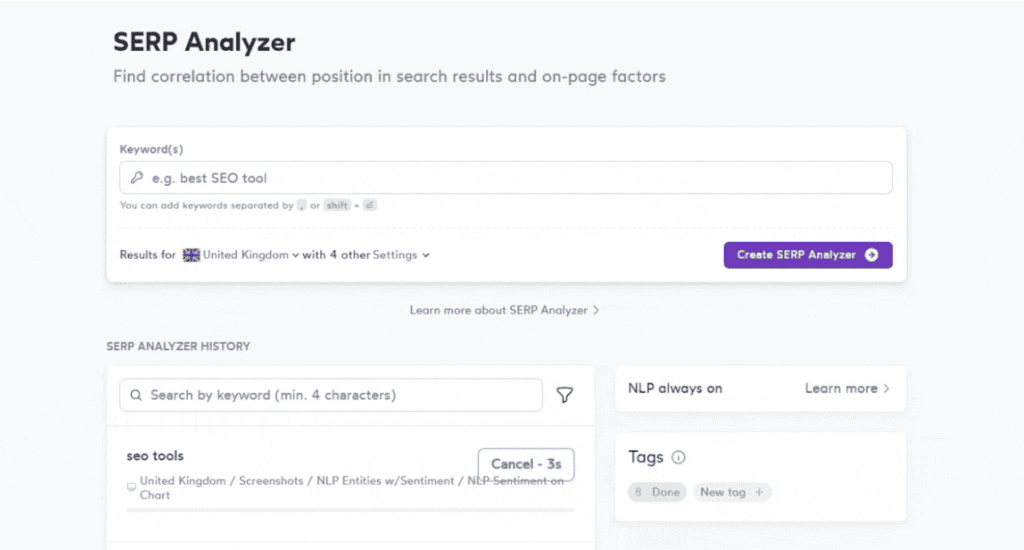
The SERP Analyzer dissects Google’s search results for any keyword you’re targeting. It reveals commonalities among top-ranking pages: their word count, keyword usage, content structure, and even some technical elements.
This means you get concrete data on what’s actually working, removing the guesswork.
Topical map
The Topical Map is a content planning tool that visualizes your website’s content coverage and highlights gaps. It suggests related topic clusters you might have missed. When connected to Google Search Console, it identifies ranking opportunities based on your existing performance, helping you build comprehensive topical authority.
Grow flow
The Grow Flow feature delivers weekly recommendations to boost your website’s performance. It analyzes your site and suggests specific tasks: update old content, create internal links, or write new articles. Each suggestion includes an estimated impact score, helping you prioritize where to focus your efforts.
Keyword research
This Keyword Research tool helps discover new search terms and groups them into content clusters. It provides basic metrics like search volume and competition difficulty. For on-the-fly research, the free Keyword Surfer Chrome extension displays quick data directly in Google’s search results.
AI tracker
The AI Tracker monitors your brand’s presence in AI-powered search results and chatbot responses. As tools like ChatGPT become more common for information, this feature tracks how accurately your brand is mentioned and its frequency in generative AI outputs.
Plagiarism checker
The Plagiarism Checker scans your content for duplicate text before publishing. It compares your writing against existing web content, ensuring uniqueness and helping you avoid search engine penalties. This is essential if you’re working with multiple writers or leveraging AI assistance.
Pricing and plans
Surfer SEO offers three pricing tiers, all billed monthly unless you choose annual billing for a discount.
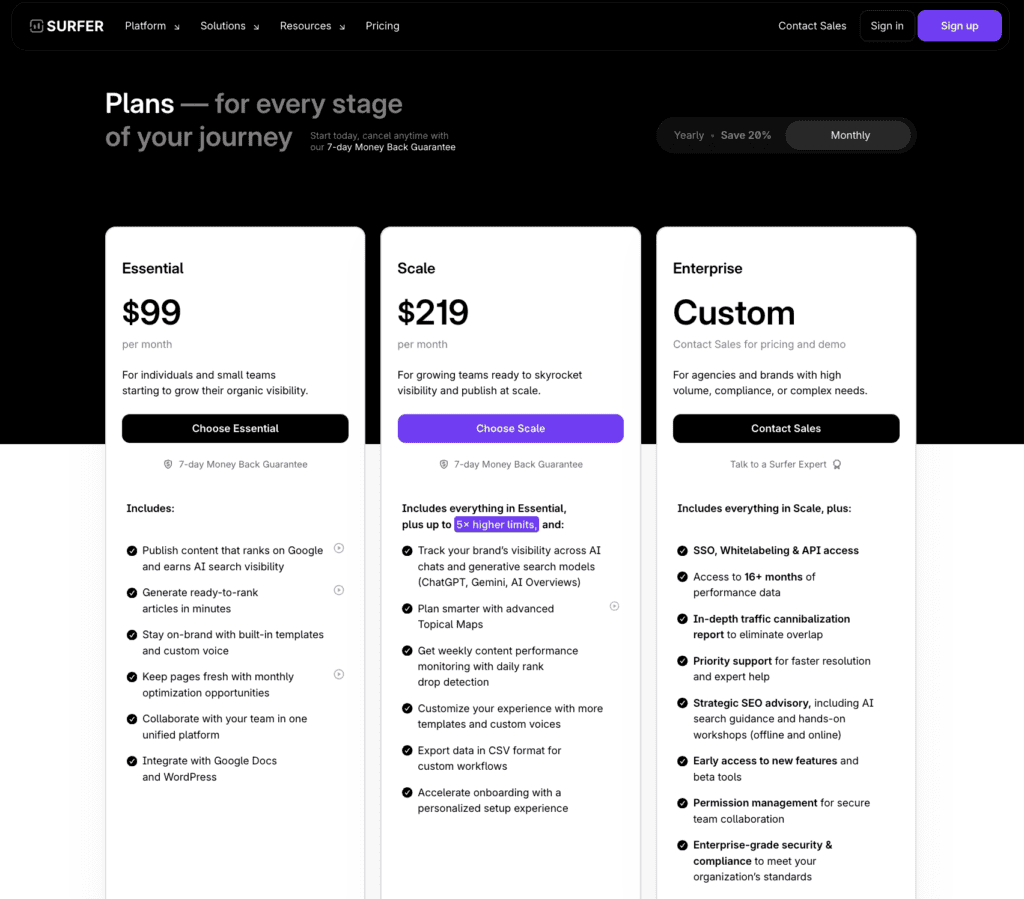
Essential Plan ($99/month) covers individuals and small teams. You get the core content optimization features, AI article generation, Google Docs and WordPress integration, plus basic team collaboration tools. This includes monthly content optimization credits and covers most basic SEO needs.
Scale Plan ($219/month) targets growing teams that publish more content. It includes everything from Essential with higher usage limits, plus AI chat features, advanced topical mapping, and weekly performance tracking. You also get CSV data export and more customization options.
Enterprise Plan (custom pricing) serves agencies and large brands. It builds on scale with single sign-on, white-labeling, API access, 16+ months of historical data, and specialized reports like cannibalization analysis. Includes priority support and early access to new features.
Pros and cons
| What works well | Where it falls short |
| Data-driven content suggestions help optimize pages against current search results | Following suggestions too closely produces over-optimized, keyword-heavy content |
| Real-time Content Editor provides specific, actionable feedback while writing | AI writer generates generic content requiring substantial editing |
| Google Docs and WordPress integrations work smoothly for most users | Keyword research capabilities are basic compared to dedicated tools like Ahrefs |
| SERP analysis gives concrete insights into what’s ranking | Scoring system focuses on keyword density rather than content quality |
| Content audit feature effectively identifies gaps in existing pages | Customer support responds slowly to complex technical issues |
| Multiple pricing options accommodate different team sizes and budgets | No free trial available to test before committing |
| Pricing gets expensive quickly |
Is it worth the investment for you?
The honest answer depends on your specific needs and how you plan to use the platform. Here’s a practical breakdown:
Worth the investment if:
- You’re scaling content production. Teams that need to optimize high volumes of content efficiently will see the most benefit from Surfer’s streamlined workflow.
- On-page optimization is your priority. If your main goal is improving existing content or creating new pieces based on competitor analysis, Surfer delivers solid value.
- You have SEO knowledge. Users who can interpret recommendations critically and avoid over-optimization get the best results. Blindly following every suggestion often backfires.
- You use Google Docs or WordPress. The integrations work smoothly and genuinely improve existing workflows rather than forcing you to learn new systems.
- You’re building topical authority. Content creators focused on comprehensive topic coverage and content clusters find the planning tools valuable.
Skip it if:
- Budget is tight. At $99+ per month, plus usage limits on lower tiers, the cost adds up quickly for smaller operations.
- You prioritize creative content. Brands that rely on unique voice and unconventional structures may find the optimization suggestions restrictive.
- You need comprehensive SEO tools. Surfer focuses on content optimization but lacks robust backlink analysis, advanced keyword research, and technical SEO audits.
- You expect hands-off AI writing. The AI generates drafts that require significant editing, fact-checking, and refinement before publishing.
- You want deep keyword insights. Basic volume and difficulty scores are available, but you won’t get CPC data, detailed search intent analysis, or historical trends.
- Your focus is off-page SEO. Link building and technical optimization strategies aren’t Surfer’s strengths.
The platform works best for content-focused teams with SEO experience who need data-driven optimization tools, not beginners looking for an all-in-one solution.
Parting thoughts
Surfer SEO is a solid content optimization tool for teams that produce high volumes of content and have the SEO knowledge to use it effectively.
The $99+ monthly cost makes sense if you’re serious about data-driven content strategy, but it won’t magically fix poor content or replace SEO expertise.
Before investing, honestly assess if you truly need a specialized content optimization tool like Surfer, or if your budget might be better spent on a comprehensive WordPress SEO plugin (like Yoast SEO or Rank Math) that handles overall site health and strategy, then complementing those efforts with content-specific tools.
FAQs
What is a surfer SEO?
Surfer SEO is a web-based content optimization platform that analyzes top-ranking pages to provide data-driven writing suggestions. It helps content creators understand what Google expects to see in articles targeting specific keywords. The platform combines SERP analysis, AI writing tools, and real-time optimization feedback in one interface.
How to use Surfer SEO for free?
You can’t use Surfer SEO’s main features for free, but they offer a free Chrome extension called Keyword Surfer that shows basic search data directly in Google results. The extension displays search volume, related keywords, and some competitor insights without requiring a subscription. However, the core content optimization tools require a paid plan starting at $99/month.
Is Surfer AI free?
No, Surfer AI is not free and requires a paid subscription to access. The AI writing feature is included in all paid plans starting with the Essential plan at $99/month. You get a limited number of AI-generated articles per month depending on your plan tier.
Is Surfer SEO easy to learn?
Surfer SEO has a moderate learning curve, especially for beginners without SEO experience. The basic Content Editor is fairly intuitive, but understanding how to interpret and apply the recommendations effectively takes time. Most users need a few weeks to feel comfortable with the platform and avoid common pitfalls like over-optimization.
Is Surfer SEO better than Semrush?
Surfer SEO and Semrush serve different purposes, making direct comparison difficult. Surfer specializes in content optimization and on-page SEO, while Semrush is a comprehensive SEO suite covering keyword research, backlinks, technical audits, and competitive analysis. Choose Surfer for content-focused work or Semrush for broader SEO needs.
How much does Surfer SEO cost?
Surfer SEO costs $99/month for the Essential plan, $219/month for the Scale plan, and custom pricing for Enterprise. All plans include core features like content optimization and AI writing, with higher tiers offering more usage credits and advanced features. Annual billing provides discounts, though the exact percentage varies.
What is a good Surfers SEO score?
A good Surfer SEO content score typically ranges from 75-100, with 80+ being the general target for well-optimized content. However, blindly chasing a perfect score often leads to over-optimization and unnatural content. Focus on creating valuable, readable content while using the score as a general guide rather than an absolute requirement.

Shivani enjoys crafting guides that make every aspect of using WordPress simple and easy to follow. When she's not glued to her laptop, you can find her buried in a good book or occasionally, painting.