

Looking for a Thrive Quiz Builder review? We’ve got you.
Trivia questions or a personality quiz (looking at you, Buzzfeed) can be very fun. People tend to share the results in group chats and compare results. This makes a good quiz, a great source of traffic and engagement.
WordPress quiz plugins are designed to help you create a wide variety of questions and responses. Thrive Quiz Builder is one of the more popular plugins in this market. But, it’s a premium plugin that you can’t simply explore.
This Thrive Quiz Builder review can help. We’re going to give you an honest, hands-on look at what it’s really like to use the plugin. We’ll go over all the features it offers, the pricing and more. You can then decide if it’s worth it for your site.
Thrive Quiz Builder is an incredibly powerful plugin and is best for serious marketers. We tested Quiz Cat and found it to be a much more affordable and straightforward alternative if your needs are simpler.
To give you an honest review of Thrive Quiz Builder, we installed the plugin on a WordPress test site and got our hands dirty.
We tested everything that actually matters to a user:
- How easy is it to set up and use?
- What kind of quizzes can you actually build?
- How much can you customize the design?
- Does it have the marketing and analytics tools you need?
We built our own quizzes from scratch to find out exactly where this plugin shines and where it falls short. Here’s what we discovered.
Types of Quizzes You Can Build with Thrive Quiz Builder
Before you commit to a premium plugin, you need to know if it can create the exact quiz you’re imagining. Is it just for simple questions, or can it handle something more dynamic? We dug into Thrive Quiz Builder to see what’s possible. Here’s a breakdown of the quiz types it supports.
- Multiple-Choice Questions (MCQs): Yes, this is a core feature. Thrive handles both standard text-based answers and more engaging image-based answers, giving you a lot of creative flexibility.
- True/False Quizzes: Absolutely. Thrive has a dedicated “Right/Wrong” quiz type, making it simple to set up these kinds of knowledge checks.
- Personality Quizzes: This is where Thrive really stands out. You can create those viral “What Type of _______ Are You?” quizzes using its “Category” quiz type. Each answer can be assigned to a different category or outcome, allowing for personalized and shareable results.
- Image-Based Questions: Yes, and it’s very well-integrated. You can add images or even videos to both questions and answers, which is fantastic for making your quizzes more visually appealing and interactive.
- Timed Quizzes: Yes, a timer feature is included. You can add a countdown to create a sense of urgency, which is great for tests or challenges.
- Branching/Conditional Logic: This is Thrive Quiz Builder’s superstar feature. Unlike linear quizzes where everyone sees the same questions, Thrive has a visual, drag-and-drop editor that lets you create complex paths. You can show a specific follow-up question based on a user’s previous answer, creating a truly personalized and dynamic experience.
Scoring, Logic, and Flow Control
A quiz is more than just a list of questions; it’s an experience. How you score answers, guide users, and what you show them at the end is crucial for success. We looked at how Thrive handles the technical flow of a quiz.
- Scoring Rules: The plugin is very flexible here, supporting numerical scores (e.g., 10/15 correct), percentages, and category-based scoring (perfect for personality quizzes where you tally up points for different outcomes).
- Pass/Fail Conditions: Yes, you can set specific passing grades. This is particularly useful if you’re using a quiz as a knowledge check within an online course or training module.
- Randomization: The provided information doesn’t highlight question or answer randomization as a core feature. The focus is more on building deliberate, logical paths for users.
- Progress Bars: Absolutely. You can add a customizable progress bar, which is a great psychological tool to encourage users to complete the quiz once they’ve started.
- Timers: Yes, you can add a timer to the quiz to create urgency or set a time limit for assessments.
- Conditional Redirects: This is a powerful marketing feature. Based on a user’s final score or the personality type they get, you can redirect them to different custom URLs. This is perfect for sending different leads to different sales pages or tailored content.
Frontend Design & Customisation
A quiz can be powerful, but if it looks clunky or out of place, visitors won’t stick around to finish it. We tested how much control you really get over the look and feel to see if you can create something that seamlessly integrates with your site.
- Goal-Oriented Templates: Thrive doesn’t just give you layouts; it gives you pre-built styles based on your goal, such as “List Building,” “Social Shares,” or “Gain Customer Insights.” You can pick a template that’s already optimized for what you want to achieve and then customize it from there.
- Full Brand Control: When paired with Thrive Architect (their page builder), you get total control. We were able to change every color, font, and background image to perfectly match our test site’s branding. This ensures the quiz feels like a native part of your website, not a third-party add-on.
- Mobile Responsiveness: This is non-negotiable today, and Thrive handles it perfectly. We tested the quizzes on different screen sizes, and they automatically looked great on phones and tablets without any extra work.
- No-Code Customization: You can customize almost everything visually within the editor. This means you likely won’t need to write any custom CSS to get the look you want, which is a huge plus for non-developers.
- Viral Social Sharing: A key feature is the ability to create and customize social share badges for the results page. This encourages users to share their outcome on platforms like Facebook or Twitter, which is a fantastic, free way to drive more traffic back to your quiz.
Analytics & Reporting
What’s the point of a quiz if you can’t see how it performs? Data is key to improving your results, and Thrive Quiz Builder has a dedicated dashboard for this.
- Tracking User Data: The analytics are detailed. You can see completion rates, where users are dropping off (which question is causing them to leave), how people are answering each question, and overall performance. This is invaluable for refining your quiz to get more completions and better leads.
- Export Reports to CSV: Yes, the plugin allows you to export your quiz data and reports, which is useful for analyzing it in other tools like Excel or Google Sheets.
User Management
Managing who takes your quiz and what information you collect is a core part of using quizzes for marketing. Thrive’s features are heavily skewed toward this goal.
- Attempt Limits & Progress Resets: The provided information doesn’t specify detailed controls for setting things like a maximum number of attempts or allowing users to reset their progress. The focus is less on formal testing and more on lead generation.
- Restricted to Logged-in Users: This is possible. When used with a tool like Thrive Apprentice, quizzes can be part of a members-only area, meaning you can restrict access to paying or logged-in users.
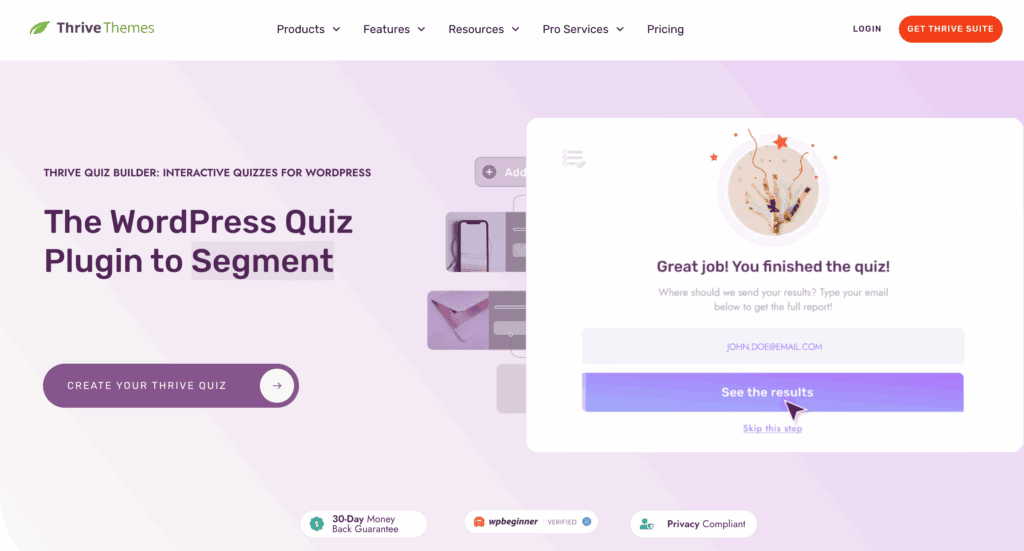
- Opt-in Gate: This is the star feature. You can require users to enter their name and email address before they see their results. This “opt-in gate” is the primary mechanism for building your email list.
Security & Anti-Cheating Options
If you’re creating a formal test where preventing cheating is a top priority, it’s important to know what a plugin offers. Thrive Quiz Builder is not designed for this purpose.
- Advanced Anti-Cheating: Features like blocking copy/paste, preventing browser navigation during a quiz, or advanced IP tracking are not mentioned.
- Timer Enforcement: The main feature in this category is the timer, which ensures users can’t take an unlimited amount of time on a timed assessment.
Certificates & Completion Features
What do users get when they finish? While some plugins offer formal certificates, Thrive focuses on a different kind of reward: personalized value.
- Certificates: The ability to automatically generate and distribute downloadable PDF certificates or badges is not mentioned as a feature.
- Personalized Results: Instead of certificates, Thrive’s strength is its ability to create dynamic, personalized result pages. These pages can include custom content, calls-to-action, videos, and social share badges, offering a much more tailored and engaging reward for the user.
Pricing
There is no free version. So you’ll need to choose between Thrive Quiz Builder’s pricing tiers. Your choice comes down to whether you just need a quiz tool or if you want a complete set of marketing plugins that all work together.

- Thrive Quiz Builder (Standalone Plugin): This plan costs $199 per year and allows you to use the plugin on one WordPress website. It’s the best option if you are happy with your current theme and plugins and just want to add a powerful quiz builder to your existing setup.
- Thrive Suite Membership: This costs $299 per year and gives you access to all Thrive Themes products—including their page builder (Thrive Architect), lead generation plugin (Thrive Leads), online course builder (Thrive Apprentice), and more. It allows use on up to 5 websites and is designed for business owners and marketers who want an all-in-one, conversion-focused toolkit for their site.
Ease of Use
When I first installed Thrive Quiz Builder, getting started was pretty straightforward. A setup wizard walks you through the initial steps, which I appreciated. For my first test, I built a simple, linear quiz, and the drag-and-drop visual builder made it easy to see how everything connected. You can map out your questions and answers without touching any code, which is a huge plus.
However, when I tried to create a more complex personality quiz with branching logic, I hit a bit of a learning curve. It’s not that the tool is hard to use, but you can’t just wing it. You really have to plan your quiz flow—what question comes next based on the last answer—before you even start building. It’s incredibly powerful, but it requires you to think like a marketer, not just a quiz maker.
As for the design, the built-in templates are functional and will get your quiz online quickly. But to be honest, they’re a little basic. To make the quiz look truly professional and match my test site’s branding, I had to use Thrive Architect (their page builder). If you have the full Thrive Suite, customization is basically limitless.
One thing that stood out was the support. Whenever I got stuck on a feature, I found their video tutorials and documentation to be clear and genuinely helpful. You can tell they’ve invested a lot in teaching you how to use their tools effectively.
Top Alternatives to Thrive Quiz Builder
While Thrive Quiz Builder is incredibly powerful, that power can be its biggest drawback. The learning curve can be steep, it can add extra weight to your site, and it’s not the most budget-friendly option for everyone. If you’re looking for something different, you might find these alternatives are a better fit.
- Quiz Cat: If Thrive feels too complicated, Quiz Cat is the perfect antidote. It is built for simplicity and speed. For anyone who just wants to create a quick, fun, and straightforward knowledge or trivia quiz without getting lost in marketing funnels, Quiz Cat is an excellent choice. Its free version is perfect for getting started, offering a user-friendly experience that lets you go from installation to a live quiz in minutes.
- Watu Quiz: Watu Quiz is a better option if your focus is more on formal tests and assessments rather than marketing. It offers features that Thrive de-emphasizes, like advanced grading systems, points, and certificates. If you’re building quizzes for educational content, online courses, or need to provide users with a formal score or grade, Watu Quiz provides a more academic and feature-rich toolset for that specific purpose.
Final Thoughts
Thrive Quiz Builder is much more than just a quiz plugin; it’s a dedicated marketing tool designed to be the engine of your sales funnel. For serious marketers, course creators, and business owners who want to use quizzes to segment their audience, grow their email list, and guide users toward a purchase, there are few tools that can match its power and flexibility. The branching logic and deep analytics give you everything you need to build a truly interactive and personalized customer journey.
We always recommend using a staging site to test any new, powerful plugin. This allows you to explore all the features and build out your entire quiz funnel without any risk to your live website.
FAQs
What is Thrive Quiz Builder known for?
Thrive Quiz Builder is best known for being a powerful marketing and lead-generation tool. Unlike plugins that just create simple trivia quizzes, its main strength is turning quizzes into an active part of your sales funnel. It’s famous for its advanced branching logic (creating personalized quiz paths), powerful analytics, and seamless integration with email marketing services to grow your subscriber list.
Is Thrive Quiz Builder free?
No, Thrive Quiz Builder is not free. It is a premium-only plugin with no free version or trial available. You can purchase it either as a standalone plugin for a single site or as part of the complete Thrive Suite membership, which includes all of their other marketing tools and themes.
What is the best quiz plugin for WordPress sites?
The “best” plugin really depends on your goal:
For Marketing and List Building: Thrive Quiz Builder is a top contender because it’s specifically designed for conversions.
For Simplicity and Free Quizzes: A plugin like Quiz Cat is an excellent choice if you just want to quickly create a fun, straightforward quiz without complex features.
For Formal Tests and Surveys: Quiz and Survey Master (QSM) is a great option, offering features like certificates, leaderboards, and a wide variety of question types suitable for courses or detailed feedback forms.
Who is Thrive Quiz Builder for?
Thrive Quiz Builder is for marketers, business owners, course creators, and serious bloggers who want to use quizzes as a strategic tool. It’s perfect for anyone whose primary goal is to grow their email list, segment their audience based on their answers, and guide potential customers toward a specific product or service. It’s not ideal for someone who just wants to add a simple “just for fun” quiz to a blog post.
Is Thrive Quiz Builder good?
Yes, Thrive Quiz Builder is exceptionally good for its intended purpose. If you want a powerful, flexible tool to create marketing funnels and generate leads through quizzes on WordPress, it is one of the best on the market. However, if your needs are simple, its advanced features and price tag might be overkill. Its quality depends entirely on whether your goals align with its marketing-focused design.

Shreya has been a writer for as long as she can remember. Now, she writes articles that help WordPress users manage the sites that they're proud of, with little to no coding


