Finding the best WordPress plugins that fit your requirements requires research, testing and experimenting. Unfortunately, there are a lot of good WordPress analytics plugins and it can be time consuming to wade through the marketing noise.
We’ve been managing WordPress sites for years and understand what to look for in an analytics plugin. We tested the top analytics plugins and this is my list of favourites. We’ll go over the good, the bad and everything in between.
Our experience of MonsterInsights showed us firsthand why it’s so popular; we loved how it made complex Google Analytics data easy to understand and brought powerful reports directly into our WordPress dashboard.
To give you an honest look at each option, we installed and tested every analytics plugin on a dedicated test site. It’s important to note that this was a low-traffic environment, so our review focuses on the setup, features, and user experience rather than performance under heavy load.
Before we began, we took a complete backup of our site. This is a critical step, as some plugins make changes to your website’s files and database. Having a backup allowed us to safely restore the site to a clean state between each tes. We strongly recommend you do the same before installing any of these plugins.
With that, let’s get started:
1. Monster Insights

MonsterInsights was built by Syed Balkhi, the founder of WPBeginner. It’s popular because it takes the overwhelming data from Google Analytics and presents it in beautiful, easy-to-understand reports. Everything you need to know can be found directly inside your dashboard without you ever having to touch a single line of code.
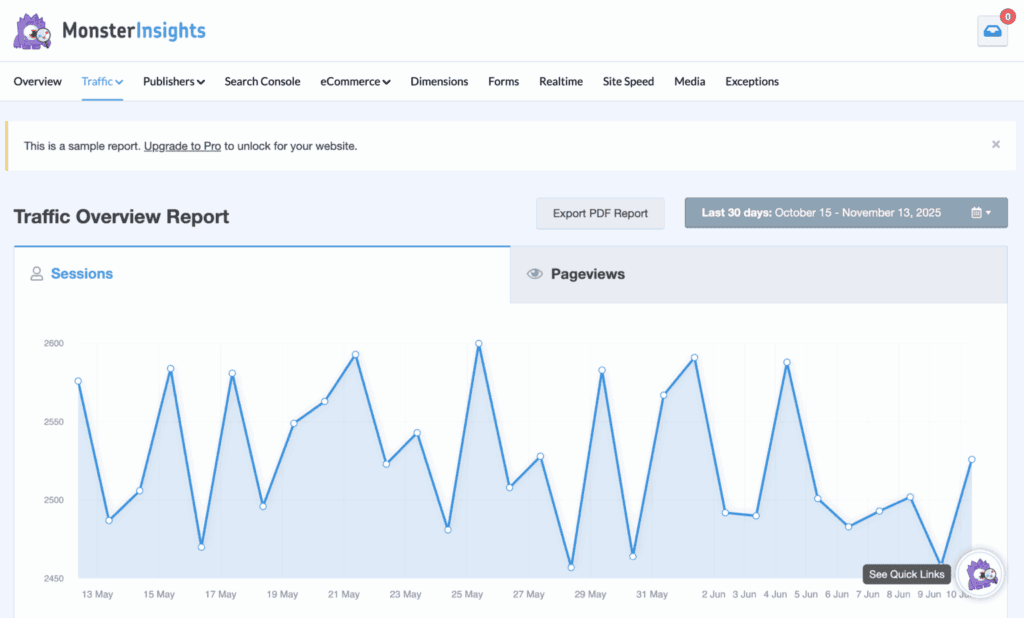
From my own review of MonsterInsights, I was blown away by its sheer ease of use. As someone who finds the technical side of WordPress intimidating, the guided setup wizard was a game-changer. It walked me through connecting my site to Google Analytics 4 in minutes, and I didn’t have to touch any code. Even the reports were easy to understand. There was no need to configure anything.
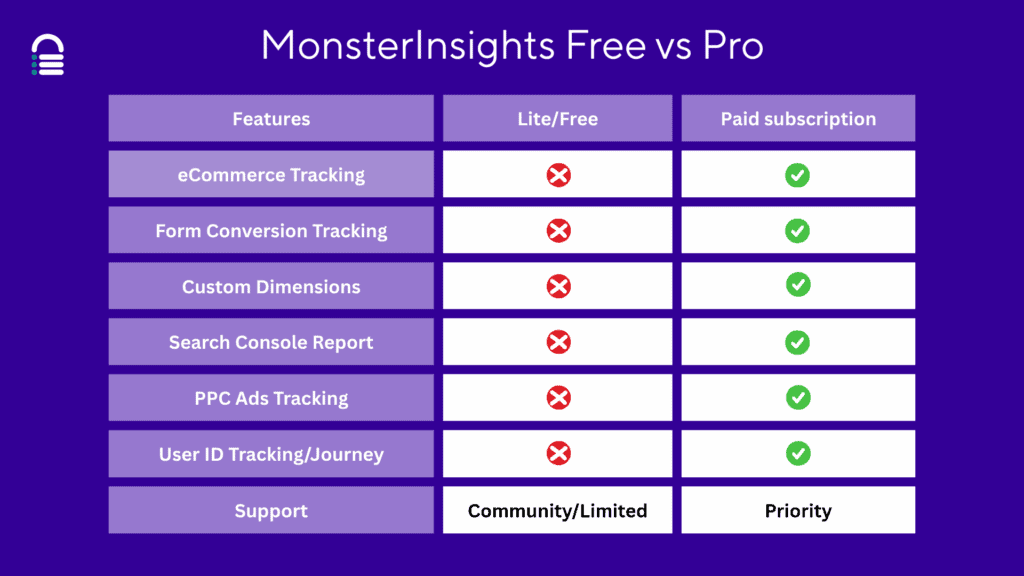
The only flaw is that it’s a freemium plugin. So, if you want a robust plugin that is free, this may not be the plugin for you.
Key Features:
- Easily connect GA4 to WordPress without code.
- Automatically tracks link clicks and file downloads.
- Track WooCommerce sales, revenue, and top products.
- See top search terms and content performance.
- Helps with GDPR via IP anonymization tools.
💰 Pricing: Freemium plugin with plans that start at $199 a year.
2. SlimStat Analytics
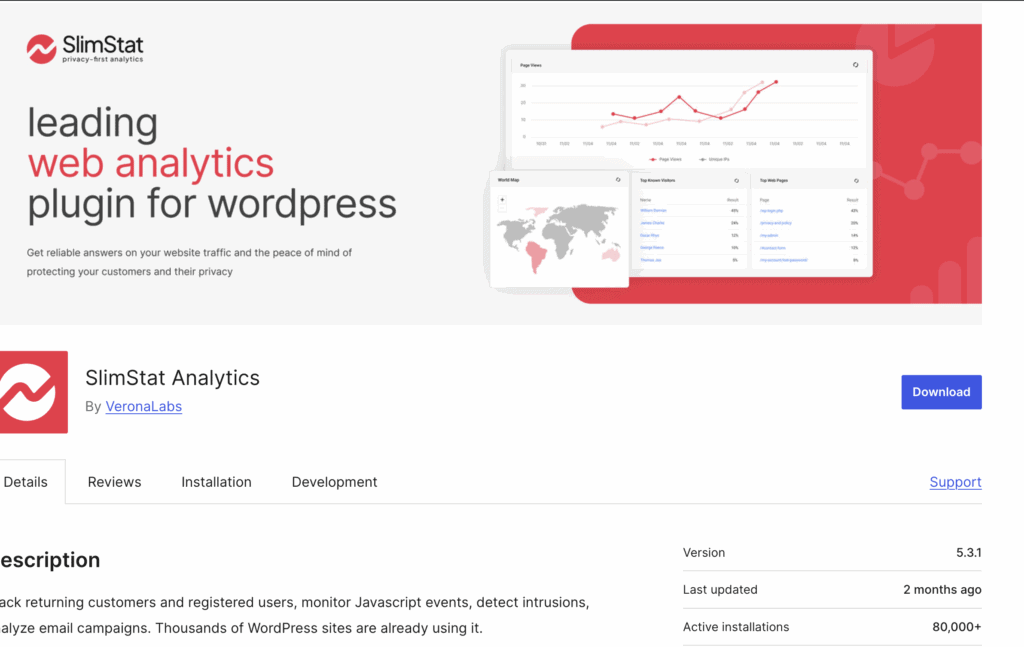
SlimStat Analytics is a privacy-focused, self-hosted analytics solution for WordPress. People rave about the detailed insights into visitor behavior while respecting user privacy and giving you complete data ownership. So, if you’re trying to avoid Google Analytics, this is a great option.
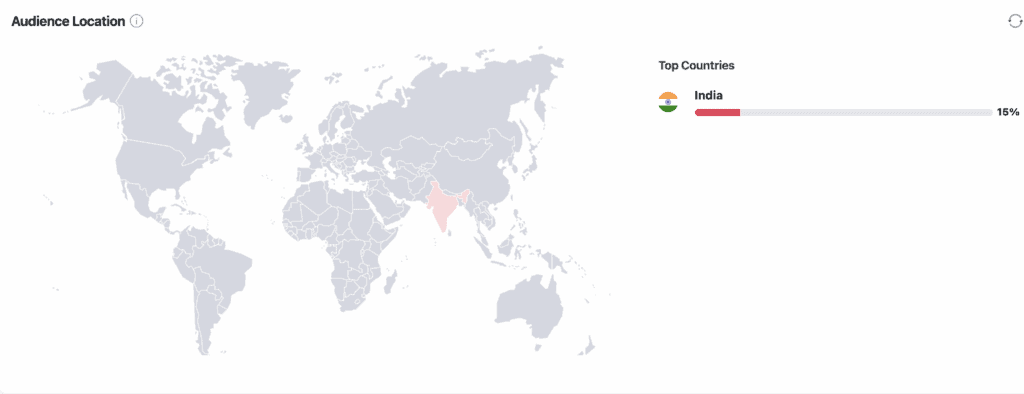
When I tested SlimStat, I found that the setup was straightforward. Within minutes, I had a live view of my visitors right in my dashboard. I could see detailed stats without worrying about cookie banners or complex privacy policies. It’s the perfect “set it and forget it” tool for anyone who values data sovereignty.
Key Features:
- Reliably tracks visitors without using heavy scripts.
- See live visitor activity on your website.
- Cookieless tracking for GDPR and enhanced privacy.
- Visualize user clicks with heatmaps (Pro feature).
- Tracks top pages, referrers, and search terms.
💰 Pricing: The core plugin is free. The Pro Pack is a paid add-on for advanced features.
3. Analytify
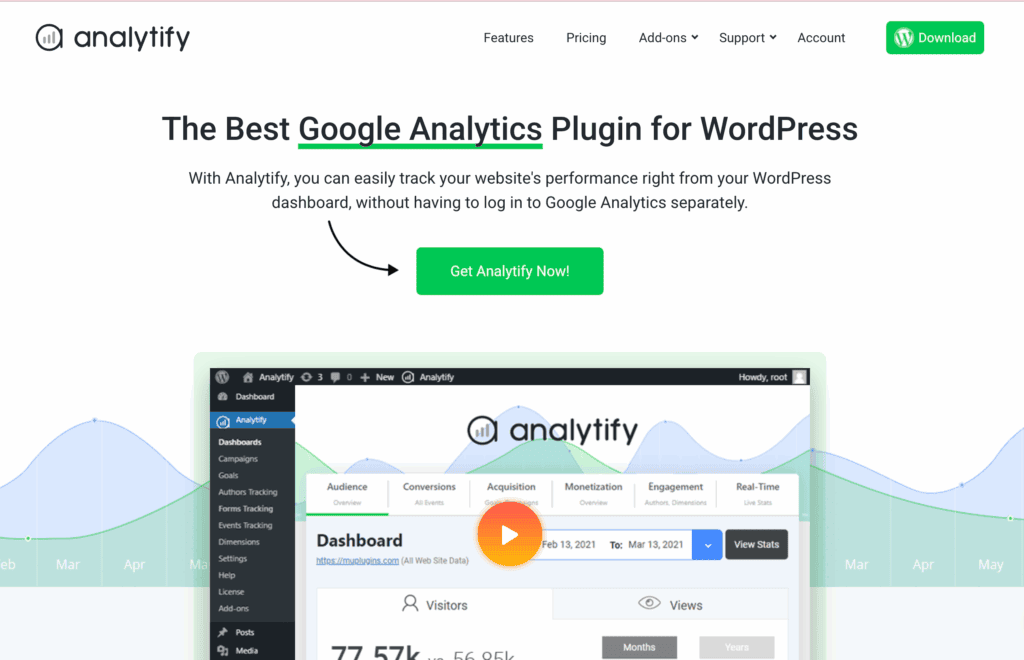
Analytify is a user-friendly plugin designed to make Google Analytics data accessible directly in your WordPress dashboard. It’s known for its beautiful, easy-to-understand reports and simple, code-free setup. People love it because it transforms complex Google Analytics information into clear, visual reports that anyone can understand, making data analysis effortless for non-technical users.
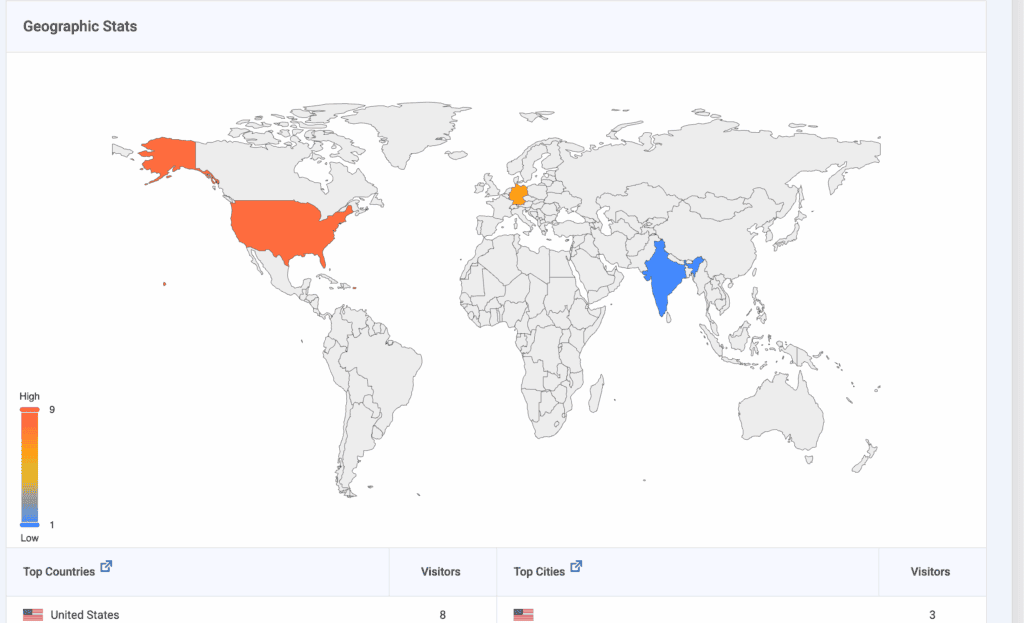
In our Analytify review, the setup was a simple one-click authentication.The reports are genuinely great and easy to navigate. I appreciated the page-level stats right below the editor and think it could be so useful to see how a specific post is performing without having to dig through menus. It’s analytics for visual people.
Key Features:
- Connect your GA4 account with one click.
- See clean, visual charts in your dashboard.
- View analytics for individual pages and posts.
- Track WooCommerce and EDD sales performance.
- Get automated PDF reports sent via email.
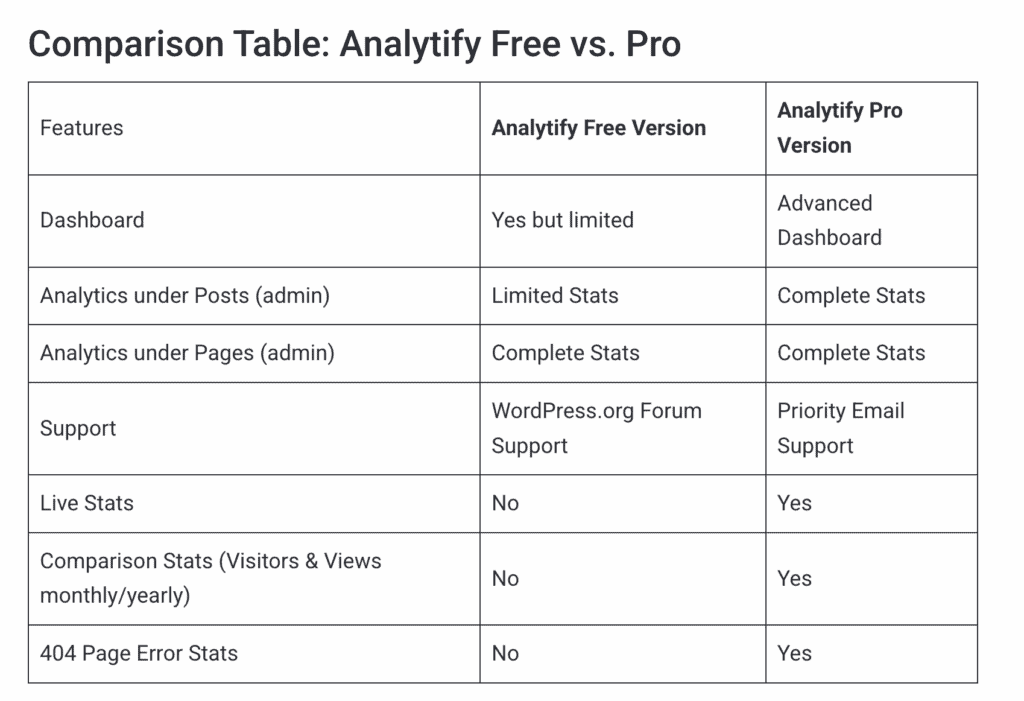
💰 Pricing: Freemium plugin. Pro plans start at $59/year.
4. WP Statistics
WP Statistics is very similar to SlimStat analytics, in terms of philosophy. It is a 100% free, self-hosted solution that keeps all your data on your own server. It’s great if you’re stepping away from the Google ecosystem of tools. But, it does have the tendency to sow your site down with high traffic.
My experience with WP Statistics was incredibly straightforward. I installed it, activated it, and it just started working. No APIs, no external accounts and no configurations. The dashboard gave me all the essential data I needed, like top pages and visitor locations, without any fuss.
For anyone who just wants to know their basic traffic stats without getting tangled up in Google’s ecosystem, this is the easiest starting point.
Key Features:
- All visitor data is stored on your server.
- Cookieless by default for better user privacy.
- See visitor locations, referrers, and more.
- Watch live visitor activity on your site.
- Connect to Search Console for SEO data (Premium).
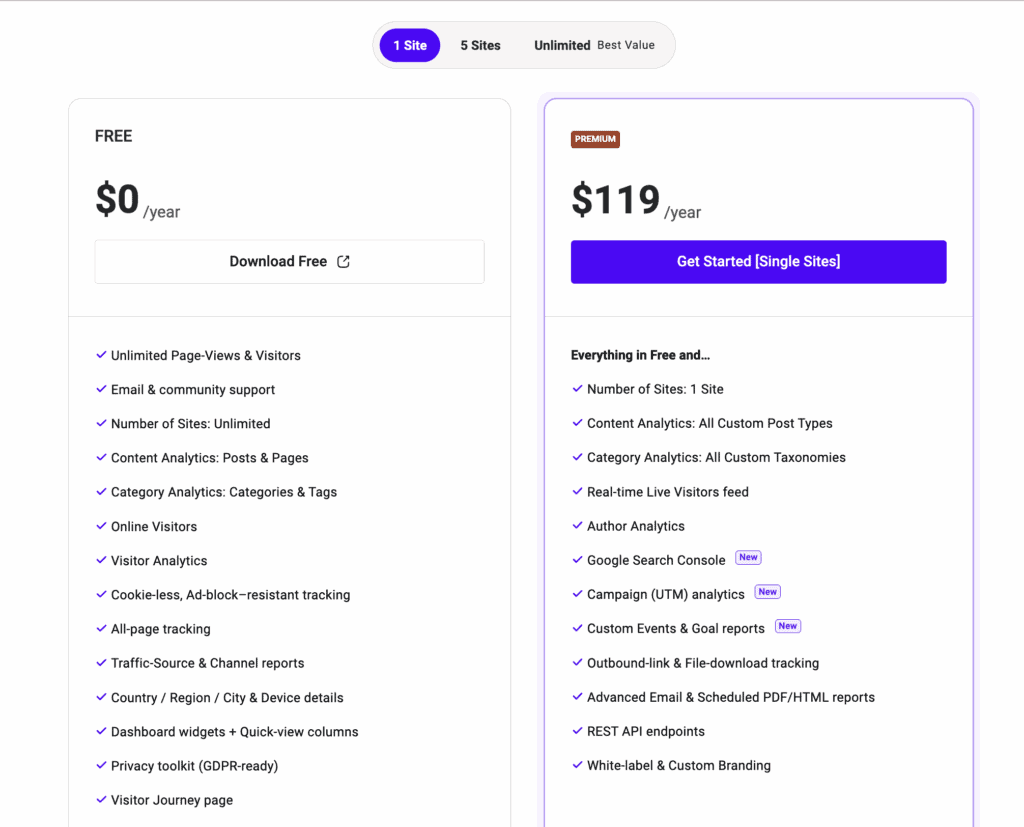
💰 Pricing: The core plugin is completely free, with premium version available for $119 a year.
5. Google Site Kit
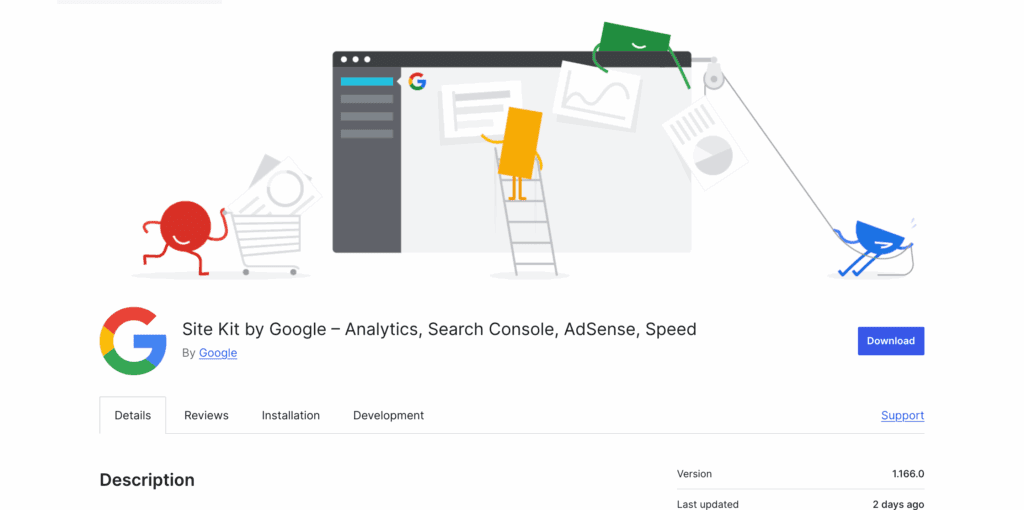
Google Site Kit is the official WordPress plugin from Google that connects your site to key services like Analytics and Search Console. It’s designed to give users a simplified way to access Google’s tools directly from the admin panel. It helps you connect to GA4, PageSpeed Insights, GSC, AdSense, etc.
When I tried Google Site Kit, it wasn’t my favourite. I was annoyed that I have to sign in to my Goolge account repeatedly, for every tool I wanted to integrate. I also got signed out a few times, forcing me to reset my permissions.
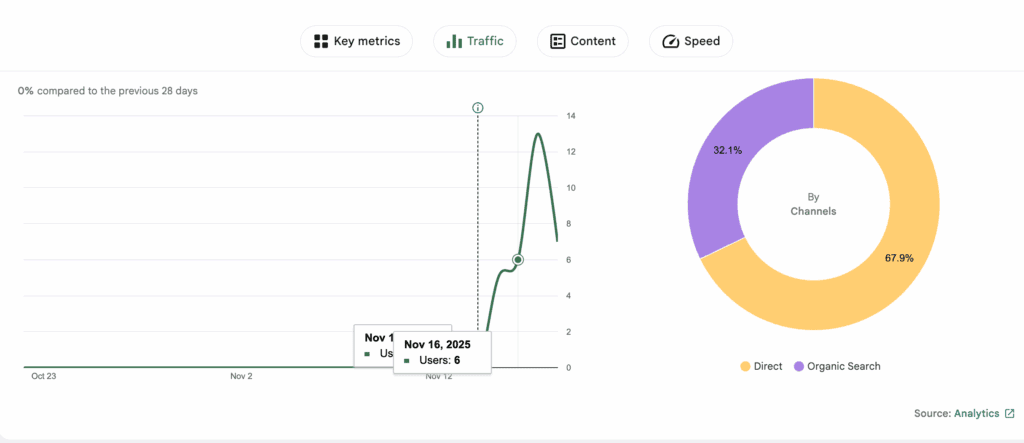
I also didn’t really like the reporting feature. It was not as good as third party tools like MonsterInsights and Analytify. It also took time for the plugin to actually populate the data as well.
Key Features:
- Connects to Analytics, Search Console, and AdSense.
- See top pages and where your visitors come from.
- View search impressions, clicks, and top queries.
- Integrates PageSpeed Insights for site speed tests.
- View data from multiple Google services at once.
💰 Pricing: Completely free.
6. Matomo
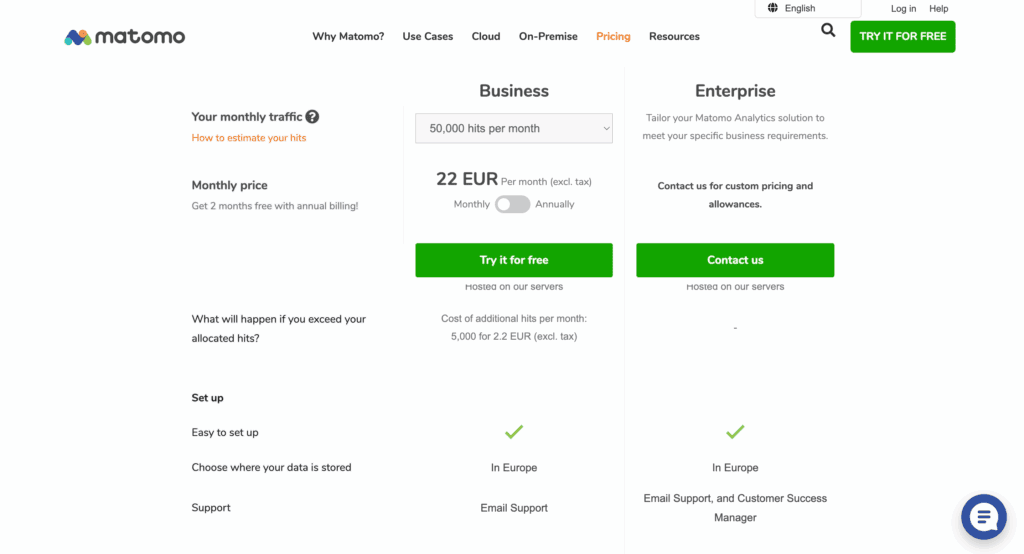
Matomo was founded in 2007 as an open-source, privacy-first alternative to commercial analytics tools. It is famous for being the leading self-hosted analytics platform that gives you complete data ownership, ensuring full compliance with privacy regulations like GDPR. People trust it because it provides 100% accurate data without sampling, making it a powerful and ethical choice.
Using Matomo felt like stepping up to a professional-grade analytics tool that puts me in the driver’s seat. I chose the self-hosted version, and while it took a bit more setup, the reward was total control over my data. The dashboard is incredibly detailed, and the fact that there’s no data sampling means I can trust the numbers completely. It’s the perfect solution for anyone serious about privacy and accurate data.
Key Features:
- Self-host your analytics for total data control.
- Track websites, e-commerce, and mobile apps.
- Use heatmaps and session recordings (premium).
- Customize reports with over 200 different metrics.
- Manage tracking codes without developer help.
💰 Pricing: Free self-hosted version, with paid cloud plans and premium add-ons available.
Factors to Consider When Choosing an Analytics Plugin
Choosing the right tool can feel overwhelming, but it becomes much easier when you know what to look for. Use these key factors to evaluate which analytics plugin is the best fit for your website.
- Ease of Use: How simple is the setup process? A good plugin shouldn’t require you to be a developer. Look for a guided setup wizard and an intuitive dashboard that presents data clearly without a steep learning curve.
- Data & Integrations: Does the plugin provide useful data that helps you make decisions? For Google-based plugins, this means seamless integration with services like Search Console and AdSense. For self-hosted options, it means providing rich, detailed visitor data.
- Reporting: Are the reports clear, actionable, and easy to access? The best plugins translate complex numbers into simple charts and summaries right inside your WordPress dashboard, saving you time and confusion.
- Privacy & Compliance: Does the plugin help you comply with privacy laws like GDPR? Look for features like IP anonymization, cookie consent integration, and data ownership controls. Self-hosted options often provide the strongest privacy.
- Performance Impact: Will your website become slow? A well-coded analytics plugin should be lightweight and have a minimal impact on your site’s loading speed, which is crucial for both user experience and SEO.
- Overall Value: Does the plugin deliver enough value for its cost? For free tools, this means asking if its limitations are too restrictive. For premium plugins, it means ensuring the advanced features justify the price tag for your specific goals.
Best Practices for Using WordPress Analytics Plugins
Once you’ve chosen a plugin, follow these best practices to ensure you get accurate, secure, and useful data.
- Implement Consistent Tracking: Use UTM codes for all marketing campaigns to accurately track where your traffic is coming from.
- Filter Internal Traffic: Exclude your own team’s visits from your data by filtering out your office and home IP addresses.
- Conduct Regular Audits: Periodically check your analytics setup to ensure tracking codes are working correctly and there are no data errors.
- Keep Everything Updated: Regularly update your WordPress core, themes, and plugins to protect against security vulnerabilities and ensure compatibility.
- Ensure Privacy Compliance: Use a cookie consent plugin to get explicit user consent before tracking, especially if you have visitors from regions with strict privacy laws like the EU.
- Secure User Access: Limit who can view your analytics. Use role-based permissions to ensure only trusted users can see sensitive data.
- Monitor Performance Impact: Use speed plugins like Airlift to improve your website performance and improve user experience.
- Use Automated Backups: Always have a reliable backup solution in place. If a plugin update or configuration error breaks something, a backup is the fastest way to recover.
Final Thoughts
Choosing the right WordPress analytics plugin doesn’t have to be complicated. The best choice always comes down to your specific needs. If you want the power of Google Analytics in a user-friendly package, a plugin like MonsterInsights is an excellent choice. If you prioritize data privacy and want to keep everything on your own server, a self-hosted solution like WP Statistics or SlimStat is the perfect fit.
As a side note, use a backup plugin to take a backup before you start. This will help you restore your site if there are any plugin conflicts or it makes major changes to your site. Plugins like blogVault will help you restore your site in one click.
FAQs
What is the best free analytics plugin for WordPress?
For a completely free, self-hosted option, WP Statistics is the best choice as it offers robust features without needing external services. For a free plugin that integrates with Google Analytics, Google Site Kit is the official and most straightforward option.
Is there a privacy-friendly analytics plugin that doesn’t use Google Analytics?
Yes. WP Statistics, SlimStat Analytics, and Matomo are all excellent privacy-focused alternatives. They are self-hosted, meaning all your data is stored on your own server, giving you full control and helping you comply with GDPR.
Can I use multiple analytics plugins at the same time?
It is not recommended. Running multiple analytics plugins can slow down your website and lead to inaccurate or conflicting data. It’s best to choose one plugin that meets your needs.
How do I track e-commerce data in WordPress?
To track e-commerce data, you need a plugin with dedicated WooCommerce integration. MonsterInsights and Analytify are two of the best options for this, providing detailed reports on sales, revenue, and top-selling products.
What is the difference between self-hosted analytics and Google Analytics?
The main difference is data ownership and storage. Self-hosted analytics (like WP Statistics) store all data on your own server, giving you 100% control. Google Analytics is a cloud service where your data is sent to and stored on Google’s servers.

Shreya has been a writer for as long as she can remember. Now, she writes articles that help WordPress users manage the sites that they're proud of, with little to no coding