

A WordPress quiz plugin can be a game-changer for engagement, and this Quiz Cat WordPress plugin review will determine if it’s the right tool for you. You want to add a fun, interactive quiz to your site, but you’re worried it will be too complicated or slow everything down.
Choosing the right plugin is critical. A good one can boost traffic and capture leads, while the wrong one can be clunky and frustrate your visitors. You need a solution that’s powerful enough to get results but simple enough that you can set it up in minutes.
We installed Quiz Cat on a test site to see if it lives up to the hype. This hands-on review cuts through the noise and gives you the clear, straightforward answers you need to decide if it’s the perfect fit for your website.
We tested all the top quiz plugins and found that Quiz Cat is a popular one. Its free version is perfect for simple trivia quizzes, but you must upgrade to premium for essential marketing features like analytics or personality tests. It is not built for complex, logic-based assessments.
We set up a clean WordPress test site and installed the Quiz Cat plugin to put it through its paces. Our goal was to test the plugin on the the following key areas:
- Beginner-friendliness and setup speed.
- Supported quiz types and formats.
- Visual design and customization.
- Scoring rules and quiz logic.
- Analytics and performance reporting.
- User controls and restrictions.
- Security and anti-cheating options.
- Quiz monetization and sales.
- Completion certificates and rewards.
- Free vs. premium value.
We pushed the buttons, checked the settings, and built our own quizzes to see where Quiz Cat shines and where it falls short. Keep reading for our detailed findings on each of these critical factors.
Types of Quizzes You Can Build with Quiz Cat
Bottom Line: The free plugin is perfect for basic knowledge tests, while the premium version unlocks personality and timed quizzes.
The first thing to ask when choosing a quiz plugin is, “Can it build the type of quiz I need?” A plugin might be easy to use, but it’s useless if it doesn’t support your vision. In our test, we looked at everything from simple multiple-choice questions to more complex personality tests to see where Quiz Cat stands. Here’s what we found.
- Multiple-Choice Questions (MCQs): This is Quiz Cat’s core strength and works perfectly in the free version. We easily created a standard knowledge test with single-correct-answer questions during our review.
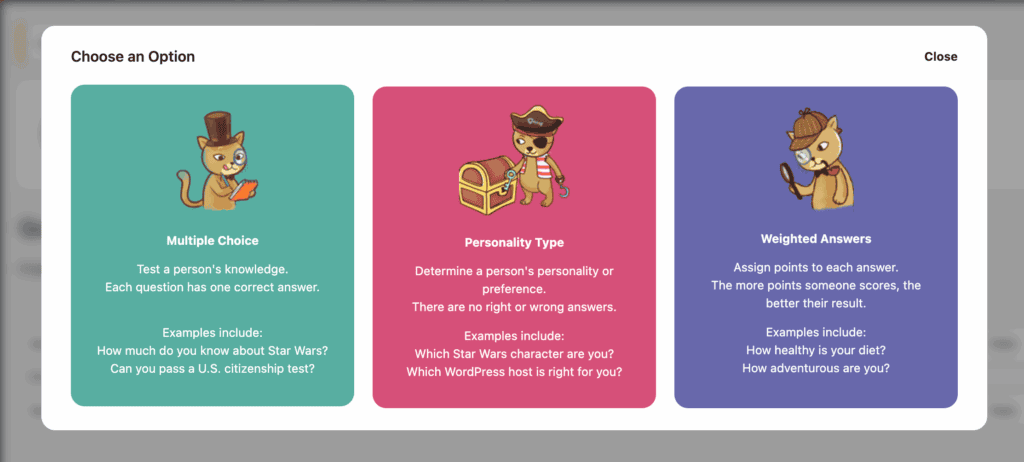
- True/False Quizzes: Since these are just a simplified form of multiple-choice, they are fully supported in the free plugin.
- Personality Quizzes: Creating viral “Which character are you?” style quizzes is a popular feature, but it is only available in the Premium version.
- Image-Based Questions: Yes, this is supported. You can easily add images to both your questions and answers, which is great for making quizzes more visual and engaging.
- Timed Quizzes: This feature is available as an optional setting, but only as part of the Premium version. It allows you to add a sense of urgency to your tests.
- Branching/Conditional Logic: This is not a core feature. Quiz Cat is designed for linear quizzes where every user sees the same questions. For complex quizzes where the next question changes based on a user’s answer, you would need a more advanced plugin.
Frontend Design & Customization
Bottom Line: The design is clean and mobile-friendly out of the box, but significant visual customization requires the premium version or custom code.
A quiz’s appearance matters. It needs to match your brand and look good on all devices to keep users engaged. We tested Quiz Cat’s styling options to see how much control you have over its look and feel.
- Layouts/Themes: The default design is simple, clean, and fully mobile-responsive. It integrates well with most WordPress themes without causing conflicts.
- Colours/Fonts: While default styles are provided, advanced branding and styling options are part of a Premium customization add-on.
- Mobile Responsiveness: Excellent. Our tests showed that quizzes look and function perfectly on phones and tablets right away, which is a huge plus.
- Custom CSS/Branding: You can always add your own custom CSS to your theme if you have coding knowledge, but the plugin’s built-in advanced styling tools are a Premium feature.
Scoring, Logic, and Flow Control
Bottom Line: Basic scoring works well, but advanced logic like question randomization and redirects are reserved for premium users.
A good quiz needs more than just questions; it needs intelligent logic to score users and guide their experience. We dug into Quiz Cat’s backend to see how it handles scoring, timers, and user flow.
- Scoring Rules: The plugin handles basic right/wrong scoring for knowledge tests. Weighted answers for personality quizzes are available in the Premium version.
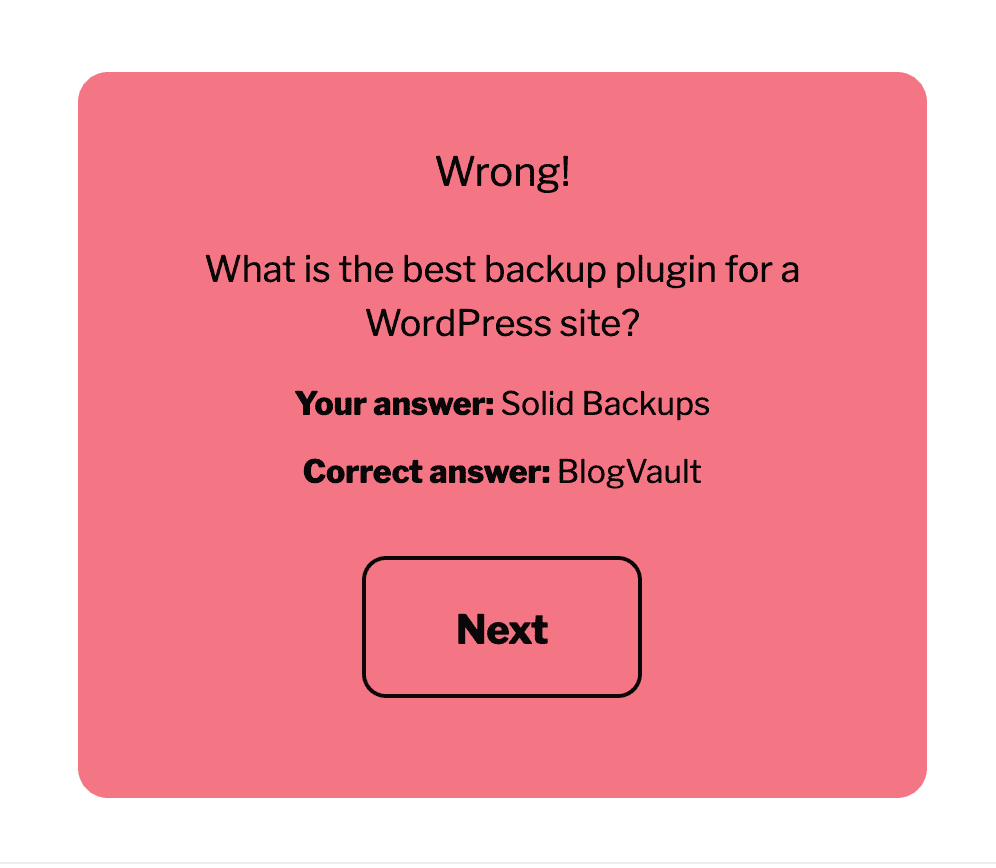
- Pass/Fail Conditions: You can create different results pages that are shown to the user based on their final score, which is great for providing tailored feedback.
- Randomization: The ability to shuffle (randomize) the order of questions is a Premium feature, useful for making tests feel unique each time.
- Progress Bars: This feature is not available. Users will not see a visual indicator of their progress through the quiz.
- Timers: Adding a timer to create urgency is a popular feature, but it’s only available in the Premium version.
- Conditional Redirects: Sending users to a specific URL after they finish is possible, but this functionality is also part of the Premium version.
Analytics & Reporting
Bottom Line: The free version offers no analytics; all data tracking and reporting are locked behind the premium upgrade.
If you can’t measure your quiz’s performance, you can’t improve it. Analytics are crucial for understanding user engagement and quiz effectiveness. We checked to see what kind of data Quiz Cat helps you collect.
- Tracking User Scores & Attempts: This is a core feature of the analytics dashboard, which is only available in the Premium version.
- Completion Rates: The premium analytics track how many people start versus finish your quiz, giving you valuable insight into its engagement level.
- Export Reports to CSV: The ability to download all your quiz response data as a spreadsheet (CSV file) for deeper analysis is a Premium feature.
Certificates & Completion Features
Bottom Line: It offers customizable completion messages but does not generate downloadable certificates or digital badges.
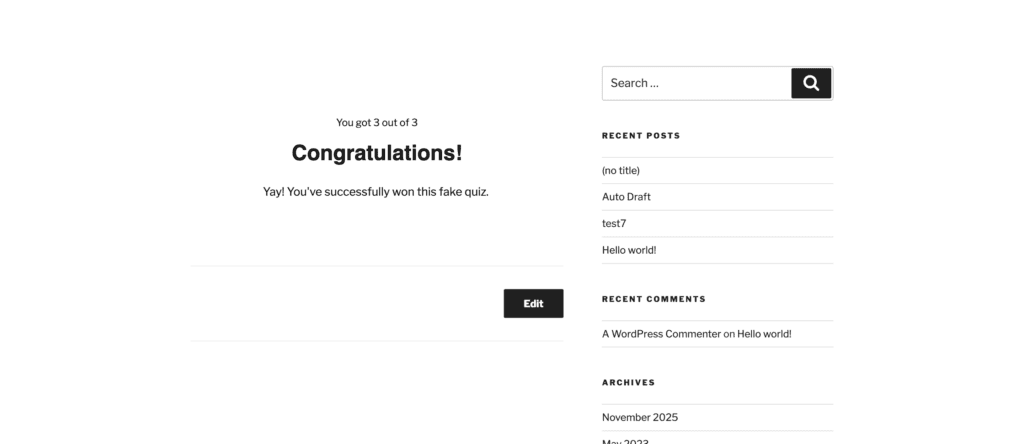
You can create custom completion messages that appear after a user finishes. This is great for providing personalized feedback or a clear call-to-action based on their score. However, it’s important to note that its capabilities end there.
The plugin does not have the functionality to generate downloadable certificates or award digital badges, making it unsuitable for online courses or formal assessments where a tangible reward is required.
Pricing
Bottom Line: The free version is extremely limited, making the premium upgrade necessary for almost any serious marketing or data collection purpose.
The price tag is often the final deciding factor. We broke down the difference between Quiz Cat’s free and paid offerings to help you determine which one provides the best value for your needs.
Quiz Cat’s pricing works on a freemium model. The free version is essentially a trial for basic knowledge tests. All key marketing features—personality quizzes, timers, analytics, and lead generation integrations—are locked in the Premium version.
- Personal Plan: $69 per year (1 site)
- Business Plan: $99 per year (Up to 3 sites)
- Elite Plan: $149 per year (Unlimited sites)
Ease of Use
Bottom Line: I could publish a simple quiz in just a few minutes, no technical skill required.
Is the plugin easy to use? Yes. Quiz Cat was very easy to use.
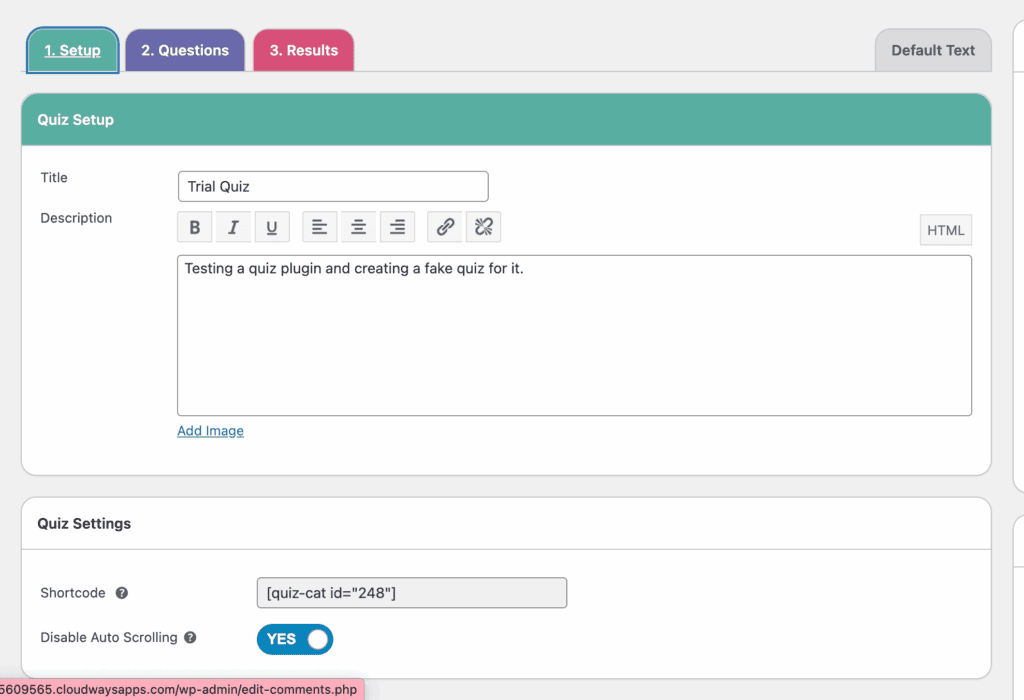
I tested the free version of the plugin, which is very limited. There was no confusion or complicated setup process. I was able to jump right in and start building my first quiz immediately. I was able to create a functional three-question multiple choice quiz in just a few minutes.
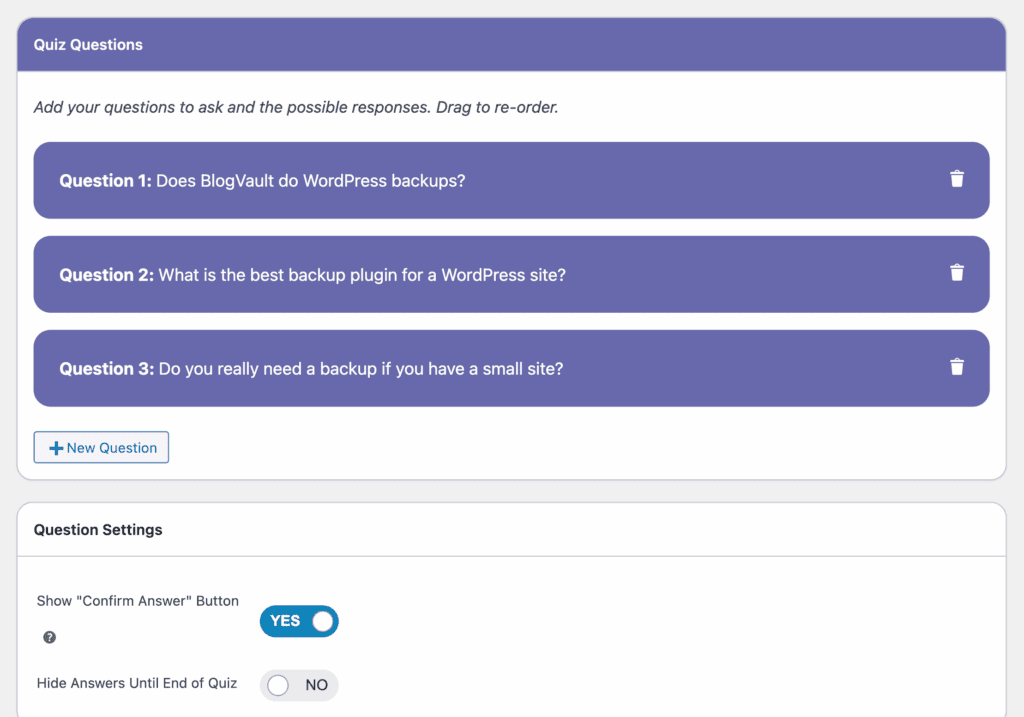
I found that it’s perfect for creating a basic trivia quiz quickly. But, more dynamic features, like adding a timer or a restart button, would require upgrading to the premium version.
Top Alternatives to Quiz Cat
While Quiz Cat’s simplicity is its main selling point, it’s also its biggest limitation. You may need more robust marketing features or advanced conditional logic for smarter quizzes. You will likely hit the ceiling of what Quiz Cat can do. Here are our top options for other quiz plugins:
- Thrive Quiz Builder: Thrive Quiz Builder is great for anyone looking for marketing and lead generation. It’s a conversion-focused tool designed to grow your email list. It offers advanced branching logic, which lets you create dynamic, personalized quiz funnels. This can help you show different questions or results based on a user’s answers. Combined with built-in A/B testing and deep analytics, Thrive gives you the power to segment your audience and optimize your quizzes for maximum engagement and conversions.
- Quiz and Survey Master (QSM): Quiz and Survey Master is the better choice if you want a powerful tool for formal tests, courses, or in-depth surveys. It offers a wide variety of question types, printable certificates, leaderboards, and strict timers. Its modular add-on system also allows you to build a highly customized solution by only paying for the specific features you require.
Final Thoughts
Quiz Cat is a tale of two plugins. For bloggers, small business owners, or anyone looking to quickly add a simple, fun, and engaging trivia quiz to their site, the free version is an excellent choice. Its greatest strength is its incredible ease of use; you can go from installation to a live quiz in minutes without any technical expertise. It’s lightweight, fast, and does one thing—basic knowledge quizzes—exceptionally well.
We recommend that you use a staging site to test the plugin out for yourself. This will let you explore the plugin without affecting your live traffic. You can design the quiz and the pages, at your leisure.
FAQs
How to make a quiz on WordPress?
The easiest and most common way to make a quiz on WordPress is by using a plugin. The general process is simple and beginner-friendly:
Choose and Install a Plugin: Find a quiz plugin like Quiz Cat, Thrive Quiz Builder, or QSM from the WordPress plugin directory and install it on your site.
Create a New Quiz: Navigate to the plugin’s dashboard area in your WordPress admin panel and select the option to create a new quiz.
Add Questions and Answers: Use the plugin’s interface to add your questions, define the possible answers, and mark the correct one(s).
Configure Settings: Set up the results page, scoring rules, and any other settings like timers or lead capture forms (if available).
Publish the Quiz: The plugin will provide you with a shortcode or a Gutenberg block. Simply copy and paste this into any page or post where you want the quiz to appear, then publish the page.
How to make a quiz on WordPress without a plugin?
While technically possible, creating a quiz on WordPress without a plugin is not recommended for beginners as it requires significant custom coding. You would need to be proficient in HTML (for the structure of the questions), CSS (for styling), and JavaScript (for the logic, scoring, and displaying results).
The process involves manually coding the quiz form, writing custom JavaScript functions to track user answers, calculate the final score, and then display the correct results page. This is a time-consuming and complex task that is prone to errors. For 99% of users, a dedicated quiz plugin is a faster, more reliable, and much easier solution.
Is WordPress beginner friendly on Reddit?
Yes, the WordPress community on Reddit is generally considered very beginner-friendly and helpful, especially in subreddits like r/WordPress and r/WordpressPlugins. New users can ask specific questions and often receive quick, practical advice from experienced developers and long-time users.
However, it’s important to remember that it’s a community forum, not a dedicated support channel. Users are expected to have done some basic research on their own before posting, and the quality of advice can vary. It’s an excellent resource for troubleshooting a specific problem but may not be the best place for complete hand-holding through a complex project.

Shreya has been a writer for as long as she can remember. Now, she writes articles that help WordPress users manage the sites that they're proud of, with little to no coding


