

Have you ever installed an SEO plugin to help your WordPress site rank better, only to watch your page speed scores plummet? Most SEO plugins slow down your site with bloated features and unnecessary scripts.
This creates a problem: you’re hurting performance to improve SEO, but Google rewards fast sites.
If you’re looking for a Slim SEO review, you’re probably wondering whether it solves this performance versus SEO dilemma. Let us show you exactly what it does, and whether it’s right for your site.
Slim SEO delivers technical SEO automatically without performance impact; ideal if you prioritize speed over features. Always backup your site using a robust backup plugin before installing or switching SEO plugins to avoid conflicts.
Slim SEO at a glance
Slim SEO is a WordPress plugin that does exactly what its name suggests: handles your basic SEO without the bloat. Think of it as the minimalist’s approach to search optimization.
Install it, and it immediately starts working on your posts and pages. You don’t have to configure a dozen settings or wade through complex menus.
What does it actually do? Page titles, meta descriptions, and social media previews get created automatically. Schema markup helps Google understand your content better. Your sitemap builds itself. All the foundational stuff that actually matters.
During our testing, we kept waiting for the performance hit that comes with most SEO plugins. It never came. Your site stays fast, which is honestly half the battle these days.
The free version handles the essentials beautifully. You’ll need the Pro version for advanced features like visual schema building and broken link monitoring, but most sites won’t miss them.
What are the core SEO features offered
Here’s what Slim SEO does for your website’s SEO:
Metadata automation
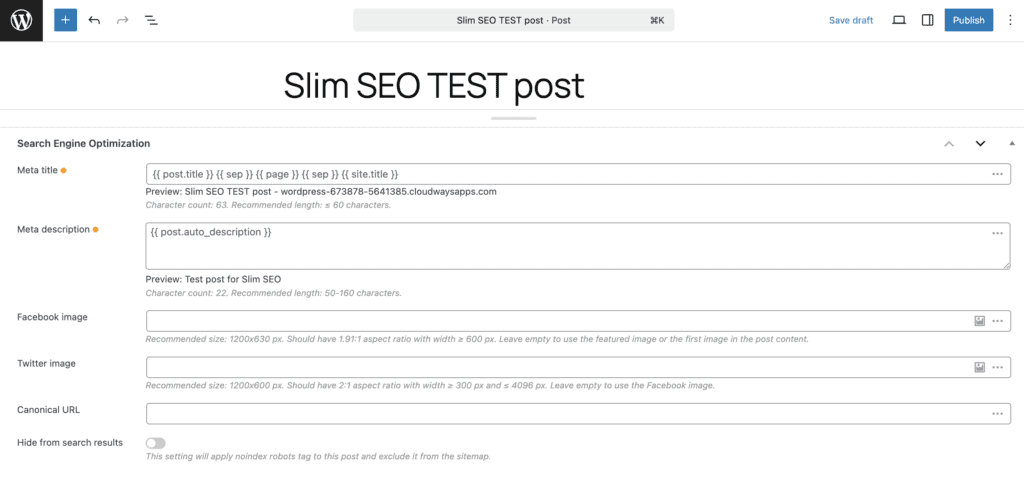
Slim SEO creates page titles using “Post Title – Site Name” format, though you can override this manually for any post. Meta descriptions automatically pull from your excerpt or opening lines, and you can write custom ones when needed.
Social media previews generate automatically for Facebook, Twitter, and LinkedIn without any setup.
Schema and sitemaps
The plugin quietly adds structured data (JSON-LD) to your content, helping Google understand what your pages are about.
XML sitemaps are generated automatically at yoursitename.com/sitemap.xml, including images.
Redirects and error handling
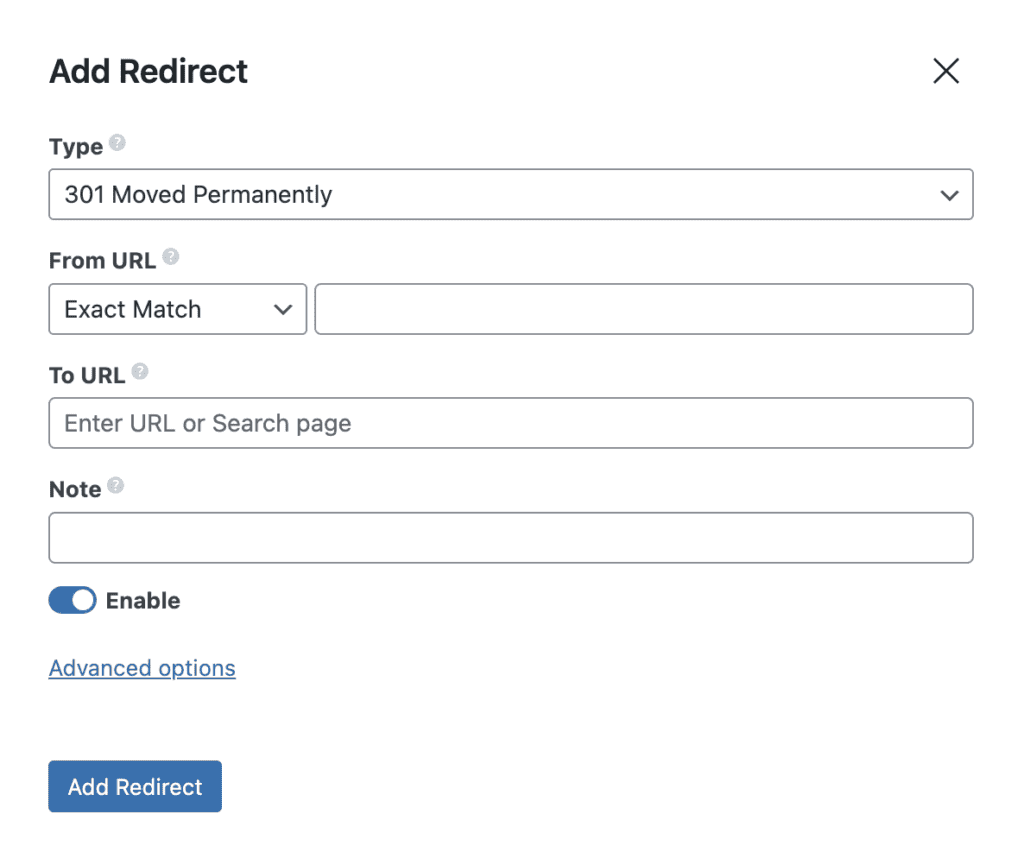
While you can set up 301 redirects manually, the real value comes from automatic redirect creation when you change a post’s URL slug.
The plugin also monitors 404 errors and handles common redirect scenarios automatically, like sending attachment pages to actual image files.
For single-author sites, author archive pages can redirect to the homepage.
Additional tools
Breadcrumbs work through a simple [slim_seo_breadcrumbs] shortcode. Clean header and footer code boxes handle Google Analytics insertion, and a one-click importer makes switching from Yoast or RankMath painless.

Pro version additions
The Pro version includes two main upgrades: a visual schema builder and a Link Manager.
- The schema builder comes with 30+ content templates and lets you create structured data without touching code.
- The Link Manager suggests internal links while you write and continuously scans your site for broken links.
These features primarily benefit agencies and content-heavy sites. Additionally, it continuously scans for broken links, features that primarily benefit agencies and content-heavy sites.
Ease of use
Installing Slim SEO is standard WordPress fare. One click from the plugin directory and you’re done.
Here’s what happens next: nothing complicated. No setup wizard, no lengthy configuration process. The plugin just starts working on your content automatically.
The settings live on a single, clean page in your WordPress admin side panel. Most options are simple on/off toggles.
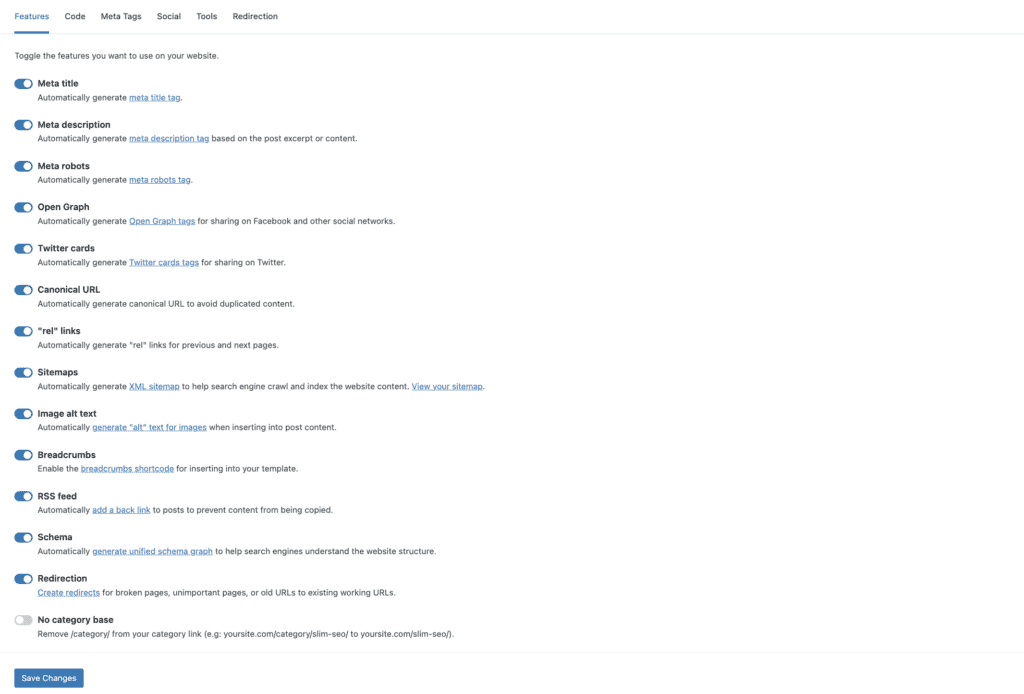
What struck us during testing was how refreshingly simple everything feels. While other SEO plugins bombard you with crowded dashboards and constant upgrade prompts, Slim SEO gives you a clean interface that focuses on function over flash.
The result? You literally install it and forget about it. The plugin handles the technical SEO work while you focus on creating content. For anyone who’s wrestled with complex SEO plugin configurations, this approach feels almost too good to be true.
But it works. The simplicity isn’t a limitation; it’s the entire point.
Advantages and drawbacks

Pricing
The core Slim SEO plugin is free. You get all the essential features without paying anything.
Advanced features require Slim SEO Pro, which uses a one-time payment model instead of yearly subscriptions. Your purchase includes one year of updates and support.
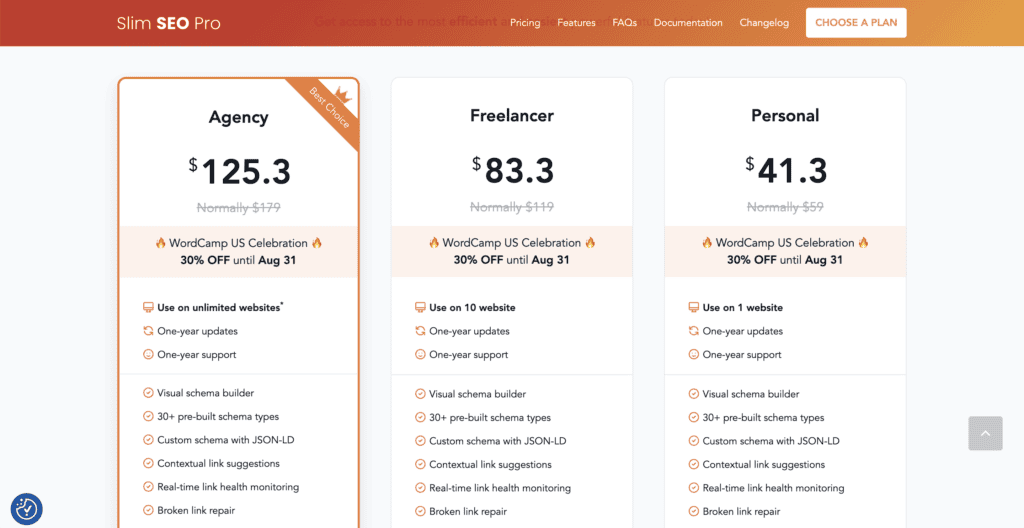
Pricing depends on how many websites you need:
- Personal: $41.30 (1 website)
- Freelancer: $83.30 (10 websites)
- Agency: $125.30 (unlimited websites)
All tiers include the same Pro features, like visual schema building and link management. Check their website for current promotions, as discounts are sometimes available.
You’re covered by a 14-day money-back guarantee if the plugin doesn’t work out for your needs.
Is Slim SEO right for you?
Choose Slim SEO if you want:
- Maximum website speed. Zero performance impact from your SEO plugin. Your site stays lightning-fast while handling all the technical SEO essentials.
- Set-and-forget simplicity. Install it once, and it works automatically. No complex configurations, no constant tweaking required.
- Clean, minimal interface. Simple on/off toggles instead of overwhelming dashboards. Perfect for developers and anyone who values efficiency over hand-holding.
- Reliable automation. Handles metadata, schema, sitemaps, and redirects without your input. Technical SEO runs perfectly in the background.
Skip Slim SEO if you’re looking for:
- Content writing guidance. No real-time suggestions, readability analysis, or keyword optimization tips as you write.
- Built-in analytics. Want rank tracking, traffic insights, or keyword monitoring inside WordPress? You’ll need separate tools.
- Granular control. Limited customization options compared to feature-heavy plugins. Advanced users might find it too simplified.
- All-in-one functionality. Focuses purely on technical SEO foundations. Doesn’t replace content optimization tools or comprehensive SEO suites.
Alternative SEO plugins
If Slim SEO doesn’t fit your needs, here are the main alternatives worth considering:
RankMath

RankMath offers comprehensive SEO control with detailed content analysis and multiple keyword tracking. The interface can feel overwhelming, and it adds noticeable weight to your site. Great for power users who need granular control.
Yoast SEO

Yoast is a popular choice. Yoast provides excellent guidance for beginners with its traffic light system and readability analysis. The interface can feel cluttered, and the performance impact is noticeable on slower hosts.
All-in-One SEO (AIOSEO)
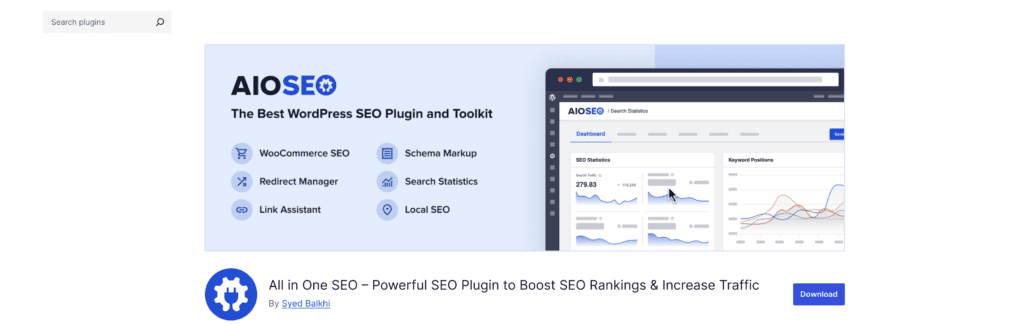
All-in-One SEO is user-friendly with built-in redirects and video sitemaps. Feature-packed but heavy on resources. Good middle ground between simplicity and functionality, though still slower than Slim SEO.
For pure automation without the performance penalty, Slim SEO remains unmatched. Your choice depends on whether you value comprehensive features or lightweight efficiency more.
Final verdict
Slim SEO solves the performance versus SEO dilemma we explored at the start. While other plugins force you to choose between site speed and search optimization, this plugin delivers both without compromise.
The free version handles everything most sites need automatically, and the Pro version offers significant value with one-time pricing instead of recurring fees.
If you want fast, automated SEO without constant tweaking, Slim SEO is your answer. For anyone tired of bloated SEO plugins tanking their page speed scores, this is the solution you’ve been looking for.
FAQs
What is Slim SEO?
Slim SEO is a lightweight, automated WordPress SEO plugin designed for simplicity and efficiency. It provides essential SEO features like meta tags, sitemaps, and schema without complicated settings. Its minimalistic approach makes it ideal for users who want a quick and easy SEO solution.
Is Slim SEO free?
Yes, Slim SEO offers a free version with essential features, and it also has a premium version for advanced functionalities. It provides key SEO tools right out of the box. This makes it suitable for users looking for scalable SEO solutions.
Is Slim SEO better than SEO framework?
Whether Slim SEO is better than SEO Framework depends on user preference for simplicity versus advanced features. Slim SEO offers streamlined, automated functions, while SEO Framework provides more control and customization. Choose based on your site’s specific needs.
What are the 4 types of SEO?
The four types of SEO are On-Page SEO, Off-Page SEO, Technical SEO, and Local SEO. On-Page focuses on content and HTML source code optimization, Off-Page involves backlink building, Technical covers site architecture, and Local targets local search visibility.
Is smart SEO worth it?
Smart SEO tools can be worth it if they align with your goals and improve efficiency. They usually offer automation, insights, and advanced optimization capabilities. Evaluate based on your site’s needs and the tool’s features to determine value.

Shivani enjoys crafting guides that make every aspect of using WordPress simple and easy to follow. When she's not glued to her laptop, you can find her buried in a good book or occasionally, painting.


