A reliable WordPress SMTP plugin is the answer if your site has silently stopped sending emails. You know the ones: lost contact forms and missing order confirmations.
Everyone uses WP Mail SMTP, but is that because it’s the best solution, or just because it’s what everyone else is doing?
This no-fluff WP Mail SMTP review gives you a clear verdict so you can stop researching and start fixing.
To solve WordPress email issues, WP Mail SMTP Pro is the definitive solution for any serious business. We recommend using a backup plugin before installation to prevent any potential plugin conflicts.
WP Mail SMTP review at a glance
Our first impressions of WP Mail SMTP
Let’s start with the problem we all face: WordPress is not good at sending email by itself. Your webhost isn’t an email company, so your messages often get lost or marked as spam.
WP Mail SMTP is built to fix this one thing.
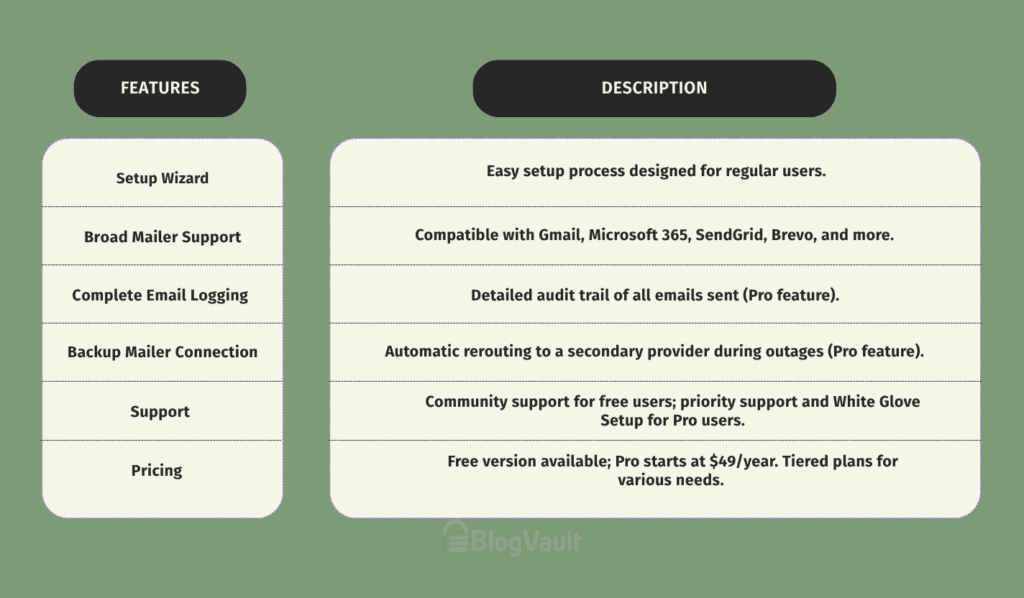
When we installed it, the plugin’s setup wizard immediately stood out. It guides you through everything, making it clear it’s designed for regular users, not just developers.
It’s also made by the same team behind WPForms. Having reviewed WPForms, we know their work is solid, which adds immediate credibility.
The free version gets the basic job done, but the plugin makes it clear that the real power is in the paid plan.
Core features
To make your emails reliable, WP Mail SMTP reroutes them through a proper email service instead of your web host. These are the features that make it work.
Broad mailer support
WP Mail SMTP is compatible with virtually any email provider. The free version supports all the essentials, including:
- Gmail / Google Workspace
- Microsoft 365 / Outlook
- SendGrid
- Brevo (formerly Sendinblue)
- And many others…
This flexibility means you almost certainly won’t have to sign up for a new service just to use the plugin.
Complete email logging (Pro feature)
In our opinion, this is the single most compelling reason to upgrade to Pro. It creates a detailed audit trail of every single email that leaves your website (a feature now also found in powerful free plugins like FluentSMTP).
Why this matters: When a customer claims they never received a receipt, you have definitive proof of delivery. You can even resend a failed email with one click. For troubleshooting, this feature is an absolute lifesaver and has saved most WordPress users countless hours.
Advanced controls & failsafes (Pro feature)
Another standout Pro feature is the ability to set up a backup mailer connection. If your primary email service has an outage, the plugin automatically reroutes the email through a secondary provider.
Why this matters: For any business, this is a critical failsafe that ensures communication never stops, even if your mailer has a technical problem.
Support and documentation
With the free version, you rely on community help in the WordPress.org forums.
With the Pro version, we found that you get priority support directly from their expert team. They also offer a White Glove Setup service, where a technician will literally configure the entire plugin for you.
For people who aren’t comfortable with the technical side, this is a huge benefit.
The setup process
Getting this plugin running was surprisingly painless. The wizard is the standout feature. Here’s a quick look at the steps we took:

- Launch the Wizard. After installing and activating the plugin, we were prompted to start the setup wizard.
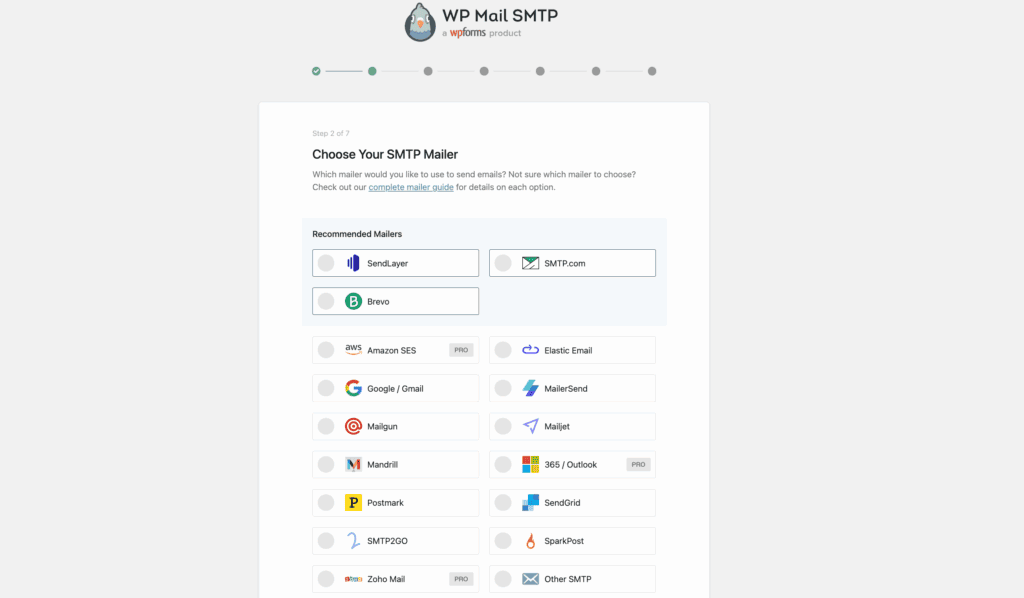
- Choose Your Mailer. We selected our email service from the list (e.g., SendGrid, Gmail). The wizard then gave us the exact fields we needed to fill in, like the API Key.
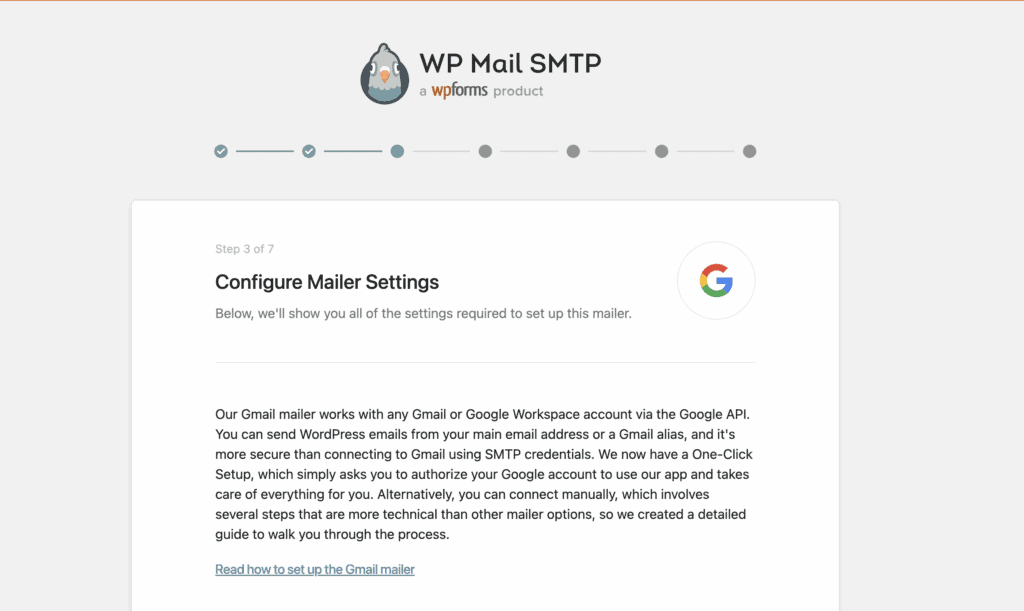
- Configure Sender Details. This is where we set the “From Name” and “From Email” that users will see when they receive an email from the site.
The entire process consistently took us less than five minutes.
Pricing breakdown

- Free Version: Great for a personal blog or a small site where email isn’t critical.
- Pro Plan: Starts at $49/year for one site. For most businesses, we find this is the best value, as it unlocks all the important features like email logging.
- Elite & Agency Plans: Higher-tier plans for professionals managing multiple websites.
Keep in mind the prices shown are usually for the first year. All plans renew at a higher, regular price, so be aware of that. There is a 14-day money-back guarantee, so trying Pro is risk-free.
How the free version compares to the PRO version
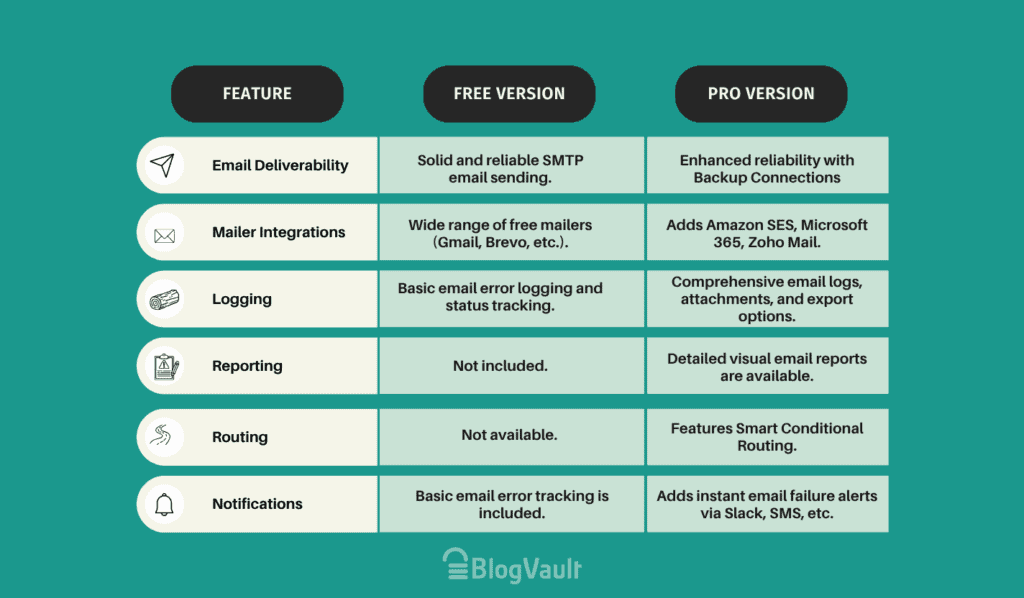
Is WP Mail SMTP for your site?
We recommend WP Mail SMTP if:
- You run a business, an online store, or a membership site.
- Your site relies on email for confirmations or notifications.
- You need proof that emails are being sent and delivered.
- You run a small, personal blog.
- You just need a basic fix and don’t need to track emails.
Other SMTP plugin options to consider
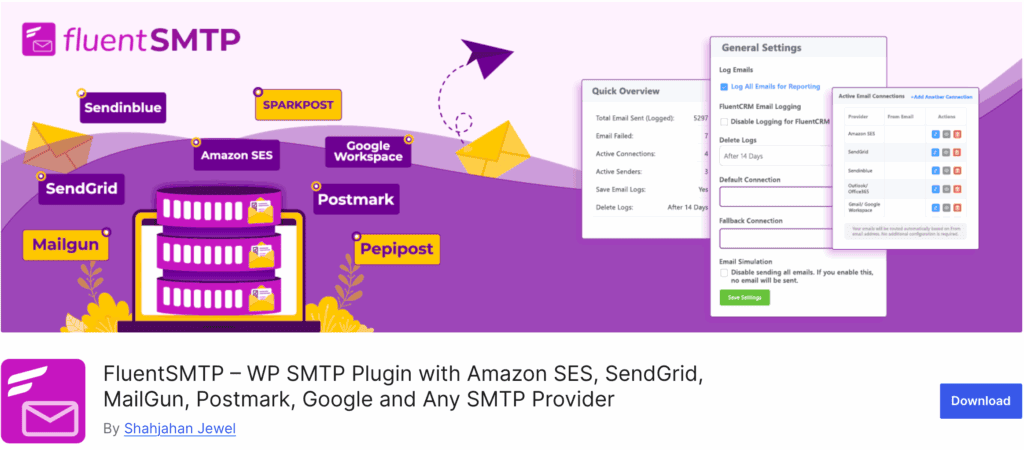
Fluent SMTP plugin: This is the best free alternative we’ve tested, offering premium features like email logging at no cost. It’s the go-to choice for users who need Pro functionality without the price tag.
Easy WP SMTP: A simple and lightweight plugin designed for getting the basic job done reliably. It’s a set-it-and-forget-it tool, but be aware that it offers no email logging.
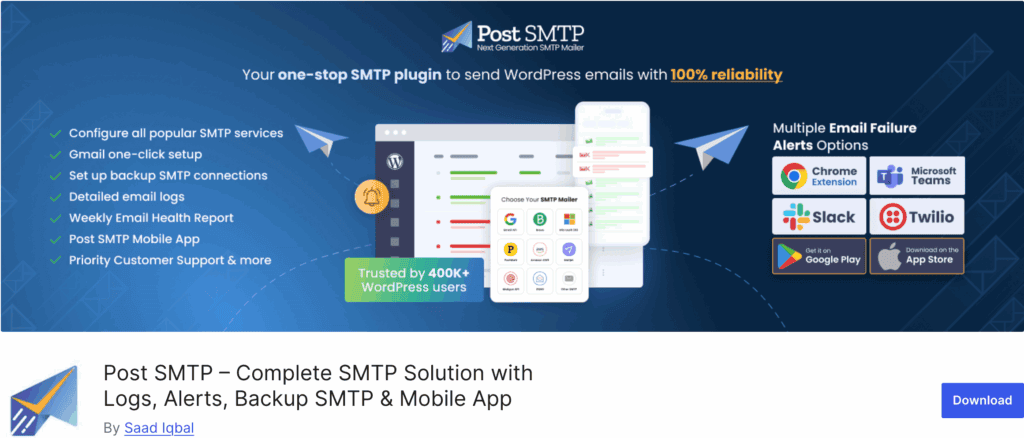
Post SMTP: This is a solid choice that focuses heavily on security and detailed error logging. It’s a great option for more technical users who need to troubleshoot email issues effectively.
Final verdict
After extensive testing, WP Mail SMTP is our definitive recommendation for fixing WordPress email. The free version solves the technical problem, but the Pro version solves the business problem.
Features like email logging and backup connections are essential tools that prevent lost sales and frustrated customers, making the cost a non-negotiable investment in reliability for any serious website.
FAQs
Is WP Mail SMTP safe?
Yes. From what we’ve seen, it uses secure, modern methods to connect to your email service and does not store your email password on your website.
Is WP Mail SMTP Pro better than free?
Absolutely. The Pro version offers critical business features like email logging, tracking, and professional support. The free version only solves the basic delivery problem.
Why use WP Mail SMTP?
You can use WP Mail SMTP to make sure the emails your WordPress site sends (like from contact forms or online store orders) actually get delivered to the user’s inbox.
Is WP Mail SMTP free?
WP Mail SMTP has free version is available for basic needs. The powerful features for businesses are in the paid Pro version.

Shivani enjoys crafting guides that make every aspect of using WordPress simple and easy to follow. When she's not glued to her laptop, you can find her buried in a good book or occasionally, painting.