

Migrating your WordPress site is a critical task, and the choice between All-in-One WP Migration vs Duplicator can make or break the process.
Pick the wrong tool, and you risk a broken site, lost data, or frustrating downtime.
That’s why we’ve extensively tested both plugins to ensure this article compares their strengths and weaknesses. This helps you select the ideal tool for a seamless, stress-free transfer.
All-in-One WP Migration is great for simple site moves, Duplicator offers more control for complex needs, and Migrate Guru excels as a top free migration plugin for large, hands-off transfers due to its efficiency and ease.
All-in-one WP Migration in a nutshell

All-in-One WP Migration simplifies moving your entire WordPress site. It packages all your content, posts, images, settings, and users into a single .wpress file.
The export process is a simple three-step affair: install the plugin, export the file, and then import the file. The best part about it is that, you won’t deal with databases or code.
The free version handles various migration scenarios, from local-to-live transfers to changing domains. You can update links in the database using the search and replace feature.
You can save this export file directly to your computer and even password-protect it for security. The plugin also lets you customize exports by excluding unnecessary files.
However, the free version has clear limits. Cloud exports, multisite support, and importing sites over 100MB require paid add-ons. There’s no one-click restore feature, so you’ll manually import the .wpress file.
Duplicator in a nutshell

Duplicator takes a different approach to site migration. Instead of creating one package file, it generates two components: an archive.zip file containing your entire site and an installer.php file that acts as an auto-setup wizard. For partial exports, the free version only supports database-only exports.
The plugin handles moving sites between hosts, domains, or from local to live environments. However, the free version requires significantly more technical involvement.
The process involves exporting your package, manually uploading files via FTP, running the installer, and adding new database credentials.
The Pro version simplifies the process with a drag-and-drop functionality. This removes the need for FTP or database skills.
While the free version manages larger sites better, it caps at 500MB. To exceed this limit, you’ll need Duplicator Pro or server adjustments.
Comparing core features
Test site setup
To give you an accurate comparison, we set up two test sites for this evaluation. The source site contains 2GB of content, including posts, images, and plugins, representing an established WordPress site. The destination site is a fresh WordPress installation with no content.
It allows us to test both plugins under identical conditions, giving you reliable insights into their performance.
A) Ease of use
When migrating a WordPress site, how easy a plugin is to use directly impacts the process. Let’s compare the user-friendliness of All-in-One WP Migration and Duplicator:
All-in-One WP Migration
All-in-One WP Migration offers a highly intuitive interface. Most non-technical users can initiate a migration process within approximately 10 minutes, without needing a tutorial.

While it doesn’t feature a step-by-step wizard, the simplicity of its Export and Import sections guides users naturally. You can password-protect your export files for added security.
The main point to note is an import limit of 100MB, which you can surpass by either manually increasing your server upload limit or by purchasing an add-on; after this, the process becomes straightforward.
Duplicator
Duplicator presents a user-friendly, wizard-driven process for creating your migration package. This guides you through steps like naming, scanning, and building your archive and installer files.

However, the free version’s import process is more technical. You’ll need to manually upload files via FTP to your new server and add new database credentials. This import process can be time-consuming and requires familiarity with FTP.
Duplicator Pro, however, offers one-click restores and drag-and-drop functionality, eliminating the need for FTP or database skills. The plugin also includes built-in checks to identify potential issues before migration and access to detailed guides.
B) Export feature
For both these plugins, you’ll need to generate an export file, or package, and then import it at your destination. We’ll examine how easy this process is for each plugin and what’s involved.
All-in-One WP Migration
All-in-One WP Migration prioritizes simplicity for exports, offering click-and-export functionality. You can export your entire site or customize the export by excluding themes, images, spam comments, and post revisions via Advanced options.

Our 2GB test site successfully generated a compressed 573MB .wpress file in under a minute. The free version only allows local file exports; all other storage destinations (including cloud) require paid add-ons.

For added security, you can password-protect your export files. It also includes a built-in search and replace feature for manually updating old and new URLs to update site-specific data during migration. The free version provides powerful export features, and premium extensions offer multisite and larger file support.
Duplicator
Duplicator generates two files for export: an archive.zip containing your site and an installer.php file. For partial exports, the free Lite version only supports database-only files, making it less flexible for custom file migrations.
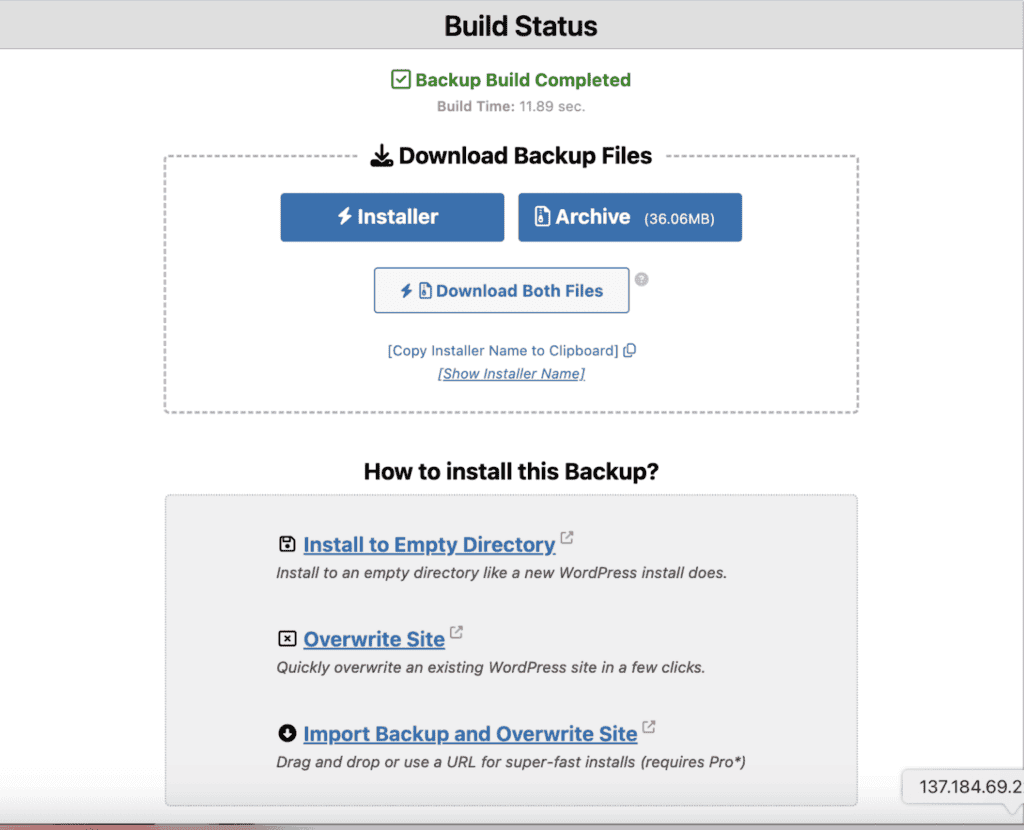
While the Lite version works well for sites under 500MB, exporting larger sites, like our 2GB test site, failed. This is because packaging such a large site demands significant server resources, leading to timeouts or terminations in limited hosting environments.

For this reason, we tested the Lite version with a 400MB site. This generated both files in under two minutes, including scanning and building the packages.
For handling larger sites and achieving more advanced control, Duplicator Pro is often required. The Pro version offers additional storage locations, file export encryption, and the ability to select specific site components for customized exports, providing a seamless experience without manual interventions.
C) Import feature
Once you have your export file or package, you need to import it to your destination site. Let’s look at how easily each plugin handles this crucial step.
All-in-One WP Migration
After exporting, All-in-One WP Migration makes importing straightforward. You’ll set up a blank WordPress site at your destination, install the plugin, then use its simple drag-and-drop feature for your .wpress file.

The free version has a 100MB import limit, which you can bypass by manually increasing your server upload limit or with a paid extension.
Our 2GB test site’s import, including the necessary server adjustment, took approximately 4 minutes. You can also exclude specific elements during import, though direct .wpress imports from cloud services require a premium extension.
Duplicator
Duplicator’s import process varies significantly by version. The Pro version offers simple drag-and-drop imports and supports direct server imports, streamlining the process and eliminating the need for manual file handling.
The free Lite version, however, requires significant manual effort. You’ll need to use FTP to upload both the archive.zip and installer.php files to your new server and then run the installer.
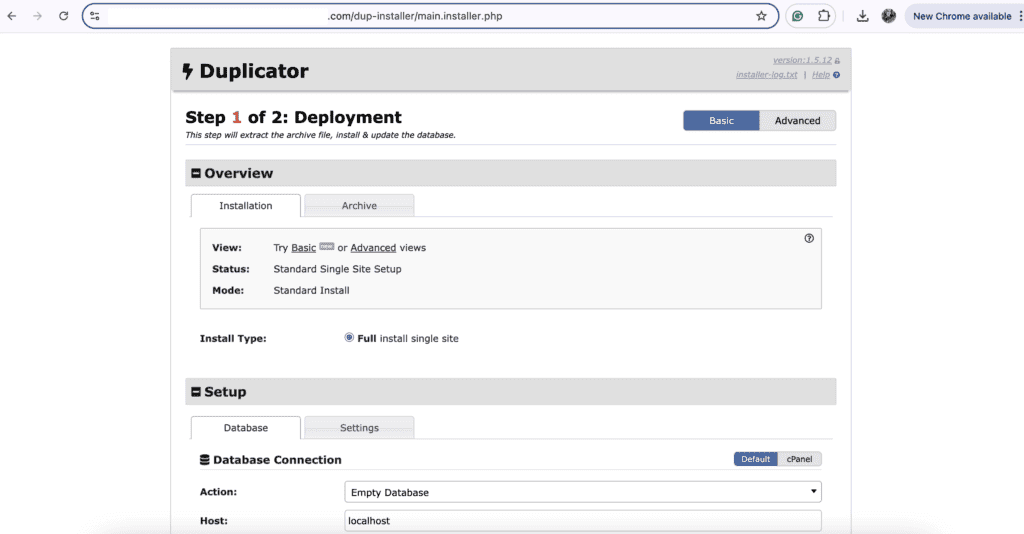
Keep in mind that you must first ensure your destination site’s root folder is empty – a step that typically consumes the most time. After uploading, you access the installer.php via your browser, create a new database on your destination site, and input credentials.
This entire manual import process took us over 40 minutes. While it offers detailed control, this complexity is ideal for technically adept users.
Pros and cons
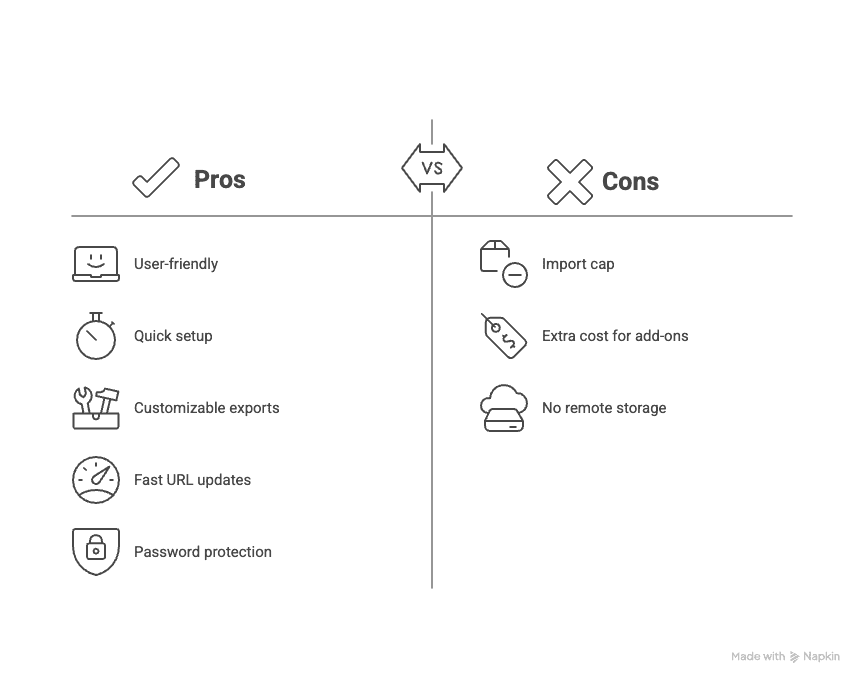
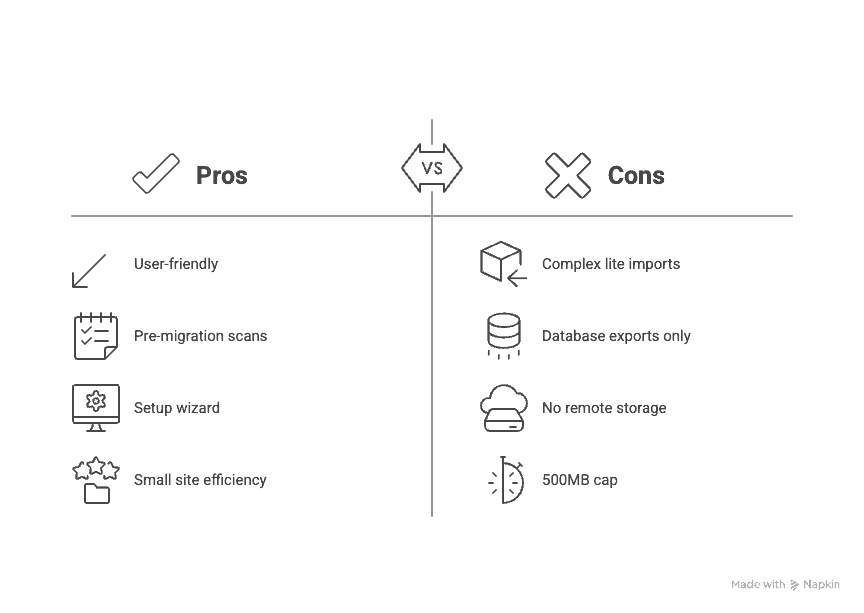
Choosing the right plugin often comes down to its strengths and weaknesses compared to your specific needs. Here’s a concise overview of each.
All-in-One WP Migration
Duplicator
Pricing
Understanding the cost is crucial when choosing a migration plugin. Both All-in-One WP Migration and Duplicator offer free versions with different pricing models for their premium features.
All-in-One WP Migration
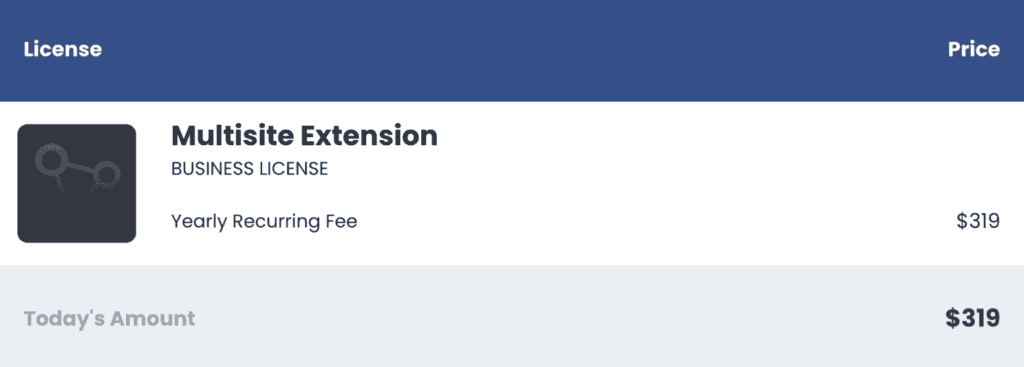
The core All-in-One WP Migration plugin is free, but it limits imports to 100MB. Overcoming this requires purchasing the Unlimited Extension, a one-time payment that removes all size limits. Other paid add-ons are available for specific features like Multisite support or cloud storage integrations. These add-ons generally start from $69.


Duplicator
Duplicator uses an annual subscription model with several tiers. The Basic plan ($39.60/year) covers up to 2 sites. The Plus plan ($79.60/year) supports up to 5 sites with advanced features. For up to 20 sites and priority support, the Pro plan costs $159.60/year. The Elite plan ($239.60/year) offers the full feature set for up to 100 sites.

What should you pick? All-in-One WP Migration vs Duplicator
Choosing the right plugin depends entirely on your specific needs and technical comfort.
All-in-One WP Migration is perfect if you value simplicity and an intuitive experience, ideal for straightforward migrations of small to medium-sized sites. Its Pro version scales effortlessly, accommodating larger sites, multisite migrations, and cloud storage integrations without manual interventions.
Conversely, Duplicator is a great choice if you seek advanced control and flexibility, tailored for tech-savvy users handling larger or more complex sites. While the free version involves more manual steps, the Pro version simplifies the process with one-click restores and drag-and-drop functionality, removing the need for FTP or database skills.
Ultimately, your choice will depend on your budget and technical expertise.
Best free alternative migration plugin
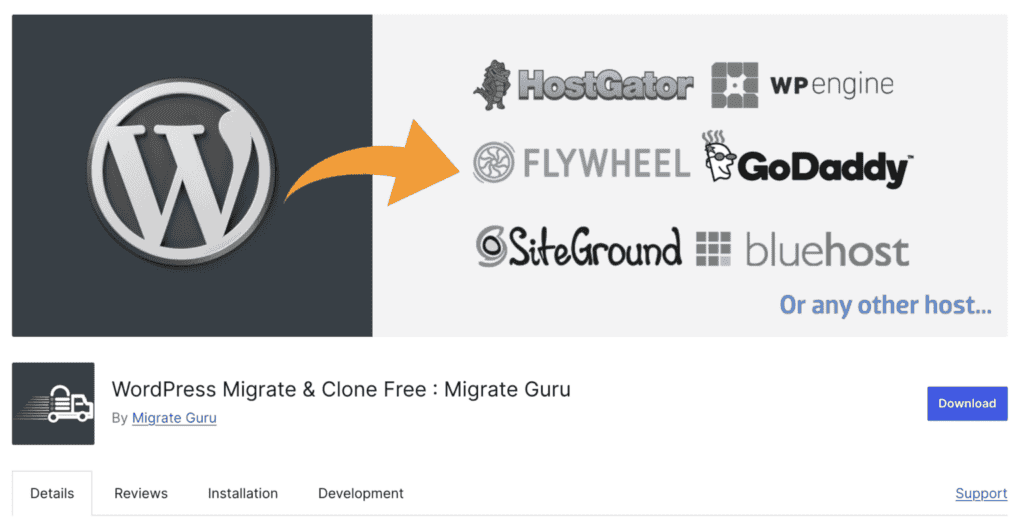
If All-in-One WP Migration or Duplicator doesn’t quite fit your needs, especially for larger sites, Migrate Guru is an excellent free alternative.
This plugin specializes in very fast, direct server-to-server website migrations. This eliminates the need to download files to your computer.
It operates on BlogVault’s robust servers, making it highly efficient and independent of your host’s resources. This allows it to handle sites up to 100GB without issues.
To use it, simply install it on your old site, provide source and destination login details, and Migrate Guru handles the transfer, automatically updating all URLs. It’s the perfect solution for a completely hands-off migration.
Parting thoughts
Choosing the right migration plugin depends on your site’s size, your technical comfort level, and specific needs. All-in-One WP Migration excels for beginners and simple moves, offering ease of use. For those requiring advanced control, Duplicator is ideal for technically skilled users.
For larger sites, Migrate Guru is an excellent free, hands-off alternative. Consider Pro versions for enhanced functionality and ease, while keeping budget and requirements in mind to find the best fit.
FAQs
What is the difference between Duplicator and All-in-One WP Migration?
The main differences between the two are that Duplicator offers more advanced features and control, while All-in-One WP Migration is simpler and user-friendly. Duplicator excels in handling larger sites with technical customization, whereas All-in-One WP Migration is great for straightforward, smaller site migrations.
Is All-in-One WP Migration good?
Yes, it’s a great choice for easy and intuitive site migration. It’s perfect for small to medium-sized sites and ideal for users without technical expertise.
What is the best way to migrate a WordPress site?
The best way to migrate a WordPress site depends on factors like site size and complexity. Use All-in-One WP Migration for simplicity, or Duplicator for advanced control in more complex scenarios.
What is the best WordPress migration plugin?
The best plugin depends on your needs. Look for one that balances ease of use, advanced features, and scalability. Popular options offer various functionalities, including seamless migrations and comprehensive support.
Is All-in-One WP Migration free or paid?
All-in-One WP Migration offers both free and paid versions. The free version has limits with workarounds, while the paid extensions unlock additional features.

Shivani enjoys crafting guides that make every aspect of using WordPress simple and easy to follow. When she's not glued to her laptop, you can find her buried in a good book or occasionally, painting.


