

The bbPress vs BuddyPress choice is a classic stumbling block for new community builders. You just want a place for your users to connect, but the line between a simple forum and a social network feels blurry. Choosing incorrectly means wasting development time on a tool your members won’t use, forcing you to start over.
When looking at plugins for WP forums, these two giants solve very different problems. This guide cuts through the confusion to help you decide quickly. We’ll compare their core features and ideal use cases so you can confidently build your community the right way from day one.
bbPress creates simple discussion forums, while BuddyPress builds a complete social network with user profiles, groups, and activity feeds. Neither of these plugins is robust and feature-rich.
In my experience of Simple:Press is a far better option. It offers advanced features like user ranks, sub-forums, and detailed permissions built in from the start.
Quick Look at bbPress vs BuddyPress
Both bbPress and BuddyPress were created by the same team that makes WordPress. Forums were originally part of BuddyPress, but were later separated into their own lightweight plugin, bbPress. This split allows you to use bbPress alone for a simple forum, or add it to BuddyPress to give your social network powerful discussion boards.
bbPress
bbPress was designed by the creators of WordPress to be a free, lightweight, and simple forum solution. It follows WordPress coding standards, making it fast and less likely to bloat your site. Its core purpose is to add discussion boards, with features limited to creating forums, topics, and replies. It’s built for simplicity and speed.
However, its simplicity is also its main weakness. Out of the box, the feature set is extremely basic compared to modern forum software. You get the bare essentials, and anything more advanced, like user ranks or detailed moderation tools, requires add-on plugins.
We tested bbPress and found that it is too basic for most modern community needs. While stable, its development has been slow for years, with updates focused on maintenance rather than new features. It works, but it feels outdated and lacks the engagement tools users now expect.
As I tested the plugin, it was clear that it’s designed for users who want nothing more than a straightforward Q&A board. It’s a blank canvas, but you’ll need technical skill or a suite of other plugins to paint a complete picture.
BuddyPress
BuddyPress is a free, open-source plugin that transforms your WordPress site into a social network. It’s not a forum plugin; it’s a community engine. It provides the foundational features of a social site: extended user profiles, private messaging, user groups, activity feeds (like a personal wall), and friend connections.
Critically, BuddyPress does not have a built-in forum system. It was specifically designed to integrate with bbPress. When you enable the integration, you can create dedicated discussion forums inside each user group, turning a simple social group into a collaborative hub.
Now, let’s get into the head-to-head comparisons of some critical factors:
User Engagement and Experience
User engagement is what transforms a static page into a living community. We looked for features that encourage users to interact with each other and the content beyond simply posting and replying.
bbPress: bbPress offers a traditional and functional engagement model. Its strength lies in focused, threaded discussions where users can subscribe to topics, mark favorites, and search for specific information.
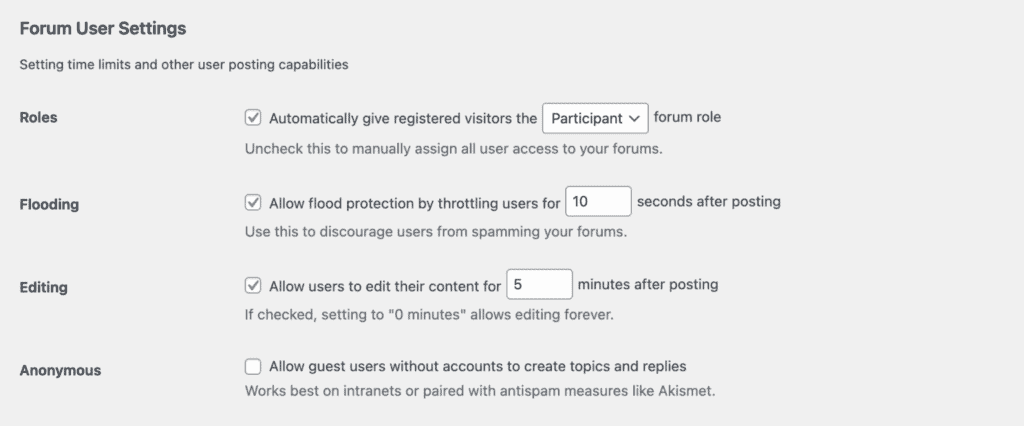
However, the experience is very linear and centered entirely on the forum content itself. It’s a tool for conversation, not a platform for connection.
BuddyPress: BuddyPress provides a dynamic, Facebook-like experience with activity streams, customizable profiles, direct messaging, and friend connections. This is not quite a forums but it is a great way to create a community.
Admin and Moderation
Effective moderation tools are essential for maintaining a healthy and safe online community. Here, we evaluated the controls available to administrators for managing both user behavior and content quality.
bbPress: For pure content moderation, bbPress provides excellent, granular control. With specific roles like “Moderator” and “Keymaster,” you can manage permissions on a per-forum basis.
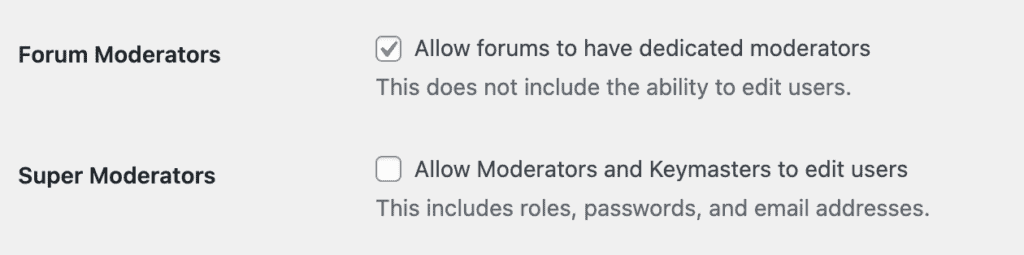
Its tight integration with Akismet for spam and built-in revision logs make it the best forum software for WordPress.
BuddyPress: Admins can create and manage member types, moderate group activity (public or private), and act on user-submitted reports for inappropriate content. The focus is on community governance and user conduct across the entire site.
Design and Customization
The look and feel of your community are crucial for brand consistency and user experience. We analyzed how easily each plugin can be styled to match your site and how much control you have over its layout and appearance.
bbPress: bbPress is intentionally minimalist and designed to blend seamlessly into almost any WordPress theme with little effort. Its lightweight nature means it has a minimal impact on your site’s design and loading speed.
Using simple shortcodes, you can add forums to a WordPress site on any page you choose, making it incredibly flexible for simple implementations.
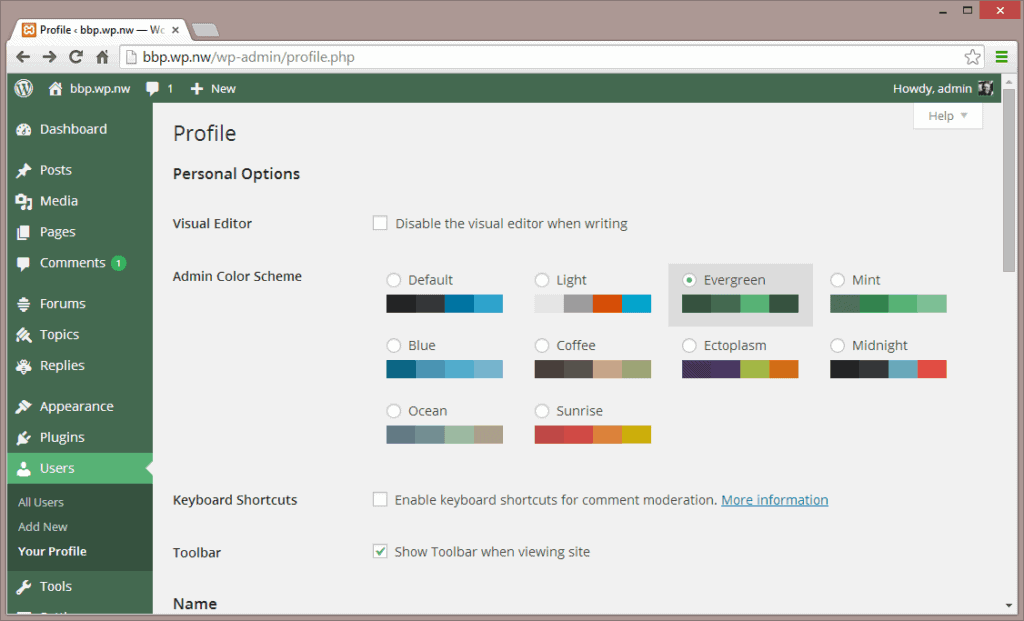
BuddyPress: BuddyPress offers more visual components like cover photos and profile menus, but this comes at a cost. To look polished, it often requires a specifically designed theme (like BuddyBoss or a dedicated BuddyPress theme). While you can disable components you don’t need, its default styling can look dated or out of place on a modern website without significant custom work.
Social Networking, Integration, and Monetization
A modern community rarely exists in a vacuum. This section evaluates how well each plugin connects with other popular tools (like e-commerce, LMS, or membership plugins) to create a more powerful and profitable platform.
bbPress: bbPress works well as a feature added onto other systems. It’s commonly used to add discussion boards to LearnDash courses or to create members-only forums with MemberPress. However, it acts as a supporting component; it isn’t the central platform driving the integrations.
BuddyPress: BuddyPress is designed to be the social layer that connects everything else. With deep integrations for gamification (GamiPress), e-commerce (WooCommerce), and a massive library of third-party add-ons, it provides a powerful foundation for building a feature-rich, monetized community.
When to Look Beyond WordPress for Your Forum
If your primary goal is to build a large, high-traffic discussion community, starting on WordPress is a strategic mistake. WordPress was engineered as a content management system, optimized for pages and posts that are written once and read many times. A busy forum does the exact opposite, creating thousands of constant database reads and writes. This fundamental architectural mismatch will eventually cause slow load times and a frustrating user experience, creating a growth ceiling you cannot overcome without migrating platforms.
For a forum-first community, it’s better to use a dedicated platform built for the job.
- Discourse: Discourse is a modern, open-source platform with a real-time feel. It’s built for engagement with powerful moderation tools and designed to scale with your community.
- phpBB: phpBB is one of the oldest and most popular free forum scripts. As a standalone application, it’s a powerhouse built exclusively for running massive communities.
- Flarum: Flarum beautifully simple, modern, and fast open-source forum software. It offers an elegant user experience and is designed for performance from the ground up.
Final thoughts
The choice between bbPress and BuddyPress is a choice between two distinct community models. If you need a simple, fast, and lightweight discussion board for support, Q&A, or focused topics, bbPress is the purpose-built tool for the job. If your vision is a full-fledged social network with rich member profiles, activity feeds, user groups, and direct messaging, BuddyPress is the clear all-in-one solution.
Regardless of your choice, if you are set on a WordPress solution, always test your setup on a staging site first. A staging site is a private copy of your website where you can experiment with these powerful plugins and their add-ons without any risk to your live site or its visitors.
FAQs
What is bbPress used for?
bbPress is a free WordPress plugin used to add simple, lightweight discussion forums to a website. Its primary purpose is to create a space for threaded conversations (topics and replies). It’s ideal for support forums, Q&A sections, niche discussion boards, or adding a community feature to an existing blog or business site without slowing it down.
Is bbPress free?
Yes, the core bbPress plugin is 100% free and open-source. You can download and install it directly from the official WordPress plugin repository. However, while the basic functionality is free, you may end up spending money on premium themes or third-party add-on plugins to get more advanced features or a more polished design.
What is the difference between BuddyPress and BuddyBoss?
BuddyPress is the free, open-source foundation, while BuddyBoss is a premium, polished platform built upon it.
- BuddyPress is a free plugin that provides the basic building blocks for a social network (profiles, groups, messaging). It’s a framework that requires other themes and plugins to feel like a complete, modern community site.
- BuddyBoss is a commercial product that takes the free BuddyPress and bbPress code, enhances it with many more features, and bundles it with a professionally designed theme and dedicated support. It’s an all-in-one solution designed to help you launch a feature-rich community quickly.
Is phpBB better than bbPress?
It depends on your goal. phpBB is a dedicated, standalone forum software, while bbPress is a WordPress plugin.
- phpBB is better if your entire website’s purpose is to be a large, high-traffic forum. It is far more powerful and feature-rich out of the box, with advanced moderation, permissions, and customization options built specifically for running a massive forum.
- bbPress is better if you want to add a forum to your existing WordPress site. Its main advantage is its seamless integration. It uses your WordPress theme, users, and login system, making it much simpler to manage within your current ecosystem.

Shreya has been a writer for as long as she can remember. Now, she writes articles that help WordPress users manage the sites that they're proud of, with little to no coding


