

Deciding between wpforo vs bbpress is a critical first step to building a thriving community on your WordPress site. The choice boils down to a simple trade-off: do you need a fast, minimalist discussion board or a feature-packed, modern forum suite right out of the box?
A WP forum plugin should feel like a natural extension of your brand. We’ll break down the core differences in features, ease of use, and performance to help you make an informed decision.
The best forum plugin for your website depends entirely on your goals; bbPress is the superior choice for lightweight simplicity, while wpForo is better for building a feature-rich, all-in-one community from the start.
Quick Look at wpForo vs. bbPress
These two plugins represent opposite approaches to building a forum. bbPress, from the creators of WordPress, is built for minimalist simplicity, while wpForo is an independent, all-in-one solution packed with modern features from the start.
bbPress
bbPress was designed to be a free, lightweight, and simple forum plugin. It prioritizes speed and seamless integration by using your existing theme for styling. Its core purpose is to add basic discussion boards—forums, topics, and replies—without slowing down your site.
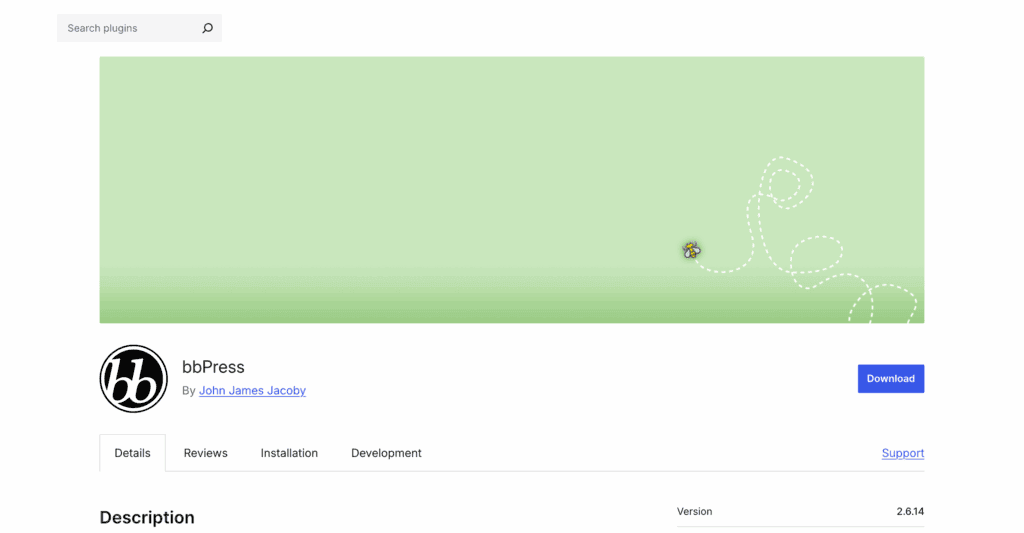
However, in our review of bbPress, we felt that its main weakness is this same simplicity. The out-of-the-box feature set is extremely limited. Anything beyond basic posting, like user reputation, solved topics, or advanced moderation, requires separate add-on plugins.
wpForo
wpForo is a modern, feature-packed forum plugin designed as a complete community solution. It comes with its own responsive layouts (including Q&A and simplified views) and includes advanced features like member reputation, badges, and user groups built in.
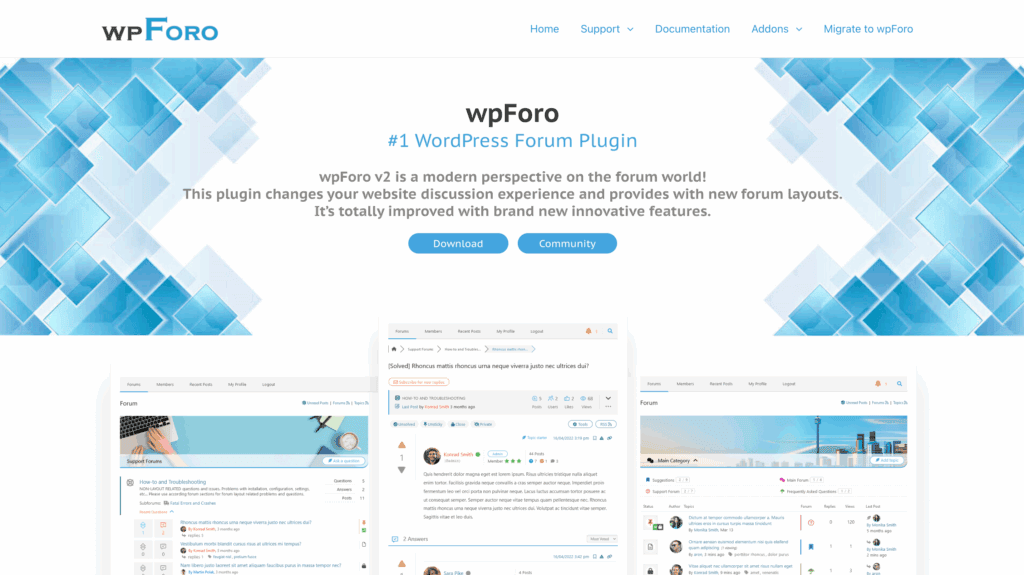
Now, let’s get into the head-to-head comparisons.
User Engagement
A successful forum is more than just a place to post questions; it’s an active community. We looked for features that promote interaction, reward participation, and keep users coming back. This includes everything from notifications and reputation systems to social sharing.
wpForo: wpForo is designed as a forum plugin with gamification and engagement at its core. It includes a built-in member rating and badge system to reward active users, live notifications to keep them updated, and advanced user profiles.
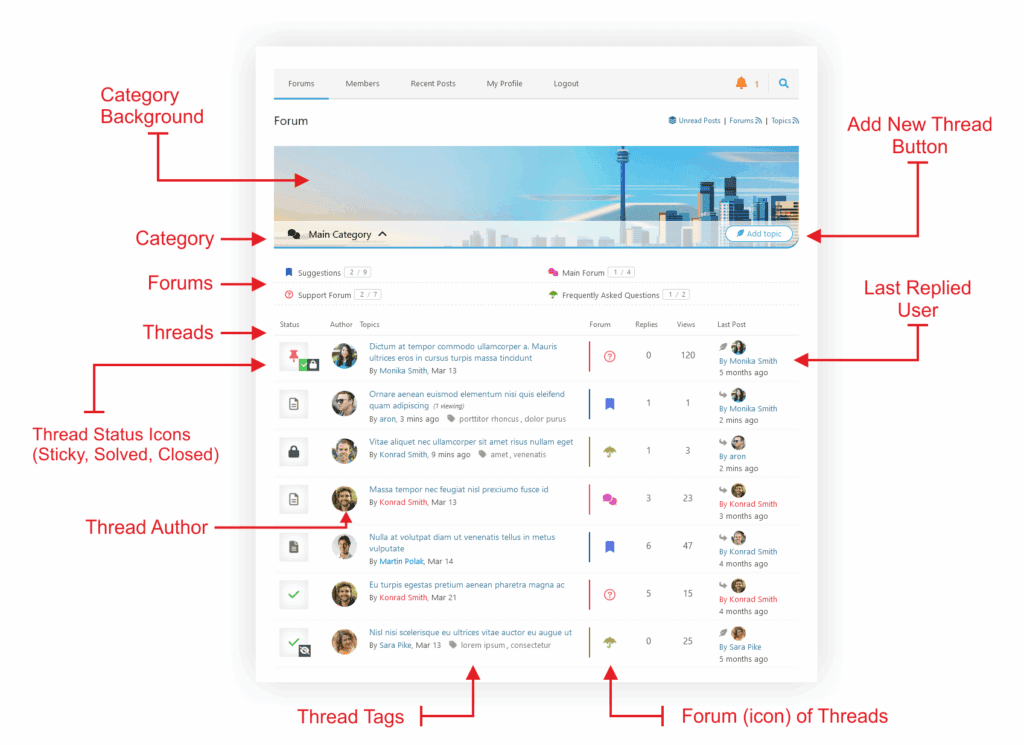
Features like topic subscriptions, content view tracking, and integrated social sharing buttons are all included out-of-the-box, creating a rich, interactive environment without needing any extra plugins.
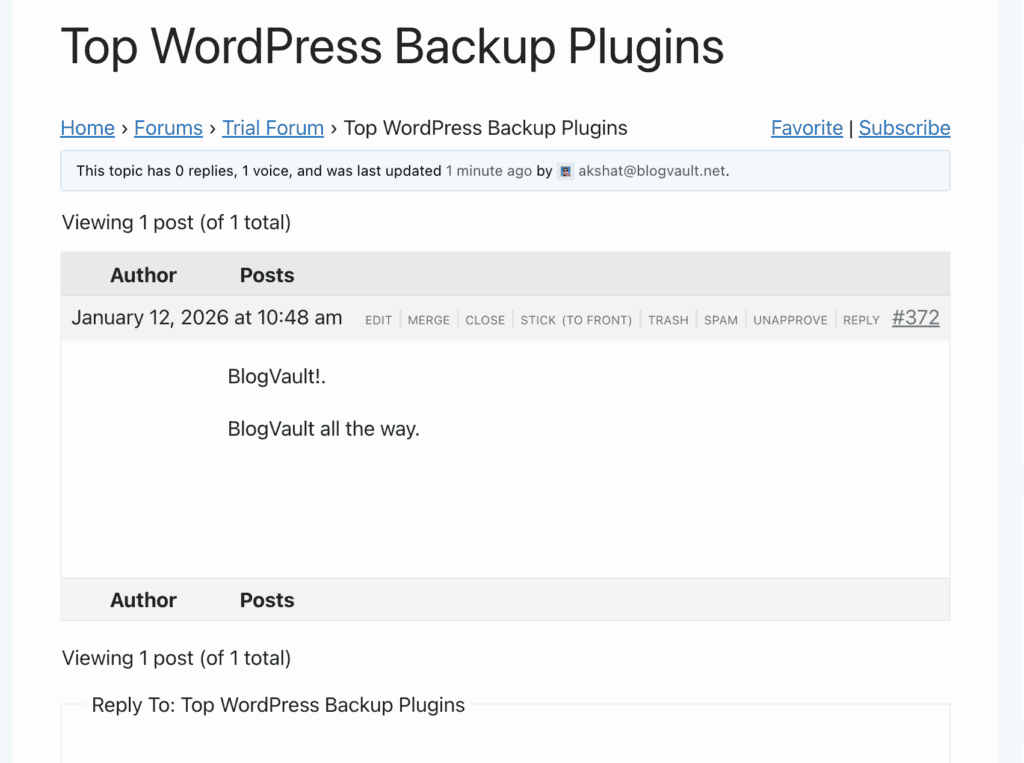
bbPress: bbPress provides the bare essentials for engagement. Users can mark topics as favorites and subscribe to get updates, but that’s where the built-in functionality ends. While functional, it lacks the modern tools that drive a community forward. To get features like user ranks, badges, or advanced notifications, you must rely on finding and installing third-party bbPress extensions.
Admin and Moderation
Effective moderation tools are critical for keeping a forum healthy and spam-free. We compared how each plugin equips administrators to manage users, content, and permissions, looking for a balance of power and ease of use.
wpForo: wpForo offers a comprehensive and modern moderation experience. Admins can manage topics and posts directly from the front end, which is far more intuitive than digging through the back end.

Its usergroup system is incredibly powerful, allowing for granular control over what different member roles can see and do in specific forums. It also comes with built-in anti-spam measures, including Akismet and reCAPTCHA support.
bbPress: bbPress integrates moderation into the familiar WordPress dashboard. It uses a set of predefined user roles (like Keymaster and Moderator) and offers solid spam protection through Akismet. While its tools for merging, splitting, and repairing forums are useful, the overall system is less flexible than wpForo’s. Managing a large WordPress community plugin through the back end can become cumbersome, and it lacks the convenience of front-end moderation.

Design and Customization
The visual design of your forum directly impacts user experience. We evaluated each plugin on its out-of-the-box appearance, responsiveness, and how easily a non-technical user could customize its look and feel.
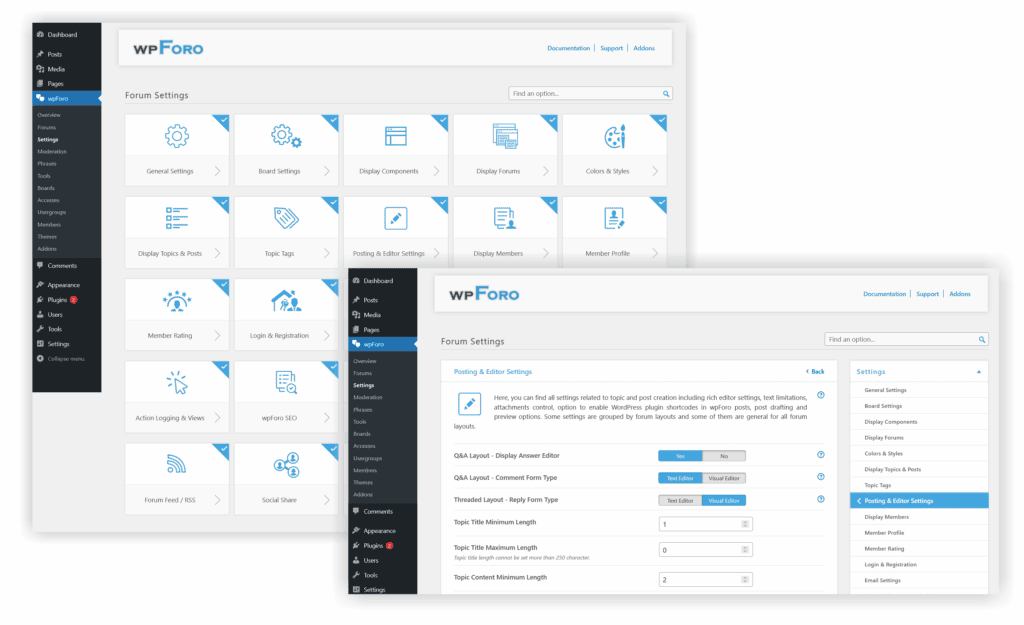
wpForo: wpForo excels in design, offering four distinct, modern, and fully responsive layouts, including a Q&A style and a threaded view. It also comes with six pre-made color schemes, including a dark mode, and a simple option to add custom CSS. This means you can have a great-looking forum that is optimized for all devices in minutes.
bbPress: bbPress is a blank canvas by design. It intentionally has minimal styling so that it can blend in with your existing WordPress theme. While this is great for creating a simple forum for WordPress site that matches your brand, it often results in a dated, basic appearance unless you have the CSS skills to customize it heavily. Customization relies on modifying template files or finding a theme with specific bbPress styling.
Social Networking
If your goal is to build more than a forum—a full social network with profiles, groups, and activity feeds—integration is key. We looked at how each plugin handles social features, either natively or through extensions.
wpForo: wpForo includes some social elements on its own, such as advanced user profiles and social share buttons. However, its real strength lies in its excellent native integrations with dedicated social network plugins like BuddyPress and Ultimate Member.
bbPress: bbPress contains no built-in social features. It was specifically created to be the forum engine for BuddyPress. This deep, native integration makes the combination of bbPress and BuddyPress a powerful and popular choice for transforming a WordPress site into a complete social network where user groups can have their own dedicated discussion boards.
Integrations and Monetization
Extending your forum with other tools or monetizing it through memberships is a common goal. We analyzed how each plugin connects with the broader WordPress ecosystem and what options are available for creating paid access.
wpForo: wpForo integrates well with major plugins like BuddyPress, Ultimate Member, and popular membership solutions. Monetization is primarily handled through its own ecosystem of official paid add-ons, which provide premium features like private messaging, an ad manager, and embeds. This creates a reliable but potentially costly way to add functionality.
bbPress: As a lightweight forum plugin WordPress users love, bbPress is built to be compatible with almost any well-coded plugin. Its main advantage for monetization is its ability to work seamlessly with a vast array of third-party membership and e-commerce plugins (like MemberPress or Paid Member Subscriptions). This flexibility allows you to choose from many different tools to restrict content and charge for access.
What’s Missing?
While both wpForo and bbPress are powerful tools, it’s crucial to understand their inherent limitations, which stem from the very foundation they are built on: WordPress. Acknowledging these gaps is key to setting realistic expectations for your community.
- The Architectural Mismatch: WordPress was designed as a content management system, with a database optimized for posts and pages that are written once and read many times. A busy forum does the exact opposite, generating thousands of small, rapid-fire database entries (writes and reads). This can create a performance bottleneck on standard hosting, leading to slow loading times and a frustrating user experience as your community grows.
- Two Paths of Limitation: The plugins present two different kinds of challenges.
- bbPress: Stagnant Development & Feature Gaps. Development on bbPress has slowed to a crawl, focusing almost exclusively on maintenance. It lacks modern engagement tools like reactions, mentions, or user rewards. To get this functionality, you are forced into a fragmented, “do-it-yourself” system of third-party add-ons, which can create compatibility issues and slow your site down.
- wpForo: The All-in-One Performance Trade-off. wpForo solves the feature gap by including everything in its core plugin. However, this feature richness comes at a cost. It is a much heavier, more resource-intensive plugin than bbPress and can place a significant load on your server, especially on shared hosting plans.
Looking Beyond WordPress
While wpForo and bbPress are excellent for adding a forum to an existing WordPress site, the platform itself becomes the limiting factor if your primary goal is to build a large, high-traffic discussion community.
The core problem is architectural. As your forum grows, the WordPress database structure simply can’t compete with platforms designed from the ground up for high-volume discussions. If you anticipate thousands of active users, you may outgrow a WordPress-based solution.
Here are some alternatives built specifically for high-performance forums:
- Discourse: Discourse is a modern, open-source platform that feels more like a real-time chat app than a classic forum. It’s built for engagement with features like trust levels, badges, and powerful moderation, and it can be integrated with your WordPress user base using the official WP Discourse plugin.
- phpBB: One of the oldest and most popular free forum scripts available. As a standalone application, phpBB is a powerhouse built exclusively for running forums, offering deep customization and robust tools for managing massive communities.
Final Thoughts
The choice between wpForo and bbPress is a choice between two philosophies. If you want a simple, fast, and lightweight discussion board that integrates cleanly with your theme, bbPress is the focused tool for the job. If you want a modern, feature-packed community with all the engagement tools included from day one, wpForo is the superior all-in-one solution.
However, remember the limitations of the WordPress platform. If your main objective is to build a large, dedicated discussion hub that can scale to a massive audience, you will be better served by a specialized platform like Discourse, which is purpose-built for that kind of load.
Regardless of your choice, if you are set on a WordPress solution, be sure to test everything on a staging site first. A staging site is a private copy of your website where you can experiment with these powerful plugins without any risk to your live site or visitors.
FAQs
What is the best forum for WordPress?
There is no single “best” forum plugin; the best one depends on your needs. For a modern, feature-rich community with user profiles, badges, and multiple layouts right out of the box, wpForo is an excellent choice. For a simple, fast, and lightweight discussion board that integrates seamlessly with your existing site, bbPress is the ideal solution.
Is phpBB better than bbPress?
They serve different purposes. phpBB is a powerful, standalone forum application built for high performance and scalability, making it better for massive, dedicated communities. However, it requires separate installation and management. bbPress is a WordPress plugin that is far simpler to install and integrates directly with your existing users and theme, making it better for adding a forum to a WordPress site with minimal fuss. phpBB is more powerful, but bbPress is more convenient.
Is WordPress good for forums?
Yes, WordPress is a good and very accessible platform for starting a small to medium-sized forum, especially when it’s part of a larger website (like a blog, shop, or membership site). However, WordPress was not originally designed to be a high-performance forum engine. For very large, high-traffic communities, its database structure can become a bottleneck, and dedicated forum software like Discourse or XenForo might be a better long-term choice.
What is the difference between BuddyPress and bbPress?
The difference is simple: bbPress is a forum plugin, and BuddyPress is a social network plugin.
bbPress adds traditional discussion boards with topics and replies.
BuddyPress adds social features like extended user profiles, private messaging, activity feeds, user groups, and friend connections. Crucially, BuddyPress does not have its own forum system. It is designed to integrate perfectly with bbPress, allowing you to add discussion forums inside your BuddyPress social groups.

Shreya has been a writer for as long as she can remember. Now, she writes articles that help WordPress users manage the sites that they're proud of, with little to no coding


