

Want to turn your website into a real community? The right WordPress forum plugin is the key to adding discussion boards, Q&A sections, and member areas directly to your site. But with dozens of options available, picking the best one can be a challenge. This guide simplifies the process by comparing the top plugins, so you can find the perfect tool to boost engagement and keep visitors coming back.
Among all WooCommerce plugins, forum tools are some of the most powerful for building a loyal audience. We’ll compare the top contenders based on features, ease of use, and price, so you can launch your community with confidence.
In our experience of BuddyBoss, it is the best forum plugin because it’s a complete community platform, not just a discussion board. It combines forums with social networking, built-in monetization tools for courses and memberships, and a professional theme—everything you need to build a serious online community out of the box.
When choosing a forum plugin, you’re adding more than just a place for discussions. We’ve evaluated the best options based on the features that matter most: an intuitive forum structure, powerful moderation tools, and user engagement features like profiles and messaging. We also considered ease of setup, performance, and how well each plugin integrates with your existing theme to create a seamless experience for your community members.
1. BuddyBoss
BuddyBoss is a premium WordPress platform that evolved from the original open-source BuddyPress code into a complete, commercial solution. It’s famous for combining the functionality of both BuddyPress (social networking) and bbPress (forums) into a single, powerful package, making it the top choice for anyone serious about building a feature-rich online community, not just a simple forum.

During our review of BuddyBoss, we found that it is incredibly comprehensive, providing all the social networking tools you need. It offers features like robust user profiles, groups, activity feeds, and private messaging. However, this core platform plugin is free but unstyled; it gives you the engine but relies on your existing theme to provide the design. The key thing to understand is that the premium BuddyBoss Theme is the paid component specifically designed to give the powerful free features a professional, market-ready design right out of the box.

Key Features:
- Social Networking: Profiles, activity feeds, and social groups.
- Integrated Communication: Private messaging, group chats, and notifications.
- Monetization & E-Learning: Sell courses and memberships with integrations.
- Live Engagement: Zoom integration, media uploads, and live-streaming.
- Optional Mobile App: Get a white-label native mobile app.
Potential Downsides to Consider:
- Complex configuration and setup.
- A significant financial investment.
- Requires high-quality WordPress hosting.
Who is BuddyBoss For?
BuddyBoss is the best choice for course creators, online brands, and entrepreneurs who are building a premium, multi-faceted community and want a single, integrated system to manage it all. It is overkill if all you need is a simple discussion board, but it is a powerful and cohesive solution for those building a business around their online community.
2. bbPress
bbPress is the official WordPress forum plugin, developed by the creators of WordPress itself. It’s famous for being exceptionally lightweight and simple, designed to integrate perfectly with any WordPress site without slowing it down. Its core philosophy is to provide a solid, no-frills foundation for forums that you can extend as needed.
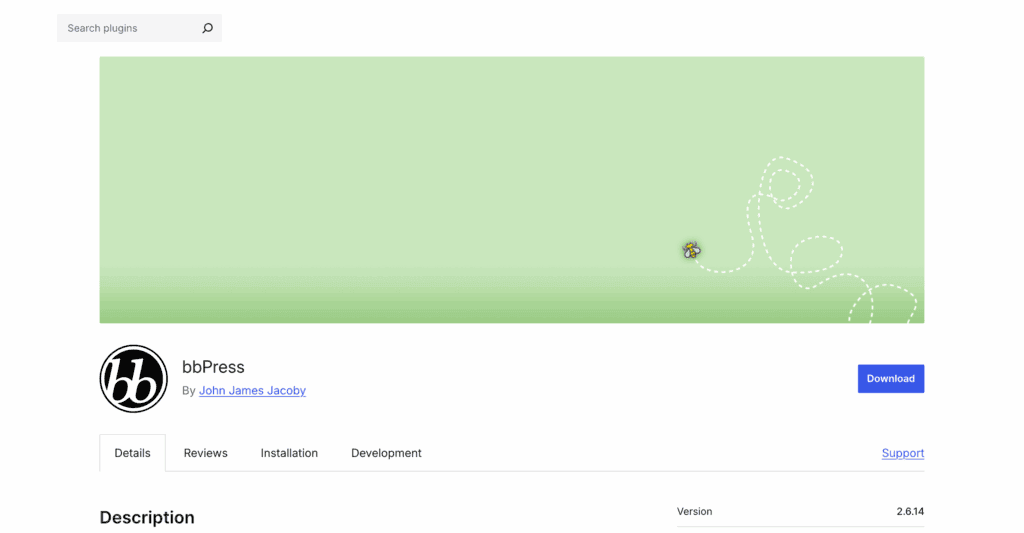
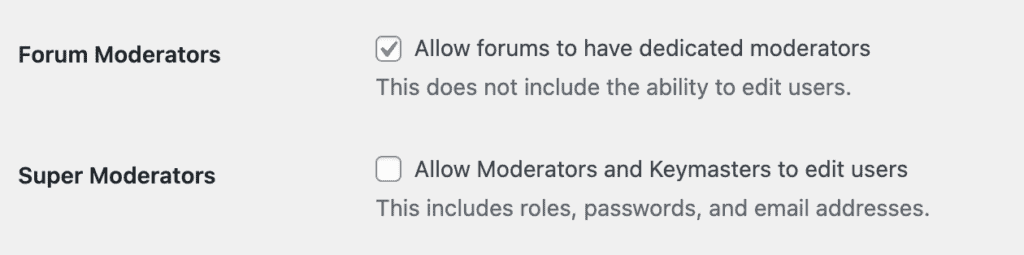
During our bbPress experience, we found that bbPress lives up to its reputation for speed and stability. The setup is a breeze, and it runs incredibly fast. However, its main strength is also its biggest weakness: the default design is very basic and looks dated. To get a modern look and advanced features, you must rely on third-party extensions and some custom styling, making it a blank canvas rather than a finished product.
Key Features:
- Native Integration: Fast, native WordPress integration.
- Simple Forum Structure: Unlimited forums, topics, replies.
- Familiar Management: Easy, WordPress-style management.
- Spam Protection: Built-in Akismet spam protection.
- Highly Extendable: Extend with hundreds of add-ons.
Potential Downsides to Consider:
- Outdated design needs custom styling.
- Core plugin has limited features.
- Requires multiple add-ons for features.
Who is bbPress For?
bbPress is the best choice for users who prioritize speed, simplicity, and stability above all else. It’s perfect for those who want a basic, reliable forum or developers who prefer a lightweight foundation to build a highly customized community upon.
3. Simple:Press
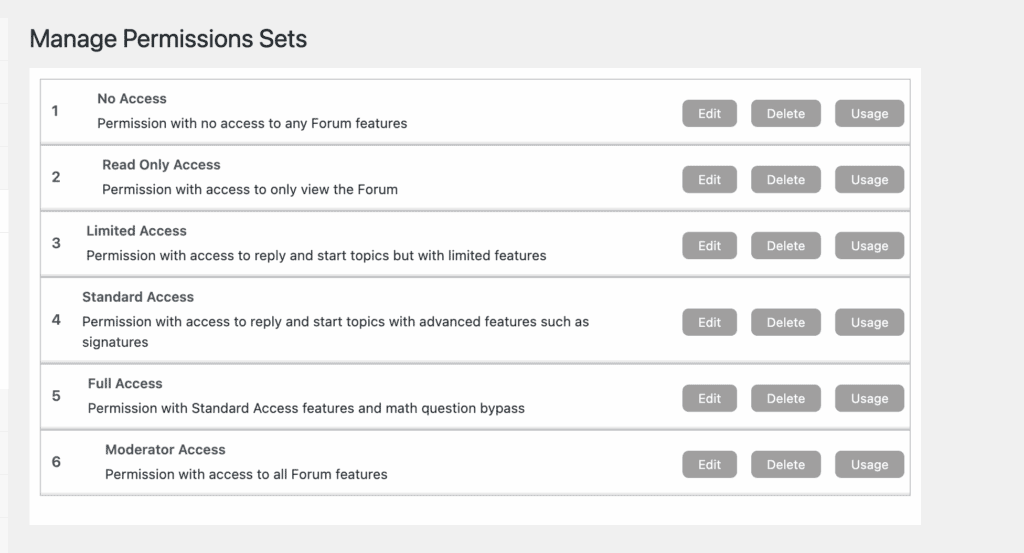
Simple:Press is an enterprise-grade forum plugin built for scalability and granular control. It’s famous for its powerful user group and permission system, making it a top choice for large, professional communities or sites that require complex access rules. Its modular architecture allows you to add advanced features as needed.
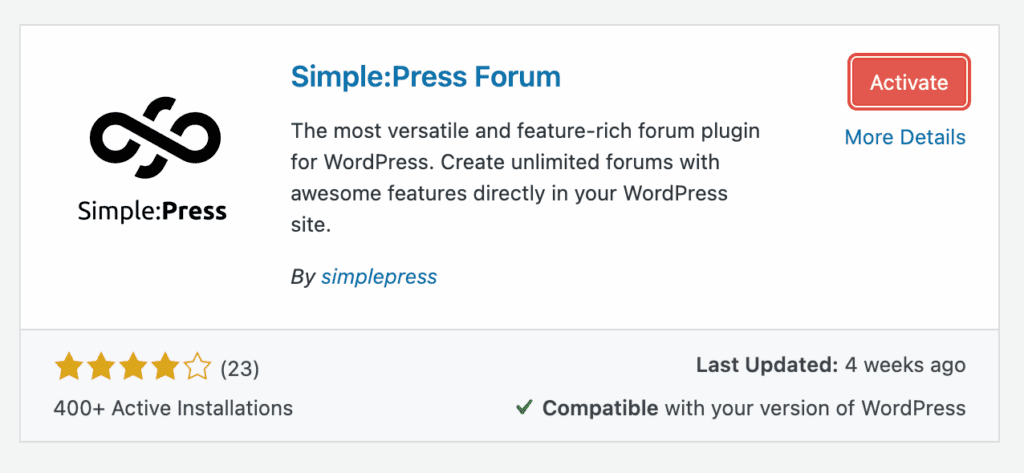
During our review of Simple:Press, we found Simple:Press to be one of the most feature-dense forum solutions available. The level of administrative control is unmatched, especially for managing user permissions. However, this power comes with complexity; the sheer number of settings can be overwhelming for beginners. It’s a professional tool designed for those who need deep customization rather than a quick setup.
Key Features:
- Advanced User Management: Granular control over user permissions.
- Modular Architecture: Add features with premium modules.
- Engagement Tools: Pro tools for user engagement.
- Built for SEO: Built-in SEO optimization tools.
- Monetization Ready: Monetize with ads or subscriptions.
Potential Downsides to Consider:
- Steep learning curve for beginners.
- Full features require paid modules.
- Overkill for simple community forums.
Who is Simple:Press For?
Simple:Press is the best choice for large businesses, enterprises, and membership sites that require granular control over user access and powerful moderation tools. It’s ideal for anyone building a professional, high-traffic community where security and scalability are top priorities.
4. wpForo Forum
wpForo Forum is a modern, feature-packed solution that aims to provide a high-end forum experience out of the box. It’s famous for its unique, built-in layouts that allow you to choose the style that best fits your community, whether it’s a classic forum, a Q&A board, or a threaded discussion.
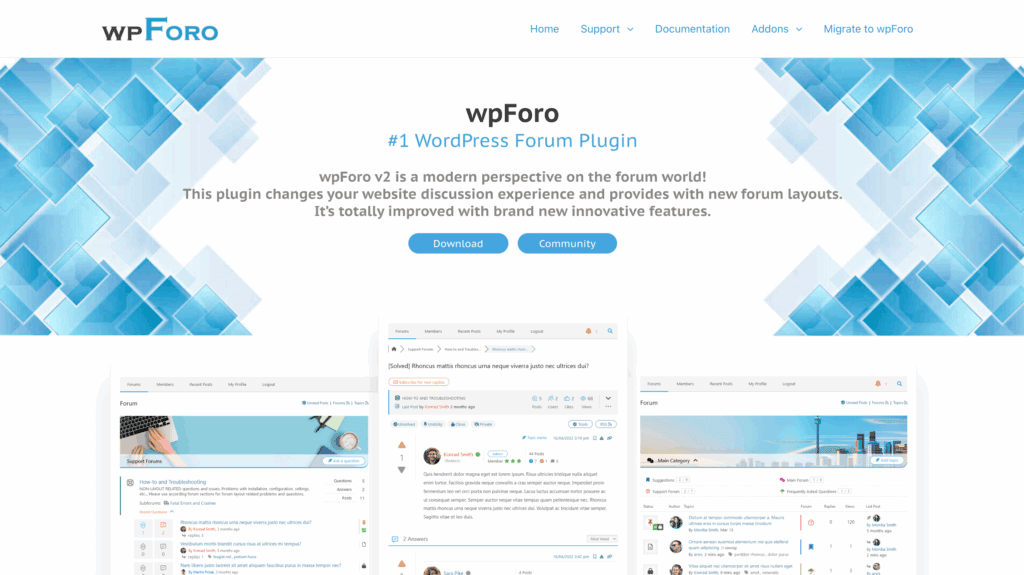
We found wpForo to be the best all-around free option for a modern community. The user interface is clean, responsive, and packed with features like user profiles and reputation systems that you’d normally pay for. The primary thing to understand is that while the core plugin is incredibly generous, some key advanced features, such as private messaging, ad management, and polls, are reserved for paid add-ons.
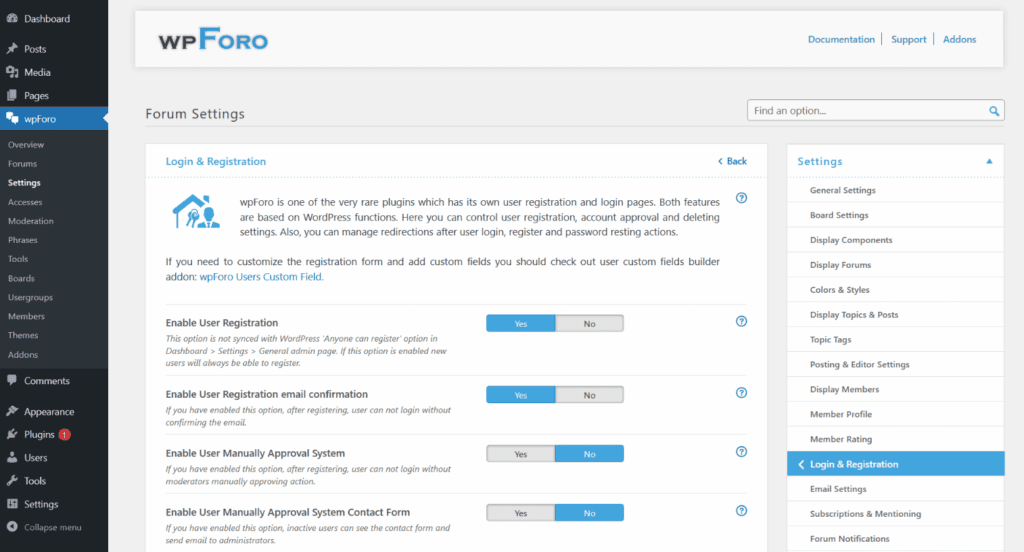
Key Features:
- Multiple Forum Layouts: Four unique forum layout designs.
- Built-in Engagement: Built-in profiles and reputation system.
- Optimized for Performance: Integrated cache for high performance.
- Strong SEO Tools: Built-in SEO management tools.
- Multi-Board System: Run multiple separate forum boards.
Potential Downsides to Consider:
- Key features require paid add-ons.
- More resource-heavy than alternatives.
- Initial setup can be complex.
Who is wpForo Forum For?
wpForo is the best choice for users who want a feature-rich, modern-looking forum without needing to write code or buy a premium theme. It’s the perfect middle ground between the simplicity of bbPress and an all-in-one platform like BuddyBoss.
5. ForumWP
ForumWP is a sleek, modern forum plugin built with a “bloat-free” philosophy. It’s famous for its mobile-first design and exceptional speed, making it a top choice for communities where the user experience on smartphones and tablets is a priority. It focuses on doing the essentials perfectly rather than offering an overwhelming number of features.
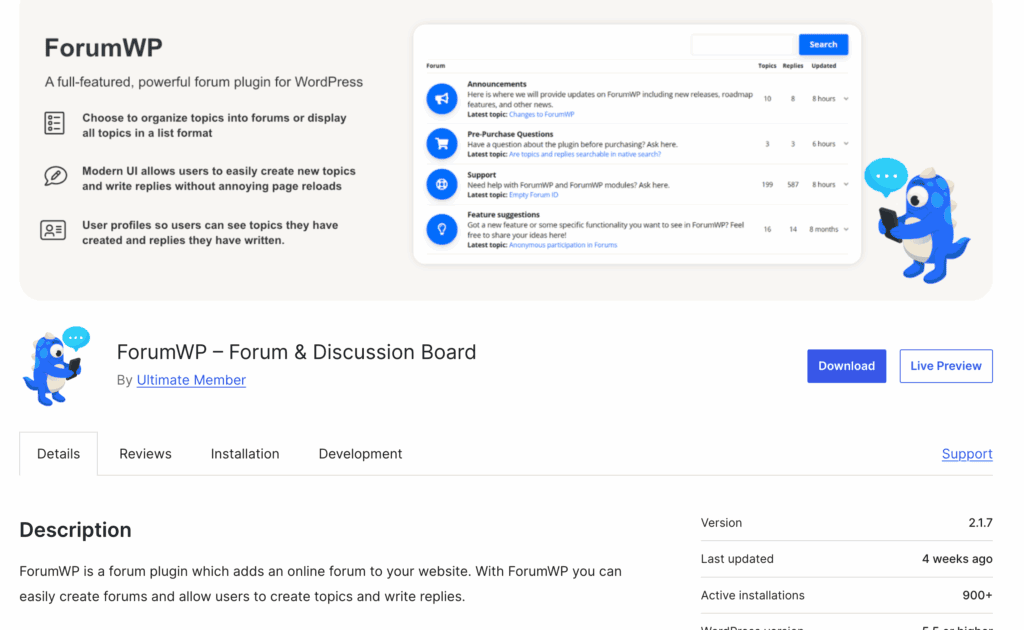
It was one of the fastest and most intuitive plugins we tested. The front-end experience is clean, and the real-time updates for likes and replies make it feel very dynamic. Its key strength is its seamless integration with the Ultimate Member plugin for enhanced profiles, though this can also be seen as a dependency if you’re not already using it.
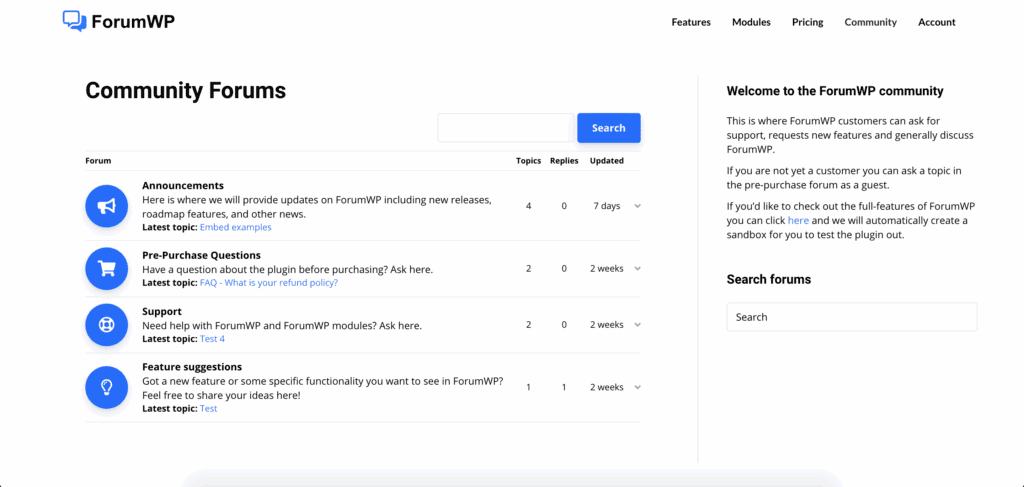
Key Features:
- Mobile-First Design: Flawless mobile-first design.
- Front-End Moderation: Easy front-end moderation tools.
- Real-Time UX: Real-time topic stat updates.
- Ultimate Member Integration: Seamless Ultimate Member integration.
Potential Downsides to Consider:
- Fewer features than competitors.
- Relies on another plugin.
- Smaller extension ecosystem.
Who is ForumWP For?
ForumWP is the best choice for site owners who prioritize speed, simplicity, and a flawless mobile user experience. It’s especially well-suited for those already using Ultimate Member who want to add a fast, clean, and modern forum to their site.
6. Asgaros Forum
Asgaros Forum is a lightweight and straightforward plugin designed for users who want a simple, “out-of-the-box” forum experience. It’s famous for its speed and ease of use, making it one of the best “plug-and-play” options available. It focuses on providing the essential features of a forum without any unnecessary complexity.
You can create a fully functional forum with Asgaros in just a few minutes. It lives up to its promise of simplicity; the dashboard is clean, and adding the forum to a page with a shortcode is effortless. However, this simplicity means it lacks the advanced customization, engagement tools, and modern design of more complex plugins.
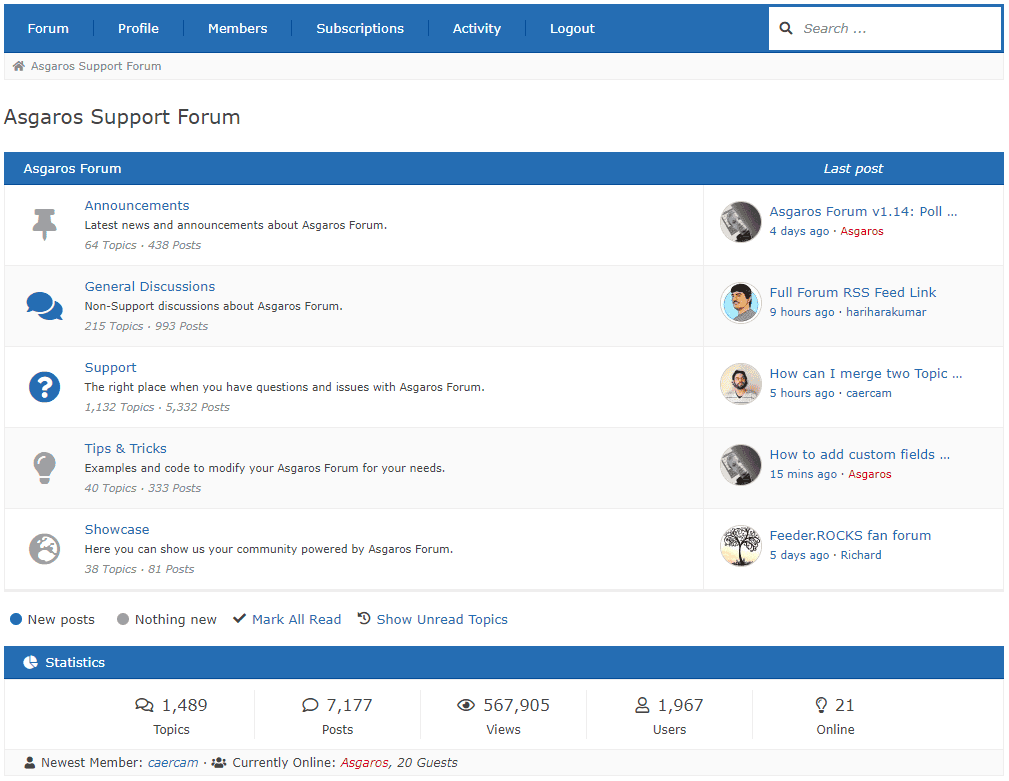
Key Features:
- Simple Deployment: Easy deployment with shortcodes.
- Lightweight and Fast: Lightweight and fast performance.
- Essential Tools Included: Built-in polls and file uploads.
- Theme Friendly: Theme friendly with color skins.
- Multisite Compatible: WordPress Multisite network compatible.
Potential Downsides to Consider:
- Lacks advanced moderation tools.
- Basic, not modern design.
- Smaller third-party extension library.
Who is Asgaros Forum For?
Asgaros Forum is the best choice for beginners or anyone who needs to add a simple, fast, and reliable discussion board to their site with minimal fuss. It’s perfect for small communities, blog discussions, or simple support areas.
The Limitations of WordPress Forum Plugins
While WordPress plugins offer a fantastic and accessible way to launch a community, it’s important to understand that they aren’t always the perfect solution for every scenario. WordPress is, at its core, a Content Management System (CMS), not a dedicated forum platform. For many, this is a feature, but for some, it can become a limitation.
Before you go all-in, consider the trade-offs that come with running a forum inside your WordPress installation.
1. Performance and Scalability Challenges A busy forum is one of the most resource-intensive applications you can run on a website. It’s dynamic content that is difficult to cache. The standard WordPress database is not optimized for the high-frequency reads and writes of a massive forum. This can cause significant drops in page speed.
2. The “Jack of All Trades, Master of None” Problem: A WordPress plugin is an application running on top of a CMS, creating a “jack of all trades, master of none” scenario. Dedicated forum platforms like Discourse or XenForo are built from the ground up for the sole purpose of being the best possible forum software.
3. Maintenance and Security Overhead: Adding a major forum plugin introduces a significant layer of maintenance and security responsibility on top of your existing WordPress duties. You are now responsible not only for keeping another complex plugin updated but also for moderating content, managing user disputes, and securing your community.
Exploring Alternatives: Dedicated Forum Platforms
If the potential limitations of a WordPress-based forum concern you—especially regarding performance and scalability—it may be time to consider a dedicated forum platform. These standalone applications run separately from your main site (often on a subdomain) but can integrate with your WordPress user base.
- Discourse is a modern, open-source platform that feels more like a real-time chat app than a classic forum. It’s built for engagement with features like trust levels and badges, and it can be integrated with your WordPress user base using the official WP Discourse plugin for Single Sign-On (SSO).
- phpBB is one of the oldest and most popular free forum scripts available. As a standalone application, it’s a powerhouse built exclusively for running forums, offering deep customization and robust tools for managing massive communities that operate independently of your main site’s performance.
Final Thoughts
Choosing a dedicated platform like Discourse or phpBB is a strategic decision, not just a technical one. It makes sense when your community is the core of your business or when you anticipate massive scale from day one. These platforms offer unparalleled performance and feature depth because running a forum is all they do.
Additionally, forum plugins are complex. They add new database tables, user roles, and can sometimes conflict with your theme or other plugins. Use a staging plugin to create a safe, private clone of your site. Install your top two or three plugin choices there. See how they look, feel, and perform. This no-risk approach is the single best way to prevent headaches and ensure you choose a plugin you’ll be happy with for years to come.
FAQs
Does WordPress have a forum plugin?
No, WordPress does not have a built-in forum feature by default. However, you can easily add a forum by installing a dedicated plugin. The most “official” option is bbPress, which is developed by the creators of WordPress and is known for being lightweight and simple to use.
What is the best forum for WordPress?
The “best” forum depends entirely on your goals. For simplicity and speed, bbPress is the standard. If you want a modern design and more features for free, wpForo is an excellent choice. For a complete social network with profiles, groups, and monetization tools, BuddyBoss is the top premium platform.
Can I create a forum on WordPress?
Yes, absolutely. Creating a forum on WordPress is a simple process that doesn’t require any coding. You just need to choose a forum plugin, install it from your dashboard (Plugins > Add New), and follow its setup guide. Most plugins can have a basic forum up and running in just a few minutes.
Is WordPress good for forums?
Yes, for the vast majority of users, WordPress is an excellent choice for a forum. The seamless integration with your existing content and users makes it easy to manage everything in one place. While extremely high-traffic forums with millions of posts might benefit from a dedicated platform for performance, WordPress is more than powerful enough for most businesses, blogs, and community sites.

Shreya has been a writer for as long as she can remember. Now, she writes articles that help WordPress users manage the sites that they're proud of, with little to no coding


