

A WordPress forum plugin can transform your site into a community hub, which is why this detailed BuddyBoss forum review is essential before you commit. Are you trying to build a community that feels less like a clunky message board and more like your own private Facebook?
Choosing the right platform is a major decision. The wrong one can lead to a disengaged audience, technical headaches, and wasted money. BuddyBoss promises an all-in-one solution, but its power can also be its biggest challenge.
This review cuts through the marketing hype. We’ll give you an honest look at BuddyBoss’s forum capabilities, weighing its impressive social features against its known weaknesses. By the end, you’ll know if it’s the right foundation for your community.
In our experience, BuddyBoss is not our top choice for a forum plugin. It often feels buggy, can be slow, and doesn’t perform well with large, active communities as the developers are still working out the kinks.
If you decide to use it, use a performance plugin like Airlift and a good web host. This is the best way to manage its heavy resource demands and keep it running smoothly.
Quick look at BuddyBoss forum review
BuddyBoss is an all-in-one platform designed to help you build a complete online community, seamlessly combining online courses with social forums. It’s known for creating beautiful designs and integrates especially well with page builders like Elementor, giving you extensive control over the look and feel of your site.
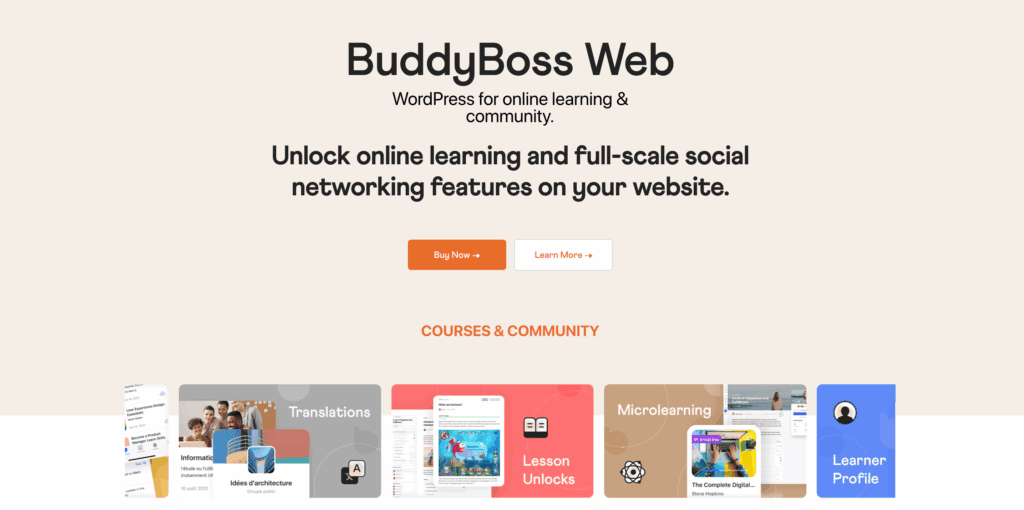
In our research of WordPress forum plugins, we learned a lot about BuddyBoss and BuddyPress. We learnt about their history. Essentially they shared a codebase but split up. Now, BuddyBoss is a full fledged plugin.
We wanted to test it against the key questions that every community builder should ask.
- User Experience & Engagement: Does it have the tools to keep your members active, engaged, and coming back for more?
- Administration & Moderation: Can it help you keep your community safe, organized, and free from spam?
- Design & Customization: Can you easily make the forum match your brand’s look and feel?
- Technical & Performance: How does it affect your website’s speed, security, and ability to rank on Google?
- Integration & Monetization: Can it connect with your other essential plugins for membership and courses to help you grow and earn revenue?
User Experience & Engagement
A forum’s success depends on member participation. We looked for features that go beyond simple message boards, focusing on tools that encourage interaction, help members connect, and reward community involvement.
- Member Profiles: Create highly customizable profiles with advanced fields, assign different member types (e.g., Student, Coach), and give users control over their privacy settings.
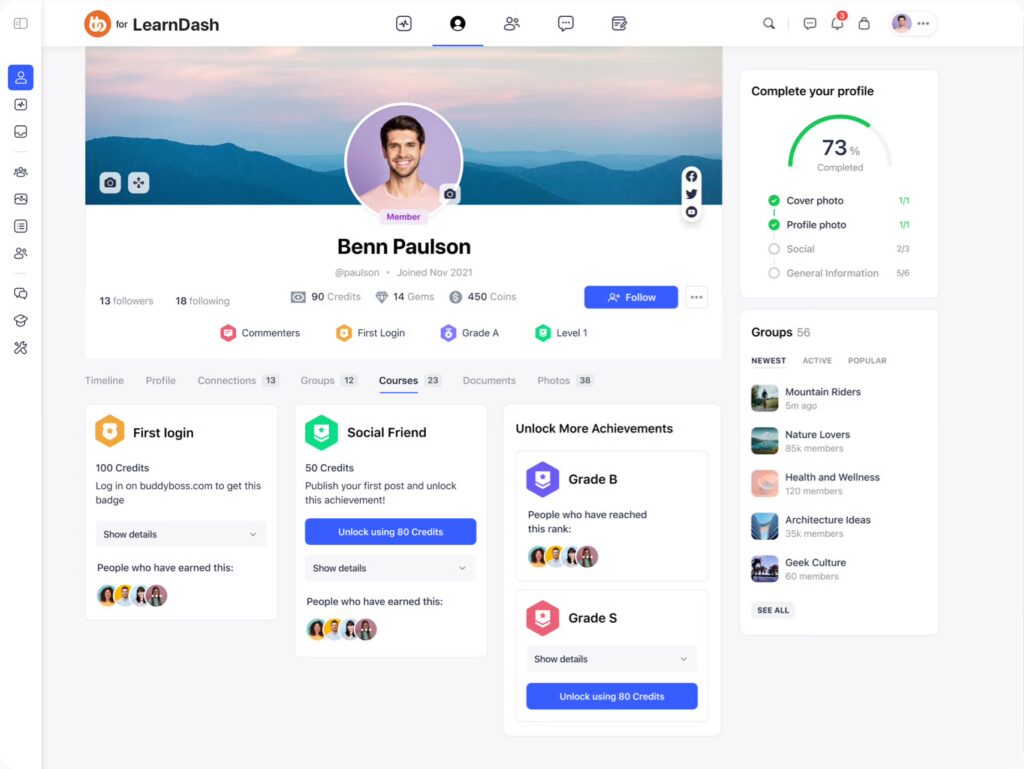
- Engagement Tools: Keep the conversation flowing with real-time activity feeds, @mentions, hashtags, likes, custom emoji reactions, and built-in polls.
- Private Messaging: A modern and intuitive interface allows for direct and group messaging, complete with support for media attachments and GIFs.
- Gamification: Drive participation through deep integration with GamiPress, allowing you to award points, digital badges, and ranks for community activity.
- Global Network Search: A powerful search bar lets users instantly find content across the entire network, including members, groups, and specific forum posts.
Administration & Moderation
A healthy community requires strong moderation. We tested for essential tools that empower admins to manage users, filter out spam, and handle inappropriate content without creating unnecessary work.
- Member Moderation: Admins can easily block or report members, and even set automatic suspension rules based on the number of reports a user receives.
- Content Moderation Queues: A native system allows members to report inappropriate posts, comments, or media, which are then held in a queue for admin review.
- Spam Protection: Built-in integration with Akismet and other spam-fighting tools helps prevent bot registrations and keeps your forums clean.
- Role-Based Permissions: Assign dedicated roles like “Group Organizer” or “Moderator” to allow trusted members to manage specific subgroups without giving them full site access.
Design & Customization
Your forum should feel like a natural part of your brand, not a tacked-on plugin. We looked for how easily you can customize the appearance, ensure it works on mobile devices, and control the layout without writing code.
- BuddyBoss Theme: The platform’s dedicated theme provides a polished, “Facebook-like” design right out of the box with fully mobile-responsive layouts.
- No-Code Styling: Use the visual Theme Customizer to change brand colors, typography, button styles, and other elements, and see the changes in real-time.
- Elementor Integration: Enjoy full compatibility with the Elementor Page Builder to design custom community pages, headers, and footers with drag-and-drop ease.
- ReadyLaunch: A one-click feature that applies a clean, professionally designed layout for your community, getting you started in seconds.
Technical & Performance
A slow or insecure forum will drive users away. We evaluated BuddyBoss on its speed, SEO capabilities, security protocols, and developer-friendly features that ensure a reliable foundation.
- Speed Optimizations: While it was once known for being resource-intensive, significant recent backend improvements have drastically cut down on database requests, making forum pages much faster with caching enabled.
- SEO-Friendly: The platform is optimized for search engines, helping your community content and forum discussions rank effectively on Google.
- Security: BuddyBoss receives regular security updates and is built to work with leading security plugins to protect your community.
- Developer Toolkit: A comprehensive REST API is included for building custom integrations or connecting your community to external applications.
Integration & Monetization
A modern forum rarely exists in a vacuum. We tested how well BuddyBoss connects with other plugins to create a unified system for selling courses, managing memberships, and streamlining user access.
- LMS Social Learning: Create a powerful social learning experience with deep, native integrations for LearnDash, Tutor LMS, and LifterLMS.
- Access Restriction: Easily connect with MemberPress or Paid Memberships Pro to lock specific groups, forums, or premium content behind paid tiers.
- E-commerce: Full WooCommerce support allows members to view their shop orders and manage their details directly from their social profile.
- Social Logins: Streamline user registration with one-click logins via Google, Facebook, LinkedIn, and Apple
- Page Builder Support: Works seamlessly with all major page builders, including Elementor, Beaver Builder, Gutenberg, Thrive Architect, and more.
BuddyBoss Pricing
BuddyBoss’ pricing operates on a yearly subscription model, which gives you access to the premium theme, ongoing support, and regular updates. While the core platform plugin is free, the real power and design come from the paid bundles. Let’s look at what each plan offers.
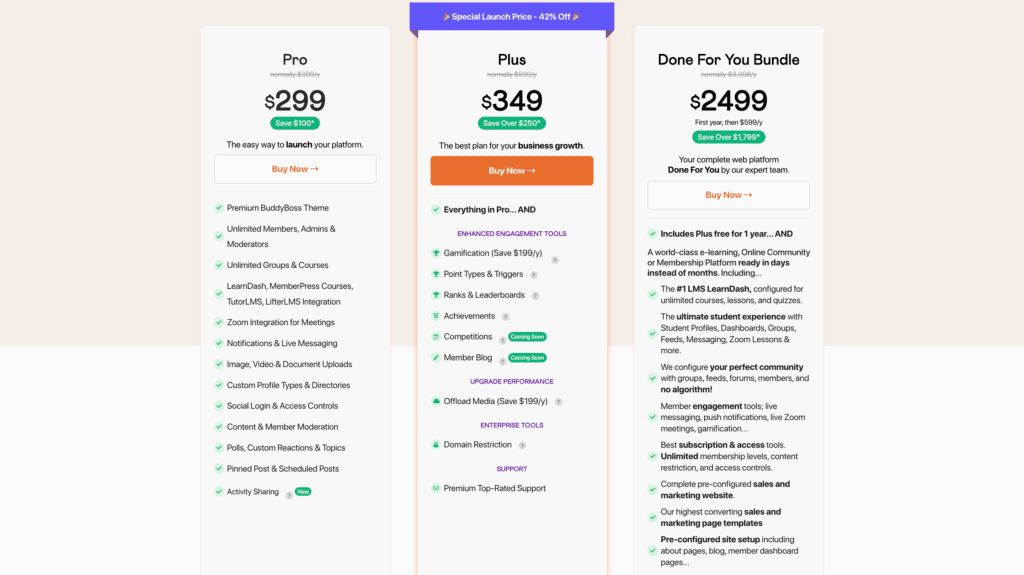
- Pro Plan ($299/year): This is the essential package for launching your community. It includes the premium BuddyBoss Theme, unlimited members and groups, core social features like activity feeds and private messaging, and full integration with LMS plugins (LearnDash, TutorLMS), MemberPress, and Zoom.
- Plus Plan ($349/year): This plan includes everything in the Pro package and adds advanced tools for engagement and performance. Key additions include a complete Gamification system (points, ranks, achievements), the ability to offload media to services like AWS S3, and premium support.
- Done For You Bundle ($2,499 for the first year): This is not just a plugin license; it’s a complete setup service. The BuddyBoss team will build and configure your entire community, e-learning, or membership platform for you. It includes the Plus plan for one year and is ideal for those who want an expert, hands-off launch.
Problems to Consider
While BuddyBoss is a powerful platform, it’s important to be aware of some common challenges and user-reported issues before you commit. Based on our research and community feedback, here are the key problems to consider:
- High Server Demand: The software is resource-intensive and often requires premium, high-performance VPS hosting to function smoothly, especially as your community grows.
- Renewal Price Surprises: Many users report being charged for automatic renewals—often at a higher price—without receiving clear email reminders beforehand.
- Restricted Site Control: Some basic branding features, like changing your site logo, can become restricted if you don’t renew your license, even if you no longer need support or updates.
- Limited Support Channels: Technical help is provided exclusively through a ticket-based system, with no options for live chat or phone support for immediate assistance.
- Steep Learning Curve: New users often find the settings panel overwhelming and confusing, requiring a significant time investment to learn the interface properly.
- Customization Difficulties: The theme’s code structure can be difficult for developers to modify, making complex customizations challenging without deep technical expertise.
- Strict Refund Policies: The 14-day money-back guarantee is strictly enforced and typically does not apply to annual license renewals.
- Performance Bloat: Performance issues are common, particularly when using multiple third-party plugins alongside the already “heavy” core platform.
- Support Response Time: Users have reported waiting several days for a response from a support agent, which can be critical during a site launch or after a major update.
Final Thoughts
BuddyBoss is an ambitious, all-in-one solution that excels at creating integrated social learning platforms. It offers a true Facebook-like experience within WordPress, but its power comes with significant complexity and, most importantly, heavy performance demands that cannot be overlooked.
If you choose BuddyBoss, optimizing for speed is not optional—it’s essential. Its resource-intensive nature makes a performance plugin like Airlift a critical tool to ensure your community site remains fast and responsive for your members.
FAQs
What is the BuddyBoss plugin?
BuddyBoss is a premium WordPress platform used to build online communities, social networks, and membership sites. It combines forums, groups, member profiles, and private messaging, with a strong focus on integrating with online course (LMS) plugins.
How do I add BuddyBoss to WordPress?
First, you install the free “BuddyBoss Platform” plugin from the official WordPress repository. To get the full design and all features, you then need to purchase, download, and install the premium “BuddyBoss Theme” from their website.
Is the BuddyPress plugin free?
Yes, BuddyPress is a completely free, open-source plugin. BuddyBoss was originally based on BuddyPress but is now a separate, premium product with its own theme and a much broader set of features.
How much does BuddyBoss cost?
While the base platform plugin is free, the essential BuddyBoss Theme and its advanced features are sold as annual subscriptions. Plans typically start at $299 per year for a single site license.

Shreya has been a writer for as long as she can remember. Now, she writes articles that help WordPress users manage the sites that they're proud of, with little to no coding


