Your browser has 15 tabs open. You’ve read every review on the best plugins for forms. You compared every feature. But instead of a clear answer, you just have more confusion.
The choice between Contact Form 7 vs Formidable Forms has you stuck. One seems basic but reliable, the other powerful but intimidating.
All that second-guessing is costing you valuable time. We’re here to cut through the noise and give you the clarity you need.
For a simple, free form, Contact Form 7 works. However, it’s risky for businesses since it doesn’t save entries by default. Formidable Forms is the superior choice for any professional site, saving you time and securing your data. Regardless of your choice, always use a backup plugin.
Contact Form 7 vs Formidable Forms at a glance

A deep dive into key features
A feature list doesn’t tell you how a tool performs in the real world. The focus here is on the practical differences that will either save you time or create unnecessary frustration.
How easy are they to actually use?
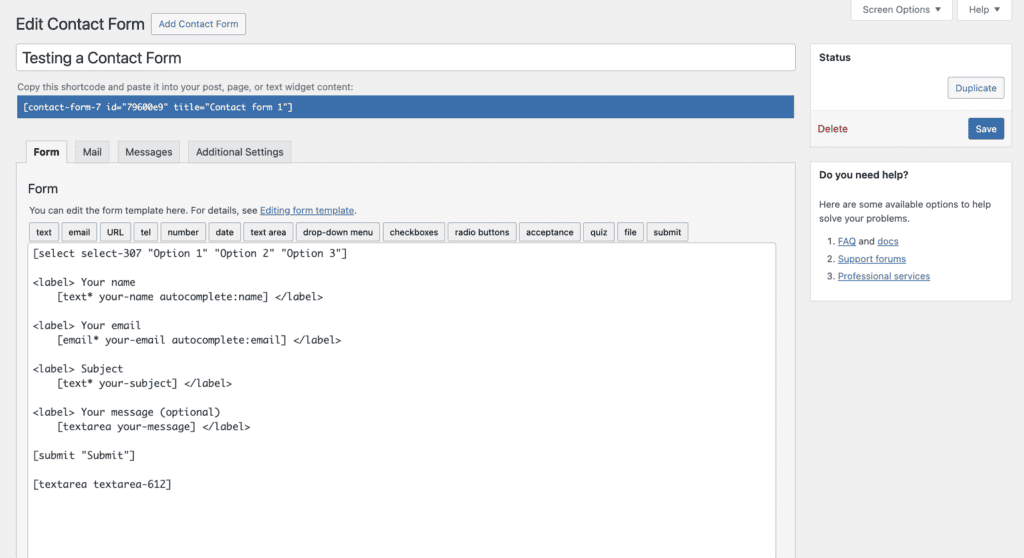
The interface in Contact Form 7 is dated. It’s a simple text box where you work with shortcode tags. This means you are essentially building blind, guessing what the form looks like until you save and preview the page.
For a non-developer, this workflow is slow and inefficient, turning a five-minute task into a thirty-minute ordeal.
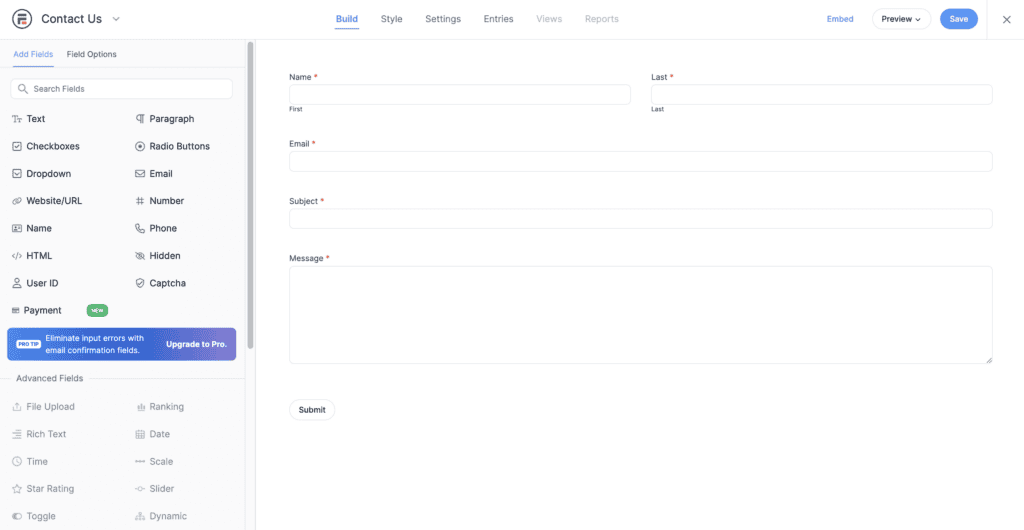
Formidable provides a modern, drag-and-drop visual builder. You see the form as you build it. This is important because it makes creating even complex forms fast and intuitive.
You can start with a template and have a polished form ready in minutes. This means you spend less time on tedious setup.
Features and flexibility
Contact Form 7 was built to create simple contact forms. It does that single job well. That is where its native capability ends. If you need conditional logic, you must install a separate plugin. This is a problem because you end up managing multiple third-party add-ons, hoping they don’t conflict or break your site after an update.
Formidable Forms is a complete data collection tool. It handles advanced tasks right out of the box, such as multi-page forms, quizzes with automatic calculations, and order forms.
Its standout feature, Formidable Views, lets you display collected data anywhere on your site. This means you can create directories or event calendars automatically from form submissions. It will save a tremendous amount of manual work.
Where does your data go?
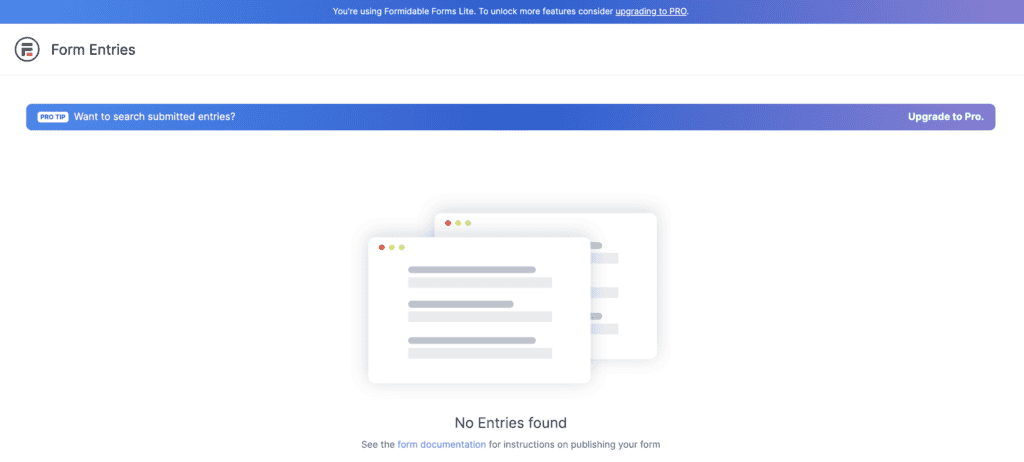
Contact Form 7 does not save submissions to your WordPress database by default. It only sends an email. If that email fails for any reason, that lead is lost permanently. You can however depend on a third party plugin called, Flamingo.

For any business, this is an unacceptable risk, as you could be losing valuable customers without knowing it.
Formidable Forms automatically stores every submission in your database. For you, this means complete peace of mind.
Integrations
The core Contact Form 7 plugin does not integrate with many services. Connecting to a tool like Mailchimp requires an add-on. Relying on third-party plugins means you are often using tools that may be unsupported or insecure. This adds potential points of failure to your website.
With Formidable Forms, you can connect directly and reliably with essential services like Mailchimp, Stripe, and PayPal. For you, this means you can automate your business workflows securely without extra plugins. Everything is managed from one central, supported location.
Customization
With Contact Form 7, customizing the appearance of your forms requires you to write CSS. Your theme provides a basic look, but any changes depend on your coding ability.
This matters because if you are not a coder, your forms will likely look generic and unprofessional, which can affect user trust.
Formidable Forms includes a visual styler. You can point and click to change colors, fonts, and layouts. This is a major benefit because it allows anyone to create polished, on-brand forms without writing a single line of code.
Keeping the spam away
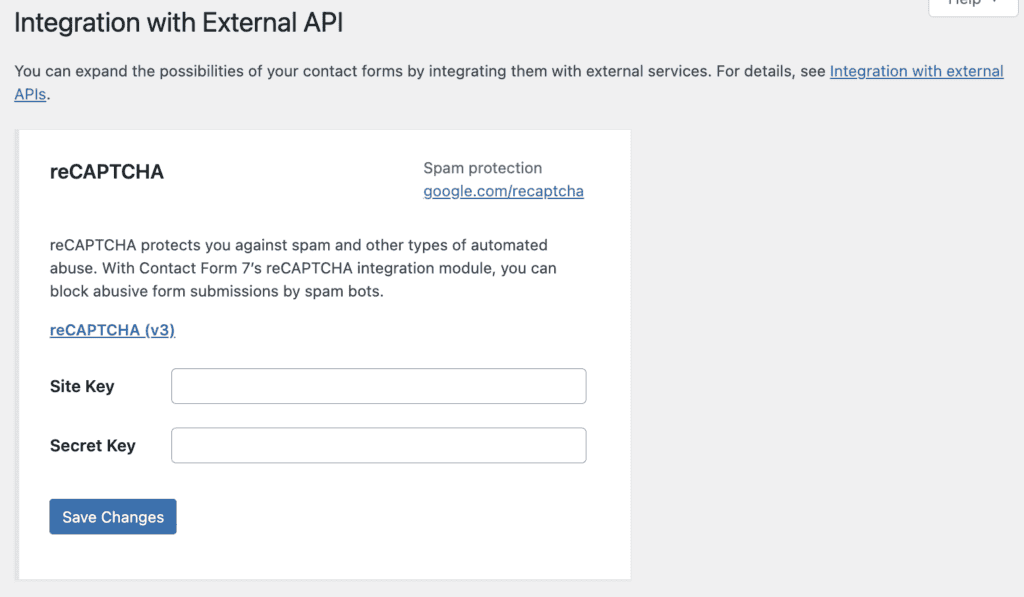
Contact Form 7 uses Akismet and Google’s reCAPTCHA v3. The reCAPTCHA v3 integration can be problematic, and a common complaint is that the Google logo appears on every page of the site. This makes your form look unprofessional.
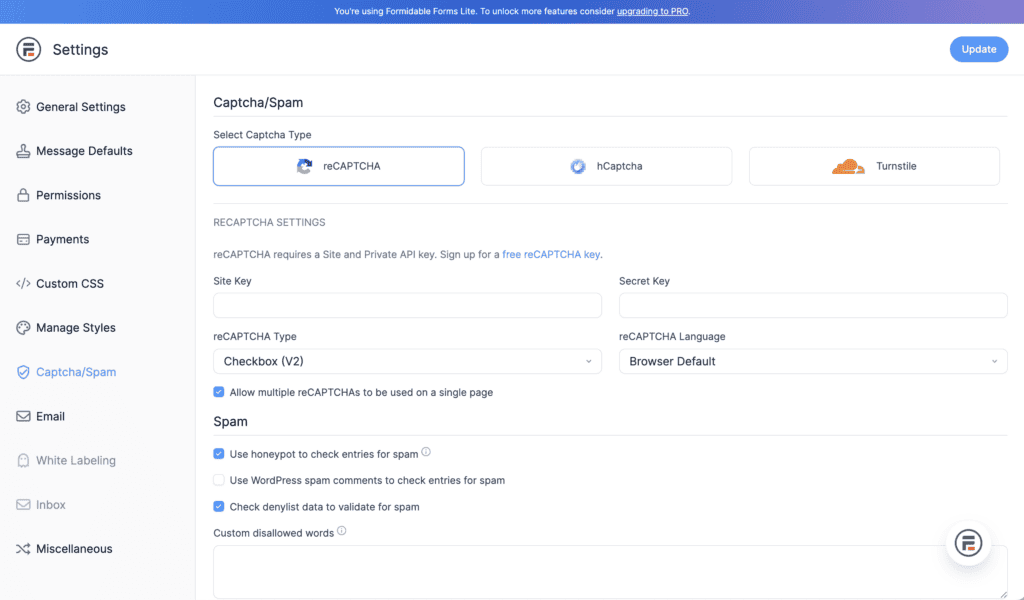
With Formidable forms, you get a much more robust, layered approach to spam protection. It supports multiple reCAPTCHA versions, an invisible honeypot, and Akismet.
Pricing breakdown
Contact Form 7 is completely free, which is its main appeal for simple needs. However, any advanced feature requires paid, third-party add-ons of varying quality. This leads to unpredictable costs and a lack of reliable, official support.

Formidable Forms uses a freemium model with a solid free version and clear premium plans. Paying unlocks powerful, integrated features like conditional logic and payment gateways. With predictable pricing and professional support, it’s a solution built for business.
Based on our experience, Formidable’s price is an investment in reliability. It saves you from the hidden costs and troubleshooting headaches that make the “free” alternative far more expensive in the long run.
Which form plugin deserves a spot on your site?
The correct choice depends entirely on your project’s requirements.
- Your budget is strictly zero.
- You only need a very basic “name, email, message” form.
- You are a developer who prefers to control every detail with code.
- You value your time and require an efficient, modern workflow.
- You need any functionality beyond a simple contact form.
- You need to reliably manage customer data and connect to other business tools.
- You intend to build complex tools like quizzes, calculators, or directories.
A few key practices
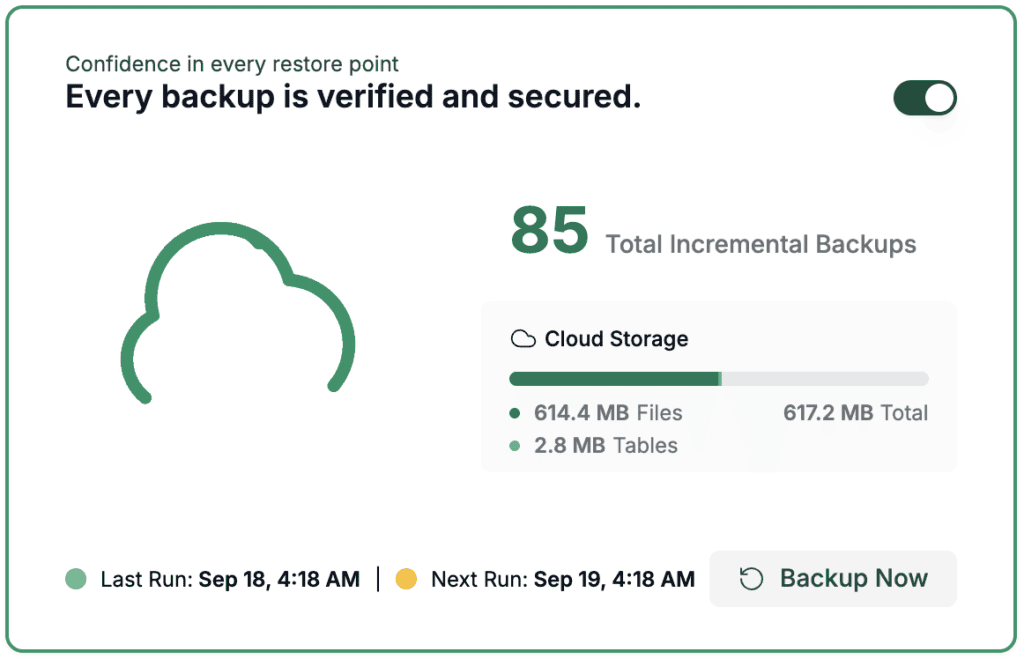
Backup your data: Emails are not a reliable backup for your form submissions. You need a backup solution that automatically stores all entries in your database for secure access. This is essential to safeguard your entire site and all the submissions you collect.
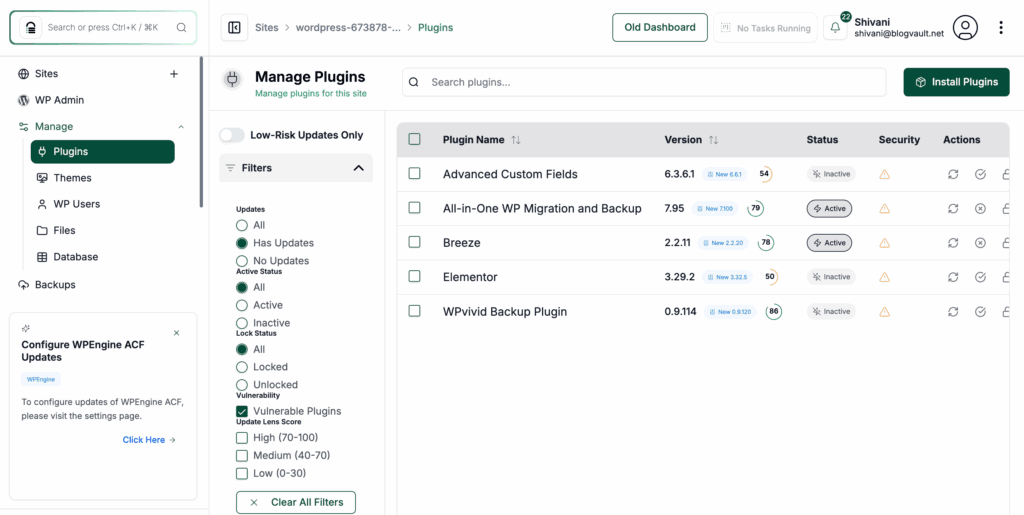
Keep the plugin updated: Regularly update your plugin, as outdated versions are a top security risk for hackers. An update isn’t just a new feature; it’s a critical patch to protect your entire site.
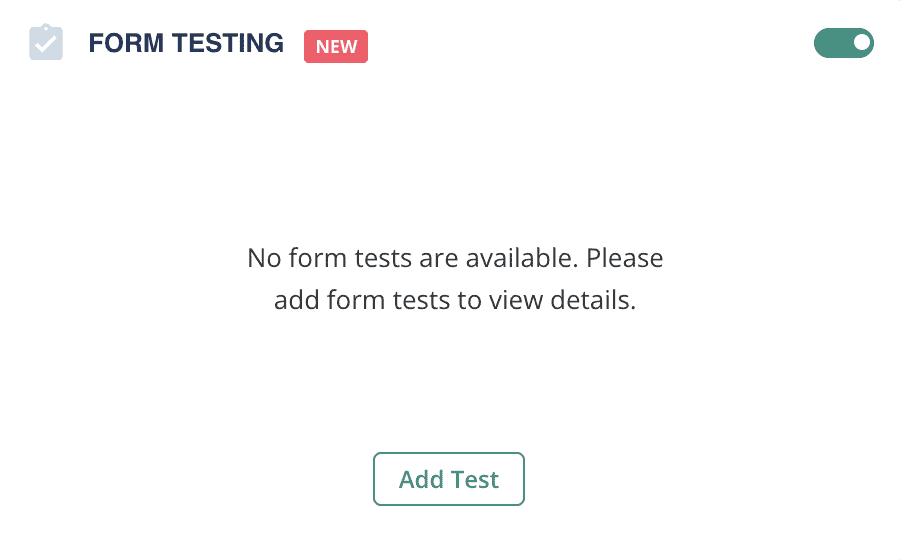
Always test your forms: Before going live, test your form. You can do this via a tool, on different browsers, or on mobile devices. A form that works perfectly on your desktop might be broken on a potential customer’s phone.
Use an SMTP plugin: Install an SMTP plugin to ensure your form notifications actually reach your inbox. WordPress’s default email method is often flagged as spam by services like Gmail.
Add a confirmation message: Provide an immediate confirmation message or redirect to a “Thank You” page after submission. This assures users that their entry was received and prevents them from submitting again.
Parting thoughts
While Contact Form 7 is fine for simple blogs, its workflow is outdated for any professional site. In my experience, Formidable Forms is the superior choice, as it saves significant time and effort. Whichever you choose, always test your WordPress form before going live.
FAQs
What is better than Contact Form 7?
For most users, plugins like Formidable Forms, WPForms, or Gravity Forms are better. They offer visual builders, automatically save entries, and include advanced features without needing extra add-ons.
What program is best for making forms?
Within the WordPress ecosystem, Formidable Forms is a top-tier choice for building advanced, data-driven applications. WPForms and Gravity Forms are also excellent, user-friendly options for general use.
What is the difference between Contact Form 7 and Ninja Forms?
The main difference is the user interface. Ninja Forms provides a drag-and-drop builder in its free version, making it more user-friendly. However, its advanced features require paid extensions.
Is CF7 free to use?
Yes, Contact Form 7 and its official entry-saving plugin, Flamingo, are both completely free.
Is Contact Form 7 free?
Yes, it is available for free from the WordPress plugin directory.
Does Contact Form 7 save to database?
No, not by itself. You must install a separate plugin like Flamingo to store submissions in your database.

Shivani enjoys crafting guides that make every aspect of using WordPress simple and easy to follow. When she's not glued to her laptop, you can find her buried in a good book or occasionally, painting.