A gallery plugin can make or break your website’s visual appeal, which is why this Envira Gallery review will help you decide if it’s the right tool for you. Are you tired of slow, clunky galleries that fail to do your beautiful photos justice?
Showcasing your work professionally is non-negotiable, but the wrong plugin can slow down your site, frustrate visitors, and make updating your portfolio a chore. You need a solution that is fast, easy to use, and creates stunning, responsive galleries without any hassle.
This review cuts through the technical jargon. We will break down Envira Gallery’s features, performance, pricing, and ease of use, giving you a clear look at its pros and cons. By the end, you’ll know if it’s the perfect plugin to elevate your website.
We tried it on a test site and we liked it because it’s remarkably fast and the drag-and-drop builder makes creating beautiful, responsive galleries incredibly easy for anyone.
To give you a fair and comprehensive review, we tested it against a strict set of criteria that we believe separates a good gallery plugin from a great one.
- Ease of Use and Customization: We prioritized a beginner-friendly, drag-and-drop interface and checked for flexible design options to customize layouts and styles to match any brand.
- Performance and Speed: A gallery plugin must be lightweight and fast, as heavy images can slow down your site. We tested its loading speed to ensure it doesn’t hurt user experience or SEO.
- Professional and eCommerce Features: For professionals, we looked for essential business tools like client proofing for feedback, image protection (watermarking), and seamless eCommerce integration for selling photos.
- Responsive Design and Display Options: Galleries must look perfect on all devices. We tested for a fully responsive design that adapts to desktops, tablets, and phones, plus smooth display options like lightbox pop-ups.
- Advanced Functionality and SEO: We looked beyond the basics for time-saving features like dynamic galleries (pulling from social media) and built-in SEO tools to help your images get found on Google.
Envira Gallery Review: A Quick Overview
Envira Gallery is a WordPress gallery plugin that is now owned by Awesome Motive, It is praised for its user-friendly drag-and-drop builder. It’s built for speed, allowing anyone to create fast, responsive photo galleries without code.
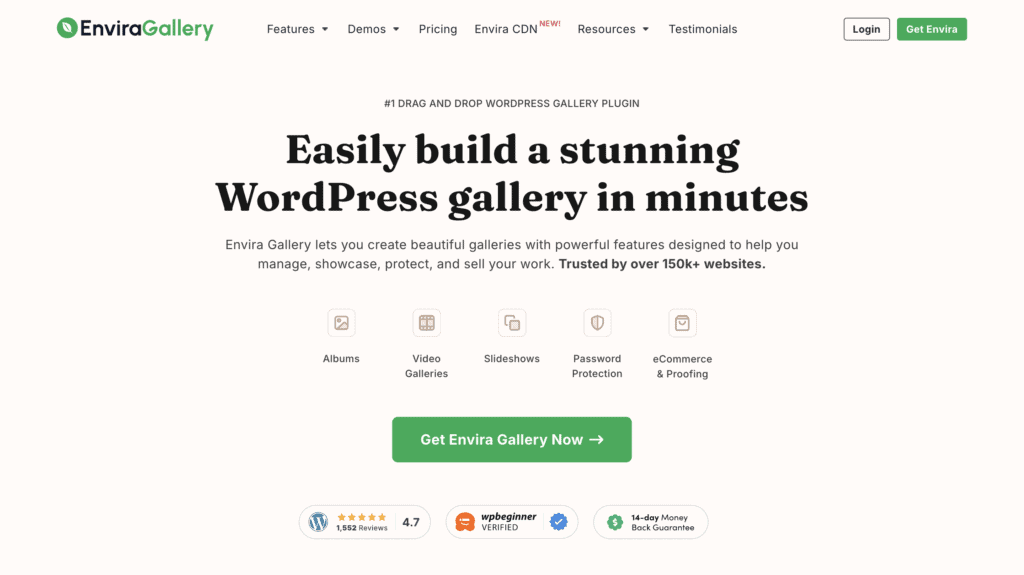
For professionals, premium add-ons provide powerful tools like client proofing, eCommerce integration for selling photos, image watermarking, and support for creating video galleries from platforms like YouTube, making it incredibly versatile.
Design and Customization Options

A gallery plugin should do more than just display images; it should blend seamlessly with your website’s design. The right customization options allow you to match your brand’s aesthetic, creating a professional and cohesive look instead of a generic, out-of-the-box grid. We found that Envira Gallery offers a robust set of tools to control nearly every visual aspect of your galleries.
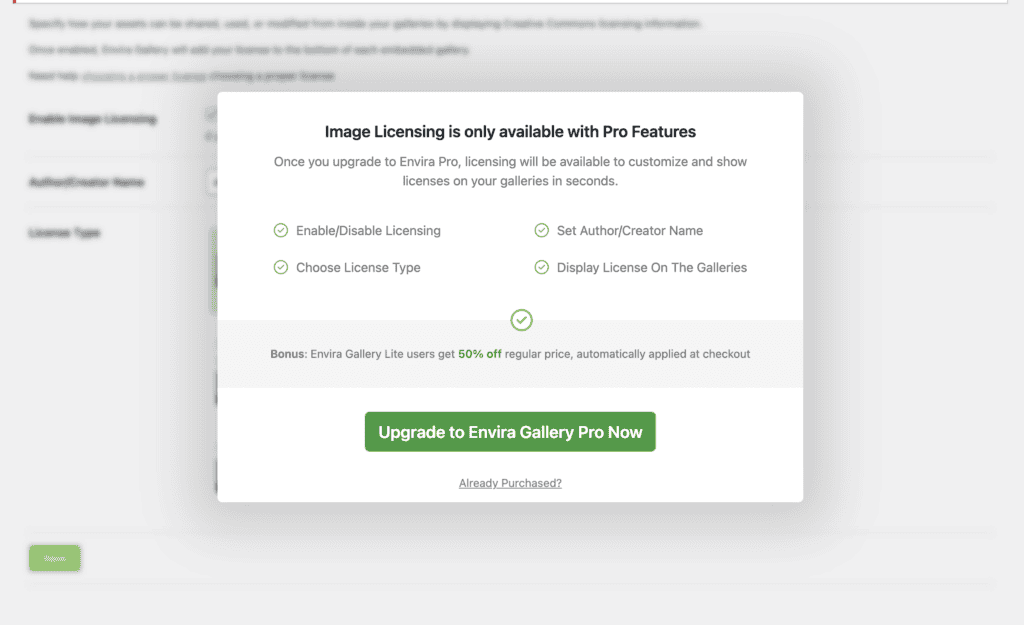
Note: The free version was very basic. So, you will need to upgrade for a more advanced gallery.
Here are the key design and customization features:
- Multiple Layouts: Choose from various layouts like grid, masonry, and mosaic to perfectly showcase your images.
- Pre-Built Templates: Use professionally designed, pre-built themes to quickly give your galleries a polished look.
- Custom Dimensions: Control image sizes and the spacing between them for a perfectly balanced gallery layout.
- Customizable Lightbox: Customize the lightbox pop-up with different themes, animations, full-screen viewing, and thumbnail navigation.
- Interactive Elements: Add dynamic hover effects and animations to make your galleries more engaging for visitors.
- Advanced Styling: Use the custom CSS add-on for fine-tuned control over every design element.
- Branded Experience: Apply unique themes to different galleries and customize the client proofing area for a consistent brand.
Image Security and Client Experience
For professional photographers, a gallery plugin needs to be more than a simple image grid—it must be a powerful business tool. It should streamline your workflow, protect your work, and help you make sales. Envira Gallery excels here by offering a dedicated suite of add-ons designed specifically for the professional’s workflow.
Here are the key features for photographers:
- Client Proofing: Create private galleries for clients to review, comment on, and approve their photos.
- WooCommerce Integration: Sell digital downloads and prints directly from your galleries with seamless e-commerce functionality.
- Image Protection: Automatically add watermarks and disable right-clicking to prevent unauthorized use of your images.
- Password Protection: Secure private client galleries with a password to ensure only authorized individuals have access.
- Albums with Cover Photos: Organize individual galleries into curated albums, each with its own cover photo, for a professional portfolio.
- Adobe Lightroom Integration: Save time by creating and syncing galleries directly from your Adobe Lightroom collections.
- Display EXIF Metadata: Showcase your technical skills by displaying camera settings like aperture and shutter speed.
- Dynamic Galleries: Automatically create galleries from different sources, such as Instagram feeds or specific post tags.
Performance Optimization
Large, high-resolution images are one of the biggest causes of slow websites. A slow site frustrates visitors and can harm your search engine rankings. Envira Gallery was built with performance as a core priority, providing several key features to ensure your galleries load quickly and efficiently without sacrificing quality.
Expert Advice: A performance optimization plugin can simplify the complexity of page load speeds. So, we recommend you install our top pick, Airlift, anyway.
Here’s how Envira optimizes for speed:
- Built-in Lazy Loading: Images load only as visitors scroll down the page, dramatically improving initial page load speed.
- Image Compression Tool: Reduce image file sizes directly within WordPress using adjustable compression settings.
- Customizable Lazy Load Delay: Fine-tune the lazy loading behavior to create a smoother, more engaging user experience.
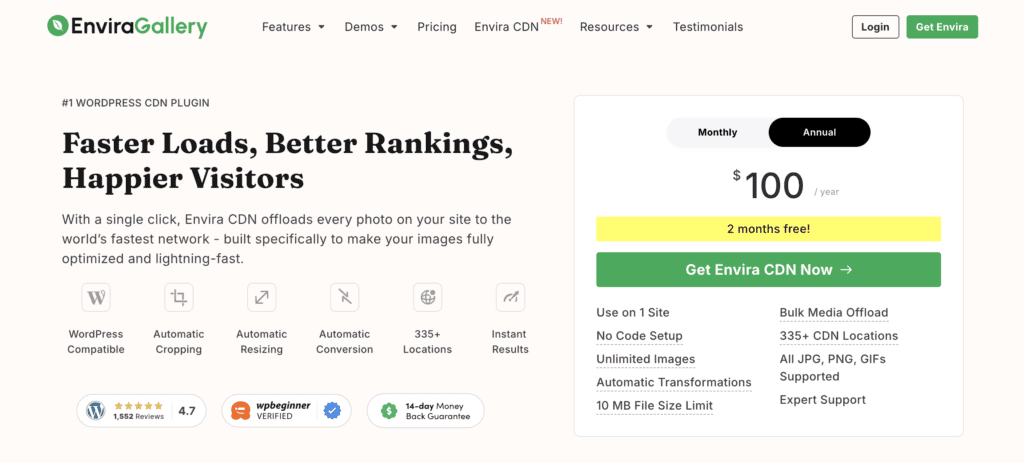
- Envira CDN: Use Envira’s own one-click Content Delivery Network (CDN) to serve images from a global network for faster delivery.
SEO Support
Having a beautiful gallery is only half the battle; you also need people to find it. Search Engine Optimization (SEO) is crucial for driving organic traffic to your website. Envira Gallery includes several important features that help search engines like Google understand and rank your images, increasing your visibility.
Side note: An SEO plugin can help you manage the technicalities of search engine rankings. So, we recommend you couple Envira with a plugin like RankMath.
These are the essential SEO features included:
- Image Alt Text and Titles: Easily add descriptive alt text and titles to your images, which is vital for SEO and accessibility.
- Unique Gallery URLs (Deeplinking): Create unique, shareable URLs for each gallery and image, making them indexable by search engines.
- Standalone Galleries: Create galleries as independent pages that can be indexed and ranked on their own by search engines.
- EXIF Data Schema: Displaying technical metadata can provide useful, SEO-friendly schema markup for search engines to interpret.
Envira: Free vs. Pro
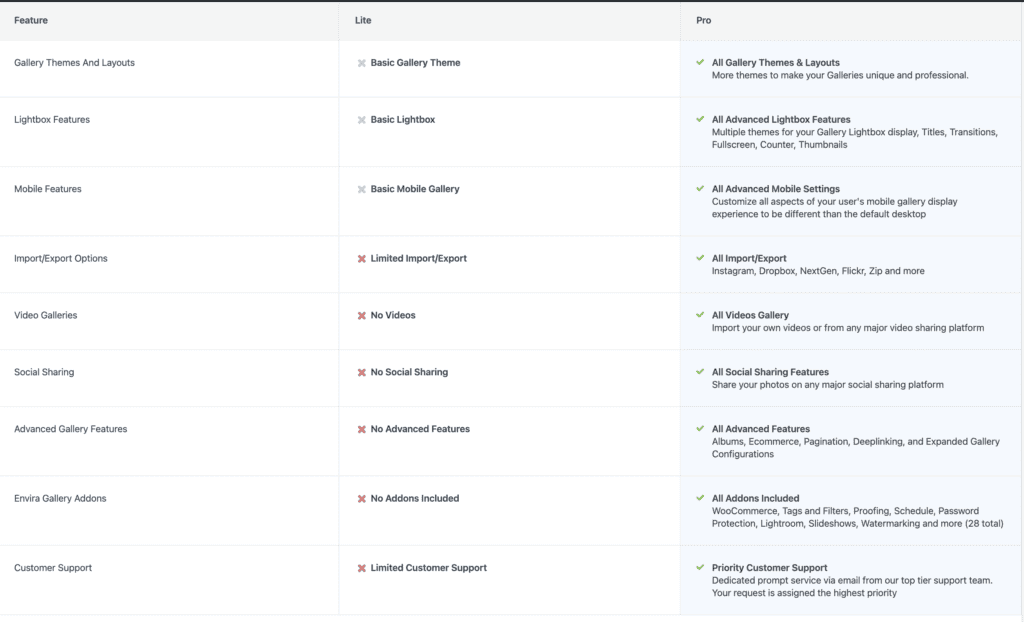
Envira Gallery’s pricing offers a free version for basic needs. You can definitely create nice galleries with just the free version. But, professionals that want WooCommerce integration or more layouts shoule upgrade to Pro.

The pricing is tiered, so you only pay for the features you need. Let’s break down what you get with each option to help you decide which one is the right fit for your website.
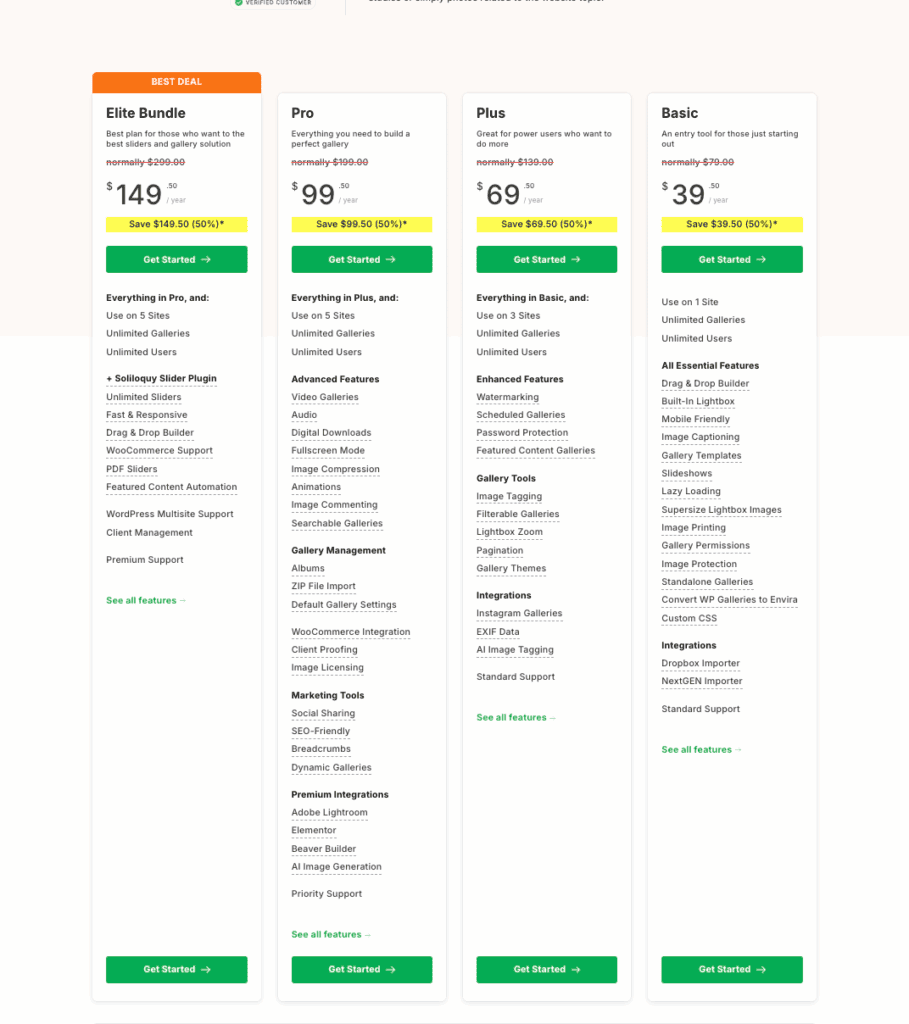
Here’s a look at the different pricing tiers:
- Free Version (Lite): Available from the WordPress repository, this version provides a simple drag-and-drop builder and basic responsive galleries. It’s a great starting point but lacks advanced layouts, protection, and professional features.
- Basic Plan (~$39.50/year): Ideal for a single site, this plan unlocks essential add-ons like image protection and unlimited galleries. It’s perfect for bloggers or small businesses needing more than the free version.
- Plus Plan (~$69.50/year): For up to 3 sites, this adds crucial features like watermarking, password protection, and gallery tags. This plan is best for serious content creators who need better image security.
- Pro Plan (~$99.50/year): This is the most popular choice for professionals. It includes all Plus features plus client proofing, WooCommerce integration, and Lightroom sync, making it a complete toolkit for photographers.
- Agency Plan (~$199.50/year): Designed for agencies and web developers managing multiple client websites, this plan covers up to 25 sites and includes all Pro features plus premium support.
- Lifetime Plan (~$349.50 one-time): Pay once and get all Pro features for unlimited sites, plus lifetime updates and support. This offers the best long-term value for professionals and agencies who plan to use Envira extensively.
My Experience with Usability and Ease of Use
The first thing that struck me was how incredibly intuitive it is. The drag-and-drop builder is genuinely one of the easiest I’ve used, allowing me to create my first responsive gallery in just a few minutes without needing to look up any instructions. What I appreciated most is how well it integrates with the WordPress dashboard; it doesn’t feel like a clunky, third-party plugin but rather a natural extension of the core software.
Getting the gallery onto a page was just as straightforward. The dedicated Gutenberg block let me add and preview my gallery visually, which is a huge time-saver. While the settings are well-organized and offer a good amount of control right out of the box, I did find that for highly specific design tweaks, I would need to turn to custom CSS. For most users, however, the built-in options are more than enough to create a professional look.
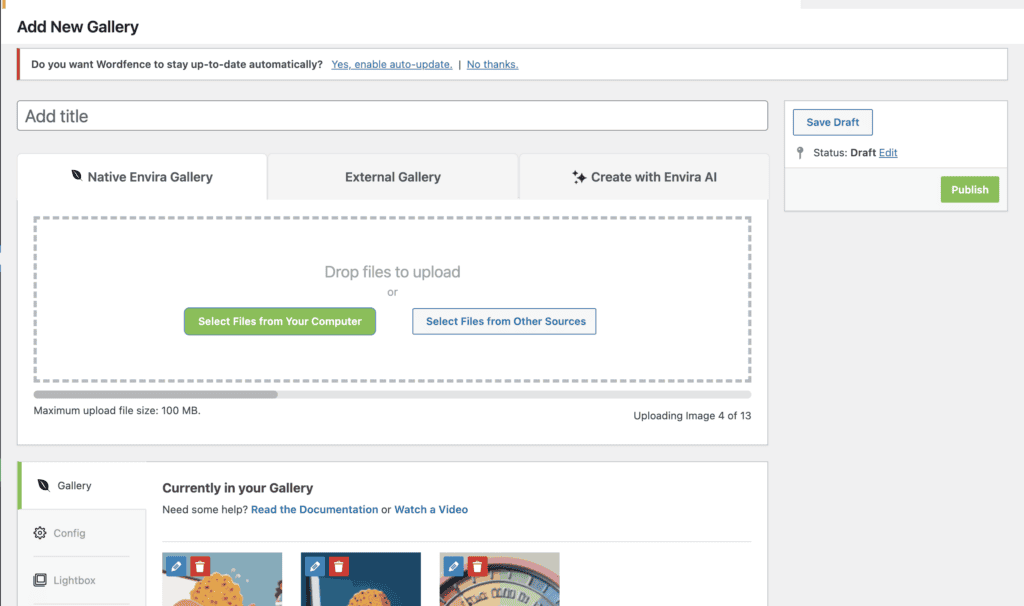
It’s important to note that this seamless experience is largely tied to the premium versions. The free version felt quite restrictive and is really only suitable for the most basic grid galleries. On the plus side, activating the premium add-ons was a simple one-click process directly from my dashboard. While I didn’t need to contact support during my testing, I’ve seen some user reports online that point to inconsistent support experiences, which could be a factor if you run into complex issues.
Alternatives to Envira Gallery
While Envira is a top contender, it’s not the only great gallery plugin available. Depending on your specific needs for design flexibility or budget, one of these alternatives might be a better fit.
- NextGen: In our experience of NextGen, it is one of the most powerful options available. It offers extensive features for managing and selling photos, but be prepared for a steeper learning curve compared to Envira.
- FooGallery: When we reviewed FooGallery, we were particularly impressed by its stunning, responsive templates. Its free version is significantly more feature-rich than Envira’s, making it a strong contender if you’re on a tight budget.
- Modula: We tried Modula and loved its unique custom grid builder, which lets you freely resize images to create custom, masonry-style layouts. It offers a great balance of creative control and ease of use.
Final Thoughts
After testing it thoroughly, we can confidently say that Envira Gallery is an excellent choice for anyone who prioritizes speed and ease of use. We liked Envira because its drag-and-drop builder is a standout feature, making it incredibly simple to create professional, responsive galleries without any technical frustration. For photographers and businesses ready to invest in a premium plan, the suite of professional add-ons for client proofing, e-commerce, and image protection makes it a powerful and complete solution.
However, no plugin is one-size-fits-all. We strongly recommend you try the plugin on a staging site first. This creates a safe copy of your website where you can explore Envira’s features, test its performance with your own images, and see if the workflow suits your needs—all without any risk to your live site.
FAQ
Does Envira Gallery require coding skills?
This is a key concern for many users, especially beginners. The answer is that Envira is designed for non-developers and features a drag-and-drop builder, so no coding skills are required to create and customize galleries.
Will Envira Gallery slow down my website?
Users with media-heavy sites, such as photographers, are especially concerned about performance. Envira is known for its speed and includes features like lazy loading and image compression to prevent large galleries from negatively impacting site speed.
Does Envira offer features for professional photographers?
Many professionals are looking for specific functionality like image protection and sales tools. Envira offers premium features such as client proofing, watermarking, password protection, and WooCommerce integration for selling photos.
How do I manage and customize my galleries?
Users want to know how easy it is to add and arrange images, apply different layouts, and integrate with other tools. Envira provides a user-friendly interface for adding images, supports various layouts (e.g., masonry, grid), and integrates with popular page builders like Elementor.
Is there a free version of Envira Gallery?
This question is common for users on a budget or who want to test the plugin before committing. There is a free “Lite” version with basic functionality, but most advanced features are reserved for the premium tiers.

Shreya has been a writer for as long as she can remember. Now, she writes articles that help WordPress users manage the sites that they're proud of, with little to no coding