You need a form plugin to turn visitors into leads and customers. But the Everest Forms vs WPForms choice feels stuck between the popular giant and a powerful free alternative.
This guide cuts the hype with a direct look at price, features, and actual ease of use.
You’ll get the real story so you can invest your time and money wisely.
Go with Everest Forms for the best long-term value and a powerful free version. Pick WPForms if you’re a beginner who wants the easiest, most guided experience. Whichever you choose, protect your form entries and entire site with a solid backup plugin.
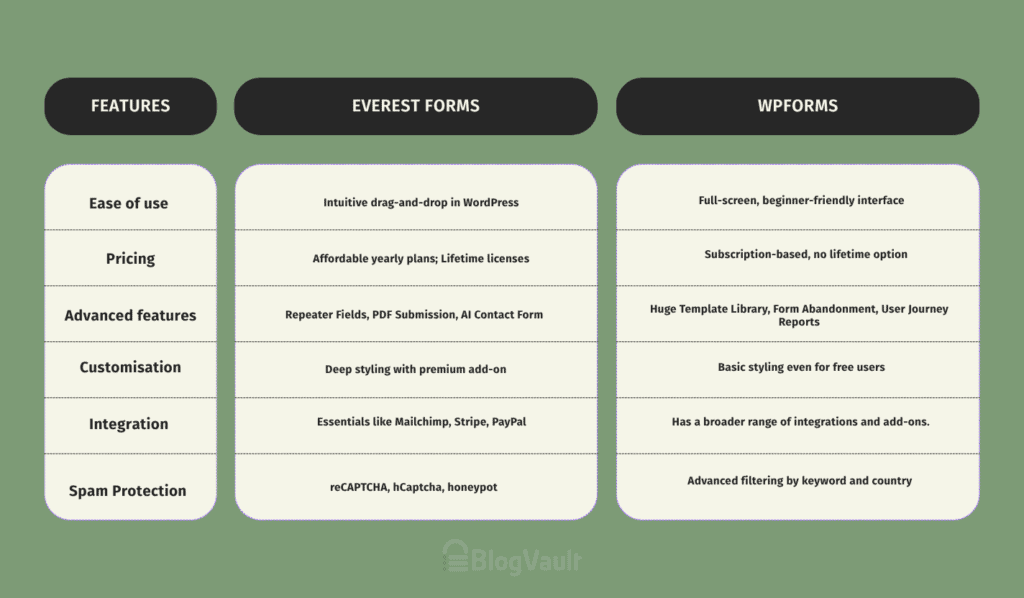
Side-by-side comparison: Everest Forms vs WPForms
Breaking down your decision factors
To make the right choice, we need to compare these plugins on the things that actually affect your work:
Pricing
Honestly, Everest Forms is built around value. Their yearly plans are generally more affordable, but here’s the game-changer: they offer lifetime licenses. You pay once, and you are done. Forever.

In a world of never-ending subscriptions, that’s a huge plus. Their free version is also stacked with features like file uploads and full entry management from the start.
The WPForms builder is a classic subscription service. You pay every year to keep things updated and get support. There is no lifetime deal. On top of that, many of their most useful features are locked away in the more expensive plans, meaning you might have to jump up a tier just for one specific tool.

What this means for you: If you’re on a budget or just hate recurring bills, Everest Forms is the clear financial winner.
Ease of use
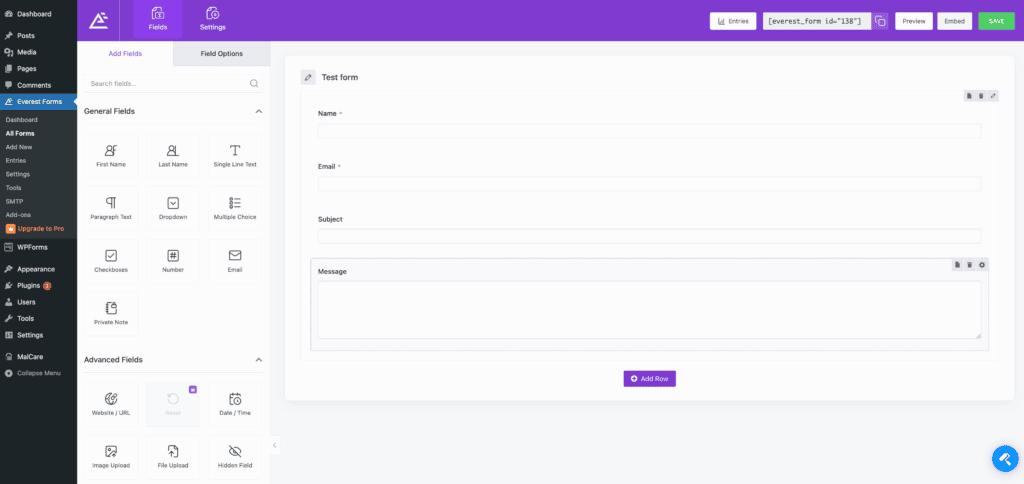
The Everest Forms form builder here feels like a natural part of WordPress. It’s a clean drag-and-drop interface right in your dashboard. If you’re already comfortable in WordPress, you’ll get it instantly. It’s so intuitive that it stands toe-to-toe with WPForms as a serious contender.
This is what WPForms is known for. It has a full-screen, distraction-free builder that takes over your window. For a beginner, this is fantastic. It eliminates all the other WordPress clutter and guides you through the process, making it almost impossible to mess up.
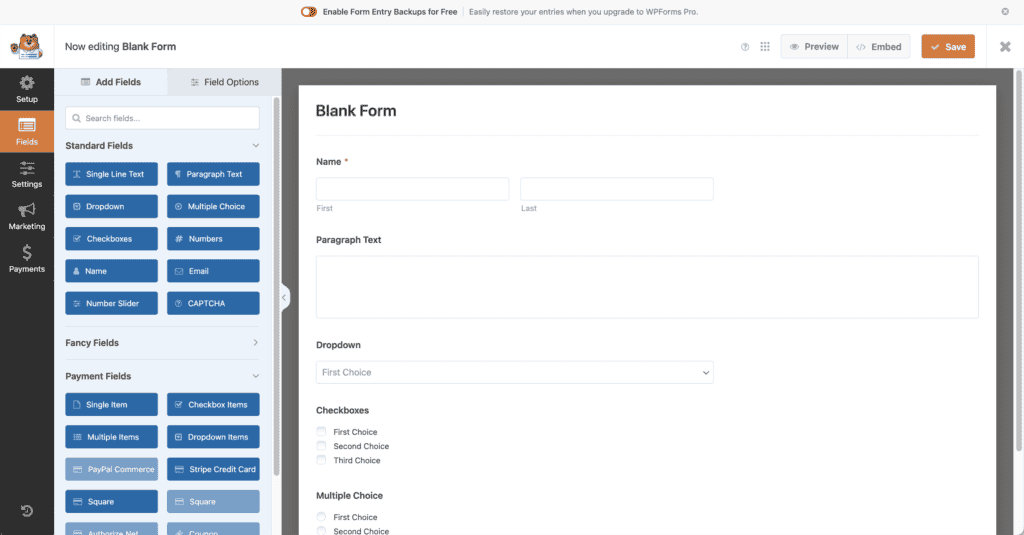
What this means for you: Both are simple. But for a true beginner who wants the most hand-holding, WPForms is slightly easier to start with.
Advanced features
Everest Forms has some really clever features, like:
- Repeater Fields: Lets a user add the same group of fields over and over. Think of someone listing multiple children on a registration form. It’s incredibly useful.
- PDF Submission: Automatically turns a form entry into a slick PDF document. Perfect for applications or creating records.
- AI Contact Form: Integrates some modern AI chat features and smart notifications.
WPForms focuses heavily on marketing and conversion tools:
- Huge Template Library: With over 2,000 pre-made templates, you can get started incredibly fast.
- Form Abandonment: This is a killer feature. It captures a person’s email even if they don’t finish filling out the form, giving you a chance to follow up.
- User Journey Reports: Shows you the path a visitor took on your site before submitting a form. That’s pure gold for understanding your audience.
Managing entries
Managing entries is a massive win for Everest Forms. You can see and manage all of your form entries right in your WordPress dashboard, even on the free version.

This is a core feature, and they don’t hide it behind a paywall.
With WPForms, the free version, you get an email notification, but the actual entries are hidden.
To see a list of submissions inside your WordPress admin area, you have to upgrade to a paid plan. This is often the single reason people end up paying.
What this means for you: If you want to manage your leads from your website without paying anything, Everest Forms is the only choice here.
Integrations available
Everest Forms connects to all the essentials: Mailchimp, Stripe, PayPal, Zapier, and more. It covers the needs of most businesses.
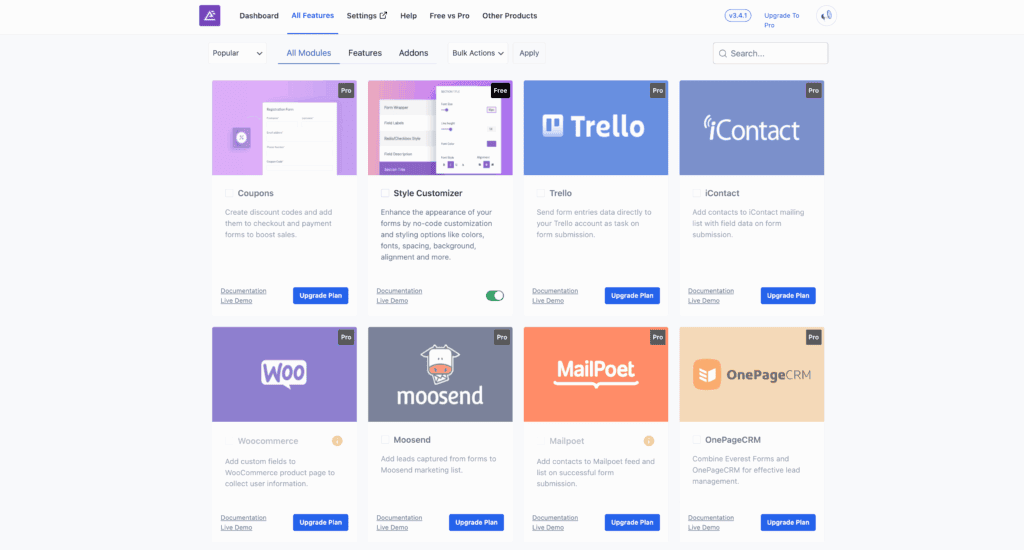
WPForms offers a slightly larger library of direct integrations, especially for more niche services. Keep in mind that most of these connections are reserved for their most expensive plans.
Customisation
Everest Forms gives you deep styling options; you’ll need one of their premium plans with the “Style Customizer” add-on.
WPForms gives all users, even free ones, basic styling controls to tweak colors and button styles. Their layout field is also more flexible, letting you create columns of different sizes.
What this means for you: For quick and easy styling without paying, WPForms has the advantage.
Spam protection
Everest Forms provides the basics that work well: reCAPTCHA, hCaptcha, and an invisible honeypot.
WPForms has more advanced tools in its arsenal, including keyword and country filtering. This allows you to automatically block junk submissions that contain certain words or come from specific locations.
Which is best for you?
Choose Everest Forms if…
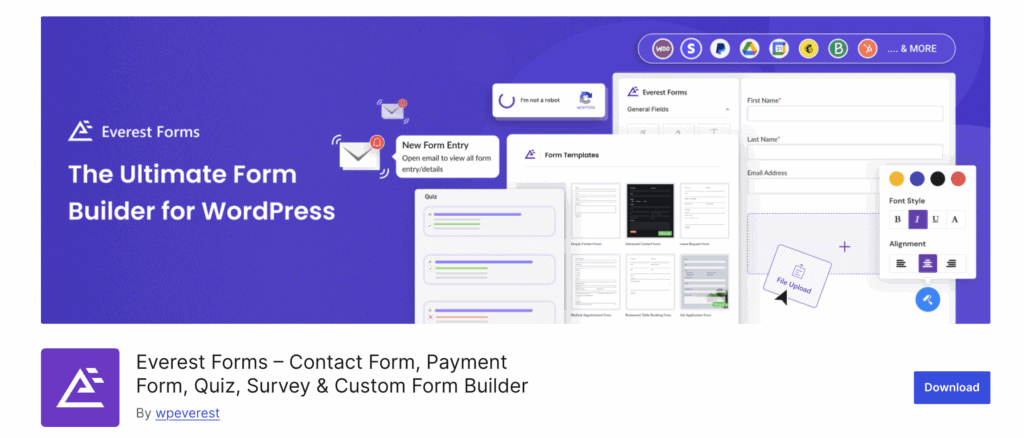
- Your budget is your top priority. Its powerful free version and game-changing lifetime license make it a permanent asset, not another subscription.
- You need to manage entries for free. This feature alone is a massive advantage for anyone starting out on a zero-dollar budget.
- You’re a confident WordPress user who doesn’t need their hand held and is comfortable working within the standard dashboard.
Choose WPForms if…
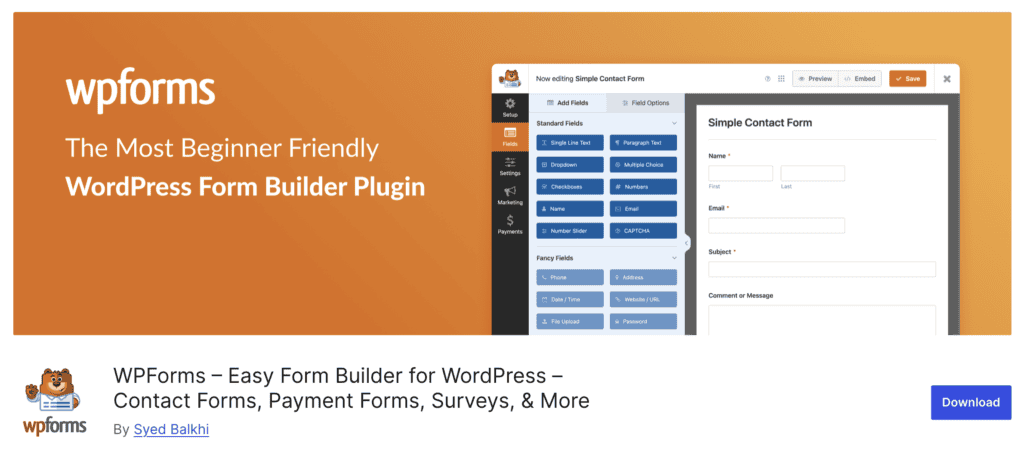
- You prioritize speed and simplicity above all. Its full-screen builder is designed to eliminate overwhelm and get a form live in minutes.
- You’re willing to pay for a premium, time-saving experience. Its massive template library is a huge head start, and the annual subscription is the price for the most polished UI in the game.
Other forms plugins to consider
1. Fluent Forms

We’re big fans of Fluent Forms, especially for its speed and the value of its lifetime deals. It’s a seriously strong contender that feels light on its feet.
2. Formidable Forms

We think of Formidable Forms less as a form builder and more as a framework. If your project involves data-heavy applications like event listings or business directories, this is the one we’d recommend.
3. Gravity Forms

You can’t have this conversation without mentioning Gravity Forms. We see it as the classic, professional-grade toolbox for developers who need to tinker with every nut and bolt.
Parting thoughts
Both plugins are top-tier. It really boils down to a simple trade-off: WPForms offers a slightly more polished and beginner-friendly experience at a higher, recurring cost.
Everest Forms provides more power and better value, especially with its free version and lifetime deals. Regardless of the selection, testing your forms is a critical final step to verify functionality.
FAQs
Which form is best for WordPress?
It depends on your needs. WPForms is best for pure beginners, Formidable Forms is best for complex data, and Everest Forms offers the best overall value.
Which is better, Contact Form 7 or WPForms?
WPForms is much better for almost everyone. It has a modern visual builder, while Contact Form 7 is outdated and not very user-friendly.
What is the difference between WPForms and Elementor forms?
WPForms is a dedicated form plugin with far more power and integrations. Elementor’s form widget is fine for simple contact forms, but can’t compete on advanced features.
Is there a free version of WPForms?
Yes, it’s called WPForms Lite. It’s good for making simple forms, but you cannot view your submitted entries in WordPress without upgrading.

Shivani enjoys crafting guides that make every aspect of using WordPress simple and easy to follow. When she's not glued to her laptop, you can find her buried in a good book or occasionally, painting.