
Choosing a plugin for forms on your WordPress site? It’s a bigger deal than you might think.
Honestly, the form plugin you pick today will either save you thousands or cost you hundreds in hidden expenses a year from now.
Stop comparing feature lists for a moment. The real difference between Forminator vs WPForms isn’t in what they do, but in who they’re built for. Let us help you figure it out.
Choosing your form plugin hinges on priorities. Forminator offers robust free features like payments and conditional logic. WPForms provides superior ease of use and advanced premium features. With a backup plugin, always remember to back up your site to safeguard your work.
Forminator vs WPforms at a glance

Which plugin has a smoother learning curve?
Forminator’s drag-and-drop builder works fine for basic tasks. It does what it promises. But its interface can feel less streamlined due to constant modal windows. Editing fields means more clicks in pop-ups, which just feels slower.
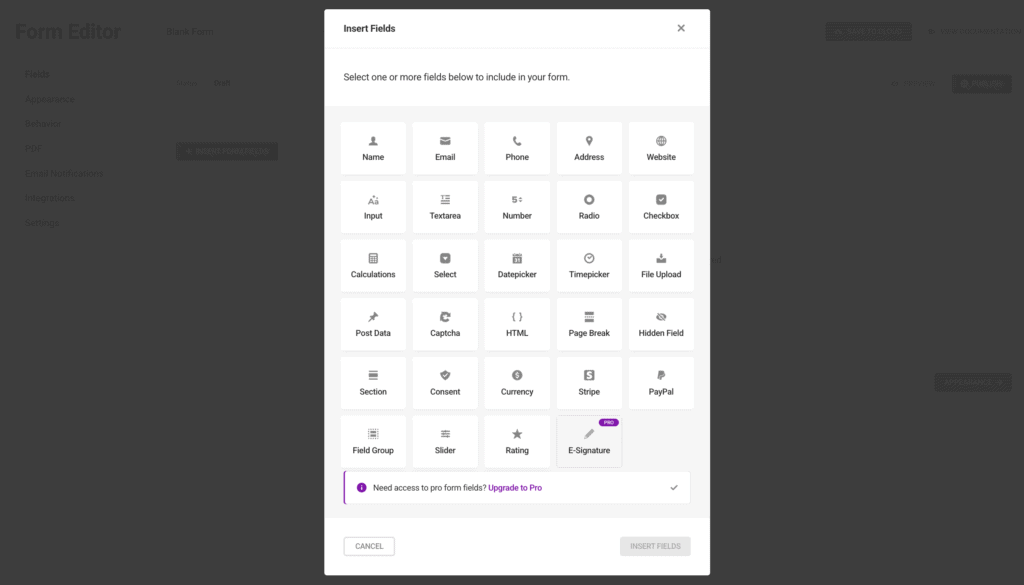
You won’t see an immediate live preview in the main builder; you need a separate click. Embedding forms relies heavily on shortcodes, which aren’t always intuitive. Visually, it’s polished, and for beginners, it’s manageable.
The WPForms’ drag-and-drop builder is pretty much the industry standard, just intuitive. Seriously, people get it quickly. The interface makes form creation straightforward for everyone.
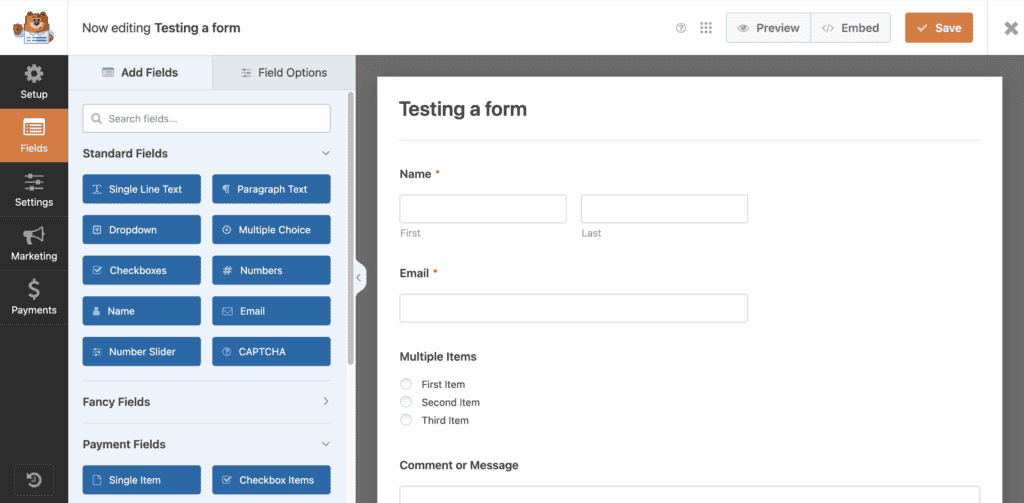
Need to add a form? Their simple embed wizard handles it, no fuss. Conditional logic setup is quick, too; all rules on one screen.
They’ve got an extensive template library, so you rarely start from scratch. The full-screen form builder adds a nice touch, cutting distractions.
Core features compared
Let’s get down to the brass tacks: what can these things actually do for you? Because at the end of the day, features are what build your website’s functionality.
What can you build?
Forminator handles standard contact, feedback, and signup forms. Its free version particularly excels with interactive content. You can create quizzes and polls with real-time results. Additionally, you can even accept payments via PayPal and Stripe.
This free payment integration is great for one-time payments or donations.
Besides that, you can also create dynamic calculation forms, user registration forms, and accept front-end post submissions.
Pro features include PDF generation, e-signatures, and dynamic forms that adapt to user input.
WPForms covers basic contact and subscription forms, but offers powerful advanced features. It builds complex, multi-page forms with progress bars and conversational forms. Both are known for boosting completion and conversion rates.
How does conditional logic compare?
Forminator’s free version includes robust conditional logic, a significant advantage. Rules are set via a field’s Visibility tab. However, its pop-up style can slow you down with complex forms because you’ll need to click multiple times.
It supports multiple AND/OR conditions. Applies logic to email notifications and actions. Offers powerful customization despite the interface’s minor speed bump.
Here’s the distinction: conditional logic is a premium feature with WPForms, unavailable in the free version. For paid users, the Smart Logic tab allows for significantly faster rule application, saving clicks.
It supports both AND and OR logic, too. Applies to fields, sections, payments, confirmation messages, and notification emails. The intuitive visual setup makes creating sophisticated rules surprisingly easy. Even extends to layout fields for dynamic design.
How do they manage form entries?
Forminator stores all form entries in the WordPress database. Free entry storage is included; this is a key advantage over WPForms Lite. Provides dashboard access for viewing, basic filtering, and exporting to CSV.
While functional, its interface is less refined for complex searching. Frontend editing requires a separate plugin. Poll submissions offer charts, and automated deletion is a Pro feature. This robust free storage is a major asset for budget-conscious users.
Here’s a critical point: the free (Lite) version of WPForms does not store entries in your database.
Paid versions, however, store everything in your WordPress database. Offer a centralized dashboard with powerful search and filtering options (a paid feature). You get customizable displays, detailed individual entry pages, internal notes, and favoriting.
Entries can be exported as CSV or XLSX. Automated export/deletion and direct dashboard entry editing are premium features.
While frontend editing requires an add-on, WPForms’ rich filtering, user-friendly interface, and advanced features provide superior management.
Features like Form Abandonment and User Journey Tracking offer invaluable lead insights. It’s important to protect your WordPress site from data loss to ensure these insights are secure.
Email notifications and confirmations?
Forminator allows multiple email notifications and autoresponders, with free conditional logic for targeted emails. This feature lets you segment notifications without extra cost. You can customize sender details, CC/BCC, email routing, and insert form field data.
Confirmation messages are customizable or can redirect to a URL. While not as refined as WPForms, the free conditional email routing is a significant advantage.
WPForms also supports multiple email notifications and autoresponders, though conditional logic for emails requires a paid plan. It offers extensive email customization using Smart Tags for personalization and can include file uploads.
For confirmations, WPForms provides options like message, page, or URL redirect. It excels with advanced confirmation options, offering personalized messages, redirects, and even entry previews based on conditional logic.
What is their spam protection like?
Forminator offers free honeypot protection, but you must enable it yourself. It works with reCAPTCHA and hCaptcha for privacy, and it also works with Akismet. You can make forms only for logged-in users and block spam emails.
This free setup gives good protection against spam. To keep your whole site safe, ensure your WordPress security practices are strong.
WPForms includes built-in spam protection that starts working immediately. It uses reCAPTCHA, hCaptcha, and Cloudflare Turnstile. Akismet can also help block spam.
If you get the premium version, you get more tools like Custom Captcha and filters for Country and Keyword. This helps keep your site safe and secure from spam.
Payment gateway integration
Forminator’s free version includes Stripe and PayPal, allowing for one-time payments or donations without extra cost.
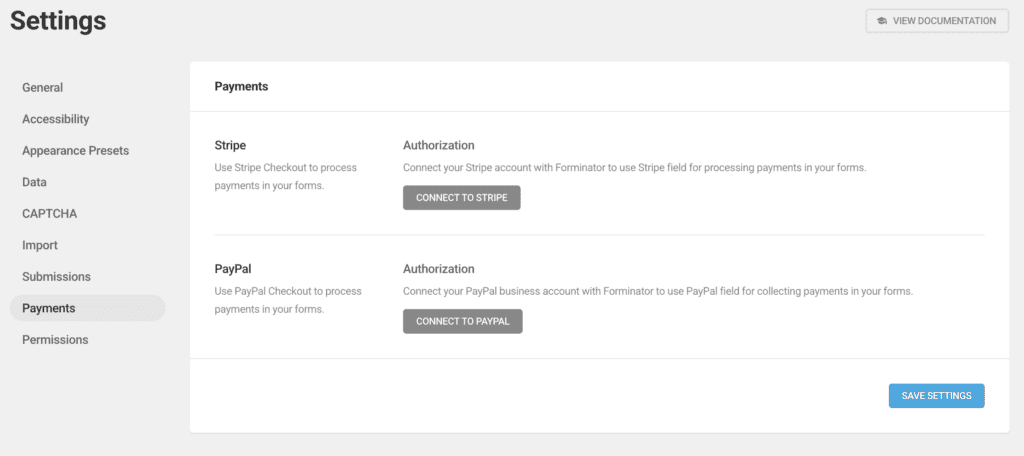
For recurring payments, you’ll need Pro, which also supports Apple Pay and Google Pay. This cost-effective solution for basic transactions is a major draw.
WPForms Lite supports Stripe and Square with a 3% fee on free accounts. Pro versions remove these fees and add options like PayPal, Square, and more. WPForms offers advanced features for paid users, making it suitable if you need more payment choices.

How extensible is each plugin?
Forminator offers numerous built-in integrations for email marketing and CRM. It connects with third-party tools via Zapier and Uncanny Automator. Webhooks are a Pro feature.
Forminator is highly developer-friendly, offering API support and numerous action/filter hooks with well-documented code. This makes it customizable for those with coding expertise.
WPForms features a vast library of native, no-code integrations, primarily through paid add-ons. Its extensive add-on ecosystem is key for non-developers, providing a wider range of pre-built integrations than Forminator.
The Webhooks Addon (paid) allows extensive data customization using Smart Tags. It also supports developer hooks and has a well-documented API. While Forminator suits developers, WPForms truly excels for business users needing pre-built, no-code solutions for broader integration.
Support channels and resources
Forminator provides active free support through WordPress.org forums and detailed documentation. WPMU DEV’s Academy offers tutorials. Pro users get 24/7 expert help, secure site access, and community forums.
WPForms gives free support via forums for Lite users. Paid users enjoy faster, premium support and access to a private Facebook group. They offer a large library of guides and video tutorials. Support quality improves with higher license tiers, giving paid users quick expert access.
Understanding the pricing
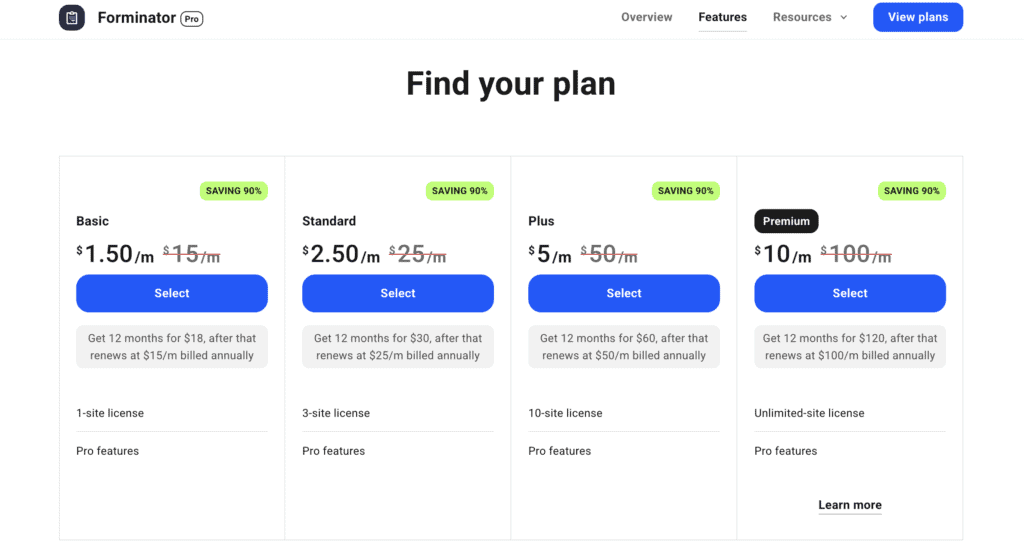
Forminator forms’ free version offers a lot, including free payments with Stripe and PayPal, and conditional logic. It’s perfect for budget users. The Pro version comes with a WPMU DEV membership, which includes other plugins and hosting, so the cost depends on the membership level.
WPForms form builder has a limited free Lite version. Paid plans offer more features, including conditional logic. Pricing starts with a Basic plan for one site.

Renewals can cost double after the first year, and no lifetime license is available. The Lite version includes a 3% fee on Stripe payments. WPForms tends to be more expensive if you need many premium features upfront.
Which one should you choose?
Alright, after all that, it boils down to this: what’s right for your situation? There’s no single best answer, only the best fit.
Choose Forminator if:
- You really need powerful free features, especially payments and conditional logic.
- Creating interactive polls and quizzes is a big goal for you.
- Your budget is a primary concern, because that free version is just robust.
- You’re already a WPMU DEV member and want to get the most out of your existing subscription.
- Your forms are simpler, and that modal-based interface isn’t a problem for your workflow.
- You can tolerate a slightly less polished user experience in exchange for more free features.
Choose WPForms if:
- You absolutely prioritize extreme ease of use and that intuitive drag-and-drop interface.
- You have the budget for a paid plan to truly unlock its full potential.
- You require premium features, things like advanced conversions and detailed reporting.
- You manage a large volume of entries and need powerful filtering and organization.
- Third-party integrations and add-ons are really crucial for your workflow.
- You frequently build complex forms, as that inline editor makes it much faster.
- You need reliable, premium support for your business operations.
Alternative Form plugins to consider
The market offers compelling alternatives that may better fit specific use cases.
Fluent Forms

Fluent Forms delivers excellent features at an affordable price. It features a sleek, fast, and intuitive UI. It prioritizes performance. It includes conversational forms for higher completion rates.
Comprehensive features are offered across its paid plans. Its robust free version is slightly less generous than Forminator’s. However, it remains a strong contender for a user-friendly interface with extensive features. All without WPForms’ premium price tag.
Gravity Forms

Gravity Forms remains the industry standard for developers and complex, custom form solutions. It’s premium-only. There is no free version. It offers an extensive add-on ecosystem and superb, intricate conditional logic.
Highly developer-friendly with a robust API. It provides consistent long-term costs without renewal hikes. While it has a steeper learning curve, Gravity Forms is the definitive choice for advanced custom solutions.
Formidable Forms

Formidable Forms specializes in data-driven applications. It extends beyond basic form collection. Its “Views” feature transforms form data into frontend displays like directories or calendars. It excels with advanced calculation fields for complex estimates.
This makes it ideal for converting forms into powerful solutions. Its add-ons further expand its application-building capabilities. Choose Formidable Forms if your goal is to manipulate and display collected data dynamically.
Ninja Forms

Ninja Forms offers a user-friendly free core plugin for basic forms, saving submissions to the database (unlike WPForms Lite). Its a la carte add-on system that allows purchasing only the needed features.
While its intuitive builder facilitates quick creation, bundled paid plans can become expensive. A solid option for beginners who prefer granular control over add-on purchases.
Contact Form 7

Contact Form 7 is a completely free, lightweight classic. It relies on shortcodes and HTML, requiring coding knowledge as it lacks a visual editor or templates. Its minimalist approach ensures high performance.
Extensibility demands third-party plugins. It’s the best option for developers or those needing a simple, no-frills form where performance trumps visual convenience.
Parting thoughts
Choosing your form plugin impacts site functionality and long-term costs. Forminator’s free version stands out with payments and conditional logic. WPForms offers a better user experience and strong premium features.
Remember, WPForms Lite lacks entry storage, while Forminator Pro comes with a WPMU DEV membership. Always test your forms. This simple step can prevent big issues later.
FAQs
What is the difference between WPForms and Forminator?
The core difference lies in their approach to free features and user experience. Forminator offers more powerful free functionalities, like payments and conditional logic. WPForms provides a more intuitive builder and extensive premium features. Forminator Pro is part of a WPMU DEV membership, while WPForms has tiered, standalone paid plans.
What is the best alternative to WPForms?
The “best” alternative depends on your specific needs. Fluent Forms offers excellent features at an affordable price, with a sleek interface. This makes it a strong contender for a balance of power and user-friendliness. Gravity Forms is ideal for developers needing complex custom solutions. Formidable Forms excels in data-driven applications.
Is Forminator good?
Yes, Forminator is a very good option. It’s especially suited for users needing robust features like free payment integrations and conditional logic. All without immediate premium costs. Its free version is exceptionally powerful. This makes it an excellent choice for budget-conscious users or those already within the WPMU DEV ecosystem.
What is Forminator in WordPress?
Forminator is a versatile WordPress form builder plugin. It lets users create contact forms, registration forms, quizzes, polls, and payment forms. It’s known for its drag-and-drop interface and generous free features, including interactive content and payment gateway integrations.
What is the difference between WPForms and Formidable Forms?
While both build forms, WPForms prioritizes ease of use and conversion-focused features. It includes conversational forms. Formidable Forms specializes in data-driven applications and displaying form data on the frontend. It is ideal for turning collected data into dynamic solutions like directories or calculators. This is a different focus than WPForms’ strengths in lead generation and user experience.

Shivani enjoys crafting guides that make every aspect of using WordPress simple and easy to follow. When she's not glued to her laptop, you can find her buried in a good book or occasionally, painting.