
Picking from the many directory plugins is a gamble. You’re not just worried about choosing the wrong features; you’re terrified of plugin conflicts that could break your site.
You’re looking at HivePress because you need a solid, reliable engine for your business, not another headache. We get it, and we’re not here to waste your time.
With this HivePress review, we’re cutting straight to the facts and covering the good, the bad, and the real costs so you can finally move forward.
HivePress is an excellent solution for a high-performance directory, offering a free core plugin and fairly priced add-ons. As a rule, always back up your site with a trusted backup plugin before installing anything on your site
HivePress review at a glance
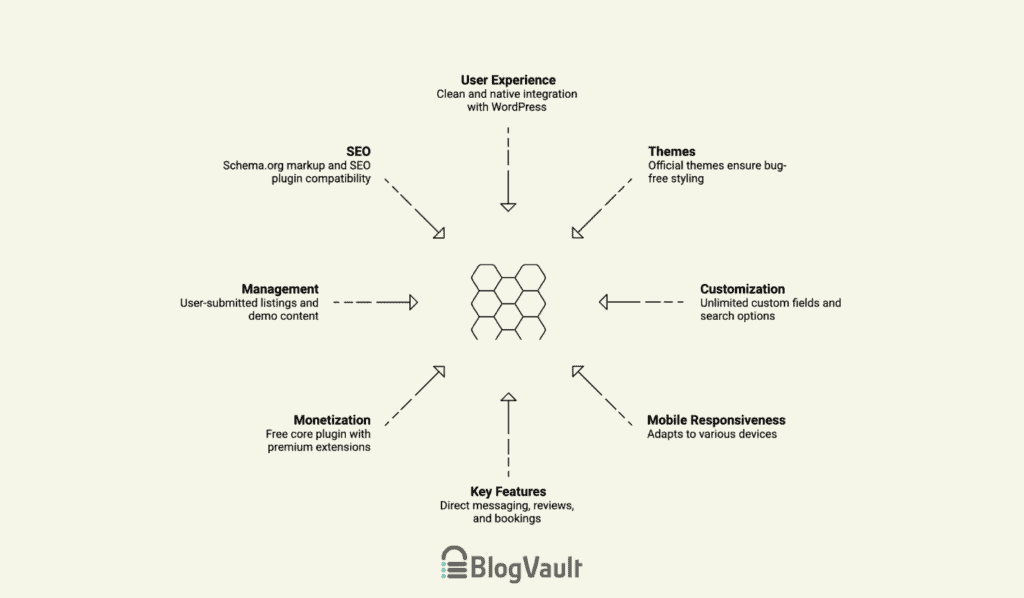
Core functionality & user experience
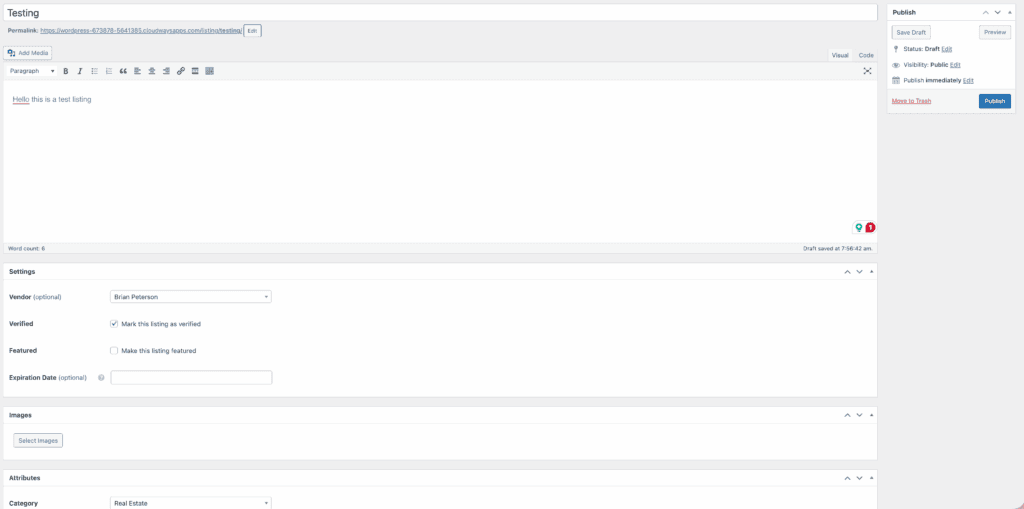
The first thing that struck us was how clean HivePress feels. It slides right into the WordPress dashboard, so it feels native and not like some clunky add-on. What we found impressive is how flexible it is under the hood, a point we see praised all the time in the forums.
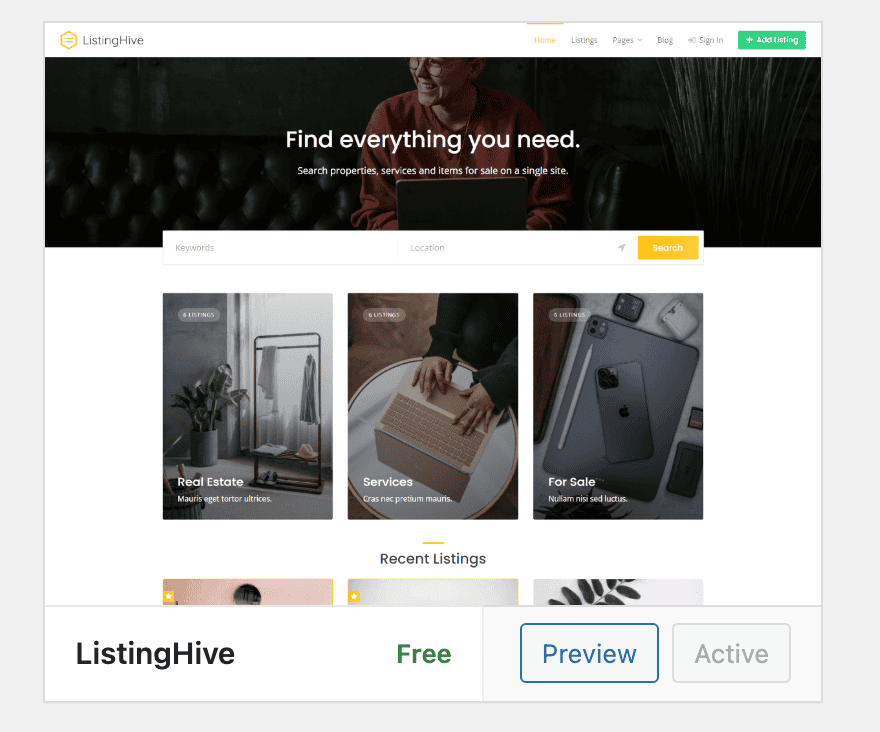
When it comes to themes, an official one from HivePress, like the free ListingHive is the way to go. It guarantees a flawless, bug-free experience. You can use a different theme, but you’ll almost certainly run into styling conflicts that need custom CSS to fix.
For your users, the experience is really straightforward. What we really liked is that they get a dedicated dashboard to manage everything: their listings, messages, and payouts. All submissions and edits happen on the front end, a huge plus that keeps non-technical people out of the confusing WordPress backend.
The real power, in our opinion, is the customization. You can create unlimited custom fields to fit any category. You also get a search system with real-time filtering, Geolocation, and Map integrations. However, you’ll need to ensure your WordPress hosting can handle the load.
The plugin is mobile-responsive and built on a block-based approach. Digging a bit deeper, we found it has a flexible architecture perfect for developers, though any deep customizations should first be tested on a WordPress staging site.
It also includes several other key features out of the box or via simple extensions:
- Direct messaging: Lets your users communicate with each other.
- Reviews & ratings: The built-in support for user feedback is solid.
- Bookings & claims: Available through premium extensions if you need them.
- Gutenberg native: It works perfectly with the WordPress block editor, which is a big deal for modern sites.

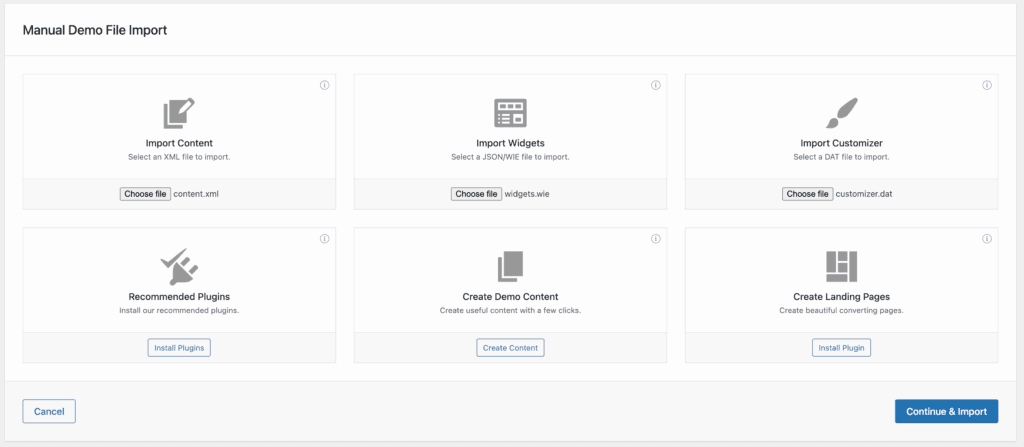
You can also download demo content for a quick start, but here’s a tip from our experience: you’ll need a separate import plugin to get it working, so have one ready.
Monetization & business growth
The core HivePress plugin is completely free. This lets you build out your directory and test your idea without any financial risk, though it’s always wise to follow best practices when you install a new plugin.
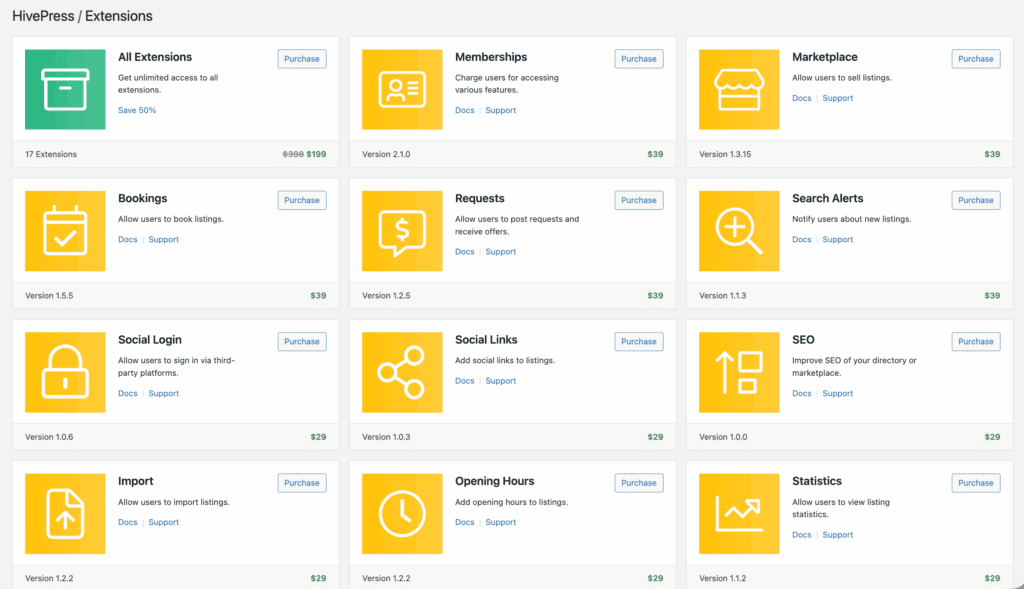
When you’re ready to make money, you will need premium extensions, so knowing how to safely update plugins to avoid conflicts becomes essential. The most important one is Paid Listings. It allows you to:
- Charge users for adding new listings.
- Charge users for renewing expired listings.
- Charge a fee to promote a listing to the top of the search results.
Payment processing is handled through an integration with WooCommerce. This gives you a major advantage: access to over 100 payment gateways, including Stripe, PayPal, and many local providers. The checkout process is secure, but it’s still your responsibility to focus on hardening WordPress to protect your site.
You can also restrict content. For example, you can limit who can view or submit listings to paid members only.
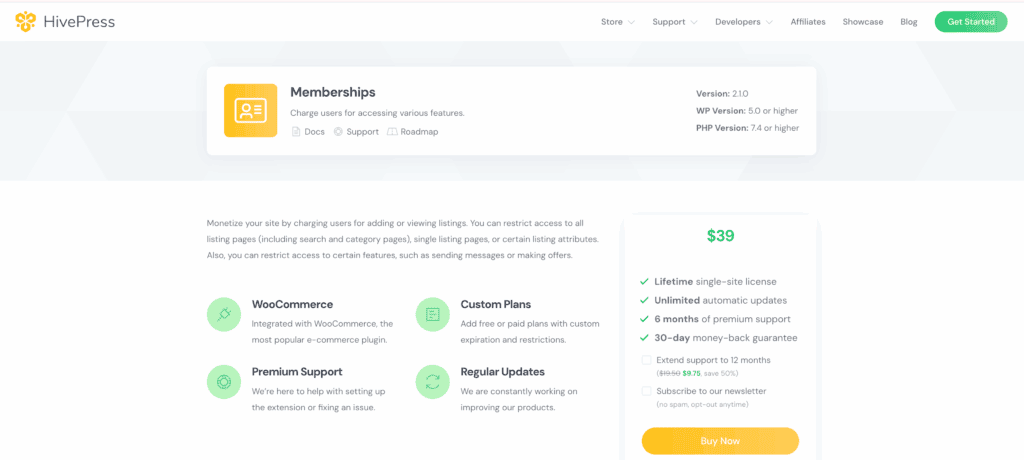
Creating tiered subscription levels is possible using the Memberships extension. This lets you build a recurring revenue model, especially when paired with the WooCommerce Subscriptions integration. Many other add-ons are available, but be mindful that more plugins can impact site speed, which is where a WordPress caching plugin can help.
Management & customization
Management and customization functions are handled through these key features.
- Listing management: User-submitted listings can be approved or rejected directly from the WordPress dashboard.
- Demo content: You can import demo content to establish an initial site layout, but creating a WordPress backup is non-negotiable before you start. Be aware that this process requires unzipping files and using a separate import plugin.
- Review system: A five-star rating system is available for listings, though it requires installing a separate, free extension to be activated. Once enabled, it allows for the creation of custom review criteria.
Performance & SEO
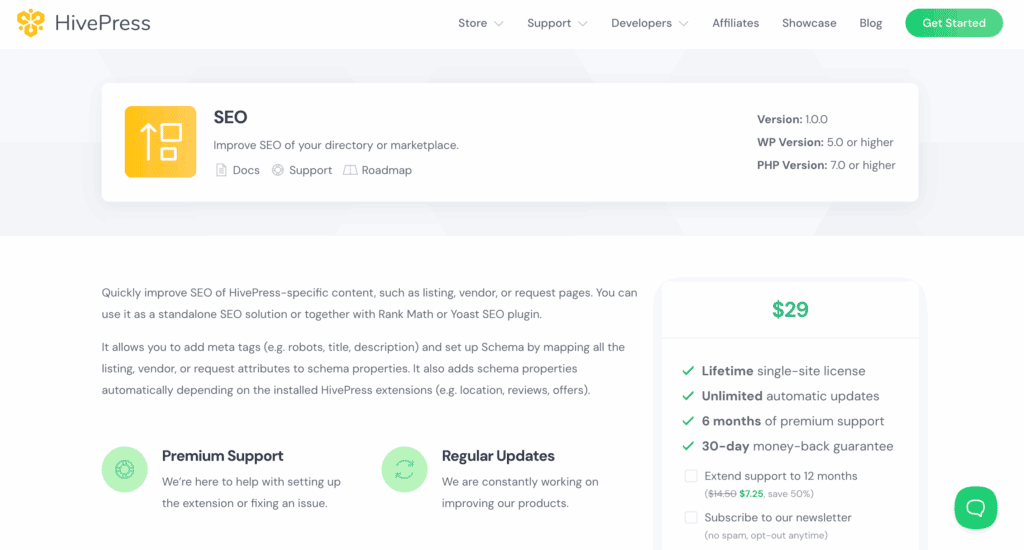
A directory is useless if no one can find it. We were pleased to see that HivePress has solid SEO foundations as an extension. It includes Schema.org markup out of the box to help you get those rich snippets (like star ratings) in Google.
In our tests, it played nicely with popular SEO plugins like Yoast SEO and Rank Math.
The code felt lightweight, contributing to fast loading times. While the architecture is designed to scale to thousands of listings, remember that a site’s ultimate scalability will always depend on your web hosting plan.
The pricing model
We really like the pricing model here. It’s a fair approach that lets you start for free, but it’s still crucial to have a backup strategy in place to handle any hiccups safely.
The core HivePress plugin is 100% free. For extra features, you buy premium extensions for around $29–$39 each, while their official themes range in price from free to $89.

HivePress pros and cons
To help you decide, here’s a balanced look at the good and the bad.
| Pros | Cons |
| Modern, clean user interface | Additional features require extra extensions |
| Very flexible for developers | Best experience requires an official theme |
| Strong and active user community | Can have styling issues with other themes |
| Ready-made code | |
| Great tutorials and documentation |
Is HivePress right for you?
Choose HivePress if:
- You value clean code and fast performance.
- Your directory is a serious business project.
- You plan to use an official HivePress theme.
Avoid HivePress if:
- You need deep, drag-and-drop design control.
- You rely heavily on a page builder like Elementor.
- You are unwilling to use one of their official themes.
Alternatives to look at
If HivePress doesn’t sound like the right fit, we suggest looking at these alternatives.
Directorist: A good option if you want more features built in from the start.

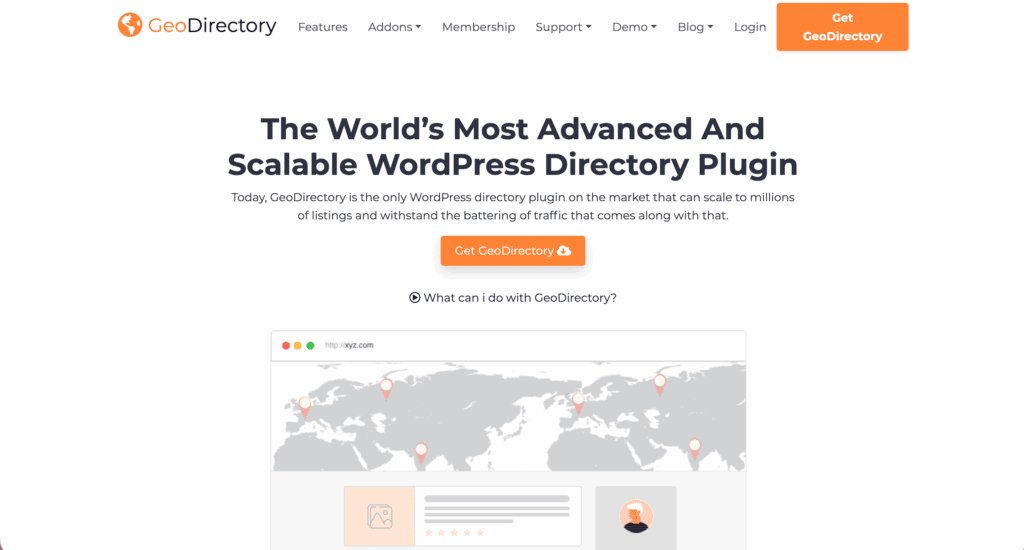
GeoDirectory: The powerhouse for location-heavy directories that rely on maps.
Parting thoughts
HivePress is a strong choice for a reliable foundation. Of course, that foundation always begins with the right web hosting. The plugin is especially good if you’re comfortable with the block editor, and its active community and developer-friendly design are huge assets.
Our main advice is this: before you commit, list your must-have features and see which ones are free versus which ones you’ll need to purchase as extensions.
FAQs
Is HivePress good?
Yes, HivePress is an excellent WordPress directory plugin, especially for users who value clean code, performance, and a developer-friendly structure. Its strengths lie in its lightweight core and fair, lifetime pricing for add-ons.
What is the best free directory plugin for WordPress?
HivePress is considered one of the best free directory plugins, particularly for its modern approach and performance. The “best” choice depends on your specific project needs, with Directorist being another popular feature-rich alternative.
What is the best free directory theme for WordPress?
For HivePress users, the best themes are the official ones like ListingHive (free) and TaskHive if a premium theme is on your budget. These are designed for perfect compatibility, ensuring a seamless and error-free experience without custom coding.
Is HivePress paid?
No, the core HivePress plugin is 100% free and open-source to download and use. You only pay for optional premium themes and extensions to add specific functionality like paid listings or memberships.

Shivani enjoys crafting guides that make every aspect of using WordPress simple and easy to follow. When she's not glued to her laptop, you can find her buried in a good book or occasionally, painting.